On this page
Short answer: Age-inclusive customer support works for customers who may have hearing or vision loss and less experience with new technology. The most practical step is to add visual communication that needs nothing more than a phone and a link. When the agent handles the technical steps and the customer only points the camera, older customers get help faster and with less frustration.
Key takeaways
- Many older customers have some hearing or vision loss, so phone-only support often falls short.
- Video lets agents show the fix instead of repeating instructions.
- Support that requires an app download, an account or a password excludes many older customers.
- The agent, not the customer, should control zoom, flashlight, screenshots and text capture.
- Accessible support shortens resolution time for every customer, not just older ones.
Why age-inclusive support matters
According to the CDC, 40 percent of adults 65 and older have some kind of disability, including hearing and vision impairments. Many older adults are also less comfortable with new technology than younger customers.
That has real consequences for a customer support center. If your channels assume perfect hearing and confident use of apps, a large group of customers will struggle to get help. Here are three areas to review.
1. Support for customers with hearing loss
According to the National Institute on Deafness and Other Communication Disorders, fewer than one in three adults aged 70 and older who could benefit from hearing aids have ever used them. Many people in this group have mild to moderate hearing loss and do not use assistive tools such as TTY phones.
For these customers, a phone call full of verbal instructions is hard to follow. Agents repeat themselves, customers get frustrated, and calls run long.
How video helps
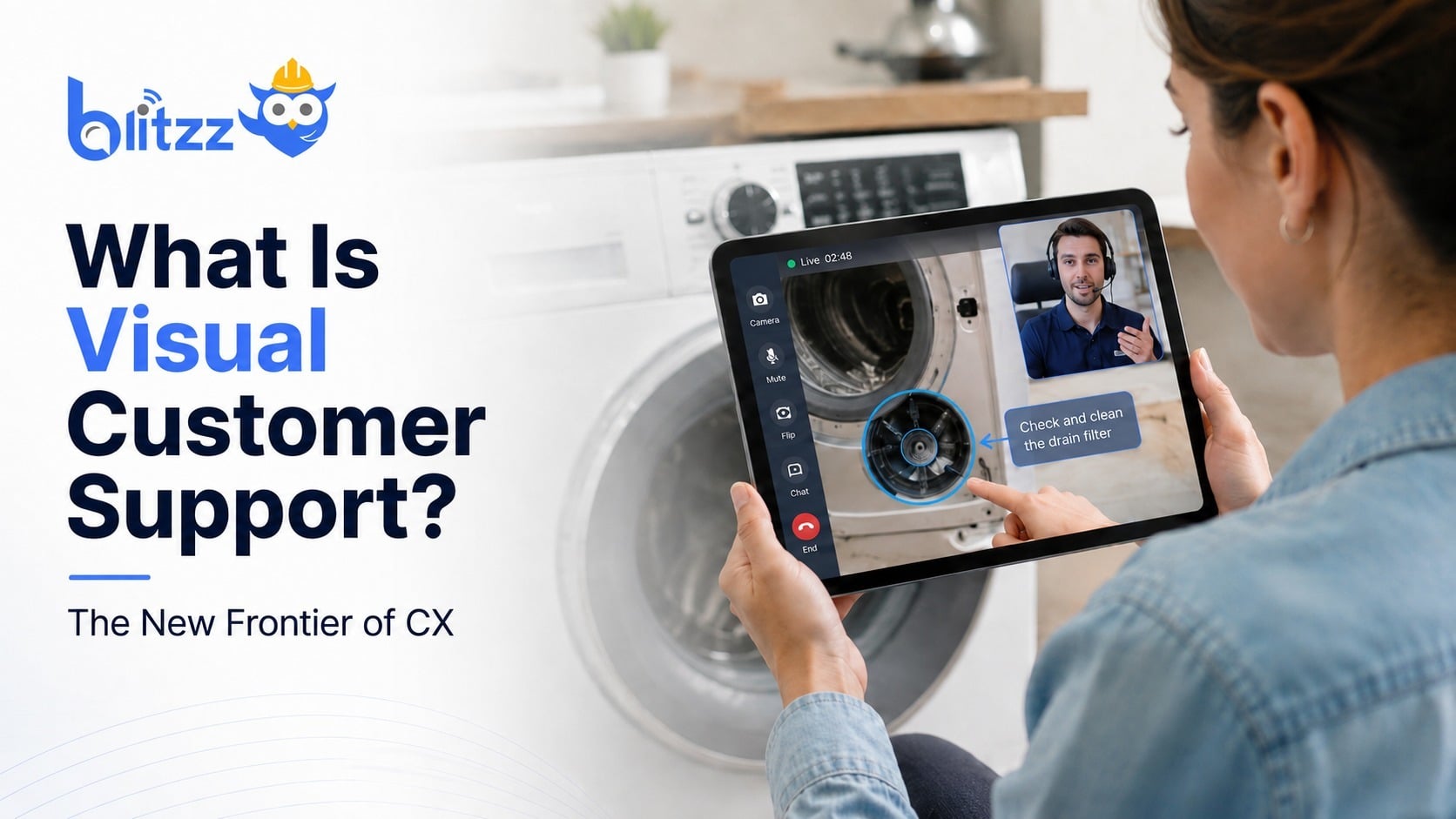
Video adds a visual channel to the conversation. The agent sends a link, the customer points their phone camera at the problem, and the agent uses on-screen markup and augmented reality guidance to show what to do.
Instead of saying "press the second button from the left," the agent circles it on the screen. The customer sees the instruction even if they miss some of the words.

2. Technology that does not require tech skills
Most older adults now own a smartphone. That makes video support possible for them. But how the video tool works decides whether they can actually use it.
Remove the app download
A tool that requires an app download asks a lot of the customer. They need to find the app store, remember a password, and trust a new app on their phone. Many older customers stop at one of these steps.
A tool that opens from a text or email link removes those barriers. With Blitzz, the customer taps the link and the session opens in their mobile browser. There is nothing to install and no account to create. For more on this approach, see live video support software with no app.
Let the agent drive
Once the call starts, the agent should handle the technical controls. That includes zooming, turning on the flashlight, taking screenshots and capturing text with OCR. The customer only needs to hold the phone and point the camera.
App-based vs. link-based video support
| Step | App-based video support | Link-based video support |
|---|---|---|
| Getting started | Find, download and install an app | Tap a link in a text or email |
| Account | Often requires sign-up or password | None |
| During the call | Customer may need to use in-app controls | Agent controls zoom, flashlight and capture |
| Fit for less tech-confident customers | Low | High |
3. Support that actually resolves the issue
Accessibility only helps if the issue gets fixed. A tool that is easy to open but cannot show the agent the real problem does not help anyone. Seeing the problem directly is what drives effective issue resolution.
For older customers, effective support usually means two things.
Self-service with guidance
Many issues can be fixed by the customer with clear visual guidance. That avoids scheduling a technician visit to their home, which can be inconvenient and stressful. It also gets the customer back up and running sooner.
Fast restoration of essential services
Many older adults rely on their internet connection and devices to stay in touch with family, order groceries and manage health appointments. When a router, TV box or phone stops working, quick restoration matters. This is especially true in telecom, where a short video session can often resolve what used to need a truck roll. Read more about how telecom companies are transforming support.
A simple checklist for age-inclusive support
- Offer a visual channel alongside phone support.
- Make sure customers can join video with a link and no download.
- Train agents to control the camera tools and narrate each step slowly.
- Use markup and pointers so instructions do not depend on hearing alone.
- Bring in a second expert on the same call instead of transferring the customer.
- Review recorded sessions to find steps where older customers get stuck.
Accessible support benefits everyone
Accessible design helps everyone, not only people with disabilities. The same is true in customer support. Clear visual communication makes it easier for every customer to understand the fix, and it shortens resolution time for your agents. Good empathy in customer service starts with making help easy to reach.
App-free video support from Blitzz is one way to deliver that. To see how it works, watch this demo.
Frequently asked questions
What does age-inclusive customer support mean?
It means designing support channels that work for older customers, including those with hearing or vision loss and those with less experience using technology.
How does video support help customers with hearing loss?
The agent can show instructions with on-screen markup and pointers. The customer does not have to rely only on hearing spoken steps.
Do older customers need to install anything?
Not with Blitzz. The customer taps a text or email link and the video session opens in their mobile browser.
What if the customer has a weak internet connection?
Blitzz is built to work on weak connections, which helps when the customer's internet is the very thing that is having problems.
Related reading
- How support agents can see a customer's phone screen without installing an app
- Improving customer satisfaction with video communication
- Remote support video etiquette
Make your support easier for every customer. Book a demo or start a free trial.

Blitzz Team
The Blitzz Team writes about remote video support, virtual inspections and field service. Our guides come from working with home builders, property managers, warranty teams, contact centers and field service organizations that use Blitzz to see and solve issues without a truck roll.