Skip to content

Call Recording & Session History: Never Lose Your Documentation Again


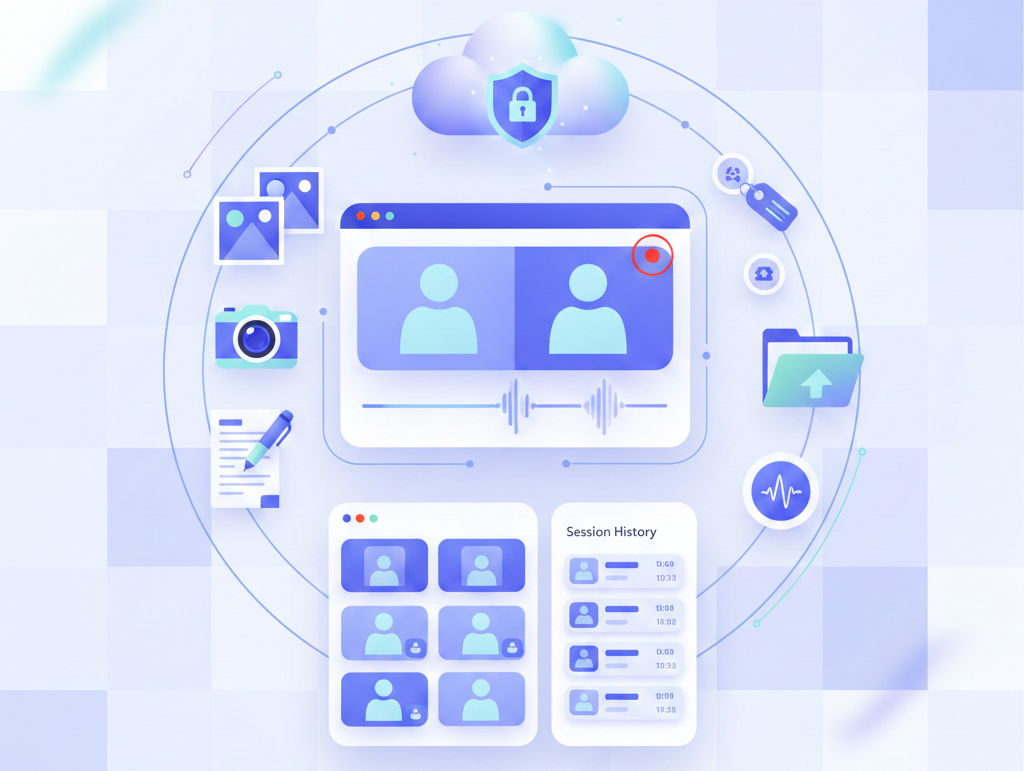
Automatically record every video session and build a complete, searchable archive of customer interactions. Blitzz captures recordings, photos, annotations, and metadata—all securely stored and instantly accessible from your dashboard or CRM.


Trusted By Leading Enterprises Worldwide


How It Works


Automatic Recording, Instant Access

Every session is documented automatically. No manual steps, no missed details.
Start Your Session

Begin a video session normally. When call recording is enabled in your workspace, Blitzz automatically starts capturing the video stream, audio, and all interactions.

Capture Everything Automatically

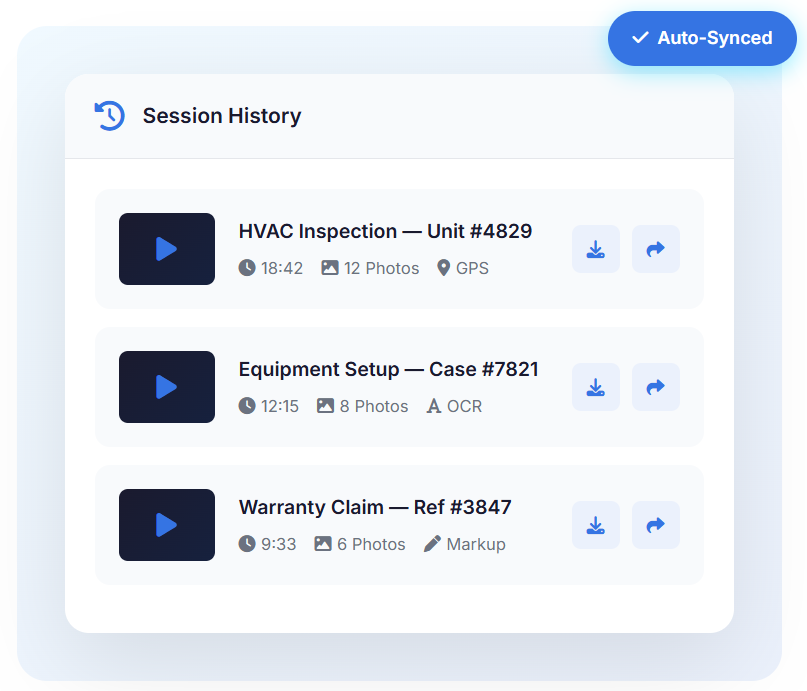
Photos, markup annotations, extracted text, GPS coordinates, and notes are all saved in real-time. Every detail is timestamped and preserved automatically.

Access Anytime

After the call ends, recordings are processed and encrypted. Access complete session history from your dashboard, download assets, or view them directly in your CRM.
 

Feature Details


What Makes Blitzz Session History Different

Purpose-built for customer support and remote inspections—not just another recording tool.
Automatic Video Recording

When enabled, every video session is automatically recorded without manual intervention. Capture the complete video stream and audio for training, compliance, dispute resolution, and quality assurance.

Complete Photo Archive

Every photo captured during a session is saved to the session history with timestamps and GPS coordinates. Download individual images or bulk export photos from any session with a single click.

Markup & Annotation History

All markup drawings, annotations, and highlighted areas are preserved exactly as they appeared during the session. Review what was communicated visually to ensure nothing is misunderstood.

Extracted Text (OCR) Archive

Text extracted during sessions—serial numbers, VIN numbers, model numbers—is saved and searchable. Find any session by the text that was captured, making documentation retrieval effortless.

Bookmark Labels & Notes

Agents can add bookmark labels and notes during calls. These labels attach to specific photos, creating organized documentation that's easy to review and reference in future sessions.

CRM & Helpdesk Sync

Session recordings, photos, and documentation sync to Salesforce, ServiceNow, and Zendesk. View captured images and recordings directly within CRM call history without leaving your workflow.


Why It Matters


Complete Documentation for Every Interaction

Resolve Disputes with Evidence

When customers dispute what was said or shown, you have the complete video record. Protect your team and resolve disagreements quickly with irrefutable documentation.

Train New Agents Faster

Use real session recordings to train new team members. Show them exactly how experienced agents handle complex issues, diagnose problems, and communicate effectively.

Meet Compliance Requirements

Maintain complete audit trails for regulated industries. SOC-2 compliant storage with configurable retention policies, access controls, and encryption at rest and in transit.

Continue Where You Left Off

When a customer calls back, agents can review the previous session history instantly. See exactly what was documented, what was tried, and what the customer saw—no starting from scratch.


Why Choose Blitzz


Traditional Video Support vs. Blitzz Session History

Blitzz Others
Automatic session recording
Photos saved with GPS & timestamps
Markup annotations preserved
Extracted text (OCR) archive
Bookmark labels & notes
CRM auto-sync (Salesforce, ServiceNow)
Flexible storage (AWS, Azure, On-Prem)
One-click bulk download

Frequently Asked Questions

Have Question? We are here to help

How does Blitzz call recording work?

Blitzz automatically records video sessions when enabled in your workspace settings. Recordings capture the complete video stream, audio, and all interactions. After the session ends, recordings are processed, encrypted, and stored securely—accessible from the session history dashboard or synced to your CRM.

What is saved in Blitzz session history?

Session history includes the complete video recording, all captured photos and screenshots, markup annotations, extracted text (OCR), GPS location data, timestamps, session duration, participant information, reference IDs, and any notes or bookmarks added during the call.

Are Blitzz recordings secure and compliant?

Yes. All recordings are encrypted at rest and in transit. Blitzz is SOC-2 compliant with comprehensive audit trails. You can configure data retention policies, access controls, and storage locations (Blitzz servers, AWS, or Azure) to meet your compliance requirements.

Can I download recordings and session data?

Yes. Agents can download individual recordings, photos, and extracted text files directly from the session history dashboard. You can also bulk download all assets from a session with a single click. Downloads are available in standard formats compatible with your existing systems.

Does session history integrate with my CRM?

Yes. Blitzz integrates with Salesforce, ServiceNow, Zendesk, and more. Session recordings, photos, and documentation automatically sync to customer records. Agents can view captured images and recordings directly within the CRM call history without leaving their workflow.

Is call recording available on all Blitzz plans?

Call Recording is available on Enterprise Editions as an Add-On... When recording is enabled, sessions are limited to 4 participants. Contact our sales team to learn more about which plan fits your organization's documentation and compliance needs.

Ready to Transform Your Customer Support?

We’d be happy to give a product demo, answer any technical questions, or share best practices.