

.png?width=120&height=55&name=Blitzz-Logo-right%20white%20eyes%20-%20not%20transparent%20(3).png)
HD Photo Capture: Crystal Clear Images, Every Time
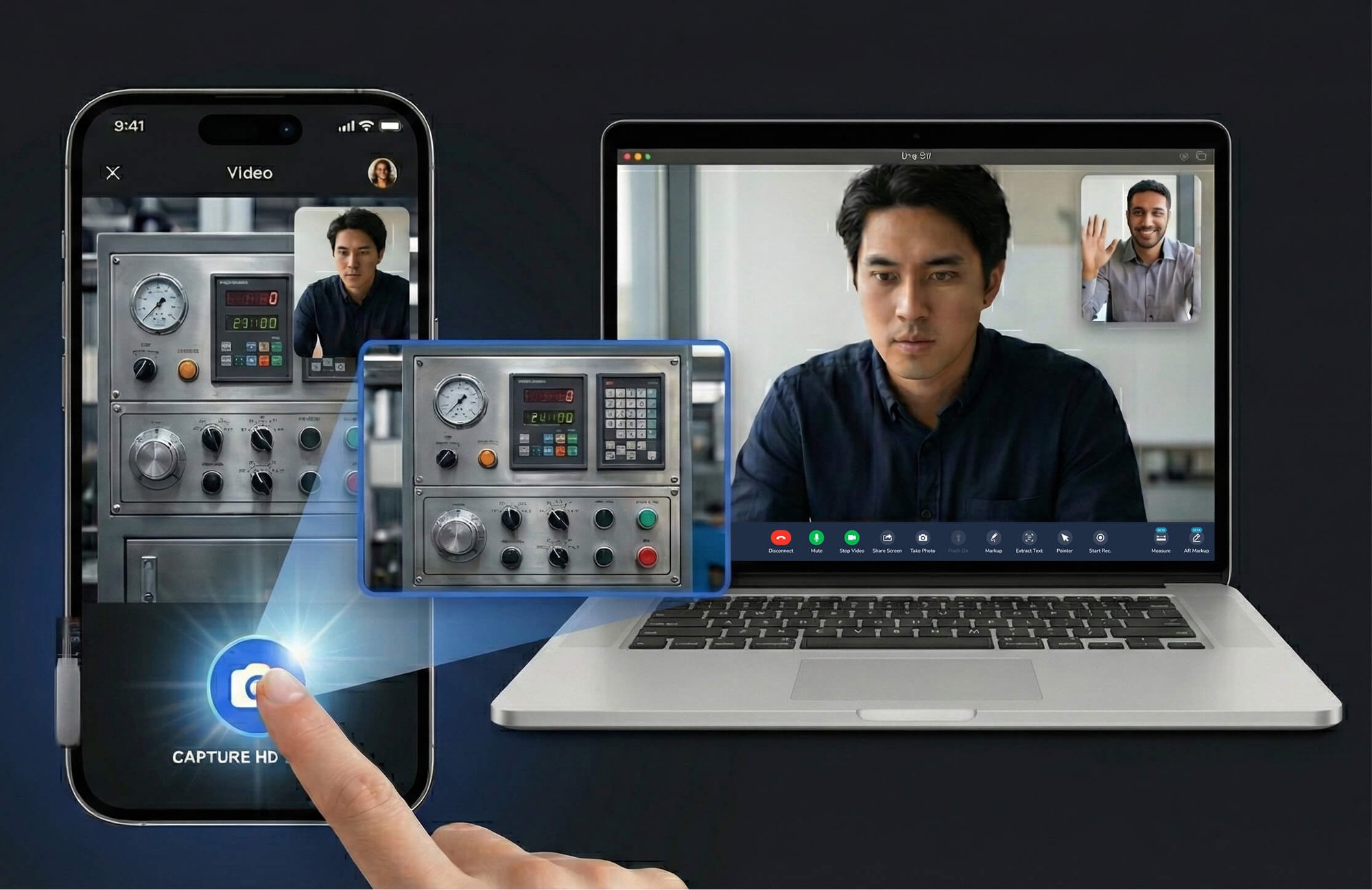
Stop relying on blurry video frames. Blitzz HD Photo Capture uses the customer's native camera to capture full-resolution photos, guaranteeing documentation quality for insurance claims, technical support, and inspections.
Trusted By Leading Enterprises Worldwide





How It Works
From Video Stream to Full-Resolution Photo

Agent Initiates Capture
During a live video session, the agent clicks the HD capture button when they need a high-quality photo of damage, equipment, or documentation.

Native Camera Activated
Blitzz triggers the customer's device camera to take a full-resolution photo, bypassing the video stream entirely for maximum image quality.

Secure Upload & Sync
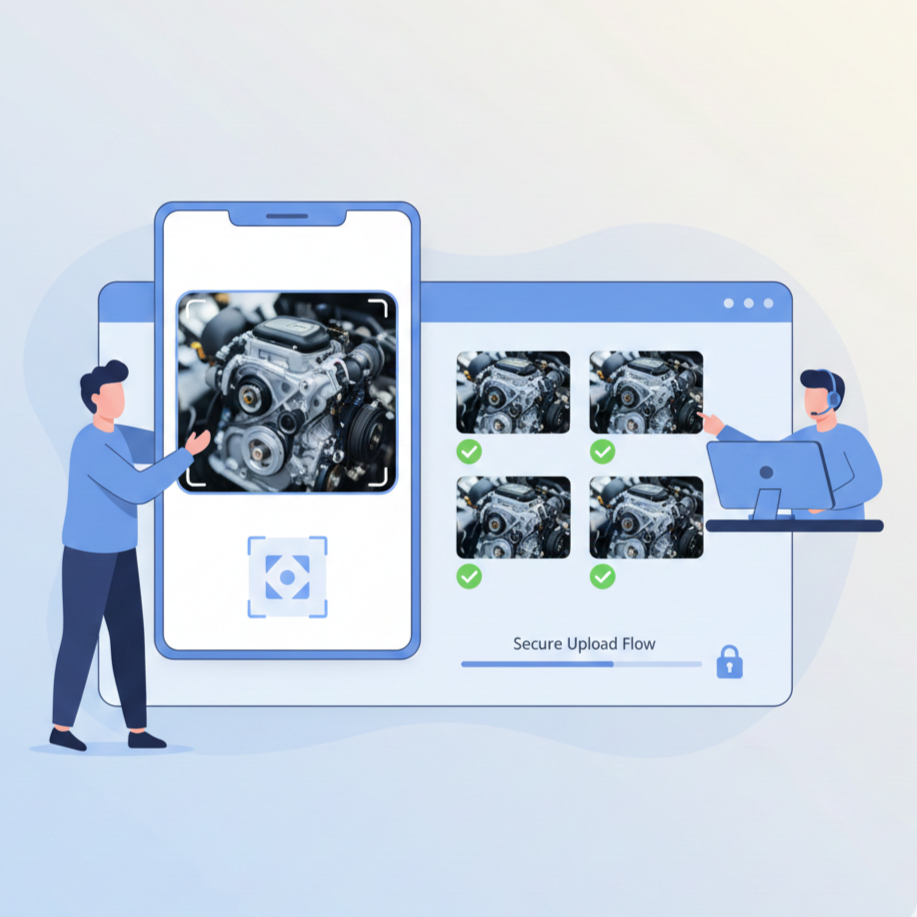
The HD image uploads automatically with real-time status notifications. All photos sync to the session history and your CRM for complete documentation.
Feature Details
What Makes Blitzz HD Photo Capture Different
Native Camera Resolution
Captures photos using the customer's actual device camera at full resolution, not compressed video frames. Get 12MP+ images instead of blurry 720p screenshots, regardless of video stream quality.
Guaranteed Upload Confirmation
Every captured image is tracked until successfully uploaded. Both agent and customer receive real-time notifications when images are being uploaded and when the upload completes, ensuring no documentation is ever lost.
Admin-Configurable Capture Modes
Administrators can choose between HD capture (full-resolution with customer notifications) or standard capture (video frame without customer alerts). Configure per workspace based on your documentation requirements.
HD Annotation Support
Captured HD images can be used for real-time annotation and markup. Draw, highlight, and add notes on crystal-clear photos, making technical guidance and documentation more accurate.
Smart Notification System
Customers are notified when HD photos are captured, building trust and transparency. In standard mode, agents can capture frames discreetly when customer notification isn't required.
Low-Light Optimization
Agents can remotely activate the customer's device flashlight before capturing HD photos. Get clear, well-lit images even in dark basements, equipment closets, or poorly lit environments.
Why It Matters
Documentation Quality That Stands Up to Scrutiny
Insurance Claims That Don't Get Rejected
Adjusters need clear photos to process claims accurately. HD capture ensures damage documentation meets quality standards, reducing claim disputes and processing delays.
Read Serial Numbers & Model Details
Video frames often blur critical text. HD photos capture serial numbers, VIN plates, and model labels clearly, enabling accurate equipment identification and warranty verification.
Network-Independent Quality
Poor network conditions degrade video quality, but HD capture uses the native camera regardless of bandwidth. Get consistent, high-quality images even on weak mobile connections.
Complete Upload Assurance
Critical for claims processing, every image is confirmed uploaded before the session ends. Agents receive alerts if any photos are still uploading, preventing documentation gaps.
Why Choose Blitzz
Video Frame Capture vs. Blitzz HD Photo Capture
| Blitzz | Others | |
|---|---|---|
|
Full camera resolution
|
|
|
|
Quality independent of the video stream
|
|
|
|
Readable text & serial numbers
|
|
|
|
Upload confirmation notifications
|
|
|
|
Guaranteed upload before the session ends
|
|
|
|
Admin-configurable capture modes
|
|
|
|
Works on poor network connections
|
|
|
|
HD annotation support
|
|
|
Frequently Asked Questions
Have Question? We are here to help
How is HD Photo Capture different from regular screenshots?
Regular screenshots capture a frame from the video stream, which is limited by video resolution and network quality, often resulting in blurry, low-resolution images. HD Photo Capture triggers the customer's actual device camera to take a full-resolution photo (12MP or higher), completely bypassing the video stream for maximum image quality.
Does the customer need to do anything to enable HD capture?
No. When the agent initiates HD capture, the customer's device camera is triggered automatically. The customer receives a notification that a photo is being captured, and the image uploads in the background. No manual action is required from the customer.
What happens if the image fails to upload?
Blitzz tracks every captured image until it's successfully uploaded. Both the agent and customer receive real-time upload status notifications. If images are still uploading when the session is about to end, the agent is alerted to wait, ensuring no documentation is ever lost, which is critical for insurance claims processing.
Can I capture photos without notifying the customer?
Yes. Administrators can configure capture modes per workspace. In standard capture mode, agents can capture video frames without sending notifications to the customer. HD capture mode always notifies the customer for transparency. Choose the mode that fits your use case and compliance requirements.
Does HD capture work on all devices?
HD Photo Capture works on iOS and Android smartphones with camera access. The feature uses the device's native camera capabilities, so image quality depends on the customer's device camera, but is always significantly better than video frame capture, regardless of network conditions.
How do HD photos integrate with our claims system?
HD photos are saved to the session history and automatically sync to integrated systems like Salesforce, ServiceNow, and Zendesk. Photos include timestamps and GPS coordinates. You can also configure custom integrations via the Blitzz API to push high-resolution images directly to your claims management platform.