Skip the site visit. Let AI write the report. You, the inspector, control the narrative.
Remote video inspections with Owlbert AI built in.
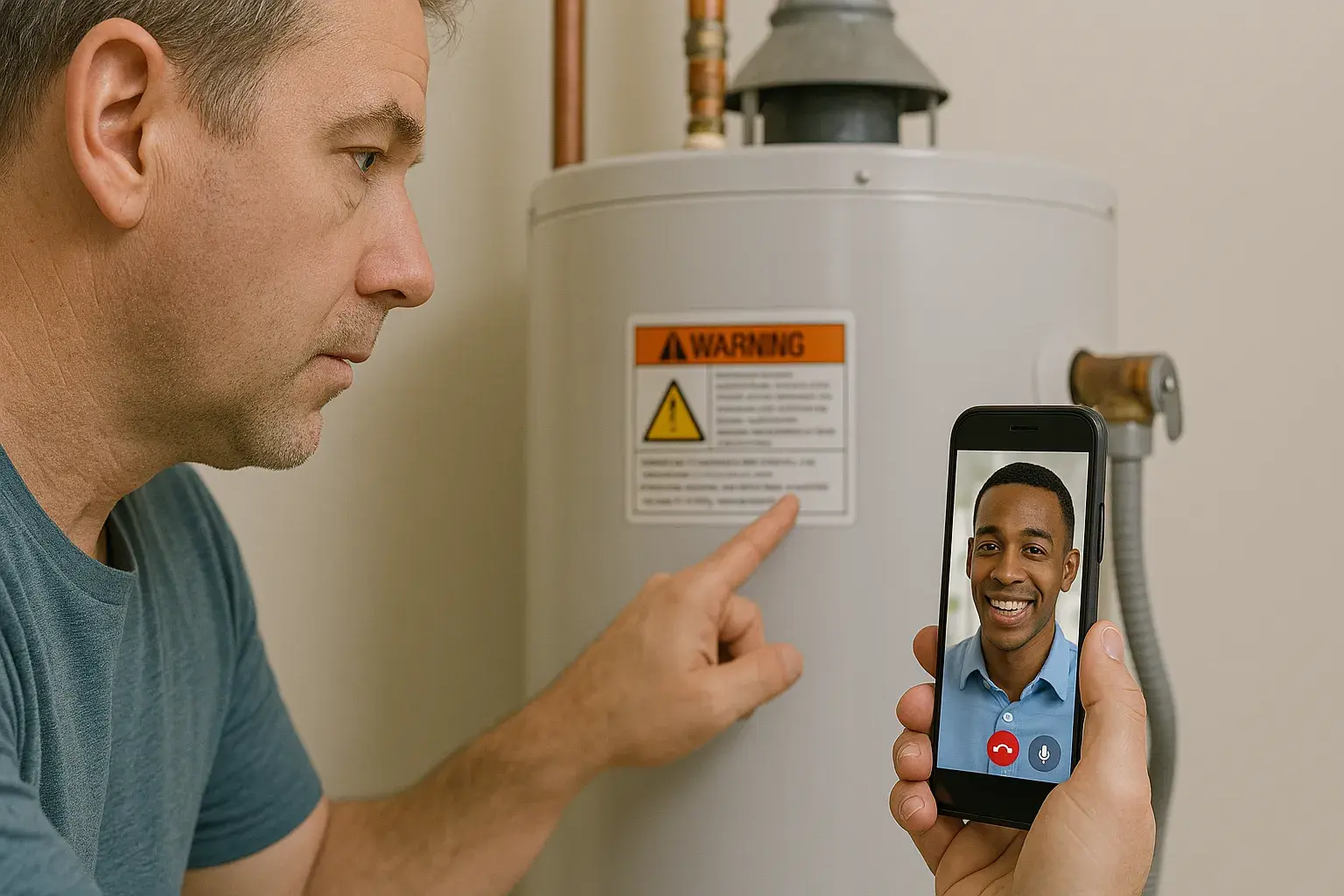
Send a link and inspect live through the other person's phone camera. Owlbert AI identifies equipment, keeps the checklist on track and writes the notes and report when you finish. Inspecting on site instead? Use BlitzzCam to capture timestamped, GPS-tagged photos and reports at the job site.
- No app for the site contact
- AI notes and reports
- Photos with GPS and time
Your AI co-inspector on every call.
Owlbert AI rides along on every Inspect session. It reads the video, guides the checklist and turns what you saw into a finished record.
It sees
Recognizes equipment, model and serial plates, damage and wiring in the live video.
It guides
Walks the inspector through your checklist and safety steps so nothing gets skipped.
It answers
Ask AI pulls the right section of your manuals and procedures while you are still on the call.
It documents
Writes the inspection notes and report, with photos, location and time attached.
It connects
Our open API lets us quickly connect Inspect to your permitting system, so inspection details and reports can flow straight to the permit record.
- Show the seismic strapping on both sides
- Point the camera at the vent connection
- Capture the expansion tank
Inspect more. Drive less.
Savings and CO2 figures modeled on 1,000 inspections per month.
From link to finished report.
Send a link
Text or email a session link from the Blitzz dashboard.
Join in one click
The site contact opens the link in their phone browser. No app.
Inspect with AIAI
Guide the camera while Owlbert identifies equipment and tracks the checklist.
Close it outAI
AI writes the notes and report. Findings can sync to your systems.
Built for inspectors. Powered by AI.
AI inspection notesAI
Owlbert turns the call into clean notes and a report, so you are not typing after every visit.
Guided checklistsAI
AI keeps each inspection on your checklist and flags missing items before you hang up.
Ask AIAI
Capture a frame and get answers from your procedures, manuals and past inspections.
Photo capture
Snap high resolution photos during the call, stamped with location and time.
Location and readings
Record GPS location and readings alongside every finding.
Inspection records
Every session, photo and note saved to the inspection for audits and follow up.
Trusted by cities and field teams.
Building departments, insurers, manufacturers and utilities use Inspect to verify work without sending someone out. New to RVI? Start with the remote video inspection guide.
Works in the tools you already use.
Findings, photos and AI written reports sync to the systems your team already works in.
Plans that scale with your inspection volume
Start free, or run a 30 day pilot with our Success Team setting up your inspection types and branding.
Questions about Inspect
What is a remote video inspection?
A remote video inspection is an inspection done over a live video call. The inspector guides the camera in real time to verify work and capture documentation. Read our guide to remote video inspections.
How does Owlbert AI help with inspections?
Owlbert reads the live video to identify equipment and model plates, keeps the inspector on the checklist, answers questions from your procedures and writes the notes and report when the call ends.
Does the AI decide whether an inspection passes?
No. The inspector makes every decision. Owlbert speeds up capture, guidance and documentation.
What should I look for in remote video inspection software?
Browser based access with no app, photo and location capture, inspection records and integration with your existing systems. Blitzz Inspect covers all of these.
Does the customer need to download an app?
No. They tap a link and join from an iPhone or Android browser.
Can building departments use remote video inspections?
Yes, for lower risk work such as water heater replacements, HVAC change outs and re-inspections, depending on local policy.
Which industries use Blitzz Inspect?
Government, insurance, automotive, manufacturing, real estate, construction, utilities and food service equipment.
What does Blitzz Inspect integrate with?
Salesforce, ServiceNow, Zendesk, Procore, Accela, Microsoft Dynamics 365, HubSpot and Zapier, plus a REST API.
How much can Blitzz Inspect save?
Modeled at about $22,000 per month and $282,000 per year for 1,000 inspections per month.
Is there a free trial?
Yes. Start with a free account, or run a 30 day pilot with help from our Success Team.
Run your next inspection with AI.
Start free and let Owlbert AI write the report for you.
Prefer a walkthrough? Book a demoFor Job Site Photo Documentation, check out BlitzzCam →Trusted by support, field and inspection teams at enterprises, cities and public agencies