

.png?width=120&height=55&name=Blitzz-Logo-right%20white%20eyes%20-%20not%20transparent%20(3).png)
AI Visual AI for support, inspections and field teams
Visual AI for Every Call, Inspection and Jobsite
See through any customer's camera, screen or jobsite with one link. AI helps your team fix, inspect and document what they see.
✓No app for customers✓SOC 2 Type II audited✓Works inside your CRM
.gif)
What is Blitzz?
Blitzz Products
Which Blitzz Product Do You Need?
Five visual products, one platform, with Owlbert AI built into every one.
Remote Visual Assistance
Blitzz Concierge
Live visual support for contact centers and field service teams.
AI spots the equipment and suggests the fix
Remote Video Inspections
Blitzz Inspect
Remote video inspections with GPS-stamped photos and Word reports.
AI writes the inspection summary
Co-Browsing
Blitzz Co-Browse
Guide customers through your website or mobile app in real time.
AI summarizes every session
Screen Sharing
Blitzz ScreenShare
Browser-based screen sharing with live annotation. No installs.
AI drafts the ticket summary

Built into every product
Owlbert AI
AI Agent Assist, Knowledge Base, Call Summary and Self Service.
Included across the platform
Jobsite Photo Documentation
BlitzzCam
Jobsite photo documentation for roofers, contractors and field crews.
AI tags, searches and reports on photos
Trusted by Industry Leaders Worldwide














How it works
Connect With Customers in Seconds

Send Invite
Send a secure link by SMS, email or WhatsApp, right from your CRM

Customer Clicks
Live video opens in Safari or Chrome. No app store, no sign up

See & Solve AI
Point, draw and zoom while AI recognizes the equipment and suggests the fix

Auto-Document AI
AI writes the summary and syncs photos and notes to Salesforce, ServiceNow or Zendesk
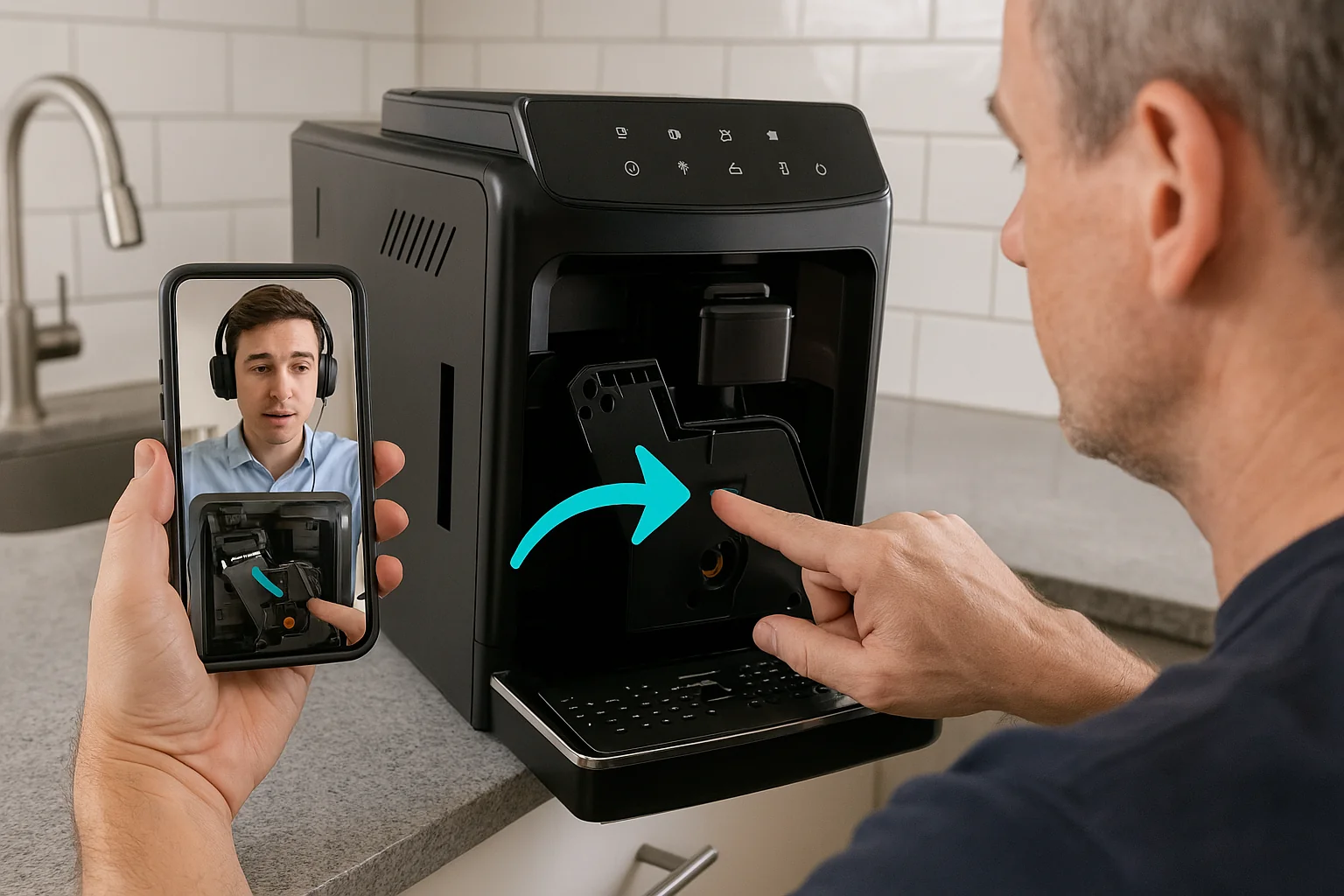
Remote Visual Assistance
Blitzz Concierge AI
For contact centers, help desks and field service teams
Live video support through your customer's phone camera. Resolve on the first call and skip the truck roll.
- Live pointer and markup: draw right on the customer's video
- Remote zoom: 2x and 3x, controlled by the agent
- OCR: read serial and model numbers from the video
- Remote expert: backup for field techs on site
Recognizes the equipment on camera and suggests the right knowledge base article
Writes the call summary and syncs it to your CRM
From $175/mo, 5 users included · View pricing
Remote Video Inspections
Blitzz Inspect AI
For building departments, insurers, auditors and QA teams
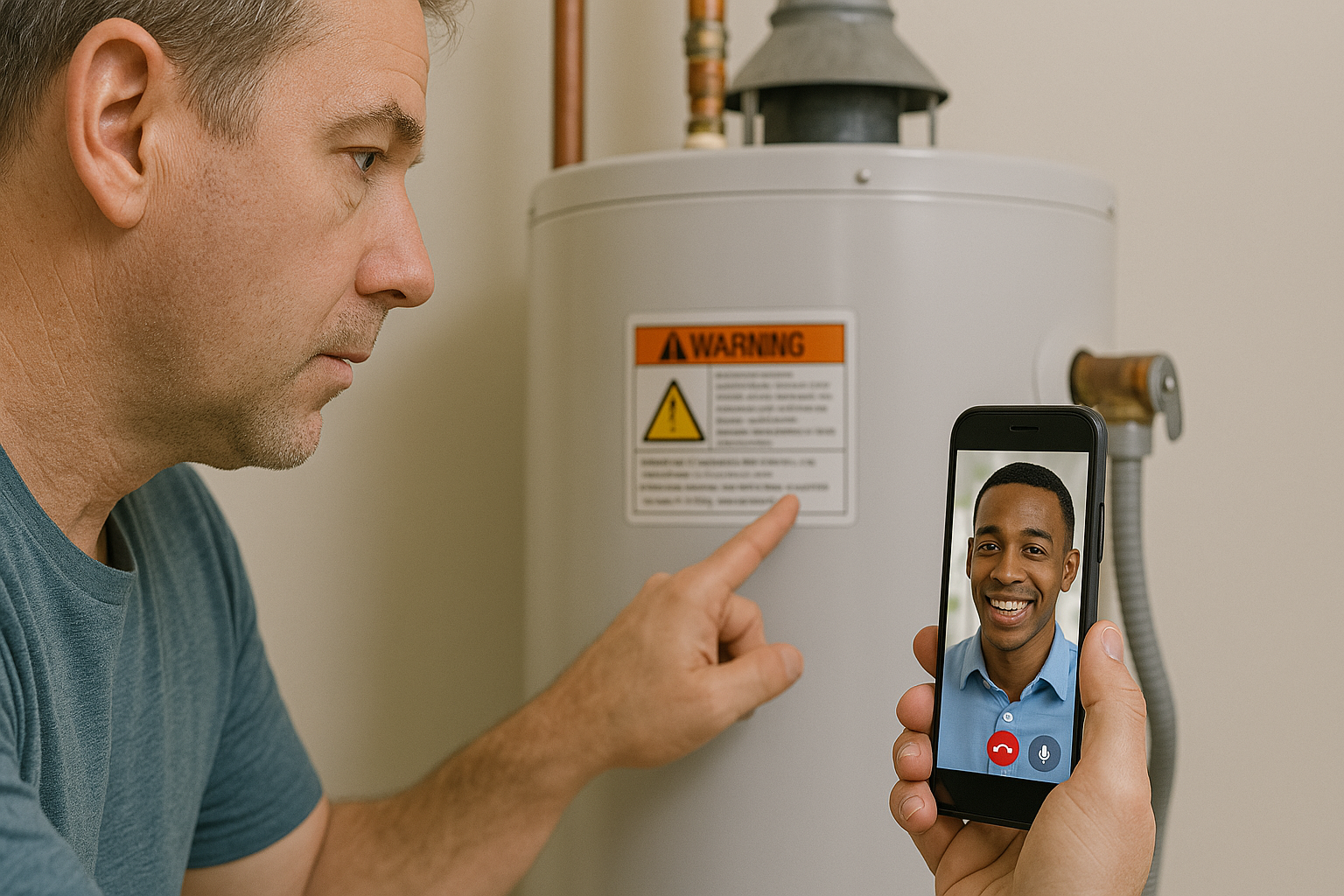
Remote video inspections with evidence that holds up. Every photo carries date, time and GPS.
- Stamped photos: date, time and GPS on every capture
- Offline Mode: works on sites with weak signal
- Word reports: generated straight from the session
- No app for contractors: they join from a link
Writes the inspection summary so reports go out the same day
Reads labels and serial numbers from photos
From $334/mo, 600 inspections a year · View pricing
.png "CoBrowse (3)")
Co-Browsing
Blitzz Co-Browse AI
For digital sales, onboarding and online support teams
Guide customers through your website or mobile app in real time. Help them finish the form, the checkout or the setup.
- Hands-on support: navigate the customer's page with them
- Resolve faster: agents see exactly what the customer sees
- Website and app: works on both
- Higher conversion: fewer abandoned carts and applications
Summarizes every session into your CRM
From $19/agent/mo · View pricing
Screen Sharing
Blitzz ScreenShare AI
For IT help desks and software support teams
Browser-based screen sharing with live annotation. The customer clicks a link and shares. No installs, no meeting IDs.
- One click: share from any desktop browser
- Live annotation: show exactly where to click
- Saved captures: stored in the session history
- Same workflow: agents who know Concierge already know it
Drafts the call summary and next steps for the ticket
From $19/agent/mo · View pricing

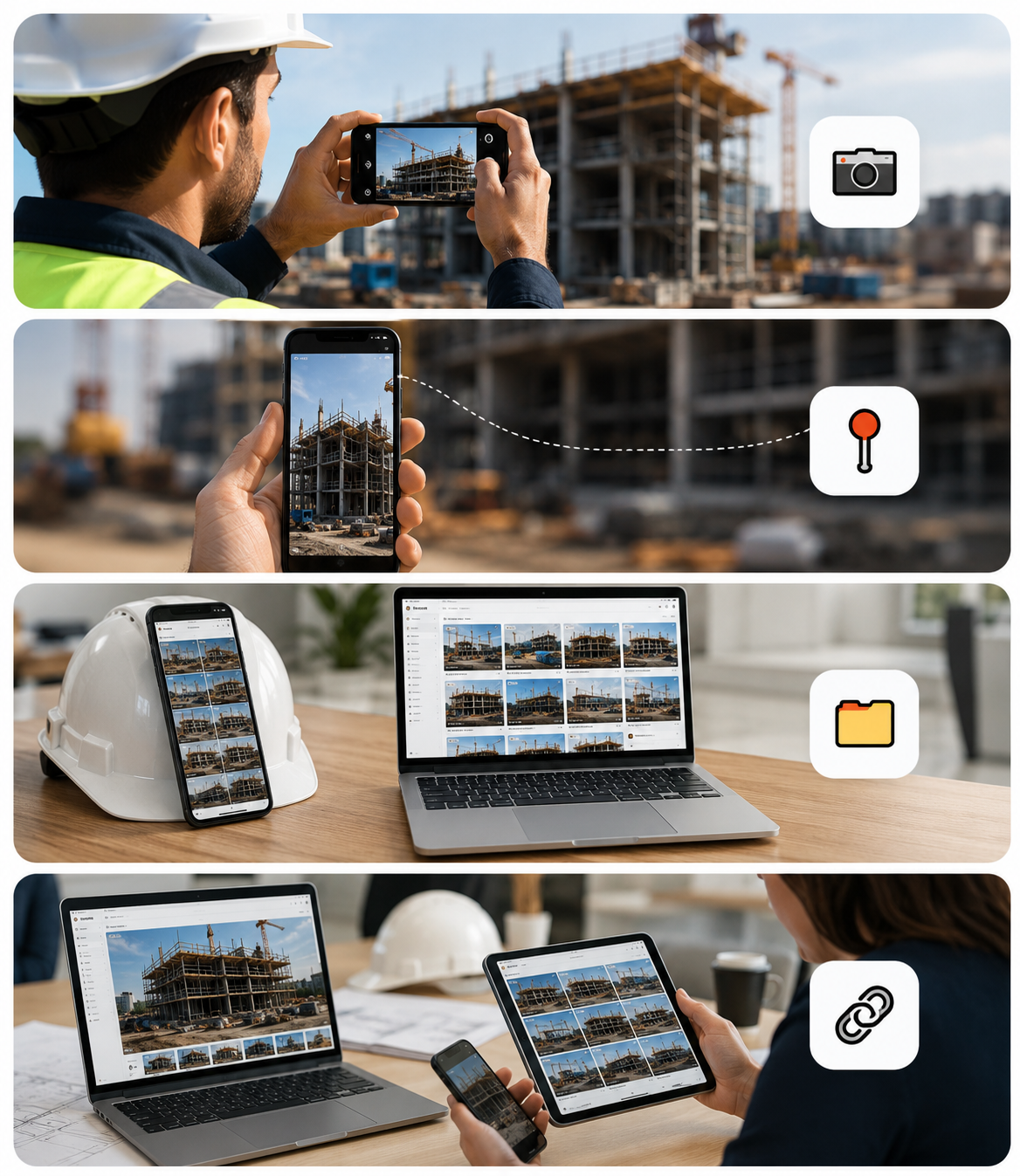
Jobsite Photo Documentation
BlitzzCam AI
For roofers, contractors, restoration and field crews
Jobsite photo documentation in one mobile app. Every photo organized by project and ready to share with clients by link.
- Organized by job: every photo with time and location
- Client links: clients view photos with no app
Voice guided walkthroughs so crews capture what matters
Photo tagging and search across every job
Auto notes and reports built from the photos
An assistant that finds any photo you ask for
AI in every product
AI That Helps the Agent and the Customer
Owlbert AI, the Blitzz AI assistant, works inside every session. It spots what's on camera, finds the fix and writes the notes.
During the call
Agent Assist
Recognizes equipment in live video and suggests the matching knowledge base article.
Your content
Knowledge Base
Turns your manuals and articles into answers agents can use mid-session.
After the call
Call Summary
Writes the session summary with custom profiles and syncs it to your CRM.
Before the call
Self Service
Lets customers solve common issues on their own before they reach an agent.
Use Cases
Built for Teams That Solve Problems Remotely
Customer Support Teams
Visual Support for Contact Centers
We helped a major telecom provider reduce truck rolls by 60% and improve customer satisfaction.
Online Sales & Onboarding
Walk customers through applications, checkouts and account setup on your site.
Remote Expert to Field Tech
Our client gave field techs real-time guidance from off-site experts.
Automotive Troubleshooting
We helped a large auto manufacturer provide roadside assistance to stranded customers.
Inspections, Claims & Field Crews
Building Inspections
Cities like Berkeley and San Mateo run virtual building inspections with Blitzz.
Insurance, Warranty & Claims
We help insurance companies process more claims in a fraction of the time.
Heavy Machinery & QA
A tank inspection business cut travel costs by 75% with remote expert inspections.
The 30-Day Blitzz Challenge
Join our FREE challenge to see how quickly you can see a return on investment while using Blitzz.
Frequently Asked Questions
Have Question? We are here to help
Which Blitzz product do I need?
Blitzz Concierge for remote visual assistance. Blitzz Inspect for remote video inspections with GPS-stamped evidence. Blitzz Co-Browse to guide people through your website or app. Blitzz ScreenShare for screen sharing. BlitzzCam for jobsite photo documentation. Owlbert AI is built into all of them.
What is the best tool for remote visual assistance?
The best tool depends on who is on the other end. If customers or technicians need to join instantly without installing anything, choose a browser-based tool. Blitzz is built for that: the person on site taps a link sent by SMS, email, or WhatsApp and shares their camera in the browser. Agents get a live pointer, markup, remote zoom, photo capture, and OCR, and inspection teams also get GPS-stamped photos, Offline Mode, and Word reports. Blitzz publishes its pricing and offers a 14-day free trial.
Do customers need to download an app to use Blitzz?
No. Customers and on-site technicians join Blitzz video sessions from their phone's browser — Safari on iPhone or Chrome on Android — by tapping a link. Agents run Blitzz in a desktop browser. The one exception is BlitzzCam, the photo-documentation product, where field crews use a mobile app; clients view BlitzzCam photos through a link with no app.
How can a support agent see what the customer is seeing?
The agent sends the customer a secure Blitzz link by SMS, email, or WhatsApp. The customer taps it, agrees to connect and allows camera access, and the agent sees the live view from the customer's phone. The agent can point, draw on the video, zoom in 2x or 3x, and capture photos, which are saved to the session history.
How much does Blitzz cost?
Is Blitzz secure?
What is a remote video inspection (RVI)?
A remote video inspection (RVI) uses live video to inspect a site, asset, or piece of equipment from anywhere, instead of sending someone in person. With Blitzz Inspect, the inspector sends a link by text or email. The contractor, policyholder, or technician taps it and walks the inspector through the site from their phone's browser, with no app to download. The inspector guides each view, zooms in, and captures photos. Building departments, insurers, construction teams, and utilities use RVI to cut travel and finish inspections faster.
What does Blitzz Inspect capture during a remote video inspection?
Every photo taken with Blitzz Inspect is stamped with the date, time, and GPS location. Inspectors can mark up images, add notes, and use OCR to read serial numbers and labels. Offline Mode keeps capturing in basements and dead zones and uploads automatically when the signal returns. When the inspection is complete, Blitzz generates a Word inspection report with photos, notes, and location data in one click.
Give your team eyes on every job
Send a link, see the problem, fix it remotely. No app download. Most teams see ROI in the first month.