

Cobrowse for Wix Website

Tens of thousands of agents, inspectors, and reps use Blitzz




Step 1:
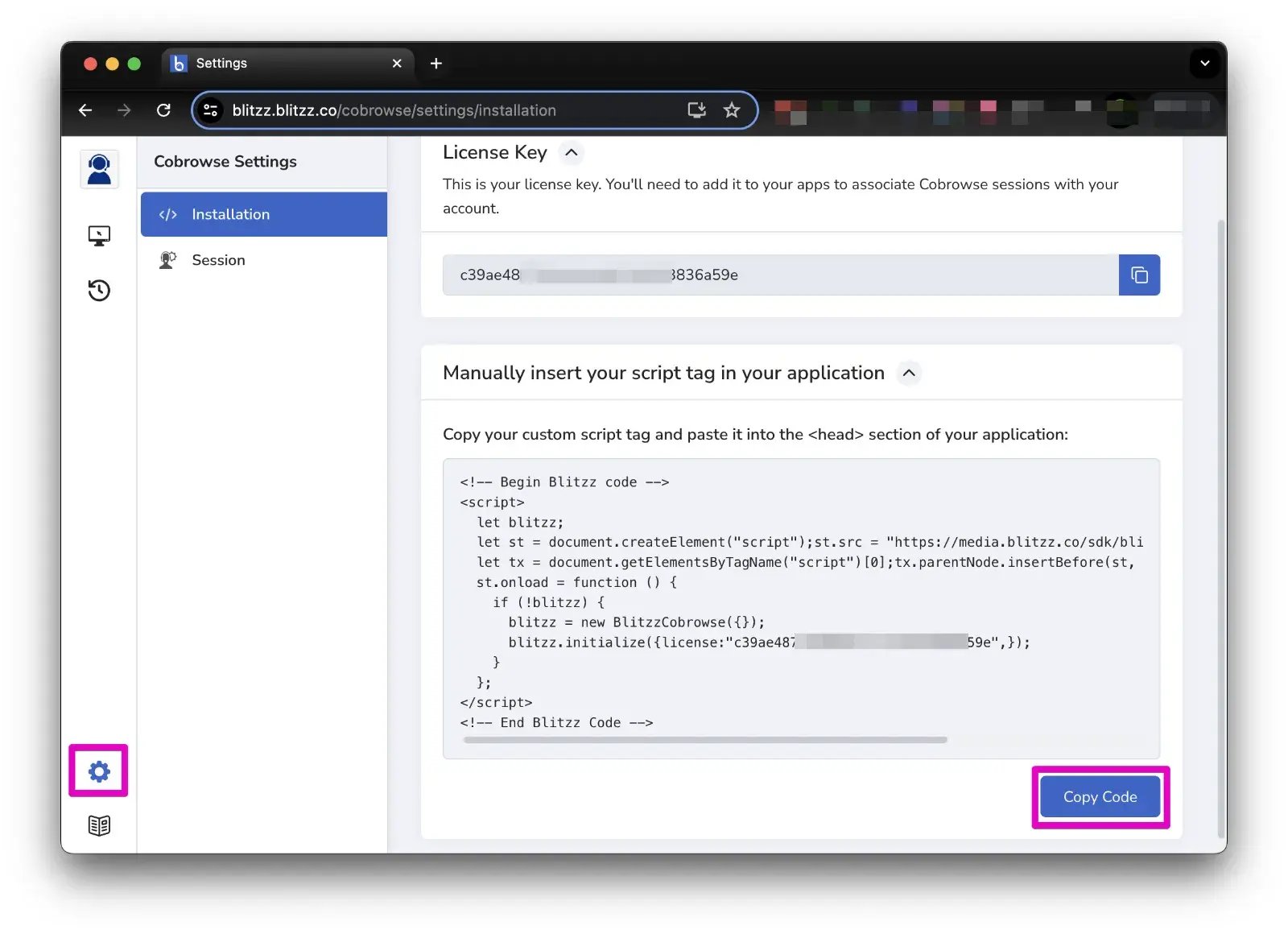
Copy your Blitzz Install code:
- In your Blitzz account, click the settings icon in the left navigation pane
- Navigate the Installation section
- In the Installation Settings section, click the Copy button to copy your code
- Install this code on your website
Step 2:
Install the Embed code on a Wix website:
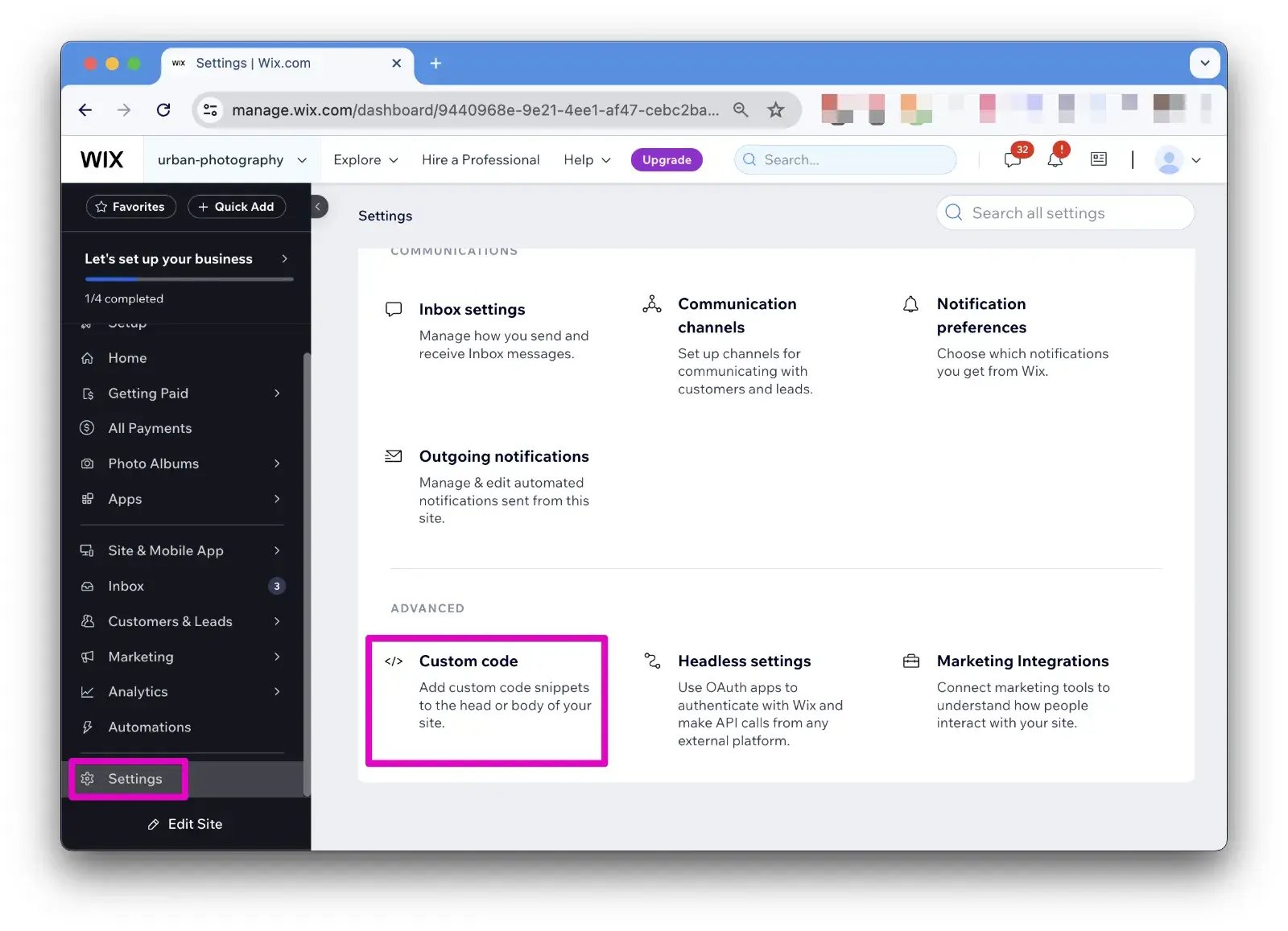
- Login to your Wix admin page
- Click Settings (on the left side) and Scroll down to Advanced
- From Custom code click "Add custom code"
- Paste your Cobrowse embed code, under Name write "Blitzz Cobrowse"
- Select "All Pages", "Load Code Once", "Body - end" options
- Click Apply
Step 3:
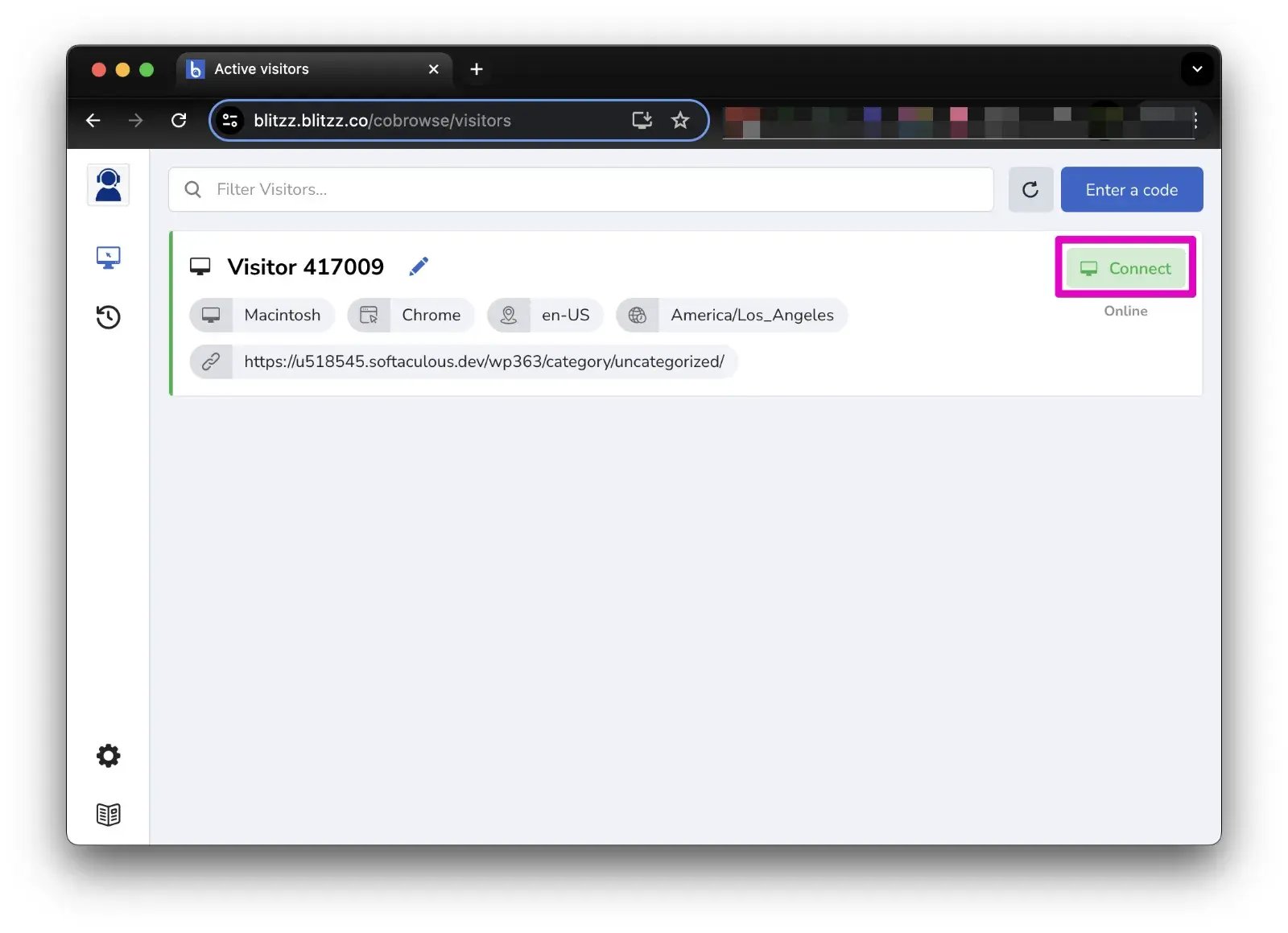
See who is on your website
- After you have installed the Co-browse Embed code, login to your Blitzz domain (eg. domain.blitzz.co)
- Navigate to the Co-browse App
- Open your website in another browse window
- You should see live visitors with an option to connect.
Why add cobrowse to your Wix site?
Most website visitors who get stuck never call you. They leave. Cobrowse lets your team see the page a visitor is on and guide them through it live, so questions get answered while the visitor is still on your site.
Blitzz Cobrowse runs in the visitor's browser. There is nothing for them to download or install, and your agent only sees your website, not the rest of the visitor's screen.
Common ways Wix businesses use cobrowse
- Checkout and booking help. Walk a customer through a cart, payment step or booking form so the sale is not lost.
- Form completion. Help visitors fill in applications, quotes and sign-up forms correctly the first time.
- Product guidance. Show a customer exactly which product, plan or option fits their needs.
- Account and member support. Guide members through logins, settings and member pages.
Move to screen share or live video when needed
Some questions go beyond your website. From the same Blitzz session, your agent can switch to screen share or live video to see a product, a device or a document the customer is holding.
Frequently asked questions
Do my visitors need to install anything?
No. Cobrowse runs in the visitor's web browser on desktop or mobile.
How long does setup take?
Most teams finish in a few minutes. Copy your install code from Blitzz, paste it into Wix under Settings, Custom code, and apply it to all pages.
Which Wix plans support custom code?
Wix's Custom code setting is generally available on premium plans with a connected domain. Check your Wix plan if you do not see the option.
Can I use cobrowse on other website platforms too?
Yes. The same install code works on most website builders. See our Shopify cobrowse guide and the complete guide to cobrowse.
Which industries use cobrowse?
Hotels, tour operators and travel agencies use it to guide guests through bookings and check-in. See cobrowsing for travel and hospitality.
Next Steps
We’d be happy to give a product demo, answer any technical questions, or share best practices.
Shared Browsing Across Industries
Telecom
Streamline service selection, plan comparisons, and device support through real-time guidance and collaboration.
Retail
Elevate your shopping experience with co-browsing for product recommendations and expert assistance.
Utilities
Enhance support by utilizing co-browsing for guided billing inquiries, outage reports, and service requests.
Travel & Hospitality
Revolutionize booking process, provide tailored travel itineraries, and swiftly address inquiries through co-browsing.
Banking
Simplify account management, loan applications, and transactions through guided assistance.
Insurance
Accelerate policy selection, streamline claims processing, and seamlessly verify documents.
Add cobrowse to your Wix site
Guide visitors live on your site. Setup takes minutes.