.png?width=120&height=55&name=Blitzz-Logo-right%20white%20eyes%20-%20not%20transparent%20(3).png)

On this page

When inspectors and remote experts struggle to find the right contact at the right moment, entire inspections stall. Here's how a well-structured contact management system transforms Blitzz's virtual inspection performance from reactive to seamless.
In this article
- Why contact management is a performance lever
- The real cost of disorganized contacts
- How Blitzz structures contact management
- Key features that drive inspection speed
- Contact management and compliance
- Best practices for your team
Why contact management is a performance lever
Virtual inspection software like Blitzz connects inspectors, claimants, technicians, and subject-matter experts across locations in real time. But the technology is only as fast as the people powering it — and getting those people into a session quickly depends entirely on how well contacts are organized.
Contact management is often treated as a back-office concern, tucked inside settings menus and rarely reviewed. In reality, it directly affects how fast an inspection starts, how smoothly a session escalates to a specialist, and whether a re-inspection can be scheduled without hunting through email threads.
Think of contacts as your inspection routing table. A clean, current list routes sessions to the right expert instantly. A stale or fragmented list adds friction at every step — from the first invite to the final report.
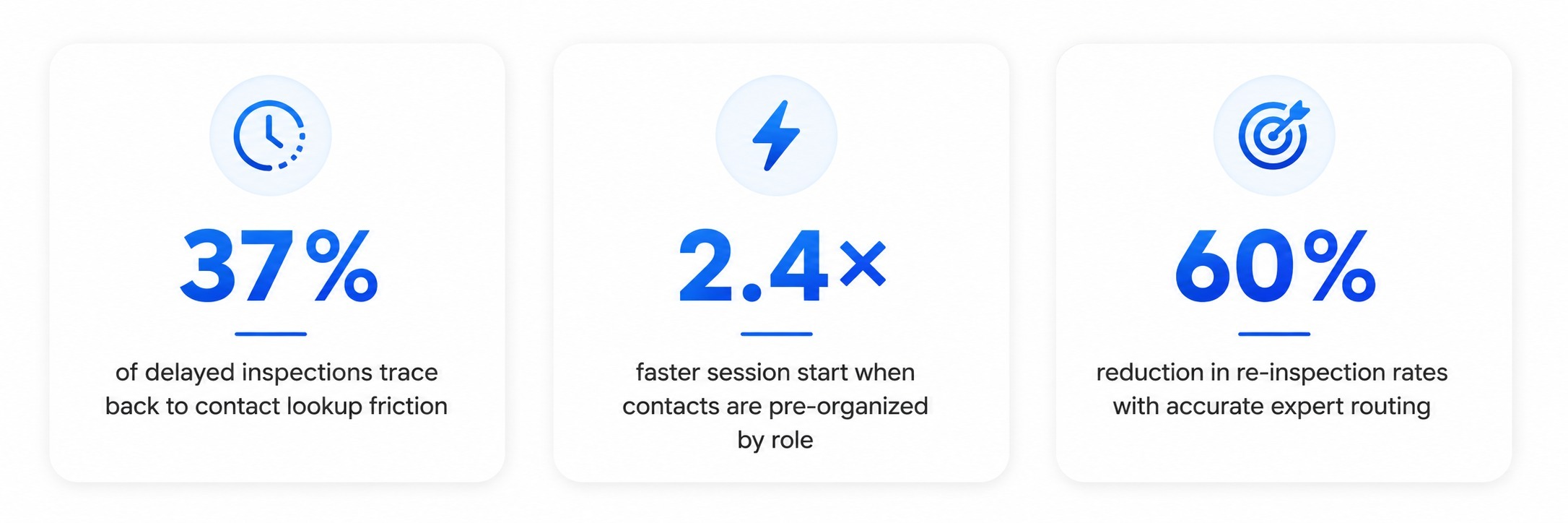
37%of delayed inspections trace back to contact lookup friction
2.4×faster session start when contacts are pre-organized by role
60%reduction in re-inspection rates with accurate expert routing
The real cost of disorganized contacts
Consider what happens during a high-stakes property inspection when the adjuster needs to pull in a structural engineer mid-session. If contacts are scattered across spreadsheets, old email chains, and personal phone books, that escalation can take 10–15 minutes. In a live video session, that's an eternity.
Beyond time, disorganized contacts create compounding problems:
- Duplicate invitations — multiple inspectors sent to the same session because nobody knows who's already assigned.
- Wrong-role escalations — reaching a sales rep instead of a technical specialist costs sessions and credibility.
- Compliance gaps — in regulated industries, contacting an unlicensed or out-of-jurisdiction expert can invalidate a finding.
- Re-inspection overhead — if follow-ups rely on manually re-locating the original inspector, scheduling doubles in complexity.
These are not edge cases. They are the daily reality for teams that haven't invested in structured contact management within their virtual inspection workflow.
How Blitzz structures contact management
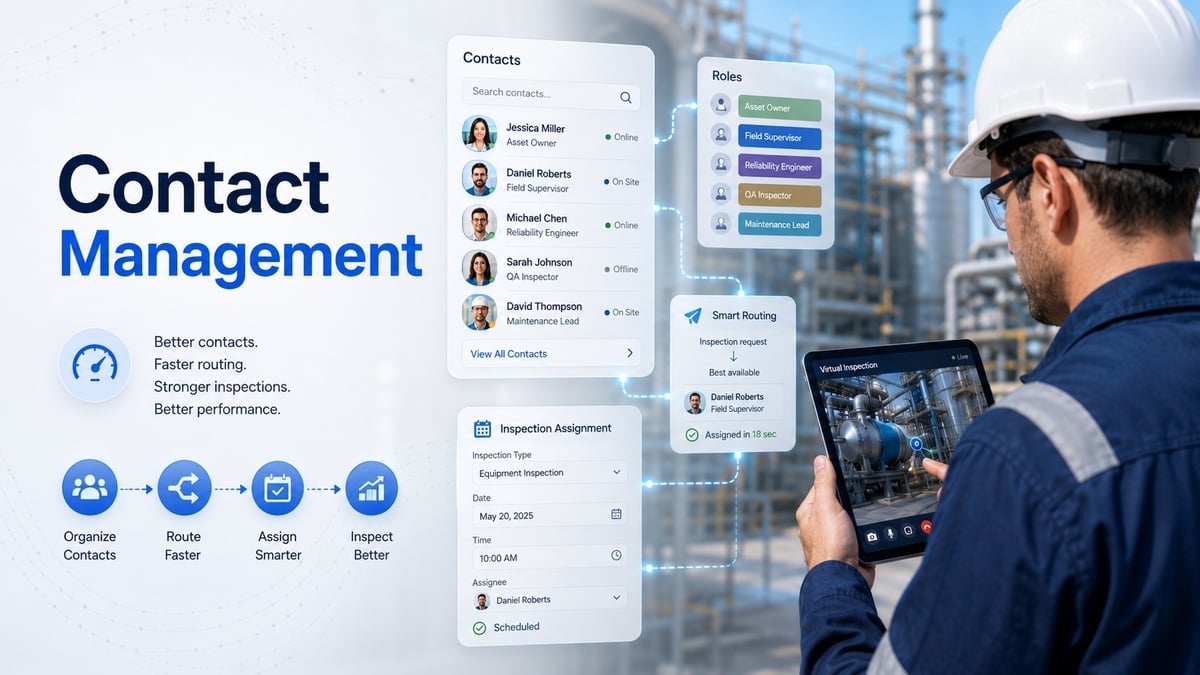
Blitzz is built around the idea that a virtual inspection is a collaborative event — not just a video call. That means every person in a session has a defined role, and the platform's contact management system is designed to reflect that structure.
Role-based contact organization
Contacts in Blitzz can be tagged by role — inspector, claimant, adjuster, technician, expert witness — making it easy to filter and invite the right person without scrolling through hundreds of entries. When a session needs a specific skill set, the role filter surfaces the right candidates immediately. This integrates directly with Blitzz's session scheduling tools to pre-populate invite lists.
Team and organization grouping
For enterprise deployments, contacts are organized into teams and organizations, enabling managers to dispatch inspections to an entire regional group without individually selecting members. This is especially powerful for insurance carriers managing thousands of field adjusters across geographies.
Contact history and session logs
Every contact record in Blitzz includes a history of past sessions — dates, durations, outcomes, and attached reports. This means a follow-up inspection can be assigned to the original inspector with one click, preserving continuity and reducing the time spent briefing a replacement. Learn more about how session documentation works in Blitzz.
Key features that drive inspection speed
- Instant invite from contact record — launch a session directly from a contact's profile without switching between apps or copying phone numbers.
- Smart search — find contacts by name, company, role, license number, or geographic region in under two seconds.
- External contact support — invite third-party stakeholders (contractors, regulators, property owners) without requiring them to create a Blitzz account, while keeping their data organized in your contact directory.
- CRM and AMS integrations — sync contacts directly from Salesforce, Applied Epic, or other systems so your Blitzz directory is always current. See our integration guide for supported connectors. Popular
- Bulk import and deduplication — onboard large contact lists cleanly, with automatic detection of duplicate entries by email or phone.
Pro tip: Teams that sync Blitzz contacts with their AMS report up to 40% faster session initiation times, because inspector availability and licensing data are always up to date without manual entry.
5. Contact management and compliance
In regulated sectors — insurance, utilities, aerospace, and construction — who you contact during an inspection is as important as what you inspect. Blitzz's contact management system supports compliance in several ways:
License and certification fields allow teams to store and display inspector credentials directly on the contact record. Before inviting an expert, a dispatcher can confirm that the person holds the relevant certification for the asset class or jurisdiction involved. This is central to Blitzz's compliance features for insurance inspections.
Audit trails per contact give compliance teams a timestamped log of every session a contact participated in, the role they held, and the documentation produced. This is invaluable during claims disputes or regulatory audits.
Access control by organization ensures that contacts from one client account cannot view or interact with sessions belonging to another — a critical requirement for carriers managing competing or sensitive accounts.
Best practices for your team
Getting the most from Blitzz's contact management comes down to a few operational habits:
- Establish a contact naming convention before onboarding — consistent use of first name, last name, company, and role prevents search confusion at scale.
- Run a quarterly contact audit to remove departed employees and update license expiry dates. Stale records are the primary source of escalation failures.
- Use tags generously — a contact can hold multiple tags (e.g. "structural" + "licensed-CA" + "preferred vendor") enabling highly specific filtering during urgent dispatches.
- Enable CRM sync as early as possible. Manual entry is the fastest way to accumulate inaccurate data. Automated sync keeps Blitzz and your source-of-truth system aligned.
- Designate a contact manager role within your organization — one person responsible for data quality prevents the fragmentation that creeps in when everyone edits freely.
.jpg?width=2170&height=725&name=content%20(41).jpg)
Related reading: Explore how Blitzz reduces inspection cycle times, how to set up your first remote video inspection workflow, and what to look for in an enterprise inspection platform.

Blitzz Team
The Blitzz Team writes about remote video support, virtual inspections and field service. Our guides come from working with home builders, property managers, warranty teams, contact centers and field service organizations that use Blitzz to see and solve issues without a truck roll.