.png?width=120&height=55&name=Blitzz-Logo-right%20white%20eyes%20-%20not%20transparent%20(3).png)

On this page
Every day, businesses send inspectors on flights, long drives, and cross-country trips to look at something that could be reviewed in a five-minute video call.
That's the problem remote inspection software was built to solve.
Remote inspection software enables qualified inspectors, auditors, and field experts to conduct real-time visual evaluations of sites, equipment, or assets from any location — without ever setting foot on-site. Using live HD video, augmented reality (AR) annotations, and built-in documentation tools, remote inspectors can see exactly what an on-site worker sees, guide them in real time, capture evidence, and generate a complete audit trail — all within a single session.
This isn't a novelty. The global remote inspection software market was valued at over $10.5 billion in 2024 and is on track to reach $26 billion by 2032, growing at a compound annual growth rate of nearly 12%. Industries from insurance and construction to manufacturing, oil and gas, and healthcare are making remote inspection a standard part of their operations — not a backup plan.
If your team is still dispatching inspectors by default, this guide will show you exactly what you're leaving on the table.
How Remote Inspection Software Actually Works
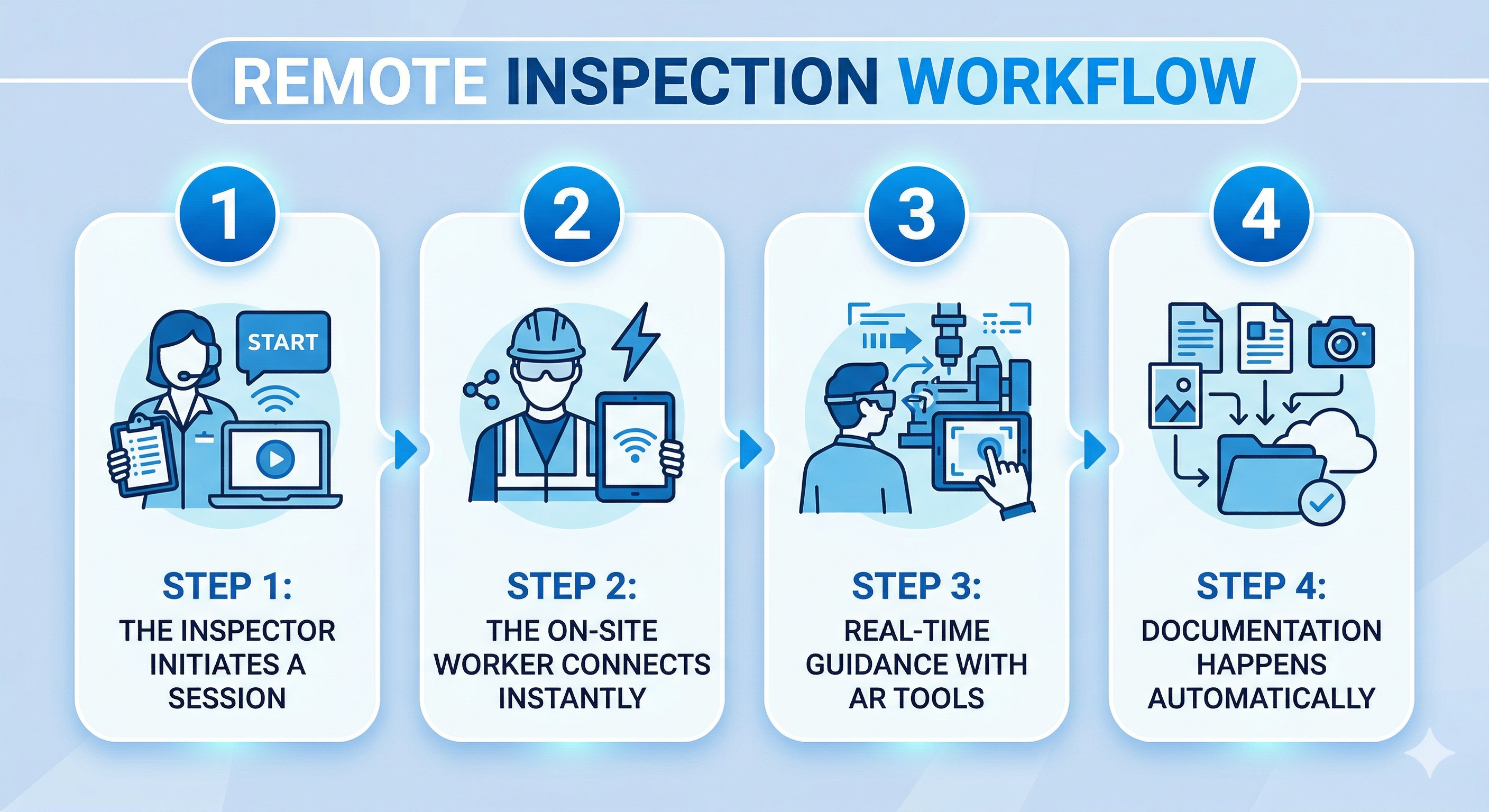
Understanding the mechanics helps you evaluate whether a platform will hold up in the real world. Here's a typical remote inspection workflow using a platform like Blitzz:
Step 1: The Inspector Initiates a Session
The expert — whether a claims adjuster, QA engineer, or compliance officer — opens the platform and sends the on-site contact a session link via SMS, email, or even WhatsApp. No app download. No account creation. No tech headaches.
Step 2: The On-Site Worker Connects Instantly
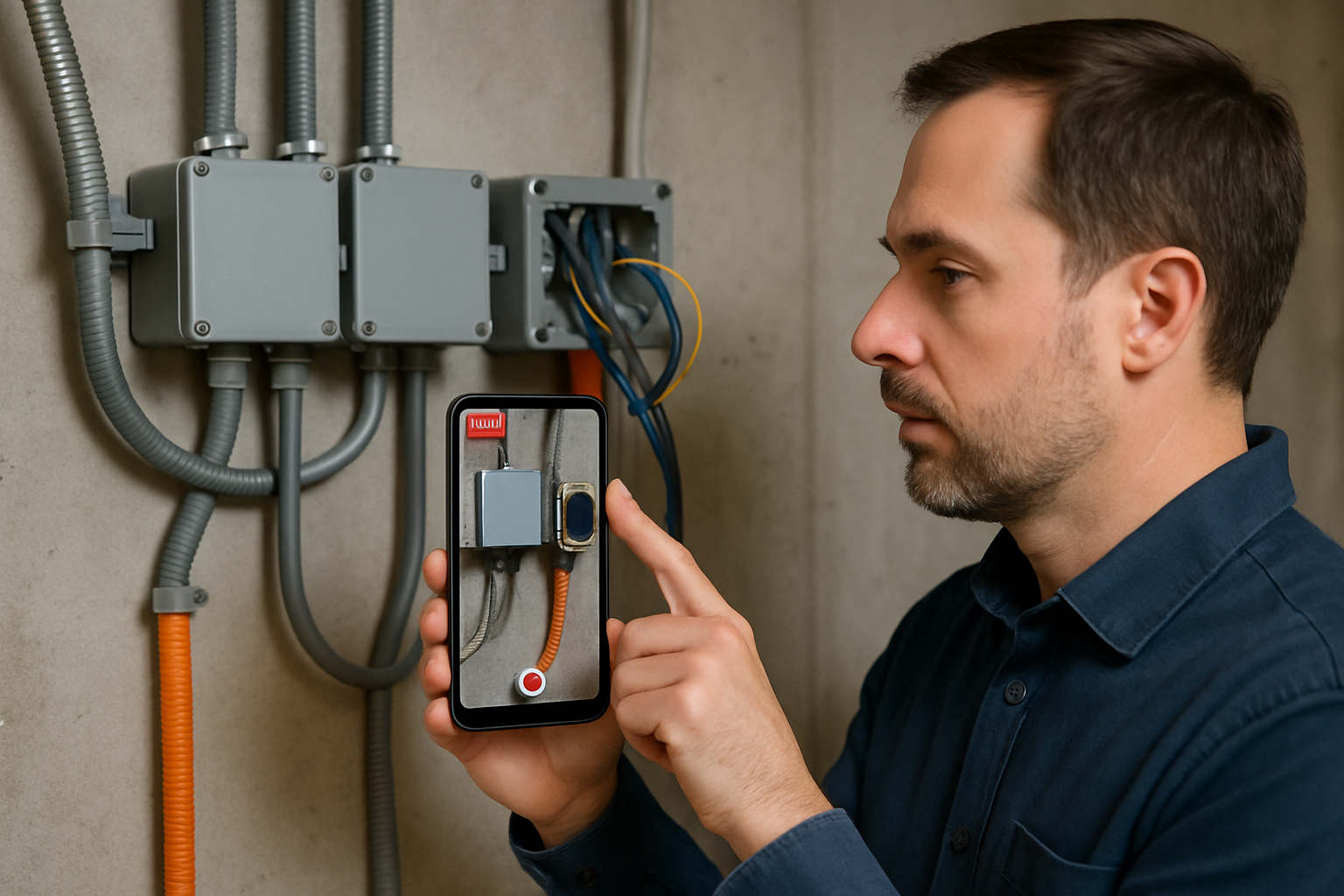
The field contact taps the link and connects through their phone's browser. Within seconds, the inspector has a live HD video feed from the field — seeing exactly what the on-site worker sees through their device camera.
Step 3: Real-Time Guidance with AR Tools
The inspector can annotate directly on the live stream using arrows, text labels, and drawing tools. They can freeze the frame to study a detail, zoom in remotely, turn on the device's flashlight, and use a live pointer to guide the on-site worker to specific areas.
Step 4: Documentation Happens Automatically
Photos are captured with timestamps. Session notes are logged. The entire session can be recorded. All of this syncs automatically to your CRM or ticketing system — whether that's Salesforce, ServiceNow, Zendesk, or a custom-built platform.
Step 5: The Report Is Ready
When the session ends, the inspector has a complete, documented record: photos, notes, timestamps, and annotations — ready for compliance filing, client reporting, or internal audit.
That's a full inspection. Conducted remotely. In a fraction of the time.
The Real Cost of Skipping Remote Inspection Tools
Before evaluating features, it's worth understanding what traditional in-person inspections actually cost — because the numbers tend to surprise people.
Consider a field service organization with 20 inspectors, each averaging three on-site visits per day. Factor in:
- Travel time: 2–4 hours per round trip
- Travel costs: Fuel, flights, accommodation, per diems
- Scheduling delays: Waiting for access, rescheduling when sites aren't ready
- Missed inspections: When inspectors can't physically reach a site due to weather, geography, or scheduling conflicts
- Documentation lag: Notes written after the fact, photos taken on personal phones, reports completed hours later
One of Blitzz's clients — a tank inspection business — reduced travel costs by 75% after switching to remote video inspection. A global construction company saved hundreds of hours by moving QA inspections to a remote model. A large telecom deployed remote visual support across 1,500 agents, improving first-call resolution by 40% and reducing truck rolls by 30%.
These aren't edge cases. They're what happens when you replace default behavior with the right tool.
8 Features to Look for in Remote Inspection Software
Not all platforms are built the same. Here's what separates professional-grade remote inspection software from basic video calling dressed up with a new label:
1. App-Free, Browser-Based Access for the Field Contact
If your on-site workers or customers have to download an app to participate in an inspection, expect friction, delays, and abandoned sessions. The best remote inspection platforms — including Blitzz — allow the field contact to join via a simple browser link, on any device, with no installation required.
2. HD Video with Remote Camera Controls
Blurry video isn't just frustrating — it's a compliance risk. Look for HD streaming with the ability to remotely zoom, freeze frames, and toggle the on-site device's flashlight. These controls let the remote inspector get the visual clarity they need without asking the on-site worker to manually adjust.
3. AR Annotations on Live Video
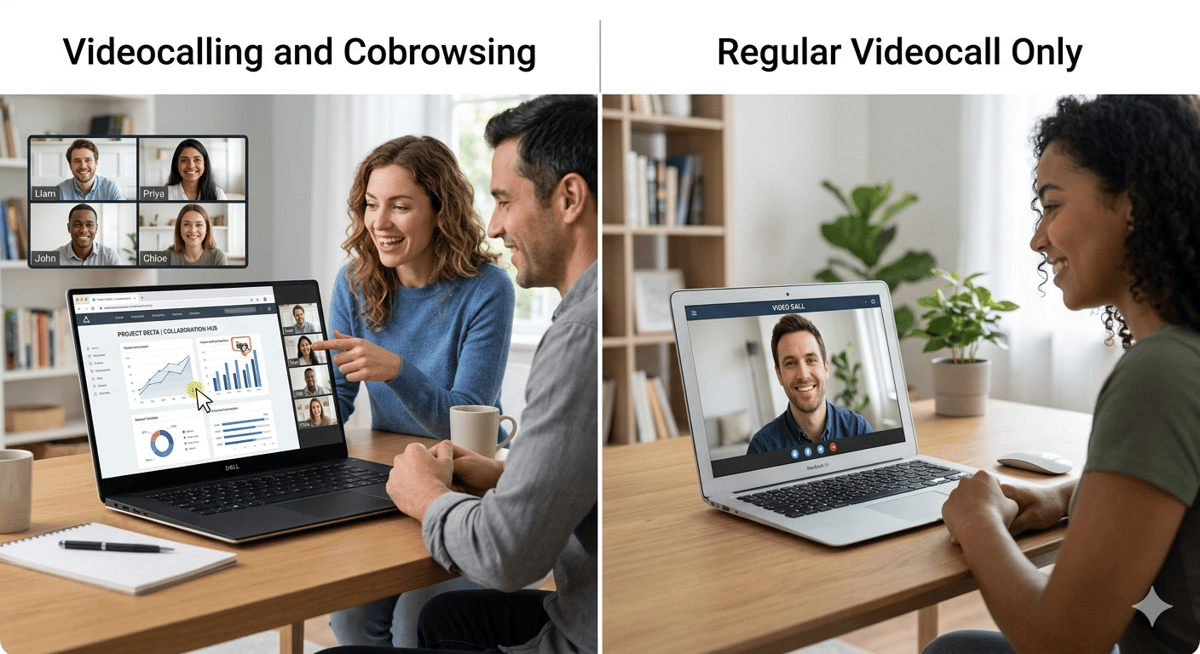
The ability to draw, highlight, label, and point directly on the live video stream is what distinguishes remote inspection software from a regular video call. Annotations help inspectors communicate precisely, guide corrective action, and document findings visually in a way that written notes can't replicate.
4. Timestamped Photo Capture
Auto-captured, timestamped photos that are saved to session history are non-negotiable for anything that touches compliance, insurance claims, or quality assurance. Manual screenshots on personal phones don't create the audit trail you need.
5. Session Recording and Notes
A documented inspection is a defensible inspection. Look for platforms that record sessions in full and allow inspectors to log notes mid-session — not hours later when details get fuzzy.
6. Deep CRM and Workflow Integrations
The platform should slot into your existing workflow, not sit beside it. Blitzz integrates natively with Salesforce, ServiceNow, and Zendesk, and offers a full REST API library for custom integrations with proprietary systems. Inspectors should be able to launch sessions directly from within the tools they already use — no tab-switching, no copy-pasting reference numbers.
7. Text Extraction and Smart Data Capture
Advanced platforms like Blitzz include OCR-style live text extraction during a session — letting inspectors capture VIN numbers, serial numbers, model numbers, and regulatory codes directly from the live video stream without manual entry.
8. Multi-Participant Support and Silent Observer Mode
Complex inspections sometimes need more than two people. Look for platforms that support adding a supervisor, specialist, or compliance officer to an active session — including a silent observer mode that lets additional reviewers watch without disrupting the flow.
Remote Inspection Software by Industry: Real-World Use Cases
One of the biggest gaps in how remote inspection software is discussed online is the lack of industry-specific depth. Different sectors have different requirements. Here's a closer look at how remote inspection actually plays out in practice:
Insurance Claims
Claims adjusters who once required an appointment, a site visit, and a multi-day turnaround can now complete a visual assessment in real time. The on-site claimant shares their camera. The adjuster annotates, captures photos, and logs notes — all in a single session. Blitzz's measurement tools allow adjusters to assess damage dimensions accurately without being present. Colonnade Insurance noted that Blitzz's annotations and stamped photos made their documentation "clearer than ever."
Key benefit: Faster claims resolution, lower adjuster travel costs, less exposure to fraud.
Construction and QA
Construction projects involve dozens of milestone inspections before work can proceed. Delays at any stage cascade through the timeline and budget. Remote inspection software allows QA engineers and compliance officers to conduct milestone reviews remotely, keeping projects moving even when on-site access is constrained. Blitzz helped a global construction company save hundreds of hours by converting QA inspections to a remote model.
Key benefit: Fewer project delays, faster compliance sign-offs, reduced travel for specialist reviewers.
Manufacturing
Assembly lines and production environments require continuous quality monitoring. Remote inspection software enables off-site QA managers and compliance teams to conduct audits in real time, guide on-floor staff through corrective actions, and capture visual evidence of non-conformances — without pulling a specialist onto the production floor.
Key benefit: Faster defect detection, reduced specialist travel, continuous quality oversight across multiple facilities.
Automotive and Roadside Assistance
Blitzz helped a major auto manufacturer provide real-time remote guidance to customers stranded on the road — enabling remote diagnosis and support without dispatching a technician immediately. Automakers like BMW and Lincoln are already integrating remote visual support into their service workflows.
Key benefit: Faster roadside resolution, reduced dispatch costs, higher customer satisfaction.
Real Estate and Property Inspection
Home appraisers and property inspectors can conduct virtual walkthroughs with buyers, sellers, or property managers — eliminating the need to schedule multiple in-person visits and allowing assessments in remote or hard-to-access locations.
Key benefit: More inspections per day, geographic flexibility, lower per-inspection cost.
Healthcare and Medical Equipment
Medical device installers and service engineers can guide hospital staff through equipment setup, configuration, and troubleshooting remotely. Blitzz's healthcare offering is HIPAA-compliant, SOC-2 certified, and end-to-end encrypted — meeting the security standards that healthcare environments require.
Key benefit: Faster equipment deployment, reduced service engineer travel, compliance-ready documentation.
Field Service and Utilities
Telecoms, utilities, and field service providers use remote visual support to reduce "truck rolls" — dispatching a technician only when remote diagnosis confirms it's necessary. A large Canadian telecom implemented Blitzz across its field service team and saw dramatic improvements in first-call resolution and overall service efficiency.
Key benefit: Fewer unnecessary truck rolls, faster issue resolution, better agent productivity.
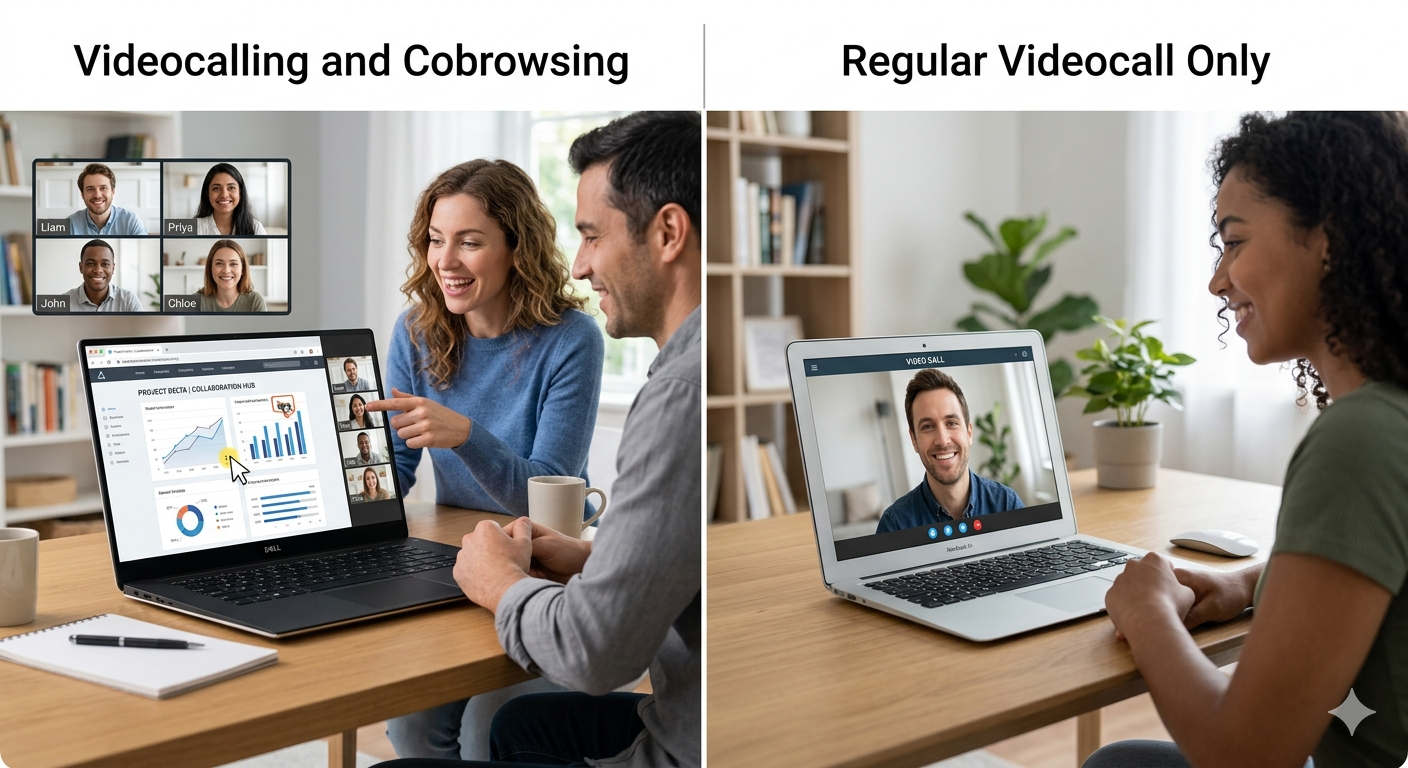
Remote Inspection vs. Video Calling: Why the Difference Matters
A common mistake organizations make is trying to run remote inspections through general-purpose video tools — Zoom, FaceTime, Microsoft Teams. It seems like the obvious workaround, and for a one-off visual check, it might work.
But for any inspection that needs to be documented, auditable, or repeatable, the gaps become critical very quickly:
| Capability | General Video Call | Remote Inspection Software (Blitzz) |
|---|---|---|
| App-free field access | Usually requires app | Browser-based, one tap |
| AR annotations on live video | Not available | Full annotation toolkit |
| Timestamped photo capture | Manual screenshots only | Auto-captured, session-logged |
| Remote zoom and flashlight control | Not available | Full remote camera controls |
| Session recording with audit trail | Requires setup/workarounds | Built in |
| CRM integration | Requires manual data entry | Native Salesforce, ServiceNow, Zendesk |
| Live text/OCR extraction | Not available | Extract serial numbers, VINs live |
| Compliance-grade documentation | Not available | Session notes, photos, recordings |
Zoom can show you what something looks like. Remote inspection software lets you inspect it.
What to Evaluate When Choosing Remote Inspection Software
With a growing market and a widening field of competitors, here's a practical evaluation framework for choosing the right platform:
Ease of use for both sides. If your inspectors find it clunky or your field contacts struggle to connect, adoption fails regardless of the feature set. Test real-world onboarding time for both parties.
No-download access. Any friction in the field contact's experience reduces completion rates. App-free browser access isn't a nice-to-have — it's essential for enterprise-scale deployment.
Integration depth. A platform that sits outside your existing workflow creates data silos and manual entry burdens. Prioritize native integrations with the CRMs and ticketing systems your team already uses.
Documentation and compliance tools. If you're in a regulated industry, your inspection platform is part of your compliance infrastructure. Make sure it offers session recording, timestamped photos, audit trails, and secure data storage options.
Security and data sovereignty. Understand where your session data is stored. Blitzz offers flexible data hosting — secured Blitzz servers, AWS, Azure, or on-premise — giving enterprise customers control over their data environment.
Scalability and pricing transparency. Look for per-user pricing that scales with your team, with clear plan structures. Blitzz Inspect starts at $450/year and scales as you grow, with a 30-day risk-free trial.
White-label options. For organizations embedding remote inspection into their own customer experience, the ability to white-label the platform preserves brand consistency. Blitzz supports white-labeling at the enterprise tier.
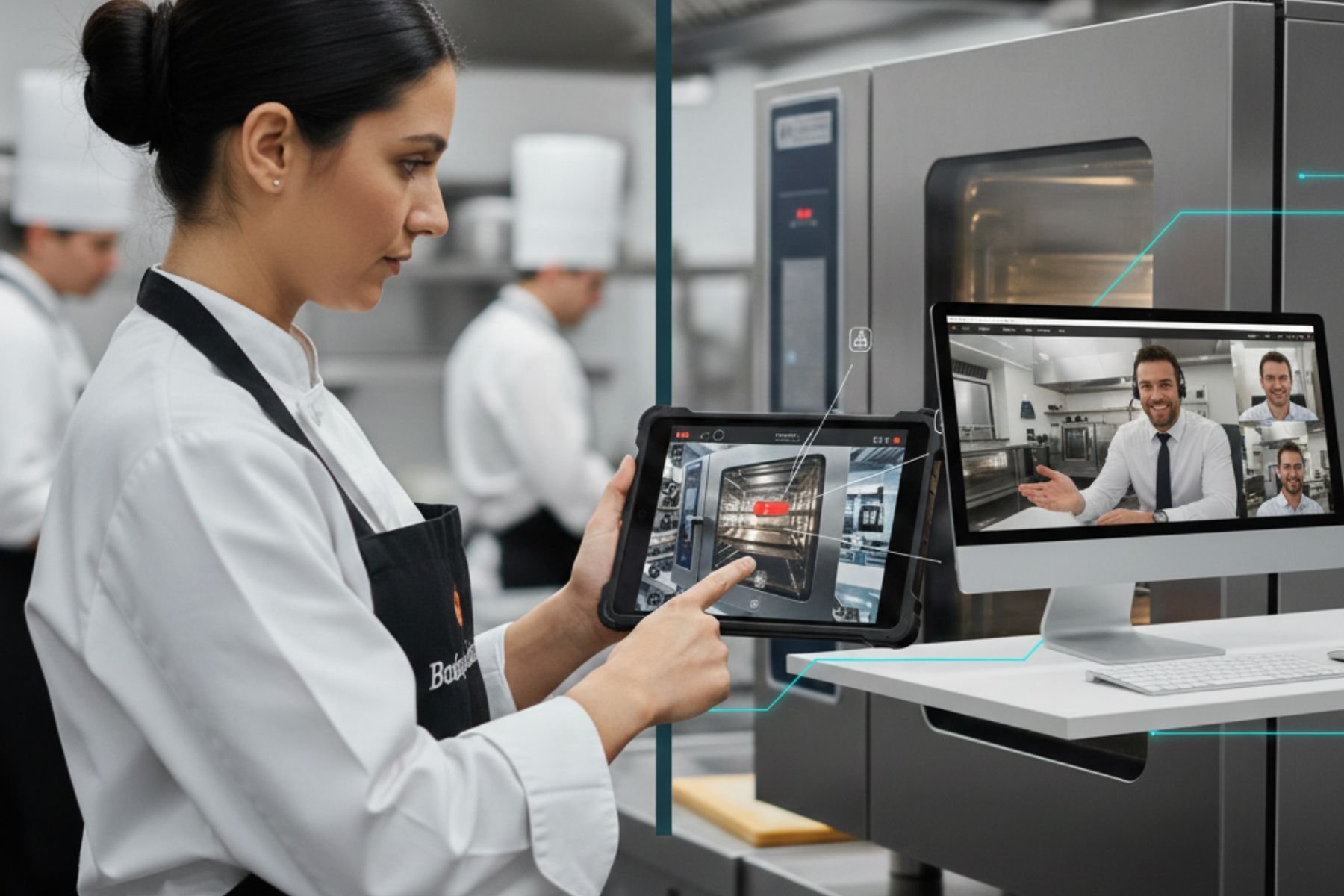
How Blitzz Approaches Remote Inspection Differently
Blitzz was built from the ground up as a purpose-built remote visual assistance platform — not a video conferencing tool with inspection features bolted on afterward. That distinction shows up in the details.
App-free by design. From day one, Blitzz was built around the principle that field contacts shouldn't need to install anything. The entire experience runs in the browser.
Built for inspectors, not just support agents. Features like live text extraction, GPS location capture during sessions, remote zoom, and remote flashlight control reflect an understanding of what inspectors actually need in the field — not what works in a customer service call center.
Integrations that actually work. Blitzz's integrations with Salesforce, ServiceNow, and Zendesk go beyond surface-level connections. Inspectors can launch sessions directly from within their CRM interface, and session data syncs automatically — no manual entry, no workflow interruption.
Compliance-ready from the start. HIPAA-compliant architecture, SOC-2 certification, end-to-end encryption, configurable data retention, and comprehensive audit trails mean Blitzz is built for industries where compliance isn't optional.
Proven at scale. Blitzz has been deployed by major telecoms across thousands of agents, adopted by global manufacturers, and trusted by insurance companies processing high volumes of claims. The platform is stress-tested at enterprise scale.
Remote Inspection Software: Frequently Asked Questions
What is remote inspection software?
Remote inspection software is a platform that allows qualified inspectors, auditors, or technical experts to conduct real-time visual assessments of sites, equipment, or assets from a remote location. Using HD live video, AR annotations, and built-in documentation tools, inspectors can see what on-site workers see, guide them through corrective actions, and capture a complete audit trail — all without traveling to the location.
What is RVI in maintenance?
RVI stands for Remote Visual Inspection. In a maintenance context, it refers to evaluating the condition of equipment, structures, or systems without physical presence on-site. RVI allows maintenance teams to inspect hazardous environments, confined spaces, or high-temperature zones safely and efficiently — reducing downtime and minimizing safety risk.
Do field contacts need to download an app to participate in a remote inspection?
With Blitzz, no. Field contacts receive a link via SMS, email, or WhatsApp and join the session through their mobile browser — no app download, no account creation required. This is a critical feature for enterprise deployment, as it eliminates the friction that causes low participation rates with app-dependent platforms.
What industries use remote inspection software?
Remote inspection software is used across a wide range of industries including insurance (claims assessment), construction (milestone and QA inspections), manufacturing (quality control and compliance audits), automotive (service and roadside assistance), real estate (property appraisal), healthcare (medical device installation and support), field service (telecom, utilities, HVAC), and oil and gas (equipment and safety inspections).
How does remote inspection software integrate with existing tools?
Leading platforms like Blitzz integrate natively with major CRM and service management systems including Salesforce, ServiceNow, and Zendesk. Inspectors can initiate sessions directly from within these platforms, and all session data — photos, notes, recordings — syncs automatically. For custom or proprietary systems, Blitzz also provides a full REST API library.
Is remote inspection software secure enough for regulated industries?
Yes — when the platform is purpose-built for it. Blitzz is HIPAA-compliant, SOC-2 certified, and uses end-to-end encryption. Session recordings are stored with configurable retention policies and accessible only to authorized personnel. Organizations with strict data residency requirements can opt for on-premise or private cloud deployment.
How much does remote inspection software cost?
Pricing varies by platform and use case. Blitzz Inspect starts at $450/year and scales based on the number of users and session volume. Blitzz Concierge (for customer support teams) starts at $420/year for a minimum of five licenses. A 30-day risk-free trial is available for both products.
Can remote inspection software replace in-person inspections entirely?
For many inspection types — insurance claims assessments, QA audits, compliance checks, field service diagnostics, and equipment reviews — yes, remote inspection can fully replace in-person visits. For situations requiring physical interaction (sample collection, hands-on repair, structural probing) remote inspection is used to triage and supplement on-site visits, ensuring that when an inspector does travel, the visit is purposeful and efficient.
What's the difference between remote inspection software and video conferencing tools like Zoom?
Video conferencing shows you what something looks like. Remote inspection software lets you inspect it. Platforms like Blitzz add AR annotations on live video, remote camera controls (zoom, flashlight), timestamped photo capture, session recording with audit trails, live text extraction, GPS location capture, and deep CRM integrations — none of which are available in general-purpose video tools.
The Bottom Line
Remote inspection software isn't a workaround for when travel isn't possible. It's a better default — faster, cheaper, more documented, and more scalable than sending someone on-site every time you need to see something.
The organizations that recognize this earliest gain a compounding advantage: lower operational costs, faster turnaround times, better documentation, and the ability to scale inspection capacity without proportionally scaling headcount.
Blitzz is built specifically for this — not as a feature add-on to another product, but as a platform purpose-designed for inspectors, auditors, field service teams, and the enterprises that depend on them.
Ready to see what remote inspection looks like at its best?
Start a free 30-day trial at blitzz.co — no app download required for your field contacts, and your team can be up and running in hours.

Blitzz Team
The Blitzz Team writes about remote video support, virtual inspections and field service. Our guides come from working with home builders, property managers, warranty teams, contact centers and field service organizations that use Blitzz to see and solve issues without a truck roll.