.png?width=120&height=55&name=Blitzz-Logo-right%20white%20eyes%20-%20not%20transparent%20(3).png)
 Collaborative browsing for content review is changing the way you help customers, colleagues, and partners navigate digital processes. Instead of sending endless screenshots and emails, you can interact in real time on a single webpage or web application. It reduces confusion, speeds up decision-making, and provides a level of personalized support that screen sharing alone just can’t match. Whether you’re troubleshooting software, guiding a valued customer through a purchase, or walking a client through contract details, co-browsing helps your team deliver a more seamless and positive experience.
Below, you’ll learn about the benefits of co-browsing, where it can make the biggest difference, and how to choose the right technology for your needs. You’ll also see how an AI-powered tool like Blitzz Co-Browse helps you boost your team’s performance without introducing complicated steps or extra downloads. By the end, you’ll know why co-browsing is a must-have for modern support and collaboration.
Why collaborative browsing for content review matters
When you rely on screen sharing, it often feels like you’re inviting someone to see your entire desktop. That can slow down collaboration, especially when sensitive data or notifications pop up. Collaborative browsing changes the dynamic by giving you control over exactly what you—and your participants—can see and do. You’re not just pointing your mouse around someone else’s screen; you’re both interacting on the same webpage, with minimal privacy concerns.
Here’s why it matters:
-
It reduces confusion. Instead of toggling between different browser tabs, or dealing with shared screens that reveal everything on your desktop, co-browsing focuses on a single web session.
-
It increases trust. Customers feel safer knowing you can’t see their entire system, just the part they need help with.
-
It strengthens collaboration. Multiple people can work on the content simultaneously, updating forms or discussing edits in real time.
In short, co-browsing offers a more targeted approach to real-time problem solving and content review, which is invaluable for B2B SaaS leaders, customer support pros, and remote teams looking to streamline collaboration.
Understanding the difference between co-browsing and screen sharing
Screen sharing is often the default tool you may turn to when you need to show or see something on your computer, but it’s not the best for handling private data or engaging on highly interactive pages. With traditional screen sharing:
-
You share an entire screen or application window, making everything on that screen visible.
-
There’s a higher risk of revealing personal or confidential information.
-
It often requires large bandwidth, which can slow connections or cause lag.
-
Participants usually have limited ability to interact directly with the content.
Co-browsing, on the other hand, is more selective. You only show the specific webpage or application in question, and you both have the ability to click, scroll, and type within that shared environment. In other words, you preserve privacy while making collaboration more interactive.
Because of these advantages, co-browsing is proving particularly popular for customer support teams in sectors like finance, where sensitive data must stay hidden, and for remote educational services that involve interactive lessons. If you’ve had issues with screen sharing in the past—lagging, complicated permissions, or accidental oversharing—co-browsing might be the solution you’ve been waiting for.
Key benefits for B2B SaaS and beyond
When you embed co-browsing into your workflow, you create a direct line of sight between users and support staff on the same webpage, leading to faster problem resolutions and stronger communication. Below are some specific ways co-browsing can help you:
-
Faster onboarding and product demos
-
Instead of trying to explain product features verbally, you and your prospect can interact with the software together. This streamlines the demo experience and lets your prospects ask questions on the spot.
-
-
Reduced resolution times in customer support
-
By simultaneously viewing the same page, you avoid lengthy back-and-forth emails or phone calls. You quickly see where a user is stuck, guiding them step by step.
-
-
Increased customer satisfaction
-
Users appreciate it when support staff can provide precise help without scouring through confidential or irrelevant tabs. This focused attention often leads to better feedback and loyalty.
-
-
Minimal friction with remote collaboration
-
Whether you’re reviewing internal documents with a distributed team or helping customers fill out forms, co-browsing keeps everyone on the same page, literally.
-
-
Greater security and privacy controls
-
Co-browsing solutions typically mask sensitive fields by default, giving you a secure platform that doesn’t compromise customer data.
-
This functionality extends well beyond B2B SaaS. E-commerce operators can walk buyers through product pages. Financial service professionals can guide customers through loan applications. EdTech instructors can interact with students during a digital lesson, clarifying tricky points in real time. It’s about ensuring no one is left behind, regardless of technical skill level.
Real-world use cases you can’t ignore
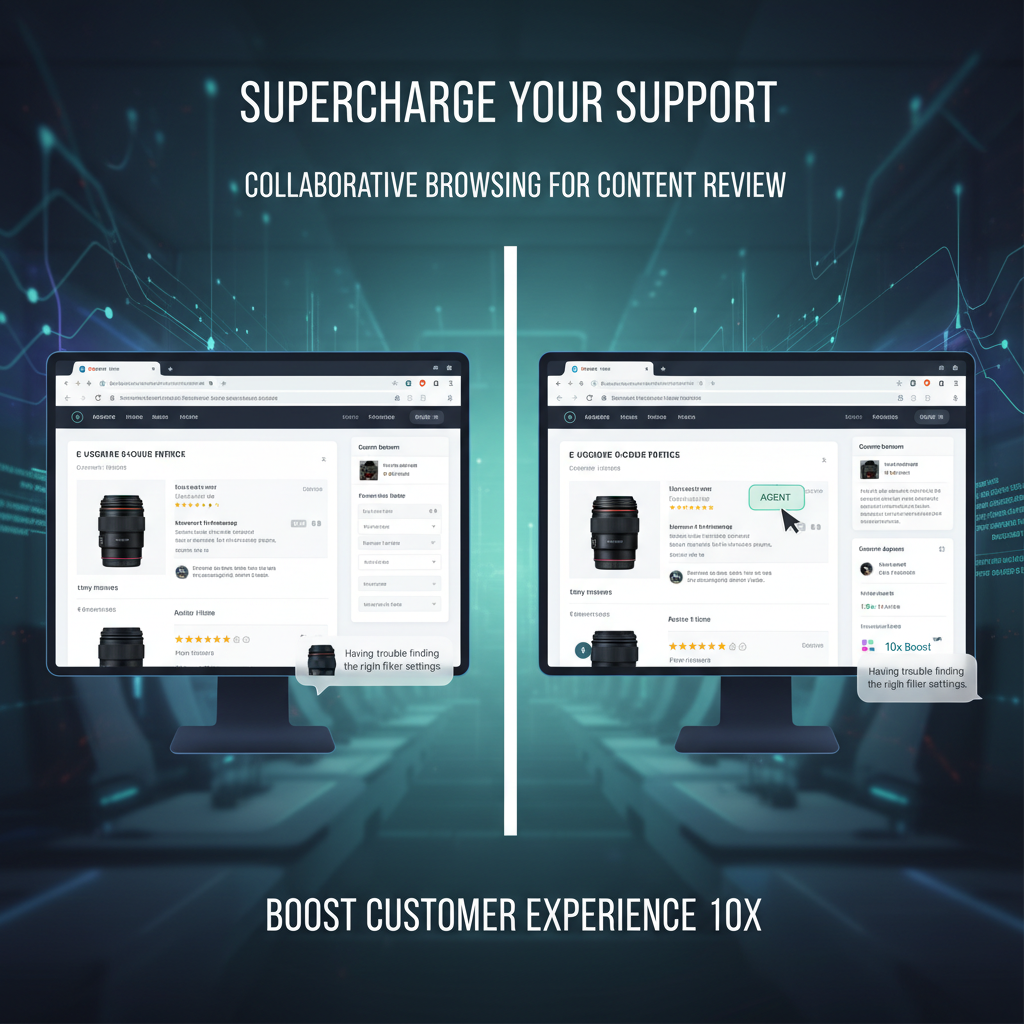
The potential of co-browsing goes beyond basic customer service. Consider these real-world applications to see how it might fit into your operation:
-
-
When a customer is uncertain about product details or customization options, your support rep can jump into a co-browsing session and walk them through the product selection and checkout process. This hands-on approach can reduce cart abandonment rates and increase trust.
-
-
Complex software troubleshooting
-
Instead of waiting for users to send screenshots, your support engineer can look at the interface in real time. Problems that typically require multiple email exchanges can be solved in minutes.
-
-
-
Banks and insurance companies often need to walk clients through lengthy forms. With co-browsing, you ensure customers fill out applications correctly on the first try, cutting down on processing delays.
-
-
-
In a virtual classroom, instructors can co-browse to help students navigate course modules, highlight resources, and offer immediate feedback on assignments. This level of interactivity keeps engagement high and confusion low.
-
-
-
If your organization uses multiple cloud-based tools, co-browsing helps new employees or cross-functional teams learn the tools quickly. You can point out exactly where things are located without scheduling in-person workshops.
-
No matter your specific field, these scenarios illustrate how co-browsing tackles real-world challenges head-on. It doesn’t just bridge the distance between remote participants—it gives them a shared, interactive workspace.
Choosing the right co-browsing solution
When selecting a co-browsing solution, you want a platform that’s straightforward, secure, and adaptable to your workflows. Below are some of the top criteria to consider:
-
Accessibility
-
How easy is it for participants to start a session? Look for solutions that don’t require downloads or complicated installations.
-
-
Security features
-
Sensitive data should always stay private. Solutions that mask fields or use advanced encryption reduce your risk of data exposure.
-
-
Customizability
-
Every industry has unique requirements. Make sure you can tailor the platform to your specific user flows, such as customizing logos or generating session links that align with your brand.
-
-
Compatibility
-
Your solution should work on popular browsers, devices, and operating systems. Also check for seamless integrations with your CRM or ticketing system.
-
-
Interactive tools
-
The real power of co-browsing lies in your ability to click, highlight, or even annotate the shared interface. Verify that your chosen platform offers real-time collaboration tools without excessive lag.
-
Spotlight on Blitzz Co-Browse
Blitzz Co-Browse stands out as a leading AI-powered co-browsing solution that meets these criteria. It requires no downloads, securely masks sensitive information, and integrates smoothly with many major platforms. Whether you’re managing a SaaS product, a retail site, or an online course, Blitzz Co-Browse offers real-time collaboration without complicating your workflow. If you’ve struggled to keep visitors engaged or found yourself spending too much time on repetitive support queries, an AI-driven tool like Blitzz Co-Browse can be a game changer for elevating your customer experience.
Implementing co-browsing in your workflow
Like any technology rollout, co-browsing is most successful when it’s integrated thoughtfully. Here’s how you can bring it into your daily operations without missing a beat:
-
Train your team
-
Provide hands-on instruction for support staff, sales reps, and managers. Show them how to initiate a session, how the user experience looks from both sides, and how to handle basic troubleshooting.
-
-
Promote adoption
-
Make sure your customers or students know you offer co-browsing options. Include a “Need Help?” button on your website or mention it during calls.
-
-
Combine with other tools
-
Co-browsing works best when paired with live chat, video support, or your CRM platform. That way, customer or student information is readily available to everyone in the session.
-
-
Measure success
-
Track metrics like average resolution time, conversion rate, or overall user satisfaction scores. Co-browsing often yields improvements in these areas, which helps you justify its ongoing value.
-
-
Gather feedback
-
After each session, ask participants for their impressions. Were steps clear? Did they feel secure? Continuous tweaking based on real feedback helps you get the most from your co-browsing solution.
-
Best practices for seamless collaboration
Whether you’re helping a client finalize a contract or guiding a new employee through your CRM, a few best practices can ensure a positive experience:
-
Communicate expectations. Let participants know what you can and cannot see during the session. Transparency builds trust.
-
Use real-time chat or voice support. Talking or typing during the session is key to clarifying any confusion quickly.
-
Keep sessions focused. Only open the webpage or application your user needs, rather than jumping around multiple tabs.
-
Log important steps. If you notice a recurring issue, maintain a record so that future sessions can address it more quickly.
-
Encourage incremental learning. Don’t try to cover every feature or detail in a single session. Build up users’ confidence step by step.
Measuring ROI and long-term impact
Perhaps the biggest question for B2B SaaS leaders is whether co-browsing will deliver returns that justify the time and money spent. If deployed correctly, it often does. Measuring ROI involves looking at:
-
Reduced churn. Satisfied customers are less likely to cancel subscriptions.
-
Higher conversion rates. When prospects can see and experience your product with hands-on support, they’re more likely to sign on.
-
Decreased support overhead. Fewer emails, faster call resolution, and more efficient use of staff time reduce your operational costs.
-
Positive brand reputation. Word-of-mouth traffic increases when customers mention your superior support and easy-to-use co-browsing solutions.
These benefits generally compound over time, especially in high-touch industries like financial services and education. Consider co-browsing not just a technical upgrade, but a long-term investment in customer loyalty and team productivity.
Frequently asked questions
-
Is co-browsing secure for sensitive sessions?
Yes. Many co-browsing platforms, such as Blitzz Co-Browse, use field-masking technology and encryption to ensure private information is never exposed. You can protect data fields like credit card numbers or social security details while you still see less-sensitive parts of the webpage. -
How does co-browsing differ from standard screen sharing?
With co-browsing, you and your participants only see the active browser or application window, not your entire desktop. This selective visibility helps maintain privacy while still offering all the interactive benefits of real-time collaboration. Screen sharing, by contrast, typically shows whatever is on your computer screen, including notifications and other open windows. -
Do participants need to download anything to join a session?
Usually no. One of the main advantages of co-browsing is that it often runs in the browser itself, so your users aren’t forced to install plugins or software. For example, Blitzz Co-Browse requires no downloads, which reduces friction and speeds up the start of any session. -
How does pricing usually work for co-browsing solutions?
Most providers offer subscription-based pricing, potentially with tiers based on the number of agents or concurrent sessions. Some also provide custom enterprise plans, so you can scale as your user base grows. When researching costs, confirm whether your usage volume, integration needs, and support requirements are covered. -
Can you use co-browsing for mobile apps?
Yes, many co-browsing providers offer solutions optimized for mobile browsers or in-app experiences. It’s particularly useful for e-commerce or banking apps where customers get stuck on certain steps. A mobile-ready co-browsing platform ensures you can assist users no matter what device they use.
How to get started
If you’re ready to see how co-browsing can transform your daily processes, start by identifying the interactions where it can provide the greatest immediate impact. You might find it most beneficial in product demos, customer onboarding, or complex troubleshooting scenarios. Once you introduce co-browsing, keep an eye on your key performance metrics—resolution times, satisfaction scores, and conversion rates—so you can fine-tune your approach.
When you’re searching for a robust solution, check out reputable tools like Blitzz Co-Browse. Their AI-powered platform makes it easy to launch a session, protect private data, and collaborate in real time. By implementing a reliable solution and training your team thoroughly, you’ll be well on your way to delivering a faster, friendlier customer experience.
Your next step
Consider testing a co-browsing trial or pilot program with a subset of your team. Gather feedback, measure improvements in efficiency or customer satisfaction, and use that data to refine your strategy. Over time, you’ll likely see measurable reductions in customer churn, fewer back-and-forth emails, and a stronger brand reputation for excellent, personalized service.
Ready to take the next step? Explore solutions like Blitzz Co-Browse and empower your team to collaborate, troubleshoot, and deliver support like never before. By embracing collaborative browsing for content review and beyond, you tap into a new era of remote engagement that helps you stand out in a competitive marketplace. Your customers—and your bottom line—will thank you.