.png?width=120&height=55&name=Blitzz-Logo-right%20white%20eyes%20-%20not%20transparent%20(3).png)
Imagine combining the power of Zendesk with Blitzz Cobrowse to turn your help centre into a real-time, visual support experience.
Today, almost every ecommerce brand has a help centre: customers start with self-service articles, chatbots answer simple questions, and when things escalate, live agents step in. But then comes the familiar back-and-forth — asking customers to send screenshots, explain what they see, and try steps on their own. It’s slow, frustrating, and often leads to longer resolution times.
But what if you could instantly cobrowse with customers the moment a conversation escalates? A customer runs into a problem and starts a chat. When the issue becomes more complex, your agent steps in. Instead of asking for screenshots or long explanations, the agent simply sends a secure link. The customer clicks once and you’re immediately cobrowsing together — seeing exactly what they see and guiding them in real time. No downloads, no friction, just faster resolution and a smoother support experience.
With Blitzz Cobrowse integrated into Zendesk, agents can instantly see the customer’s screen and guide them live inside your app or website — no downloads, no friction, just faster, clearer support exactly when it’s needed most.
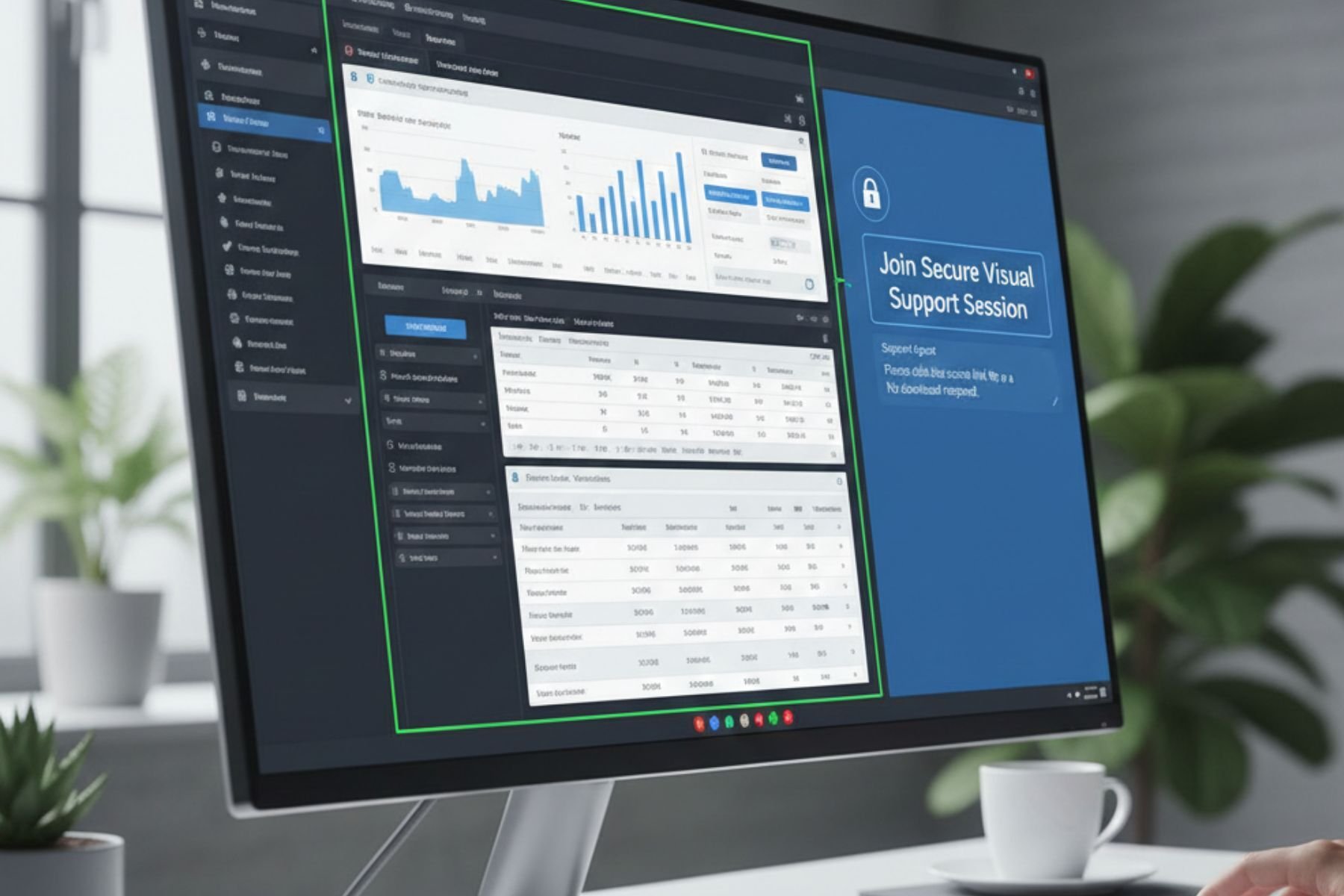
Cobrowsing Solutions Vs. Screensharing: What's The Difference
Customer support teams often use the terms screen sharing and cobrowsing interchangeably, but they serve very different purposes. Understanding the difference is critical for ecommerce teams that want faster resolutions and lower handling times.
Setup and Customer Effort
Traditional screen sharing usually requires customers toinstall or open third-party apps like Zoom or Teams before support even begins.However, it could only add an extra setup leading to more friction and delays. Whatif the customer is not tech-savvy enough to understand? It could even lead toincrease in average handling time.
Cobrowsing removes these steps completely. When troubleshootingbecomes a bit more complex, your agent only needs to send a secure link. Thecustomer can click that link and directly join the cobrowsing session.
Context and Security
Screen sharing exposes a customer’s entire screen, which canfeel intrusive and risky, especially when personal tabs, emails, or private notifications are visible. Cobrowsing offers a secure link, enough to giveagents the exact context they need while protecting customer privacy.
No need to install other third-party screensharing apps, where customers still need emails and phone numbers to sign up.
Speed of Resolution
With screen sharing, agents often waste time navigating meeting controls, audio issues, or connection problems before troubleshooting even starts. Cobrowsing is purpose-built for support.
In just one link, customers can cobrowse and explain the issues more effectively. Conversely, agents can guide clicks, highlight buttons, and solve issues directly inside the customer journey. This process dramatically reduces back-and-forth communication and resolution time.
How To Integrate Blitzz With Your Helpdesk?
1. Sign Up for Blitzz
Create your account and set up your workspace for your support team.
2. Connect Your Helpdesk
Go to the integrations section and select your helpdesk platform (like Zendesk).
3. Authenticate and Authorize
Follow the prompts to securely connect Blitzz with your helpdesk account.
4. Configure Your Settings
Choose when and how agents can initiate cobrowse or video sessions from tickets or chat.
5. Start Using Cobrowse in Support
Agents can now send customers a secure link to instantly cobrowse, share screens, or start a no-app video session directly from your helpdesk.
6. Train Your Team
A short walkthrough ensures agents know how to use Blitzz features efficiently during live support sessions.
A more thorough guide on integrating Blitzz can be found here.
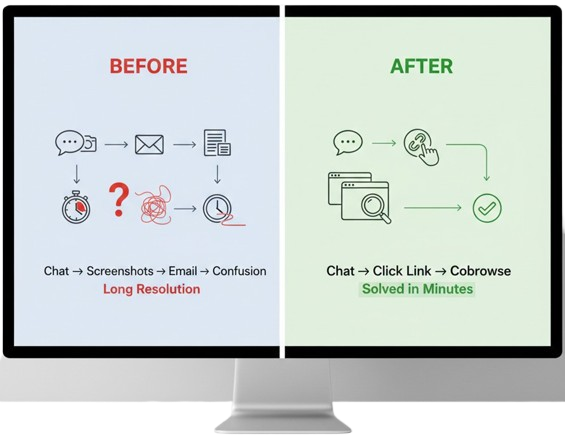
From Frustration to Instant Fix: Before vs. After Cobrowsing
Support without cobrowsing can feel like a maze. A customer starts a chat, you ask for screenshots, they email them over… but they’re incomplete or unclear. Agents follow up, explanations get lost, and resolution drags on for hours—or even days. Frustration builds on both sides.
Now, imagine a better way. With Blitzz Cobrowsing, the moment the customer clicks a link, you’re seeing their screen in real time. You guide them step by step, highlight exactly what they need to click, and resolve the issue in minutes. No confusion, no endless emails—just fast, friction-free support that keeps customers happy and carts moving.
Ready to revolutionize your ecommerce support? Join the cobrowsing challenge with Blitzz today!
Is Cobrowsing Right for Your Business
Online retailers
Checkout issues, cart errors, or promo code problems can frustrate shoppers. With cobrowsing, agents can see exactly what the customer sees and guide them step by step. This means faster resolutions, fewer abandoned carts, and happier customers.
DTC brands
Direct-to-consumer brands rely on loyalty and personal connections. Cobrowsing allows agents to provide hands-on, real-time support for product questions or returns. Customers feel cared for, boosting trust and repeat purchases.
Marketplaces
Between buyers and multiple sellers, issues can get complicated fast. Cobrowsing lets agents instantly understand both sides of a problem and resolve it collaboratively. This reduces miscommunication and keeps your marketplace running smoothly.
Subscription ecommerce
Managing recurring orders, plan changes, or onboarding can be confusing for customers. Cobrowsing allows agents to walk customers through every step in real time, eliminating errors and frustration. This improves retention and keeps subscribers happy.
Electronics or complex products
Setup, troubleshooting, or configuration can be intimidating, especially for less tech-savvy customers. Agents can guide them visually, highlighting buttons or steps live. This reduces returns, support tickets, and ensures customers get value from your product quickly.
Takeway
In today’s ecommerce world, customers expect fast, seamless support — and traditional chat or screenshot-based methods just don’t cut it. Cobrowsing with Blitzz turns support into a real-time, visual experience, letting agents guide shoppers step by step, solve issues instantly, and eliminate frustration. The result is faster resolutions, shorter handling times, higher customer satisfaction, and fewer abandoned carts. For retail and DTC brands, marketplaces, and subscription services, this isn’t just an upgrade — it’s a competitive advantage.
Ready to see it in action? Book a demo with Blitzz today and experience friction-free support for yourself.