.png?width=120&height=55&name=Blitzz-Logo-right%20white%20eyes%20-%20not%20transparent%20(3).png)

On this page
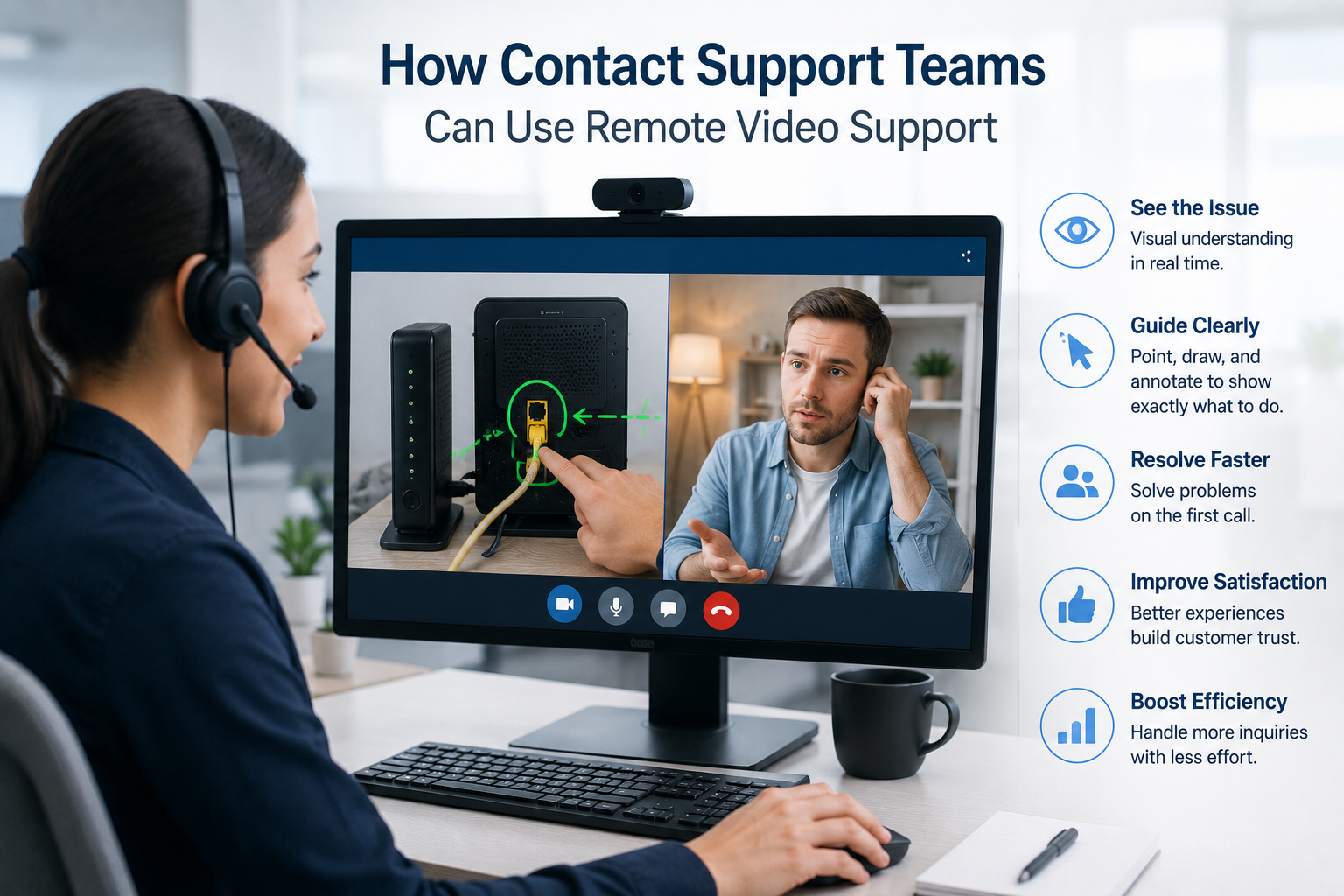
Every contact center leader runs into the same wall eventually. Headcount has been optimized. Scripts have been refined. The IVR has been re-routed. Knowledge base articles have been rewritten. And yet the numbers that matter — first-call resolution, average handle time, customer satisfaction, repeat contact rate — stay stubbornly close to where they were a year ago.
The reason is simple, but it's rarely named directly: voice-only support forces customers to describe problems they don't have the vocabulary for, to agents who can't see anything. Every interaction is built on translation. The customer translates their physical reality into words. The agent translates words into hypotheses. The hypotheses get translated back into instructions. Somewhere along that chain, accuracy leaks out — and so do KPIs.
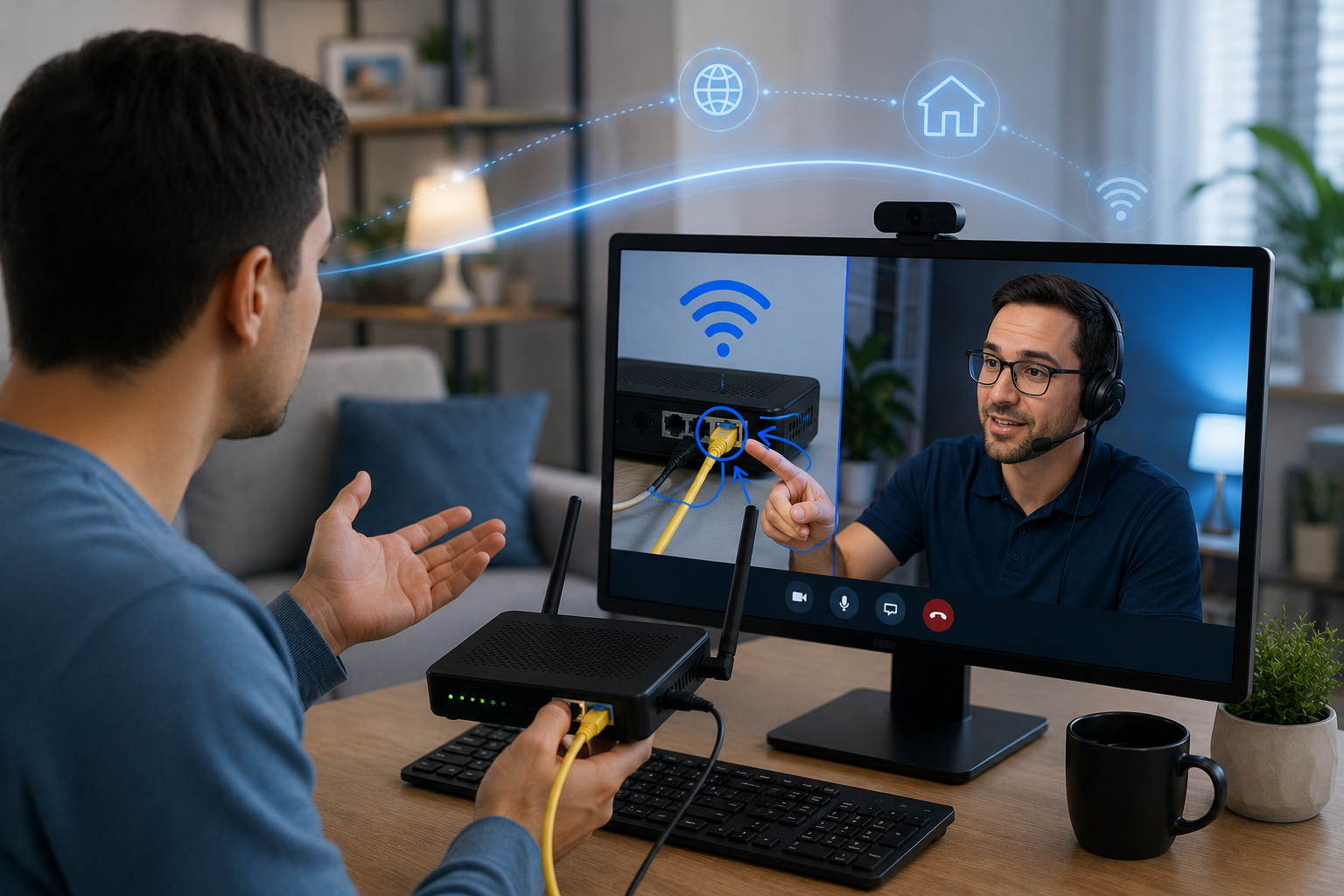
Remote video support removes the translation layer entirely. When an agent can see what a customer sees — through the customer's own smartphone camera, in real time, with no app to download — the diagnostic process changes shape. The agent stops guessing. The customer stops describing. The conversation becomes about resolution instead of interpretation.
This is a practical guide to how contact center support teams actually use remote video support — what it changes in the workflow, where it produces measurable returns, and how to deploy it without disrupting agents who are already running near capacity.
What Is Remote Video Support For Contact Centers?
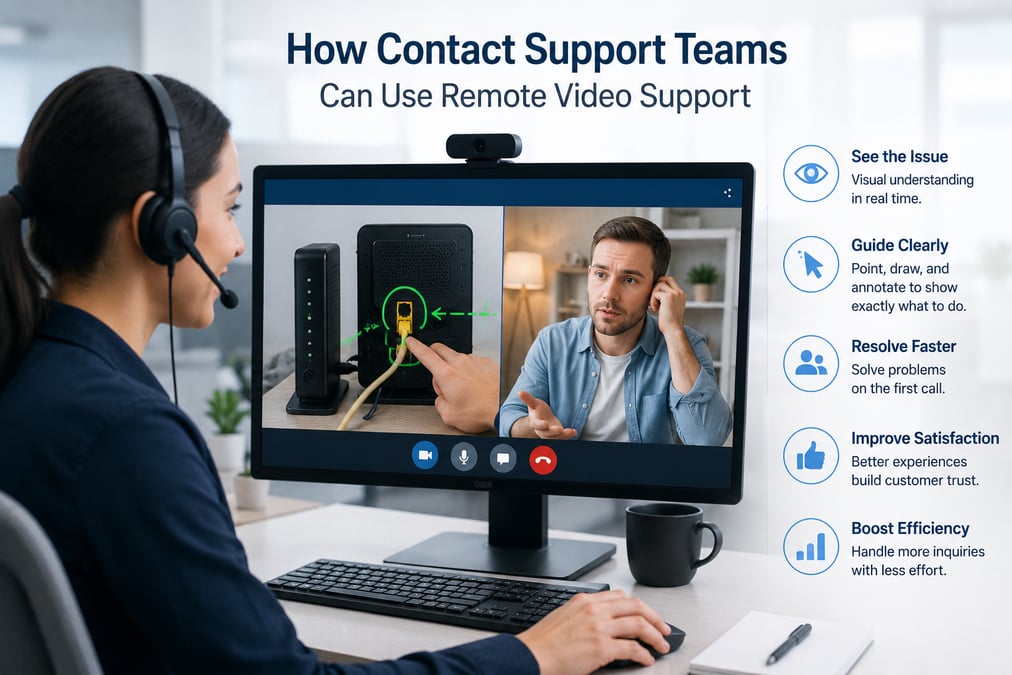
Remote video support is a customer service capability that lets a support agent see what a customer sees through a live video session — and guide them visually using AR annotations, screen sharing, and real-time markup — without requiring the customer to download an app, create an account, or install anything.
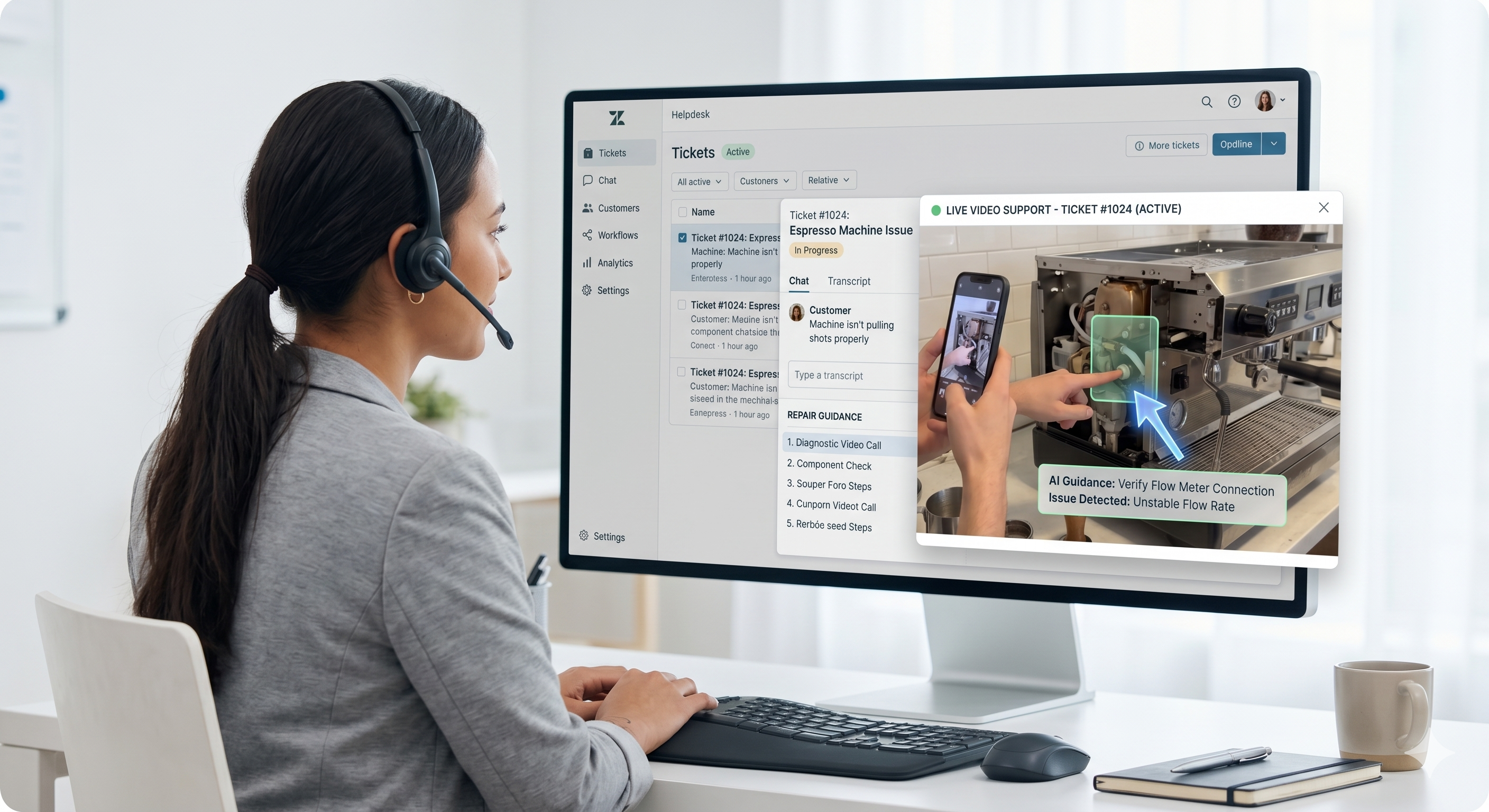
The session model is deliberately frictionless. The agent sends a secure link from inside their CRM. The customer taps it. The session opens in their mobile browser. From that moment, the agent is looking through the customer's camera, can draw directly on the live feed to point at the exact button or cable or screen element that matters, and can capture timestamped photos and notes that sync back to the case record automatically.
The core capabilities that contact center teams use most:
- Live video through the customer's smartphone camera — no app store, no install, no friction
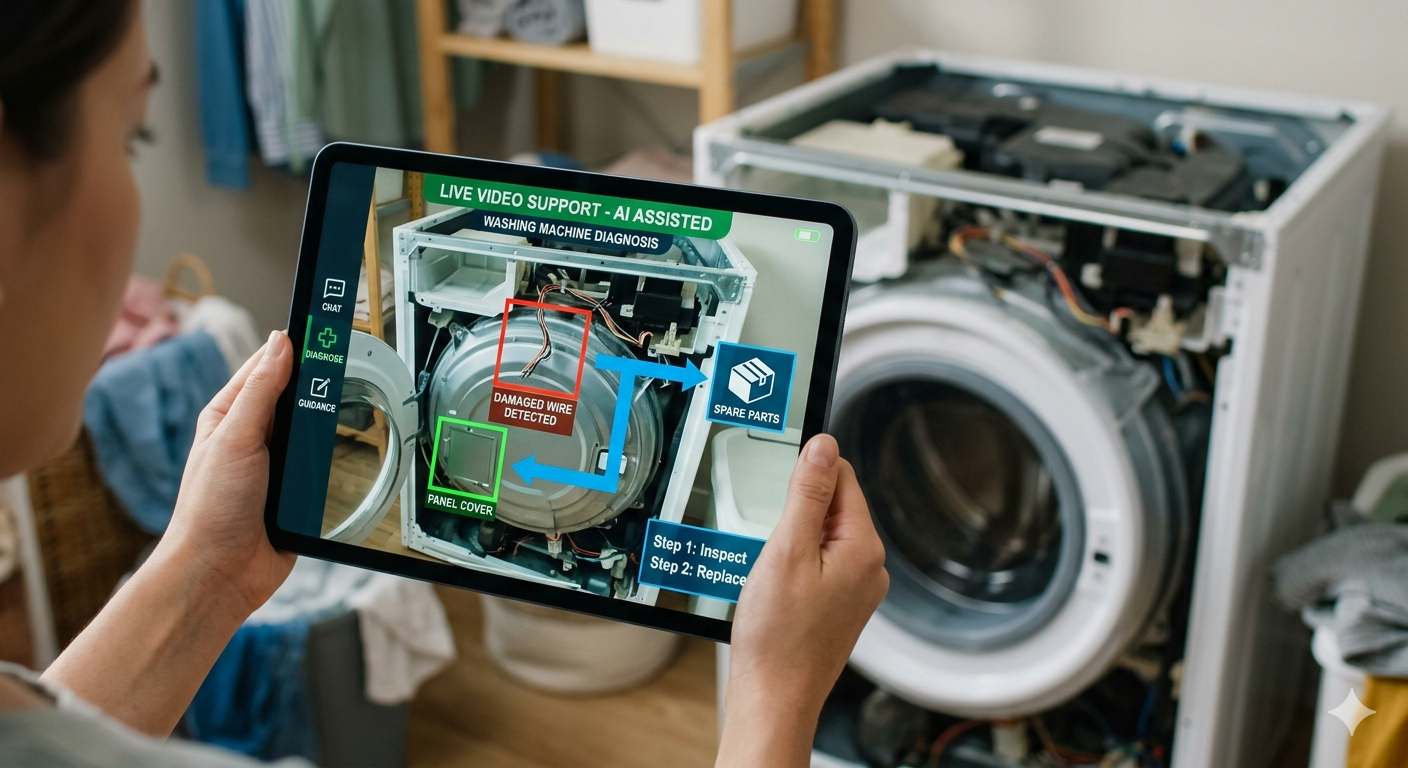
- AR annotations on the live feed — agents circle, point, and label directly on what the customer is seeing
- Co-browsing and screen sharing — for software issues, app navigation, and account configuration, the agent can see and annotate the customer's screen
- AI-generated session summaries — call notes drafted automatically at session close
- OCR data capture — serial numbers, model codes, and error messages extracted from the camera feed straight into the case
- CRM integration — session data flows back to Salesforce, Zendesk, ServiceNow, or Genesys without manual entry
The shift these capabilities create is bigger than any one feature. Verbal description gets replaced with shared visual context. That's the change that matters.
Where Contact Center Teams Use Remote Video Support Most
The use cases aren't limited to one type of contact center. Any support team whose customers interact with physical objects, devices, or visual interfaces gets value — and most contact centers do.
Equipment troubleshooting
This is the largest single use case and where most teams see ROI first. Whenever a customer is calling about a device — a router, an appliance, a piece of consumer electronics, a vehicle dashboard light, a piece of medical equipment — the agent can see the device instead of asking the customer to describe it. LED patterns get read directly. Error codes are captured via OCR. Cable connections are verified visually. The diagnostic step that normally takes ten minutes of back-and-forth collapses into seconds.
Guided self-installations
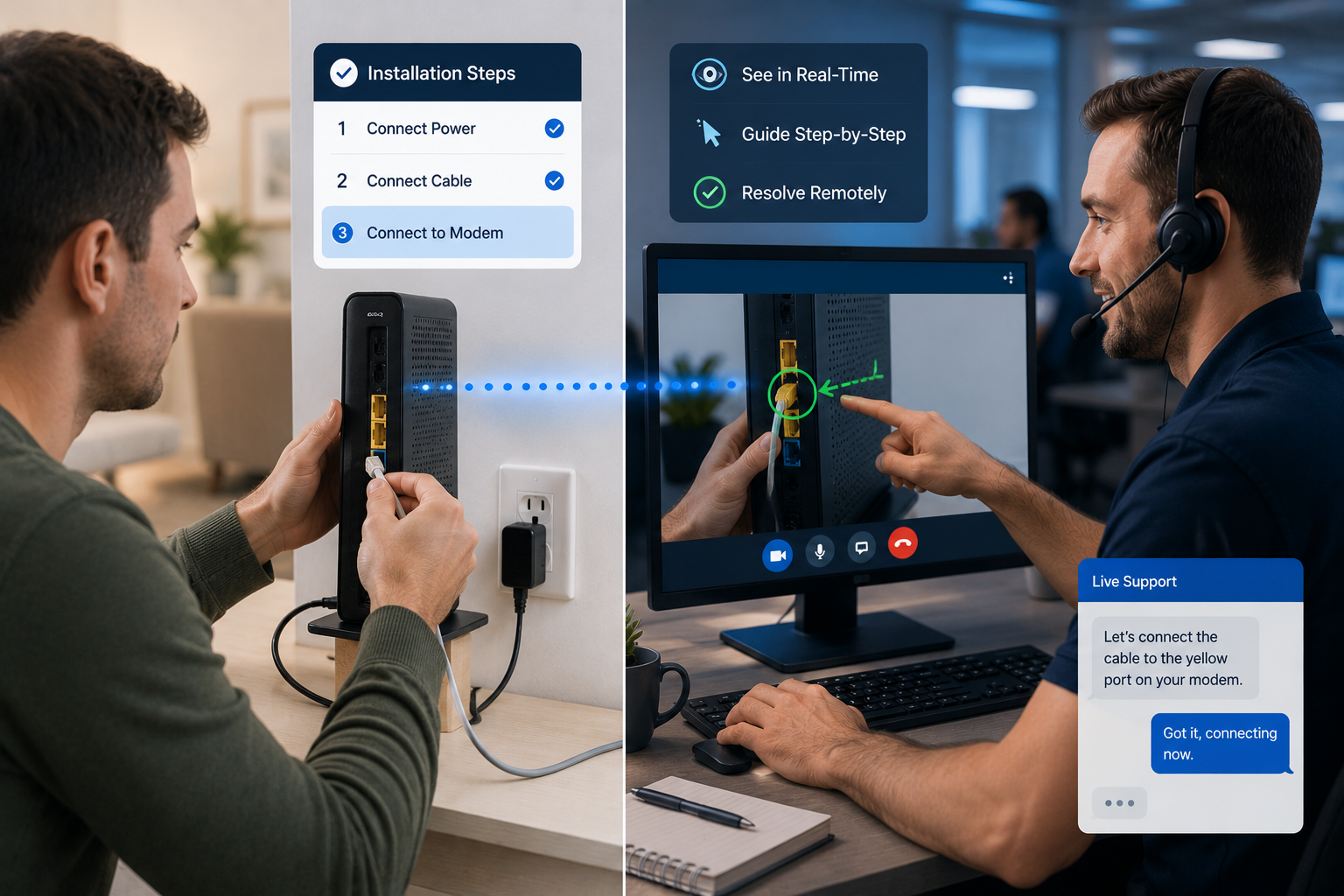
When a customer is installing something — a router, a smart home device, a piece of equipment shipped to them — visual guidance dramatically improves success rates. The agent watches the install in real time, points to the correct port with AR annotations, and confirms the configuration is right before the customer walks away. Self-install kits that historically completed at 60–70% success rates can reach 85–95% with visual support.
Pre-dispatch triage for field service
For any contact center connected to a field service operation, visual triage before dispatching a technician is one of the highest-leverage changes available. Agents conduct a visual inspection during the support call to confirm whether the issue actually requires on-site attention. Many don't. The ones that do can be diagnosed precisely enough that the technician arrives with the right parts and the right plan. Both outcomes reduce cost — and the field service workflow becomes substantially more efficient.
Warranty claims and damage documentation
Insurance contact centers, manufacturer warranty teams, and product support teams all spend significant time processing claims where the question is whether the damage qualifies. Visual sessions turn that process into a structured, documented interaction. The customer shows the damage. The agent captures timestamped photos. The session record becomes the claim file.
Sales and upsell conversations
Visual support is not exclusively reactive. Sales-adjacent contact center teams — outbound, account management, customer success — use video-powered conversations to identify a customer's existing equipment, confirm compatibility with upgrades, and walk through onboarding for new products. A support interaction becomes a revenue moment when the agent can see what the customer already has.
Co-browsing for digital products
For software companies, fintech, banking, and e-commerce support teams, the equipment isn't physical — it's the customer's screen. Co-browsing lets the agent see and annotate the customer's browser or app, guiding them through forms, account setup, troubleshooting, or checkout. The use case isn't different in spirit from physical equipment support; it's the same model applied to a digital surface.
The Workflow: How a Visual Support Session Actually Runs
The session model is intentionally designed to add zero friction to either side of the call. Here's how it runs in practice.
1. The customer calls in normally. The interaction starts as a standard support call. The agent listens to the issue and makes an initial assessment of whether visual support will accelerate resolution.
2. The agent sends a link from inside the CRM. One click. The link goes to the customer's phone via SMS or email. The agent doesn't switch apps, doesn't open a separate platform, doesn't log in to a second system.
3. The customer taps the link. No app store, no account creation, no setup. The session opens in the mobile browser. Works on any modern smartphone regardless of operating system.
4. The agent sees what the customer sees. Live camera feed. The agent can see the device, the screen, the environment — whatever the customer is pointing the camera at.
5. The agent guides visually. AR annotations on the live feed. Circles around the right port. Arrows to the reset button. Text labels on the right cable. The customer sees the markup on their own screen and knows exactly what to do.
6. The session documents itself. Timestamped photos captured during the call. AI generates the call notes. OCR extracts serial numbers and model codes from what was on camera. The CRM record is complete before the call ends.
The whole workflow is designed so that an agent who has never used the platform can run a session inside their first hour of training. Adoption is rarely the bottleneck.
The KPIs That Move
Remote video support is one of the few contact center investments that improves multiple metrics at once — and improves them in directions that usually trade off against each other.
First-call resolution goes up
When the agent can see the problem instead of inferring it, the diagnosis is right the first time more often. Contact centers deploying visual support typically see FCR improvements of 20–40%, driven entirely by the elimination of misdiagnosis and the ability to confirm a fix worked before the call ends.
Average handle time goes down
Counterintuitively, adding video to a support call reduces call duration. The reason is that the slowest part of any support call is the verbal information-gathering phase — the part where the agent asks the customer to describe what they see. Visual support collapses that phase. Calls that ran 12 minutes routinely run 6–7 with visual support, even with the additional step of opening a session.
Truck rolls drop
For any contact center connected to field operations, visual triage reduces unnecessary technician dispatches by 30–60%. The no-fault-found rate — visits where the technician finds nothing wrong — drops sharply because issues that can be resolved over the call get resolved over the call.
CSAT and NPS improve
Phone-only support produces a customer satisfaction rate of around 44% on average. Visual support, by removing the frustration of repeated description and miscommunication, consistently produces CSAT scores 20–30 points higher. NPS shifts follow the same pattern — customers who get visually guided resolution are significantly more likely to recommend.
Agent confidence and tenure improve
This one rarely shows up in the original ROI model, but it shows up reliably in the data after deployment. Agents who can see the problem feel more confident in their diagnoses, get yelled at less by frustrated customers, and report higher job satisfaction. In a category where contact center attrition routinely runs above 30% annually, this is not a small effect.
Deployment: What Implementation Looks Like
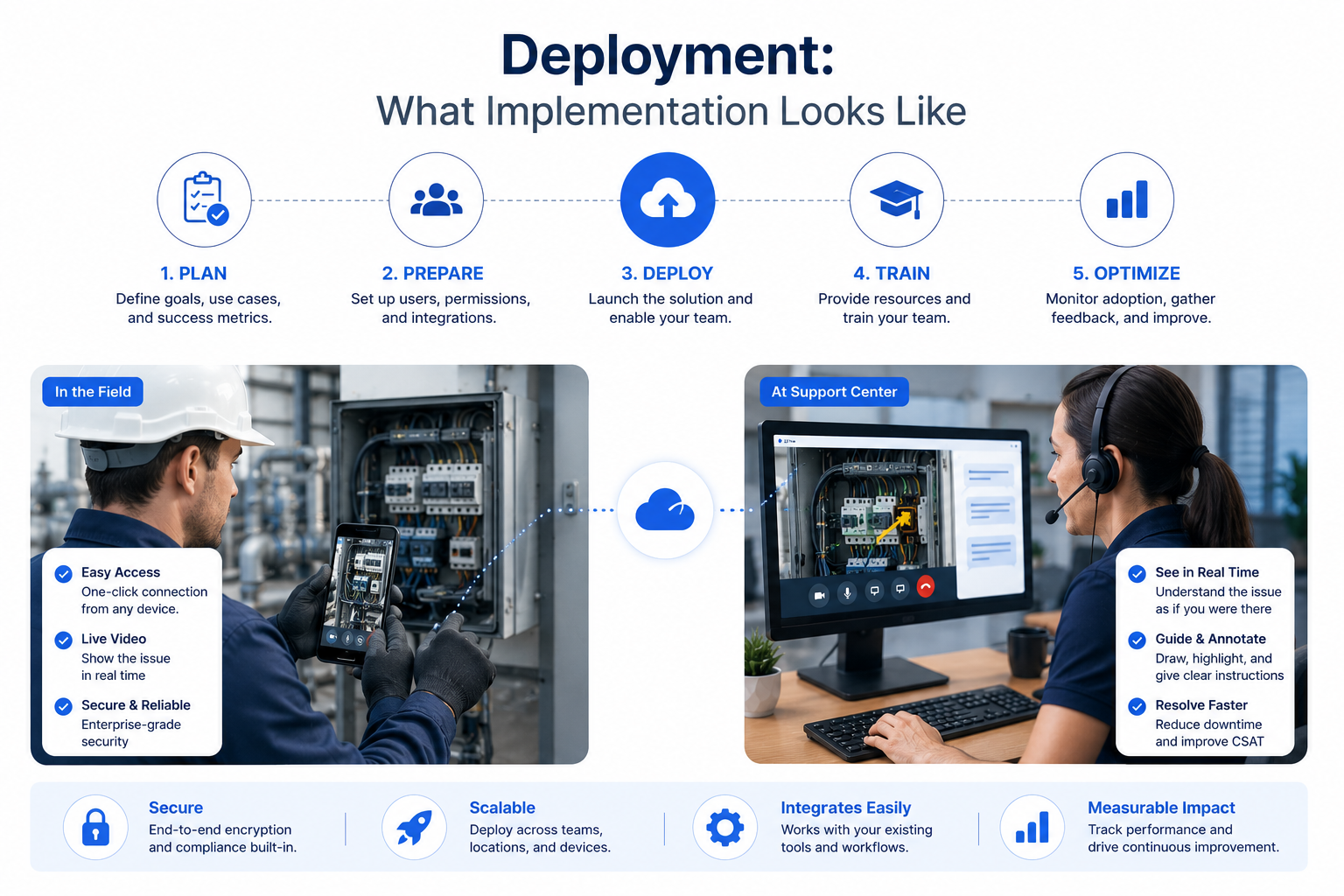
The most common objection to deploying visual support is that it sounds like a major project. It isn't. The platform is designed to integrate into an existing contact center workflow without rebuilding it.
Integration with existing CRM. Blitzz connects natively to Salesforce, Zendesk, ServiceNow, Genesys, and other major contact center platforms. Agents launch sessions from inside the tools they already use. Session data syncs back to the case record automatically.
Security and compliance. Sessions are encrypted end-to-end, recordings are stored securely with role-based access, and customer consent is captured at session initiation. The platform meets the enterprise security requirements of regulated industries including telecom, healthcare, financial services, and insurance.
Agent training. Most contact centers run a 30-minute training session and have agents running live calls the same day. The interface is designed so that an agent's existing call flow doesn't change — visual support is an additional capability they can invoke when it helps, not a new workflow they have to learn.
Pilot first, then scale. Most teams start with a single use case (typically equipment troubleshooting or guided installs) and a small agent group, measure the impact for 4–6 weeks, then expand. The 30-day Blitzz Challenge is structured specifically to validate ROI during the pilot period before committing to broader deployment.
Why This Is Becoming Table Stakes
A few years ago, remote visual support was a differentiator. Contact centers that deployed it gained measurable advantage against competitors who didn't. That window is closing.
Leading enterprises across telecom, insurance, automotive, healthcare, and consumer electronics have already deployed visual support at scale. Their KPI improvements are documented. Their customer satisfaction scores reflect the change. The competitive question is no longer whether visual support produces results — it's whether your contact center has it before your competitors do.
The shift underneath all of this is that customers no longer accept being asked to describe technical problems they don't understand. They expect to be able to show what's wrong. The contact centers that meet that expectation will keep their customers. The ones that don't will keep losing them, one frustrated call at a time.
If you're evaluating whether visual support belongs in your contact center, the fastest way to find out is to see it running on the kind of calls your team actually handles every day.
Review these FAQs:
Frequently Asked Questions
How is remote video support different from just having agents use Zoom or FaceTime?
Consumer video tools like Zoom, FaceTime, and WhatsApp Video are built for face-to-face conversation. Remote video support is built for technical assistance: the customer's camera points at the equipment or screen, not at their face. Agents can draw AR annotations directly on the live feed, capture timestamped photos that sync to the CRM, extract serial numbers and error codes via OCR, and document the entire session automatically. There's also no app download required — the session opens in the customer's browser from a link. Trying to run support sessions through a consumer video app means giving up every one of those capabilities and adding friction at the start of every call.
What kinds of customer issues are best suited to remote video support?
Any issue where the customer's verbal description is slowing down resolution. The strongest fits are equipment troubleshooting (routers, appliances, consumer electronics, medical devices), guided installations, warranty and damage documentation, and pre-dispatch triage for field service teams. Software and digital-product support teams use co-browsing for the same underlying reason — the agent needs to see the customer's screen instead of having them describe what they're seeing. The common thread is information asymmetry: if the agent could resolve the call faster by seeing the problem, visual support helps.
Do customers actually use it, or do they refuse the video session?
Customer acceptance rates run consistently above 90% when the session is offered correctly. The reason is the no-app-download model — customers aren't being asked to install anything, create an account, or give persistent permissions. They tap a link, the session opens in their browser, and it ends when the call ends. The friction that historically caused customers to refuse video sessions came from app-based platforms that asked customers to download software in the middle of an already frustrating support call. Link-based sessions don't have that problem.
How long does it take to train agents on visual support?
Most contact centers run a 30-minute training session and have agents running live customer calls the same day. The platform is designed so that an agent's existing call flow doesn't change — visual support is an additional capability they can invoke when it helps, not a new workflow they have to learn. Agents launch sessions from inside their existing CRM (Salesforce, Zendesk, ServiceNow, Genesys) with a single click. Adoption is rarely the bottleneck after deployment.
How does this work for customers who aren't comfortable with technology?
The session model is specifically designed for low technical sophistication. The customer receives a link via SMS or email, taps it once, and the session opens. There's no account, no app, no settings to configure. If a customer can tap a link, they can participate in a visual session. In practice, the customers who benefit most from visual support are exactly the ones who struggle most with verbal troubleshooting — they can show the agent what they're seeing instead of having to describe it.
Is the session secure? Where does the data go?
Sessions are encrypted end-to-end and stored securely with role-based access controls. Customer consent is captured at session initiation, recordings are available only to authorized personnel, and the platform meets enterprise security requirements including SOC-2 compliance. Agents see only what the customer's camera captures during the live session — there is no persistent device access, no background monitoring, and no access to anything outside the session. Session data syncs back to your existing CRM and stays within the access controls you already have in place.
How quickly do contact centers see ROI?
Most teams see measurable ROI within the first month of deployment, driven primarily by reduced truck rolls, improved first-call resolution, and shorter average handle time. Customers in industries with high field-service costs — telecom, utilities, appliance manufacturers — typically see the fastest payback because each avoided dispatch is worth several hundred to over a thousand dollars. Customers across a range of industries have documented their results in production deployments. The 30-day Blitzz Challenge is structured to validate ROI inside the pilot period before broader rollout.
Does visual support replace phone support, or work alongside it?
It works alongside. Visual support isn't a separate channel — it's a capability that agents invoke from inside their existing call workflow when it will accelerate resolution. The customer is still on the phone with the agent during the session; the video session is layered on top, not substituted for the voice call. This is important operationally because it means visual support doesn't require restructuring your contact center, retraining your workforce, or adding new staffing models. Agents handle the same call types in the same queue with the same KPIs — they just have a tool that resolves a meaningful percentage of those calls faster than they could otherwise.


Blitzz Team
The Blitzz Team writes about remote video support, virtual inspections and field service. Our guides come from working with home builders, property managers, warranty teams, contact centers and field service organizations that use Blitzz to see and solve issues without a truck roll.