.png?width=120&height=55&name=Blitzz-Logo-right%20white%20eyes%20-%20not%20transparent%20(3).png)
Here's the story that plays out in boardrooms and ops meetings everywhere:
A VP of Support gets excited about remote video. They've seen the numbers — fewer truck rolls, faster resolution, happier customers. They pitch it to the team. The room nods. Then someone from IT raises a hand: "What does the integration look like?" Someone from Operations asks: "How long does training take?" And someone from Finance quietly wonders what happens to the tools they're already paying for.
The excitement doesn't die. It just stalls. And the deployment gets pushed to "next quarter" — then the quarter after that.
Sound familiar?
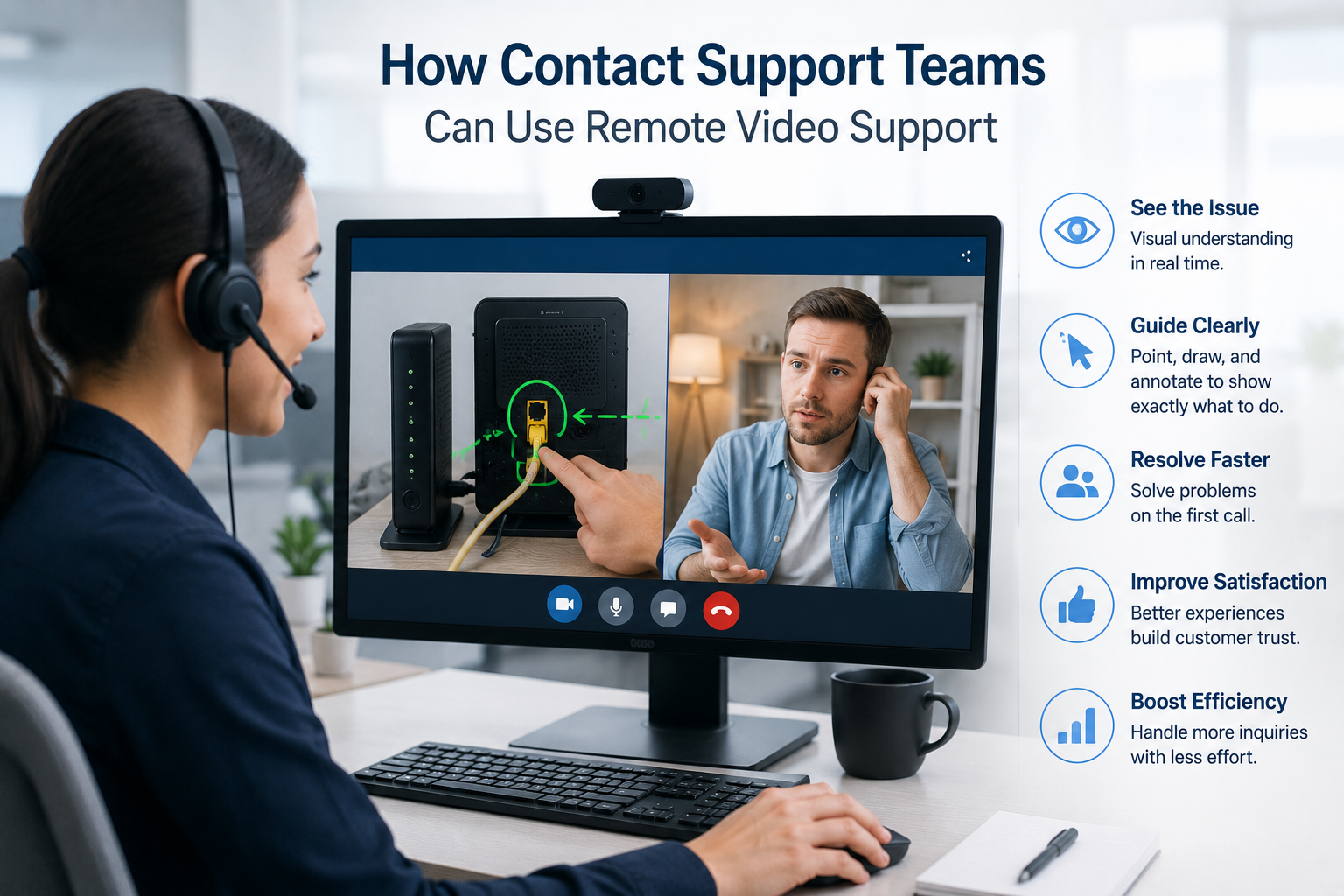
The good news: adding remote video support to your existing workflow doesn't have to be a rip-and-replace project. Done right, it's an addition, not an overhaul. Your agents keep working in the platforms they already know. Your customers get a better experience. And the results start showing up in week one.
Here's how to do it without the disruption.
Step 1: Stop Thinking of It as a New Tool — Think of It as a New Channel
The biggest misconception about adopting remote video support is that it requires reinventing how your support team operates.
Think of video support the way you'd think about adding SMS to a contact center that already handles phone and email. You're not replacing the existing channels — you're adding one that handles a specific type of problem better than the others. Namely: the problems where words alone aren't enough.
The key mindset shift: remote video support is a precision instrument, not a wholesale replacement. You deploy it for the interactions where visual context changes everything — equipment troubleshooting, installation guides, damage assessments, complex product setups. Everything else stays exactly as it was.
This reframe makes the rollout dramatically simpler. You're not asking your team to change how they work. You're giving them a better option for the calls where they've always struggled.
Step 2: Audit Your Current Workflows Before Touching Anything
Before you configure a single integration or schedule your first training session, spend time understanding where your current process breaks down.
Ask your team:
- Which call types most often result in a repeat contact or a truck roll?
- Where do agents spend the most time trying to understand what the customer is describing?
- Which product categories or issues generate the most escalations?
- What's your current first-call resolution rate — and where does it drop?
The answers will tell you exactly where to deploy remote video first. This isn't guesswork — it's targeting. And it's what separates a successful rollout from one that generates a lukewarm response because the tool was applied to the wrong use cases.
For most teams, the sweet spots look like: equipment troubleshooting, self-installation support, field tech guidance, and remote inspections. If you're in insurance, it's claims documentation. If you're in telecom, it's router and modem setup. If you're in manufacturing, it's remote expert-to-technician guidance.
See the full range of Blitzz use cases and match them to your highest-friction support scenarios before you start.
Step 3: Choose a Platform That Integrates — Don't Add a Silo
This is the step that determines whether your rollout succeeds or stalls.
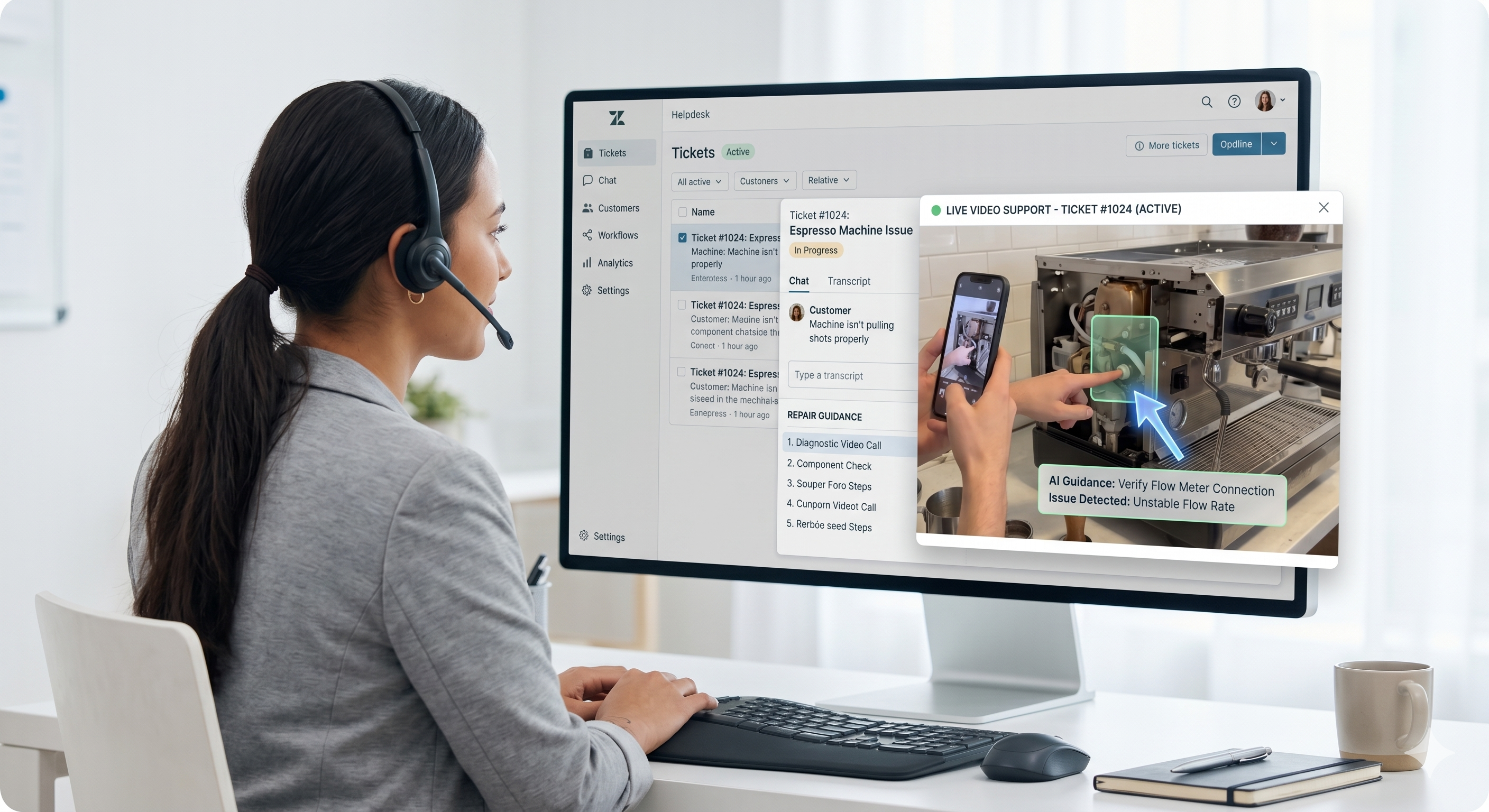
If your remote video tool lives outside your CRM, your ticketing system, and your contact center platform, you haven't simplified your agents' workflow — you've complicated it. Now they're toggling between Zendesk and a separate app. They're copy-pasting session notes. They're logging outcomes twice. That friction kills adoption.
The right remote video platform plugs directly into the tools your team already uses. For Blitzz, that means native, deep integrations with:
- Salesforce — agents launch video sessions directly from Service Cloud; session data and photos sync back automatically. No tab-switching, no double-entry.
- Zendesk — video sessions initiate from within the ticket; session summaries update the ticket automatically on close.
- Genesys — embed Blitzz sessions directly into your Genesys Cloud environment, keeping everything inside the platform your contact center already runs on.
- ServiceNow — field service teams initiate video calls from their existing workflows without leaving the platform.
For teams that use platforms not on this list, Blitzz offers a REST API and a dedicated integration team that builds custom connectors for homegrown and specialized systems. And for no-code automation, the Blitzz + Zapier integration lets you trigger actions across 6,000+ apps — create tickets, update CRM records, send follow-up emails — all automatically when a session ends.
The rule of thumb: if your agents have to leave the platform they're already in to start a video session, you've picked the wrong tool.
Step 4: Start With a Pilot, Not a Full Deployment
One of the most reliable ways to create disruption is to deploy a new tool across your entire team on day one.
Instead, start small. Pick one team, one product line, or one issue category. Run a 30-day pilot with a handful of agents. Give them clear goals — first-call resolution rate, number of truck rolls avoided, average handle time — and measure everything from the start.
This approach works for several reasons:
It limits the blast radius. If something needs adjusting, you adjust it with 10 agents, not 200.
It generates internal proof. Nothing sells a new tool to a skeptical team like a colleague saying, "I tried it for a month and here's what changed." Real data from a real pilot is more persuasive than any vendor demo.
It surfaces the real friction. No matter how good the tool, real-world usage will reveal edge cases and workflow quirks that no one anticipated. The pilot is where you solve those before they become organization-wide problems.
Blitzz runs a 30-Day Challenge specifically for this reason — a structured pilot program that gets teams seeing ROI fast, before committing to a full rollout. Most teams can be up and running in hours, not weeks.
Step 5: Train for the Moment, Not the Manual
Agent training is where most technology rollouts go wrong. Someone builds a 40-slide deck. There's an all-hands presentation. Agents take a quiz. And six weeks later, half the team still isn't using the tool because they don't feel confident in the moment.
Remote video support training should be fast, practical, and scenario-based. Here's what actually works:
Keep the initial overview short. A 15-minute walkthrough of how to send a session link, how to annotate on a live feed, and how the session syncs back to the ticket. That's it. Everything else can be learned on the job.
Run live scenario simulations. Pair agents and have one person play the customer with a real product they need help troubleshooting. The agent practices sending the link, connecting, annotating, and closing the session. Repetition in a safe environment builds the muscle memory that holds up on a real call.
Create a simple cheat sheet. One page. When to use video support, how to send the invite, what to do if the customer can't connect. This is the resource agents will actually reach for in the first two weeks.
Use session recordings for ongoing coaching. One of the underrated benefits of AI-powered visual support is that every session generates data. Managers can review recordings, identify where agents struggled, and coach specifically — not generically. This turns every interaction into a training opportunity without adding any work.
For deeper integration with your platform of choice — say, embedding Blitzz in Genesys — brief, workflow-specific training on how to launch sessions inside the existing interface is all most agents need to get started.
Step 6: Set the Right Metrics From Day One
You can't manage what you don't measure. And if you go into a remote video rollout without defined success metrics, you'll be flying blind when leadership asks whether it was worth the investment.
Here are the metrics that matter most:
First-Call Resolution (FCR) Rate — the most direct measure of whether video support is solving problems that previously required callbacks or follow-ups. This is the number to watch most closely.
Truck Roll Reduction — for field service and equipment-heavy industries, this is where the ROI shows up fastest. Major telecom providers have reduced on-site visits by 60% after deploying visual remote support. Track every dispatch that didn't happen because of a video session.
Average Handle Time (AHT) — in many cases, video support speeds things up. In others, especially complex cases, sessions run longer — but result in higher FCR. Know which scenario applies to your use case.
Customer Satisfaction (CSAT) — visual troubleshooting creates trust. Customers who see an agent genuinely engage with their problem — rather than reading from a troubleshooting script — report higher satisfaction. Track CSAT before and after rollout and segment it for video-assisted sessions vs. voice-only.
Return Rate / Unnecessary Dispatches Avoided — for retail and e-commerce teams, this one is gold. Visual troubleshooting resolves issues that would otherwise result in a return — a significant cost avoided.
Set a baseline before the pilot starts. Measure weekly. Share the results with the team — agents respond well when they can see the impact of their work in numbers.
Step 7: Let Automation Handle the Admin Work
One of the quieter wins of remote video support is what happens after the session ends.
Traditionally, post-call documentation is one of the most time-consuming parts of an agent's day. Writing up notes, updating the CRM, logging outcomes, sending follow-up emails — it's all valuable, but it eats into capacity. In a high-volume contact center, that overhead compounds fast.
With the right setup, almost all of it can be automated:
- Session notes and photos sync automatically to Salesforce, Zendesk, or ServiceNow
- Blitzz's AI generates session summaries automatically — what was seen, what was done, what was resolved
- Zapier workflows can trigger follow-up tickets, customer emails, calendar invites, or team notifications the moment a session closes
- Session data feeds analytics dashboards automatically, so managers always have current performance data without anyone compiling it manually
The result: your agents finish a video session and move straight to the next customer. The paperwork is already done.
This is where remote video support stops being a tool and starts being a system — one that makes the entire support operation more efficient, not just the sessions themselves.
The Platforms That Fit Naturally Into Your Stack
The reason Blitzz doesn't disrupt existing workflows is straightforward: it was built to fit inside them.
For contact centers using Genesys: Blitzz sessions launch directly from Genesys Cloud. Your omnichannel framework stays intact. CRM data is synced. Reporting goes through the same dashboards. Top Genesys support teams are already using this approach to handle complex cases that used to require escalation or dispatch.
For teams on Salesforce: Blitzz integrates with both Salesforce Classic and Salesforce Lightning, with image recognition, data analytics, and automatic session logging built in. Agents never leave Service Cloud.
For teams on Zendesk: The Blitzz-Zendesk integration keeps everything in the ticket — from session initiation to outcome logging. No separate systems.
For e-commerce and digital-first teams: Blitzz Co-Browse adds a visual layer to web-based support — agents guide customers through their screen in real time, without any screen-sharing software. It fits naturally alongside live chat and phone support as the visual option when navigation gets complex.
For teams with unique stacks: The Blitzz REST API and SDK give developers everything they need to embed Blitzz inside proprietary platforms and internal tools. Several customers have done exactly this — embedding Blitzz within their own applications to extend their workflows without changing them.
Common Mistakes to Avoid
Deploying everywhere at once. The quickest way to create chaos is to mandate adoption before anyone knows what they're doing. Start with a pilot. Let success stories spread organically.
Skipping the integration step. A remote video tool that doesn't connect to your CRM creates more work, not less. Before you choose a platform, confirm the integrations are native — not just theoretically possible.
Using it for the wrong case types. Video support isn't the answer to every ticket. Deploy it where visual context changes the outcome. For straightforward, text-resolvable issues, your existing channels work fine.
Overcomplicating the training. Agents don't need to be power users on day one. They need to know: how to send the link, how to annotate, and how the session closes. Everything else comes with practice.
Not measuring from the start. If you don't have a baseline, you can't show ROI. Set your metrics before the pilot begins, even if the numbers are rough estimates. See how other companies have built the business case.
What the First 30 Days Actually Look Like
Here's a realistic picture of what a non-disruptive rollout looks like in practice:
Week 1: Integration configured and tested. Pilot team selected. Baseline metrics captured (FCR, truck rolls, CSAT, AHT). 15-minute training session completed. First real sessions run.
Week 2: Agents finding their rhythm. Early data coming in — which issue types respond best, where the friction is, what the customers' experience looks like. Adjustments made to the scenarios where video is offered.
Week 3: First-call resolution improvements visible. Truck rolls down for the pilot team. Agents starting to pull the video option proactively, not just when prompted. Session recordings reviewed for coaching.
Week 4: ROI data clear enough to brief leadership. Pilot results compiled. Decision made on broader rollout scope and timeline. Internal case study built from pilot data.
The Blitzz 30-Day Challenge is structured to get teams exactly here — from zero to measurable results — without chaos, disruption, or a months-long implementation project.
The Bottom Line
The fear that adding remote video support will disrupt operations is understandable. Any new tool carries risk, and support teams are already under pressure.
But the real disruption is continuing without it — processing unnecessary truck rolls, watching customers churn after a bad experience, running an operation that relies on descriptions instead of visibility.
Remote video support, done right, doesn't disrupt your workflow. It fills in the gap that voice and text never could. And with the right integrations, the right rollout strategy, and the right platform, it fits inside what you've already built — making it faster, smarter, and more effective from week one.
The only question worth asking isn't whether to add it. It's where to start.
Ready to see how Blitzz fits into your existing stack?
Schedule a demo and we'll walk you through exactly how Blitzz connects to the platforms your team already uses — or start your free trial and run your first sessions this week.
Related Reading:
- What Is AI Video Support? (And Why It's Changing Customer Support)
- How Blitzz Uses AI to Transform Remote Support and Customer Experience
- Automating Remote Video Support: Unlocking the Power of Blitzz with Zapier
- How Blitzz + Genesys Supercharges Your Remote Support Capabilities
- How Visual Remote Assistants Are Redefining Customer Support