.png?width=120&height=55&name=Blitzz-Logo-right%20white%20eyes%20-%20not%20transparent%20(3).png)

On this page
Every ISP support team knows the call. A customer's internet is down. They describe what they see — or what they think they see. The agent interprets. They ask follow-up questions. The customer describes the same problem again, differently. The agent guesses. Suggests a fix. It doesn't work. Another fix. Still nothing. Fifteen minutes later, a technician is dispatched to a house with a router that just needed to be plugged in correctly.
This isn't a training failure. It's a structural one. Voice-only support requires customers to accurately describe technical problems they don't have the vocabulary for, to agents who can't see anything. The entire interaction is built on a foundation of guesswork — and the industry's operational metrics reflect that.
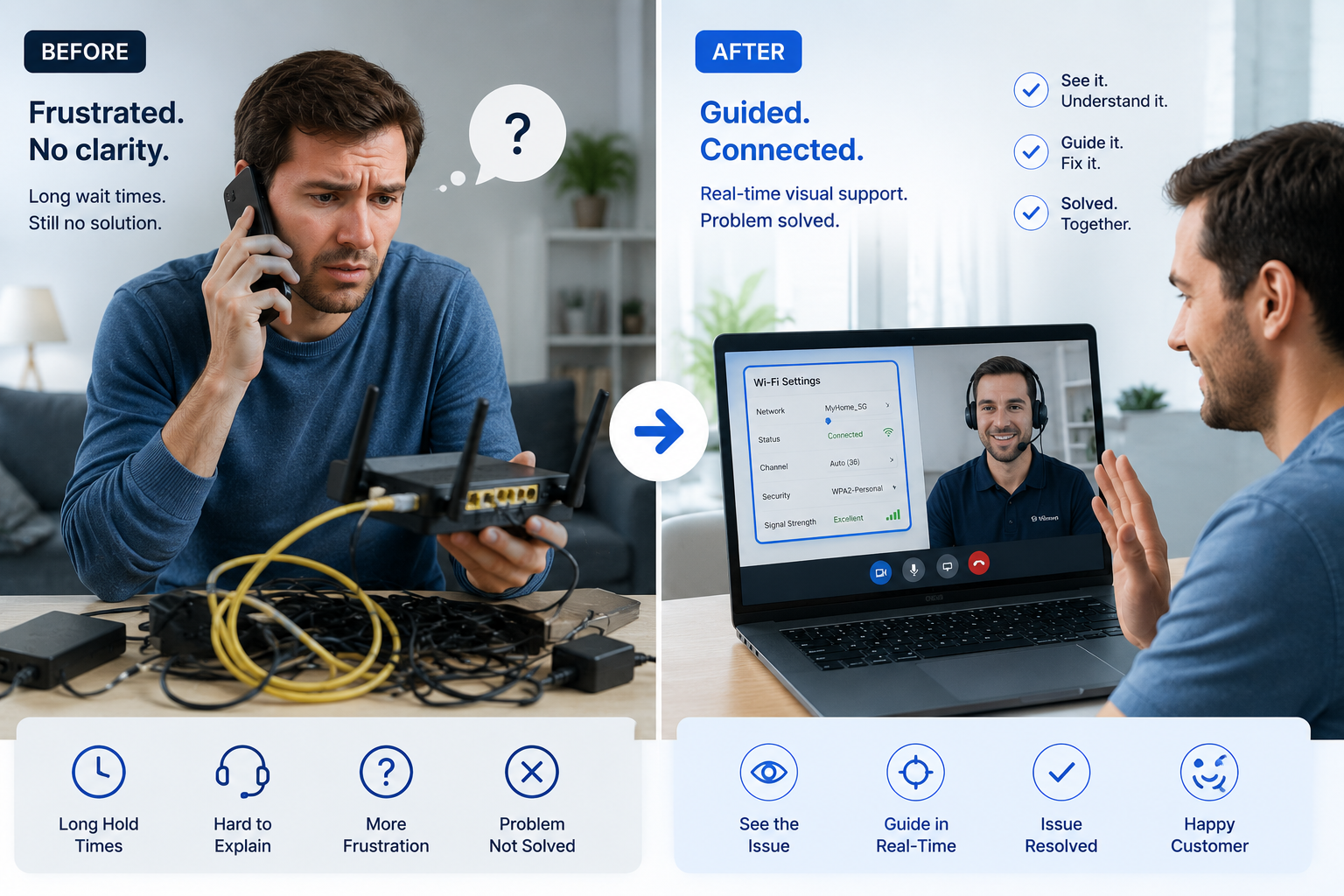
Remote visual support changes the foundation entirely. When agents can see what customers see — in real time, through their smartphone camera, with no app download required — the guesswork disappears. The diagnostic process changes. Resolution rates go up. Truck rolls go down. And customers stop feeling like support is something that happens to them rather than for them.
This is the complete guide to how remote visual support works, why it matters specifically for ISPs, and what the operational impact looks like in practice.
What Is Remote Visual Support?
Remote visual support is a customer service approach that connects support agents to customers through live video, augmented reality annotation, and real-time visual guidance — without requiring the customer to download an app or install any software.
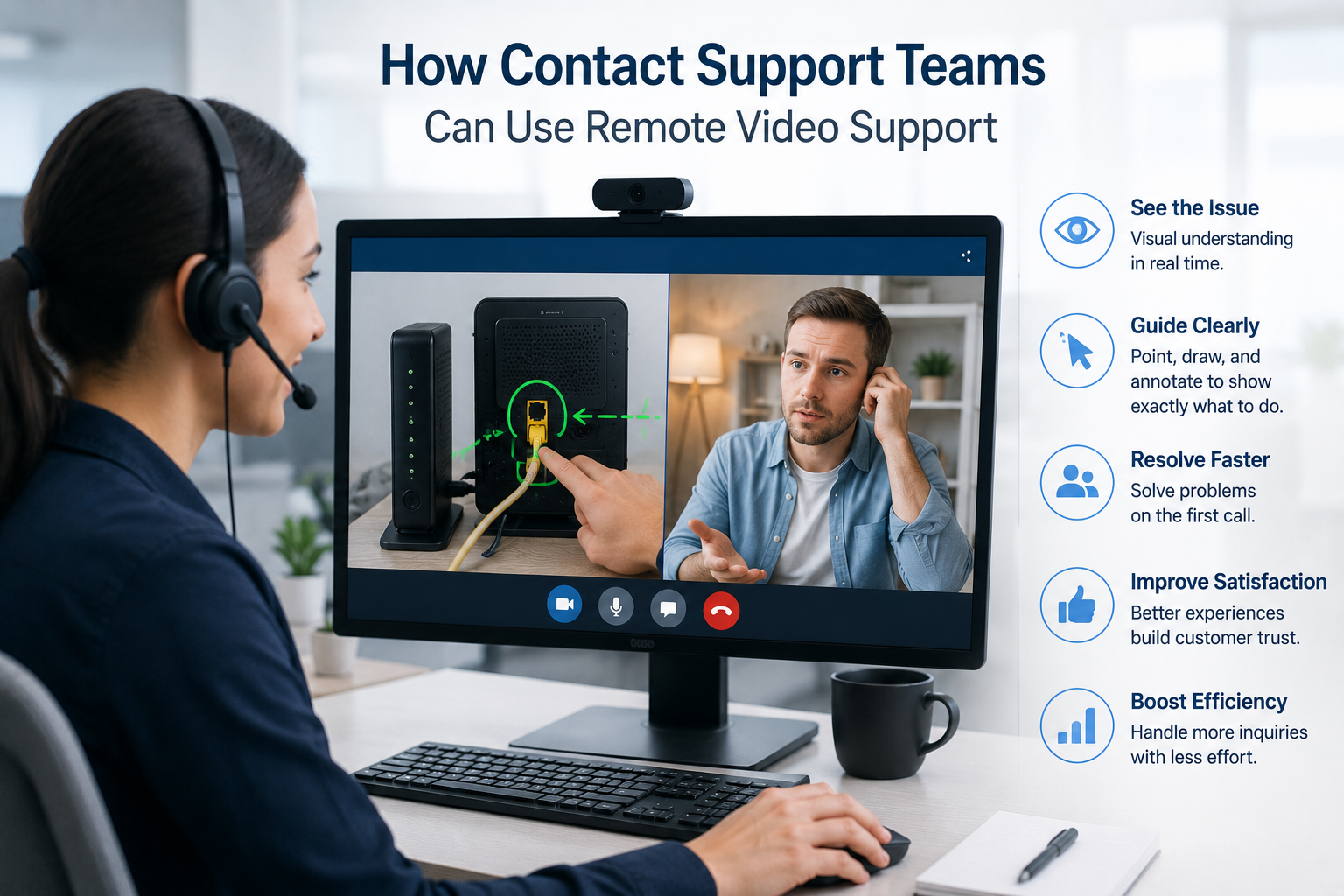
Instead of asking a customer to describe what they see, an agent sends a link via SMS or email. The customer taps it. Their browser opens a live video session. The agent sees exactly what the customer sees — the router, the cable setup, the error message, the LED indicator, the whole environment — and can guide them to resolution in real time using annotations drawn directly on the live feed.
The technology has several core components that typically work together:
- Live video via smartphone camera — agent sees the customer's physical environment in real time, with no app download required on either side
- AR annotations — agent draws, circles, and labels directly on the live video feed, pointing to the exact cable, button, or port that needs attention
- Screen sharing and co-browsing — agent views the customer's browser or app screen for software-based troubleshooting, with the ability to annotate and guide navigation
- Snapshot and photo capture — timestamped images captured during the session for CRM documentation, compliance records, and equipment audits
- AI-generated session summaries — automatic call notes drafted at session close, with OCR-extracted serial numbers, model codes, and error messages populating the case record
- CRM integration — session data syncs automatically to Salesforce, ServiceNow, Zendesk, or Genesys without manual agent input
What unifies all of these capabilities is a single shift: the agent can see what the customer sees. That shift — from verbal description to shared visual context — is what makes remote visual support categorically different from traditional voice-based service, not just incrementally better.
The Real Cost of Voice-Only ISP Support
Before examining the solution, it's worth being precise about the problem — because the data is more damaging than most ISP operations leaders acknowledge.
Truck rolls are expensive and largely avoidable
The no-fault-found rate — technician visits where no hardware or infrastructure fault is identified — runs between 25% and 40% across most major ISPs. That's a significant portion of dispatch spend going to problems that could have been diagnosed and resolved over the phone, if the agent had been able to see the customer's setup.
First-call resolution is consistently too low
The industry benchmark for first-call resolution (FCR) in technical support sits around 70–75%. That means that for roughly one in four to one in three support interactions, the customer has to call back. Each repeat contact costs roughly the same as the original call — and comes with an additional CSAT penalty, because customers who have to call back twice are significantly less satisfied than customers whose issue was resolved on the first contact.
The primary driver of missed FCR in ISP support is the same as the driver of unnecessary truck rolls: agents can't see the problem. Without visual confirmation, "resolved" often means "we tried a fix and the customer seemed satisfied," not "we diagnosed and confirmed the root cause."
Average handle time is inflating
Industry average handle time for technical support calls runs between 8 and 12 minutes. For connectivity troubleshooting specifically, it routinely exceeds that. The core driver is information asymmetry: agents spend the majority of their time gathering information verbally that they could observe visually in seconds.
Asking a customer to describe which LED is blinking on their router. Trying to determine whether a cable is plugged into the correct port by asking the customer to count the ports from left to right. Asking them to read out an error code that the agent could read directly from a camera feed. Each of these exchanges adds minutes to every call and introduces opportunities for miscommunication that extend the call further.
Customer satisfaction is paying the price
Phone support achieves a 44% satisfaction rate — roughly half the satisfaction rate of live chat. For ISPs, where the customer relationship is already under pressure from competitive alternatives and switching costs that have been declining for years, support quality is one of the clearest remaining differentiators. A support interaction that leaves the customer frustrated is a churn risk that compounds over time.
How Remote Visual Support Works for ISPs
The workflow is designed to add as little friction as possible to both the agent experience and the customer experience. Here's what a typical session looks like from start to finish.
Customer calls in with a connectivity or equipment issue
The interaction begins exactly as it would with any support call. The customer explains what's happening. The agent listens and makes an initial assessment.
Agent sends a Blitzz link via SMS or email — directly from the CRM
One click from within the agent's existing workflow. No switching between applications. No separate platform to log into. The link is generated and sent in seconds — whether your team works in Salesforce, Zendesk, ServiceNow, or Genesys.
Customer taps the link — no app download, no account, no setup
The session opens in the customer's mobile browser. Nothing to install. Nothing to configure. Works on any modern smartphone, regardless of operating system or technical sophistication.
Agent sees the customer's environment in real time
Live camera feed. The agent can see the router, the cable setup, the device display, the indicator lights — everything needed to make an accurate diagnosis without a site visit.
Agent guides using AR annotations and live instructions
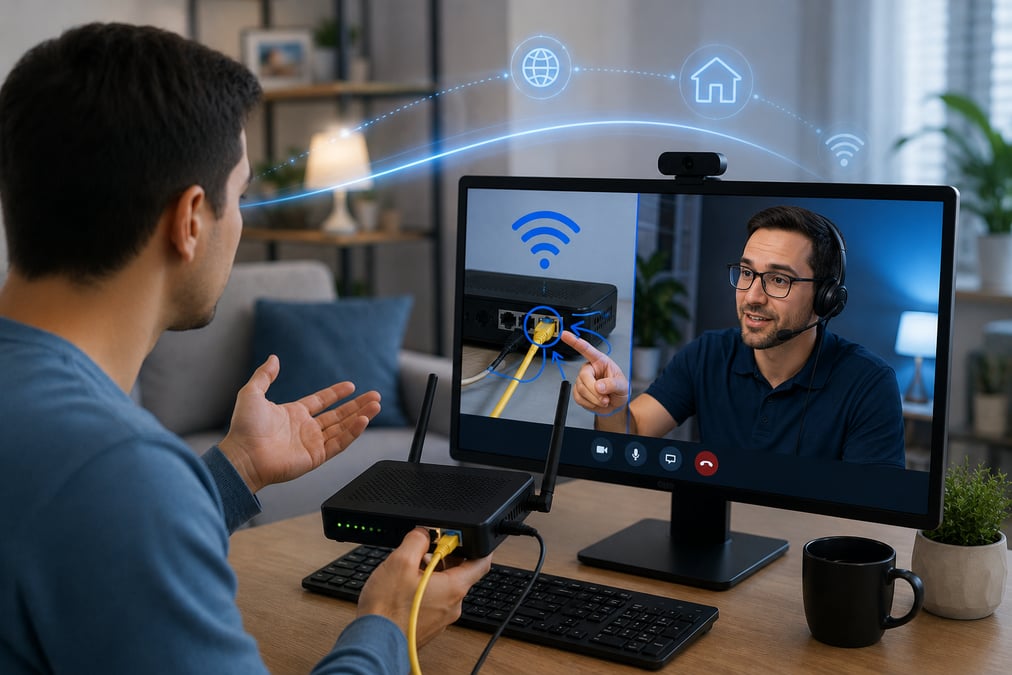
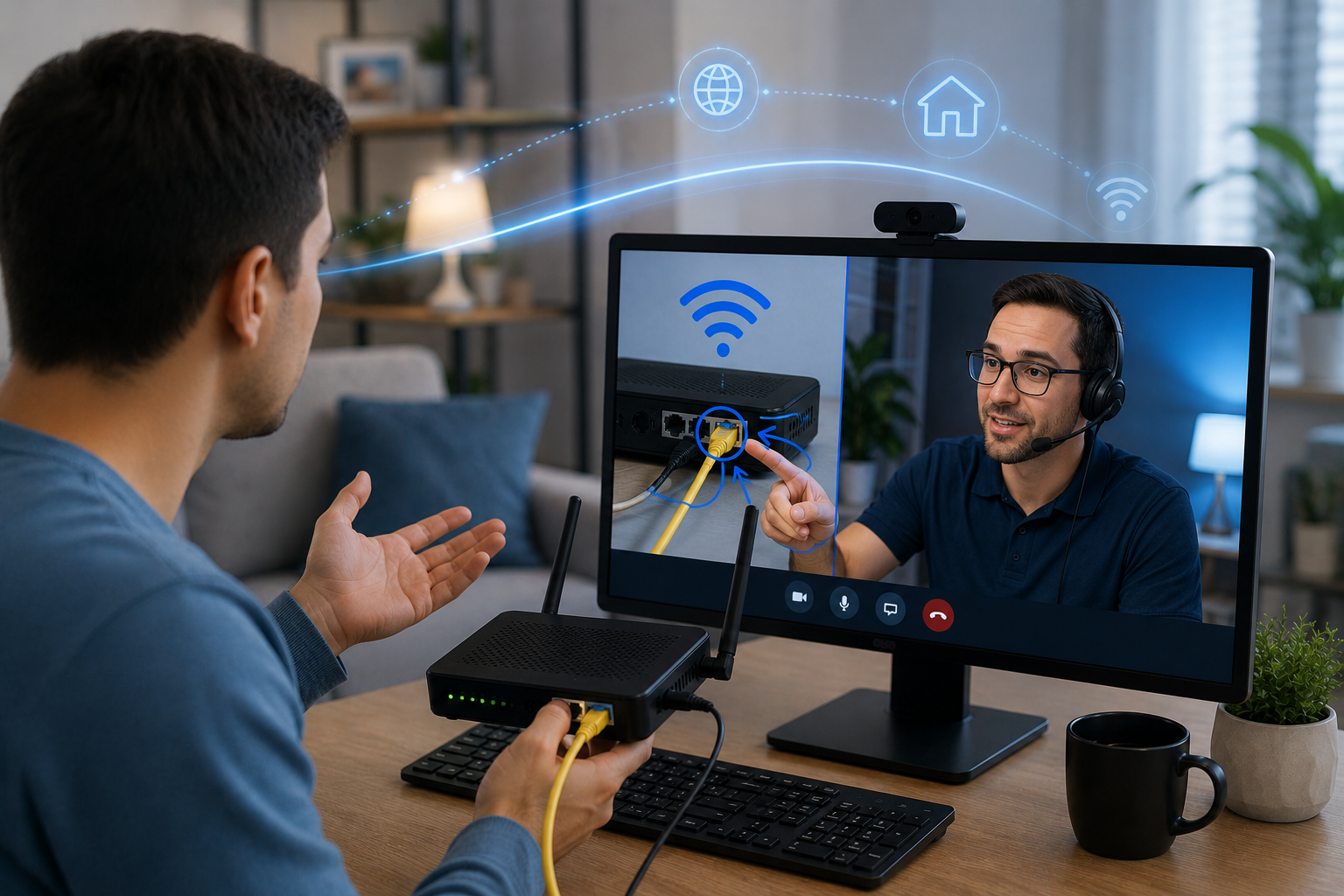
Draw a circle on the live feed around the cable that needs to move. Point an arrow at the correct port. Annotate the reset button directly on the customer's screen. The customer sees the annotation on their own device and knows exactly what to do.
Issue is resolved and session is documented automatically
Timestamped photos are captured. Session recording is saved. AI generates call notes. OCR extracts serial numbers and model codes from the camera feed. The CRM record is complete before the call ends.
The Operational Impact: KPIs That Move
Remote visual support doesn't improve one metric at the expense of another. The operational improvements compound across every major KPI that ISP support teams are measured against.
|
KPI |
Direction |
What drives it |
|
Truck roll rate |
↓ Down 30–60% |
Agents visually confirm root cause before dispatching. No more precautionary site visits. |
|
First-call resolution (FCR) |
↑ Up 20–40% |
Agents have enough context to fully resolve issues on the first contact, not just partially. |
|
Average handle time (AHT) |
↓ Significantly lower |
Visual information transfer is faster than verbal. Less time gathering data means shorter calls. |
|
CSAT score |
↑ Measurably higher |
Customers who are seen and guided in real time report higher satisfaction than those who describe verbally. |
|
Repeat contact rate |
↓ Lower |
When root cause is confirmed visually, issues stay resolved. No callbacks because the wrong thing was fixed. |
|
Technician productivity |
↑ Higher |
Fewer unnecessary dispatches mean field techs spend time on issues that actually require on-site attention. |
|
Documentation quality |
↑ Consistent and complete |
Auto-generated session summaries, timestamped photos, and OCR-extracted data replace incomplete manual notes. |
|
Agent burnout rate |
↓ Lower |
Less cognitive load from ambiguous verbal descriptions. Faster resolution means less frustration on both sides. |
The compounding math of FCR improvement
First-call resolution improvements don't just improve CSAT scores — they reduce total call volume. Every issue resolved on first contact is one repeat call that doesn't happen. Lower call volume means better occupancy rates for agents, shorter queue times for customers, and lower cost-per-resolution across the entire operation. A 25% improvement in FCR doesn't just feel better — it structurally reduces the workload on the entire support operation.
Why handle time drops even though interactions feel richer
This surprises people. Visual support sessions feel more thorough and more personal than voice-only calls — so the instinct is that they'd run longer. In practice, the opposite is true. The reason is information transfer efficiency: in a voice call, agents spend the majority of their time gathering information through questions. In a visual session, that same information is observable in seconds. The call is shorter because the diagnostic phase is shorter. The resolution is better because the diagnosis is more accurate. Both happen simultaneously.
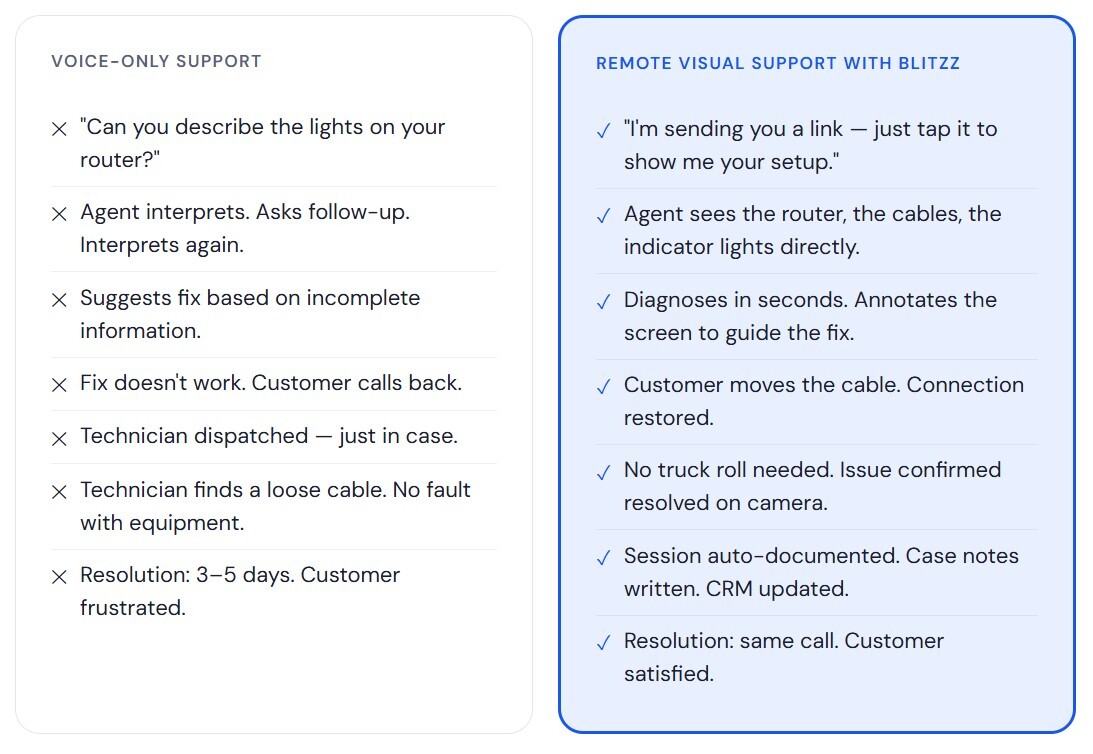
Before vs. After: A Direct Comparison
The difference between voice-only ISP support and remote visual support isn't subtle. Here's what the same interaction looks like in each model.
Real-World ISP Use Cases for Remote Visual Support
The applications of remote visual support in ISP operations extend across every part of the customer lifecycle — from initial installation to ongoing troubleshooting to equipment upgrades.
Router and modem setup
Guide customers through cable connections, WAN/LAN port placement, device resets, and initial configuration — visually, with AR arrows pointing to the exact ports. New customer activations that used to require a technician visit complete as self-installs with agent guidance.
Connectivity troubleshooting
Identify loose cables, signal interference sources, incorrect configurations, and splitter placement issues without relying on the customer's description. Agents see the problem directly and guide the fix in real time.
Equipment diagnostics
Read LED indicator patterns, identify hardware damage, assess whether an issue is physical or configuration-based. Blitzz's OCR extracts serial numbers and model codes from the camera feed directly into the case record.
Remote home installations
Walk new customers through self-installation step by step, with AR annotations showing exactly where each cable connects. Reduces new customer truck rolls substantially while maintaining the guided experience customers expect.
Equipment upgrade guidance
Remote sales teams use visual support to identify customers' existing equipment and guide upgrades. Agents see the current setup, confirm compatibility, and walk through installation — turning a support interaction into a revenue moment.
Pre-dispatch triage
Before scheduling a truck roll, agents conduct a visual inspection to confirm whether the issue requires on-site attention. Only genuinely hardware-dependent issues get dispatched. No-fault-found visits drop significantly.
Remote visual support during high-volume events
Outage events — planned maintenance, weather-related disruptions, infrastructure failures — generate simultaneous high call volumes from customers trying to understand what's happening and when it will be resolved. Remote visual support changes the dynamic in two ways: agents can quickly confirm whether a customer's issue is related to the known outage or is a separate, addressable problem; and equipment checks that would normally require a site visit can be completed remotely, freeing field teams to focus on infrastructure rather than individual customer premises.
Why App-Free Access Is Non-Negotiable
The biggest barrier to adoption for any new support tool isn't the technology — it's the friction of getting customers to use it. And in ISP support specifically, the customers who most need visual assistance are often the least likely to navigate the friction of an app download.
Consider the scenario: a customer's internet is down. Their wifi isn't working. You're asking them to go to an app store on mobile data they may not have, find an application they've never heard of, create an account, grant camera permissions, and then begin the troubleshooting session. By the time they've completed that process, they're more frustrated than when they called.
Blitzz requires nothing on the customer's end. A link arrives via SMS or email. They tap it. The session opens in their browser. No app store. No account creation. No instructions before the instructions start. The same experience that works for a tech-savvy 28-year-old works equally well for a 70-year-old who has never used video chat.
This isn't a convenience feature. It's a prerequisite for adoption at scale. Remote visual support only delivers operational value if customers actually use it. App-free access removes the single largest barrier between a traditional voice call and a visual session — and it does so without requiring any change to the customer's device configuration or technical literacy.
Security and privacy by design
A common concern when introducing live video into support workflows is privacy. Customers need to know that what they share on camera is being handled appropriately. Blitzz sessions are encrypted end-to-end. Session recordings are stored securely and integrated with existing CRM access controls. Agents see only what the customer's camera captures — no persistent device access, no background monitoring. The visual session is bounded, documented, and as auditable as any other support interaction.
AI + Remote Visual Support: The Next Layer
Remote visual support is already a significant operational improvement over voice-only service. AI adds a second layer that makes the technology compoundingly more powerful — both for the agents using it and for the operations teams measuring its impact.
Real-time agent assistance
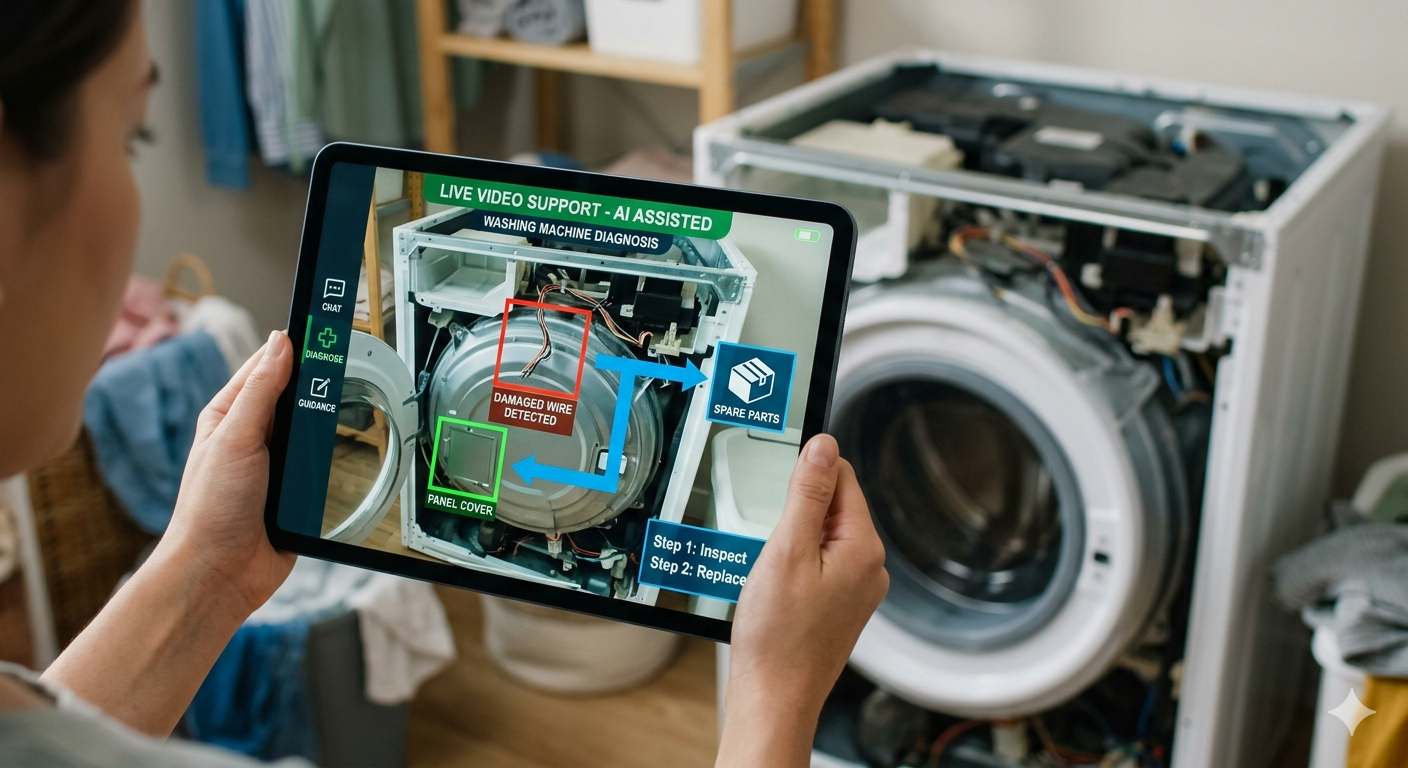
AI models running on the live video feed can identify equipment models from the camera image, suggest likely causes based on what's visible, and surface relevant knowledge base articles in the agent's interface — all in real time, while the session is happening. The agent doesn't need to know every router model or remember every troubleshooting procedure. The AI sees what they see and surfaces what they need.
Automated documentation
Post-call documentation is one of the most time-consuming and error-prone parts of any support interaction. AI-generated session summaries — drafted automatically from the session transcript, annotations, and captured images — eliminate the post-call scramble. Case notes are complete before the agent closes the interaction. OCR-extracted serial numbers, model codes, and error messages populate CRM fields without manual entry. Documentation quality improves at the same time as documentation time decreases.
Analytics and pattern recognition
At scale, visual support sessions generate structured data that voice-only calls can't produce: equipment images, annotated problem areas, timestamped resolution steps. AI analysis of this data can identify patterns — the router model that generates disproportionate support contacts, the cable configuration error that appears in 40% of new customer setups, the firmware version associated with the most frequent callbacks. Those insights feed directly into proactive support programs that prevent issues before customers call.
Why this matters for ISPs adopting now
ISPs that make the shift to remote visual support today are building the infrastructure for AI-assisted support. The data generated by visual sessions — far richer than voice call logs — becomes the training and analytics foundation for every AI capability that follows. Providers that remain on voice-only support will have significantly less structured data to work with when they eventually attempt to implement AI-driven improvements. The operational advantage of adopting visual support now compounds over time.
How to Implement Remote Visual Support at Your ISP
Implementation is faster than most operations teams expect. The absence of required app downloads on the customer side means there's no customer-facing rollout to manage. The primary implementation work happens on the agent and integration side.
Integration with existing CRM and contact center infrastructure
Blitzz integrates natively with Salesforce, ServiceNow, Zendesk, Genesys Cloud, and other major CRM and contact center platforms. Agents initiate visual sessions from within their existing workflow — one click sends the SMS or email link. Session data syncs back automatically. There's no separate login, no platform switching, and no agent workflow redesign required.
Agent training and change management
The visual support workflow is intuitive for agents — most teams are productive within the first day of use. The more important change management work is cultural: shifting agents from a default of "I'll dispatch if I'm not sure" to "I'll request a visual session to confirm before dispatching." That shift requires clear guidance from operations leadership and, ideally, KPI frameworks that reward FCR and reduced dispatch rates alongside or ahead of call volume metrics.
Measuring impact from day one
Set baseline measurements before deployment: current truck roll rate, FCR rate, AHT, and CSAT scores. Blitzz's analytics dashboard tracks these metrics automatically once visual support is in use. The impact is typically visible within the first month of deployment — which is why Blitzz customers consistently report first-month ROI of up to 10x, primarily driven by reduced dispatch costs and improved FCR rates.
Expanding use cases over time
Most ISP teams start with connectivity troubleshooting and equipment diagnostics — the highest-volume, highest-cost use cases. As agents become proficient and the operational gains compound, the technology typically expands into new customer installations, equipment upgrade guidance, and pre-dispatch triage. Each new use case adds another layer of operational improvement on top of the baseline gains.
Frequently Asked Questions
Does remote visual support work for customers who aren't technically sophisticated?
Yes — and this is one of the most important design requirements for any ISP deployment. Blitzz's app-free model means customers receive a link, tap it, and the session opens. No app store navigation, no account creation, no permission configuration required. The same workflow that works for a technically proficient customer works equally well for someone who has never used video chat. If a customer can tap a link, they can participate in a visual support session.
What happens if the customer's internet is down and they have no wifi?
The link-based session model works on mobile data — the customer doesn't need their home internet connection to participate in the visual session. In most connectivity troubleshooting scenarios, the customer's smartphone is connected to mobile data even when their home broadband is down, which is precisely when a visual session is most useful.
How does remote visual support integrate with existing ISP contact center platforms?
Blitzz integrates natively with Salesforce, ServiceNow, Zendesk, Genesys Cloud, and other major platforms. Agents initiate sessions from within their existing CRM interface. Session data — including timestamped photos, AI-generated summaries, and OCR-extracted equipment data — syncs back to the case record automatically. No platform switching, no separate login, no duplicate data entry.
Is the video session recorded and stored? How is privacy handled?
Sessions are encrypted end-to-end and stored securely, with access governed by existing CRM access controls. Session recordings and timestamped images are available for quality assurance, compliance documentation, and agent coaching. Customer consent is captured at session initiation. Agents see only what the customer's camera captures during the session — there is no persistent device access or background monitoring of any kind.
What's the typical ROI timeline for ISPs deploying remote visual support?
Blitzz customers consistently report first-month ROI of up to 10x, driven primarily by reduced truck roll costs and improved first-call resolution rates. At an average dispatch cost of over $1,000 per truck roll, even a modest reduction in unnecessary dispatches generates significant savings within the first weeks of deployment. ISPs like SaskTel and Comwave have documented these results in production deployments. The operational improvements in FCR and AHT compound over time as agents become more proficient with the workflow.
How does remote visual support differ from a standard video call?
Standard video calls — FaceTime, WhatsApp Video, Zoom — show the other party's face. Remote visual support is designed specifically for technical assistance: the customer's camera faces the equipment, not the customer. Agents can annotate the live feed with AR drawings pointing to specific cables, ports, or buttons. OCR extracts equipment data from what the camera captures. The session is automatically documented and synced to the CRM. And critically, no app download is required — the entire session runs in a browser via a link.
The Shift Is Already Happening
The ISPs gaining ground on customer satisfaction metrics right now aren't doing it by hiring more agents or running better scripts. They're doing it by giving their existing agents the ability to see what customers see — and resolve problems with certainty rather than guesswork.
Remote visual support is not an emerging technology that ISPs are evaluating for the future. It is deployed infrastructure that leading telecom providers are using today to reduce truck rolls by up to 60%, improve first-call resolution by 20–40%, and build the AI-ready data foundation that every support operation will need in the years ahead.
The question for ISP operations leaders isn't whether remote visual support will be part of the support model — it's whether it will be part of theirs before or after their competitors make the move.

Blitzz Team
The Blitzz Team writes about remote video support, virtual inspections and field service. Our guides come from working with home builders, property managers, warranty teams, contact centers and field service organizations that use Blitzz to see and solve issues without a truck roll.