.png?width=120&height=55&name=Blitzz-Logo-right%20white%20eyes%20-%20not%20transparent%20(3).png)

On this page
.png?width=1536&height=1024&name=remote%20video%20inspection%20(2).png)
The economics of physical inspection have not aged well. An inspector drives ninety minutes to a property, spends thirty minutes on-site, drives ninety minutes back, and produces a report. The actual inspection work — the part that requires expertise — represents less than a fifth of the total time spent. The rest is windshield time, scheduling overhead, and the operational drag of moving a credentialed professional through physical space.
For decades, this was simply the cost of doing inspections. It isn't anymore. Remote video inspection has matured into a deployed, enterprise-grade capability that the leading inspection companies are already using to compress their inspection workflow, expand their capacity without adding headcount, and improve the quality of the data they collect along the way.
This guide explains how inspection companies should be using remote visual support today — what the workflow looks like in practice, where it produces the largest operational gains, what changes about the inspection report, and how to deploy remote inspection software without disrupting the business that's already running.
What Is Remote Video Inspection?
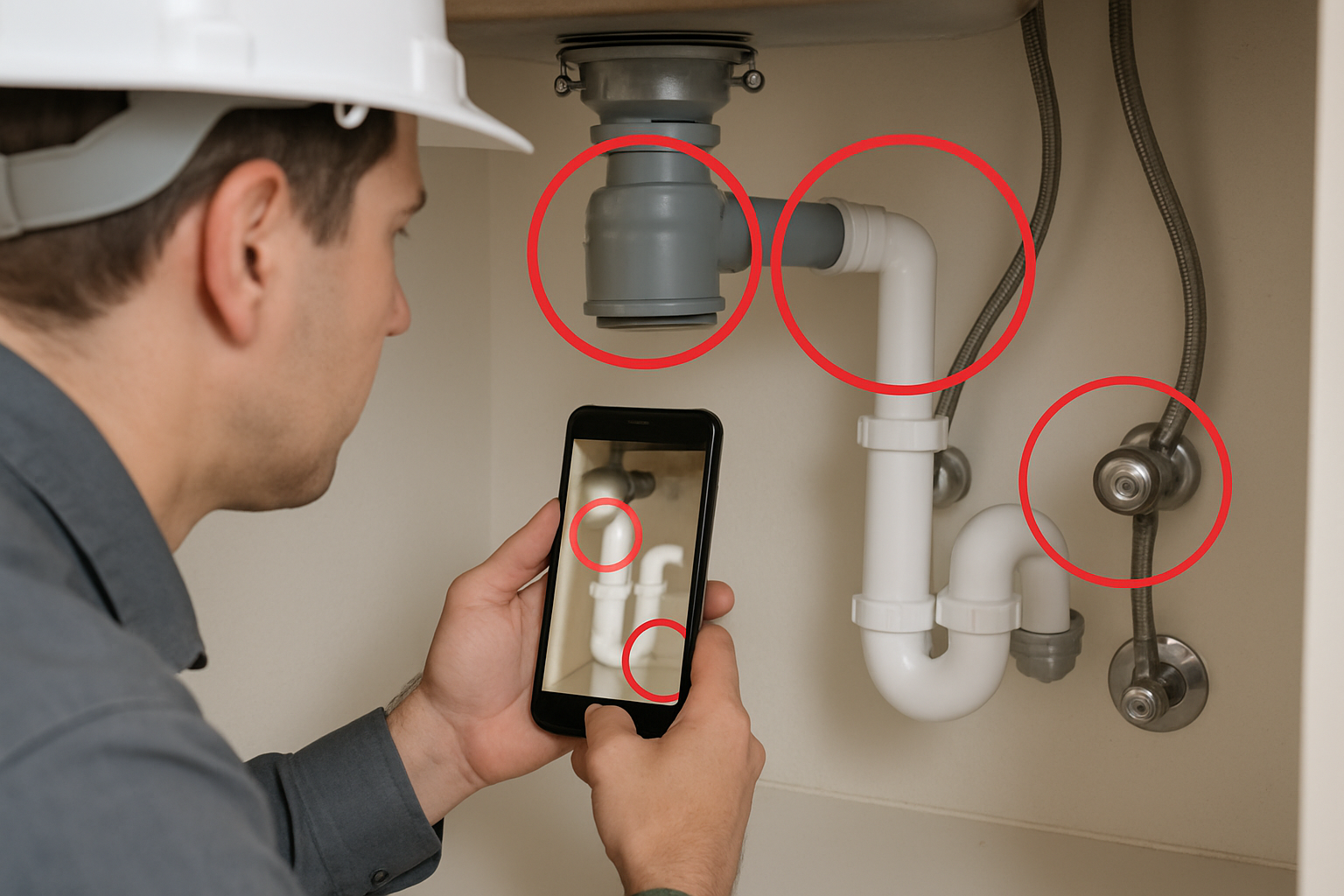
Remote video inspection is an inspection methodology in which a credentialed inspector conducts an inspection through a live video session with someone at the inspection location — typically the homeowner, property manager, equipment operator, or on-site contact. The inspector sees the property or equipment in real time through the on-site person's smartphone camera, guides them through what to show next, captures timestamped photos and video evidence, and produces an inspection report from a desk.
The key word in that definition is "guides." Remote video inspection is not a homeowner sending unstructured video and hoping the inspector can interpret it. It is a structured, inspector-led session in which the credentialed professional is in control of what gets examined, in what order, and at what angle.
The session model is designed to remove every friction point that historically made remote inspection impractical:
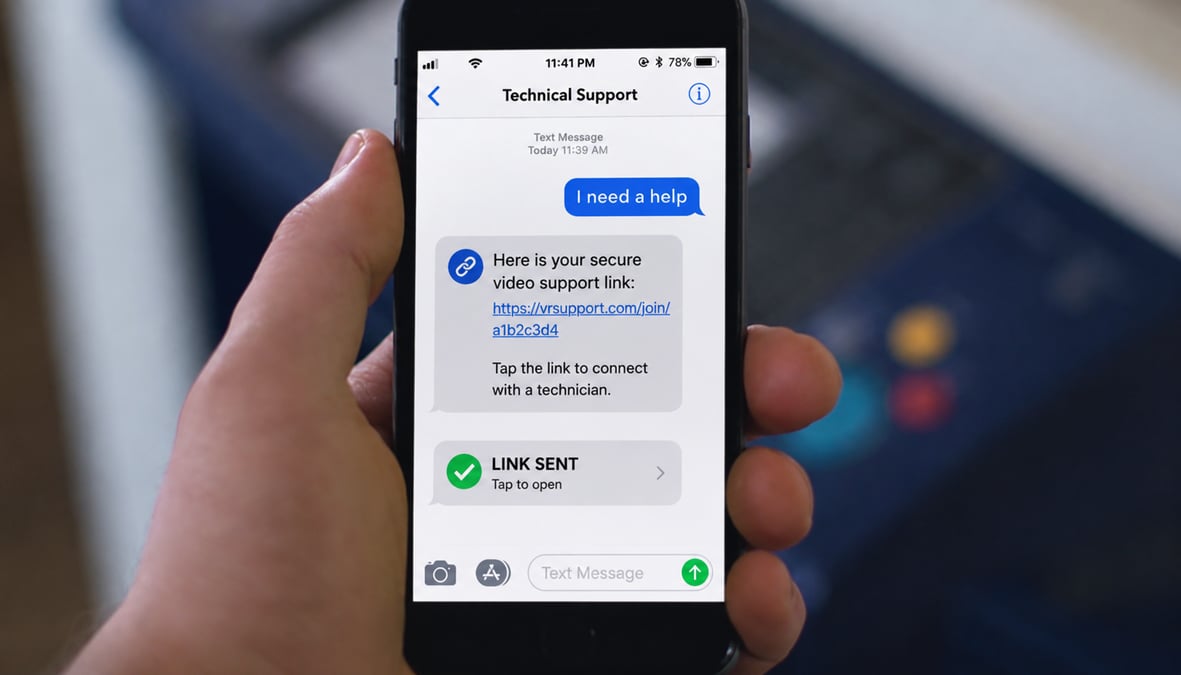
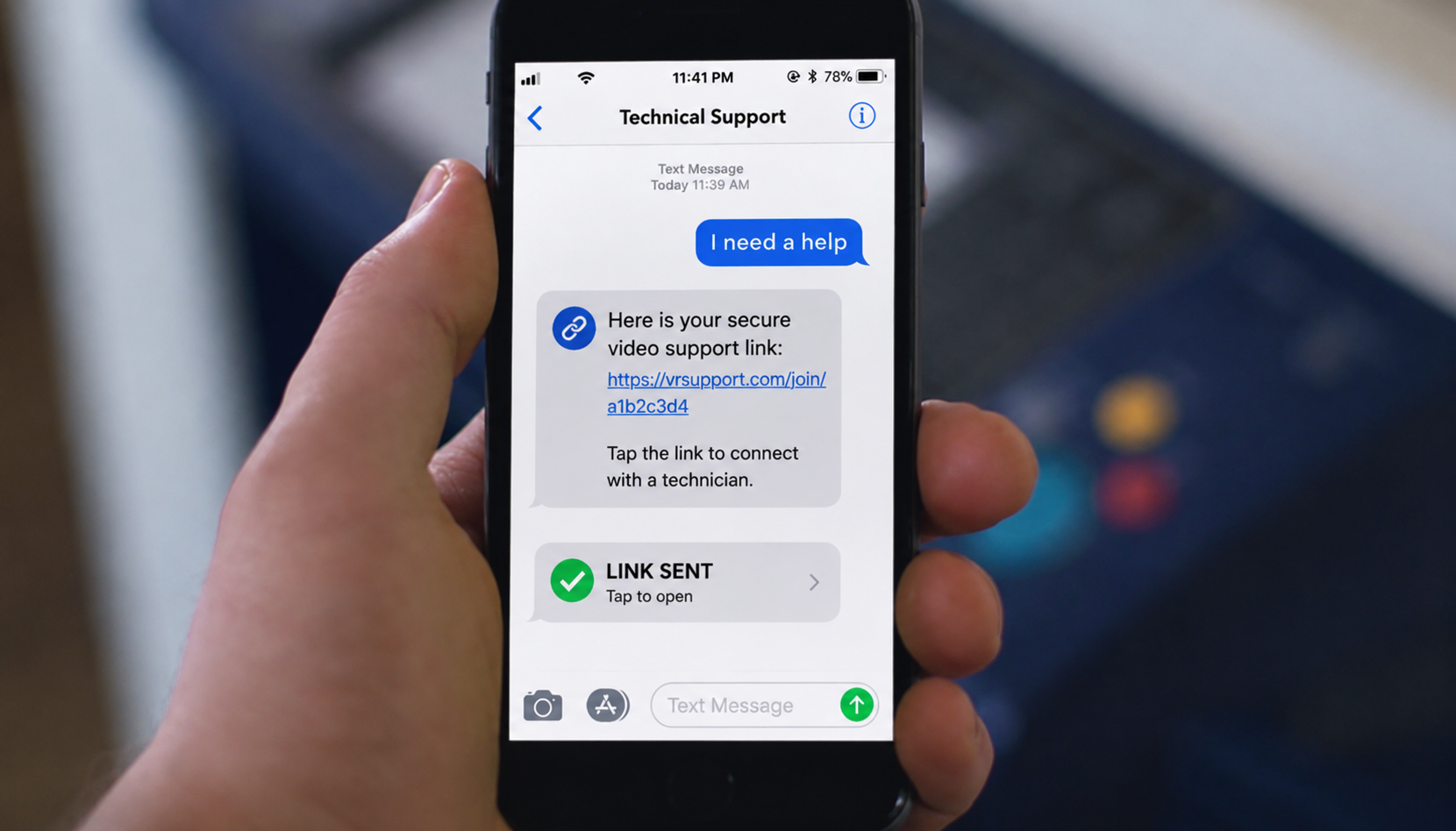
- No app download — the on-site person taps a link sent via SMS or email, and the session opens in their mobile browser. No app store. No account creation. No technical barrier.
- High-definition live video — the inspector sees what the on-site camera sees, in real time, with quality sufficient for visual condition assessment.
- AR annotations on the live feed — the inspector draws directly on the camera view to direct attention to specific components, request a closer angle, or mark items for the report.
- Timestamped photo and video capture — every captured asset is automatically logged with date, time, and (where permitted) geolocation metadata that anchors it to the inspection record.
- OCR data extraction — serial numbers, model numbers, license plates, equipment tags, and meter readings get captured directly from the camera feed into the report.
- CRM and workflow integration — session data syncs to Salesforce, ServiceNow, Zendesk, Procore, Guidewire, and other platforms inspection companies are already running.
The result is an inspection that produces the same evidentiary record as an on-site visit — often a richer one — without the travel, scheduling overhead, or capacity ceiling of physical dispatch. Blitzz Inspect is the platform purpose-built for this category, and the operational results are well-documented: companies running 1,000 inspections per month report average savings of $22,000 monthly and $282,000 annually, with 320% ROI in the first month alone.
Where Inspection Companies Should Be Deploying Remote Video Support
Not every inspection should go remote. Some require physical access. Some require specialized instruments. Some require evidentiary protocols that depend on the inspector being on-site. But across most inspection categories, a meaningful percentage of visits — typically 40–70% — can be handled remotely without quality loss. Here's where the gains are largest.
Insurance claims and property damage inspections
For property and casualty insurance, remote video inspection has become close to standard practice. Hail damage assessments, auto claims, water damage walkthroughs, and storm-event triage are all categories where the policyholder can show the damage to a trained adjuster on a live video session — with timestamped photos that satisfy claim documentation requirements. Remote video inspections for insurance compress claim cycle times from days to hours and dramatically reduce the cost per claim. For catastrophe response specifically, the difference is operational: a single adjuster can triage many more claims per day from a desk than from a vehicle.
Real estate and property condition assessments
Pre-rental walkthroughs, move-out inspections, periodic property condition assessments, and pre-listing reviews are all natural fits for remote inspection software. The property manager or tenant walks through the property with their phone while the inspector guides the tour, captures the documentation required for the lease file, and produces the condition report from a desk. Remote video inspections for real estate and property managers scale particularly well because the volume of routine inspections in a property management portfolio is the part of the business that physical dispatch can never quite keep up with.
Construction quality assurance and progress inspections
Construction QA is one of the most underrated remote visual support use cases. Site superintendents are already on-site. The credentialed reviewer — engineer, QA inspector, owner's representative — doesn't have to be. Remote video inspections for construction let credentialed professionals review work-in-progress, sign off on milestones, and document defects without flying to every site every time. For multi-site general contractors, the capacity gain is significant: a single senior reviewer can cover more projects, more frequently, with deeper documentation.
Heavy equipment, manufacturing, and industrial inspections
Equipment audits, supplier compliance inspections, machinery condition assessments, and warranty inspections all involve a credentialed inspector evaluating something physical. The "something physical" usually has an operator who can hold a phone. Remote video inspections for manufacturing and heavy equipment make it possible to inspect equipment in any location — including remote installations, customer sites, and supplier facilities — without the inspector traveling. For tank inspection operators specifically, Blitzz Inspect customers have documented 75% reductions in travel costs.
Utilities and energy infrastructure inspections
Utility inspectors face a structural problem: the assets are everywhere. Substations, transformers, meters, pipelines, and infrastructure assets are distributed across enormous service territories, and physical inspection cycles are constrained by how many vehicles can be in how many places per day. Remote video inspections for utilities and energy shift a meaningful percentage of those inspections to remote — often with on-site personnel who are already at the location for other purposes — and free the inspection workforce to focus on the assets that genuinely require hands-on assessment.
Automotive inspections and dealership PDI
Pre-delivery inspections, vehicle condition reports, trade-in valuations, lease-return inspections, and auto warranty claims all involve looking at a vehicle. Remote video inspections for automotive OEMs and dealerships compress the inspection step in nearly every part of the dealer operation — and for OEMs operating warranty programs across thousands of dealers, the consistency gain is significant. Every inspector is following the same structured session flow, every photo is captured with the same metadata, and every report enters the system in the same format.
Government and regulatory inspections
Government inspection programs — code compliance, permit verification, regulatory site inspections, public safety reviews — are increasingly running remote visual sessions for inspections that don't require physical access. The compliance documentation requirements are usually well-served by timestamped, geolocated, agency-secure session recordings.
Food service equipment inspections
Maintenance contractors, equipment manufacturers, and warranty service providers for commercial kitchen equipment all run inspection programs across distributed restaurant networks. Remote video inspections for food service equipment let the restaurant manager show the equipment to a remote technician who can diagnose, document, and route the issue — often resolving warranty or service questions in a single session that previously required a dispatched technician.
How a Remote Inspection Runs
The session model is intentionally simple. Inspection companies that overthink the workflow design tend to slow themselves down for no operational benefit.
1. Schedule the session. The inspector and the on-site contact agree on a time, the same way they would for a physical inspection. The on-site contact gets a confirmation that explains they'll receive a link at the scheduled time.
2. Send the link. At the appointed time, the inspector triggers a session from inside their CRM or inspection workflow tool. The link goes to the on-site contact's phone via SMS.
3. The on-site contact taps the link. No app store, no account, no install. The session opens in their browser. They grant camera permission once for that session, and the live feed starts.
4. The inspector runs the inspection. Using the same checklist or structured protocol they'd follow on-site, the inspector directs the on-site contact through the property or equipment. They draw on the live feed to point to specific components, request closer angles, and ask the contact to position the camera to capture what's needed.
5. The session captures the record. Timestamped photos and video. AI-generated session summary. OCR extraction of serial numbers, model codes, and equipment tags. All of it syncing automatically to the inspection record.
6. The inspector writes the report. From the desk, with the full session record available. Reports come out faster than they would from an on-site inspection because the documentation is already organized and time-stamped.
The training requirement for inspectors is minimal — most are running live sessions within their first hour on the platform. The training requirement for the on-site contact is zero, because the session model is designed so that anyone who can tap a link can participate.
The Operational Impact: What Changes
The reason inspection companies adopt remote video support is not technology preference. It's operational economics. Here's what changes once a meaningful percentage of inspections move remote.
Inspector capacity multiplies
A single inspector running remote sessions can complete substantially more inspections per day than the same inspector running physical visits — because the time cost of each inspection collapses from "drive + inspect + drive" to "inspect." Inspection companies routinely report 2–3x capacity gains per inspector after deployment, with no quality loss.
Travel costs drop, often dramatically
Mileage, vehicle wear, lodging for distant inspections, and the labor cost of windshield time all decrease in proportion to the percentage of inspections moved remote. For inspection businesses operating across wide geographies — utilities, multi-state insurance carriers, national property managers — the travel reduction is the largest single line-item saving.
Cycle time compresses
The interval between "inspection requested" and "report delivered" shrinks. For insurance claims this means faster claim resolution and higher policyholder satisfaction. For real estate it means faster lease turnovers. For construction it means faster sign-offs. For warranty programs it means faster resolution. Speed of inspection is itself a competitive differentiator in most inspection-dependent industries.
Report quality improves
This is the change most inspection companies don't expect. Remote sessions produce a richer evidentiary record than physical inspections — because every photo is timestamped automatically, every captured asset is logged, and the session itself can be recorded and reviewed later if questions arise. Manual photo capture and report assembly are not replaced; they are absorbed into the session, with less opportunity for missed documentation.
Coverage expands into previously uneconomical areas
Inspections that historically didn't get done because the asset was too remote or too low-value to justify a physical visit suddenly become economical. This expansion is invisible in the savings line but shows up in revenue and coverage metrics.
Environmental impact decreases meaningfully
Companies doing 1,000 inspections per month save an average of 69.33 metric tons of CO2 emissions per year by moving a portion of those inspections remote. For inspection companies with ESG reporting requirements or sustainability commitments, this is a measurable contribution that doesn't require operational sacrifice.
How Cobrowse Fits the Inspection Workflow
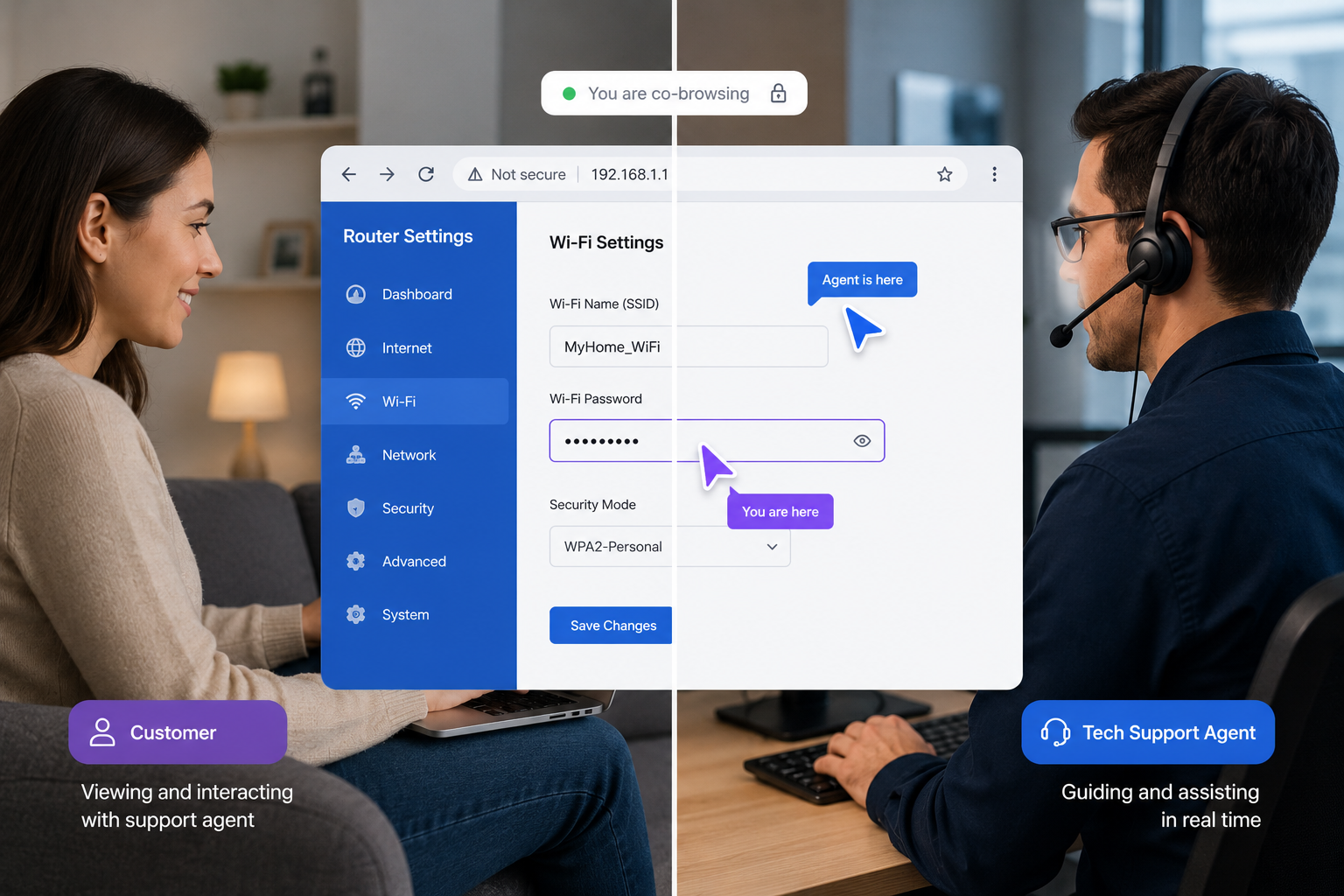
For inspection companies whose work involves any kind of digital interaction — submitting claims, completing forms, uploading documentation, verifying online records, navigating customer portals — cobrowse extends the same visual-guidance model to the customer's screen.
When an insured needs to complete a claim form, when a property manager needs to upload a document to a portal, when a contractor needs to verify a permit record online — the inspector or claim handler can cobrowse directly into the customer's browser, see what they're seeing, and guide them through the digital step the same way the live video session guides them through the physical one. For inspection categories with significant paperwork-and-portal overhead, this is the difference between an inspection that completes cleanly and one that stalls.
Integration With Inspection Workflows Already Running
A common deployment concern is that adding remote inspection software to an existing inspection business means restructuring the workflow. It doesn't. Blitzz Inspect integrates natively with the platforms inspection companies are already running — Salesforce, ServiceNow, Zendesk, Procore, Guidewire, and others through the broader integration library. Inspectors trigger sessions from inside the system they already use, session records sync back to the case or job they're attached to, and no parallel data system gets created.
Security and compliance are handled at the enterprise level — end-to-end encryption, SOC-2 compliance, role-based access to recordings, and customer consent captured at session initiation. The platform is deployed across insurance, healthcare, financial services, and government inspection programs, and the security posture meets the documentation requirements of regulated industries.
How to Deploy Without Disrupting What's Working
The most effective deployment pattern is not "move everything remote at once." It is to identify the single inspection category where the operational case is strongest — typically the highest-volume, lowest-complexity inspection type — pilot remote sessions on that category with a small inspector group, measure the impact, then expand.
Most inspection companies validate remote video support inside a 30-day pilot window before committing to broader deployment. The Blitzz Inspect Challenge is structured specifically for this — a free 30-day pilot with a configured workflow and a tracked-results review at the end, designed to prove ROI before scale.
The companies who get the most out of remote visual support treat it as an operational expansion of their existing inspection capability, not a replacement for it. The inspector workforce, the inspection protocols, the report formats, and the customer relationships all stay intact. What changes is the percentage of inspections that don't require a vehicle in motion to complete.
The Question Isn't Whether — It's When
Inspection categories that resist remote visual support entirely are getting narrower every year. Insurance has moved. Real estate is moving. Construction is moving. Utilities and manufacturing are moving. The competitive question for inspection companies is no longer whether remote video inspection is a real category — it is — but whether your business is operating with the cost structure and capacity ceiling of a remote-enabled inspection model, or the one that came before it.
The inspection companies winning right now are the ones who have already done this math. Their inspectors complete more inspections per day. Their travel budgets are smaller. Their cycle times are shorter. Their reports are richer. And their growth isn't bottlenecked by how fast they can hire credentialed staff to fit in vehicles.
If you're evaluating how remote inspection software fits your business, the fastest way to find out is to see it running against the kind of inspections your team actually performs every week.

Blitzz Team
The Blitzz Team writes about remote video support, virtual inspections and field service. Our guides come from working with home builders, property managers, warranty teams, contact centers and field service organizations that use Blitzz to see and solve issues without a truck roll.