Skip to content

Conduct Inspections Anywhere, Even Without Internet


Poor connectivity shouldn't stop your inspections. Blitzz offline mode lets participants capture photos, documentation, and data in areas with limited or no internet—then automatically syncs everything when connection returns. Never lose critical inspection data again.


Trusted by field teams conducting inspections worldwide


How It Works


Seamless Offline-to-Online Workflow

Blitzz automatically handles connectivity transitions so you can focus on the inspection.
Start Session

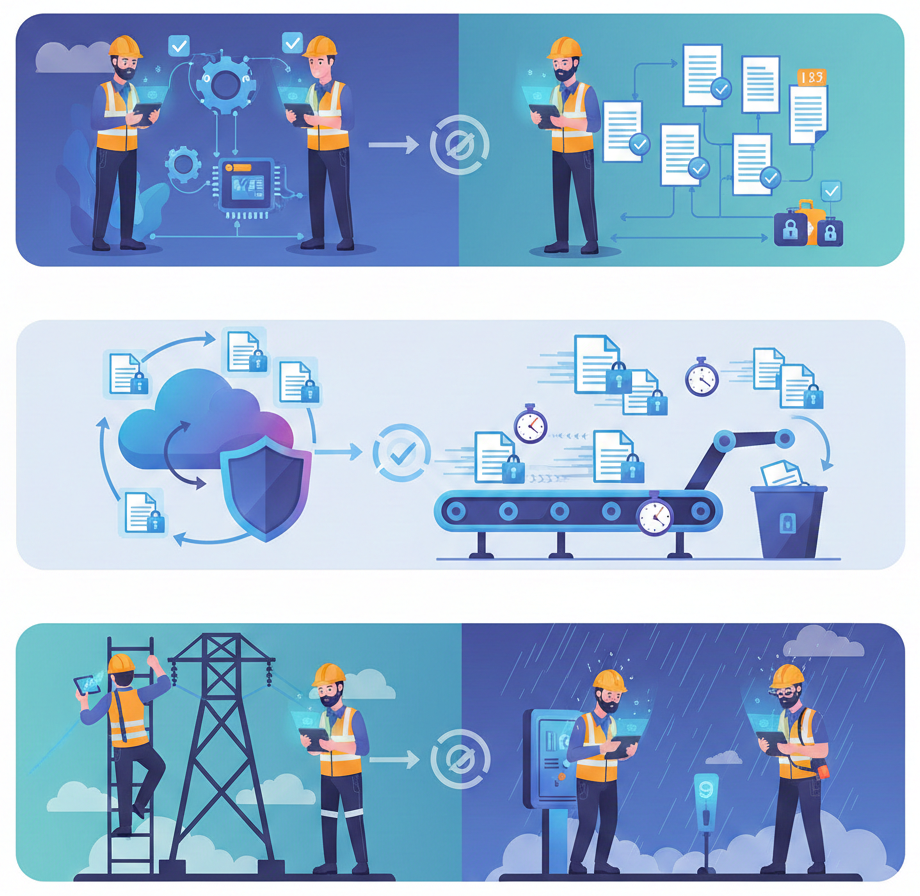
Begin a video inspection session normally. Blitzz detects connectivity status automatically and adjusts in real-time.

Capture Offline

When connectivity drops, continue capturing photos, annotations, and documentation. Everything is stored locally on the device.

Auto-Sync

When connectivity returns, Blitzz automatically uploads everything to the session history in the background.

Auto-Queue

All captured data is timestamped and queued for upload. GPS coordinates and metadata are preserved. Nothing is lost.
 

Feature Details


Built for Real-World Connectivity Challenges

  Every aspect of offline mode is designed for field inspection realities—not ideal conditions.
Offline Photo Capture

Capture high-resolution photos without connectivity. All images are stored locally with timestamps and GPS coordinates, ready for upload when the connection returns.

Automatic Synchronization

No manual intervention required. Blitzz monitors connectivity and automatically uploads queued data in the background as soon as internet access is restored.

Bandwidth Optimization

Blitzz automatically adjusts video quality and data transmission based on available bandwidth. Maintain session quality even on slow or unstable connections.

Timestamped Documentation

Every photo and data point captured offline includes accurate timestamps, ensuring complete documentation integrity even when captured across multiple connectivity windows.

GPS Location Preservation

Location data is captured and stored even in offline mode. When photos sync, they include the exact GPS coordinates from when they were originally captured.

No Data Loss Guarantee

Data is securely stored on the device until it is successfully uploaded. Blitzz confirms successful sync before clearing local storage, ensuring nothing is ever lost.


Why It Matters


Complete Every Inspection, Regardless of Connectivity

100% Inspection Completion Rate

Complete every inspection regardless of connectivity conditions. No more return visits to recapture missing documentation or incomplete assessments.

Zero Lost Documentation

Every photo, annotation, and data point is preserved. Connectivity drops never result in lost inspection data—everything syncs automatically.

Faster Claims & Report Processing

Complete documentation from the first visit means claims, assessments, and reports can proceed without delays waiting for missing information.

Works in Challenging Environments

Rural properties, basements, construction sites, industrial facilities—if your team needs to inspect there, Blitzz offline mode handles it.


Why Choose Blitzz


Traditional Video Inspection vs. Blitzz Offline Mode

Blitzz Others
Offline photo capture
Automatic sync when connected
GPS location preserved offline
Timestamps on offline data
Adaptive bandwidth optimization
No data loss guarantee
Background upload queue
Works in rural/remote areas

Frequently Asked Questions

Have Question? We are here to help

How does Blitzz offline mode work?

When internet connectivity is limited or unavailable, participants can still capture photos, annotations, and documentation using Blitzz. All data is stored locally on the device and automatically uploads to the session history when connectivity is restored. No manual intervention required. Blitzz handles the transition seamlessly.

What can be captured in offline mode?

In offline mode, users can capture high-resolution photos, add annotations and markup, record timestamps, capture GPS location data, and add notes or comments. All captured data is queued for automatic upload once the internet connection returns.

Will I lose data if I'm disconnected during an inspection?

No. Blitzz is designed to prevent data loss. Any photos, annotations, or documentation captured during connectivity interruptions are safely stored on the device and automatically synchronized when the connection is restored. Data is only cleared from local storage after successful upload confirmation.

Does Blitzz work in low bandwidth areas?

Yes. Blitzz automatically adjusts bandwidth utilization based on connection strength. Video quality scales dynamically to maintain call stability. For very low bandwidth situations, async upload allows participants to capture documentation that uploads in the background when better connectivity becomes available.

How do I know if my data has synced successfully?

Blitzz provides clear sync status indicators showing queued, uploading, and completed states for all offline-captured data. You'll receive confirmation when all data has successfully been uploaded to the session history, and the data remains accessible in the Blitzz dashboard.

Is offline mode available on all Blitzz plans?

Offline mode with async upload is available on Blitzz Inspect plans. Contact our sales team to learn more about which plan is right for your organization's inspection and field service needs.

Ready to Inspect Anywhere, Anytime?

We’d be happy to give a product demo, answer any technical questions, or share best practices.