BETA
Visual Remote Assist for Procore
Launch video inspections, visual documentation, and remote walkthroughs directly from Procore. See jobsites in real time and resolve issues faster — no app download required.
Why Blitzz for Procore
Inspect Remotely Without Leaving Procore
One-Click Session Launch
Start remote video inspections directly from any Procore project, observation, or inspection record. No switching between apps.
Automatic Data Sync
Photos, recordings, annotations, and session notes sync back to your Procore project records automatically. Keep your documentation in one place.
No App for Field Teams
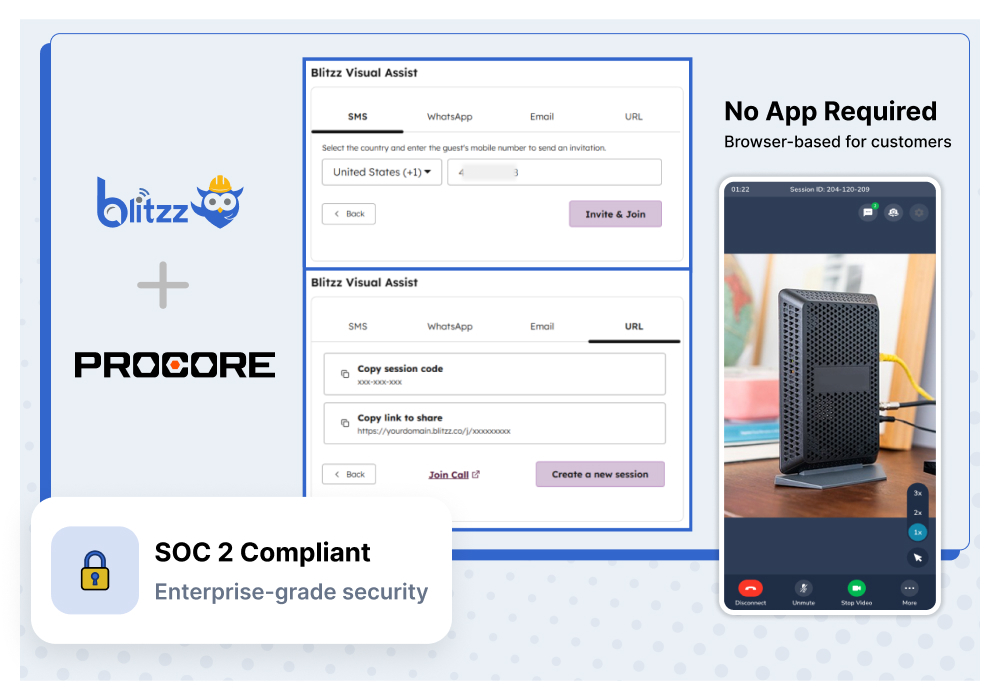
Subcontractors and field workers connect via browser link. No app downloads, no friction — just tap and connect from any smartphone.
Enterprise Security
SOC 2 compliant with end-to-end encryption and SSO/SAML support. Your project data stays protected at every step.
Use Cases
How Construction Teams Use Blitzz in Procore
all without leaving the jobsite management platform they already use.
Remote Quality Inspections
Conduct QA/QC inspections across multiple job sites without dispatching inspectors. Walk subcontractors through visual checklists, capture timestamped photos, and document findings directly in Procore.
Progress Verification
Verify construction progress remotely with live video walkthroughs. Compare completed work against project plans and schedules, capture evidence, and update project status in Procore — all in one session.
Safety Observations
Identify and document safety hazards in real time with remote video. Log observations directly to Procore's Safety tool with photo evidence, GPS data, and AR annotations for precise documentation.
Punch List Verification
Close out punch list items faster with remote visual verification. Walk subcontractors through the remaining items on video, confirm completion, and update Procore records without an additional site visit.
Remote Expert Assistance
Connect field teams with off-site engineers and specialists for real-time guidance on complex installations, troubleshooting, and technical decisions. Reduce rework and costly delays.
Submittal & RFI Documentation
Use live video to capture visual context for submittals and RFIs. Document site conditions, material deliveries, and installation details with photos and recordings that sync to Procore.
How It Works
Up and Running in Minutes
Connect Blitzz to Procore
Install the Blitzz integration from the Procore App Marketplace. Configure it with your Blitzz API key and set up project mappings. Most teams are up and running the same day.
Launch a Remote Inspection
Start a video inspection session directly from any Procore project, observation, or inspection record. Send a secure link to the field via SMS, email, or WhatsApp.
Inspect, Document, Sync
See through the field team's camera in real time. Zoom, annotate, capture photos, and complete your inspection. All documentation syncs back to Procore automatically.
Frequently Asked Questions
Have Question? We are here to help
What does the BETA label mean for this integration?
The Blitzz + Procore integration is currently in beta, meaning it's available for early access users. Core functionality — launching remote inspections from Procore, syncing session data, and capturing documentation — is fully operational. We're actively gathering feedback to refine the experience before general availability. Beta users receive priority support and direct access to our product team.
How long does it take to set up Blitzz in Procore?
Installation from the Procore App Marketplace takes just minutes. After installing, you configure the integration with your Blitzz API key, set up project mappings, and add the Blitzz widget to your project layouts. Most teams are up and running the same day.
Which Procore tools does Blitzz integrate with?
Blitzz integrates with Procore's Project Management, Quality & Safety, and Field Productivity tools. You can launch inspection sessions from Projects, Observations, Inspections, and Punch Lists. Session data — including photos, recordings, and annotations — syncs directly to the relevant Procore records.
Do subcontractors or field workers need to download an app?
No. Blitzz is completely browser-based. Your project team sends a secure link via SMS, email, or WhatsApp, and the field worker clicks to connect instantly from any smartphone browser on iOS or Android. No app store visits or downloads required, achieving 95%+ connection success rates — even on active jobsites.
What data syncs between Blitzz and Procore?
Blitzz automatically syncs session metadata, call recordings, captured photos, AR annotations, GPS location data, and AI-generated session summaries to your Procore project records. You can configure which Procore tools and records receive session data and customize field mappings for your organization.
How much does Blitzz for Procore cost?
Blitzz for Procore is offered on a per-user, per-month basis and includes all enterprise features such as video chat, HD photo capture, AR markups, call recording, AI session summaries, white labeling, and unlimited sessions. During the beta period, early access pricing is available. Contact us to discuss pricing and volume discounts.
Can I try Blitzz for Procore before purchasing?
Absolutely. You can request a free demo to see Blitzz in action within Procore, or join our beta program to test the integration with your team on real projects. We also offer a pilot program where you can measure ROI before committing to a full deployment.