

.png?width=120&height=55&name=Blitzz-Logo-right%20white%20eyes%20-%20not%20transparent%20(3).png)
Flashlight: Remotely turn on Flash Light
Trusted By Leading Enterprises Worldwide





How It Works
Instant Lighting Control in Three Simple Steps

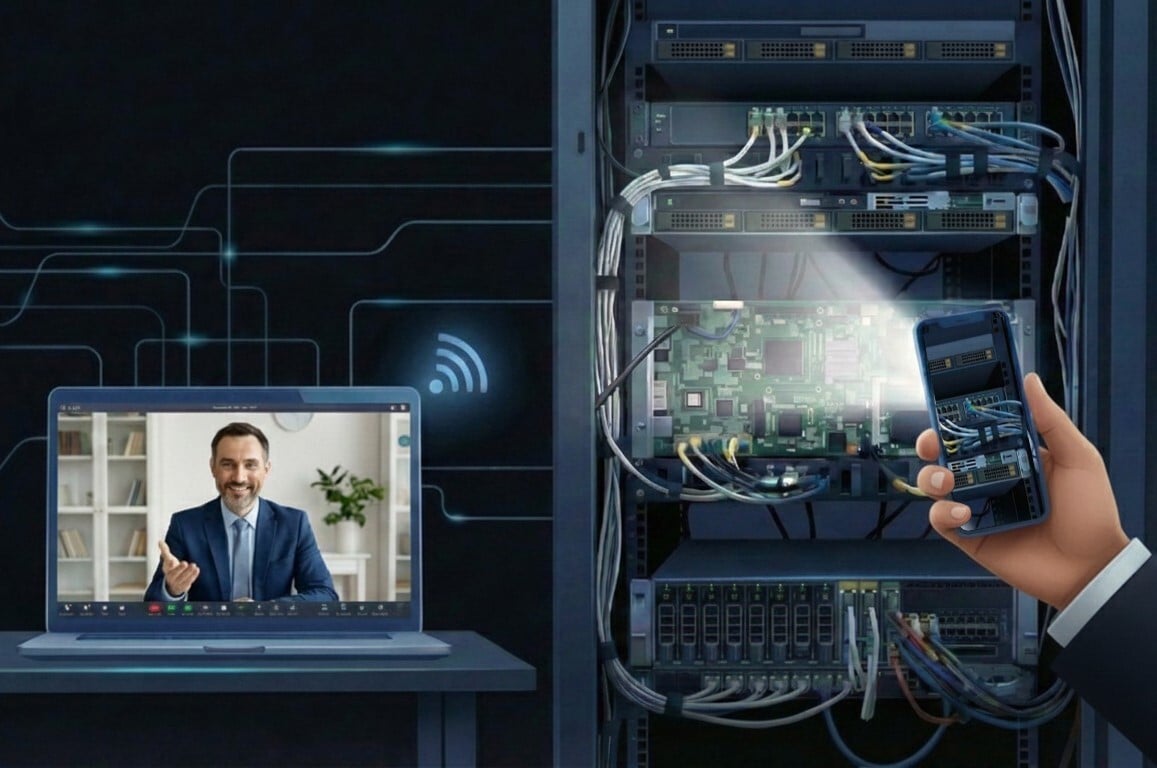
Customer Joins Video Session
Customer connects via link or app from their mobile device. Once they turn on their video camera, the flashlight control button automatically activates on the agent's dashboard.

Activates Flashlight
With one click from the Agent dashboard, the agent turns on the customer's flashlight. The customer can also control the flashlight from their own device; both parties have full control throughout the session.

See Every Detail Clearly
Dark areas become fully visible. Agents can capture high-quality photos, apply markup, and resolve issues without lighting limitations slowing down the session.
Feature Details
What Makes Blitzz Remote Flashlight Control Different
One-Click Activation
Turn the customer's flashlight on or off instantly from your dashboard. The flashlight button activates automatically when the guest connects from a mobile device with video turned on.
Works on iOS & Android
Compatible with all major smartphones. Whether your customer uses an iPhone or Android device, remote flashlight control works seamlessly through the mobile browser.
No App Required
Flashlight control works through Blitzz browser-based video sessions. Customers don't need to download anything; just click the link, enable video, and connect.
Dual Control Capability
Both agents and guests can control the flashlight. Agents toggle it remotely from the dashboard, while customers can also turn it on or off from their own device, full flexibility for both parties.
Enhanced Photo Capture
Capture crisp, well-lit photos in dark environments. Document equipment serial numbers, wiring, and components that would otherwise be invisible.
Instant Toggle Control
Turn the flashlight on when needed and off when not. Agents maintain control throughout the session without interrupting the customer's workflow.
Secure Permission Handling
Flashlight access is granted through standard browser permissions. Customers maintain control and can see when the flashlight is active, fully transparent, and secure.
Mobile + Video Activated
The flashlight control automatically appears when guests connect from a mobile device with video enabled. No manual setup required, the feature activates seamlessly when conditions are met.
Why It Matters
Eliminate Lighting Barriers That Slow Down Remote Support
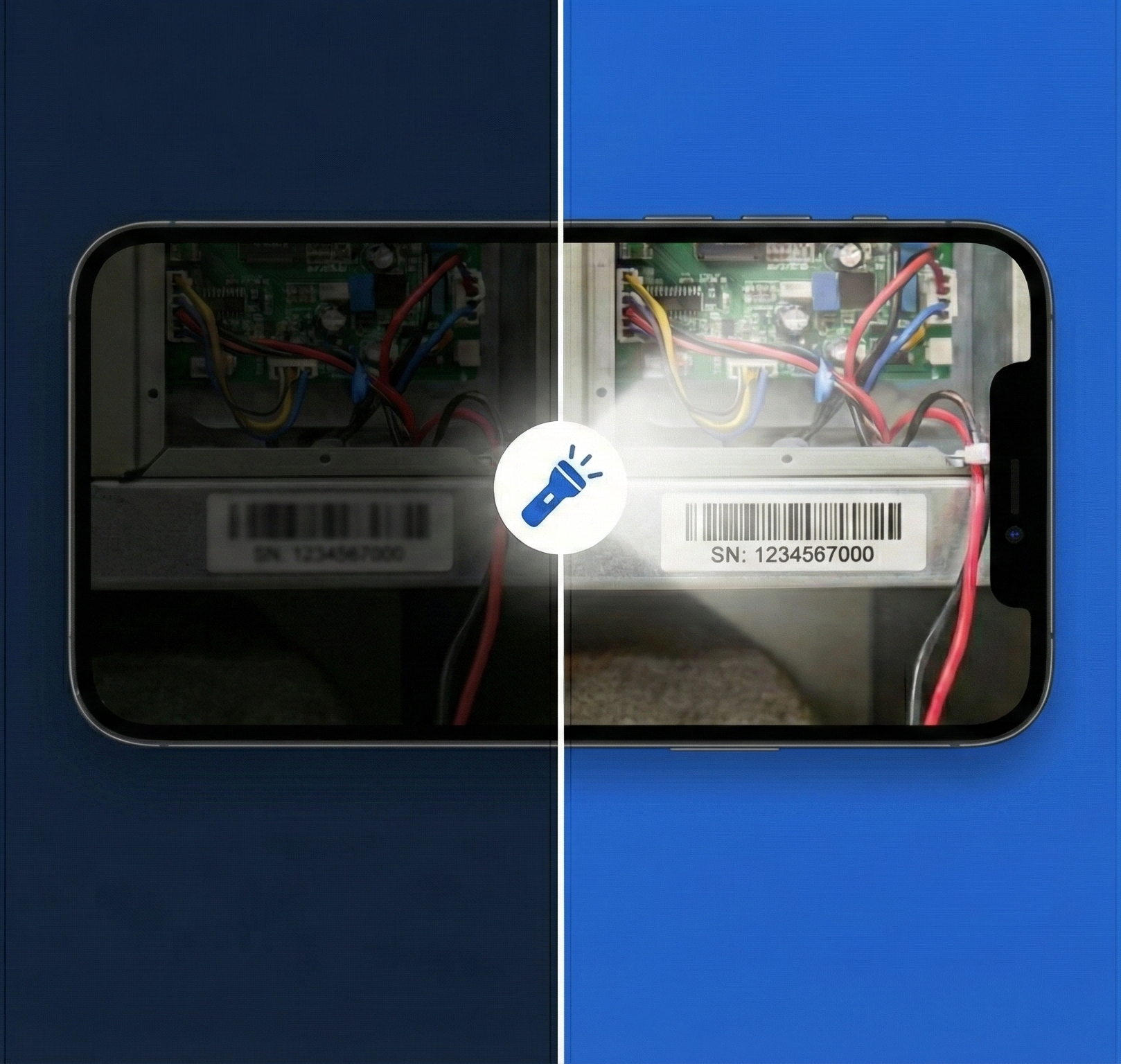
See Inside Dark Equipment Panels
HVAC units, electrical boxes, server racks, and machinery often have dark interiors. Remote flashlight control illuminates these spaces instantly for accurate diagnostics.
Reduce "I Can't See" Delays
Stop wasting time asking customers to find flashlights or adjust phone settings. Take control and light up the scene yourself—saving 2-3 minutes per call.
Capture Readable Serial Numbers
Model numbers, barcodes, and serial plates are often in shadowed areas. With proper lighting, OCR extraction works accurately, and documentation is complete.
Support After-Hours & Low-Light Calls
Evening service calls, basement inspections, and attic troubleshooting no longer require customers to scramble for additional lighting. The phone they're holding is enough.
Why Choose Blitzz
Traditional Video Support vs. Blitzz Remote Flashlight Control
| Blitzz | Others | |
|---|---|---|
|
Remote flashlight control
|
|
|
|
One-click activation
|
|
|
|
Works on iOS & Android browsers
|
|
|
|
No app download required
|
|
|
|
Combined with remote zoom control
|
|
|
|
Photo capture in low-light conditions
|
|
|
|
Real-time markup on lit scenes
|
|
|
|
Session recording with lighting changes
|
|
|
Frequently Asked Questions
Have Question? We are here to help
How does remote flashlight control work?
During a Blitzz video session, the flashlight control button activates on the agent's dashboard when the guest connects from a mobile device and turns on their video camera. With one click, the agent can turn the flashlight on or off. The guest also has control of their own device either party can toggle the flashlight throughout the session.
When does the flashlight button become active?
The flashlight control button activates only when two conditions are met: the guest must be connected from a mobile device (not a desktop), and their video camera must be turned on. Once both conditions are met, the agent sees an active flashlight toggle in their control panel.
Does the customer need to grant permission?
Yes. When the customer joins the video session through their browser, they grant camera access. Flashlight control is part of the camera API, so once camera permissions are granted, the agent can toggle the flashlight. The customer can see when it's active and can end the session at any time.
Can the guest control the flashlight themselves?
Yes. Both the agent and the guest have full control over the flashlight. The agent can toggle it remotely from the dashboard, while the guest can also turn it on or off directly from their mobile device. This dual control ensures flexibility—whichever party needs to adjust the lighting can do so instantly.
What devices support remote flashlight control?
Remote flashlight control works on most modern smartphones with a rear-facing flashlight. This includes iPhones using Safari and Android devices using Chrome. The feature requires a mobile device connection; it is not available when guests join from desktop computers.
Can I use flashlight control with other Blitzz features?
Absolutely. Remote flashlight control works alongside all Blitzz features—remote zoom, live pointer, markup annotations, photo capture, OCR text extraction, and call recording. Light up the scene, zoom in, and capture detailed documentation all in one session.
Does flashlight control drain the customer's battery quickly?
The flashlight uses LED technology, which is energy-efficient. While it does use additional battery power, typical support sessions are short enough that battery impact is minimal. Agents can toggle the flashlight off when not needed to conserve battery.