.png?width=120&height=55&name=Blitzz-Logo-right%20white%20eyes%20-%20not%20transparent%20(3).png)

On this page
When a Phone Call Is No Longer Enough: The Rise of AR Remote Support
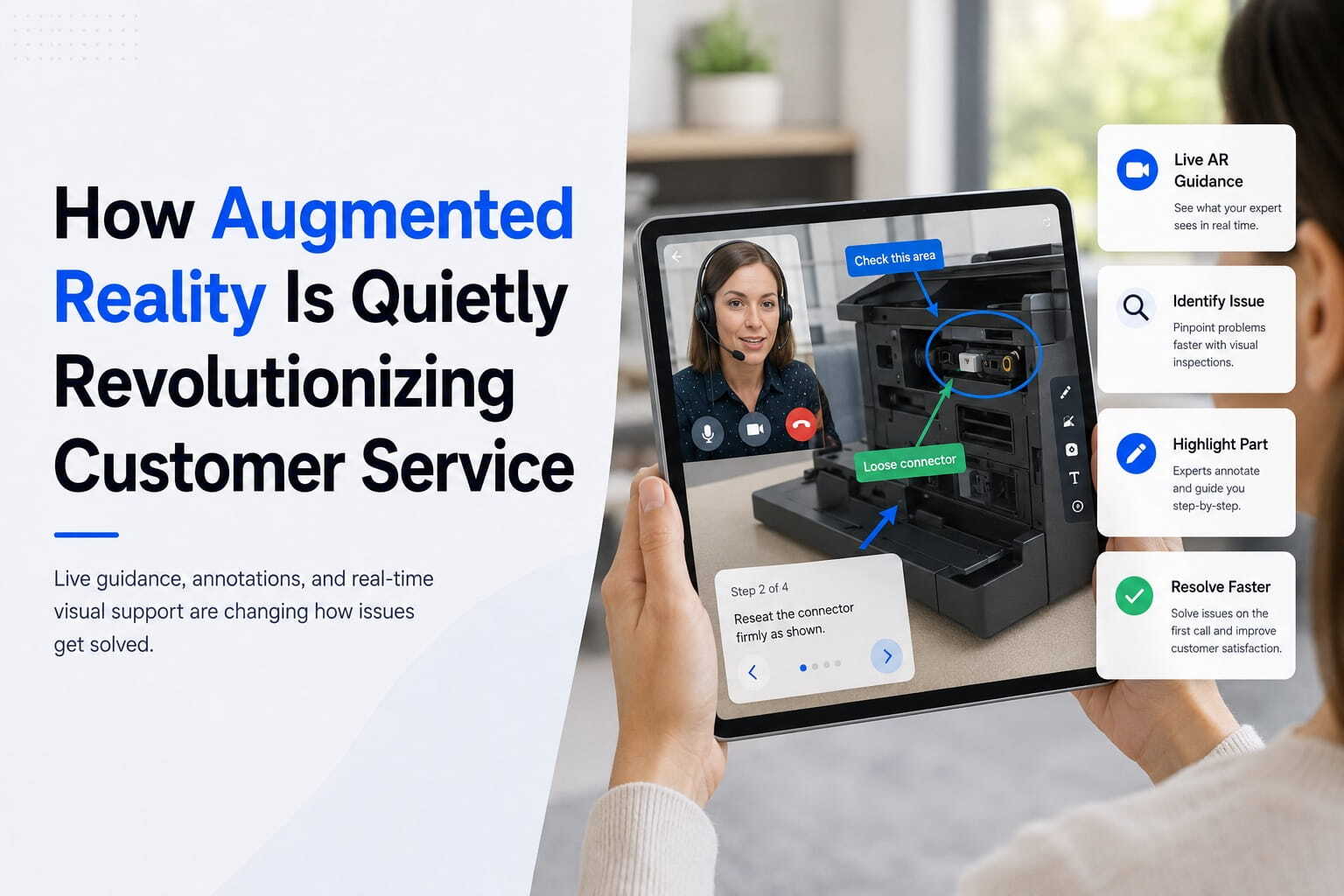
Augmented reality remote assistance is a technology that lets a remote expert see exactly what an on-site technician sees — and draw live, spatially-anchored annotations directly onto that view in real time.
Here's the quick answer if that's all you need:
What is AR remote assistance?
- A field technician streams live video from their device (phone, tablet, or smart glasses) to a remote expert
- The expert overlays digital annotations — arrows, labels, highlights — directly onto the technician's view
- Those annotations stick to real-world objects even as the camera moves
- Both sides communicate via voice, video, and chat simultaneously
- Sessions are recorded and logged automatically for compliance and training
Think about the last time a technician rolled a truck to a site, only to discover the fix took 15 minutes once the right expert was on the phone. That truck roll cost you money. The wait cost your customer confidence. And the fix still required a follow-up call.
This is the everyday reality for field service managers at telecom and utility companies. High truck-roll costs. Slow resolution times. First-contact fix rates that leave a lot to be desired.
The problem isn't your people. It's how expertise gets delivered.
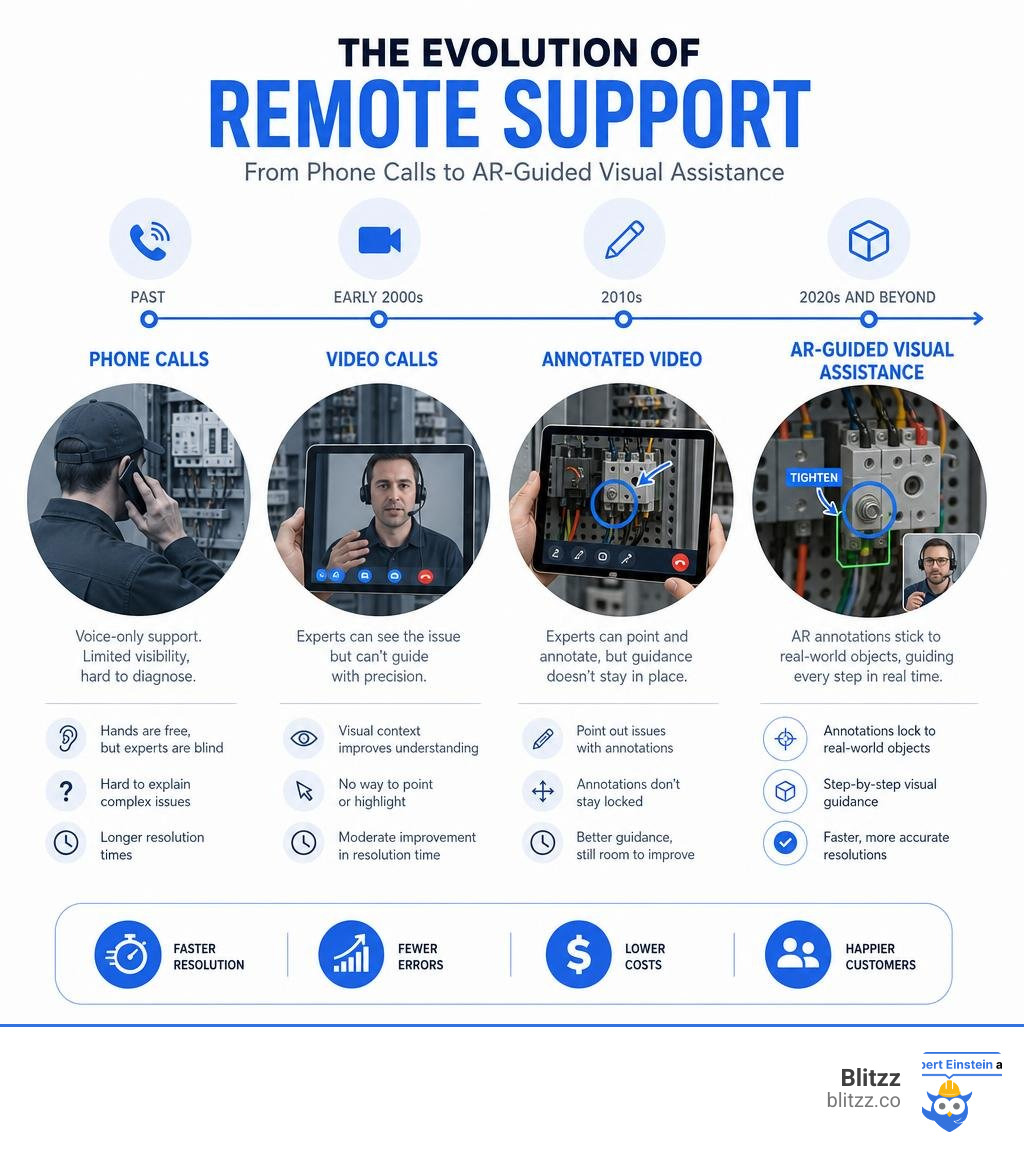
Traditional phone support is blind. Standard video calls give a remote expert eyes — but no hands. There's no way to point at a specific wire, circle the fault on a circuit board, or walk someone through a step-by-step process with precision. Words alone aren't enough when the situation is complex.
That gap is exactly what AR remote assistance is designed to close.
The AR and VR market is forecast to reach $50.9 billion in 2026, with AR software alone projected at $13 billion. And it's not hard to see why. Studies show AR remote assistance can speed up equipment maintenance by up to 64% and reduce maintenance errors by up to 38%. One platform benchmark puts issue resolution at 95% faster compared to waiting for a specialist to travel on-site.
This guide covers everything you need to know — how the technology works, which industries are using it, what hardware it runs on, how to keep sessions secure, and how to choose the right platform for your team.
What is Augmented Reality Remote Assistance and How Does It Work?
At its core, augmented reality remote assistance is a "see-what-I-see" technology that bridges the physical and digital worlds. It connects an on-site technician or customer with a remote expert through a live, interactive video stream.
But it goes far beyond a simple video call. The magic lies in the integration of advanced computer vision and spatial anchoring.
When a session is initiated, the on-site user captures their physical surroundings using the camera on their smartphone, tablet, or smart glasses. The software's computer vision engine maps the environment in real time, identifying surfaces, edges, and physical objects.
This mapping allows the remote expert to place digital annotations — such as 3D arrows, hand-drawn circles, or text labels — directly onto the live video feed. Because of spatial anchoring, these digital markings "stick" to the physical objects they are placed on. If the on-site user moves their camera away and then points it back, the annotations remain exactly where the expert drew them.
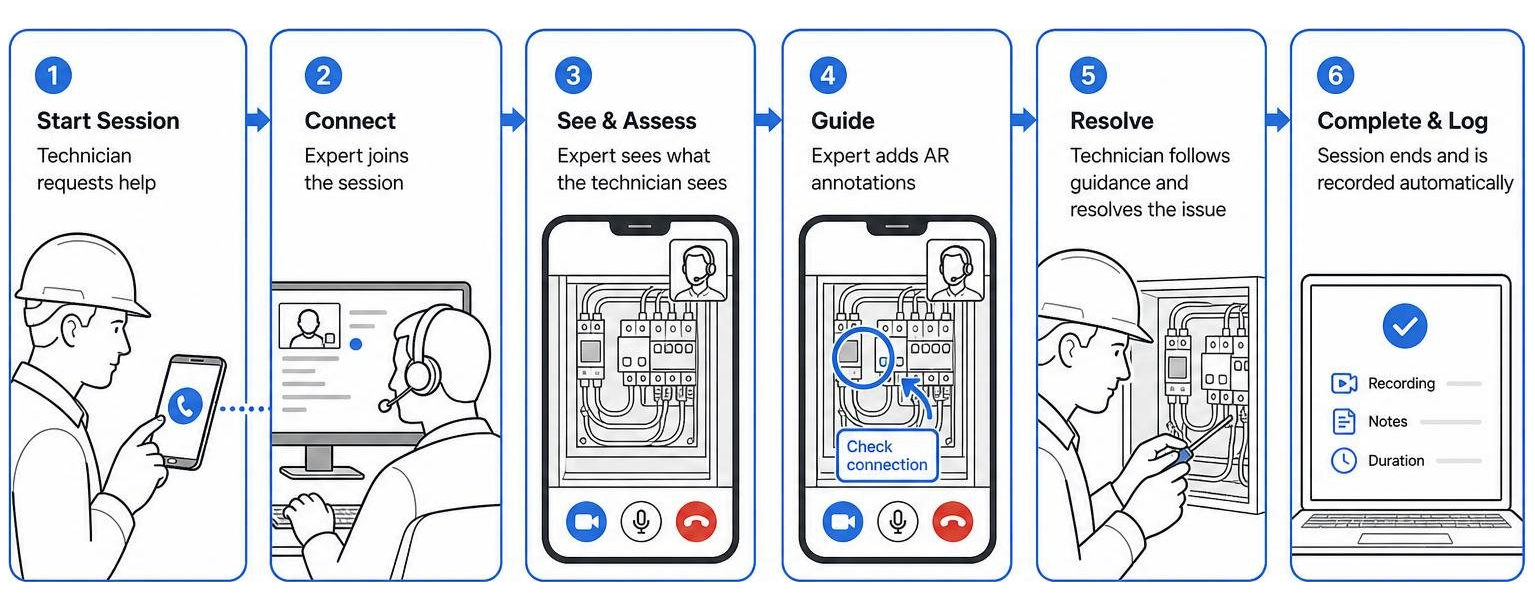
This synchronous visual guidance removes language barriers and eliminates the ambiguity of verbal instructions. Instead of saying, "No, not that blue wire, the other blue wire next to the gray switch," an expert can simply draw a bright red circle around the exact terminal.
The Difference Between AR Support and Traditional Video Calls
It is easy to mistake AR remote support for a standard video chat. However, using consumer-grade video applications for complex industrial or technical troubleshooting is like trying to perform surgery over a walkie-talkie.
Standard video calls lack spatial context. When a technician moves their phone, the image moves, but there is no way for the remote expert to interact with the physical environment. If the expert tries to point something out, they must rely entirely on descriptive speech.
In contrast, AR-powered platforms maintain absolute annotation persistence. The expert's markings remain locked to the physical components, regardless of camera movement or user positioning. This level of interaction transforms a passive viewing experience into an active, collaborative workspace.
Furthermore, enterprise AR tools are built with industrial-grade features. They support low-bandwidth optimization, automatic session logging, high-resolution snapshots, document sharing, and remote camera control (such as turning on the flashlight or zooming in).
To understand how immersive technology is shifting from entertainment to a core business tool, read our article on AR and VR: More Than Just Video Games.
Key Business Benefits of AR-Powered Support
Implementing augmented reality remote assistance delivers tangible, measurable improvements to key operational metrics. For modern enterprises, it is a direct lever for reducing overhead and boosting customer satisfaction.
Let's look at the primary business benefits:
- Drastic Reduction in Truck Rolls: Sending a specialist to a physical site is one of the most expensive actions a service organization can take. By enabling remote experts to guide on-site personnel or customers through repairs, companies can resolve issues virtually, saving thousands of dollars in travel and logistics.
- Improved First-Time Fix Rates (FTFR): When a field technician is sent to a site but lacks the specific expertise needed for a unique machine, the job often goes unresolved. AR remote support connects that technician to a global expert instantly, ensuring the issue is resolved on the first visit.
- Minimized Machine Downtime: In manufacturing and industrial sectors, every minute of asset downtime represents lost revenue. AR support accelerates troubleshooting, allowing operations to resume in a fraction of the time.
- Enhanced Contextual Communication: Combining voice, video, and real-time spatial annotations prevents the misunderstandings that commonly occur over phone calls or text.
To explore how these visual capabilities are reshaping modern customer interactions, check out our guide on How Augmented Reality is Quietly Revolutionizing Customer Service.
| Feature / Metric | Traditional Phone & Video Support | AR Remote Assistance |
|---|---|---|
| Visual Guidance | None (Voice-only) or basic video feed | Interactive 3D annotations anchored to physical objects |
| First-Time Fix Rate | Lower; often requires secondary specialist visits | Higher; on-site teams access real-time expert backup |
| Travel Costs | High; specialists must travel to resolve complex issues | Low; experts guide local teams or customers remotely |
| Downtime Duration | Extended; dependent on specialist travel schedules | Minimal; instant virtual dispatch of expertise |
| Knowledge Capture | Manual notes or basic screen recordings | Automated session recordings, transcriptions, and AI summaries |
Boosting Field Service Efficiency
For field technicians, AR remote assistance acts as a digital safety net. Frontline workers often encounter unfamiliar, highly complex equipment that they may not have been trained on. Instead of feeling isolated or guessing at a solution, they can instantly loop in a senior engineer.
This technology also supports hands-free operation when paired with smart glasses or head-wearable devices. A technician can work on high-voltage systems or intricate mechanical parts with both hands while receiving step-by-step visual prompts in their line of sight. This hands-free capability dramatically improves physical safety, as technicians do not have to look away from hazardous machinery to consult a paper manual or hold a smartphone.
Learn more about the practical advantages for frontline workers in our article on How Augmented Reality Helps Field Service Workers. For a deeper dive into operational metrics, read about Revolutionizing Field Service with Augmented Reality: A Game-Changing Technology for Improved Efficiency and Customer Satisfaction.
Elevating the Customer Experience
Customer expectations have shifted. Modern consumers and business clients expect immediate, frictionless resolutions. They do not want to wait days for a service window or spend hours explaining a hardware issue to a support representative over the phone.
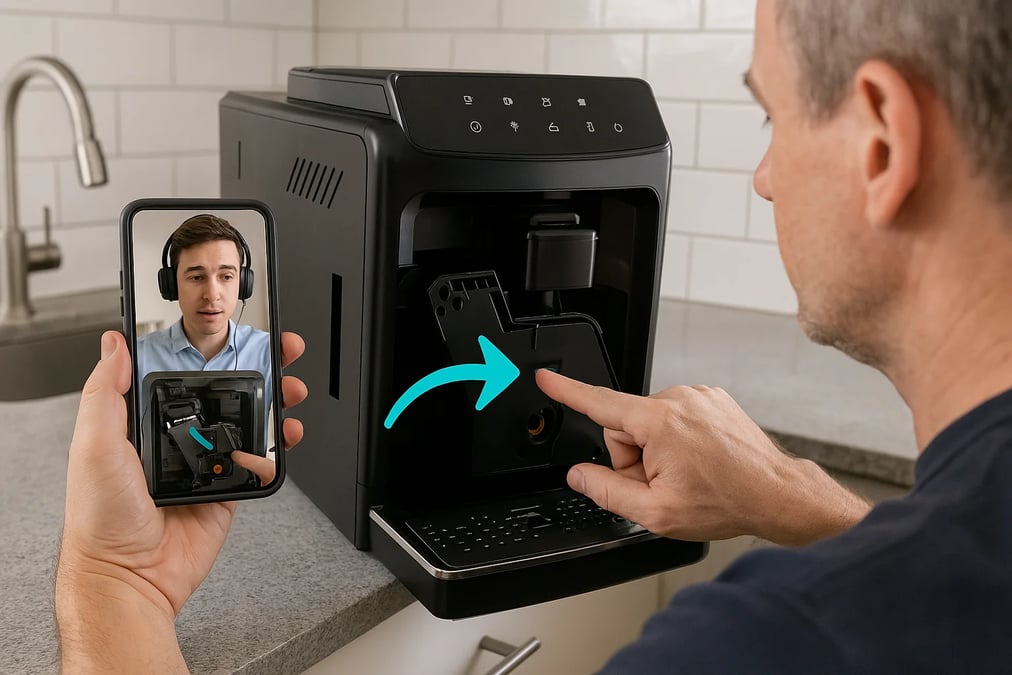
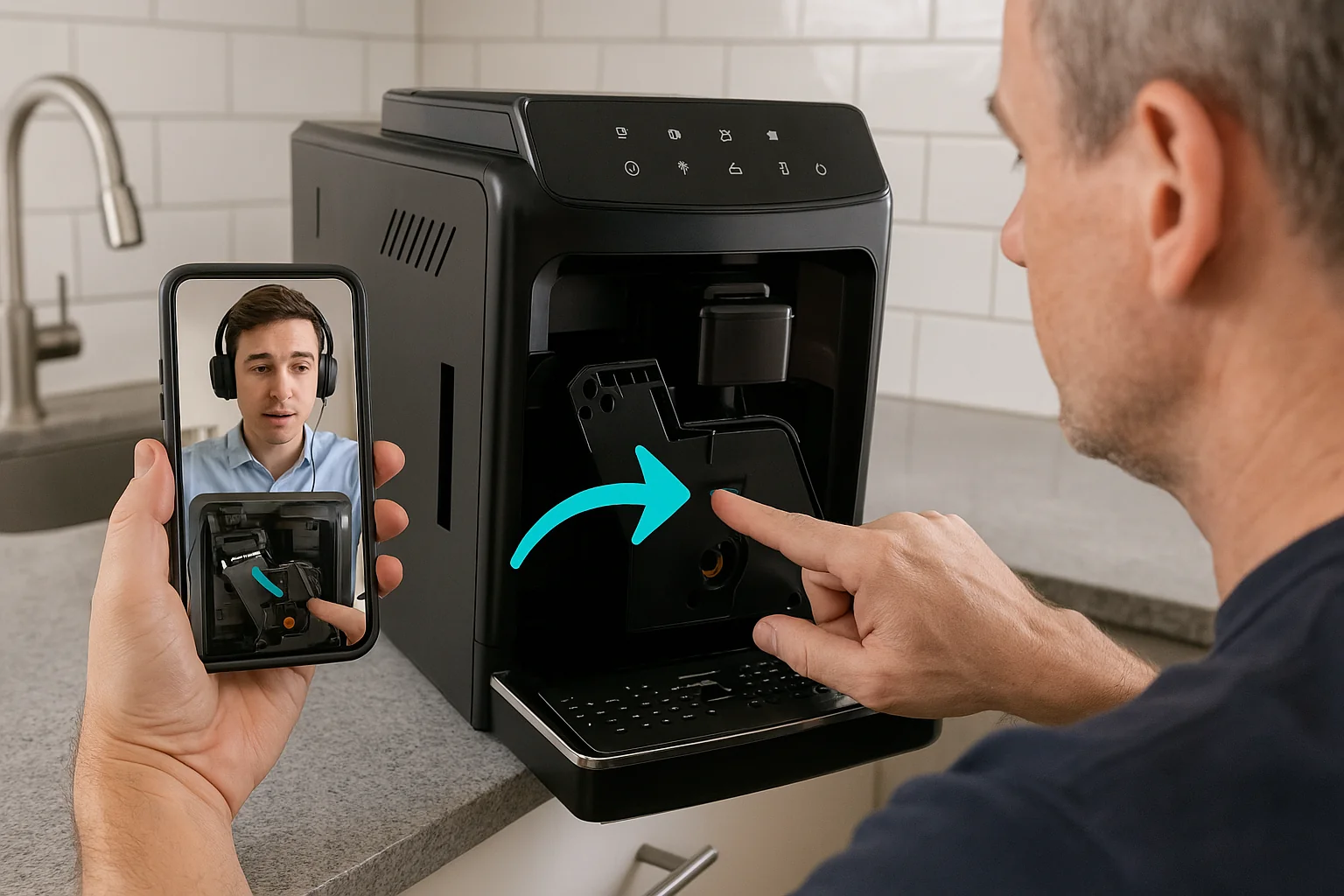
With AR remote support, customer service agents can send a simple text link to a customer's phone. With a single tap, the customer shares their back-facing camera feed. The agent can immediately diagnose a misaligned cable, walk them through a router reboot, or verify a physical serial number.
This visual verification empowers customers to self-solve issues that would normally require a technician visit. This not only speeds up resolution times but also builds a sense of confidence and satisfaction.
For more insights on how visual tools are redefining customer journeys, read How AR Transforms Customer Experience and explore our analysis of AR and Customer Support.
Industry Applications and Real-World Use Cases
While AR remote support is highly versatile, certain sectors experience an exceptionally high return on investment due to the complexity of their physical assets and the high cost of downtime.

Manufacturing and Industrial Equipment Maintenance
In manufacturing plants, a stopped assembly line can cost thousands of dollars per minute. When a complex piece of machinery fails, the local maintenance team may not have the specialized knowledge required to fix it.
Using AR remote assistance, the local operator can connect with the Original Equipment Manufacturer (OEM) specialist located halfway across the world. The specialist can inspect the machine's physical state, overlay 3D schematics, and guide the operator through a precise repair to OEM standards.
This global scaling of expertise is critical as the manufacturing sector faces a wave of retirements, taking decades of specialized knowledge out of the workforce. According to market data from Statista, the rapid adoption of AR software in industrial operations is a primary driver behind the projected $13.0 billion AR software market volume.
Telecom, Utilities, and Field Inspections
For telecommunications and utility companies, maintaining vast, distributed physical networks is a constant challenge. Technicians are spread across wide geographic areas, making physical oversight difficult.
AR remote assistance streamline:
- Router and Cable Troubleshooting: Customer support agents can visually guide homeowners through complex home gateway setups, reducing unnecessary hardware returns.
- Remote Inspections and Audits: Field supervisors can conduct virtual quality sign-offs on cell towers or electrical substations, verifying that work meets compliance standards without driving to the site.
- Safety Compliance: Before a technician begins work on high-voltage equipment, a remote safety officer can visually inspect the setup and confirm that all safety protocols are active.
According to research by Gartner, over 50% of field service management deployments will include AR-based tools and collaboration support, representing a massive leap forward in operational standards.
Technical Requirements, Hardware, and Security Considerations
To successfully deploy augmented reality remote assistance, organizations must understand the underlying technical requirements and hardware compatibility.
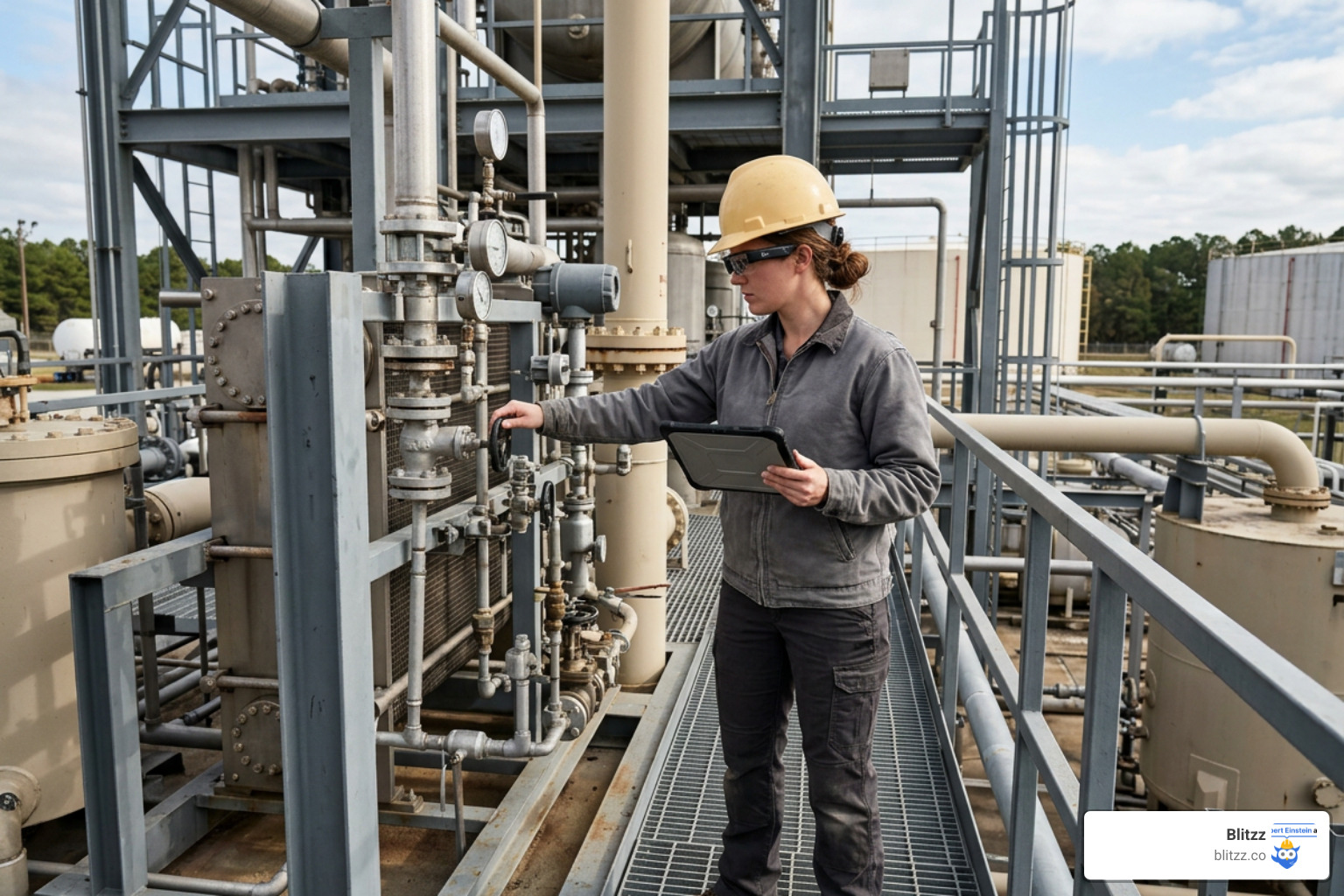
The beauty of modern AR platforms is their flexibility. They do not require a massive upfront investment in specialized hardware. Instead, they can run on devices that your team and customers already own:
- Smartphones and Tablets: Standard iOS and Android devices are highly capable AR engines. They leverage built-in AR frameworks (like Apple’s ARKit and Google’s ARCore) to handle spatial mapping and annotation anchoring.
- Smart Glasses and Wearables: For hands-free industrial use cases, devices like RealWear, Magic Leap 2, and Microsoft HoloLens 2 allow technicians to view overlaid digital instructions directly in their field of vision while keeping their hands free to work.
- External and USB Cameras: In hazardous or tight spaces, technicians can mount external cameras to helmets or headbands, streaming video back to experts while maintaining full situational awareness.
Another critical technical consideration is bandwidth optimization. Field service often takes place in remote areas, underground facilities, or concrete structures with poor cellular reception. Modern AR support platforms must feature adaptive HD video streaming, automatically adjusting video quality to maintain a stable, low-latency connection even on a standard 4G LTE network.
Security, Privacy, and Compliance in AR Sessions
Because AR remote assistance involves streaming live video from inside private homes, corporate offices, or secure industrial facilities, data security is paramount. Organizations must treat visual streams with the same level of protection as sensitive financial or medical data.
Key security practices include:
- End-to-End Encryption: All video, audio, and annotation data must be encrypted in transit and at rest using robust protocols like 256-bit AES encryption.
- Role-Based Access Control (RBAC): Access to session recordings, photos, and customer metadata must be strictly controlled through enterprise authentication systems (like SSO and SAML 2.0).
- Compliance Standards: Platforms must align with global data privacy regulations, including GDPR, CCPA, and HIPAA (for medical use cases).
- Consent and Transparency: Customers must explicitly grant permission before their camera stream is accessed, and clear visual indicators must show when a session is being recorded.
To understand the potential vulnerabilities and how to mitigate them, read our detailed guide on Augmented Reality Based Remote Assistance Risks.
How to Choose and Implement the Right Platform
Selecting the right platform requires looking beyond basic feature checklists. The most sophisticated AR tool is useless if your technicians or customers find it too difficult to use.
When evaluating software, prioritize frictionless access. If a customer has to download a heavy app, create an account, and configure settings just to show an agent a broken wire, they will abandon the process. The best platforms offer instant, browser-based video support. A user simply clicks a secure link sent via SMS or email, and the AR session opens instantly in their mobile browser.
Additionally, ensure the platform integrates smoothly with your existing tech stack. It should connect directly with your CRM, Field Service Management (FSM), or Enterprise Resource Planning (ERP) systems, allowing agents to launch AR sessions and save recordings directly within customer case files.
For a deeper look at the tools driving modern customer support, explore our resource on Augmented Reality CX Tools.
Key Features to Look For in Augmented Reality Remote Assistance Software
When comparing enterprise AR platforms, look for these advanced capabilities:
- No-Code Experience Builders: Look for platforms that allow you to build step-by-step digital work instructions and checklists without writing code, enabling rapid deployment of visual workflows.
- Optical Character Recognition (OCR): This feature allows the software to automatically read and extract printed text — like serial numbers or error codes on machinery — directly from the live video feed, eliminating manual data entry.
- Multi-Expert Sessions: Some complex repairs require input from multiple specialists. The platform should allow additional experts to join a live call and collaborate simultaneously.
- AI-Powered Session Summaries: Advanced platforms leverage AI to transcribe support calls and generate automated summaries of the problem and its resolution, building a rich knowledge base over time.
To understand how artificial intelligence and augmented reality work together to supercharge support, read our article on AR and AI on Customer Support.
Overcoming the Skills Gap with Augmented Reality Remote Assistance
The industrial workforce is experiencing a massive generational shift. Experienced, senior engineers are retiring, taking decades of specialized, tribal knowledge with them. At the same time, younger "digital natives" are entering the workforce. These newer workers expect modern, intuitive digital tools and learn best through interactive, visual experiences.
AR remote assistance perfectly bridges this gap. It allows companies to centralize their remaining senior experts. Instead of spending days traveling from site to site, a single veteran engineer can support dozens of junior technicians globally in a single day, guiding them step-by-step through complex repairs.
This "over-the-shoulder" virtual mentoring accelerates onboarding, reduces the training curve by up to four times, and ensures that critical operational knowledge is preserved and shared across the entire organization.
Frequently Asked Questions about AR Remote Support
What hardware is required for AR remote assistance?
For most use cases, no specialized hardware is required. Field technicians and customers can use their existing smartphones or tablets (iOS and Android). For hands-free industrial operations, the software can run on dedicated AR smart glasses like RealWear or Microsoft HoloLens.
How does AR remote support differ from standard consumer video calls?
Unlike basic video chat apps, AR remote assistance platforms feature spatial anchoring, which keeps digital annotations locked to physical objects even when the camera moves. They also include enterprise-grade security, low-bandwidth optimization, remote camera control, and direct integrations with CRM and field service software.
Is AR remote assistance secure for enterprise use?
Yes, provided you choose an enterprise-grade platform. Look for solutions that offer end-to-end 256-bit AES encryption, single sign-on (SSO), role-based access controls, and full compliance with major data privacy regulations like GDPR and CCPA.
Conclusion
The era of relying on blind phone calls and expensive, slow-moving truck rolls to resolve physical support issues is over. Augmented reality remote assistance has transformed field service and customer support from a guessing game into a precise, visual science.
By allowing experts to virtually stand over the shoulder of technicians and customers, companies can solve problems 95% faster, slash field support costs by up to 60%, and drastically reduce equipment downtime.
At Blitzz, we provide enterprise-grade remote visual assistance designed for the real world. Our platform delivers instant, browser-based video support with precise AR annotations, screen sharing, OCR text recognition, and seamless CRM integrations — all without requiring your customers or technicians to download an app.
Whether you are in telecom, utilities, insurance, or manufacturing, we help you deliver expert guidance to the field in real time, keeping your operations moving and your customers happy.
To see how real-world organizations are driving massive ROI with our visual support tools, read about Enhancing Customer Service Outcomes with Augmented Reality: Real-World Applications of Blitzz.
Ready to see how adding visual remote assistance can transform your operations? Redefine Your Customer Care with Blitzz and schedule your live demo today.

Blitzz Team
The Blitzz Team writes about remote video support, virtual inspections and field service. Our guides come from working with home builders, property managers, warranty teams, contact centers and field service organizations that use Blitzz to see and solve issues without a truck roll.