.png?width=120&height=55&name=Blitzz-Logo-right%20white%20eyes%20-%20not%20transparent%20(3).png)

On this page
Why AR Remote Troubleshooting Tools Are Replacing Costly Truck Rolls

AR remote troubleshooting tools are software platforms that let a remote expert see exactly what a field technician sees - in real time - and draw visual instructions directly onto that live view. Instead of sending a specialist on-site, you resolve the issue from a desk in minutes.
These tools are designed to streamline field operations, offering features like persistent 3D annotations, browser-based instant access, and multi-participant support to ensure that complex issues are resolved quickly and accurately.
Picture this: a field technician at a remote substation faces a fault they can't identify alone. The traditional options are slow and expensive - call someone on the phone and hope they can describe a fix, or wait a day or two for a specialist to fly in.
That delay has a real cost. Equipment downtime alone can drain revenue by the hour. For field service managers at telecom and utility companies, this scenario plays out constantly.
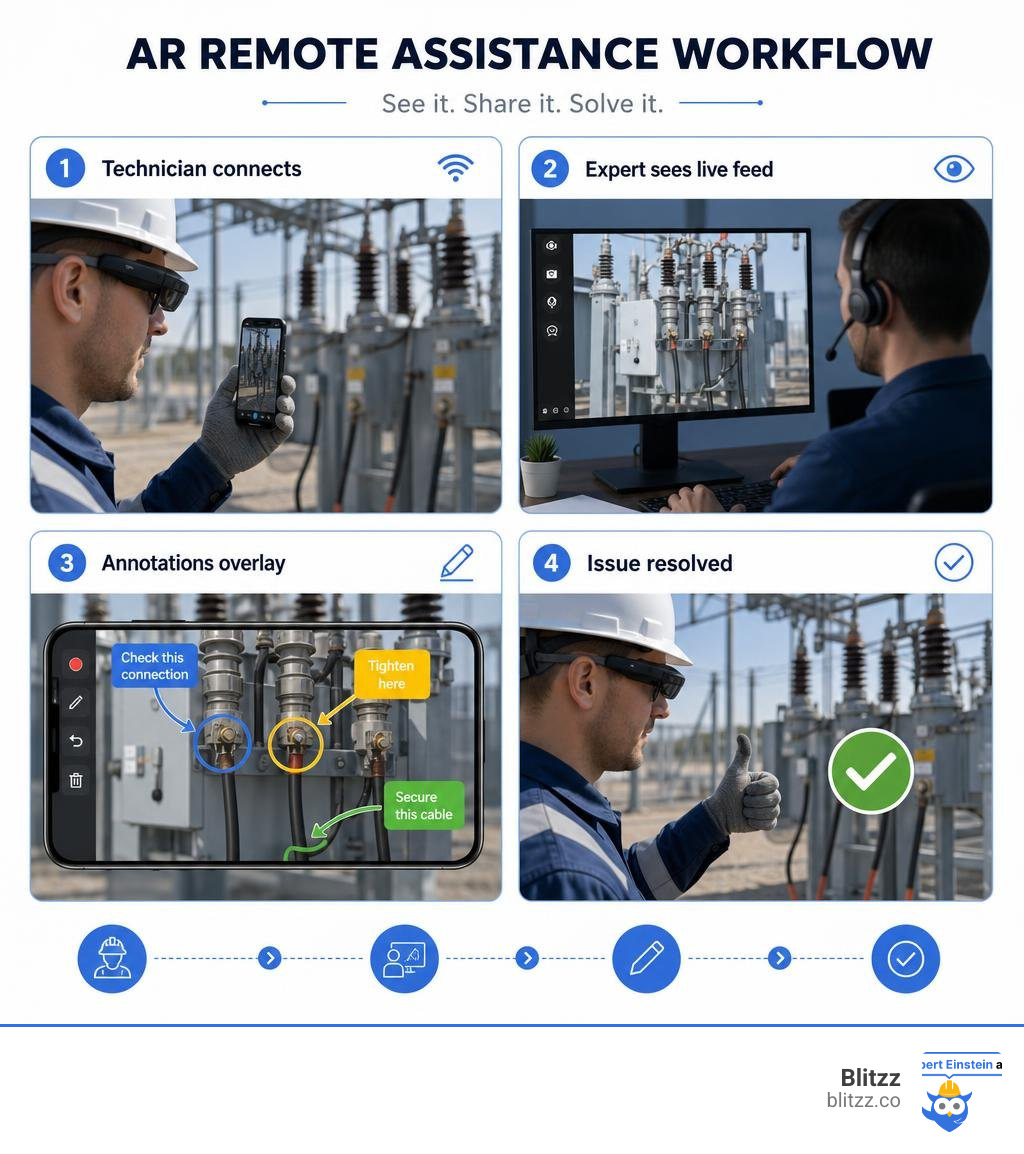
AR remote assistance changes the equation entirely. An expert connects remotely, sees the live camera feed, and draws arrows and labels directly onto the technician's view of the actual equipment. The annotations stick to the physical object even as the camera moves. The technician follows the steps. The fault gets fixed - often on the first visit.
The numbers back this up. AR remote assistance can:
- Reduce equipment downtime by 25-50%
- Increase first-time fix rates by 20-35%
- Cut annual travel budgets by up to 75%
- Deliver ROI within 6-12 months
This guide walks you through how these tools work, what to look for when choosing one, and how to roll one out without disrupting your operations.
Beyond the Video Call: What is AR Remote Assistance?
Many teams wonder: why can't we just use FaceTime, Zoom, or WhatsApp video calls?
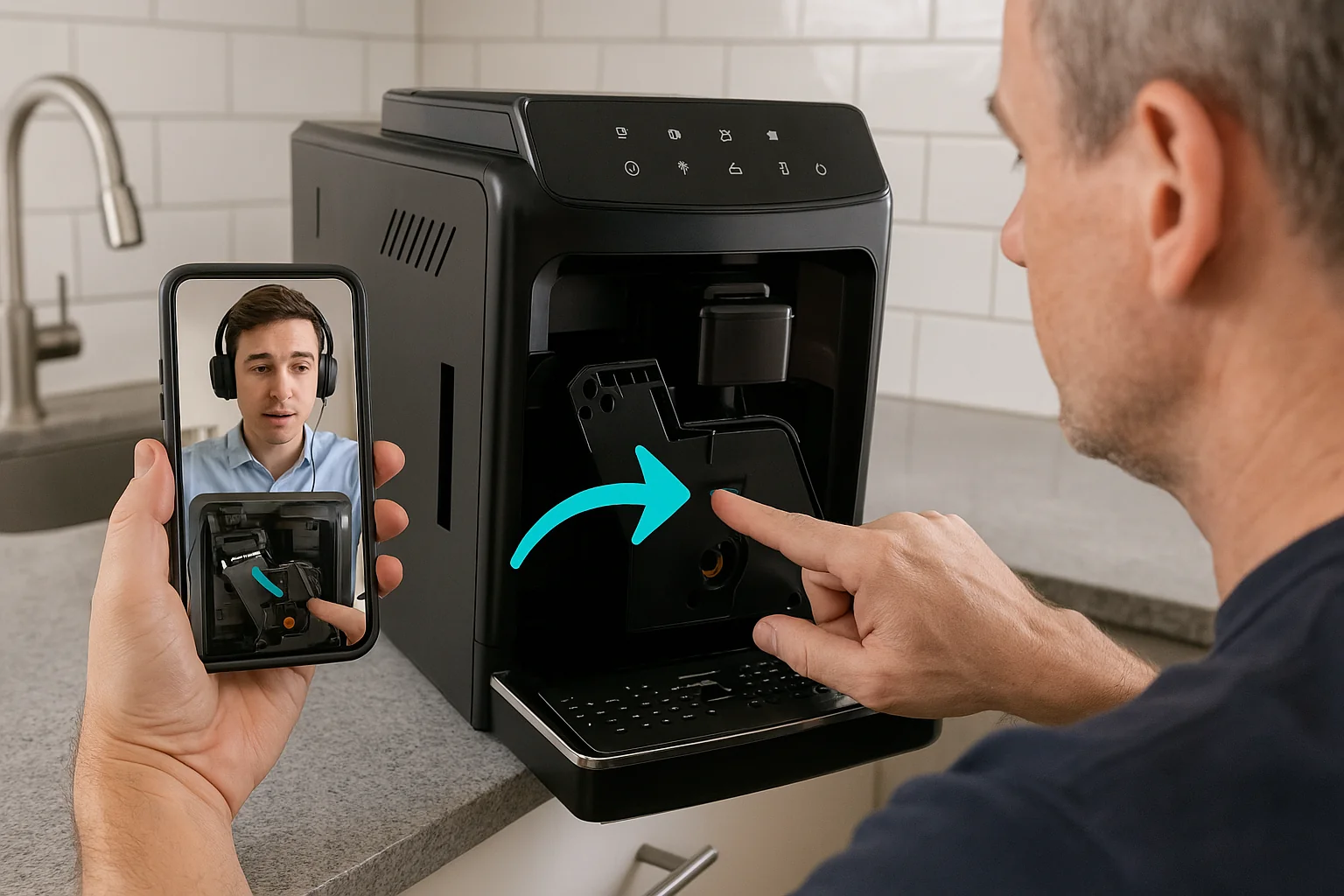
While standard video calls let you look at a problem, they lack spatial communication. If an expert wants to point out a specific wire, they have to describe it verbally: "No, not that blue wire, the other blue wire next to the gray connector... no, your other left!" This back-and-forth is slow, frustrating, and prone to costly mistakes.
Augmented Reality (AR) remote assistance changes this by creating a shared spatial reality. Instead of a passive video window, the platform overlays digital instructions, 3D arrows, circles, and highlighted paths directly onto the physical environment.
This is "see-what-I-see" technology in its truest form. It mimics over-the-shoulder support, allowing a senior engineer sitting in Chicago to virtually tap on a valve in a facility in Munich. By merging physical environments with digital instructions, we transform remote communication from basic observation into active, collaborative problem-solving.
To understand how this shift is reshaping service delivery, read our guide on How Augmented Reality is Quietly Revolutionizing Customer Service. And if you think immersive tech is still just for gaming, think again—discover why in our article on AR and VR: More Than Just Video Games.
How AR Remote Troubleshooting Tools Work in the Field
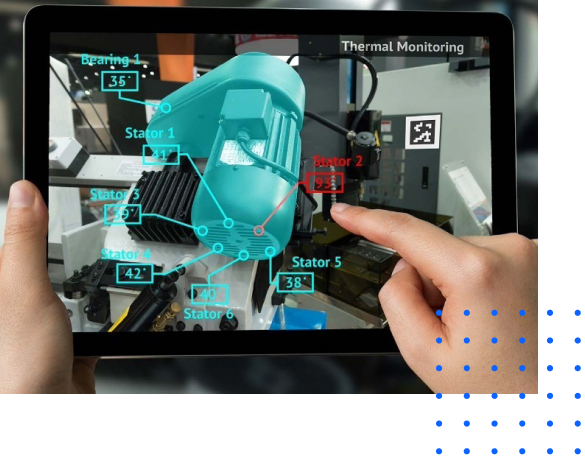
At its core, AR remote assistance relies on advanced computer vision and real-time streaming. When a technician launches a session, the software doesn't just transmit pixels; it analyzes the geometry of the room. It identifies flat surfaces, depth, and specific objects, establishing a digital map of the physical space.
Hardware, Software, and Network Requirements
To run AR troubleshooting tools effectively, you need three core pillars:
- Hardware: On-site workers can use standard smartphones or tablets (iOS and Android). For complex, high-risk, or hands-free tasks, they can wear industrial smart glasses (like RealWear or Vuzix) or mixed-reality headsets. Remote experts simply use their standard office desktop or laptop.
- Software: A reliable platform (like Blitzz) that handles the video stream, compression, and AR spatial mapping.
- Network: A stable internet connection. While 5G and modern Wi-Fi networks provide the best high-definition experience, industrial environments often have spotty coverage. The best AR remote troubleshooting tools feature adaptive bandwidth engines. They automatically scale down video resolution or compress data packets to maintain a stable, lag-free call even on standard 4G LTE connections.
Spatial Annotations and Shared Reality
The magic of AR remote assistance lies in the persistence of digital annotations. When a remote expert draws an arrow pointing to a specific screw on a machine, that arrow is anchored to that exact 3D coordinate. If the technician turns the camera away to pick up a tool and then points it back at the machine, the arrow is still there, perfectly stuck to the screw.
Additionally, if the connection drops or the environment is highly vibrating, the expert can use a "freeze frame" or "snapshot" feature. This captures a high-resolution image of the machine, allowing the expert to draw precise annotations on a static screen. Once annotated, the technician sees the marked-up snapshot as a clear guide to complete the task.
The Business Case: ROI and Benefits of AR Guided Repair
Investing in new technology always requires a clear business case. Fortunately, AR remote assistance delivers some of the most rapid, measurable returns on investment in the enterprise software space.
By bridging the gap between remote experts and on-site problems, companies dramatically improve their operational efficiency, reduce dispatch costs, and elevate customer satisfaction. For a deeper look at this transformation, explore How AR Transforms Customer Experience.
According to Gartner research on field service AR adoption, visual assistance tools are quickly becoming the industry standard, with a massive percentage of field service organizations integrating AR to combat rising travel costs and labor shortages.
Slashing Travel Costs and Equipment Downtime
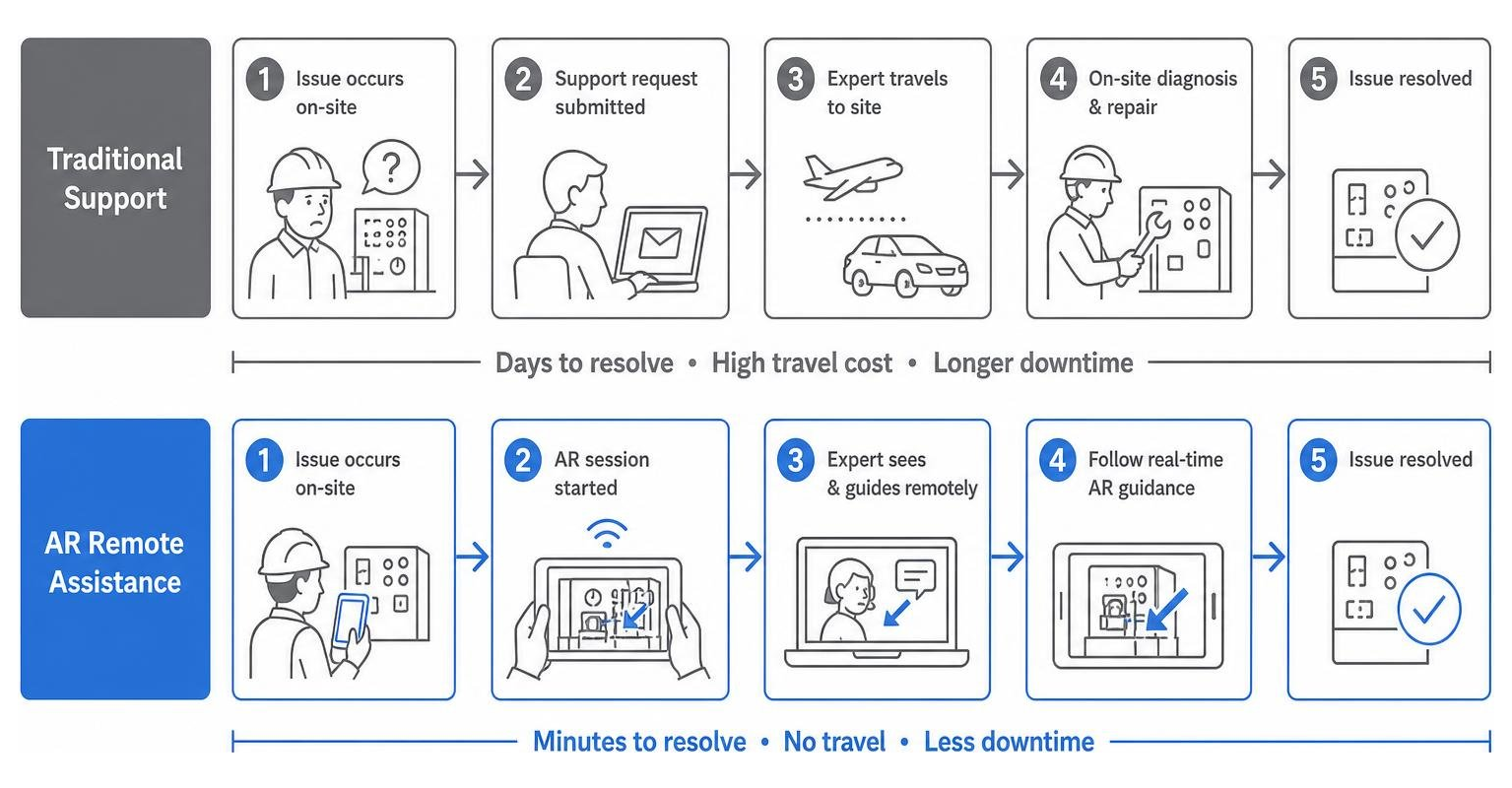
When a critical manufacturing machine or utility asset goes offline, every minute of downtime translates directly to lost revenue. Traditionally, resolving a complex issue meant waiting days for an OEM specialist to travel to the site.
With AR tools, that specialist is virtually on-site within minutes. By eliminating travel, companies frequently see their annual travel budgets drop by up to 75%. Even better, the speed of virtual intervention reduces overall equipment downtime by 25% to 50%, keeping production lines and service networks running smoothly.
Learn more about these operational gains in our detailed post on Revolutionizing Field Service with Augmented Reality: A Game-Changing Technology for Improved Efficiency and Customer Satisfaction.
Accelerating Knowledge Transfer and Technician Onboarding
The industrial sector is facing a severe skills gap as experienced technicians retire, taking decades of tribal knowledge with them. AR remote assistance helps capture and scale this expertise.
Instead of shadowing senior technicians for months, new hires can go into the field sooner, knowing they have an expert "on their shoulder" via an AR call if they get stuck. This approach accelerates technician onboarding by up to 40%.
Furthermore, because sessions can be recorded, organizations can build reusable digital libraries of standard operating procedures (SOPs). New technicians can watch real-world, annotated repairs of complex machinery to learn best practices.
Read more about how this empowers your workforce in our article on How Augmented Reality Helps Field Service Workers.
Key Industries Transforming Operations with AR Support
While any business with physical assets can benefit, certain sectors are seeing massive, transformative results from deploying AR remote assistance. To see how these play out in real life, check out Enhancing Customer Service Outcomes with Augmented Reality: Real-World Applications of Blitzz.
Manufacturing and Automotive Maintenance
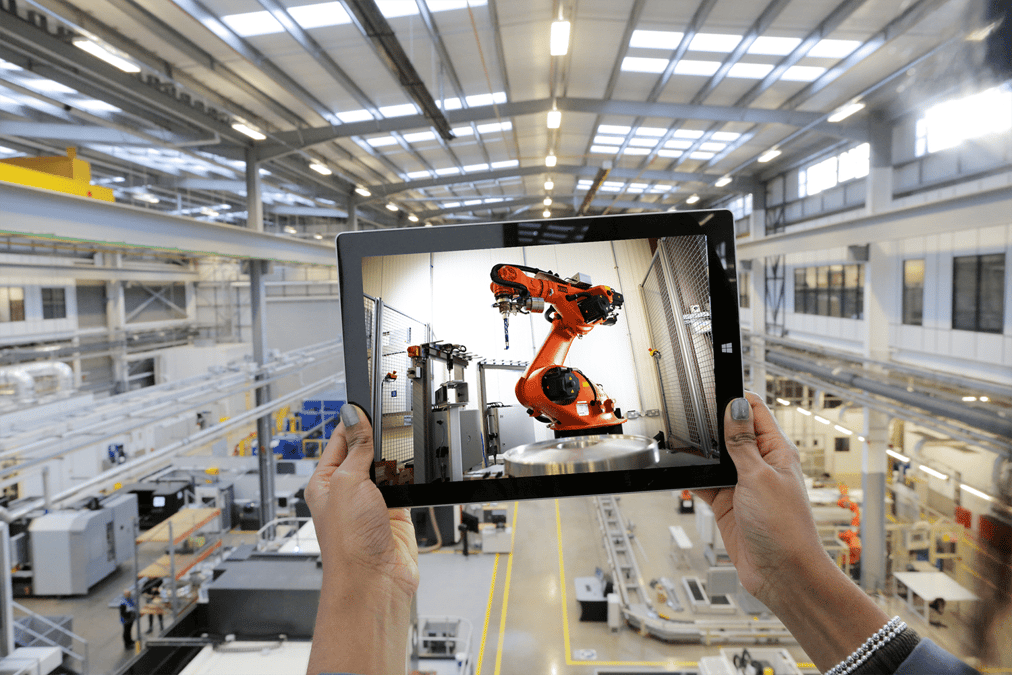
On the factory floor, a single broken robotic arm can halt an entire production line. Manufacturing and automotive companies have increased their usage of AR remote support tools by 35% in recent years.
With AR, plant operators can quickly collaborate with off-site diagnostic engineers to inspect complex wiring, align high-precision components, and verify assembly accuracy without waiting for physical travel.
Telecom, Utilities, and Field Services
In telecom and utility operations, technicians cover massive geographic areas. Sending a truck to a site just to flip a switch or verify a serial number is incredibly inefficient.
AR tools allow dispatchers to triage issues beforehand. In many cases, a remote expert can guide the local technician—or even the customer—through simple hardware resets, router configurations, or pipeline inspections. This reduces unnecessary truck rolls and ensures that when a technician is dispatched, they arrive with the exact parts needed for the job.
Choosing the Right AR Remote Troubleshooting Tools for Your Business
Selecting the right platform is critical to achieving high adoption rates and a strong ROI. If a tool is too difficult for technicians to use, they will simply leave it in their digital toolbox. For an overview of the landscape, read our breakdown of Augmented Reality CX Tools.
Key Features to Look for in AR Remote Troubleshooting Tools
When evaluating platforms, look for these essential features:
- Persistent 3D Annotations: Ensure drawings and arrows lock onto physical objects and don't drift when the camera moves.
- Session Recording and Archiving: The ability to record calls for compliance, auditing, and building training libraries.
- Text Recognition (OCR): A smart feature that reads printed text, serial numbers, or error codes on equipment and allows the expert to copy-paste them instantly.
- Multi-Participant Calls: The ability to bring multiple specialists into a single call to solve highly complex, multi-system problems.
- Live Translation and Captions: Essential for global organizations where experts and field workers speak different languages, or for noisy factory floors where text captions are easier to read than audio.
To understand how these features directly improve support operations, read our article on AR and Customer Support.
Browser-Based vs. App-Based Deployments
One of the biggest friction points in remote support is getting the person on-site to install software.
If a customer or a third-party contractor has to download a heavy app, create an account, and configure permissions, they might give up before the session even starts. This is where browser-based solutions shine.
With a platform like Blitzz, the expert simply sends a link via SMS or email. The recipient taps the link, and a secure, high-definition AR video session opens instantly in their mobile browser—no downloads, no registrations, and no hassle. This frictionless access is the single biggest driver of user adoption.
For enterprise teams wanting to embed these capabilities directly into their own systems, look for platforms that offer a robust Mobile SDK to integrate AR visual support into your existing field service or customer-facing mobile apps.
Implementation Roadmap: Deploying and Scaling AR Tools
Deploying new software requires a structured approach to ensure organizational buy-in. To avoid common pitfalls, review our analysis of Augmented Reality Based Remote Assistance Risks.
Launching a High-Impact Pilot Program
Don't try to roll out AR to your entire global workforce on day one. Instead, follow this phase-by-phase roadmap:
- Identify a Pilot: Choose a specific, high-impact project or region with high travel costs, frequent repeat visits, or a clear skills gap.
- Define Clear KPIs: Measure baseline metrics like first-time fix rates, average resolution time, and travel expenses before the pilot, then track them weekly during the trial.
- Train Champions: Train a small, enthusiastic group of technicians and experts. Let them experience the "aha!" moment of drawing on a screen and seeing it appear in the real world.
- Gather Feedback: Regularly check in with your pilot users to refine your workflows before scaling up.
Security, Connectivity, and Compliance Considerations
Enterprise-grade deployments must prioritize security and compliance. Ensure your chosen tool offers:
- End-to-End Encryption: Secure 256-bit AES encryption for all video streams and data in transit.
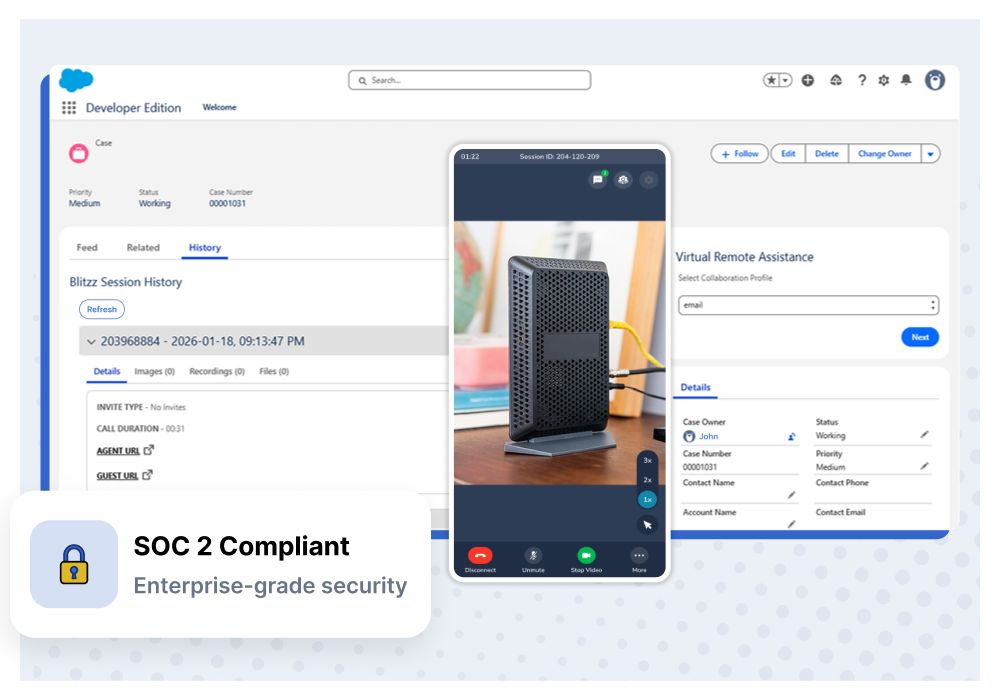
- Compliance Certifications: SOC 2 Type II compliance, GDPR, and HIPAA compliance (especially important for medical device servicing).
- Role-Based Access Control: Granular permissions to control who can initiate calls, view recordings, or access customer data.
- Low-Bandwidth Modes: The ability to function reliably in areas with poor cellular reception, such as basements, remote substations, or offshore rigs.
The Future of AR Remote Troubleshooting Tools: AI and IoT Integration
The AR remote support landscape is evolving rapidly, driven by the convergence of spatial computing, Artificial Intelligence (AI), and the Internet of Things (IoT).
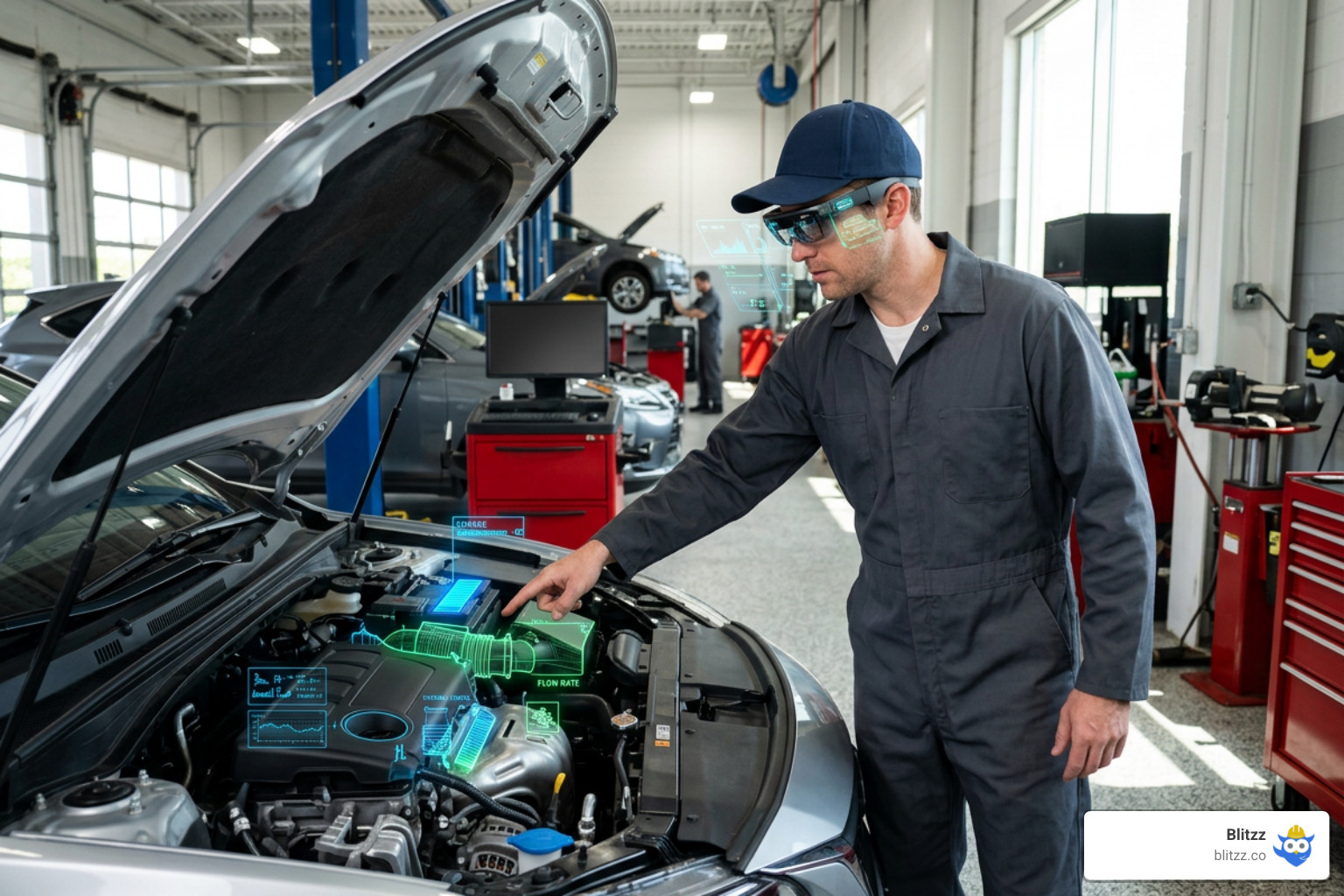
AI-driven virtual assistants are now being integrated into AR tools, improving diagnostic accuracy by automatically identifying parts and suggesting troubleshooting steps based on historical data. AI can also automatically transcribe support calls and generate concise, structured summaries of the problem and its resolution, saving technicians valuable documentation time.
Furthermore, by fusing AR with IoT data, technicians can point their camera at a machine and see real-time operating temperatures, pressure readings, and error codes overlaid directly onto the physical asset.
To explore where this technology is heading, read our thoughts on AR and AI on Customer Support. With the global AR/VR market projected to reach US$50.9 billion in 2026, investing in these tools is no longer a futuristic experiment—it is a strategic necessity. Check out the Statista AR market growth forecast to see the massive scale of this global shift.
Frequently Asked Questions about AR Remote Support
How does AR remote assistance handle poor internet connectivity?
The best AR tools feature low-bandwidth optimization. If your network connection degrades, the software automatically reduces video quality to keep the call active. If the connection becomes extremely poor, you can use the "freeze image" or "snapshot" feature to capture a high-resolution photo, draw annotations on it, and send it back to the technician with minimal data usage.
Do technicians need specialized smart glasses to use AR troubleshooting tools?
No. While smart glasses are excellent for hands-free work in hazardous environments, the vast majority of field service sessions are conducted using standard, everyday smartphones and tablets. The technology is completely device-agnostic, meaning your team can use the hardware they already carry in their pockets.
Is AR remote assistance secure for enterprise data?
Yes, provided you choose an enterprise-grade platform. Look for solutions that feature end-to-end 256-bit AES encryption, multi-factor authentication (MFA), single sign-on (SSO) integration, and SOC 2 Type II compliance. Additionally, ensure the platform allows you to control where session recordings and snapshots are stored to meet data sovereignty requirements.
Conclusion
In field services and manufacturing, waiting for an expert to travel to a site is a costly, outdated approach. AR remote troubleshooting tools bridge the physical gap, allowing your most experienced engineers to guide local technicians through complex repairs in real time.
By implementing these tools, businesses cut travel budgets, slash equipment downtime, and preserve critical institutional knowledge.
At Blitzz, we believe remote support should be instant and frictionless. Our browser-based, zero-download visual assistance platform lets your experts connect with technicians or customers in a single click, delivering powerful AR annotations, document sharing, and CRM integrations without the hassle of app store downloads.
Ready to see how simple and effective AR remote support can be? Explore Blitzz Features and start keeping your machinery humming today.

Blitzz Team
The Blitzz Team writes about remote video support, virtual inspections and field service. Our guides come from working with home builders, property managers, warranty teams, contact centers and field service organizations that use Blitzz to see and solve issues without a truck roll.