.png?width=120&height=55&name=Blitzz-Logo-right%20white%20eyes%20-%20not%20transparent%20(3).png)

On this page
What Happens When Your Agents Can See What Customers See — Without Leaving Salesforce
Your agents already live in Salesforce. They open cases there, resolve tickets there, manage work orders there. Every customer interaction flows through the same interface. That familiarity is an asset — and the last thing you want is a new tool that pulls your agents out of it.
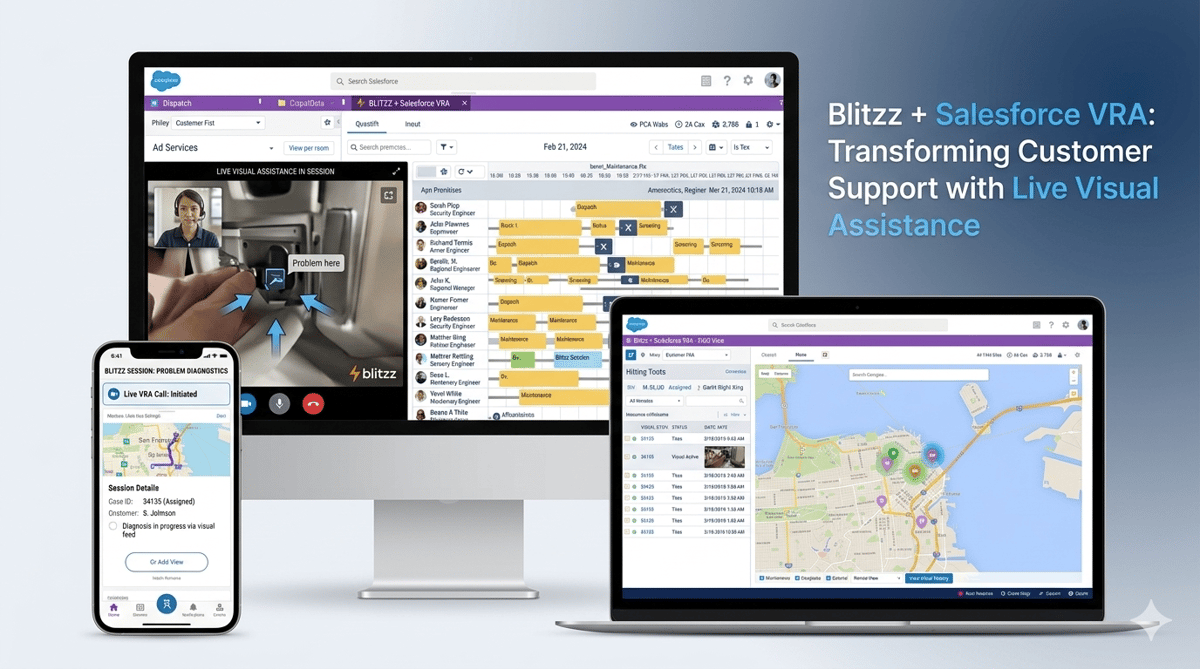
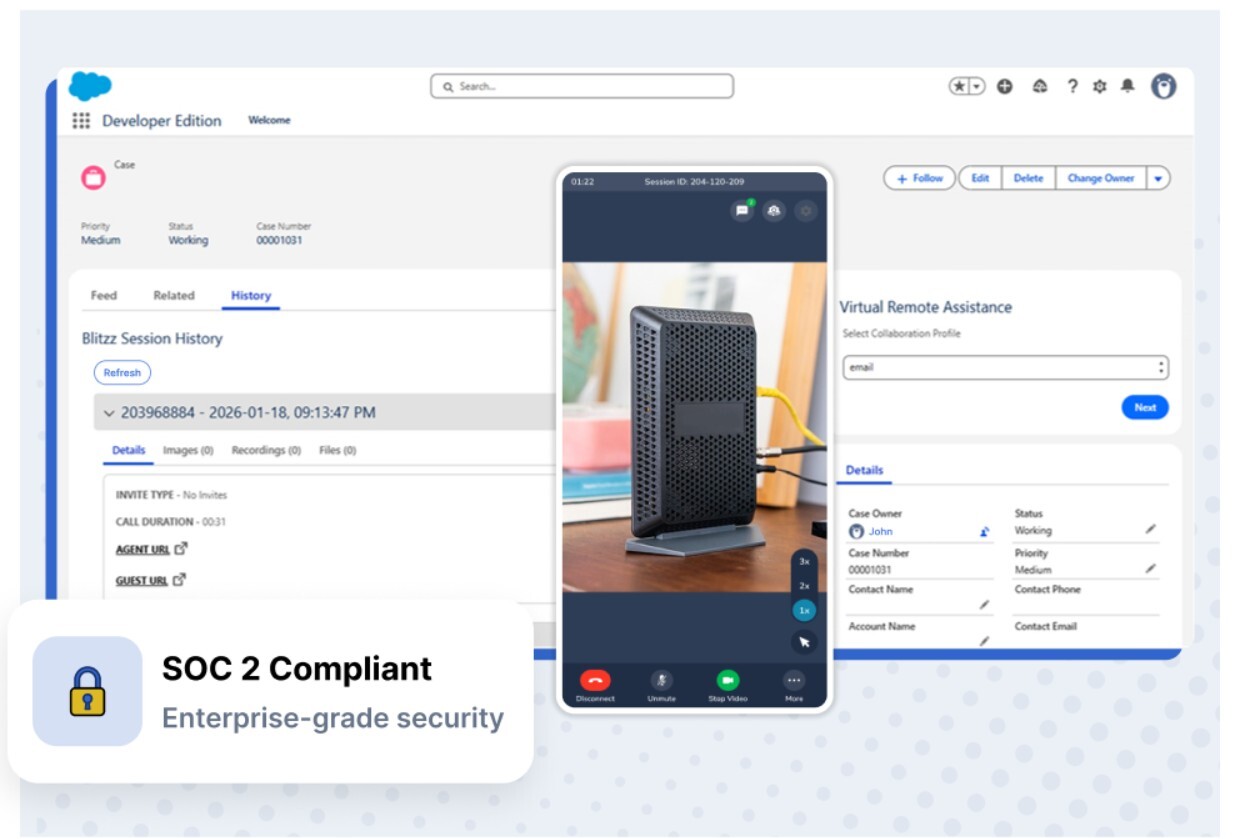
That's the core promise of Blitzz Visual Remote Assistance (VRA) for Salesforce: the full power of live video support, co-browsing, AR annotation, and inspection-grade documentation — launched from inside Salesforce with one click, and synced back automatically when the session ends.
No separate tab. No copy-paste into case notes. No asking customers to download anything. Just visual support that fits into the workflow your team already uses, making every interaction faster, more accurate, and more completely documented.
Here's the full picture of what Blitzz + Salesforce VRA does, how it works, and why it consistently outperforms voice-only support across every metric that matters.
What Is Blitzz VRA for Salesforce?
Blitzz Visual Remote Assistance (VRA) for Salesforce is a native integration available on the Salesforce AppExchange that embeds live video support, co-browsing, screen sharing, AR markup tools, and remote inspection capabilities directly into Salesforce Service Cloud, Sales Cloud, and Field Service Lightning.
The integration works with both Salesforce Classic and Lightning Experience, and can be launched from any standard or custom Salesforce object — Cases, Contacts, Accounts, Work Orders, or any custom record your team uses.
Once installed, agents have a Blitzz widget embedded in their Salesforce page layouts. They see a customer's record, they need to visually diagnose or guide something — they click once, the customer receives a browser link, and within seconds the agent is live in the customer's environment. No switching platforms. No broken context. No setup.
Blitzz is completely browser-based — agents send a secure link via SMS, email, or WhatsApp, and customers click to connect instantly from any smartphone browser on iOS or Android, with no app store visits or downloads required, achieving 95%+ connection success rates.
That 95%+ connection rate isn't incidental. It's the direct result of a design philosophy that treats the customer's experience as equally important as the agent's. Every percentage point of friction in the customer's join experience is a session that doesn't start. No-download, browser-based access removes that friction entirely.
The Problem Blitzz VRA Solves Inside Salesforce
Before getting into features, it helps to understand the exact gap Blitzz fills.
Salesforce is exceptional at managing data about customers — case history, account details, service agreements, prior interactions. What it doesn't have is a way for agents to see the customer's current reality. They're working from records. The customer is living the problem.
This gap plays out every day in contact centers and field service teams:
A customer calls with a device that won't connect. The agent opens the case in Salesforce, sees the account history, and starts asking questions. The customer describes the error screen — in their own vocabulary, with their own interpretation of what they're seeing. The agent interprets that description and suggests a fix. It doesn't match the actual situation. More questions. More descriptions. The call extends past ten minutes. A dispatch gets created that may not have been necessary if the agent had simply been able to see what the customer was looking at.
Blitzz VRA eliminates the description layer entirely. The agent sees the screen. The agent sees the device. The agent sees the property damage, the equipment configuration, the form the customer is stuck on. And everything observed, annotated, and documented flows back into the Salesforce record automatically.
This is what it means to transform customer support — not with a new process, but with a tool that removes the fundamental information asymmetry that makes support hard.
Core Features: What Blitzz VRA Brings Into Salesforce
Live HD Video Support
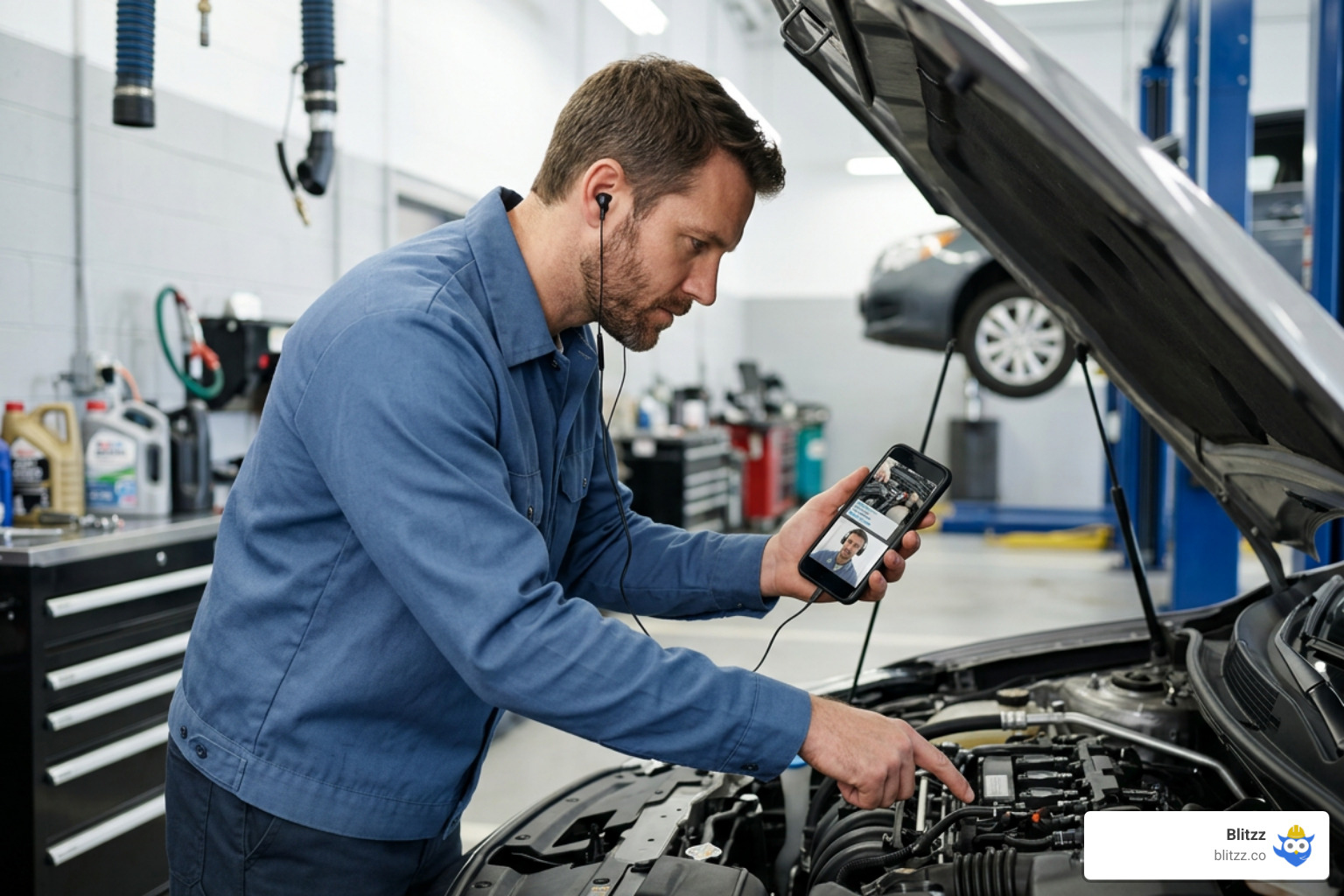
The agent activates a live camera session from the customer's smartphone — seeing their physical environment in real time through the Salesforce interface. This is the core of Visual Remote Assistance: an expert's knowledge applied to a situation they can actually see, rather than one they're trying to reconstruct from a verbal description.
For field service teams, this means assessing equipment condition before dispatching a technician. For insurance teams, it means capturing property damage for a claim while the session is live. For contact centers, it means seeing the device, the error message, or the installation that the customer has been struggling to describe.
Co-Browsing and Screen Share
Alongside camera-based video, Blitzz VRA supports full co-browsing — the agent joins the customer's browser session and sees the same page, same form fields, same error state, in real time. The agent can guide navigation, highlight specific elements, and walk the customer through a digital process step by step.
Screen sharing is also available, giving agents a view of the customer's full screen when a broader context is needed. Both co-browse and screen share are launched from the same Salesforce widget, keeping the agent in one interface throughout.
AR Annotation Tools and Live Markup
Once the agent is in a live video or screen session, they have a full set of AR annotation tools: arrows, freehand drawing, text labels, and a live pointer that the customer sees overlaid on their real-world view or screen in real time.
This is the feature that makes verbal instructions largely unnecessary. Instead of "look at the blue button on the left side of the panel near the top," the agent draws an arrow pointing directly to it. The customer sees the annotation on their screen. There is no ambiguity. No misinterpretation. The fix happens faster, and the customer hangs up having felt genuinely guided rather than talked at.
High-Resolution Image Capture With Timestamps
During any Blitzz VRA session, the agent can capture high-resolution photos directly from the live camera feed. Every image is automatically timestamped and linked to the session record. No manual upload. No email attachments. No asking the customer to take and send photos separately.
For insurance and inspection teams, these timestamped images are the evidentiary documentation that turns a session into a compliance-ready record. For customer support teams, they're the "before" photos that prevent disputes and enable accurate follow-up.
OCR and Live Text Extraction
One of Blitzz VRA's most practical capabilities for field service and inspection teams: the ability to read text directly from the live camera feed. Serial numbers, VIN codes, model numbers, meter readings, and policy numbers are captured via OCR and populated automatically into Salesforce fields — eliminating manual transcription and the errors that come with it.
A field technician pointing their camera at a serial number plate populates the Salesforce work order automatically. An insurance adjuster capturing a policy number from a document during a claim session has it in the record before the call ends.
AI-Generated Call Summaries
Every Blitzz VRA session ends with an AI-generated summary — a drafted set of session notes covering what was discussed, what was observed, and what was resolved or escalated. This summary syncs automatically to the Salesforce case or record, giving the agent a documentation starting point rather than a blank field to fill from memory.
For supervisors and QA teams, AI-generated summaries mean consistent documentation quality across agents — not dependent on individual note-taking habits or end-of-shift fatigue.
GPS Location Data
For field service and inspection use cases, Blitzz VRA captures GPS location data during sessions — automatically associating the inspection or support interaction with a specific geographic location. This syncs to the Salesforce work order or case record, adding a spatial dimension to the documentation that text notes cannot provide.
Full Session Recording
Every session is recorded in full — video, audio, screen share, and annotations. Recordings sync to Salesforce automatically and are accessible from the associated record for supervisor review, QA coaching, dispute resolution, and compliance documentation.
What Syncs Back to Salesforce — Automatically
This is the operational linchpin of the entire integration. When a Blitzz VRA session ends, the following data syncs automatically to the associated Salesforce record — with no agent action required:
- Full session recording (video, audio, screen events)
- Captured images with timestamps and annotations
- AI-generated call summary and session notes
- GPS location data from the session
- OCR-extracted text data (serial numbers, VINs, model codes)
- Session metadata (duration, start/end time, connection method)
Blitzz automatically syncs session metadata, call recordings, captured images, annotations, GPS location data, and AI-generated call summaries to your Salesforce records.
The configuration is flexible: you choose which Salesforce objects receive session data, set up field mappings to match your organization's data structure, and control which information populates which fields. The default configuration covers the most common Salesforce setups, and the Blitzz REST API enables custom mappings for organizations with bespoke record structures.
Which Teams Benefit Most
Contact Centers and Customer Support — Agents handling technical support, product troubleshooting, and equipment issues resolve more interactions on the first call when they can see what the customer is dealing with. First-call resolution improves. Handle times drop. Customer satisfaction scores climb. All documentation is complete and automatic before the agent moves to the next case.
Field Service Teams — Before dispatching a technician, service managers launch a Blitzz VRA session from the Salesforce work order to visually triage the problem. They see the equipment, confirm the issue, and either resolve it remotely or send the right technician with the right parts — eliminating the no-fault-found dispatches that cost $200–$1,000 each.
Insurance Claims — Adjusters conduct remote FNOL assessments from within Salesforce, capturing timestamped photos of damage, extracting policy numbers via OCR, and building a documented claim record during the session. Physical site visits are reserved for claims that genuinely require them.
Sales Teams — Sales reps launch live product demonstrations from Salesforce contact or deal records, co-browsing with prospects through pricing pages, configuration tools, or product walkthroughs. Visual selling reduces confusion, accelerates decision-making, and shortens deal cycles.
Manufacturing and Equipment Support — Support engineers see the machine, read the error code, and walk the operator through a fix using AR annotation — with serial numbers and component data populating Salesforce work orders automatically via OCR.
Getting Set Up: A Same-Day Deployment
Installation from the Salesforce AppExchange takes just minutes — after installing the package, you configure it with your Blitzz API key, set up field mappings, and add the Blitzz widget to your page layouts. Most teams are up and running the same day.
The installation process:
- Search for "Blitzz" on the Salesforce AppExchange and click Get It Now
- Select your production or sandbox org and accept the terms
- Activate the package with your Blitzz API key
- Configure field mappings to match your Salesforce data structure
- Add the Blitzz widget to your page layouts — Cases, Contacts, Work Orders, or any object your team uses
- Start sessions from any configured record
Blitzz also supports installation as a Managed Package for organizations that prefer that deployment path. Full setup documentation is available in the Blitzz Help Center.
Pricing
Starting at $35 per user per month, Blitzz for Salesforce includes enterprise-grade features: co-browse, screenshare, video chat, video support, audio chat, markups, high-resolution image capture, no app install, white labeling and branding, call scheduling, and more.
The package can be tested in a free Salesforce sandbox environment before any production commitment. A free demo is available for teams that want to see the integration in action before trialing.
Why Blitzz VRA, Not Just Any Video Tool
It's worth being explicit about why purpose-built VRA software outperforms general video conferencing tools — even when those tools are familiar and already in your stack.
Zoom, Teams, and FaceTime can show you what something looks like. Blitzz VRA lets you work with what you're seeing. The difference is the toolset built around the video: AR annotation that turns a camera feed into a guided instruction layer. OCR that turns a live view of a serial number into a database entry. Timestamped photo capture that turns a visual assessment into a compliance record. AI summaries that turn a 10-minute session into a completed case note. And a direct sync to Salesforce that turns all of it into customer intelligence.
General video calls produce a recording you have to watch to extract anything from. Blitzz VRA sessions produce structured, searchable, CRM-linked data that your entire organization can use.
That's the difference. And at $35 per user per month, it's a difference that pays for itself in the first week's avoided dispatches and documented claims.
Frequently Asked Questions
Does Blitzz VRA work with Salesforce Lightning and Classic?
Yes. The Blitzz VRA integration works with both Salesforce Classic and Lightning Experience. You can add the session launcher to any object layout — including custom objects — in either interface.
Do customers need to download anything to join a session?
No. Customers receive a link via SMS, email, or WhatsApp and connect through their smartphone browser on iOS or Android. No app download, no account creation, no friction. Blitzz achieves 95%+ connection success rates because of this browser-based architecture.
What Salesforce products does Blitzz VRA support?
Blitzz integrates with Salesforce Service Cloud, Sales Cloud, and Field Service Lightning. Sessions can be launched from Cases, Contacts, Accounts, Work Orders, and custom objects.
Can I test Blitzz VRA before buying?
Yes. Blitzz offers a free trial in a Salesforce sandbox environment. You can also request a live demo to see the integration in action with your team's specific use cases.
Does the integration support white labeling?
Yes. White labeling and custom branding are included at the enterprise tier. Your agents and customers see your brand throughout the session experience.
Is Blitzz VRA HIPAA-compliant and secure?
Yes. Blitzz is SOC-2 certified, HIPAA-compliant, and uses end-to-end encryption across all sessions. SSO/SAML support is available. Data hosting options include Blitzz-managed servers, AWS, Azure, or on-premise for organizations with data residency requirements.
What other platforms does Blitzz integrate with?
Beyond Salesforce, Blitzz integrates natively with Zendesk, HubSpot, Microsoft Dynamics 365, Genesys Cloud CX, NICE CXone, Procore, Accela, Five9, and Zapier. A full REST API is available for custom integrations. See the complete Blitzz integrations page.
Your Agents Are Already in Salesforce. Now Give Them Eyes.
Salesforce knows your customers better than almost any platform on earth. It holds their history, their cases, their contracts, and their contact details. The one thing it can't do is show your agents what those customers are actually looking at right now.
Blitzz VRA closes that gap — without changing the workflow your agents already know, without asking your customers to download anything, and without creating a documentation burden that falls on already-stretched teams.
One click. Live visual session. Everything synced back automatically. That's the integration.
Ready to see it in action?
Explore Blitzz VRA for Salesforce →
Start a free 30-day trial at blitzz.co → — no credit card required.
Related reading:

Blitzz Team
The Blitzz Team writes about remote video support, virtual inspections and field service. Our guides come from working with home builders, property managers, warranty teams, contact centers and field service organizations that use Blitzz to see and solve issues without a truck roll.