


On this page
Property managers spend a surprising amount of time walking units. There are move-in inspections to document condition, turnover inspections to scope the make-ready, and warranty and maintenance checks to decide whether a problem needs a technician at all. Every one of those visits means a drive, a key, a schedule, and often a conversation with someone who isn't home.
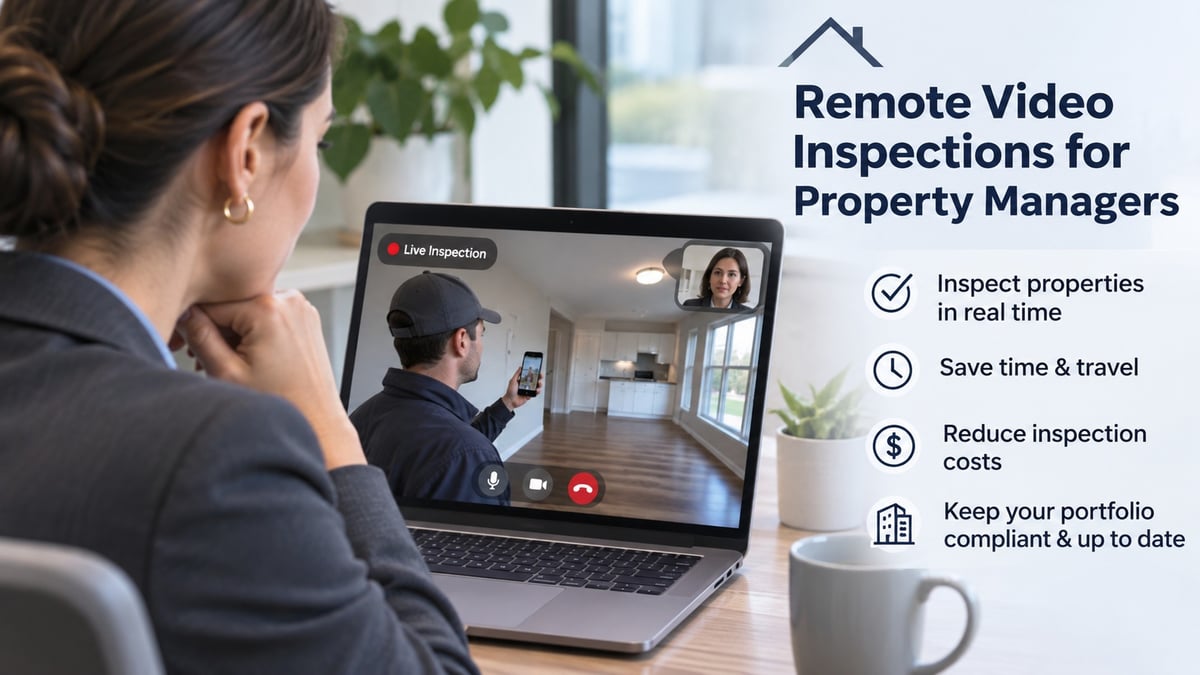
Remote video inspections can take over a large share of that work. A resident or on-site staff member walks the unit with a phone, a manager or maintenance lead watches live or reviews the footage, and everyone gets a clear, time stamped record without anyone driving across town.
This guide covers how property managers can use remote video inspections for move-ins, turnovers, and warranty checks. It includes what to capture, the evidence security deposit disputes increasingly require, a room-by-room shot list, and how to run sessions that respect residents' privacy and hold up later.
Why property managers are adopting remote video inspections
The appeal is simple: most unit inspections are visual, repetitive, and spread across many addresses. Two Blitzz customers show what changes when video takes over part of that work.
- Durango Turnkey Services, which handles property turnovers for investors and property managers, used remote and async video inspections to eliminate 90-minute commutes. It completed 230 inspections in the first quarter, hit a 91% completion rate in March, and expanded its portfolio from three to seven, now serving between 2,500 and 3,000 units. The workflow worked so well for its North Carolina partners that it is now required across their properties in the state.
- Avalon Master Builder, a Calgary home builder, replaced phone calls and email threads for warranty requests with video submitted through a link. In three months it received 350 service requests averaging about five minutes each to submit, and it largely eliminated the pre-assessment visits that used to come before any repair.
Two more forces make this timely. First, evidence requirements are tightening. California's AB 2801 now requires photos at move-in, at move-out, and after repairs when a deposit deduction is involved. Second, residents prefer convenience. Submitting a short video at 10 p.m. beats waiting for an appointment window.
The rest of this guide covers how to apply remote video to the three jobs property managers do most: move-ins, turnovers, and warranty and maintenance checks.
Move-in inspections
A move-in inspection sets the baseline for everything that follows. If the unit's condition at the start of a tenancy isn't documented, every later disagreement about damage becomes your word against the resident's.
In California, the baseline is now a legal requirement. For tenancies that begin on or after July 1, 2025, landlords must take photographs of the unit immediately before, or at the beginning of, the tenancy, according to San Francisco's Rent Board. Other states set their own rules, so check yours.
A remote workflow gives you two layers of evidence:
- A staff walkthrough just before move-in. A leasing or maintenance team member records the unit as it is handed over, clean and rent-ready. This is your own baseline, taken on your schedule.
- A resident walkthrough in the first days. Send the new resident a link and a short checklist. They record a video, room by room, noting anything that isn't right. Because it is submitted asynchronously, they can do it when it suits them, and you get a record of existing issues before anyone has had time to cause new ones.
Both records should be time stamped and stored by unit. If the resident reports a problem on day two, you can compare their video to your own baseline, fix legitimate issues quickly, and avoid disputes months later about who caused what.
Tip: ask residents to speak while they record, naming each issue as they show it. Narration turns a silent clip into a precise, searchable note.
Turnover and move-out inspections
Turnovers are where time and money leak. The unit sits vacant while someone drives over, looks around, writes a list, and drives back. Remote video shortens that loop, and it creates the evidence that deposit deductions depend on.
The evidence rules. Under California's AB 2801, as summarized by the San Francisco Rent Board, landlords must photograph the unit in two moments after move-out: within a reasonable time after possession is returned but before any repairs or cleanings for which a deduction is made, and again after those repairs or cleanings are complete. The photos have to go with the itemized statement if you deduct from the deposit. The same page notes that a landlord who retains a deposit in bad faith can be liable for penalties of up to twice the deposit amount, and that refunds are due within 21 days of the tenant vacating.
A remote turnover workflow keeps this simple:
- Pre-move-out walkthrough. California tenants have the right to request an inspection within two weeks before they vacate, with 48 hours' notice, so they can learn what deductions might apply. Where your rules and the resident allow, a video walkthrough can make this easier to schedule.
- Move-out condition record. Capture the unit as returned, before any cleaning or repairs, so the baseline for deductions is clear.
- Remote scoping. The maintenance lead watches or reviews the video, builds the make-ready list, and orders materials before anyone visits.
- Post-repair record and quality check. Capture the finished unit after cleaning and repairs, which is the second set of photos the law expects, and let a supervisor review it remotely before listing.
The result is a faster make-ready and a file you can send with an itemized statement without scrambling for photos.
Warranty and maintenance checks
The third use is the one that saves the most trips. Most maintenance and warranty requests start as a short message, like "there's a leak in the kitchen" or "the door isn't closing right." Without a picture, someone has to ask follow-up questions, or drive out just to look.
Avalon Master Builder describes that pattern in its case study: vague requests led to repeated follow-ups and in-home assessments before any repair could be scheduled, and trades sometimes arrived without the right parts because the real issue differed from the description. After switching to video submitted through a link with no app and no login, requests arrived with clear context and trade partners could receive just the relevant portion of a video before the visit. The team reports fewer pre-assessment visits and more issues resolved on the first trip.
Property managers can use the same triage pattern:
- Ask for a video, not a description. Send a link and ask the resident to walk through the issue and say what they are seeing.
- Decide before dispatch. Can the resident fix it with guidance, does it need a technician, and what parts will the technician need?
- Document warranty evidence. A time stamped video of a defect, plus the record of when it was reported, strengthens warranty claims with builders and vendors.
Even a modest reduction in diagnostic visits adds up across hundreds of units.
Room-by-room shot list
A consistent checklist is what makes a video inspection credible. Use the same list for move-ins, move-outs, and post-repair checks, so before and after records line up. In each room, shoot wide, then medium, then close on any damage or wear.
Entry and living areas
- The front door, lock, and entry flooring
- Walls, ceiling, and baseboards on each side of the room
- Windows, blinds, and screens, opened and closed
- Flooring across the whole room, including corners
Kitchen
- Cabinets and drawers, open and closed
- Countertops, sink, and faucet, including under the sink
- Appliances, inside and out, with the oven and refrigerator open
- Flooring around the dishwasher and refrigerator
Bathrooms
- Toilet, tub or shower, and vanity, including grout and caulk
- Under-sink plumbing and any signs of water
- Fans, mirrors, and towel bars
Bedrooms and closets
- Walls, ceiling, and flooring
- Closet doors, rods, and shelving
- Windows and window coverings
Mechanical and safety
- The water heater, including the data plate, relief valve and drain, and any signs of leaks
- The HVAC unit and filter
- The electrical panel, labeled, and a quick test of outlets and switches
- Smoke and carbon monoxide alarms, shown in place
Finish every walkthrough with the address visible and a short spoken summary. The summary becomes the headline of the record.
Running a session: notice, privacy, and common mistakes
A video of someone's home is personal. Handle it carefully.
Notice and consent. Entry and inspection notice rules vary by state and lease, so check yours. In California, for example, landlords must give 48 hours' notice of a pre-move-out inspection, which a tenant can waive in writing. For resident-recorded video, explain in plain language what you're asking for, how it will be used, and who will see it, and get the resident's agreement in writing.
Privacy. Ask residents to keep people, mail, documents, and valuables out of the frame. Share clips only with those who need them, such as the maintenance lead or the technician, and store them securely by unit.
Most problems with remote inspections come from a short list of avoidable mistakes:
- No checklist. Without one, every video covers different things, and comparisons fall apart.
- Dark or shaky footage. Ask for lights on, blinds open, and a slow pan.
- Skipping closets, under sinks, and mechanical areas, where damage and leaks hide.
- Keeping files on personal phones. Records belong in a shared system, filed by unit, not in a staff member's camera roll.
Records and tools: keep evidence organized by unit
The value of a video inspection is not the video. It is the record. When a dispute arrives six months later, you need to find the right unit, the right date, and the right evidence in minutes.
Look for tools that:
- File every capture to the right unit automatically, with a time stamp and, ideally, location.
- Work for residents without friction. A link that opens in a browser, with no app and no login, gets more completed walkthroughs.
- Support both live and asynchronous video, so you can guide a resident in real time or let them record on their own schedule.
- Use checklists, so every walkthrough covers the same items.
- Share selectively, so a technician or a resident sees only the portion that matters.
- Produce reports you can attach to an itemized statement or a warranty claim.
Blitzz covers both ends. Blitzz Inspect gives teams a link-based, app-free session for live or asynchronous walkthroughs with residents and homeowners, similar to how Avalon and Durango use Blitzz. For your own staff, BlitzzCam captures GPS and time stamped photos and video filed to the right job, with reusable checklists, offline capture, and branded PDF reports you can share by link without an app or login.
FAQ
Can a remote video inspection replace an in-person move-out inspection?
It depends on your state and lease. Many property managers use video for scoping and documentation and still visit when a resident requests an in-person inspection. Check your local rules and get the resident's agreement in writing.
What photos does California require for security deposits?
Under AB 2801, landlords must photograph the unit after move-out before repairs or cleanings for which a deduction is made, and again after those repairs are completed. For tenancies starting on or after July 1, 2025, they must also photograph the unit before or at the start of the tenancy.
Do residents need to download an app?
Not with link-based tools. Avalon's homeowners submit video requests through a link, with no app and no login.
The bottom line
For property managers, remote video is less about technology than about evidence and time. A clear baseline at move-in, documented condition at turnover, and visual triage for warranty and maintenance requests cut trips and settle disputes before they start. Book a Blitzz Inspect demo to see a link-based walkthrough, or start a free BlitzzCam trial to capture GPS and time stamped records across your units.

Blitzz Team
The Blitzz Team writes about remote video support, virtual inspections and field service. Our guides come from working with home builders, property managers, warranty teams, contact centers and field service organizations that use Blitzz to see and solve issues without a truck roll.