

.png?width=120&height=55&name=Blitzz-Logo-right%20white%20eyes%20-%20not%20transparent%20(3).png)

On this page
Why Visual Remote Assistance for Genesys Is a Game-Changer for Field Service Teams
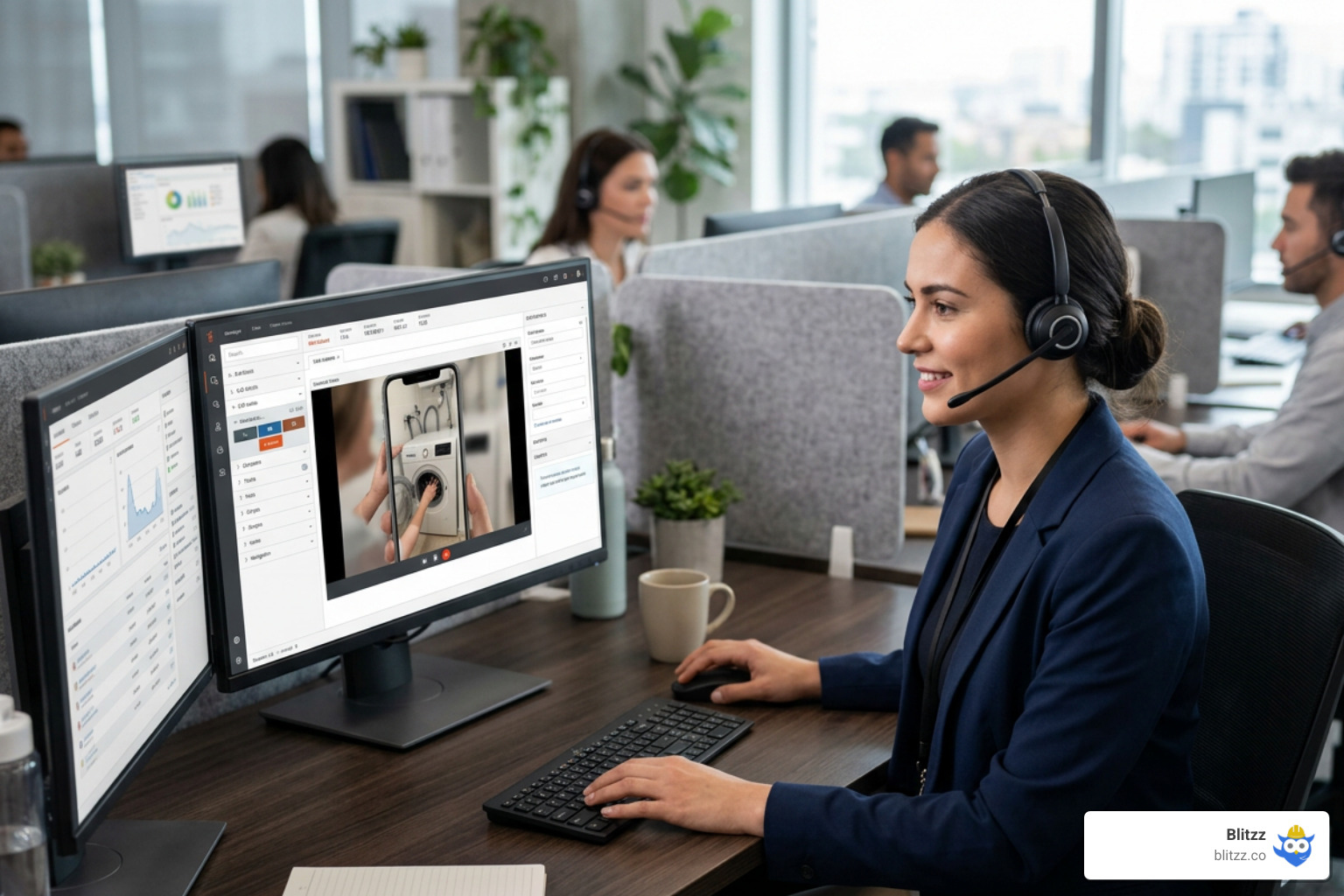
Visual Remote Assistance for Genesys lets your contact center agents see exactly what the customer sees — in real time, through their smartphone camera — without dispatching a single technician.
Here's what it means in practice:
- What it is: A live video and AR annotation tool embedded directly inside your Genesys agent desktop
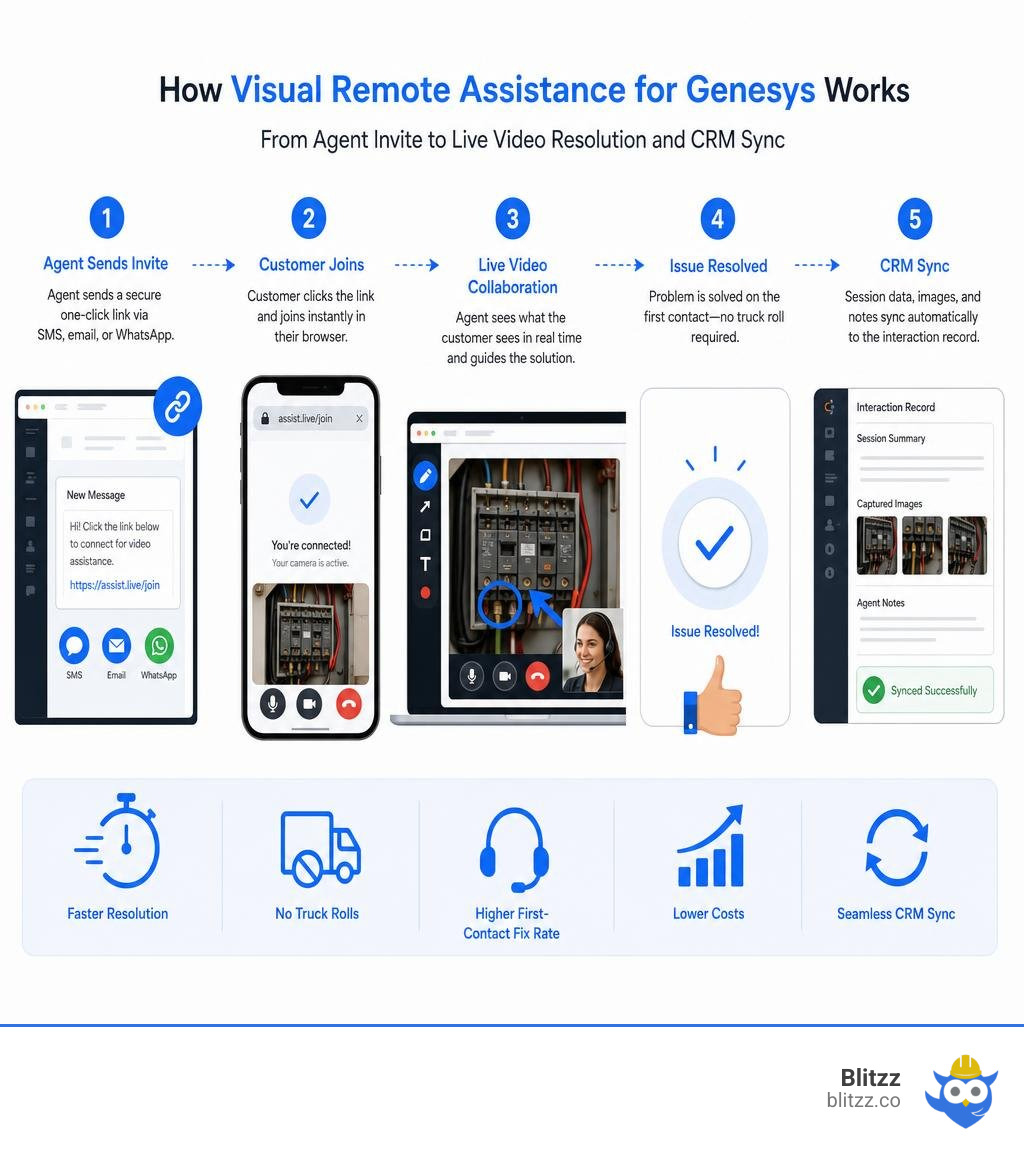
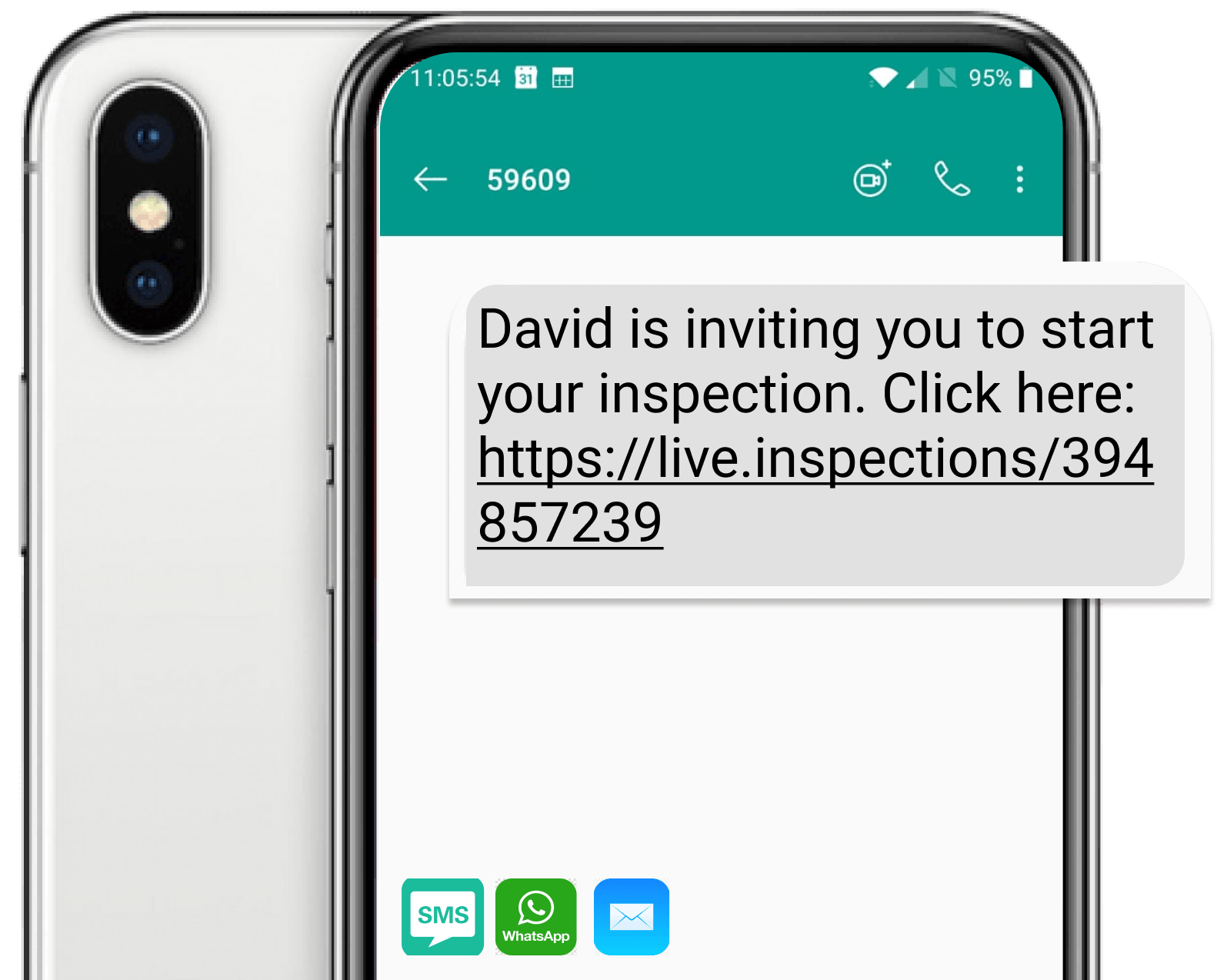
- How it works: Agents send a one-click link via SMS, email, or WhatsApp — customers connect instantly through their browser, no app download needed
- What it solves: High truck-roll costs, slow issue resolution, and low first-contact fix rates
- Who it's for: Contact center teams in telecom, utilities, field service, insurance, and healthcare
- Key result: Organizations report up to 10x ROI in the first month, and the average truck roll costs around $1,011 — every avoided dispatch goes straight to the bottom line
If your team is still sending technicians on-site to diagnose problems that a phone camera could solve in minutes, this guide is for you.
The core idea is simple. Verbal descriptions of physical problems are unreliable. An agent asking "is the red wire connected?" over a voice call is guessing. An agent who can see the red wire — and draw an arrow pointing directly to it — resolves the issue faster, with less frustration on both sides.
Leading platforms like Blitzz integrate natively with Genesys Cloud CX through the Genesys AppFoundry, meaning agents never have to leave their existing workspace to launch a live video session. Session data, images, and AI-generated summaries sync automatically back into the interaction record.
This guide covers everything: how the integration works, which features matter most, how to deploy it step by step, and how to measure the impact on your key metrics.
Simple Visual Remote Assistance for Genesys glossary:
Understanding Visual Remote Assistance for Genesys
In the world of customer service, we often run into a wall when trying to resolve complex issues over standard voice or chat channels. This is where Genesys Remote Visual Support steps in. By utilizing modern web standards, we can transform a standard voice call into a highly interactive, visual support session with a single click.
At the heart of this technology is WebRTC (Web Real-Time Communication). WebRTC allows browsers to establish peer-to-peer connections for high-definition video and audio streaming without requiring end-users to install third-party plugins or standalone mobile applications. When a customer receives a support link, they simply tap it, grant temporary camera access, and they are instantly connected to the agent. This frictionless, browser-based video approach is why Blitzz achieves connection success rates of over 95%.
By embedding these visual tools into Genesys Cloud CX, organizations can leverage native omnichannel routing. If a customer starts an interaction via a web chat, voice call, or messaging app, the interaction can be routed using Genesys’s robust routing engine. When the agent realizes that a visual assessment is required, they can launch a remote video session directly from the active interaction. To learn more about how these modern tools are redefining customer care, check out our guide on Remote Visual Assistance for Contact Centers.
How the Integration Works
The magic of integrating Visual Remote Assistance for Genesys lies in how cleanly it fits into the agent's existing workflow. Rather than forcing agents to toggle between multiple open tabs, copy-paste session links, or manage separate software licenses, the entire visual support experience is unified.
This is made possible through a deep API integration and the Genesys AppFoundry. The integration functions as a native widget on the Genesys agent desktop.
When an agent is on an active interaction, they can open the visual assistance panel on the right side of their screen. With one click, the system generates a secure, unique session URL and sends it to the customer via SMS, email, or WhatsApp. Once the customer clicks the link, the live video stream appears directly within the agent's Genesys workspace. Behind the scenes, secure APIs pass session metadata, recordings, and captured images directly back to the Genesys interaction timeline, ensuring that every visual record is preserved for future reference and continuous auditing.
Key Features of Remote Visual Support
When selecting an enterprise remote visual support tool, it is important to distinguish it from basic consumer video calling software. Enterprise platforms are built specifically to solve technical problems, guide repairs, and securely document interactions.
Core enterprise features include:
- High-Definition Live Video: Adapts dynamically to changing network environments so agents can see fine details clearly.
- Interactive Screen Sharing: Allows agents to share their screen to guide customers through software portals, digital manuals, or complex settings.
- Secure Snapshot Capturing: Lets agents freeze the frame and take high-resolution photos of serial numbers, damage, or completed work. These snapshots are automatically saved directly into the customer's case file.
- Flashlight Control: Allows agents to remotely activate the customer's smartphone flashlight to illuminate dark workspaces, such as under a sink or inside an electrical panel.
To see how specialized enterprise features compare to standard video platforms, take a look at the comparison below:
| Feature / Capability | Consumer Video Chat (e.g., Zoom, FaceTime) | Enterprise Remote Visual Support (Blitzz) |
|---|---|---|
| App Download | Usually required for both parties | None required (100% browser-based WebRTC) |
| AR Annotations | Absent or very basic | Advanced, sticky AR drawings and pointer tools |
| Genesys Integration | None (requires app-switching) | Native widget with automatic data and media sync |
| Snapshot Capture | Manual screenshots (saved locally on device) | Interactive high-res snapshots synced to CRM |
| Security & Compliance | General consumer privacy | HIPAA, GDPR, SOC 2 compliant with audit trails |
| Remote Control Tools | None | Remote zoom, flashlight activation, and video pause |
To explore the complete suite of capabilities, check out our dedicated VRA Features page.
Key Features of Visual Remote Assistance for Genesys
When you combine remote visual support with the Genesys platform, you unlock advanced capabilities designed to bridge the gap between physical environments and digital contact centers.
AR Annotations
Augmented Reality (AR) annotations allow agents to draw, place arrows, and write instructions directly onto the customer's live camera feed. Because these annotations are "sticky," they remain anchored to the physical object even if the customer moves or shakes the phone. This eliminates verbal confusion and allows agents to point out the exact cable to unplug or the specific valve to turn.
Co-Browsing
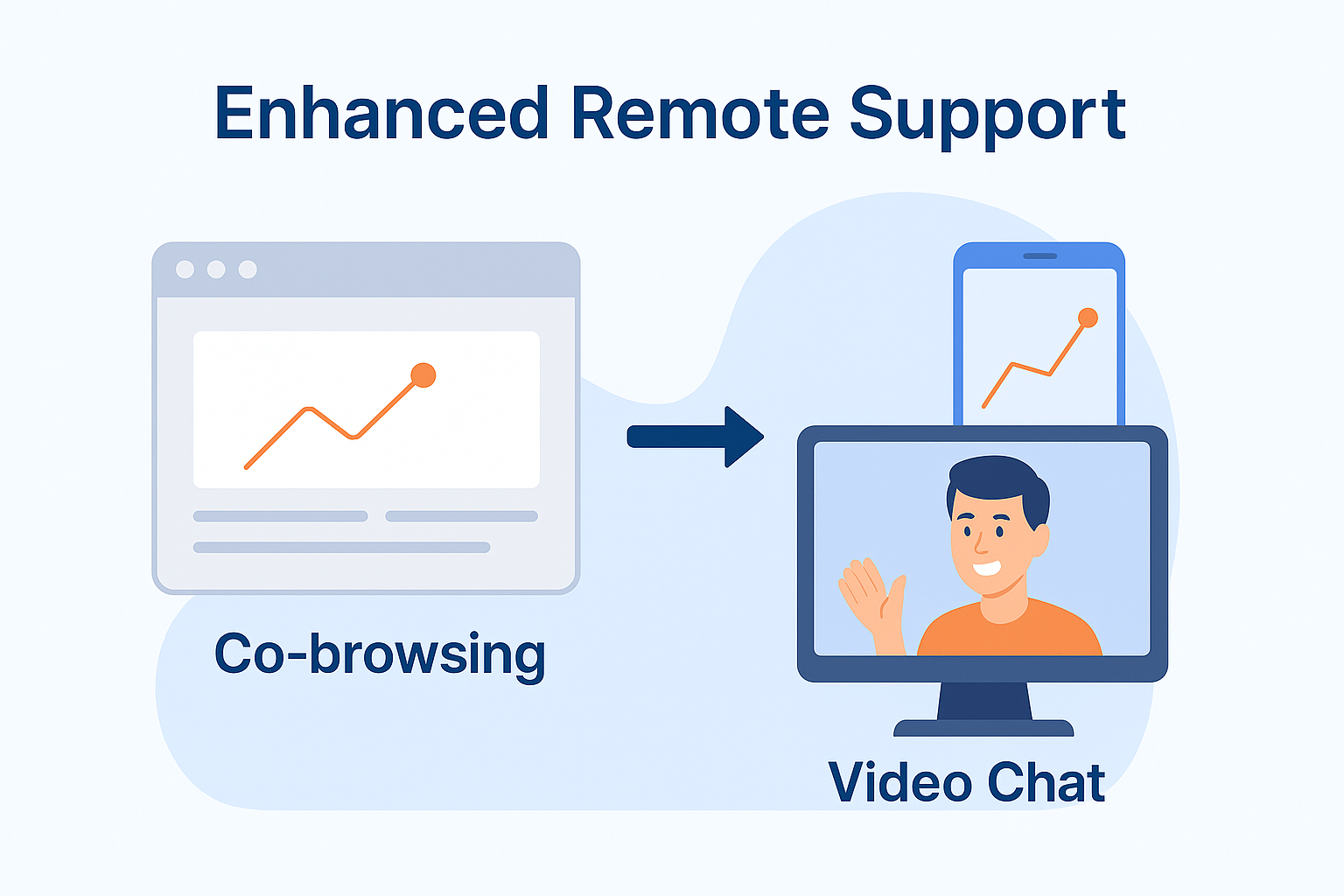
Sometimes, the problem isn't physical hardware, but a complex digital workflow. Co-browsing enables agents to securely view and interact with the customer's web browser tab in real-time. Agents can guide customers through online forms, bill payments, or account configurations without seeing sensitive personal data like passwords or credit card numbers, which are automatically masked.
Multiparty Collaboration
Complex issues often require a second set of eyes. With multiparty collaboration, a primary agent can invite a tier-2 specialist, an external contractor, or a manager into the live video session with a single click. Everyone can view the video feed, draw AR annotations, and collaborate in real-time to solve the problem quickly.
Merged Reality
Merged reality takes virtual collaboration a step further by blending two real-time video streams into one. An expert sitting in a remote office can place their hands in front of their own camera, and those hands will appear overlaid on the customer's physical screen. This allows the expert to virtually demonstrate physical gestures, tool alignments, and manual adjustments as if they were standing right next to the customer.
How Visual Support Optimizes Contact Center Metrics and Costs
Integrating Visual Remote Assistance for Genesys directly impacts the core operational metrics that contact center leaders track daily. By replacing blind voice troubleshooting with real-time visual clarity, organizations can dramatically improve efficiency and customer satisfaction.
- Average Handle Time (AHT): Standard voice calls are often dragged down by long, frustrating explanations as agents try to understand what the customer is looking at. With live video, visual communication removes 90% of the guesswork. Agents can diagnose the problem in seconds, reducing AHT significantly.
- First Contact Resolution (FCR): When an agent can see the issue immediately, they can provide the correct solution on the very first call. This eliminates follow-up calls, reduces repeat tickets, and ensures that customers walk away with their issues fully resolved.
- Net Promoter Score (NPS) & Customer Satisfaction (CSAT): Customers love fast, modern, and effortless support. By resolving their issues quickly without forcing them to download an app or wait for a technician, CSAT and NPS scores naturally rise.
To dive deeper into how remote video support reshapes these operational metrics, read our Visual Remote Assistance Guide 2026.
Reducing Truck Rolls and Operational Expenses
One of the most immediate financial benefits of visual remote support is the reduction of unnecessary truck rolls. Dispatching an on-site technician is an expensive operational cost, with the average cost of a truck roll hovering around $1,011.
Many of these dispatches are unnecessary, caused by simple issues like unplugged cables, flipped switches, or incorrect user settings. By implementing remote visual support, we can visually inspect and troubleshoot these issues before dispatching a vehicle. In fact, organizations frequently achieve a 10x ROI within the first month of deployment simply by avoiding a handful of truck rolls.
Furthermore, when a physical visit is absolutely necessary, visual pre-inspections ensure that the dispatching team knows exactly what parts, tools, and expertise are required. This raises the first-time fix rate of field technicians, prevents secondary visits, and slashes overall travel expenses.
Implementing Visual Support in Your Contact Center
Deploying an enterprise-grade video solution within your Genesys environment is straightforward, but it requires a solid understanding of the underlying architecture. Modern cloud integrations rely on webhooks and OAuth clients to pass data securely between platforms.
If you are working with legacy on-premise components or hybrid infrastructures, you can refer to the Genesys Video Deployment Guide to understand how media paths, SIP gateways, and WebRTC fallback sequences are structured. However, for modern cloud contact centers, deploying directly from the Genesys AppFoundry is the fastest path to value.
Deploying Visual Remote Assistance for Genesys: Step-by-Step
Setting up Blitzz inside your Genesys Cloud CX environment is designed to be quick and painless. Admins can complete the integration in about 15 to 20 minutes by following these steps:
- Install the App: Log in to your Genesys Cloud admin portal, navigate to the AppFoundry, search for "Blitzz Visual Remote Assistance," and click install.
- Activate the Installer: Under Admin -> Integrations, locate the Blitzz Installer and toggle its status to Active. Run the automated installation wizard, which configures the necessary OAuth clients and webhooks in under a minute.
- Deactivate the Installer: Once the automated configuration confirms success, deactivate the Blitzz Installer integration to keep your active integrations clean.
- Configure the Blitzz Portal: Log in to your Blitzz Admin Portal, navigate to Global Settings -> Integrations, and enter your Genesys Organization ID to securely link the two accounts.
- Grant User Access: In Genesys Cloud, navigate to People & Permissions and add your designated support agents to the "Blitzz Agent" group to grant them access to the tool.
- Test the Widget: Initiate a test call or chat in Genesys. Click the Blitzz widget icon in the interaction panel on the right side, select a profile, and send a test SMS invite to verify that the live video stream launches successfully.
For more information on AppFoundry availability and setup, read our announcement: Blitzz is now available on Genesys AppFoundry.
Agent Training and Rollout Best Practices
Even the best software is only as good as the team using it. To ensure high adoption rates and maximize your ROI, we recommend a structured agent onboarding and rollout strategy.
According to a study by Deloitte, AR-enabled training can boost knowledge retention by up to 75%. We suggest using the following step-by-step onboarding sequence to prepare your agents:
- Conduct Interactive Demos: Walk agents through the Blitzz interface so they understand how to launch sessions, capture snapshots, and use AR tools.
- Run Role-Play Exercises: Have agents take turns playing the role of the customer and the support agent. This helps them practice guiding someone over the phone on how to position their camera or grant permissions.
- Emphasize Soft Skills: Train agents to give clear, directional instructions (e.g., "Please pan your camera slowly to the left" instead of "Show me the other side").
- Provide Quick Reference Guides: Give agents a simple, one-page cheat sheet of common troubleshooting tips and session invitation shortcuts.
- Leverage Session Recordings: Use recordings of successful video sessions to train new hires and highlight best practices for clear, visual communication.
Industry Use Cases and Sustainability
The applications for Visual Remote Assistance for Genesys span across multiple industries, helping teams solve complex problems in real time.
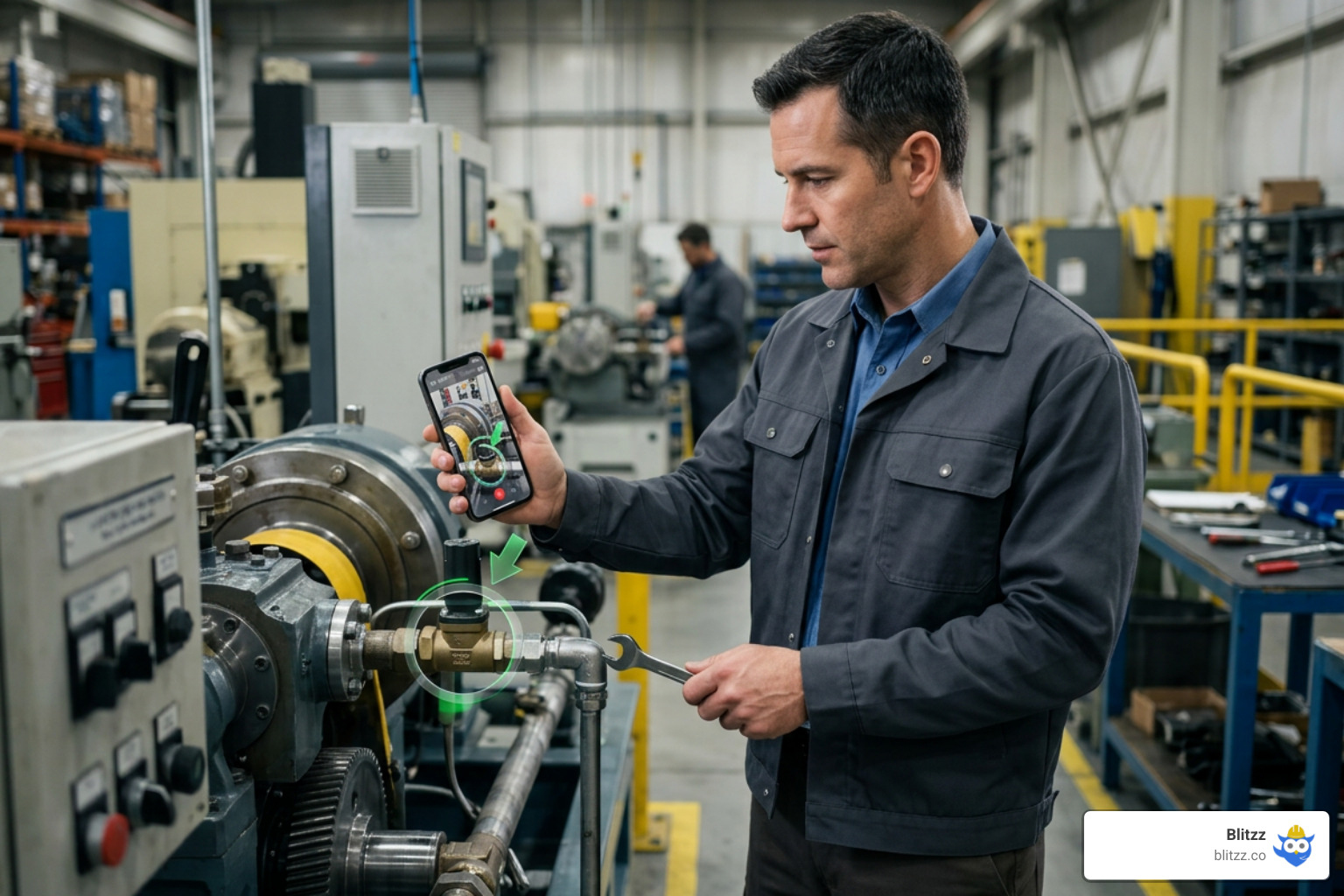
- Field Service & Manufacturing: Field technicians can connect with remote experts to resolve complex machinery repairs, reducing downtime and improving first-time fix rates.
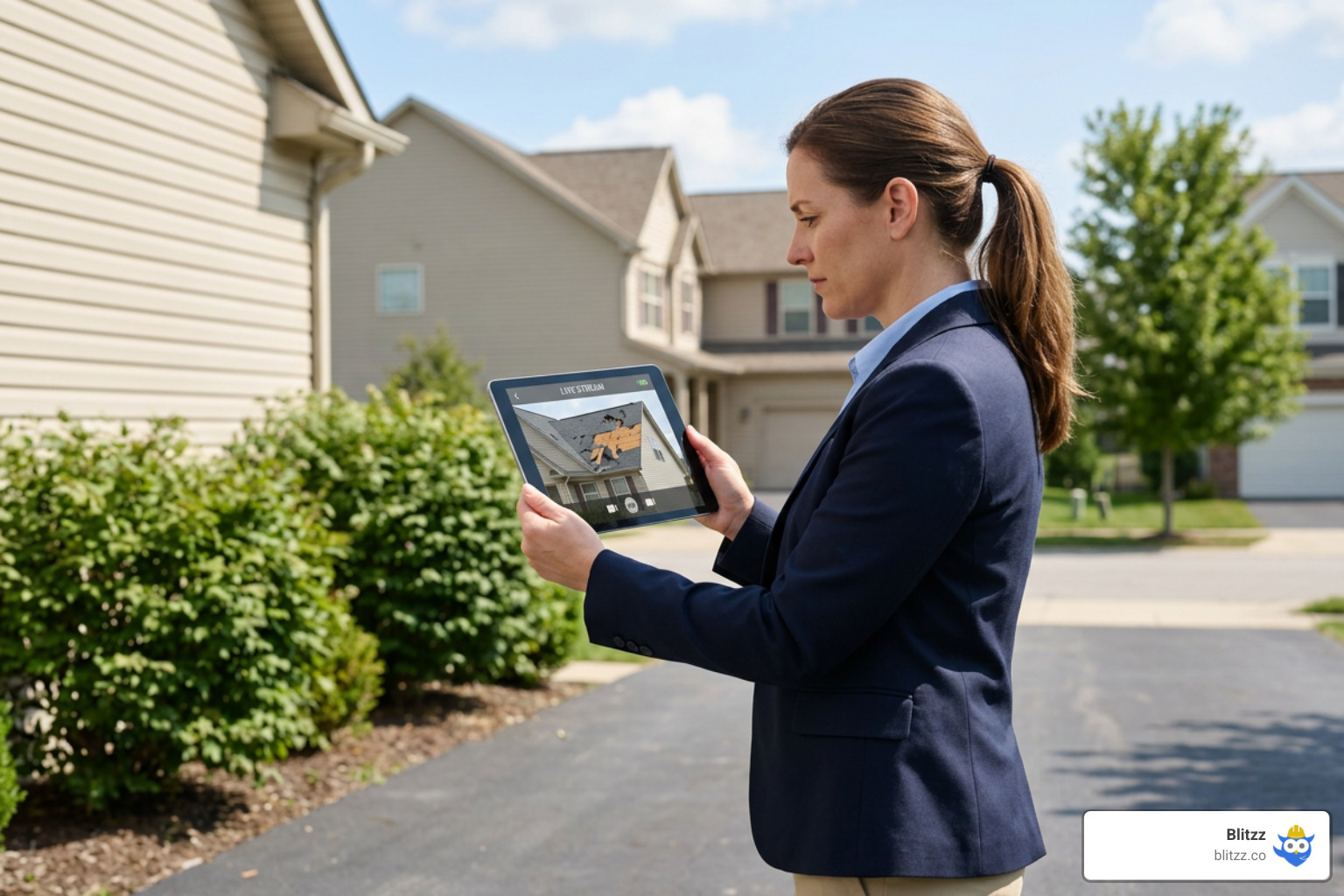
- Insurance Claims: Policyholders can use live video to show claims adjusters property or vehicle damage in real-time. Adjusters can capture timestamped, GPS-tagged photos to process claims faster.
- Telecom & Utilities: Agents can guide customers through self-installing modems, routers, or smart home devices, eliminating the need to send a technician.
- Healthcare & Telehealth: Providers can conduct secure, visual assessments of patients or guide them through setting up home medical equipment.
- Automotive: Roadside assistance teams can visually diagnose vehicle issues on the spot, helping stranded motorists get back on the road quickly.
Sustainability and Corporate Social Responsibility
In 2026, corporate sustainability is more important than ever. By reducing the number of physical vehicle dispatches, remote visual support directly supports your green initiatives and Corporate Social Responsibility (CSR) goals.
Fewer truck rolls mean less fuel consumed, lower carbon emissions, and a smaller overall environmental footprint. Transitioning even a small portion of your on-site visits to remote video consultations helps your organization align with global environmental standards while simultaneously cutting operational costs.
Security, Compliance, and Troubleshooting
When introducing live video into customer interactions, security and compliance are paramount. Enterprise-grade visual support platforms must protect sensitive customer data and comply with strict industry standards.
Our platform is built with a security-first architecture:
- End-to-End Encryption: All video, audio, and data transmitted during a session are fully encrypted.
- GDPR & HIPAA Compliance: We ensure that customer privacy is maintained, making the platform safe for healthcare, financial, and international use.
- SOC 2 Type II Certification: Our systems undergo regular independent audits to verify robust security, availability, and confidentiality controls.
- Role-Based Access Control: Administrators can set strict permissions, ensuring that only authorized agents can view session recordings or captured images.
To learn more about our commitment to security and enterprise support, visit Why Blitzz Customer Support.
Troubleshooting Connectivity and Privacy Concerns
Even with the best technology, agents will occasionally encounter minor technical hurdles or customer hesitation. Here is how to handle the most common scenarios:
Low Bandwidth or Poor Network Latency
For smooth video streaming, we recommend a baseline upload speed of 2-3 Mbps. If a customer is in an area with weak cell service, agents should instruct them to connect to local Wi-Fi, close unnecessary background apps, or move closer to their router. Our software also features adaptive bitrate streaming, which automatically adjusts video quality to prevent dropped calls in low-bandwidth environments.
Customer Privacy Concerns
If a customer is hesitant to share their camera feed, agents should reassure them that the session is secure and that no private files on their phone can be accessed. Agents can also guide them to point the camera strictly at the equipment being serviced, or use background blurring features to keep their personal surroundings private.
Camera Permission Issues
If a customer accidentally denies camera access in their mobile browser, they will need to refresh the page or tap the lock icon in their browser's address bar to reset and allow permissions.
Frequently Asked Questions about Visual Remote Support
Do customers need to download an app to use visual remote assistance?
No. One of the biggest advantages of our platform is that it is entirely browser-based. Customers simply click a secure link sent via SMS, email, or WhatsApp, and the session opens instantly in their mobile browser using WebRTC technology. This eliminates friction and ensures a 95%+ connection success rate.
How does visual remote assistance integrate with Genesys Cloud CX?
It integrates natively as a widget directly inside the Genesys agent desktop. Agents can launch video sessions, send invitations, use AR tools, and capture images without leaving their active workspace. All session data and media are automatically synced back to the Genesys interaction record.
What are the security standards for video support sessions?
Our visual support sessions are fully encrypted from end to end. The platform is SOC 2 Type II certified and fully compliant with GDPR and HIPAA standards. We also provide role-based access controls to ensure that only authorized personnel can access historical session records and photos.
Conclusion
Integrating Visual Remote Assistance for Genesys is one of the most effective ways to modernize your contact center, reduce operational costs, and deliver an outstanding customer experience. By giving your agents the power to "see through the phone," you eliminate the guesswork of traditional voice support, resolve issues faster, and significantly reduce expensive truck rolls.
Whether your team is managing field service dispatches, processing insurance claims, or troubleshooting technical hardware, we provide a secure, frictionless, and incredibly easy-to-use solution that integrates natively into your Genesys workflow.
Are you ready to see how visual support can transform your contact center operations?
- Explore our other integrations: Blitzz Integrations
- Read about our other contact center solutions: Level Up Your Five9 with Remote Video Assistance and Enhance NICE CXone Contact Center Operation with Remote Video Support
- Discover our full suite of features: https://blitzz.co/features

Blitzz Team
The Blitzz Team writes about remote video support, virtual inspections and field service. Our guides come from working with home builders, property managers, warranty teams, contact centers and field service organizations that use Blitzz to see and solve issues without a truck roll.
.gif)