.png?width=120&height=55&name=Blitzz-Logo-right%20white%20eyes%20-%20not%20transparent%20(3).png)

On this page
Why Visual Remote Assistance for Zendesk Is a Game-Changer for Field Service Teams
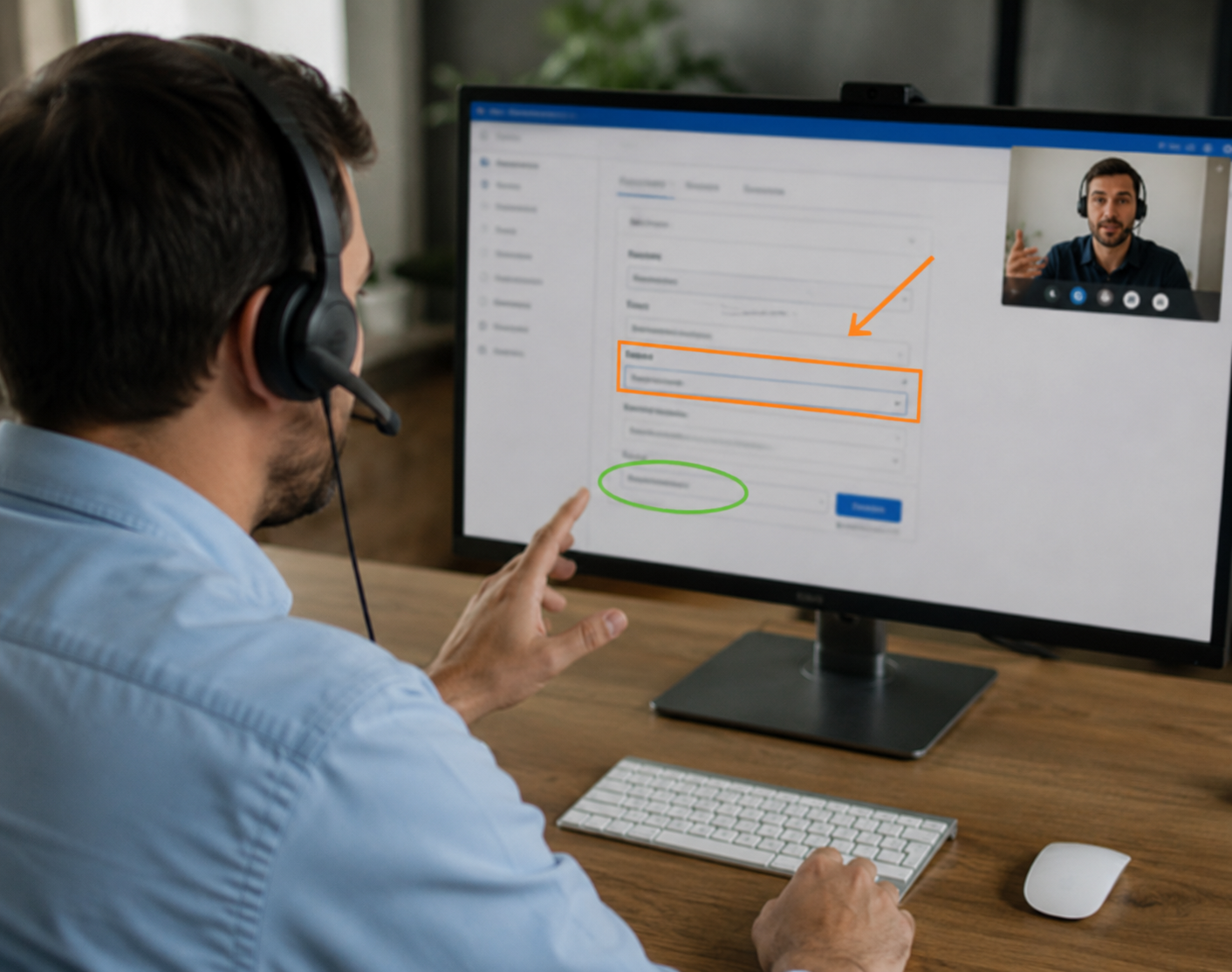
Visual Remote Assistance for Zendesk lets your support agents see exactly what a customer or field technician sees — in real time — without leaving their Zendesk workspace.
If you manage field service operations and you're tired of rolling trucks for issues that could be fixed remotely, here's the short answer:
What to look for in a Visual Remote Assistance tool that integrates with Zendesk:
| Key Capability | Why It Matters | App Download Required? |
|---|---|---|
| Browser-Based Video | Customers join instantly via SMS, email, or WhatsApp link without installing anything | No |
| AR Markup & Annotations | Agents can draw and place arrows on the live screen to guide users | No |
| Automated Ticket Sync | Session logs, photos, and notes auto-save directly to the Zendesk ticket | No |
A leading solution like Blitzz works directly inside Zendesk. Agents launch a live video session from an open ticket, the customer clicks a link on their phone, and the session begins — no app download needed.
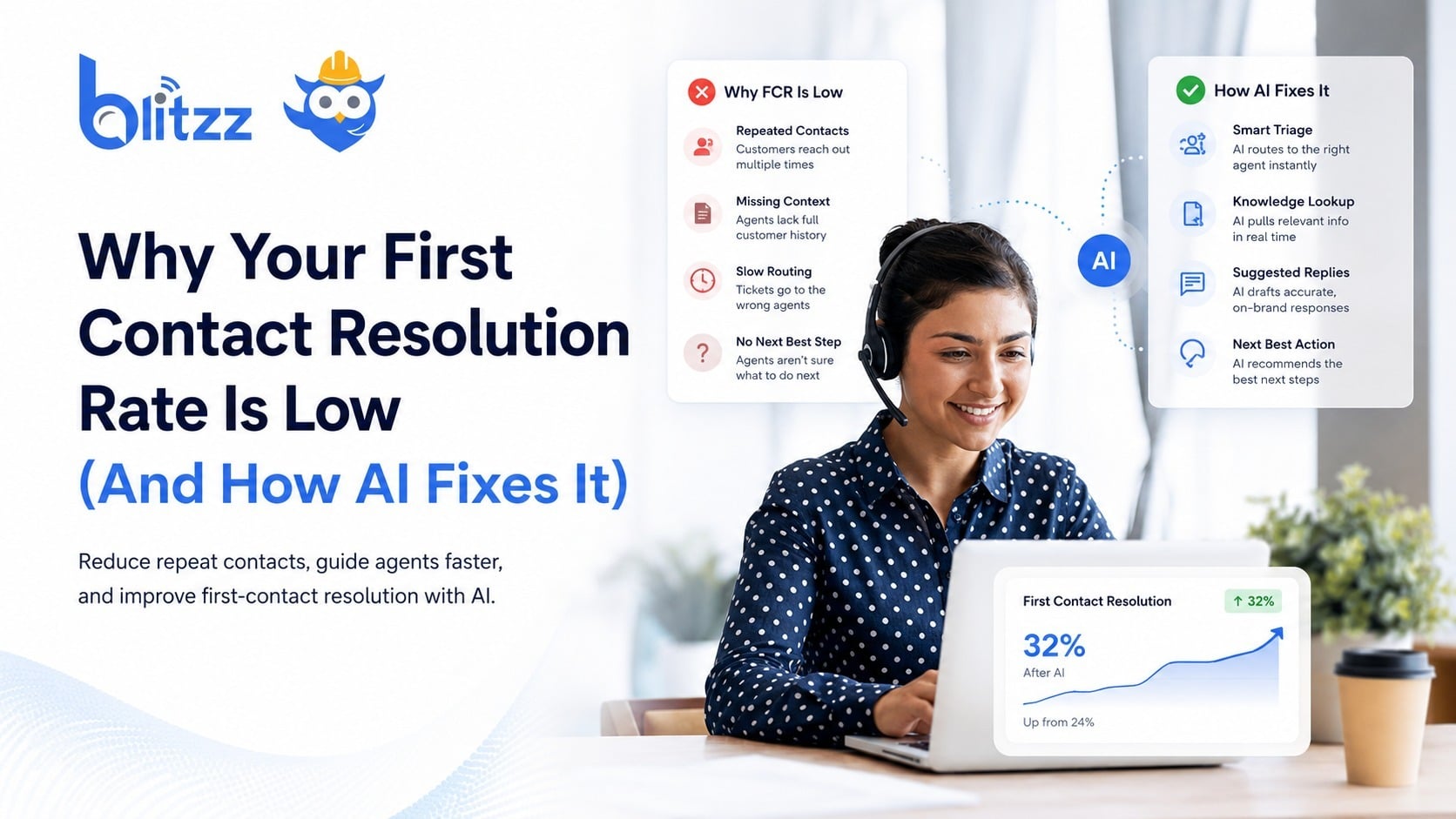
High truck-roll costs, slow resolutions, and low first-contact fix rates are a real drain on telecom and utility field operations. Most of these visits could be avoided if agents could simply see the problem.
That's exactly what Visual Remote Assistance (VRA) solves. Instead of asking customers to describe a fault over the phone — or dispatching a technician blind — agents use live video, AR annotations, and AI-powered tools to diagnose and guide customers to a fix on the first contact.
The result? Fewer site visits, faster resolutions, and happier customers.
This guide explains how to evaluate VRA tools for Zendesk so you can pick the right fit for your team.
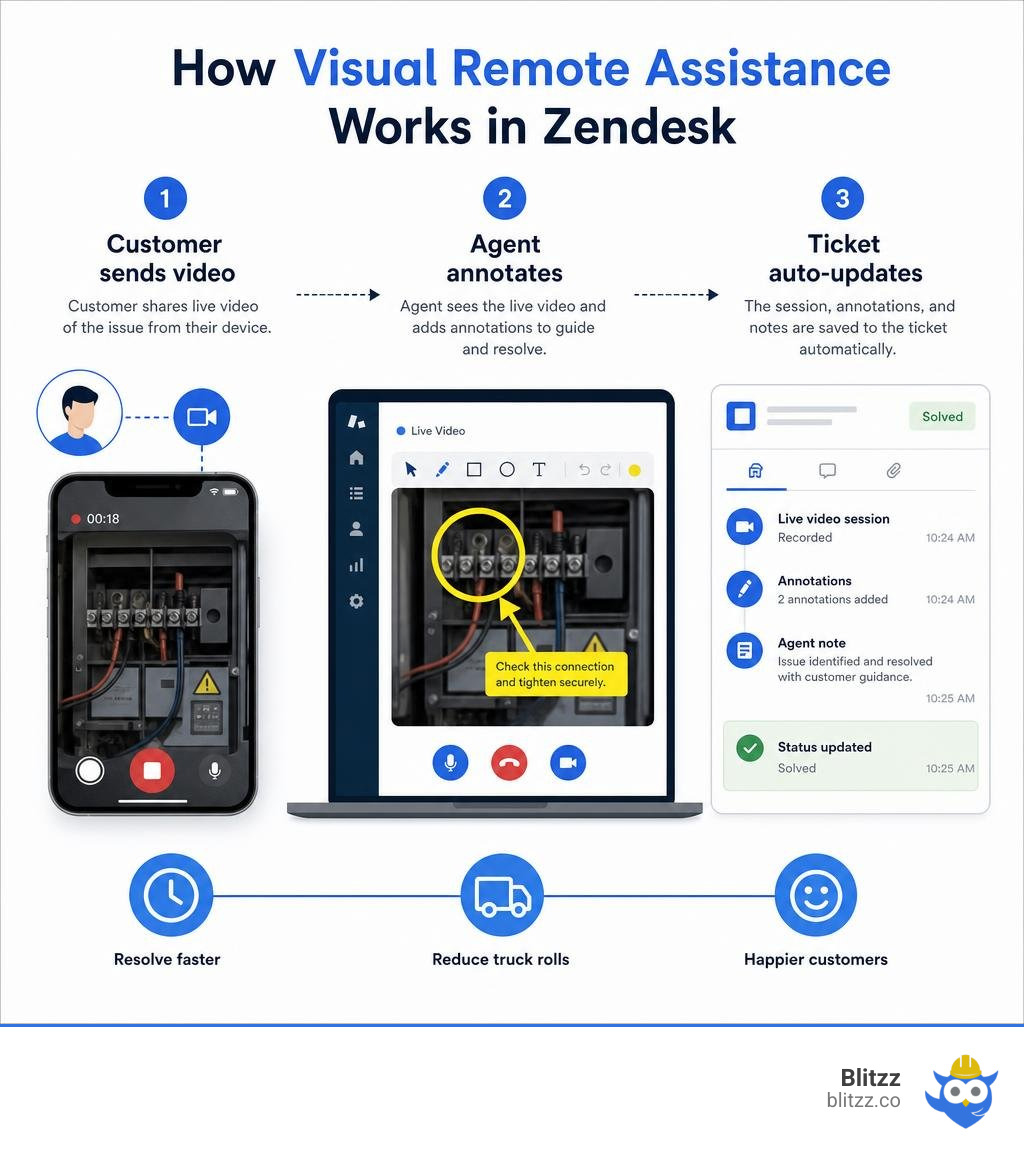
Learn more about Visual Remote Assistance for Zendesk:
What is Visual Remote Assistance for Zendesk and How Does It Work?
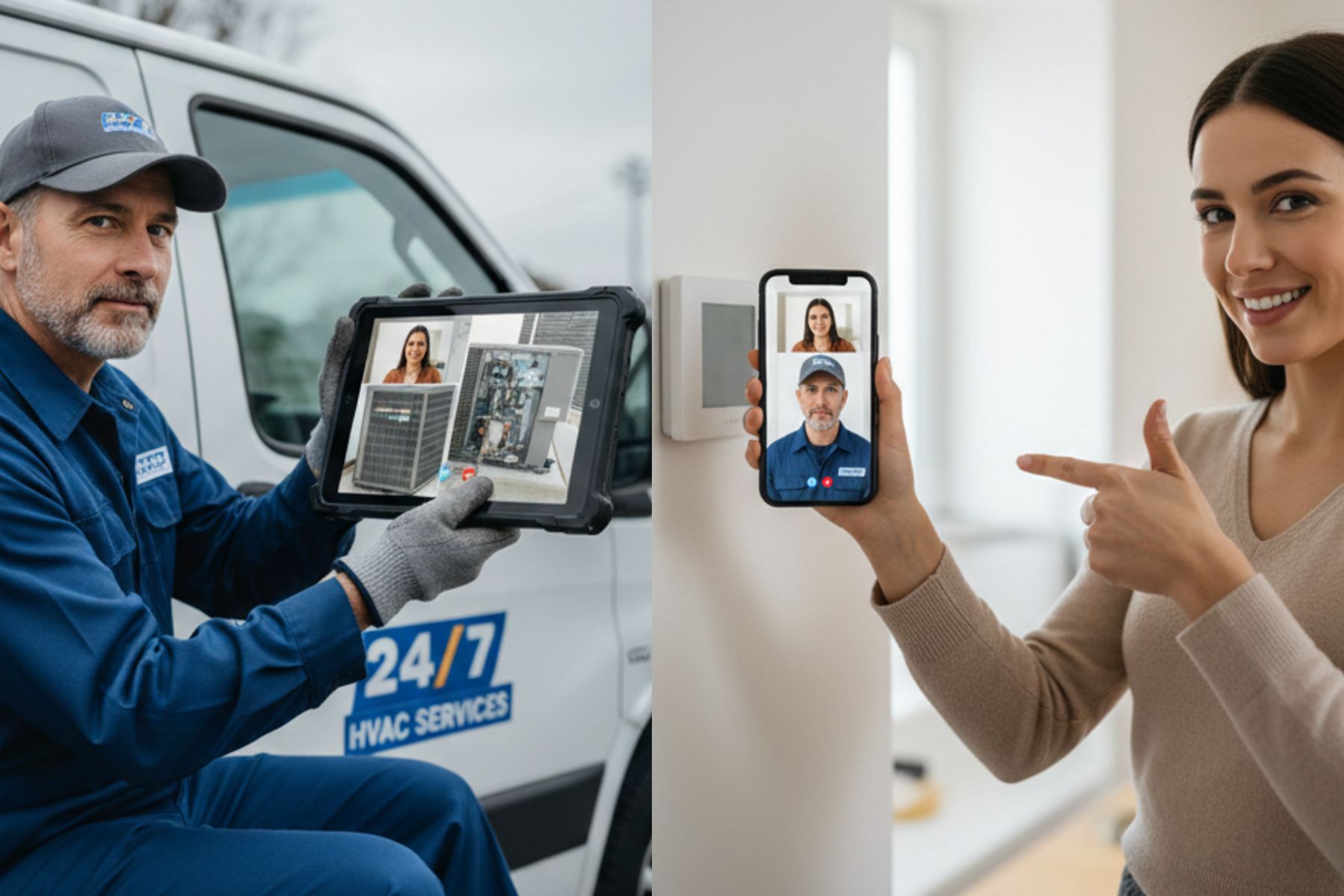
At its core, Visual Remote Assistance for Zendesk is a collaborative customer support technology that bridges the physical gap between your desk-bound support agents and the real-world environments of your customers or field technicians. Instead of relying on long, confusing verbal explanations ("No, the blue wire next to the other slightly lighter blue wire!"), this technology allows agents to initiate a secure, real-time video stream directly through a customer's smartphone camera.
By embedding this capability directly into your Zendesk ticket interface, agents do not have to switch between different applications or manage disjointed communications. They can see the physical issue instantly, diagnose the problem accurately, and guide the customer or on-site technician to a fast resolution.
This is part of a larger shift toward What is Visual Customer Support? The New Frontier of CX, where visual communication tools are replacing blind voice calls as the primary way businesses interact with their customers.
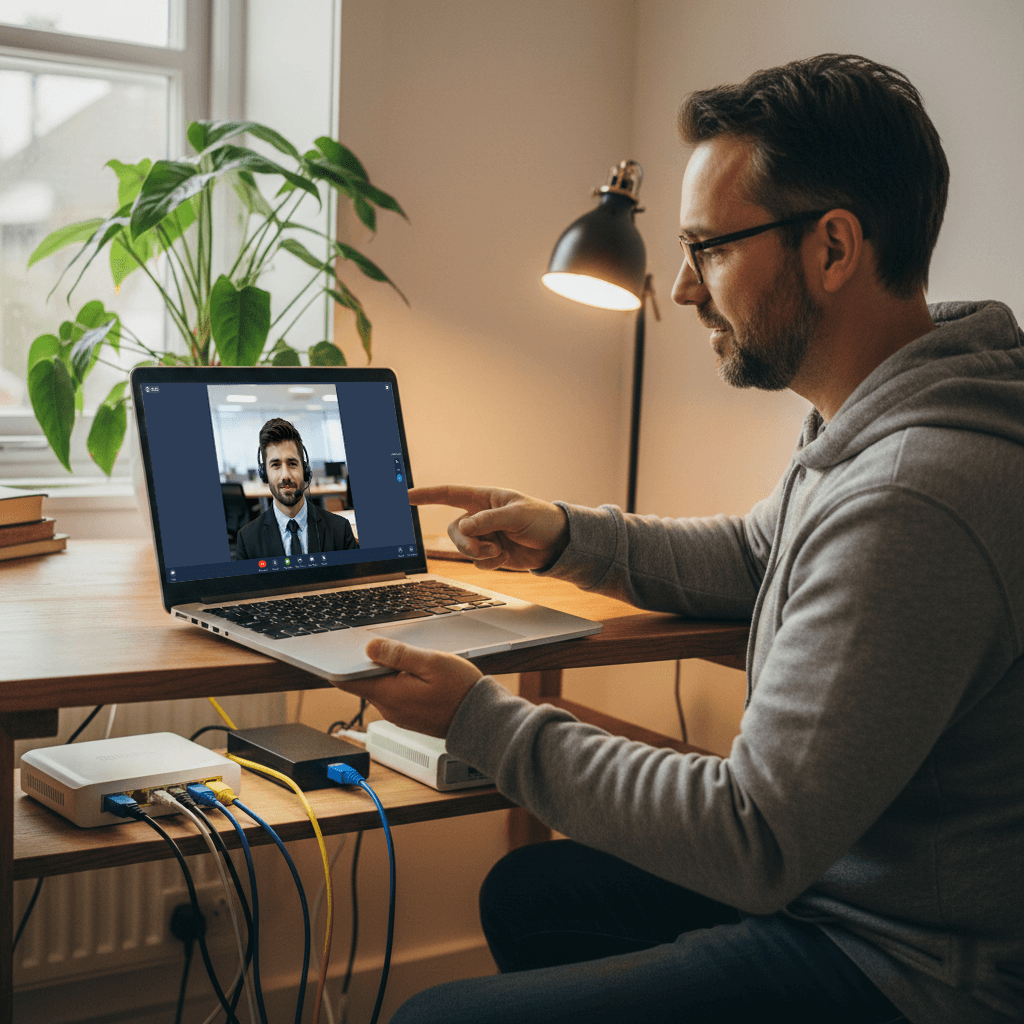
How Visual Remote Assistance for Zendesk Works in Real Time
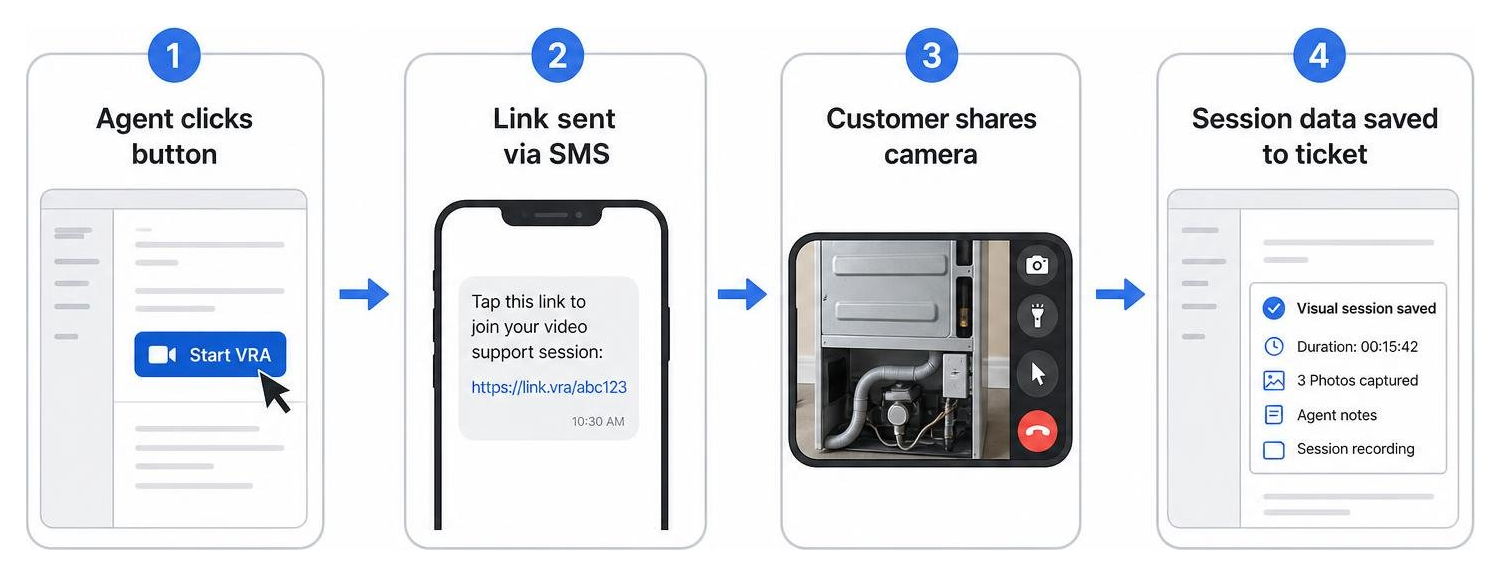
Setting up a visual support session should not feel like configuring a space shuttle launch. When an agent is working on a ticket inside Zendesk, the real-time workflow is incredibly simple:
- Initiation: The agent clicks a button directly within the Zendesk ticket to generate a session link.
- Delivery: The agent sends this link to the customer via SMS, email, or WhatsApp with a single click.
- Connection: The customer clicks the link, accepts the temporary browser permissions to share their camera, and their live video feed appears on the agent's screen.
- Collaboration: The agent uses interactive tools like on-screen pointers, drawing tools, and high-resolution snapshots to guide the customer.
- Documentation: Once the call ends, the system automatically saves session details, captured photos, and notes directly back to the original Zendesk ticket.
This zero-download, browser-based process is the modern standard for frictionless support. For a deeper dive into how this technology is structured, you can read our Visual Remote Assistance Guide 2026.
The Role of AI and Augmented Reality in Modern Support
We have come a long way from basic video calling. Today's visual remote assistance platforms leverage cutting-edge Augmented Reality (AR) and Artificial Intelligence (AI) to make remote sessions highly interactive.
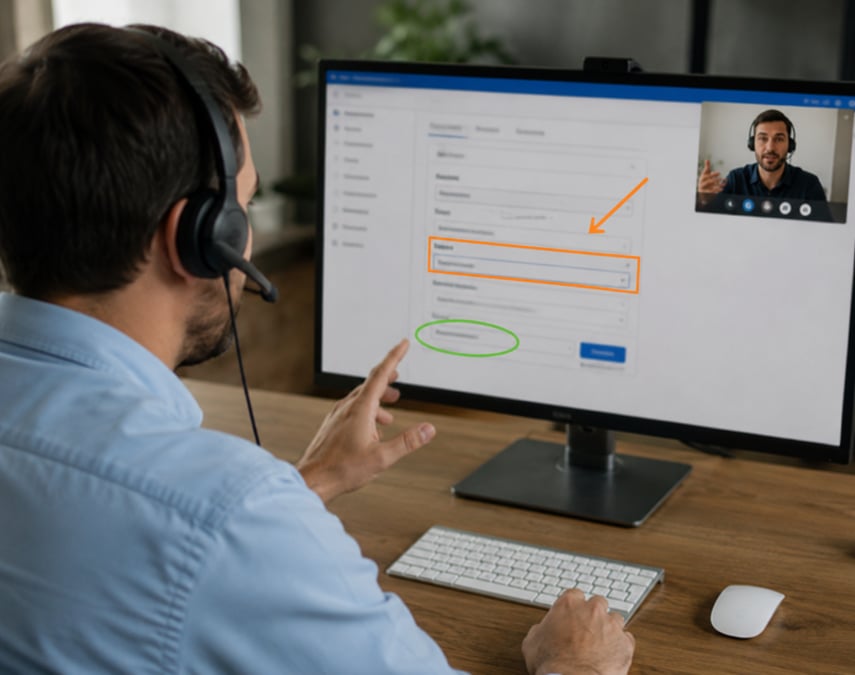
With AR annotations, agents can draw, place directional arrows, or highlight specific physical objects on the customer's live mobile screen. Because these annotations are "anchored" to the physical object using spatial tracking, the visual cues remain pinned in place even if the customer moves or shakes their phone.
On the AI side, computer vision technology can automatically recognize specific hardware models, read serial numbers via Optical Character Recognition (OCR), and instantly pull relevant troubleshooting guides from your knowledge base. This combination of visual cues and automated intelligence transforms how contact centers operate, as detailed in our analysis of Remote Visual Assistance for Contact Centers: How Video, AR & AI Are Redefining Customer Care.
Key Benefits and Use Cases of Integrating Visual Support with Your Helpdesk
Integrating visual remote assistance directly into your helpdesk ecosystem does not just make your support operations look futuristic — it delivers measurable bottom-line improvements. By turning blind phone calls into visual, collaborative sessions, you immediately remove the guesswork that plagues traditional customer service.
To illustrate the difference, let’s look at how visual support stacks up against traditional voice-only channels:
| Operational Metric | Traditional Voice Support | Visual Remote Support |
|---|---|---|
| Diagnostic Accuracy | Low (relies on customer descriptions) | High (agent sees the physical issue in real time) |
| First-Contact Resolution (FCR) | Moderate (often requires escalations or repeat calls) | High (issues are diagnosed and fixed on the first call) |
| Average Handle Time (AHT) | High (due to long, confusing verbal instructions) | Low (visual guidance is fast and intuitive) |
| Field Service Truck Rolls | High (technicians dispatched to diagnose simple issues) | Low (issues resolved remotely, or diagnosed before dispatch) |
| Customer Effort Score | High (frustrating back-and-forth communication) | Low (simple tap-to-connect, intuitive visual cues) |
Reducing Costs and Site Visits in Field Service Operations
For organizations running field service teams, every dispatched truck represents a significant expense in labor, fuel, and vehicle maintenance. A major portion of these site visits are entirely unnecessary — often caused by simple issues like a loose cable, an incorrect setting, or a basic configuration error that could have been resolved in minutes.
Visual remote assistance acts as a digital triage system. By inspecting the equipment virtually before sending a technician, your support team can:
- Solve the issue remotely: Guide the customer through a simple physical fix, eliminating the truck roll entirely.
- Ensure a first-time fix: If a technician must go on-site, the visual triage ensures they know exactly what parts and tools to bring, preventing expensive secondary visits.
- Optimize dispatch efficiency: Reserve your highly skilled field technicians for complex tasks that genuinely require hands-on physical labor.
Improving Agent Efficiency and Customer Satisfaction (CSAT)
When agents can "see through the phone," they no longer have to spend fifteen minutes trying to figure out which model of router or appliance the customer is holding. This immediate visual clarity dramatically slashes your Average Handle Time (AHT) while boosting your agent's confidence and productivity.
For the customer, the experience is incredibly empowering. Instead of waiting around for a technician to show up during a vague four-hour window, they get their issue resolved immediately. Because browser-based tools require no app installations, the customer effort remains extremely low, which naturally translates to higher CSAT scores.
If you are wondering how to implement these capabilities smoothly, check out our guide on How to Add Remote Video Support to Your Workflow Without Disruption.
Real-World Use Cases Across Industries
Visual remote assistance is highly versatile, proving its value across a wide range of industries:
- Utilities and Telecom: Guiding homeowners through resetting their fiber modems, verifying wiring connections, or reading utility meter displays.
- Smart Home and Appliances: Visually inspecting a malfunctioning washing machine or helping a customer pair a smart thermostat with their home network.
- Insurance Claims: Allowing claims adjusters to conduct virtual property inspections and assess damage in real time, accelerating the payout process.
- Manufacturing and Maintenance: Connecting on-site factory workers with remote engineering experts to troubleshoot complex machinery downtime.

How to Compare Visual Remote Assistance Tools for Zendesk
With several visual support tools available on the market, choosing the right one for your Zendesk environment requires careful evaluation. You want a tool that integrates seamlessly with your existing ticket workflows, provides a frictionless customer experience, and maintains strict security standards.
When evaluating your options, pay close attention to:
- Frictionless Access: Does it require the customer to download an app, or does it run entirely in the mobile web browser?
- Integration Depth: Does the tool live natively inside the Zendesk agent workspace, or does it feel like a clunky add-on?
- Feature Set: Does it include essential tools like high-resolution image capture, AR pointer tools, screensharing, and OCR?
- Security and Compliance: Does the platform protect user privacy and secure recorded video data?
For teams looking to compare different visual and collaborative support options, reviewing our breakdown of the Best Cobrowse Software can provide excellent context on how different remote visual tools handle data security and user privacy. You can also explore the official Zendesk app marketplace to see how different integrations are rated by active users.
App-Free Browser Technology vs. Dedicated App Downloads
If there is one factor that determines the success of your visual support program, it is friction.
If a customer is already frustrated because their internet is down or their appliance is leaking, the last thing they want to do is navigate to an app store, download a heavy mobile application, create an account, and configure permissions. In fact, requiring an app download is the fastest way to kill customer adoption rates.
Web-based, browser-first streaming eliminates this barrier entirely. By leveraging WebRTC technology, tools like Blitzz allow customers to join a secure, high-definition video session with a single tap on an SMS link. The session runs entirely within their existing mobile browser, delivering a smooth experience across both iOS and Android devices without leaving any digital clutter on the customer's phone.
Choosing the Best Visual Remote Assistance for Zendesk Integration
A truly native integration ensures that your agents never have to leave their primary workspace. When evaluating a visual support app on the Zendesk Marketplace, look for the following deep integration features:
- One-Click Launch: The ability to initiate a video invite directly from the Zendesk ticket sidebar without opening separate browser tabs.
- Automated Ticket Updates: Once a session concludes, the integration should automatically write back session logs, duration, agent notes, and captured high-resolution photos directly to the active Zendesk ticket.
- Visual Customer History: Agents should be able to view past visual session records within the customer's Zendesk profile, giving them full historical context before starting a new call.
To see how these elements come together to create a streamlined support environment, explore our dedicated page on Integrations: Zendesk Video Support.
Frequently Asked Questions about Visual Remote Support
Is an app download required for customers to use visual remote assistance with Zendesk?
No! The best modern visual remote assistance tools are completely browser-based. When your support agent initiates a session from Zendesk, the customer receives an invitation link via SMS, email, or WhatsApp. Clicking this link opens the live video session directly in their mobile browser (like Safari or Chrome).
This zero-download approach ensures maximum customer adoption and eliminates the friction of app store downloads. For more on how browser-based visual tools compare to traditional remote access, take a look at our Cobrowse Complete Guide 2026.
How does visual remote assistance reduce field service costs?
Visual remote assistance reduces field service costs primarily by preventing unnecessary truck rolls. By allowing support agents to visually inspect physical equipment and troubleshoot issues remotely, many tickets can be resolved on the very first call.
Additionally, if a physical visit is still required, the visual triage allows the technician to identify the exact parts and tools needed beforehand, significantly boosting your first-time fix rate and eliminating costly repeat visits.
How do AI and AR improve the visual support experience?
Augmented Reality (AR) allows agents to place precise 2D and 3D annotations (such as arrows or drawings) directly onto the customer's live camera stream, making instructions incredibly clear and easy to follow.
Artificial Intelligence (AI) enhances this experience by automatically identifying device models, reading text or serial numbers through OCR, and suggesting automated troubleshooting steps to the agent, reducing human error and speeding up resolution times.
Conclusion
Integrating Visual Remote Assistance for Zendesk into your customer service and field operations is one of the most effective ways to boost efficiency, cut operational costs, and elevate your customer experience in 2026. By turning blind troubleshooting sessions into interactive, visual collaborations, your support team can resolve complex physical issues faster than ever before.
With Blitzz, you get a robust, enterprise-grade remote visual assistance platform that embeds natively inside your Zendesk workspace. Your agents can launch high-definition, browser-based video sessions with a single click, allowing your customers to connect instantly without the hassle of downloading an app.
Ready to streamline your support workflows, eliminate unnecessary truck rolls, and empower your agents with the power of sight?
- Read more about Remote Video Assistance Using Blitzz for Zendesk
- Discover Blitzz Integration with Zendesk: How Cobrowsing Scales Your Brand's Live Chat Support
- Learn how to connect your systems with Blitzz Integrations: Connect to Your Existing VRA Workflow
- Explore Blitzz Features to see our browser-based AR tools in action!

Blitzz Team
The Blitzz Team writes about remote video support, virtual inspections and field service. Our guides come from working with home builders, property managers, warranty teams, contact centers and field service organizations that use Blitzz to see and solve issues without a truck roll.