.png?width=120&height=55&name=Blitzz-Logo-right%20white%20eyes%20-%20not%20transparent%20(3).png)

On this page
Why Visual Remote Assistance Is the Smarter Way to Support Customers in the Field
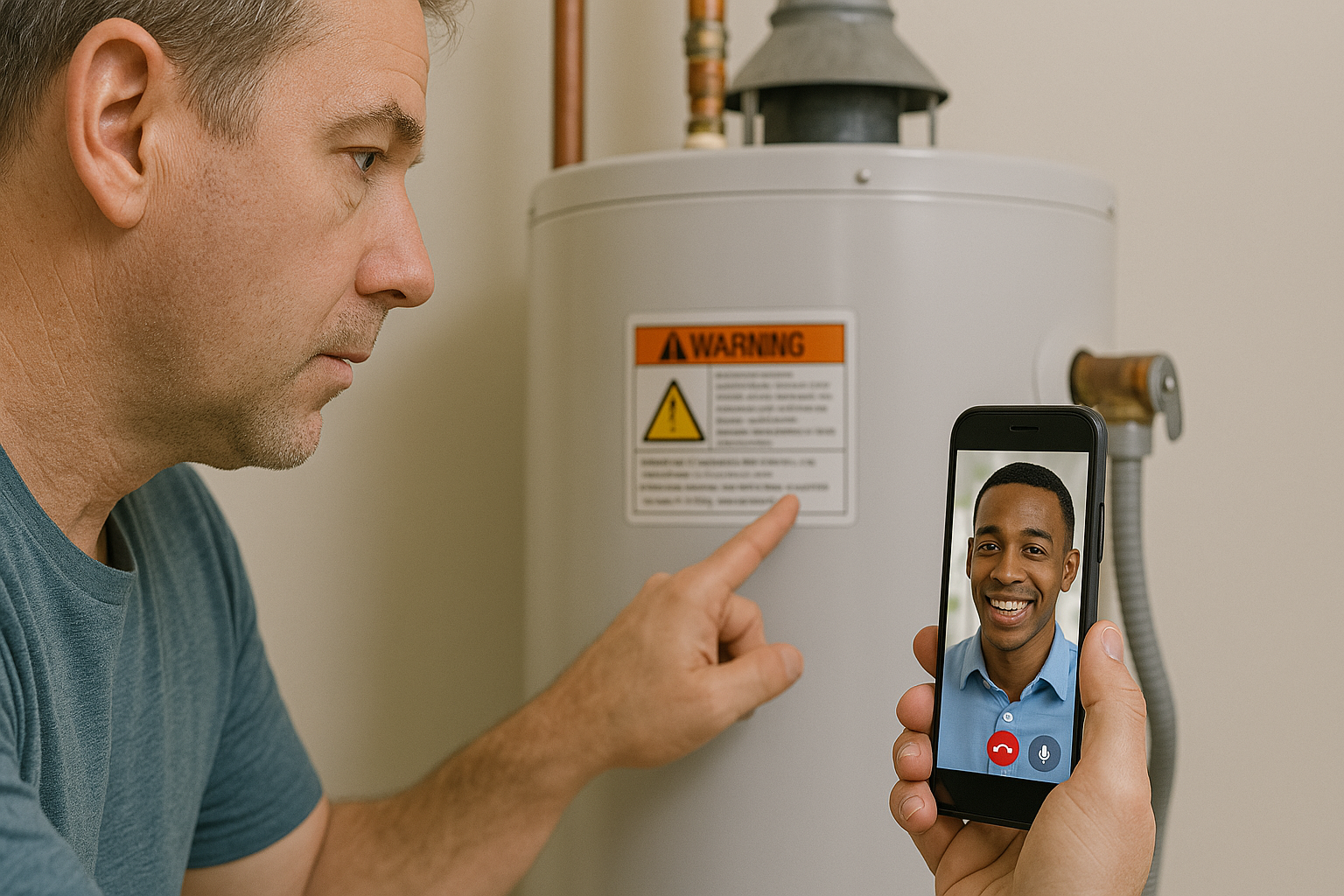
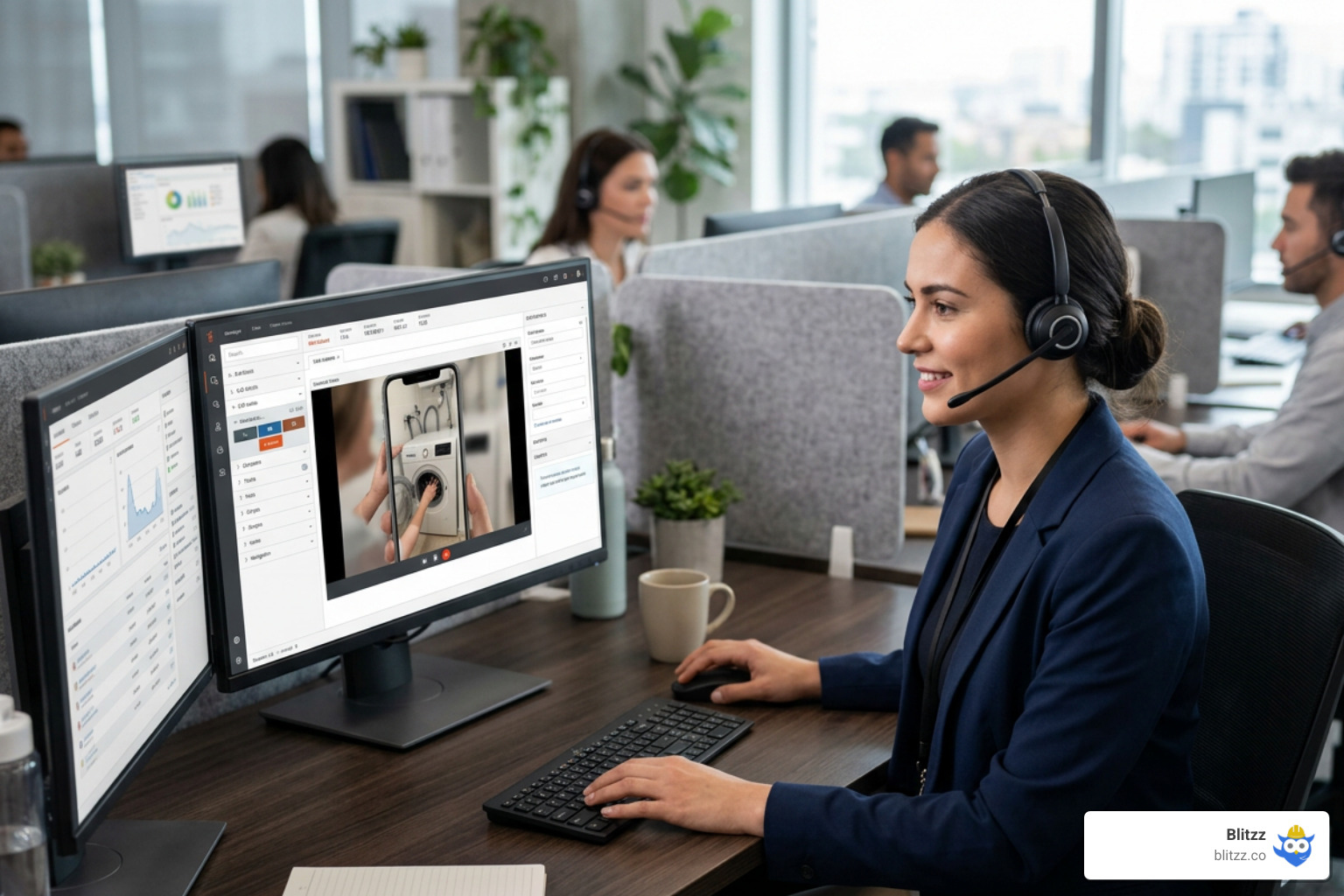
Visual remote assistance lets your support agents or remote experts see exactly what a customer or field technician sees — in real time — through their smartphone camera, without anyone needing to travel to the site.
Quick answer: What is visual remote assistance?
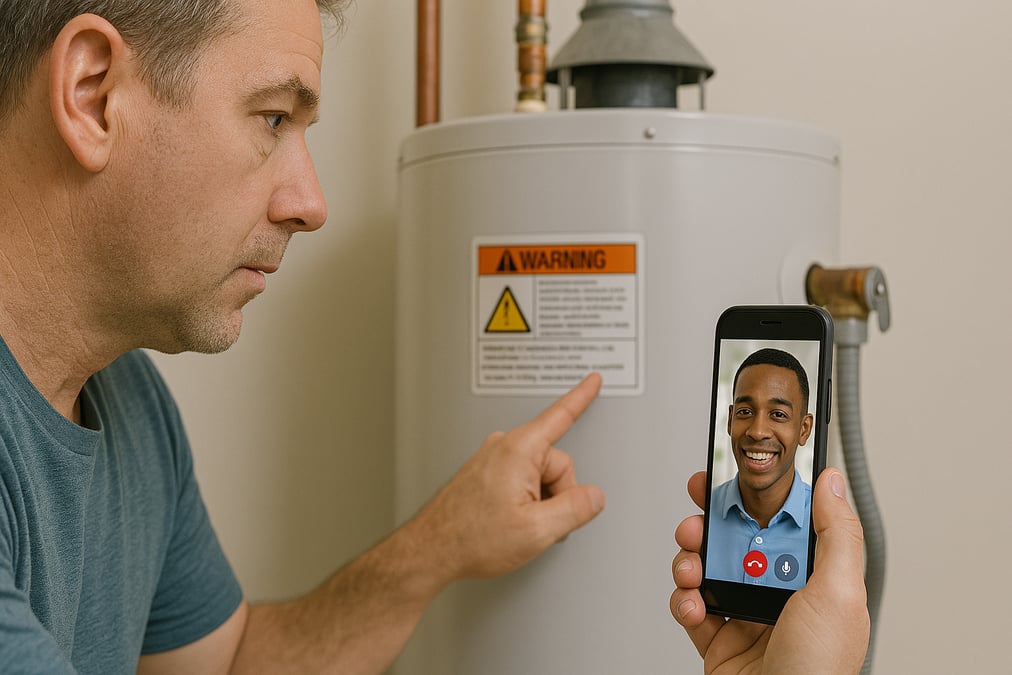
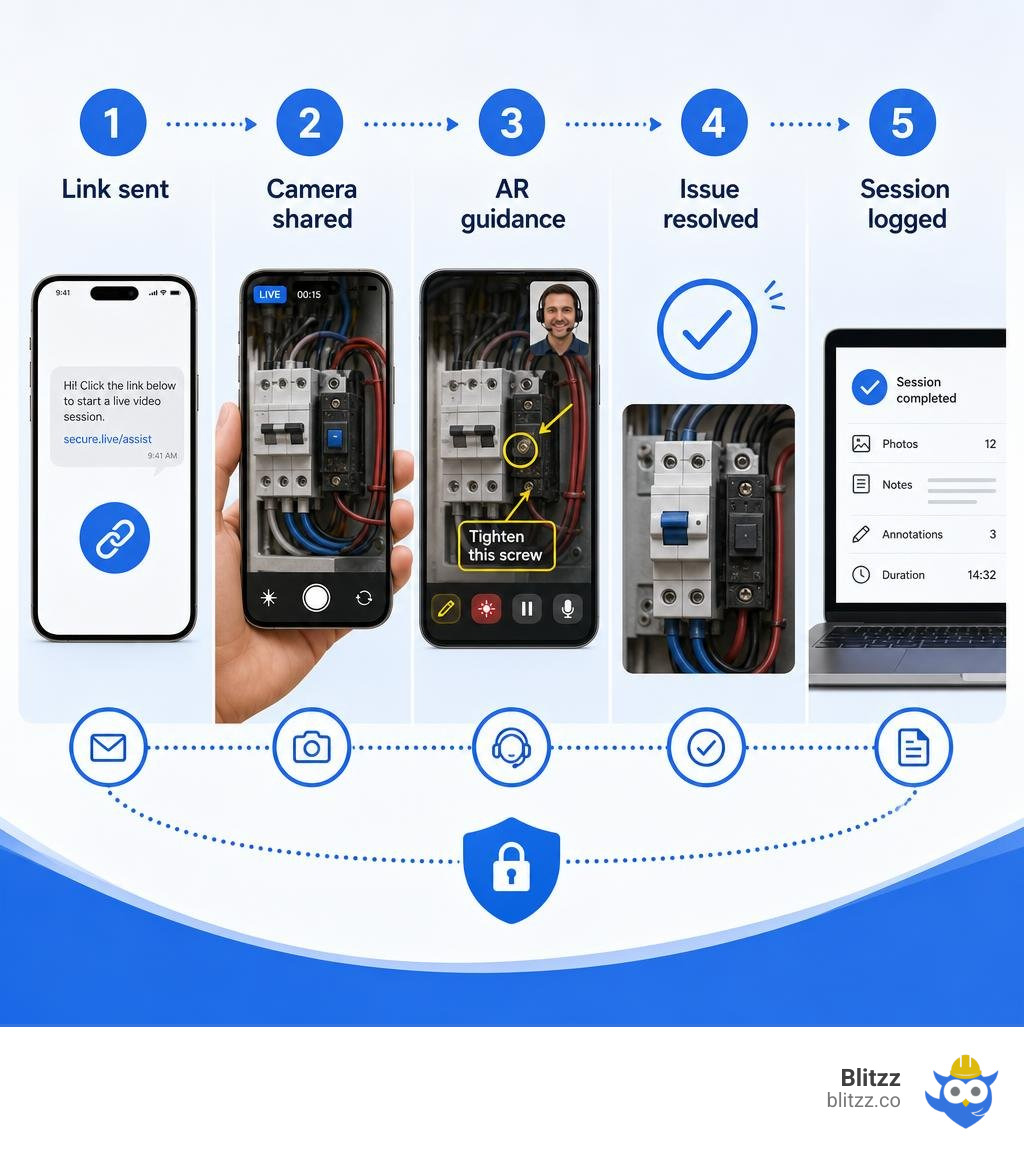
- A customer or technician shares their live camera feed via a secure link (no app download needed)
- A remote expert watches the live video and guides them using AR annotations, a laser pointer, and voice
- Issues get diagnosed and resolved on the spot — often in minutes
- All session data, photos, and notes are saved automatically to the customer's record
If you manage field service or customer support at a telecom or utility company, you already know the pain: a truck rolls, a technician shows up, and the problem turns out to be something a customer could have fixed themselves with the right guidance. Or worse — the wrong technician shows up without the right parts.
That's an expensive problem. And it happens constantly.
The average cost of a single truck roll runs well into the hundreds of dollars when you factor in labor, fuel, and scheduling overhead. Multiply that across thousands of dispatches per month, and the numbers get uncomfortable fast.
Visual remote assistance changes that equation. Instead of defaulting to a dispatch, your agent sees the problem first — and either guides the customer to fix it themselves or ensures the right technician goes out fully prepared.
One major home security provider captured this perfectly: within the first year of their visual assistance program, they avoided 1 million truck rolls — and reported that customers loved being empowered to solve problems themselves.
That's not a marginal improvement. That's a transformation.
Visual remote assistance glossary:
- augmented reality remote assistance
- insurance remote visual platform
- telecom remote inspection tools
What is Visual Remote Assistance and How Does It Work?
At its core, visual remote assistance (VRA) is a technology-driven solution that enables real-time visual communication between a remote expert and an on-site user. Instead of relying on a customer to describe a complex set of flashing router lights or a tangled mess of HVAC wiring over a standard voice call, we can see exactly what they see.
By leveraging browser-based video streaming and augmented reality (AR) tools, VRA bridges the physical gap between technical experts and the real-world environments where problems occur. If you want to dive deeper into the fundamentals, check out Remote Visual Support: The Complete Guide to Seeing What Your Customer Sees to learn how organizations are eliminating blind troubleshooting.
The beauty of modern VRA lies in its simplicity. It relies on standard web technologies like WebRTC (Web Real-Time Communication) to establish a secure, peer-to-peer video connection. There is no software installation required for the end user, which removes the single biggest barrier to customer adoption.
The Difference Between Standard Video Chat and Visual Remote Assistance
It is common to mistake visual remote assistance for standard consumer video chat applications like FaceTime, Zoom, or WhatsApp. However, using basic consumer video tools to solve complex technical problems is only marginally helpful.
The differences between consumer video and enterprise-grade visual support are substantial:
- Camera Orientation: Consumer video chat is designed for face-to-face conversation, primarily utilizing the front-facing camera. Enterprise visual support focuses on the physical environment, defaulting to the device's high-resolution back-facing camera.
- Spatial Guidance and AR: Standard video calls lack spatial communication. In a VRA session, experts can overlay 2D and 3D AR annotations directly onto the live feed. These drawings and markers remain pinned to the physical object even if the user moves their phone camera.
- Data Gathering and Security: Consumer apps do not document the call. VRA platforms allow experts to capture high-definition photos, read serial numbers automatically, log GPS coordinates, and save the entire session history directly into the enterprise CRM.
- Zero Friction: Standard video apps often require both parties to have the same app installed, an active account, or exchange personal contact details. VRA sessions launch instantly via a temporary web link.
To explore how these differences play out in real-world environments, read our comparison on Visual Customer Support vs Traditional Call Center.
How a Typical Session Works for Users and Agents
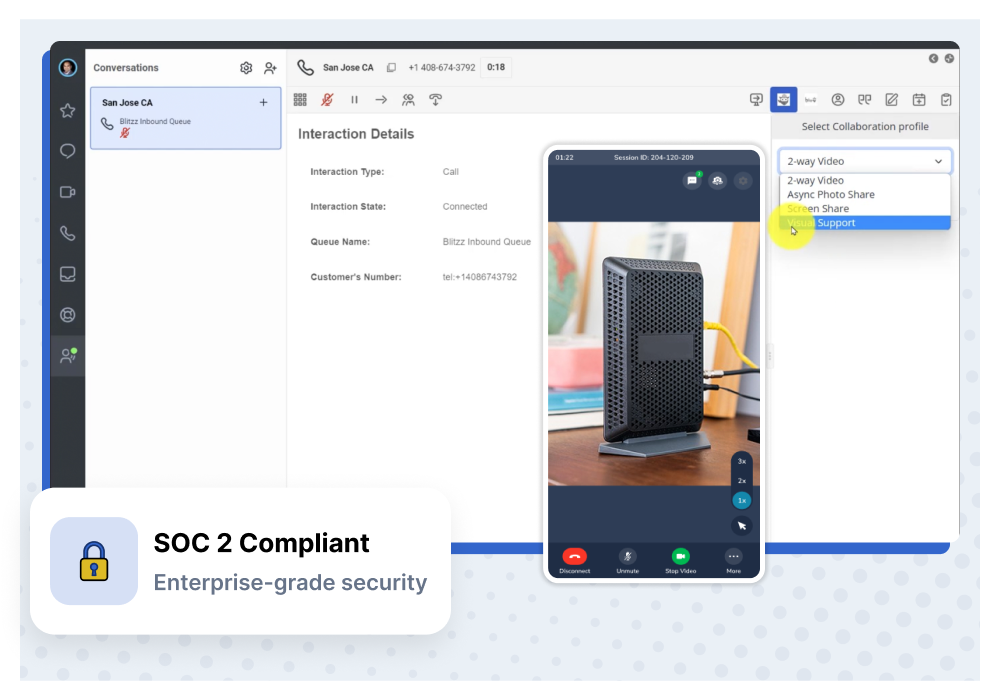
From start to finish, a visual remote assistance session is designed to be frictionless. Here is how we make it happen:
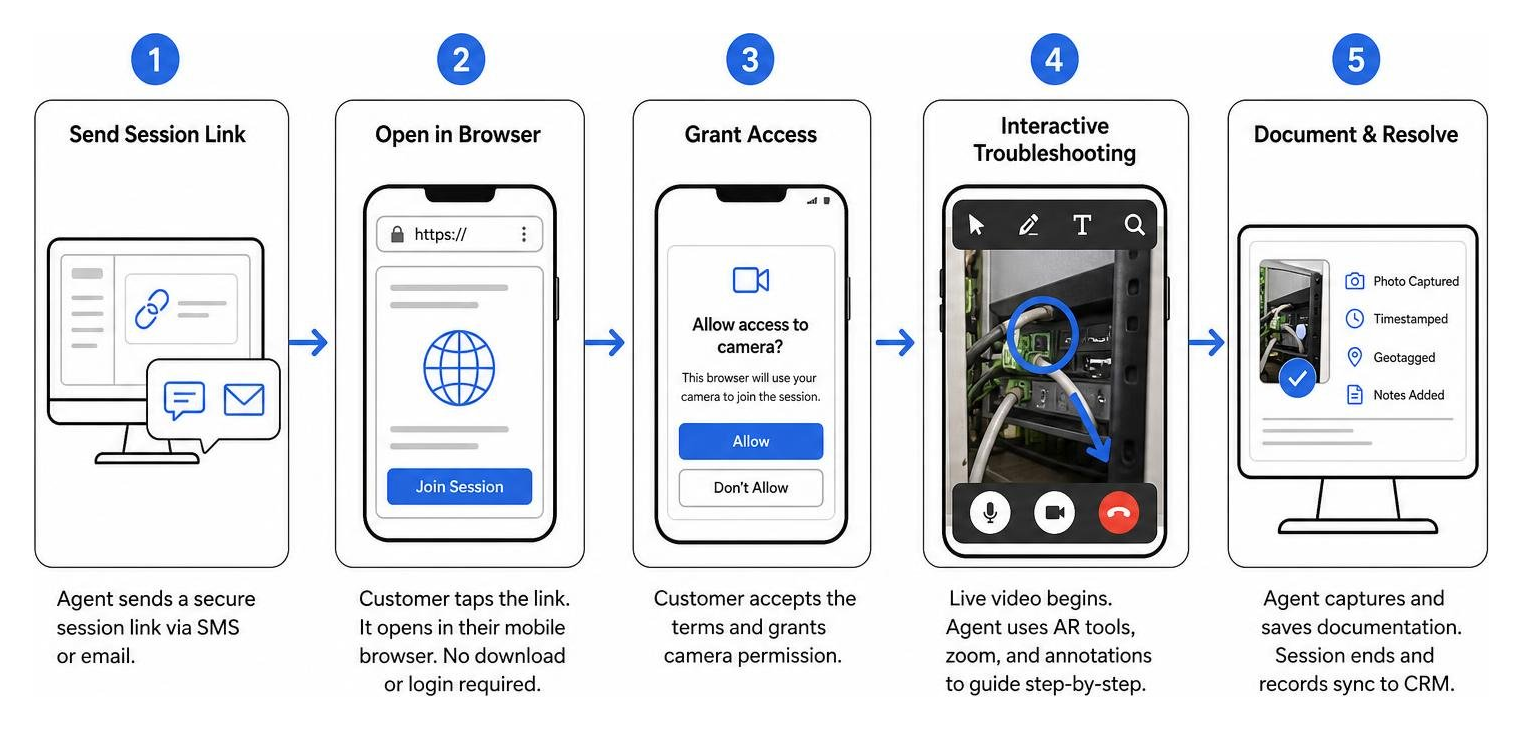
- Initiating the Session: The agent, working from their desktop console, sends a secure session link to the customer’s mobile phone via SMS or email.
- Launching the Browser: The customer taps the link. It opens directly in their default mobile browser (such as Safari on iOS or Chrome on Android). No app store visits, no passwords, and no downloads required.
- Granting Access: The customer accepts the terms and conditions and grants permission for the browser to access their camera.
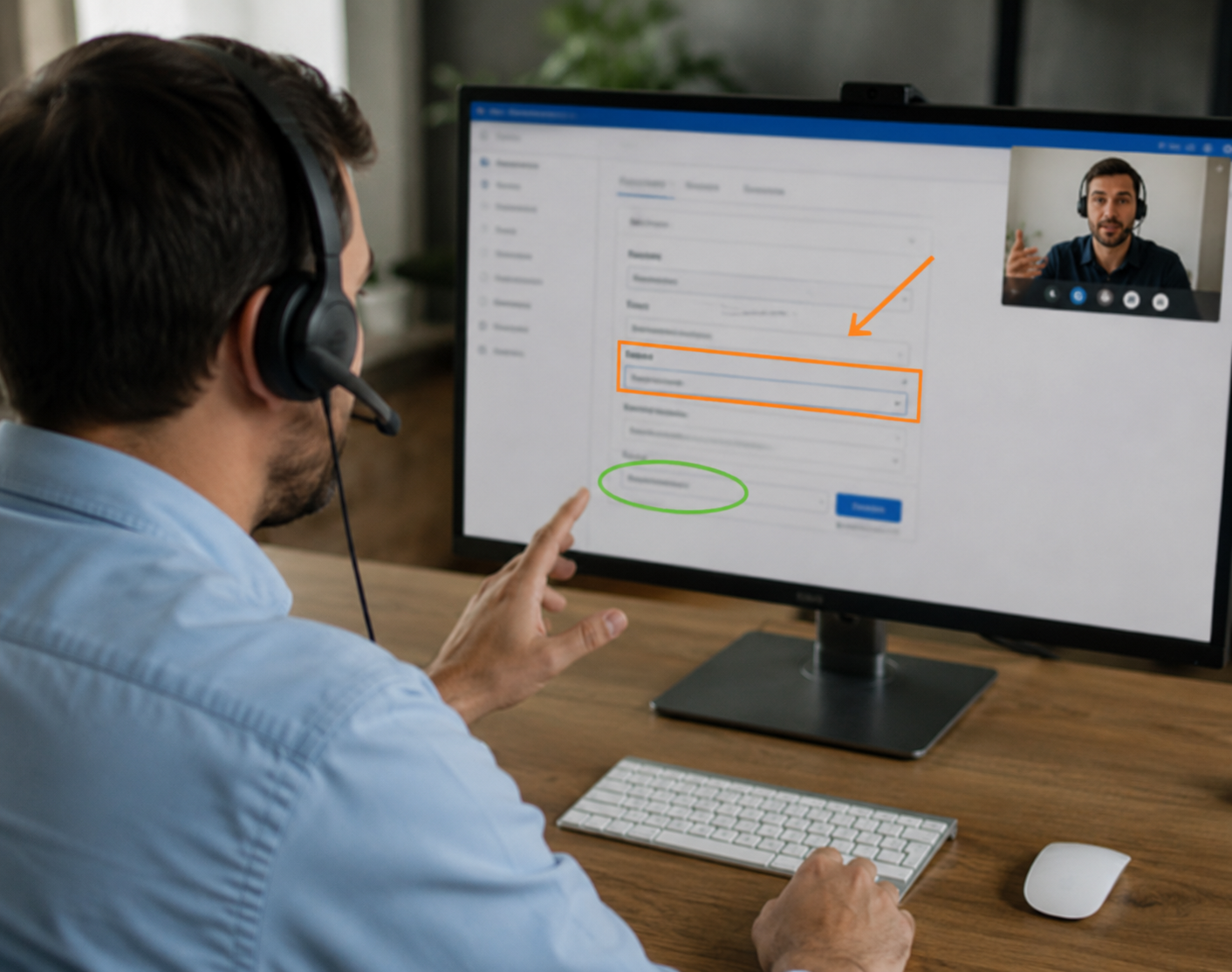
- Interactive Troubleshooting: The live video stream begins. The agent uses tools like a virtual laser pointer, on-screen drawings, and zoom controls to guide the customer step-by-step.
- Documenting the Resolution: The agent captures timestamped, geotagged photos of the model numbers and the completed fix. Once the call ends, the session is logged automatically inside the CRM ticket.
Core Technologies Powering Modern Visual Support
Modern visual remote assistance is much more than a live video feed. It is an ecosystem of advanced technologies working together to make remote collaboration as precise as being there in person.
- Augmented Reality (AR): AR allows us to draw spatial lines, arrows, and circles over real-world objects. These annotations lock onto the physical equipment, ensuring that when an expert points to a specific wire, the marker stays on that wire regardless of camera movement.
- Computer Vision: This technology enables the software to understand the physical environment. It can identify shapes, detect edges, and help AR annotations adhere to 3D surfaces.
- Optical Character Recognition (OCR) & Code Scanning: During a live stream, computer vision algorithms can instantly scan and digitize serial numbers, barcodes, and QR codes. This eliminates manual typing errors and speeds up asset identification.
- Artificial Intelligence (AI): AI acts as a virtual assistant, automatically transcribing voice calls, translating languages in real time, and suggesting relevant knowledge base articles based on what the camera sees.
- 5G and Low-Latency Networks: The rollout of 5G networks ensures high-definition video streaming with minimal latency, which is crucial when guiding precise adjustments on high-voltage machinery or delicate hardware.
Key Features to Look For in a Visual Remote Assistance Platform
When evaluating Remote Visual Assistance Tools, you should look for features that maximize usability, security, and efficiency:
- No-App WebRTC Access: The platform must run perfectly in a mobile browser to ensure high customer adoption rates.
- Interactive AR Annotations: The ability to draw, place arrows, and highlight 3D objects on the live camera stream.
- Freeze Frame & High-Res Snapshot: Allowing the agent to freeze the video feed to inspect details without camera shake, and capture high-resolution photos for the record.
- Remote Camera Controls: Giving the expert the ability to turn on the customer's smartphone flashlight, zoom in on tiny components, or flip between front and rear cameras.
- Multi-Participant Sessions: Allowing the primary agent to invite senior engineers, third-party specialists, or supervisors into the active video call to collaborate on complex issues.
The Role of AI and Smart Glasses in Hands-Free Operations
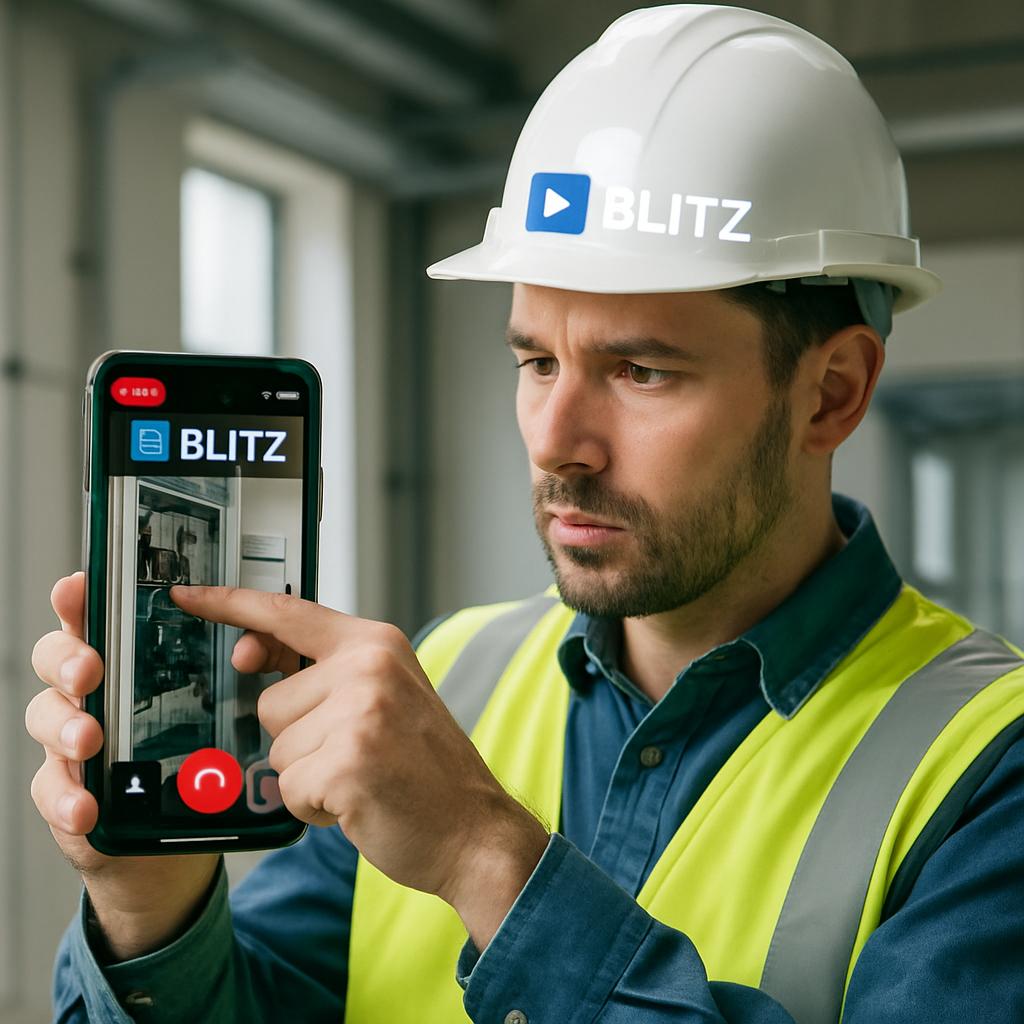
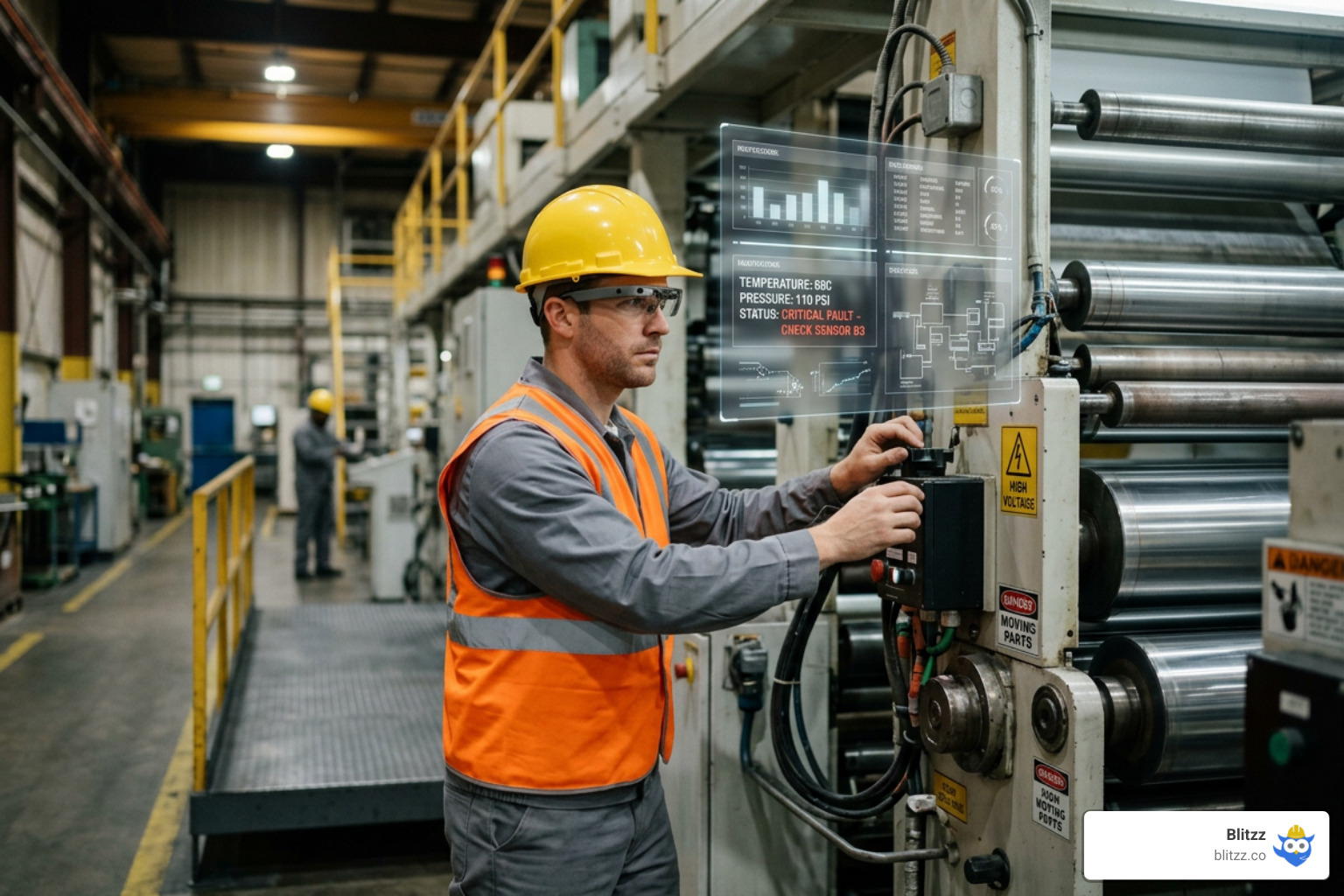
For industrial field services, manufacturing, and construction, technicians often need both hands free to perform repairs safely. This is where AR smart glasses and head-up displays (HUD) come into play.
By running visual remote assistance software on industrial wearables (such as RealWear, Vuzix, or Epson devices), a field technician can work hands-free. They can control the software using simple voice commands, while a remote senior engineer watches their live perspective from a desktop workstation miles away.
Furthermore, integrating AI copilots into these sessions provides real-time guidance. The AI can automatically run visual checks, match components against digital manuals, and display step-by-step work instructions directly on the technician's smart glasses.
Business Benefits and ROI Metrics
Implementing visual remote assistance is not just about adopting cool technology; it is about driving measurable business value. By giving your team visual access to physical problems, you can radically optimize your service workflows.
| Metric | Traditional Support | With Visual Remote Assistance |
|---|---|---|
| First-Contact Resolution (FCR) | Low (requires multiple calls or visits) | High (visual confirmation resolves issues immediately) |
| Average Resolution Time | Hours or days (waiting for travel) | Under 5 minutes |
| Truck Roll Rate | High (default response to physical issues) | Reduced by up to 73% |
| Expert Utilization | Low (experts spend hours traveling) | High (experts support multiple sites from one desk) |
| Customer Satisfaction (CSAT) | Average (frustrated by verbal troubleshooting) | Exceptional (reaches up to 98%) |
Quantifiable Impact on Field Service Operations
For nationwide field service organizations, travel is the single largest operational expense. When you deploy VRA, the financial savings are immediate.
Organizations using our platform report up to a 73% reduction in truck rolls. Instead of dispatching a vehicle to inspect a minor fault, agents resolve the issue remotely. When a physical visit is unavoidable, visual diagnostics ensure the technician arrives with a 95% faster issue resolution rate because they already know the exact model number, physical layout, and parts required.
Furthermore, these efficiencies lead to a 60% reduction in field support costs, allowing companies to scale their service coverage without hiring a massive fleet of local technicians. To see how nationwide companies leverage these advantages, read about the Benefits of Remote Visual Support for Nationwide Field Services Companies.
Elevating Contact Center Performance and Customer Satisfaction
Contact centers suffer when agents are forced to troubleshoot physical products blindly. It leads to long hold times, high customer frustration, and unnecessary product returns.
By introducing a visual-first support strategy, contact centers achieve an average 40% increase in customer satisfaction and reach a 98% customer satisfaction (CSAT) rating. Customers love the instant gratification of showing an agent the problem and getting it fixed in an average resolution time of just 4 minutes.
On the operational side, visual support delivers a 25% increase in expert utilization rates and a 40% increase in equipment uptime. Senior specialists no longer waste their days sitting in traffic; instead, they transition seamlessly from one remote session to the next, guiding junior technicians and customers across the country.
Industry Applications and Real-World Use Cases
Visual remote assistance is a versatile tool that adapts to any industry dealing with physical products, installations, or inspections. If you want to explore how this technology is redefining customer experiences, read What Is Visual Customer Support? The New Frontier of CX.
Technical Troubleshooting and Equipment Maintenance
- Manufacturing and Shop-Floor Maintenance: When a critical piece of assembly line machinery breaks down, every minute of downtime costs thousands of dollars. Local operators can instantly connect with off-site manufacturer support, sharing a live feed to diagnose mechanical faults and get the line running again.
- Automotive and Roadside Support: Remote mechanics can guide stranded drivers through minor under-the-hood checks—such as verifying fluid levels, checking battery terminals, or locating fuse boxes—saving the cost of an unnecessary tow truck.
- Aviation and Ground Operations: Aviation maintenance teams use visual support to connect ground crews with engineering hubs, ensuring rapid visual inspections of cargo loading, fueling setups, and minor mechanical adjustments.
Remote Inspections and Evidence Collection
- Insurance Claims Adjusting: Instead of waiting days for a claims adjuster to visit a property, policyholders can use their smartphone cameras to show property damage to a remote adjuster. The adjuster captures geotagged, high-definition, and timestamped photos to verify the data and process claims in real time.
- Quality Assurance and Construction Audits: Construction supervisors can perform remote site walkthroughs to audit safety standards, inspect structural progress, and document compliance without having to travel between multiple active job sites.
Security, Compliance, and System Integrations
Enterprise deployments of visual remote assistance must meet strict security and compliance standards. Because sessions deal with live video feeds of customers' homes, commercial facilities, and sensitive equipment, data protection is paramount.
To ensure absolute privacy, all video and audio streams must comply with WebRTC Security Standards, utilizing end-to-end encryption (DTLS and SRTP). This guarantees that the video goes directly between the user's device and the agent's workstation, bypassing intermediate servers entirely.
Furthermore, enterprise-grade platforms must comply with global regulations such as GDPR and HIPAA, ensuring that any recorded video or customer data is handled securely. For a deeper look at enterprise features, read our guide on Remote Visual Support Software.
Data Privacy and Session Security Protocols
To protect customer privacy and secure corporate data, we implement several robust security layers:
- Two-Factor Authentication (2FA): Securing the admin and agent consoles to prevent unauthorized access.
- Role-Based Permissions: Restricting access to recorded sessions, snapshots, and customer data based on user roles.
- Peer-to-Peer (P2P) Connections: Minimizing latency and keeping video data secure by routing streams directly between endpoints.
- Secure Links & Explicit Consent: Session links are unique, single-use, and expire quickly. Customers must explicitly accept terms and grant camera access before any video is shared.
Connecting with Existing Enterprise Workflows
A visual support tool is only as powerful as its integration into your existing software ecosystem. To maximize efficiency, VRA platforms should connect seamlessly with your CRM, field service management (FSM), and ERP systems via open REST APIs and mobile SDKs.
By adhering to W3C WebRTC Specifications, we ensure that visual sessions can be launched directly from within your Salesforce, Zendesk, or Microsoft Dynamics dashboards.
When a session ends, all captured evidence—including high-resolution photos, session recordings, chat transcripts, and OCR-scanned serial numbers—is automatically archived and attached directly to the customer’s active support ticket. This eliminates manual data entry and builds a reliable audit trail for compliance and warranty claims.
Best Practices for Deploying a Visual-First Support Strategy
Simply buying a visual remote assistance platform is not enough; you need a strategic approach to ensure high adoption and long-term success. To learn how leading organizations manage this transition, read How Visual Remote Assistants Are Redefining Customer Support.
First, establish a visual-first policy. Do not treat visual support as a "Plan B" or a last resort when traditional phone troubleshooting fails. Instead, train your agents to launch a visual session at the immediate start of eligible interactions. This establishes agent control, cuts through verbal ambiguities right away, and prevents customer frustration from building up over a long phone call.
Overcoming Customer Friction and Low-Bandwidth Challenges
To ensure that every customer says "yes" to a visual support session, you must make the experience as frictionless as possible:
- Emphasize No-App Access: Clearly tell the customer that they do not need to download anything or create an account. A simple tap on a text link is all it takes.
- Address Privacy Concerns: Reassure the customer that the agent can only see what is pointed at by the back camera, and that they can end the stream at any moment.
- Optimize for Low Bandwidth: In remote areas with weak cellular coverage, utilize platforms with adaptive streaming. The software should automatically adjust video resolution to maintain a stable connection, or allow agents to freeze the feed and work off high-quality still images.
Leveraging Session Data to Train Autonomous Systems
Every visual support session is a goldmine of structured data. By capturing clear video, high-resolution snapshots, scanned product IDs, and successful resolution outcomes, you are building a high-quality data pipeline.
This historical data can be fed directly back into your machine learning models. Over time, this trains your AI systems to recognize common equipment faults, identify part numbers automatically, and eventually power automated, visual self-service workflows that allow customers to resolve low-complexity issues entirely on their own.
Frequently Asked Questions about Remote Support
Does the customer need to download an app for remote support?
No. The best visual remote assistance platforms run entirely within the customer's mobile browser (such as Safari on iOS or Chrome on Android) using WebRTC technology. The customer simply taps a secure link sent via SMS or email, grants camera permission, and the session begins instantly.
How secure is a remote visual support session?
Extremely secure. Enterprise-grade platforms use end-to-end encryption to protect all video and audio streams. Connections are established peer-to-peer, meaning the video feed goes directly between the customer's phone and the agent's screen without being stored on external servers. Session links are unique, single-use, and require explicit customer consent before the camera is shared.
Can remote visual support work on low-bandwidth connections?
Yes. Modern visual support software uses adaptive video streaming to dynamically adjust the resolution and frame rate based on the available cellular or Wi-Fi network quality. If the connection is exceptionally weak, agents can freeze the live stream to capture a single high-resolution photo and use AR annotations on that static image to guide the user.
Conclusion
The era of blind customer support is over. Relying on verbal descriptions to diagnose complex physical problems is slow, expensive, and frustrating for everyone involved.
By implementing visual remote assistance, you give your support teams and remote experts real-time "eyes on the problem." Whether you are looking to slash your truck roll rates, boost your first-contact resolution, or deliver an effortless customer experience, visual support is the key to your digital transformation.
To see how video, AR, and AI are redefining the future of customer care, read our complete analysis on Remote Visual Assistance for Contact Centers: How Video, AR, AI Are Redefining Customer Care.
Ready to see how visual remote assistance can transform your service operations? Request a Demo with Blitzz today and let us show you how easy it is to start seeing what your customers see.

Blitzz Team
The Blitzz Team writes about remote video support, virtual inspections and field service. Our guides come from working with home builders, property managers, warranty teams, contact centers and field service organizations that use Blitzz to see and solve issues without a truck roll.