



On this page
AI photo tagging is important for contractors because a job photo only has value if someone can find it when it matters. AI photo tagging and search in BlitzzCam labels every photo automatically as it comes in, so a project manager, estimator or office coordinator can ask for a photo in plain language, such as “show me hail damage on Oak St,” and get the matching shots in seconds instead of scrolling through thousands of images.
Most contracting companies already take more photos than they can manage. The problem is no longer capturing the work; it is retrieving the right image when an adjuster, client, inspector or lawyer asks for it. This guide explains what AI photo tagging is, why it matters, how it works in BlitzzCam, and where its limits are.
Key takeaways
- AI photo tagging labels job photos automatically, so crews do not have to name files, sort folders or type captions on site.
- Plain-language search turns a company’s photo archive into evidence that can be found in seconds for claims, disputes, change orders and warranty calls.
- Tags work alongside GPS and time stamps, job filing and filters for date and team member, which narrows any search to the exact shot.
- AI tagging organizes what the camera captured. It does not replace good photo habits, inspection judgment or a required photo checklist.
- Personal camera rolls, where job photos sit between family pictures and leave the company when the employee does.
- Files named IMG_4021, which say nothing about the job, location or subject.
- Shared folders that someone set up with good intentions and nobody keeps current.
- Group texts and email threads, where the photo exists but cannot be searched by job or date.
- Roofing contractors rely on photos for insurance supplements, storm damage claims and warranty documentation.
- Restoration companies need to show conditions at each visit, often for adjusters reviewing the file weeks later.
- HVAC contractors photograph equipment labels, installations and service conditions that technicians need to reference on the next visit.
- Solar installers document roof conditions, mounting and electrical work for inspections, utilities and long-term service.
- General contractors coordinate photos from many trades and need to find in-wall and pre-cover images long after the walls are closed.
- Property management teams document unit conditions across large portfolios where searching by address and date is essential.
- BlitzzCam AI photo tagging and search
- BlitzzCam overview and FAQ
- RICS: Artificial intelligence in construction report
What is AI photo tagging?
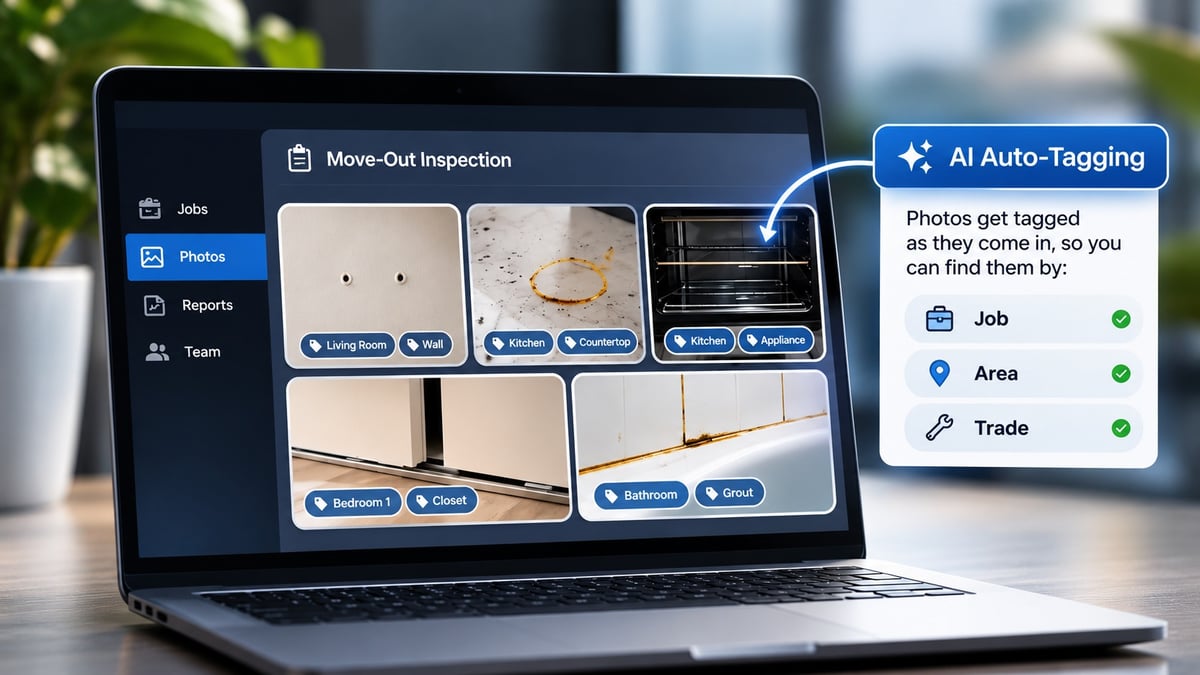
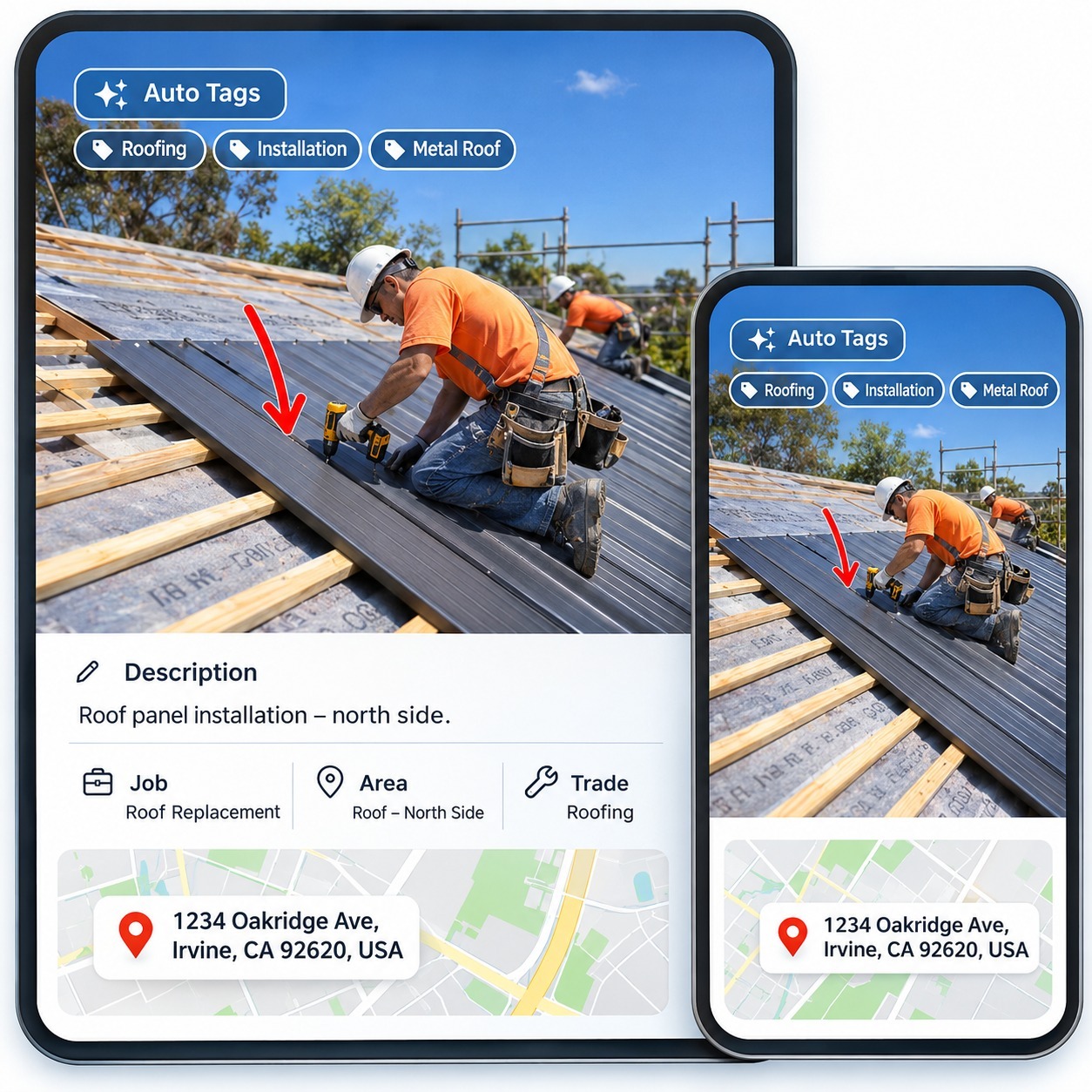
AI photo tagging is the automatic labeling of images based on what they show. When a crew member takes a photo in BlitzzCam, AI reviews it as it arrives and adds descriptive tags, such as the area of the building, the component or the type of damage. The photo is also filed to the correct job and stamped with GPS location and time through photo documentation.
AI photo search is the other half of the feature. Instead of remembering folder names or dates, users type what they need the way they would ask a colleague. BlitzzCam matches the request against the job, tags, dates and other details, and returns the photos that fit. Crews can still add their own labels whenever they want to, and those labels are searchable too.
Why is it so hard for contractors to find job photos?
Contractors struggle to find job photos because the volume grows faster than anyone can organize it. A single reroof, solar install or water mitigation job can produce hundreds of images, and a busy company runs many jobs at once. Without a system, those photos end up in places that make retrieval slow and unreliable:
The result is familiar to most project managers: the photo exists, but nobody can find it. Time is lost every week to scrolling and calling crews to ask who took the shot, and occasionally the photo that would have settled a dispute is simply never located.
Why does AI photo tagging matter for contractors?
AI photo tagging matters because it changes photos from a storage problem into a usable record. The benefits show up in the moments where speed and proof matter most.
1. It produces evidence when a claim or dispute comes in
When a homeowner says the damage was there before the crew arrived, or an adjuster asks for proof of storm damage on a specific elevation, the answer depends on producing the right photo quickly. With tagged, time stamped photos, the office can pull every image of the relevant area on that job and send it the same day. BlitzzCam’s damage and insurance claim documentation and proof of work use cases are built on exactly this kind of retrieval.
2. It answers questions before the call ends
Clients, general contractors and owners often call with a simple question: was the flashing installed, what did the subfloor look like, has the inspection passed? When photos are searchable by job, tag, date and team member, the person on the phone can find the answer while the caller is still on the line. That responsiveness supports better client updates and fewer return trips to the site to check something that was already photographed.
3. It speeds up reports, change orders and closeout
Reports are only as fast as the photo search behind them. When the right images are already tagged, assembling a daily report, a change order backup or a project closeout package becomes a matter of selecting results rather than hunting for them. In BlitzzCam, search results can be added directly to a branded report or a share link through reports and sharing, and AI reports can build a report from a project’s photos, notes and checklist results.
4. It keeps records consistent across every crew
Manual photo naming depends on each technician’s habits, and every tech writes it differently. AI tagging applies the same labeling to every photo regardless of who took it, which gives the office a consistent record across crews, regions and subcontractors. This consistency also supports quality control, because reviewers can compare like-for-like photos across jobs.
5. It requires no extra work in the field
Any system that asks crews to stop and name files will be skipped on a busy day. With AI tagging, crews shoot the way they always do: no naming, no folders and no extra steps. Paired with AI Walkthrough, crews can also talk while they shoot, and notes and tags are added for them.
6. It turns photos into a company-owned asset
Photos stored in BlitzzCam belong to the company, not to the individual who took them. Combined with searchable tags, that means the visual history of every job stays available after a crew member leaves, which matters for warranty calls, repeat customers and future bids on similar work.
How does AI photo search work in BlitzzCam?
AI photo search in BlitzzCam works in three steps: shoot, ask and find. Crews take photos in the app, and each one lands in the right job with GPS and time. Users then type what they need in plain language, and BlitzzCam returns the matching photos, ready to share. Photos can also be filtered by job, date, tag and team member.
The examples below are illustrative and show how different roles might use the same search.
|
Who is asking |
What they type |
What they need it for |
|
Roofing project manager |
Hail damage on Oak St |
Supplement request for the insurance adjuster |
|
Restoration supervisor |
Moisture readings in the basement, first visit |
Proving pre-existing conditions before mitigation |
|
HVAC service manager |
Condenser nameplate at the Henderson job |
Ordering the correct replacement part |
|
Solar operations lead |
South roof array flashing |
Responding to a leak callback |
|
General contractor |
Framing before drywall, unit 12 |
Verifying in-wall work during a dispute |
Because every photo carries GPS coordinates, location also narrows results, and map view shows every job and its photos on one map. Photos taken in areas without cell service are still captured on site and sync once the device reconnects.
Which contractors benefit most from AI photo tagging?
Any contractor with a high photo volume benefits, but the value is greatest where photos regularly become evidence or where multiple people need to find them.
What can't AI photo tagging do?
AI photo tagging organizes the photos a crew captures. It cannot find a photo that was never taken, and it cannot make a blurry or poorly framed image useful as evidence. Good capture habits still matter: wide shots for context, close-ups for detail, and consistent coverage of the areas that most often lead to claims.
Tags are also a starting point rather than a final judgment. AI describes what appears in an image, but deciding whether a condition is damage, a defect or normal wear remains the responsibility of the inspector, project manager or adjuster. Companies that need specific shots on every job should still use photo checklists so required images are never skipped, and crews can add their own labels for anything the company tracks in its own way.
How should a contractor roll out AI photo tagging?
Adoption of AI across construction is still early. According to RICS research, only around 12 percent of construction workers regularly use AI in specific processes. Photo tagging is one of the easier places to start, because it changes little about how crews work. A practical rollout looks like this:
- Move job photography into one app so every photo is filed by job, with GPS and time, instead of living on personal phones.
- Start with one crew or one job type, and let the office test search on real requests from clients and adjusters.
- Add photo checklists for the job types where missing shots have caused problems in the past.
- Set up roles and groups through admin controls so the right people can see the right jobs, with a full activity log.
- Connect existing systems, such as Procore and other integrations, so photos and reports reach the platforms the office already uses.
Because BlitzzCam is built for the jobsite, with glove-friendly apps for iOS and Android and a web app for the office, crews and office staff work from the same record.
What does BlitzzCam cost?
BlitzzCam starts with a free 14-day trial. Monthly plans are $49.99 per month with 3 users included, plus $14.99 per month for each additional user. Annual plans save 20 percent: $39.99 per month with 3 users included, plus $11.99 per month for each additional user, billed annually. See the BlitzzCam pricing page for current details.
FAQ
Can I find a photo by asking for it?
Yes. BlitzzCam tags photos automatically, so users can search in plain language, for example “show me hail damage on Oak St.”
Do crews have to tag photos themselves?
No. BlitzzCam AI tags photos as they come in. Crews and office staff can still add their own labels.
What can I filter photo results by?
Photos can be filtered by job, date, photo tag and team member. Every photo also carries GPS location and a timestamp.
Can I share search results with clients or adjusters?
Yes. Photos found through search can be added to a branded report or a share link.
Does AI photo tagging work without cell service?
Crews can keep taking photos with no signal. Photos sync to the cloud once the device is back in range, with the original GPS location and timestamp intact.
How is AI photo tagging different from organizing photos in folders?
Folders depend on someone creating and maintaining them, and photos can only be found if the user knows where they were saved. AI tagging labels every photo automatically, and search finds images by what they show, across every job.
Find any job photo in seconds
See how AI photo tagging and search fits alongside before and after photos, project timelines and the rest of BlitzzCam’s features. Start a free 14-day trial or book a demo.
Sources

Blitzz Team
The Blitzz Team writes about remote video support, virtual inspections and field service. Our guides come from working with home builders, property managers, warranty teams, contact centers and field service organizations that use Blitzz to see and solve issues without a truck roll.