


On this page
Better accountability on a job comes from three things: clear ownership of each task, a verified record of the work, and visibility for the people responsible for it. When those are in place, field teams know what is expected, managers can see what was done, and nobody has to guess who did what or when.
BlitzzCam builds that structure into the tools crews already use. Every photo is stamped with GPS and time and attributed to the person who took it. Checklists set the standard, tasks assign the follow-ups, and admin controls add roles, groups and a full activity log. This guide covers why accountability is hard with field teams, the practices that keep crews on track, and how to do it without micromanaging.
Key takeaways
- Accountability is not surveillance. It is clear expectations, a shared record and fair visibility for everyone on the job.
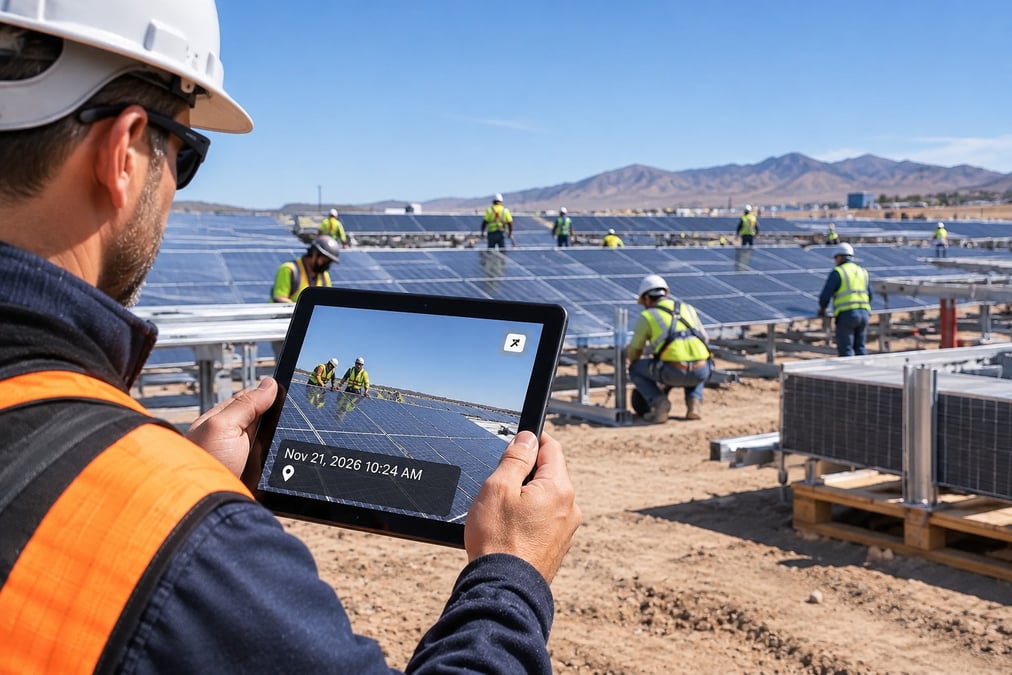
- Verified photos, with GPS, time and user attribution, answer who did the work, where and when without anyone having to ask.
- Checklists and assigned tasks turn standards and follow-ups into something trackable, instead of something remembered.
- Roles, groups and a full activity log give managers control over access and a clear history of changes as the team grows.
- Explain the why. Crews adopt documentation faster when they understand it protects them in disputes, not just the company.
- Keep it simple in the field. Automatic GPS, time and attribution, plus AI Walkthrough for spoken notes, mean accountability does not add typing to the day.
- Use the record to coach. When something goes wrong, review the photos and checklist together and focus on the process, not blame.
- Recognize good work. The same record that shows a missed step also shows thorough documentation. Point it out.
- Apply the same standard to everyone. Accountability only feels fair when it applies equally across crews, roles and seniority.
What does accountability mean for field teams?
For field teams, accountability means every piece of work has an owner, a standard and a record. The owner knows the job is theirs. The standard defines what done looks like. The record shows that it was done, by whom and when.
It is easy to confuse accountability with monitoring. They are different. Monitoring watches people. Accountability makes responsibilities clear and gives everyone, including the crew, a fair record to point to. A technician who followed the checklist and photographed every step is protected by that record just as much as the company is.
Why is accountability hard to maintain with field teams?
The work happens out of sight
Office teams rarely see the work as it happens. Crews spread across sites, often in different towns, and supervisors cannot be everywhere. Without a record, managers rely on verbal updates and trust, which works until something goes wrong.
Photos live on personal phones
When job photos sit on employees’ phones and in group texts, they are hard to find, hard to verify and not owned by the business. If a crew member leaves, their photos often leave with them.
Nobody knows who did what
When a problem surfaces weeks later, the first question is usually who worked on it. Without attribution on photos, notes and updates, answering that question takes calls, guesswork and memory.
Standards vary by crew
Each crew lead has their own habits. One documents every step; another photographs only the finished work. Inconsistent standards make it hard to review quality, train new hires or defend the company’s work.
Follow-ups get lost
An item that fails inspection, a client request or a missing part often gets passed along in a text or a hallway conversation. Without an owner and a due date, it is easy for follow-ups to slip.
Access grows without control
As teams add crew members, subcontractors and seasonal staff, the number of people who can see and change job records grows. Without roles and groups, everyone sees everything, and former team members may still have access long after they leave.
What does missing accountability cost?
When accountability breaks down, the cost shows up in places that are easy to underestimate: rework because a step was skipped, callbacks because a follow-up was missed, disputes that cannot be settled because nobody can prove what was done, and client frustration when updates do not match reality. Each one takes time from the office and the crew, and each one is harder to fix after the fact than to prevent during the job.
How do you keep field teams on track?
1. Give every job a clear owner
Every job should have a named person responsible for it, and every person involved should be linked to it. In BlitzzCam, contacts keep the right people tied to the right jobs, and each job shows who created it and who is working on it, so ownership is visible from the start.
2. Make proof part of the work
The simplest way to build accountability is to make the record automatic. BlitzzCam stamps every photo with GPS location and time at capture through photo documentation, attributes it to the user who took it and files it to the correct job. Crews take photos the way they always have, and the record of who did what, where and when builds itself. For more on why capture-time verification matters, see what is the best timestamped photo app for contractors.
3. Set the standard with checklists
A checklist turns expectations into something every crew can follow. Photo checklists define the required photos and steps for each job type, and crews add photos and notes to each item as they go. That consistency supports quality control and safety inspections, and gives managers a clear view of which items are complete.
4. Assign follow-ups as tasks, not texts
When a checklist item fails or a client asks for a change, assign it as a task with an owner. Tasks stay on the job, so they cannot get lost in a message thread, and open items can be tracked on a punch list until they are closed.
5. Control access with roles and groups
Not everyone needs access to every job. Admin controls in BlitzzCam let managers set roles and organize users into groups, so crews, office staff and subcontractors see the work that is relevant to them. When someone leaves, their access can be removed while every photo they took stays with the company.
6. Keep a full activity log
An activity log records what happened in the account and who did it. It answers questions about changes to jobs and records without anyone having to reconstruct events from memory. For audits, disputes and internal reviews, that history is often as valuable as the photos themselves. Read how BlitzzCam keeps photo data secure and audit ready.
7. Keep communication on the job
Decisions made in text messages are hard to trace later. Team chat gives every job its own conversation, next to the photos, with built-in translation for multilingual crews. Questions, answers and approvals stay attached to the job they affect, which supports clear crew communication.
8. Review the work, not the people
Managers need visibility without hovering. The project timeline shows each job day by day, map view shows every job and its photos by location, and AI reports assemble photos, notes and checklist results into a summary. Reviewing the record lets managers spot issues early and coach with facts instead of assumptions.
9. Onboard new team members with the same standard
Accountability is easiest to build on day one. When a new crew member, subcontractor or seasonal hire joins, add them to the right group, give them the role that matches their work and point them to the checklists for the job types they will handle. They learn the company standard from the tools rather than from whoever happens to train them, and their first jobs are documented the same way as everyone else’s. When their work ends, removing access takes minutes, and the record they built stays with the company.
The same applies to subcontractors. Giving them access only to the jobs they work on keeps the rest of the account private, while still capturing their photos, checklist results and notes on the jobs where they matter.
How do accountability questions get answered?
|
Question |
Without a system |
With BlitzzCam |
|
Who took this photo, and when? |
Ask around and check phones |
GPS, time and user on every photo |
|
Was the job done to standard? |
Rely on the crew’s word |
Checklist items with photos attached |
|
Who owns this follow-up? |
Search texts and emails |
Assigned task on the job |
|
Who can see this job? |
Everyone with the shared folder |
Access set by roles and groups |
|
What changed, and who changed it? |
Reconstruct from memory |
Full activity log |
|
Where are the photos from a former employee? |
Possibly on their personal phone |
Owned by the company, on the job |
How do you build accountability without micromanaging?
Tools create the record, but culture determines how it is used. A few principles help keep accountability fair and productive:
Where does remote verification fit?
Sometimes a supervisor needs to see the work before it moves on, without driving to the site. Blitzz Inspect handles that with remote video. The crew member taps a link and joins from a phone browser, the supervisor guides the camera and captures time stamped photos, and Owlbert AI writes the notes and report when the call ends. It adds a live check to the accountability record BlitzzCam builds on site.
Who benefits most from better accountability?
Any company with crews working out of sight benefits, but the value grows with team size and job volume. General contractors coordinating multiple trades, service companies running many small jobs a day and firms that work with subcontractors all depend on knowing who did what. Accountability also matters most when work is questioned, so teams handling proof of work and damage and insurance claims gain the most from a clear, attributed record. For managing work across a wide territory, see no more spreadsheets: map-based job tracking for contractors.
What does BlitzzCam cost?
BlitzzCam starts with a free 14-day trial. Monthly plans are $49.99 per month with 3 users included, plus $14.99 per month for each additional user. Annual plans save 20 percent: $39.99 per month with 3 users included, plus $11.99 per month for each additional user, billed annually. See the BlitzzCam pricing page.
FAQ
How do you hold field crews accountable?
Give every job a clear owner, define the standard with checklists, capture verified photos with GPS, time and user attribution, assign follow-ups as tasks, and review the record regularly.
What are admin controls in BlitzzCam?
Admin controls include roles, groups and a full activity log, so managers can control who sees which jobs and track changes across the account.
Does BlitzzCam show who took each photo?
Yes. Every photo is stamped with GPS location and time and attributed to the user who captured it.
What happens to photos when an employee leaves?
Photos are owned by the company and stay on the job, so the record remains after a crew member leaves.
Can clients see job records without an account?
Yes. BlitzzCam shares records through permission-based links and branded PDFs, so clients see only what you grant, with no app or login. See reports and sharing.
Can I find photos by who took them?
Photos can be filtered by job, date, tag and team member, and AI photo tagging and search lets you find images by asking for them.
Build accountability into every job
BlitzzCam is built for the jobsite, with apps for iOS and Android and a web dashboard for the office. Start a free 14-day trial or book a demo.

Blitzz Team
The Blitzz Team writes about remote video support, virtual inspections and field service. Our guides come from working with home builders, property managers, warranty teams, contact centers and field service organizations that use Blitzz to see and solve issues without a truck roll.