

.png?width=120&height=55&name=Blitzz-Logo-right%20white%20eyes%20-%20not%20transparent%20(3).png)

.jpg?width=1200&height=675&name=Untitled%20(39).jpg)
On this page
.jpg?width=1650&height=953&name=Untitled%20(39).jpg)
A roofing job is a race against weather, schedules, and the moment the shingles go on and hide everything underneath. The decking, the underlayment, the flashing around every penetration: all of it disappears the day the roof is finished. After that, a photo is the only proof that the work below was done right.
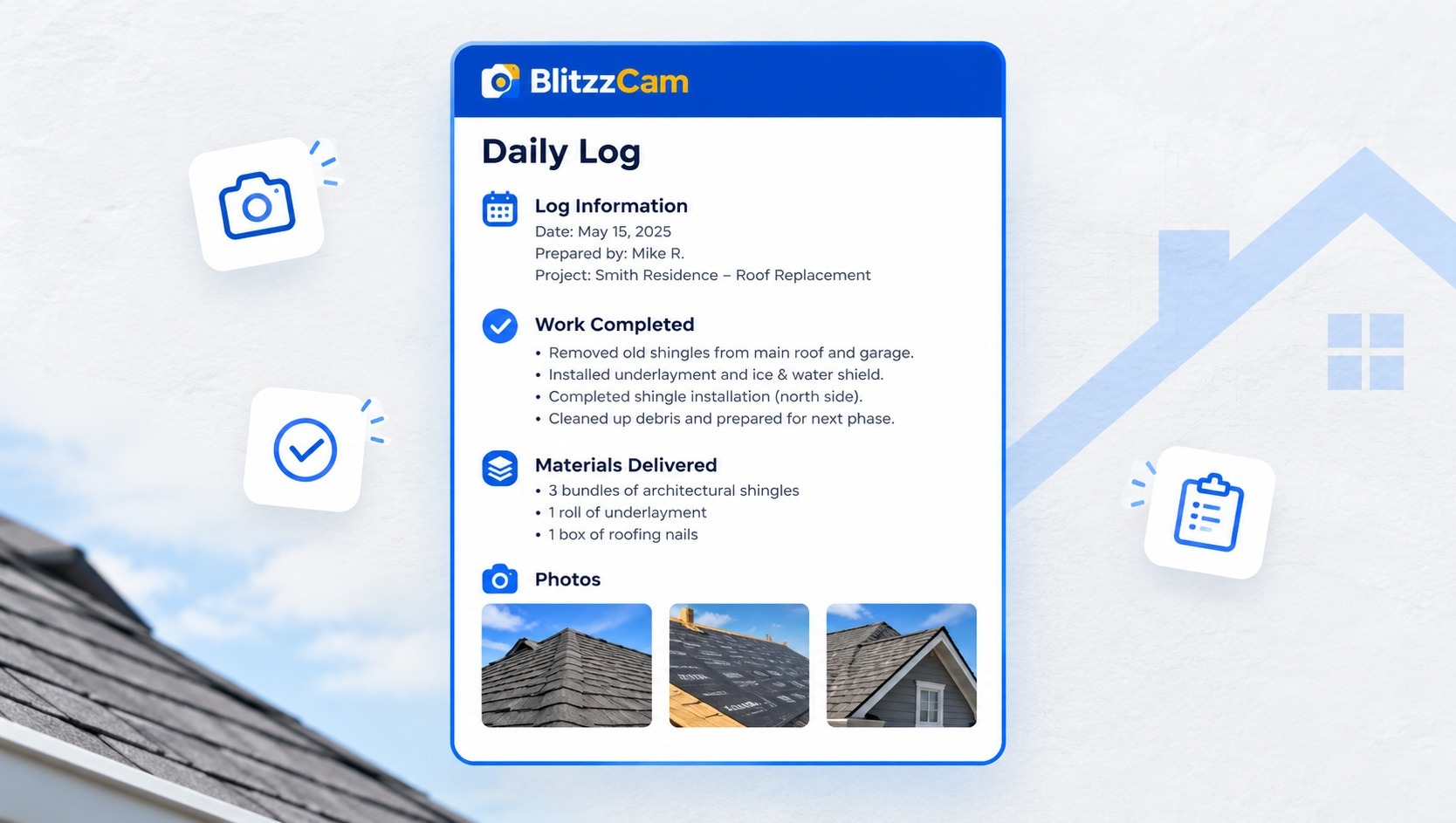
BlitzzCam gives roofing crews a simple way to capture that proof as they work. Photos taken in the mobile app are stamped with GPS location and a timestamp, filed under the right project, and synced to the office, so the record builds itself while the crew stays focused on the roof. This guide walks through how roofers use BlitzzCam from the first walkaround to the final sign-off.
The work stays yours
Your crew still walks the roof, does the work, and decides what needs to happen next. BlitzzCam doesn't change how roofers work. It captures what they already do and turns it into a record the whole company can use.
Crews shoot photos the way they always have. The app handles the rest in the background: location, time, filing, and syncing. Nobody has to rename a file, build a folder, or text an image to the office. The record that results belongs to the company, stored in secure cloud storage rather than on whichever phone happened to take the picture.
How BlitzzCam works for roofing crews
BlitzzCam works with the photos your team already takes. The more consistently crews shoot at each stage of a job, the more useful the record becomes. Here are the tools roofers use most:
- Mobile capture. The app runs on iOS and Android. Capture is unlimited and high resolution, with no storage caps or per-image fees, so crews can photograph every stage generously.
- Verified photos. Every photo is stamped with GPS location and a timestamp when it is shot, which gives each image proof of when and where the work happened.
- Project and phase filing. Photos land under the right job, organized by phase, with custom tags such as tear-off, decking, underlayment, flashing, and final.
- Search. The office can find any photo by project, tag, and date, without scrolling through camera rolls or group chats.
- Automatic sync. Captures sync as soon as the phone is back in range, which matters on rural properties and anywhere the signal is weak.
- Checklists and task assignments. Crews can complete checklists in the field with photos and answers attached, and the office can assign follow-up tasks.
- Branded PDF reports. A project's photos and checklists become a clean, branded report in seconds.
- Client portal. Homeowners, general contractors, and adjusters can view the records they have been granted through a permission-based link, with no app download.
Browse the full list on the BlitzzCam features page.
Use BlitzzCam through the life of a roofing job
A roofing job moves through predictable stages, and each one has photos worth taking. Setting up the project before the crew arrives means every shot files under the right job from the start.
Before work begins. Photograph the existing roof, gutters, siding, skylights, landscaping, and any damage that is already there. A wide shot of each elevation plus close-ups of problem areas protects you against false damage claims later, because the record shows the property's condition on arrival.
During tear-off. Capture the condition of the old layers and any rot or deterioration found underneath. These photos support change orders. If you need to replace decking beyond the original scope, the customer can see exactly why, and the timestamp shows when it was found.
Decking and underlayment. This is the stage that disappears. Photograph the decking before it is covered, the underlayment going down, and any ice and water shield at eaves and valleys. Once shingles are installed, nobody can inspect this layer again, so these photos are the only record that survives.
Flashing and penetrations. Chimneys, vents, skylights, and wall transitions are where leaks start. Take a close-up and a medium shot of each flashing detail before it is covered. If a callback comes in a year, you can show how it was installed.
Final and cleanup. Photograph every slope of the finished roof, ridge and edge details, and the cleaned-up property, including the yard and driveway. A consistent set of final photos gives the customer confidence and gives you a clean closeout record.
A simple rule keeps the process consistent: at each stage, take one wide shot for context, one medium shot of the work area, and one close-up of the detail that matters. Tag each photo with the stage so the office can search by phase later.
Storm and insurance work
Roofers who handle storm damage know that the paperwork often matters as much as the repair. Adjusters and homeowners want to see the damage, the scope, and the completed work, and they want to know when each was documented.
With BlitzzCam, a crew lead can photograph hail marks, missing shingles, and water intrusion on the first visit, and each image carries a verified location and timestamp. When the adjuster asks for supporting evidence, the office pulls the project's history and shares it through a permissioned link, or generates a branded PDF report from the photos and checklists.
That speeds up approvals and reduces back-and-forth, because everyone is looking at the same record. It also protects you if a claim is questioned later. The same standard of documented, time-stamped evidence is what insurance teams expect, and a roofer who can produce it quickly is easier to work with.
Keeping homeowners and general contractors informed
Homeowners can't climb the roof to see progress, and general contractors are often juggling several trades at once. Both want updates without a phone call.
BlitzzCam's client portal lets you share a project through a permission-based link. The homeowner or GC sees the photos you choose to share, and nothing else, with no app to download and no account to create. Instead of answering "how's it going?" with a text and a handful of images, you point them to a link that stays current as the crew works.
When the job closes, a branded PDF report built from the project's photos and checklists gives everyone the same final document. It works well as a closeout package for the customer and as a file copy for your records. For roofing work that sits inside larger construction projects, it also gives the GC what they need to sign off your scope and move to the next trade.
Checklists and crew accountability
Photos show what happened. Checklists make sure the right things happen in the first place. BlitzzCam lets you create checklist and inspection templates so repeat work starts from a standard rather than a blank page.
For roofing, a few templates cover most jobs:
- Pre-job walkaround. Existing conditions, access points, protection of landscaping and property, and customer notes.
- Pre-cover inspection. Decking condition, underlayment, ice and water shield, flashing, and ventilation, each with a required photo.
- Closeout. Final slope photos, nail sweep, debris removal, and customer walkthrough.
Crews complete the checklist on their phones, with photos and structured answers attached, so the office doesn't have to decode text messages at the end of the day. If something is missed or needs follow-up, a project manager can assign a task with an owner, and nothing falls through the cracks between the field and the office.
Over time, the checklists become a quiet training tool. New crew members see what a complete job looks like, and foremen see at a glance whether a stage was documented before the next one began.
Getting started on your next roof
You don't need to change your whole operation to try BlitzzCam. Start with one crew on one active job, and build from there.
- Create the project before the crew arrives. Every photo then files under the right job from the first shot.
- Agree on a short set of tags. Stages like tear-off, decking, underlayment, flashing, and final are enough to make search fast.
- Keep the rule simple. If it is job-related, it is shot in the app.
- Share one project with a customer. Send the portal link and see how it changes the questions you get.
- Review at the end of the job. Check how long it took to find photos and build the closeout report compared with your usual process.
Because BlitzzCam keeps everything in company-owned, secure cloud storage, the record stays with the business, whoever is on the crew. To see how other field teams use documentation, browse the Blitzz case studies, and for more articles like this one, visit the Blitzz blog. If data handling matters to your customers, the Blitzz security overview explains how information is protected.
BlitzzCam is currently in early access with a limited first cohort. Early members lock in launch pricing and help shape the roadmap. To see how it works or join the waitlist, visit the BlitzzCam page.

Blitzz Team
The Blitzz Team writes about remote video support, virtual inspections and field service. Our guides come from working with home builders, property managers, warranty teams, contact centers and field service organizations that use Blitzz to see and solve issues without a truck roll.


.jpg)