.png?width=120&height=55&name=Blitzz-Logo-right%20white%20eyes%20-%20not%20transparent%20(3).png)

On this page
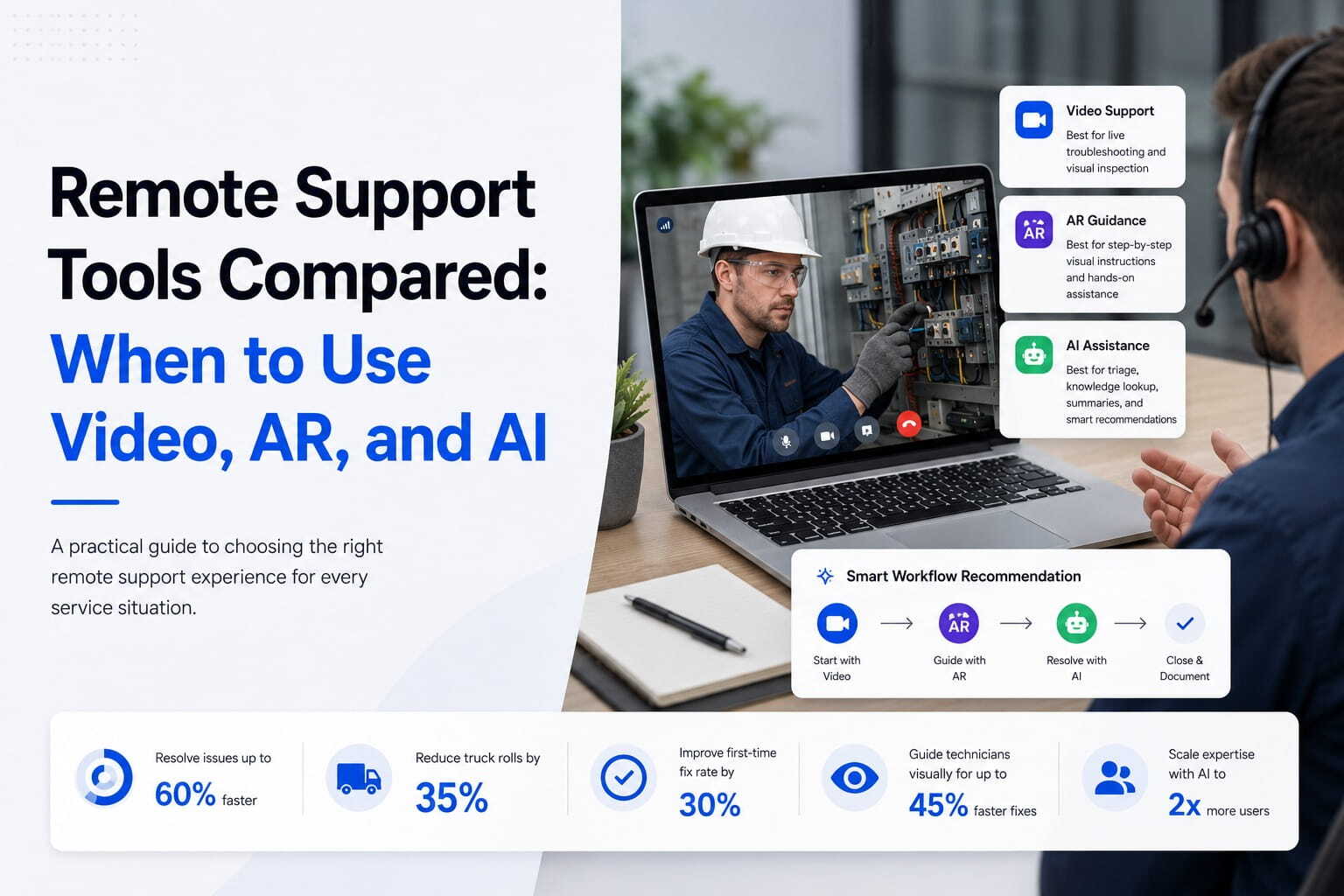
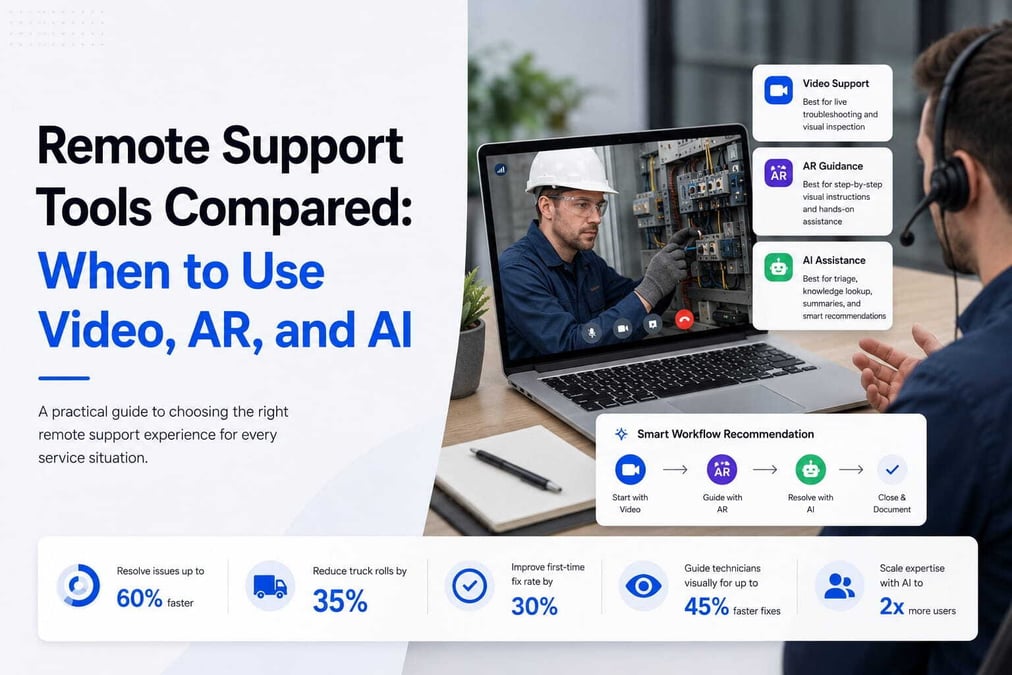
Remote support has outgrown chat and phone. The modern customer experience now runs on three technologies working in concert — live video, augmented reality (AR), and AI-driven assistance — each solving a different part of the problem. The real challenge for support leaders isn't whether to adopt them, but knowing which tool fits which situation.
Reach for the wrong one and you either over-engineer a simple fix or under-serve a complex one. This guide breaks down when and why to use each technology, where they overlap, and how the best teams layer all three into a single remote visual support strategy that resolves issues faster and cheaper than any one tool alone.
What Are Remote Support Tools?
Remote support tools are technologies that let agents and experts assist customers without being physically present. Instead of dispatching someone to a site, the agent connects digitally, sees or understands the problem, and guides the resolution from anywhere.
They fall into three core categories. Video support provides a live human connection. AR support layers digital guidance onto the customer's real-world view. And AI support automates triage, diagnostics, and decision support. Most mature remote visual support platforms combine all three, but understanding each on its own is the first step to deploying them well.
Video Support: Real-Time Human Connection
What it is. Video support is a live video call between a customer and an agent — the foundation of modern remote assistance.
How it works. The customer shows the issue through a smartphone or webcam, and the agent guides troubleshooting visually, watching the problem unfold in real time rather than relying on a description.
Best use cases. Video shines for basic troubleshooting, product setup and installation, field service guidance, and insurance inspections. Anywhere the problem is visible, remote visual support over live video closes the gap between what the customer sees and what the agent understands. It's also the backbone of remote video inspection software used for property, auto, and equipment assessments.
Strengths. High clarity, immediate visual context, and trust built through genuine human interaction. Customers feel guided rather than interrogated, which is why remote visual support over live video remains the trust-building core of any support stack.
Limitations. Plain video has no interactive overlays, depends on the customer's camera quality and ability to hold it steady, and offers less guidance precision than AR. It tells the customer what to look at — it can't yet point at it.
Augmented Reality (AR) Support: Guided Visual Assistance
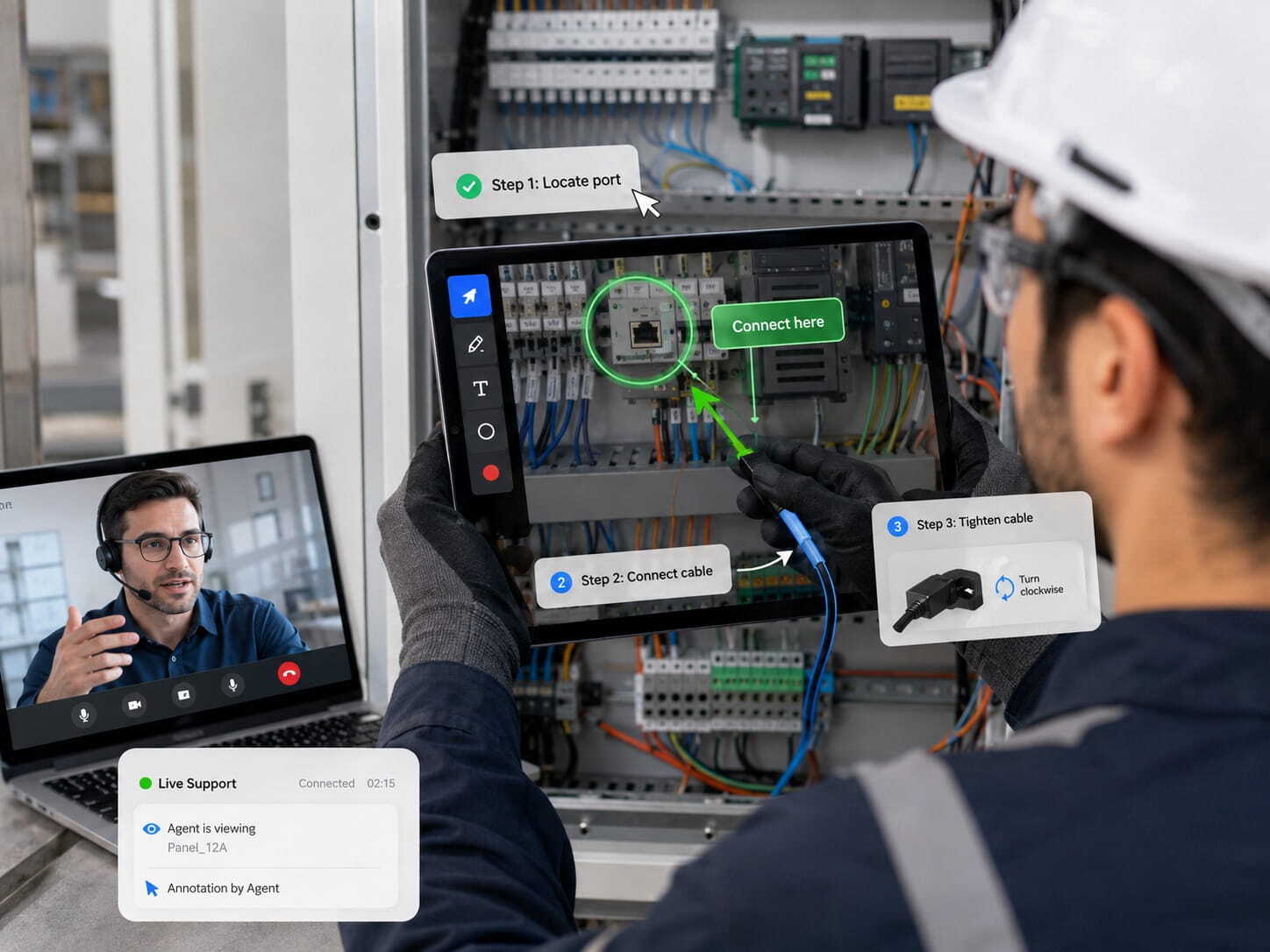
What it is. AR support adds digital overlays to the customer's real-world environment — turning a passive video call into an actively guided session.
How it works. The live camera feed is enhanced with arrows, labels, markups, and step-by-step instructions. Tools like a shared pointer and on-screen annotation let an expert circle the right port, draw an arrow to the correct cable, or guide someone's hands in real time. These AR capabilities eliminate the ambiguity of verbal directions.
Best use cases. AR is built for complex equipment repair, technical installations, manufacturing and industrial maintenance, and advanced product assembly. The APR Supply case study shows advisors using AR annotation to identify wiring issues and guide installation steps, replacing hours-long site visits with minutes of guided support.
Strengths. Highly precise instructions, reduced human error, and excellent fit for step-by-step workflows where getting a sequence right matters. AR is the most precise form of remote visual support available today.
Limitations. AR can require compatible devices, carries higher setup complexity, and may need some user training. The richer the guidance, the more the technology demands — which is why AR is best deployed where precision justifies the overhead. Platform comparisons like Blitzz vs. TeamViewer Assist AR help teams weigh that trade-off.
AI Support: Intelligent Automation and Decision Support
What it is. AI support uses systems that analyze queries, images, and data to provide solutions directly or guide human agents toward them.
Types of AI support. This spans chatbots and virtual assistants, image recognition and diagnostics, and predictive troubleshooting that anticipates the likely fix. Increasingly, AI also transcribes sessions, auto-generates reports, and flags anomalies — capabilities detailed in coverage of the leading digital inspection platforms.
Best use cases. AI excels at first-line customer support, ticket triage and routing, automated troubleshooting suggestions, and fraud detection in insurance and finance. It's also a powerful copilot during live sessions — see how AI and AR remote support work together to get an agent's eyes on the problem fast.
Strengths. Scalable 24/7 coverage, reduced workload on human agents, and near-instant response times. AI also amplifies remote visual support by handling the routine so human experts can focus on the hard cases.
Limitations. AI lacks emotional intelligence, can struggle with ambiguous or novel issues, and still requires human escalation in many cases. It's a force multiplier, not a replacement. For teams embedding AI into custom flows, a developer REST API can trigger diagnostics or a visual session automatically.
Video vs AR vs AI: Direct Comparison
The three tools differ most across four dimensions.
Context understanding. Video delivers medium context, AR delivers high context through interactive overlays, and AI's context depends entirely on its input — text, image, or video. Feed AI a live video stream and its understanding climbs; feed it a vague text ticket and it's limited.
Ease of use. Video is easy for everyone, AR is moderate because it asks more of the device and the user, and AI is very easy for the end user since the intelligence runs in the background.
Best for complexity. Video suits low-to-medium complexity issues, AR handles high-complexity technical tasks, and AI covers a broad range — especially early-stage support and routing. A remote visual support platform that blends them lets complexity dictate the tool rather than forcing one approach onto every ticket.
Customer experience. Video feels human and reassuring, AR feels highly guided and structured, and AI feels fast and scalable but less personal. The art is matching the emotional need of the moment to the right channel.
When to Use Video Support
Choose video when human reassurance matters, when issues are simple but visual, and when real-time interaction drives the resolution. A frustrated customer holding up a blinking router doesn't need a chatbot script — they need an agent who can see the device and walk them through it. This is also the right call for remote video inspection software workflows where an adjuster needs to view a loss live and capture timestamped evidence.
When to Use AR Support
Reach for AR when precision matters, when step-by-step guidance is required, and when mistakes are costly or risky. Wiring a control panel, assembling industrial equipment, or guiding a technician through a repair sequence are situations where a circled component or an on-screen arrow prevents an expensive error. AR turns "see through the phone" into "point through the phone."
When to Use AI Support
Deploy AI at the start of the customer journey, for filtering and routing issues, and for fast answers to simple, repeatable queries. It's also invaluable as an agent assist during complex cases — surfacing knowledge, transcribing the session, and drafting documentation so the human can focus on the customer. AI is the layer that decides what kind of help each issue actually needs.
The Hybrid Remote Support Model
The strongest approach isn't choosing one tool — it's sequencing all three.
How the tools work together. AI triages the incoming issue and identifies its type. Video support handles general visual troubleshooting where a human eye resolves it. AR steps in for advanced, guided resolution when precision is essential. The customer experiences one smooth session, not three separate tools.
Why hybrid wins. Layering produces faster resolution times, lower operational costs, better customer satisfaction, and reduced escalation rates. Each interaction lands on the cheapest channel that can actually solve it, remote visual support absorbs the complex cases that would otherwise escalate, and automated remote video support keeps the handoffs invisible. Native integrations ensure session data, recordings, and AI summaries flow straight into the CRM regardless of which tool did the work.
Industry Use Cases
Telecom and ISP. Router setup pairs video with AI, while network diagnostics combine AR overlays with AI analysis and field verification runs on remote video inspection software. The result is fewer dispatches and faster fixes through remote visual support for classic "blinking light" problems.
Insurance. Claims inspections lean on video plus AI for triage and documentation, with AR overlays added for advanced damage assessment. A visual remote assistant for insurance lets adjusters triage at first notice of loss and capture evidence without a site visit — remote video inspection software applied directly to claims, fast and fully documented.
Manufacturing. Equipment repair is an AR-plus-AI strength, with remote technician assistance delivered over video. A single expert can guide work at multiple plants in one day through remote visual support. Roundups of the best remote visual support software show how industrial teams weigh these features.
Retail and e-commerce. Product setup runs well over video, while returns verification uses AI image analysis to confirm condition. Screen-level guidance through cobrowsing helps shoppers complete complex purchases without friction.
Key Challenges in Adoption
Adoption has real hurdles worth planning for. Technology integration complexity can stall rollouts if the platform doesn't connect cleanly to existing systems. Training support teams and customers takes effort, since guiding visually is a different skill than typing. Device compatibility is a particular concern for AR, which demands more of the hardware. And privacy and data security are non-negotiable, since live sessions touch sensitive information and require encryption and consent. Carriers and contact centers comparing remote visual support solutions should weigh how each platform handles all four before committing.
The Future of Remote Support
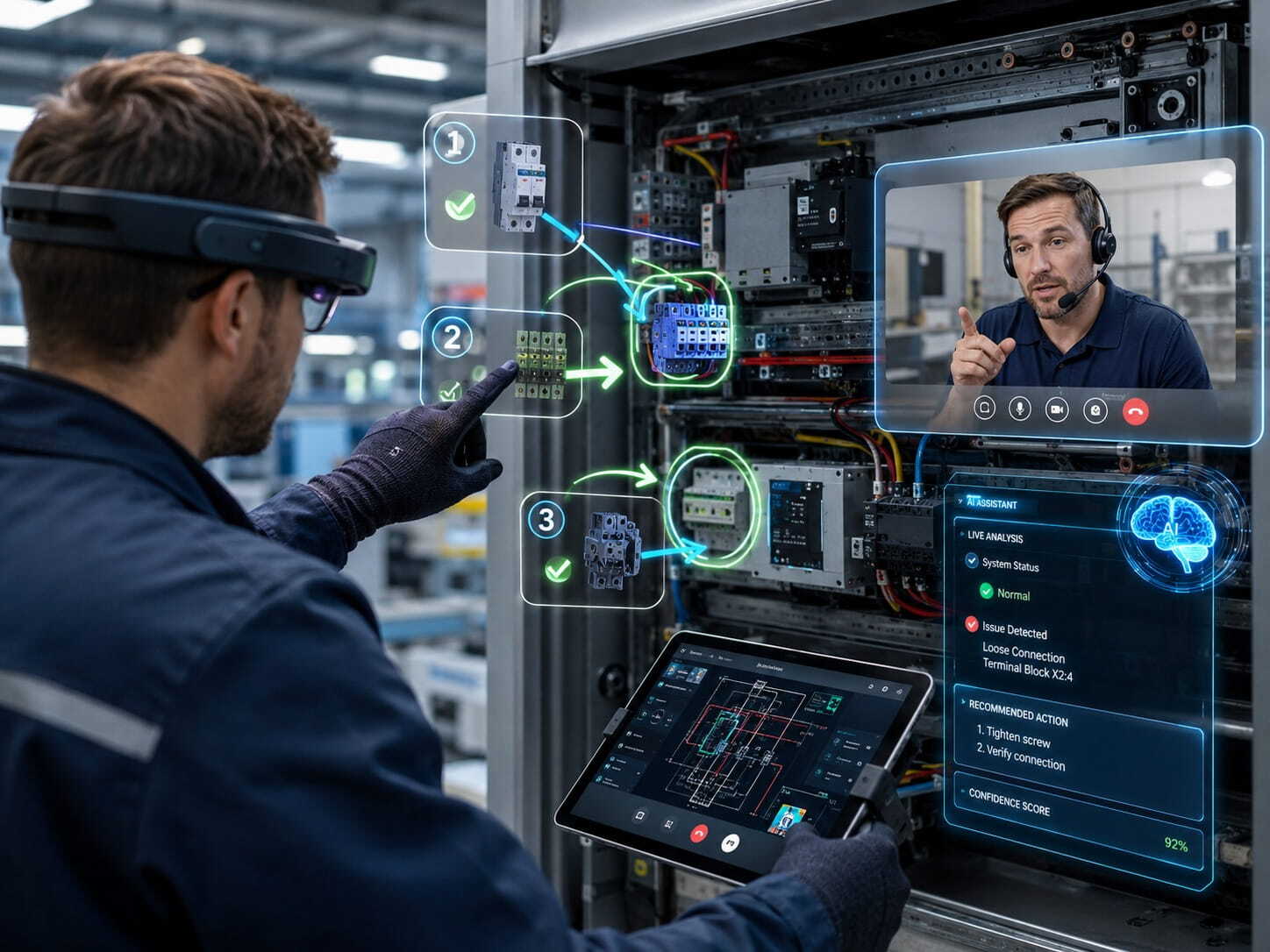
The trajectory is clear. AI becomes the central intelligence layer that routes, diagnoses, and documents. AR becomes standard equipment for technical industries where precision pays for itself. Video remains the human fallback layer — the reassuring, high-trust channel for when people simply need to talk to a person who can see what they see. And all three converge into fully integrated, visual-first support ecosystems where remote video inspection software and live remote visual support share one platform. The companies building toward that today are setting the standard everyone else will eventually meet.
Conclusion
No single tool solves every support problem. Video, AR, and AI each serve a distinct role across the support journey — human connection, precision guidance, and scalable intelligence. The best-performing companies don't pick a favorite; they deploy all three in a structured, layered system that matches each issue to the right capability. The future of support is intelligent, visual, and hybrid-driven.
Want to see video, AR, and AI working together on your own use cases? Schedule a demo and watch a single remote visual support session resolve a complex issue end to end.
Frequently Asked Questions
What's the difference between video, AR, and AI remote support? Video support is a live call where the agent sees the problem through the customer's camera. AR support adds interactive overlays — arrows, markups, and labels — onto that video for precise guidance. AI support automates triage, diagnostics, and documentation. Each handles a different level of complexity.
Which remote support tool is best for complex technical repairs? AR support, because it lets an expert annotate directly on the live feed and guide a precise, step-by-step sequence. It's ideal when mistakes are costly, such as equipment repair or industrial installation.
Can AI replace human agents in remote support? Not entirely. AI excels at first-line triage, routing, and fast answers, but it lacks emotional intelligence and struggles with ambiguous issues. It works best as an agent assist and an escalation filter, with humans handling complex, high-touch cases.
What is a hybrid remote support model? A hybrid model uses AI to triage and route, video for general visual troubleshooting, and AR for advanced guided resolution — all within one session. It lowers cost, speeds resolution, and reduces escalations.
Do customers need to download an app to use video or AR support? With browser-based platforms, no. The customer clicks a secure link sent by SMS or email and connects instantly from any smartphone browser, which keeps adoption high and friction low.


Blitzz Team
The Blitzz Team writes about remote video support, virtual inspections and field service. Our guides come from working with home builders, property managers, warranty teams, contact centers and field service organizations that use Blitzz to see and solve issues without a truck roll.