.png?width=120&height=55&name=Blitzz-Logo-right%20white%20eyes%20-%20not%20transparent%20(3).png)

On this page
 What Is Remote Visual Support?
Remote visual support (RVS) is a technology-enabled approach that lets a support agent, technician, or expert see exactly what a customer or field worker sees — in real time, through their smartphone camera — without ever setting foot on site.
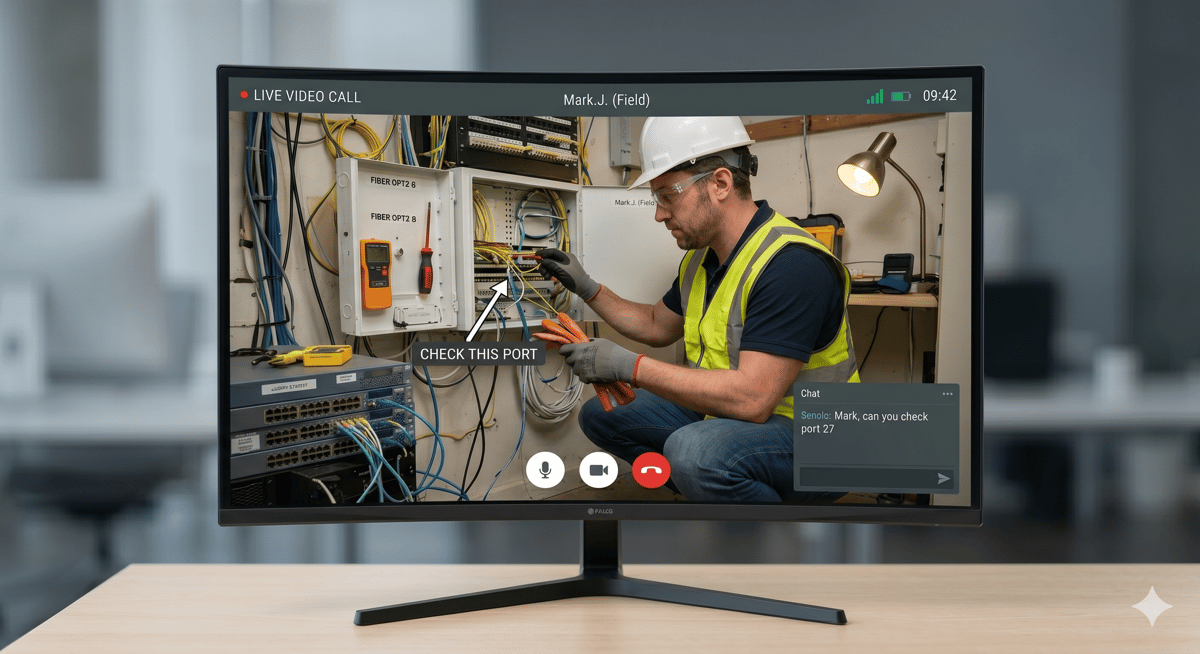
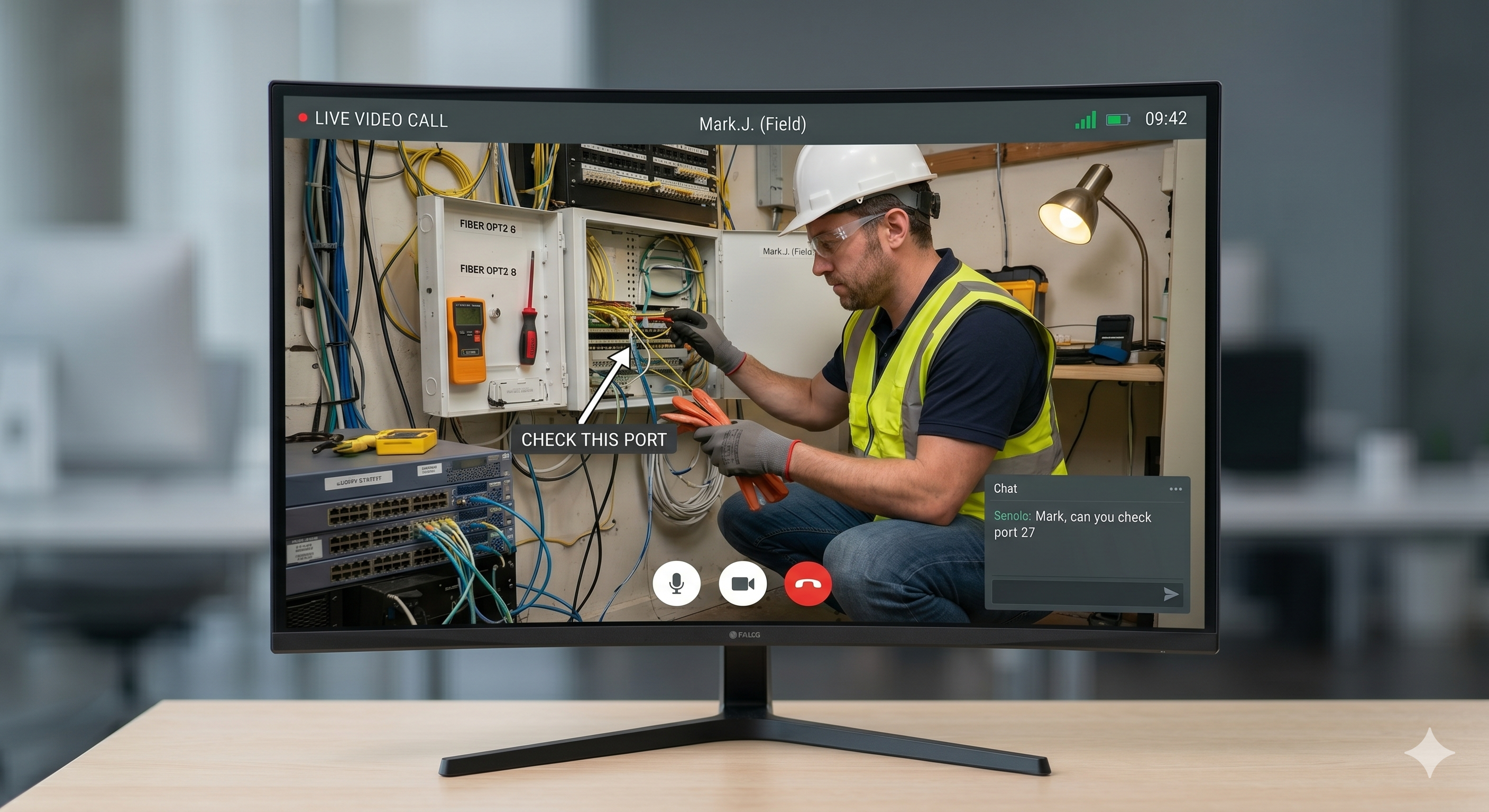
Instead of relying on a customer's description of a problem ("the light is blinking" or "something looks off near the cable"), your team gets a live, annotatable view of the issue. Agents can zoom in, draw on the screen, capture photos, and walk the customer to a resolution — all in a single session, no travel required.
Remote visual support is not a video call tool dressed up with a different name. It's a purpose-built category of software designed around one core need: closing the distance between the expert and the problem.
How Remote Visual Support Works
The process is intentionally simple — both for the agent and the customer:
A support ticket or inspection request is created. This can happen through your CRM, ticketing system, or a direct customer contact.
The agent sends a secure link via SMS, email, or WhatsApp. No app download is required on the customer's end.
The customer taps the link and a live video session opens in their browser — instantly.
The agent sees through the customer's camera. From there, they can annotate the live feed, zoom in remotely, activate the device's flashlight, capture timestamped photos, and guide the customer step by step.
The session is documented automatically. Photos, notes, location data, and a summary are saved to the connected CRM or ticketing platform.
The issue is resolved — or escalated with context. If a truck roll is genuinely needed, the agent dispatches a technician who already knows what they're walking into.
With a platform like Blitzz, this entire workflow takes minutes. There are no app stores, no logins for the customer, and no complicated setup for the agent. Learn more about Blitzz features and discover how remote visual support can seamlessly integrate into your existing telecom workflows. See how your team can diagnose issues faster, reduce site visits, and scale operations without adding complexity.
Why Remote Visual Support Has Become Essential
The Problem with "Describe the Problem"
Support has always been hampered by the same bottleneck: customers and technicians speak different languages. A homeowner describing a circuit breaker problem, a manufacturing floor worker troubleshooting a conveyor malfunction, an insurance claimant documenting flood damage — all of them are doing their best to communicate something visual through words. This communication gap drives up handle times, increases repeat contacts, erodes customer satisfaction, and sends trucks into the field that didn't need to go.
The Shift That Changed Everything
The combination of ubiquitous smartphones, reliable mobile broadband, and browser-based video technology eliminated the technical barriers that once made remote visual tools clunky or inaccessible. Today, a customer with a smartphone and a data connection can share a live, high-resolution view of their situation in seconds.
What remote visual support platforms like Blitzz add on top of that raw capability — AR annotations, remote zoom, OCR text capture, GPS tracking, automatic reporting — is what separates a true enterprise tool from a consumer video call.
Key Benefits of Remote Visual Support
Dramatic Reduction in Truck Rolls and Site Visits
Dispatching a technician costs money. According to industry benchmarks, the average truck roll for a telecom or field service company runs between $150 and $300 per visit — and that's before factoring in missed appointments, repeat dispatches, or failed first attempts. Blitzz customers have reported reductions in truck rolls of up to 60%, with one major telecom provider eliminating 120 unnecessary site visits in a single month across just 20 technicians.
Higher First-Contact Resolution
When an agent can see the problem, they solve it correctly the first time. Blitzz data shows first-call resolution rates improving by up to 40% after implementing remote visual support. The difference is simple: visual context removes ambiguity.
Faster Inspections and Audits
Remote visual support compresses inspection timelines dramatically. What once required a multi-day site visit — travel, document review, physical walkthrough — can be completed in a focused video session. One government council using Blitzz pushed first-time fix rates from 77.3% to 98.84%, while clearing a COVID-related backlog in just weeks.
Measurable Cost Savings
The math is straightforward. Fewer site visits mean lower labor costs, lower fuel and fleet costs, and lower administrative overhead. Blitzz customers save an average of $533 per agent per month by eliminating unnecessary field visits. Multiply that across a contact center or field service team and the annual impact becomes significant quickly.
Improved Customer and Employee Experience
Customers get answers faster. Agents spend less time on ambiguous calls. Field technicians arrive at job sites already knowing what they're dealing with. The experience improves at every point in the chain, which is why 73% of customers surveyed in one Blitzz deployment said they preferred video assistance over a voice-only call.
Remote Visual Support vs. Standard Video Calling
A common question when evaluating remote visual support platforms is: why not just use Zoom or FaceTime?
The answer comes down to what happens before, during, and after the call.
|
Capability |
Consumer Video Apps |
Remote Visual Support (e.g., Blitzz) |
|
No app download required |
✗ |
✓ |
|
AR annotations on live video |
✗ |
✓ |
|
Remote camera zoom control |
✗ |
✓ |
|
Remote flashlight activation |
✗ |
✓ |
|
OCR / text extraction from camera |
✗ |
✓ |
|
GPS location tracking |
✗ |
✓ |
|
Auto-generated inspection reports |
✗ |
✓ |
|
CRM/ticketing integration |
✗ |
✓ |
|
Session audit trail |
✗ |
✓ |
|
SOC-2 / HIPAA / GDPR compliance |
✗ |
✓ |
|
Offline capture mode |
✗ |
✓ |
Consumer video tools are built for conversation. Remote visual support platforms are built for resolution and documentation — two very different goals.
Industries Using Remote Visual Support
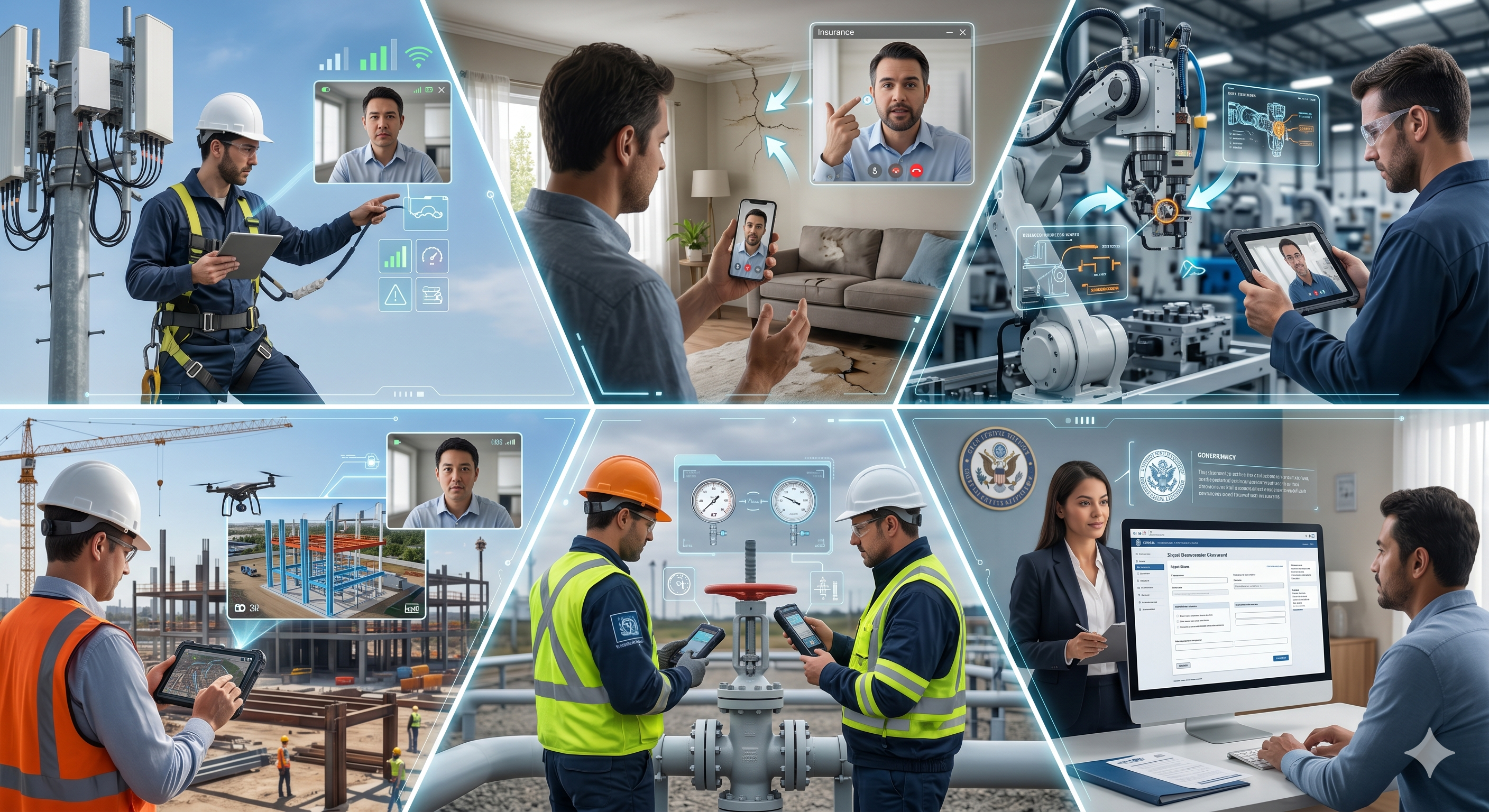
Remote visual support is not industry-specific. Any operation that currently sends someone to look at something in person is a candidate. The most active adopters today include:
Telecom and Field Service
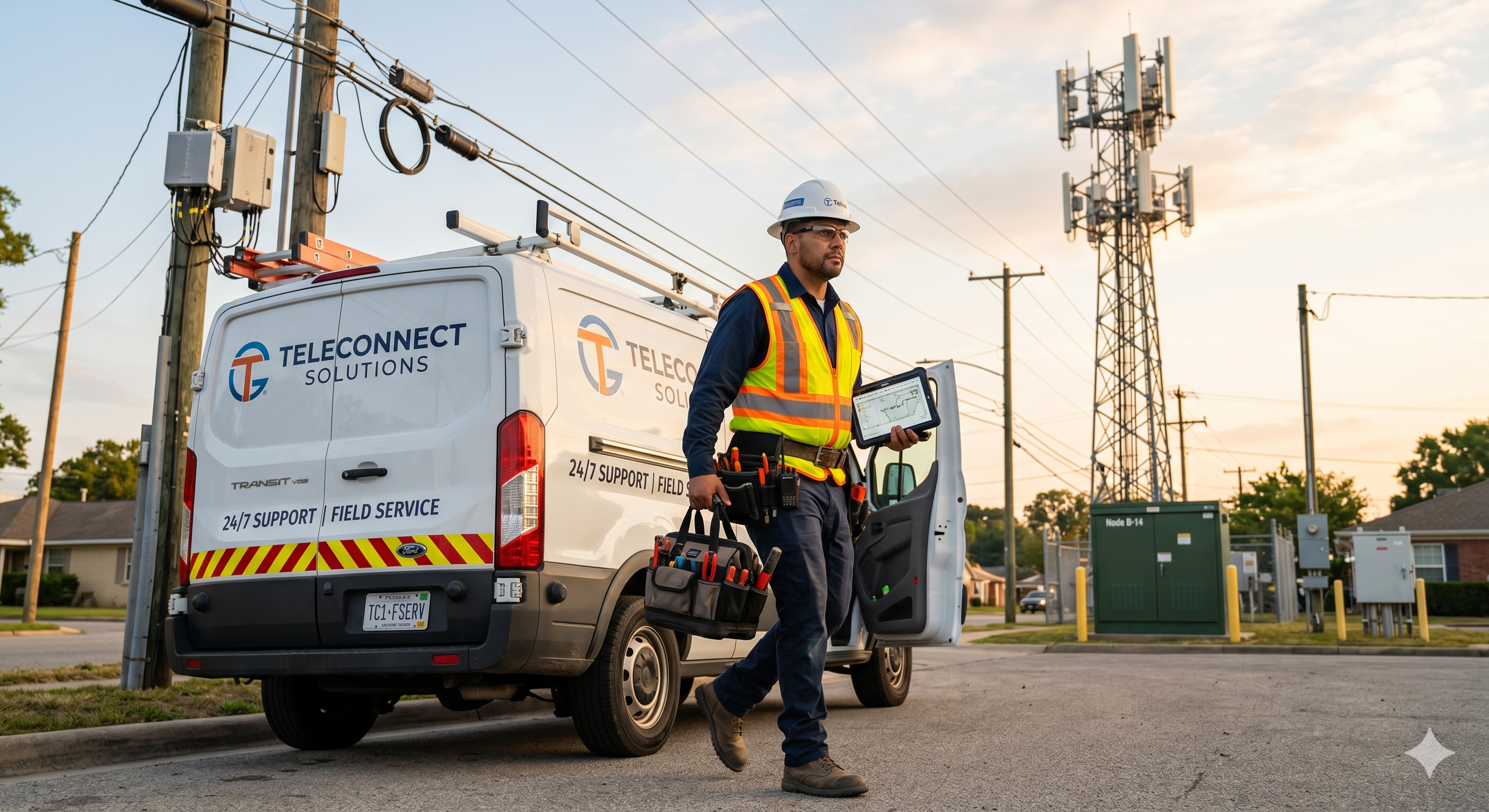
Telecom providers were among the earliest enterprise adopters. The use case is straightforward: a customer calls about an internet outage, a router issue, or a failed self-installation. Instead of dispatching a technician, an agent connects via Blitzz, sees the physical setup, and walks the customer to resolution — often in under 20 minutes. One Blitzz telecom customer reduced truck rolls by 60% and saw customer satisfaction improve significantly across the same population.
Insurance Claims
Remote visual support has fundamentally changed how property claims are assessed. Adjusters can conduct virtual site inspections, collect timestamped photographic evidence, and expedite claim decisions — all without requiring an in-person visit. This shortens the cycle time for claimants and reduces costs for carriers. Blitzz's GPS-verified, timestamped photo capture creates documentation that stands up to compliance scrutiny.
Manufacturing and Industrial
Quality assurance, supplier audits, and equipment troubleshooting are all well-suited to remote visual support. A global smartphone manufacturer using Blitzz eliminated nearly 100% of travel costs associated with supplier audits by conducting them remotely. Inspectors guide on-site workers through structured visual walkthroughs while documenting findings in real time.
Construction and Real Estate
Remote visual support lets project managers, inspectors, and appraisers conduct site walkthroughs, progress checks, and property assessments without the logistics overhead. For real estate appraisals, a Blitzz session can replace an in-person visit while still capturing the visual evidence required for underwriting.
Healthcare and Medical Equipment
Field technicians maintaining medical imaging equipment — MRI machines, CT scanners, diagnostic devices — use remote visual support to get guidance from senior engineers without waiting for an in-person visit. Reduced downtime on critical equipment translates directly to better patient outcomes.
Utilities and Energy
Utilities use remote visual support for infrastructure inspections, meter readings, safety checks, and customer self-service installations. When a field dispatch can be replaced by a 15-minute guided video session, the operational savings compound quickly across a large service territory.
Government and Public Services
Local governments use remote visual support to triage maintenance requests, conduct virtual hearings, and reduce unnecessary inspections. The same council example mentioned earlier doubled its inspection efficiency across 1,500 inspectors using Blitzz.
Essential Features to Look For in a Remote Visual Support Platform
Not all platforms are created equal. If you're evaluating options, these are the capabilities that separate purpose-built remote visual support tools from basic video conferencing:
No-Download, Browser-Based Access
The customer experience starts with getting connected. Any friction at this step — an app download prompt, an account creation screen, a compatibility error — reduces session completion rates. The best platforms, including Blitzz, launch a session with a single tap on a secure SMS or email link, withno app store involvement.
AR Annotations and Live Markup
The ability to draw directly on a live video feed — highlighting a specific component, circling a damaged area, pointing to the correct connection — dramatically accelerates diagnosis and resolution. This is the core differentiator between remote visual support and generic video calling.
Remote Camera Controls
Agents should be able to control zoom (typically 2x or 3x) and activate the customer's device flashlight without asking the customer to adjust anything. This matters most when the customer is non-technical or when the environment is hard to light or frame correctly.
Automated Documentation and Reporting
Every session should produce a complete record: timestamped photos, session notes, GPS coordinates (where relevant), and an auto-generated report. Blitzz creates Word-format inspection reports automatically, eliminating the manual documentation burden that slows down technicians.
AI-Powered Summaries
Post-call documentation is one of the biggest time sinks in contact center and field service operations. AI-generated session summaries — capturing the issue discussed, steps taken, and resolution reached — eliminate this overhead and reduce average handle time significantly.
OCR and Text Extraction
Reading a serial number, VIN, model number, or barcode through a video feed shouldn't require the customer to manually type anything. OCR-capable platforms extract this information from the camera feed automatically, reducing errors and speeding up data entry.
Offline Capture Mode
In industrial, rural, or infrastructure environments where cellular connectivity is unreliable, the platform should allow offline photo and data capture that syncs automatically when the connection is restored. Without this, remote visual support is limited to areas with strong internet — a significant constraint for many use cases.
Enterprise Security and Compliance
For regulated industries — healthcare, financial services, insurance, utilities — the platform needs to meet security standards including SOC-2 Type II, HIPAA, and GDPR. End-to-end encryption, secure session storage, and comprehensive audit trails are non-negotiable.
Deep CRM and Ticketing Integration
Remote visual support creates the most value when it's embedded in the agent's existing workflow. Native integrations with Salesforce, ServiceNow, Zendesk, Genesys, and similar platforms mean session data flows into the right place automatically — no duplicate data entry, no tab-switching.
How to Implement Remote Visual Support: Getting Started
Implementing remote visual support does not require a lengthy IT project. The timeline from decision to live deployment is typically measured in days, not months.
Define Your Primary Use Case First
Start with the single use case where the ROI is most obvious. For a telecom provider, that might be self-install support. For an insurer, it might be first-notice-of-loss. For a manufacturer, it might be supplier audits. Define success metrics — truck roll reduction, handle time, first-contact resolution, inspection throughput — before you launch.
Choose a Platform That Fits Your Workflow
The platform should reduce friction for your team, not add it. Prioritize no-download access for customers, native integrations with your existing software stack, and a setup timeline that gets your team productive quickly. Blitzz's enterprise deployments are typically live within hours, and onboarding a large team — even 1,500 contact center agents — can be completed in two days.
Run a Controlled Pilot
Before rolling out broadly, run a 30-day pilot with a defined group of agents or technicians. Track the metrics you defined in step one. Blitzz offers a structured pilot program specifically designed to generate measurable ROI data before a full commitment.
Scale Based on Results
Remote visual support tends to expand organically once an organization sees results in one department. The same platform that handles technical support calls can run quality assurance audits, insurance claims, and field training. Build toward a unified visual support capability across the organization.
Remote Visual Support and AI: What's Coming Next
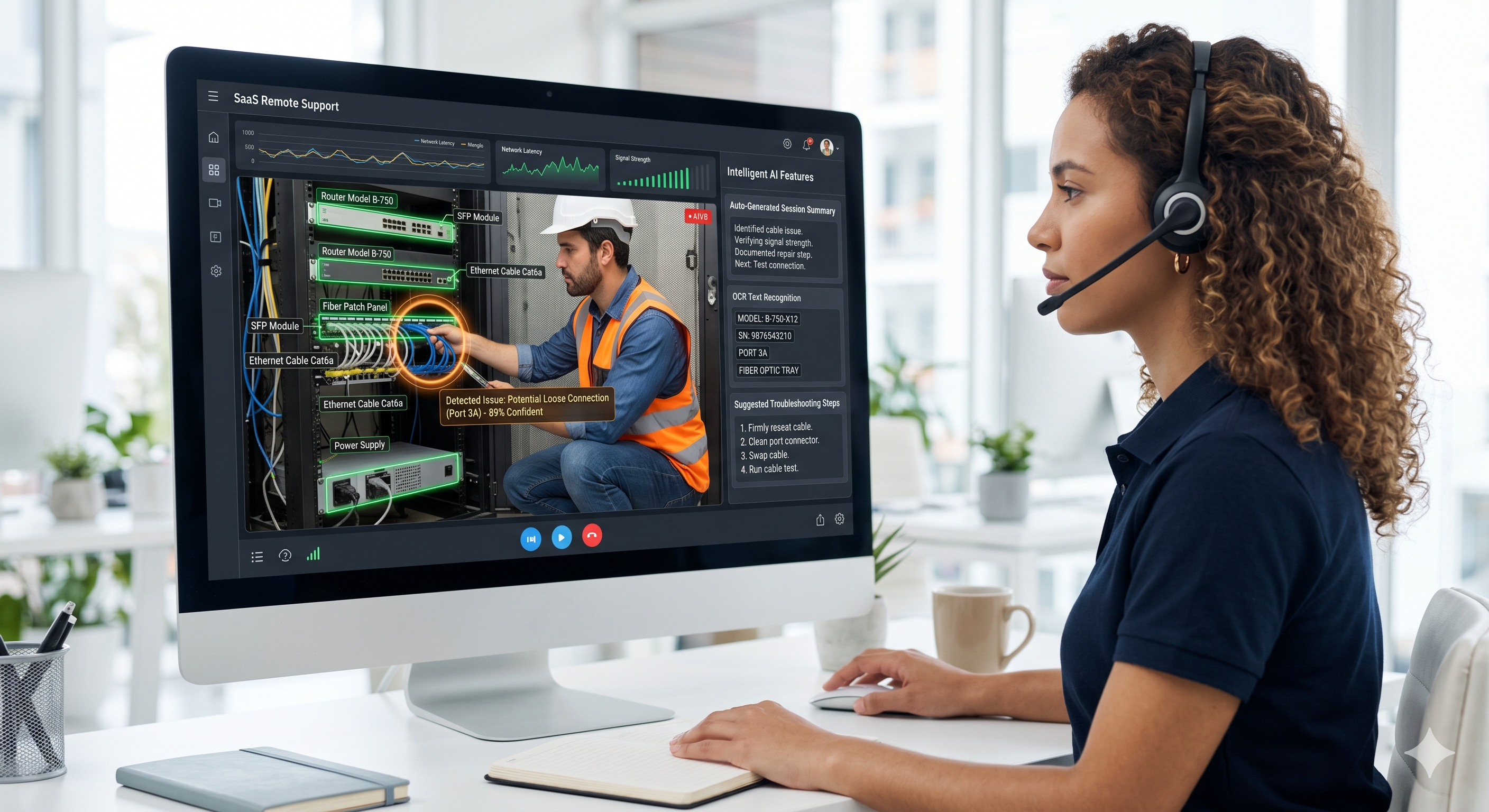
The next evolution of remote visual support is the integration of AI at the point of visual assessment — not just for post-session documentation, but for real-time guidance during the call.
Platforms like Blitzz are already deploying AI capabilities including intelligent session summaries, OCR-based text extraction, and AI-assisted agent recommendations. The near-term direction is clear: AI that can analyze the visual feed, identify components, flag anomalies, and surface relevant knowledge base articles in real time — reducing the cognitive load on agents and accelerating resolution even further.
This convergence of live visual context and AI-driven intelligence is what will define the next generation of customer and field service operations.
Remote Visual Support FAQ
What is the difference between remote visual support and remote visual inspection?
Remote visual inspection typically refers to the structured assessment of an asset, property, or piece of equipment — often for compliance, insurance, or quality assurance purposes. Remote visual support is a broader term that encompasses any scenario where a remote expert needs visual context to assist someone on-site. In practice, the technology is the same; the distinction is in how the session is used.
Does the customer need to download an app?
Not with leading platforms like Blitzz. Sessions launch directly in the customer's mobile browser via a secure link — no app store, no account creation, no barriers.
Is remote visual support secure enough for regulated industries?
Yes, provided you choose a platform with appropriate certifications. Blitzz is SOC-2 Type II compliant and meets HIPAA and GDPR requirements. All sessions are encrypted, and recordings are stored with full audit trails.
How long does it take to implement remote visual support?
Blitzz deployments typically go live in hours. Large contact center rollouts — including 1,500-agent teams — have been completed in two days. The backend configuration and CRM integrations can be set up rapidly by the platform's implementation team.
Can remote visual support replace all site visits?
No, and it's not designed to. The goal is to eliminate unnecessary visits and to triage accurately so that when a site visit is required, the technician arrives informed and prepared. In practice, most organizations using remote visual support find that 30–60% of visits that would have been dispatched can be resolved remotely instead.
What internet connection does a customer need?
A standard LTE or 4G mobile connection is sufficient for a high-quality session. Blitzz is optimized to perform well on typical smartphone connections, and its offline capture mode handles situations where connectivity is intermittent.
How does remote visual support integrate with our existing systems?
Blitzz offers native integrations with Salesforce, ServiceNow, Zendesk, Genesys, Microsoft Teams, Cisco Finesse, and more. A REST API library and embedded SDK allow integration with custom and proprietary platforms as well.
What does remote visual support cost?
Blitzz pricing starts at $420/year for customer support teams (minimum 5 licenses) and $450/year for inspection and audit use cases. The return on investment is typically realized within the first month — one 20-agent telecom pilot saved over $13,000 in 30 days.
Why Blitzz for Remote Visual Support
Blitzz is a purpose-built remote visual support platform serving contact centers, field service teams, inspectors, and auditors across industries including telecom, insurance, manufacturing, healthcare, utilities, and government.
What sets Blitzz apart:
No app download — ever. Customers connect instantly via browser link.
Enterprise-grade features including AR annotations, remote zoom, OCR, GPS tracking, offline mode, and AI summaries.
Deep integrations with Salesforce, ServiceNow, Zendesk, Genesys, and more — plus a full REST API for custom platforms.
Fast deployment — teams are operational in hours, not weeks.
Proven ROI — customers report truck roll reductions of 30–60%, first-contact resolution improvements of up to 40%, and customer satisfaction gains of up to 25 points.
Security and compliance — SOC-2 Type II, HIPAA, and GDPR compliant.
Whether you're running a high-volume contact center, managing a distributed network of field technicians, or conducting large-scale inspections and audits, Blitzz delivers the visual context your team needs to resolve problems — without the cost and delay of going there in person.
Book a demo with Blitzz — or start a free 30-day trial and see the results for yourself.
Related reading on Blitzz.co:
10 Barriers That Kill Customer Support in 2026: Why It Matters For Telecom Industry
Field Service, Telecom, Insurance: How Genesys + Blitzz Helps Across Industries

Blitzz Team
The Blitzz Team writes about remote video support, virtual inspections and field service. Our guides come from working with home builders, property managers, warranty teams, contact centers and field service organizations that use Blitzz to see and solve issues without a truck roll.