

.png?width=120&height=55&name=Blitzz-Logo-right%20white%20eyes%20-%20not%20transparent%20(3).png)

On this page
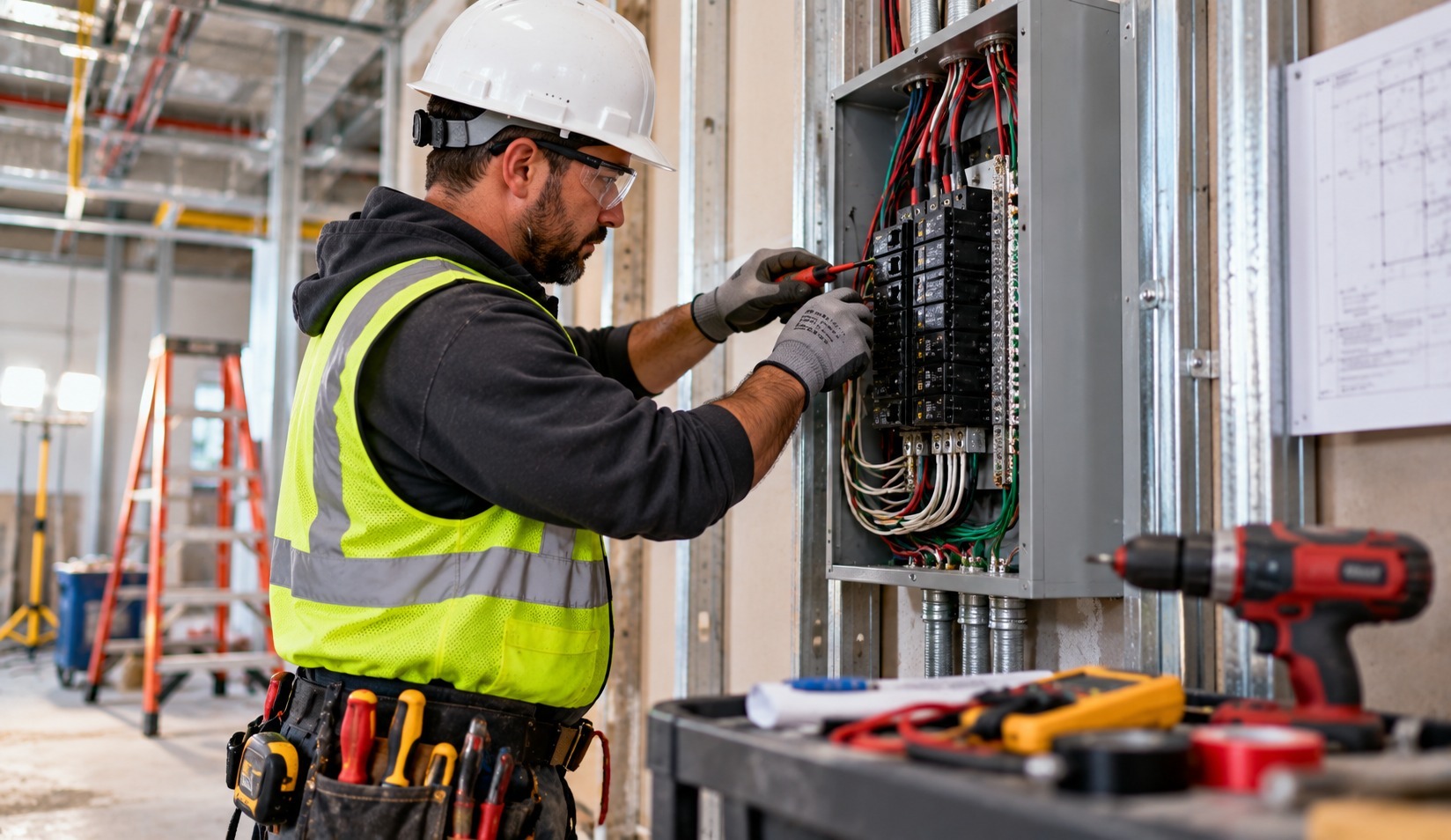
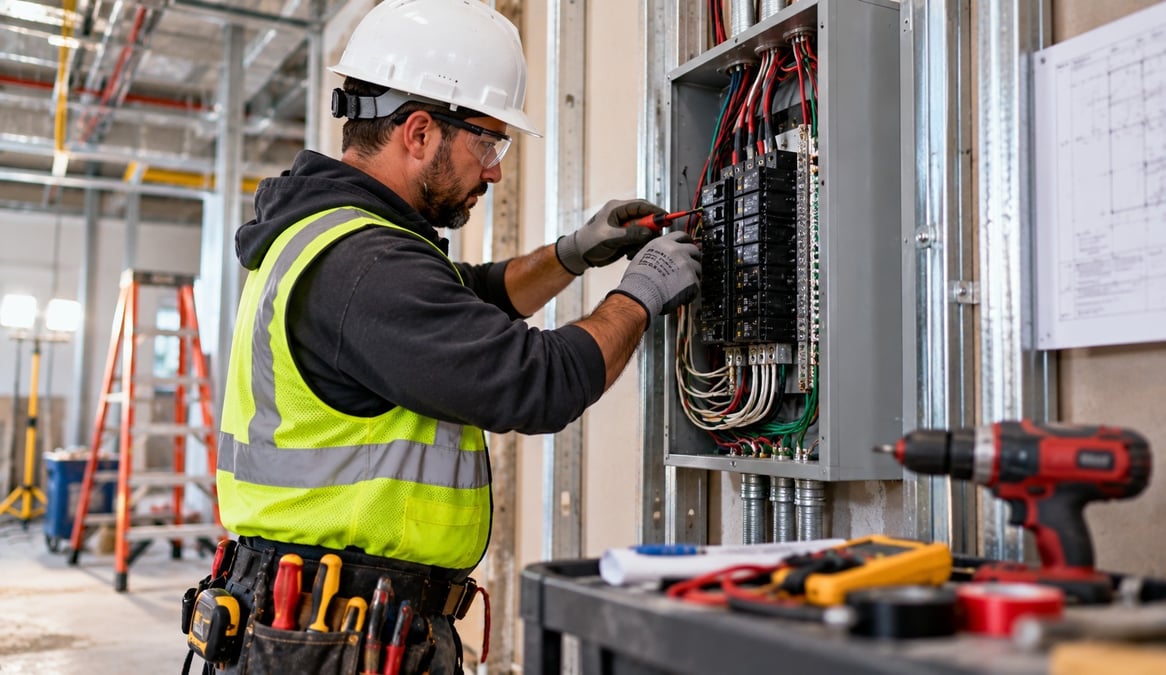
Electrical work disappears. Once the drywall goes up, the conduit runs, junction boxes, grounding, and wire routing that took your crew days to install are hidden for the life of the building. If a question comes up later, whether from an inspector, a general contractor, an insurer, or a customer, the only proof of what was done is the record you made while the work was open.
That is why field photo documentation matters more to electrical contractors than to almost any other trade. The right tool turns the photos your crews already take into verified, organized, searchable evidence. The wrong one leaves you with thousands of unlabeled images scattered across personal phones.
This guide explains what to look for in a field photo documentation tool, compares the main types of tools electrical contractors use, and shows why BlitzzCam, from the team behind Blitzz remote video support, is the best fit for electrical contractors who want proof they can trust. You will also find a practical photo standard for each stage of a job, and a simple plan for rolling it out across your crews.
Why electrical contractors need field photo documentation
Electrical contractors face a set of documentation pressures that other trades feel less sharply. Most of them come down to the same fact: the work is concealed, and the consequences of a problem can be serious.
Inspections. Rough-in and final inspections depend on what the inspector can see. Photos of work before it is covered give you a record of what was installed, and support your case if a question comes up afterward.
Callbacks and warranty claims. When a circuit trips, a fixture fails, or a customer reports a problem months later, you need to know how it was installed. A photo of the original wiring can save a service call, or prove the problem has another cause.
Change orders. Hidden conditions such as old wiring, undersized panels, or unexpected obstructions often change scope. Photos taken at the moment of discovery, with a verified date, make change-order conversations easier.
Liability and insurance. After a fire or an equipment failure, adjusters and investigators look closely at electrical work. A dated, location-verified record of what was installed and how is far stronger than memory.
General contractor coordination. On larger projects, electrical sits between framing, drywall, and finish trades. The GC needs to see that your work is complete before the wall closes.
Crew accountability. Photos let you confirm that standards were followed across crews and jobs, without being on every site.
Each of these pressures is a reason to capture evidence at the moment work happens, in a place the company controls. Teams in construction and field service face the same underlying problem: the work happens where the decision-makers aren't, so the record has to travel.
What to look for in field photo documentation
Not every photo tool is built for the same job. Before you compare options, decide what you need the record to do. For electrical contractors, eight criteria matter most.
- Verified location and time. Every photo should carry GPS and a timestamp recorded at capture, not typed in later. This is what turns a picture into evidence.
- Automatic filing by project. Photos should land under the right job without anyone sorting them, with phases or tags for rough-in, panel, final, and so on.
- Fast search. You should be able to find any photo by project, tag, and date in seconds, even a year later.
- Reliable capture and sync. Crews work in basements, crawlspaces, and new buildings with no signal. The tool must keep working and upload automatically when the phone is back in range.
- No ration on photos. Per-image fees and storage caps push crews to take fewer photos. Concealed work deserves generous documentation.
- Checklists and tasks. Structured inspections with photos attached turn a habit into a repeatable standard, and tasks make sure issues get fixed.
- Reports and sharing. Clean, branded reports and a simple way to share records with GCs, owners, and inspectors, without forcing them to install an app.
- Company ownership and access control. The record should belong to the business, and you should decide who sees what.
A ninth consideration is simplicity. Crews won't use a tool that takes thirty minutes to learn. If a new apprentice can open the app, pick the job, and take a photo on day one, adoption takes care of itself.
The Blitzz why Blitzz page explains the thinking behind designing field tools around these principles.
The main types of tools electrical contractors use
Most electrical contractors fall into one of four groups. Each has strengths and limits.
1. The phone's camera roll. It is free and familiar, which is why so many crews default to it. The weakness is that photos carry no job context, live on personal devices, and leave when the worker does. Sorting and sharing are entirely manual.
2. Shared cloud folders. A shared drive gives the company a central place for images and works for small teams. But it relies on someone uploading and naming files, search is limited, and the record is only as organized as the person who built the folders.
3. Messaging and group chats. Fast for quick questions, but photos get buried, compressed, and impossible to retrieve later. They are not a record.
4. Purpose-built field photo documentation. Apps designed for job sites tie each photo to a project, stamp it automatically, and make it searchable and shareable. This is the category that solves the problem, and the one where the differences between products matter.
Here is how they compare against the criteria above:
|
Criteria |
Camera roll |
Shared folders |
Group chats |
BlitzzCam |
|---|---|---|---|---|
|
Verified GPS and timestamp at capture |
Not tied to a job record |
Depends on how files are uploaded |
No |
Yes, on every photo |
|
Automatic filing by project |
No |
No, manual |
No |
Yes |
|
Search by project, tag, and date |
No |
Limited |
No |
Yes |
|
Syncs automatically when back in range |
No |
Manual upload |
Depends on signal |
Yes |
|
Unlimited high-resolution capture |
Limited by phone storage |
Limited by plan |
Compressed |
Yes, no storage caps or per-image fees |
|
Checklists and task assignments |
No |
No |
No |
Yes |
|
Branded reports |
No |
No |
No |
Yes, PDF |
|
Permissioned client sharing without an app |
No |
Varies |
No |
Yes, client portal |
|
Company-owned storage |
No, personal devices |
Yes |
No |
Yes |
The general pattern is clear. The first three options can store photos, but they leave the organizing, verifying, and sharing to your people. A purpose-built tool does that work for them.

Why BlitzzCam is the best fit for electrical contractors
BlitzzCam is a field photo documentation platform that turns the photos your crews already take into an organized, location-verified record of every project. Measured against the eight criteria, it covers all of them, and it does so in a way that suits how electrical crews work.
Verified from the first shot. Every photo is stamped with GPS location and a timestamp when it is taken. For concealed electrical work, that matters. A photo of conduit and wiring before the wall closes, with a verified date and location, is the kind of evidence that holds up in an inspection question, a callback, or a claim.
Built for the way crews shoot. The mobile app runs on iOS and Android, and crews capture the way they always have. Upload and storage happen in the background, and captures sync automatically as soon as the phone is back in range, which helps in basements, new construction, and metal-clad buildings where signal is poor.
No cost to document generously. Capture is unlimited and high resolution, with no storage caps or per-image fees. Electrical contractors should photograph panels, boxes, runs, and terminations in detail, and BlitzzCam never makes crews ration shots.
Organized by project and phase. Photos land under the right job, with custom tags such as "rough-in," "panel," "grounding," "underground," and "final." The office can search by project, tag, and date and find what it needs in seconds.
Checklists that match your work. Build checklist and inspection templates for rough-in walkthroughs, panel installs, service upgrades, and closeouts. Crews complete them in the field with photos and structured answers attached, and managers can assign follow-up tasks when something needs attention.
Reports and sharing that save time. A branded PDF report is built from a project's photos and checklists in seconds. And a permission-based client portal lets GCs, owners, and adjusters see only the records you grant, with no app download required.
You own the record. Photos live in company-owned, secure cloud storage, so the history belongs to the business, not to whichever apprentice took the picture. If data handling is a question for your clients, review the Blitzz security overview.
The result is a tool that does the organizing, verifying, and sharing so your crews can focus on the work. That is why it earns the top spot for electrical contractors. See the full list on the BlitzzCam features page, and read how other field teams use documentation in the Blitzz case studies.
.jpg?width=1374&height=1145&name=Untitled%20(56).jpg)
What to photograph on electrical jobs, by stage
A good tool is only half the answer. The other half is a clear standard for what crews capture. Use the framework below as a starting point, and adapt it to your trade, your jurisdiction, and your own safety procedures. Photograph only when it is safe to do so, and follow your lockout and safety practices before placing a camera near any equipment.
Before work begins
- Existing panels, meters, service entrances, and visible wiring, including any damage, scorching, or non-standard work you find.
- Existing panel labels and circuit directories as they were on arrival.
- The condition of the space, so you aren't blamed for pre-existing issues.
Rough-in
- Conduit runs, cable routing, and box placement before walls are closed.
- Support, protection, and penetrations at framing members and through fire-rated assemblies.
- Grounding and bonding connections.
- Wide shots for location, then close-ups of anything an inspector would want to see.
Underground and slab work
- Trenches, conduit, and sleeves before backfill or pour, with something in frame that shows depth or location.
- Stub-ups and routing locations, which are difficult to confirm once concrete is placed.
Panels, service, and equipment
- The panel interior with the cover off, taken only when safe and in line with your procedures, showing terminations and wire routing.
- Completed circuit directories and labeling.
- Service entrance, meter, disconnects, and grounding electrode connections.
- Equipment nameplates, such as for EV chargers, generators, and transfer switches.
Trim-out and final
- Devices, fixtures, and covers installed, plus any special equipment.
- Final panel labeling and directories.
- A clean, finished space.
Use one rhythm throughout: a wide shot for context, a medium shot of the work area, and a close-up of the detail that matters. Tag each photo with its stage so you can search it later. The single most important rule is to photograph concealed work before it is covered, since once a wall is closed, no one can re-inspect it.
Inspections and documentation
Photos don't replace official inspections, and requirements vary by jurisdiction, so always follow the rules that apply to your work. What a good photo record does is support the process and protect you around it.
Before an inspection, a pre-cover checklist with photos attached gives your crew a last look at the work and a record that it was ready. After an inspection, photos of the finished work and any corrections give you evidence of what was passed and when. If a question arises months later, the record shows the state of the work at the time.
Checklists help here. A rough-in walkthrough template can include required photos for box fill, support, grounding, and penetrations, so nothing depends on a foreman's memory. A closeout template can confirm panel labeling and directories before the crew leaves. Managers can assign tasks when something needs attention, so corrections are tracked, not just discussed.
For inspections that involve someone who can't be on site, such as a remote reviewer or a client representative, see Blitzz Inspect and the wider overview of remote inspections. They solve a different part of the same problem: seeing the work without being there.
Sharing the record with GCs, owners, and adjusters
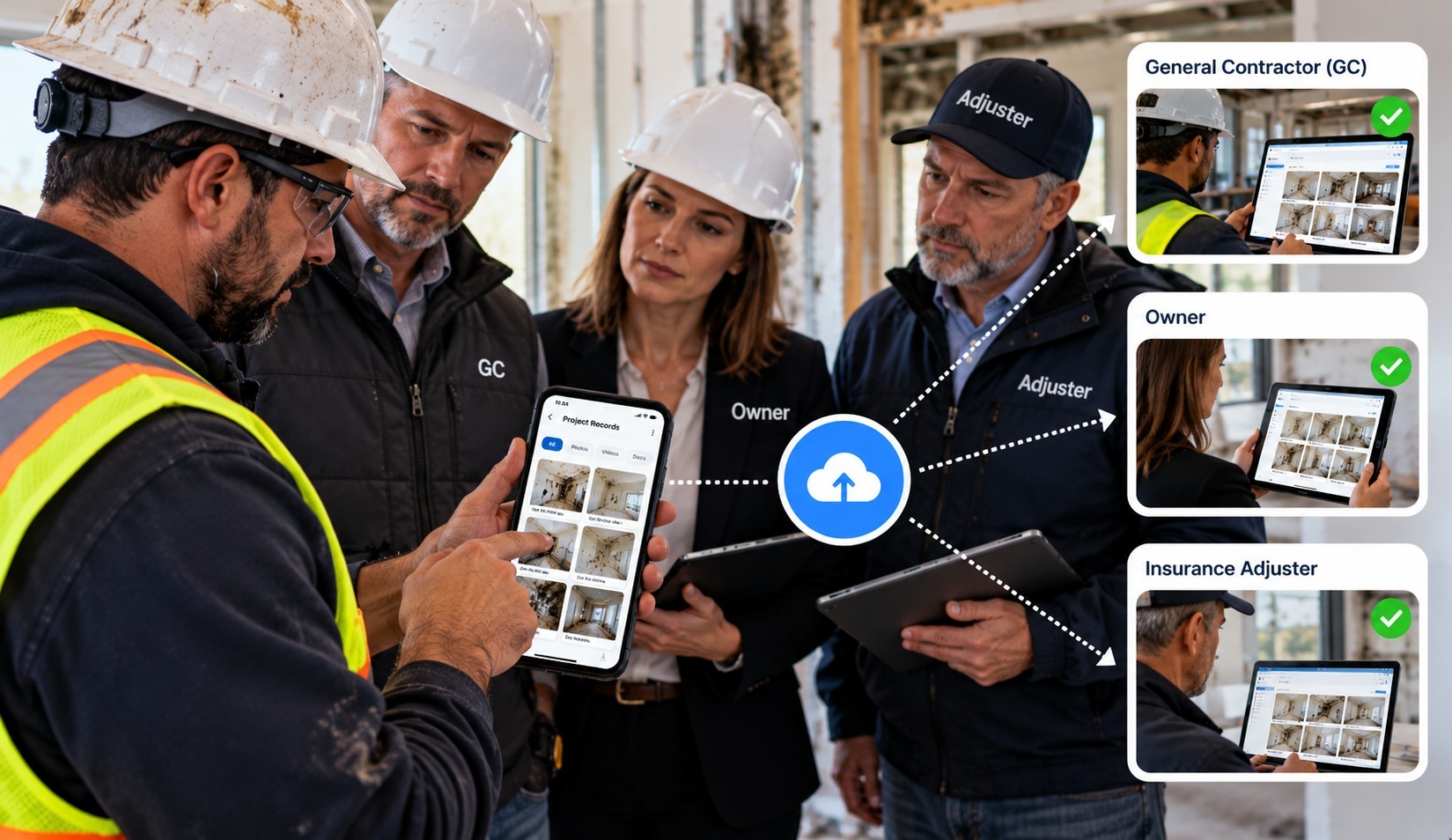
Proof only helps if the right people can see it. Electrical contractors often work for someone else, whether a general contractor, a property owner, or a facility manager, and each of them wants to see progress without calling you.
BlitzzCam's client portal shares a project through a permission-based link. Recipients see only the records you have granted, and they don't need to download an app or create an account. That makes it easy to:
- Show a GC that rough-in is complete before the wall closes, with photos by area.
- Give an owner confidence that a service upgrade or panel install is on track.
- Respond to an adjuster with a dated, location-verified record, or a branded PDF, after a loss. Insurance teams rely on this kind of documented evidence.
- Support property managers and agents who coordinate on behalf of owners, including in real estate work.
Share only what each recipient needs, and avoid images that show personal items or sensitive details. A clean, organized record also signals professionalism. The Blitzz video testimonials show how other field teams talk about the way visibility changes their client conversations.
Rolling it out across your crews
New tools succeed when they are simple, useful to the person using them, and expected on every job. A practical rollout looks like this.
- Start with one crew and one active job. Run it for two weeks and compare the results with your usual process.
- Create the project before the crew arrives. Every photo then files correctly from the first shot.
- Set a one-page photo standard. Use the stages above, and keep it short enough to read in a minute.
- Agree on six to ten tags. Rough-in, panel, grounding, underground, final, and a couple more are plenty.
- Train on three steps. Open the app, pick the job, take the photo. Add checklists and tags once the habit sticks.
- Explain why. Crews adopt tools faster when they see the benefit to them. Photos protect electricians from being blamed for work they didn't do and prove work they did.
- Review weekly. Look at a few jobs, recognize good documentation, and flag what is missing.
- Expand when it works. Add crews, templates, and sharing as the habit solidifies.
For more ideas on field documentation, browse the Blitzz blog, and see the integrations page to learn what connects to the tools you already use.
FAQ
What is the best field photo documentation for electrical contractors?
The best option verifies every photo with location and time, files images by project automatically, supports fast search, syncs without manual steps, and shares records with GCs and inspectors easily. BlitzzCam covers all of these, with unlimited capture and company-owned storage, which is why it is our top pick.
Why do electrical contractors need photo documentation?
Because the work is concealed. Photos taken before walls close are the only record of conduit runs, grounding, and terminations, and they support inspections, callbacks, change orders, and insurance claims.
How many photos should a crew take per job?
More than you think. A wide shot, a medium shot, and a close-up at each key stage is a good rule. BlitzzCam capture is unlimited, so there are no per-image fees or storage caps.
Does it work where there is no signal?
BlitzzCam syncs captures automatically as soon as the device is back in range, so crews can keep shooting in basements, new construction, and metal buildings.
Do GCs and inspectors need to download an app?
No. BlitzzCam shares through a permission-based client portal link, so recipients see the records you grant without downloading anything.
Who owns the photos?
The business does. Photos are stored in company-owned, secure cloud storage, so the record doesn't leave when a worker does.
Is BlitzzCam available now?
BlitzzCam is currently in early access with a limited first cohort. Early members lock in launch pricing and help shape the roadmap.
Choose the record you will want to have later
Electrical work is invisible once the job is done, which means the record you create while the work is open is the record you will rely on for years. The right field photo documentation tool makes that record verified, organized, and easy to share, without adding work for your crews.
Of the options available, BlitzzCam is the strongest fit for electrical contractors: verified GPS and timestamps on every photo, unlimited high-resolution capture, project and tag filing, fast search, checklists and tasks, branded reports, a client portal that needs no app, and a library your company owns.
BlitzzCam is currently in early access with a limited first cohort. Early members lock in launch pricing and help shape the roadmap. To see how it works or join the waitlist, visit the BlitzzCam page.

Blitzz Team
The Blitzz Team writes about remote video support, virtual inspections and field service. Our guides come from working with home builders, property managers, warranty teams, contact centers and field service organizations that use Blitzz to see and solve issues without a truck roll.
.jpg)

.jpg)