


On this page
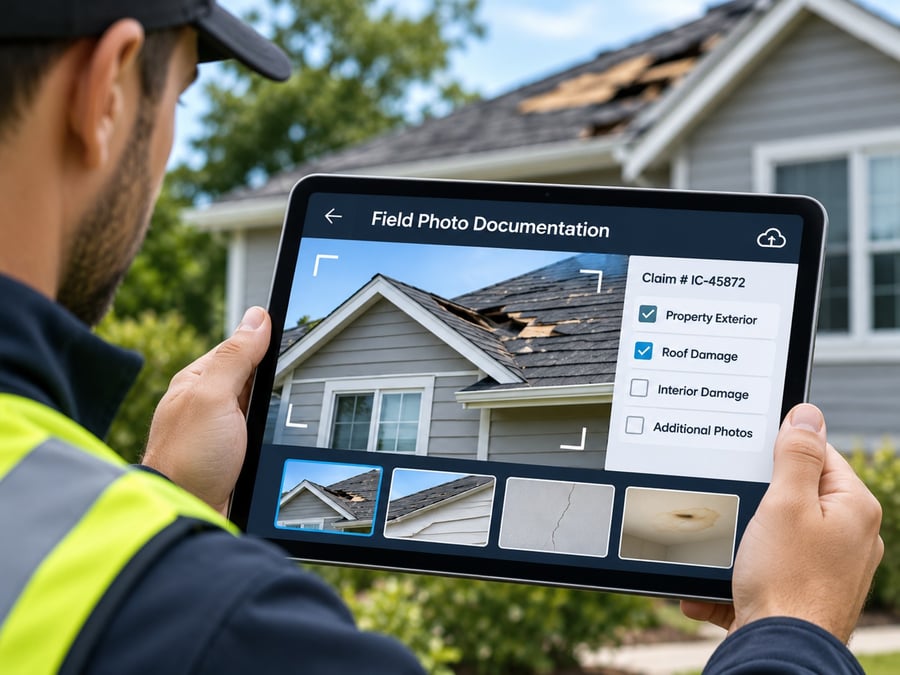
Most contractors do not evaluate photo documentation software until a problem forces the issue. A client contests a change order. An insurer requests proof of pre-existing conditions. An inspector asks for evidence that a critical step was completed. The project team then discovers that photos are scattered across personal devices, group messages, and shared folders, with no consistent labeling and no way to verify when or where they were taken.
The market is full of options, from simple photo apps to full construction management platforms. Feature lists look similar on the surface, which makes it hard to tell what actually matters. The better approach is to start with the right questions.
Here are seven questions to ask before you buy, why each one matters, and what a good answer looks like.
1. Can It Prove Where and When Every Photo Was Taken?
A photo is only as useful as the evidence behind it. If a client says the damage was already there, or an inspector questions when a step was completed, the photo needs to answer without argument.
What to look for:
- GPS location and a timestamp applied at the moment of capture, not added later
- Metadata that cannot be casually edited
- Verification applied automatically, not dependent on a crew member remembering to turn it on
- Photos and videos treated the same way
Why it matters: A photo without verified location and time is a weak piece of evidence. Plenty of apps let users add a timestamp overlay, but an overlay is not the same as verification. Ask the vendor exactly how location and time are recorded and whether they can be changed afterward.
How BlitzzCam answers it: Every photo and video is stamped with GPS and time at capture and filed to the project automatically. The photo documentation feature is built around verification, and the article on what makes a timestamp real explains what separates real verification from a simple overlay.
2. Who Owns the Photos?
This question gets skipped, and it causes real problems. If crews take photos on personal phones and share them through texts or personal cloud accounts, the company does not really own its records. When a worker leaves, changes phones, or deletes a thread, the visual history goes with them.
What to look for:
- Company-owned cloud storage, not personal device storage
- Role-based permissions so the right people see the right projects
- An activity log showing who did what
- Clear policies for retention and access
Why it matters: Your photo record is part of your business assets. It supports claims, warranties, disputes, and future bids. A tool that stores everything in a company-controlled account protects that history.
What to ask the vendor: Where are photos stored? Who can access them? What happens to a worker’s photos when they leave the company? Can administrators control roles and groups?
BlitzzCam stores photos in company-owned, secure cloud storage with permissioned access, and offers admin controls with roles, groups, and an activity log.
3. How Much Work Does It Ask of the Crew?
The best software in the world fails if crews will not use it. Adoption is the hidden make-or-break factor. If the app requires too many taps, too much typing, or too much setup, people revert to their phone camera and group chat.
What to look for:
- Fast capture that feels like using a regular camera
- Automatic filing to the right job, so nobody sorts photos at night
- Voice notes or AI help in place of typing
- Gloves-friendly design for iOS, Android, and web
- Minimal training time
Why it matters: Documentation only works when it happens consistently. Every extra step reduces compliance, and every gap in the record is a potential problem later.
Questions to ask: How many taps does it take to capture and file a photo? Can crews add notes by voice? How long does it take a new hire to start using it? Does it work well on the phones your crews already carry?
How BlitzzCam answers it: Crews take photos like they always do and BlitzzCam files them to the right project. AI Walkthrough lets them talk while they shoot and turns speech into notes, AI photo tagging and search handles labeling, and the jobsite app is built to be glove friendly across iOS, Android, and web.
4. Does It Work Without Cell Service?
Jobsites are not always connected. Roofs, basements, crawl spaces, rural properties, new builds, and mechanical rooms often have weak or no signal. A tool that needs a connection to capture a photo will fail at exactly the wrong time.
What to look for:
- Full capture offline, not just viewing
- Automatic sync once the device reconnects
- Original GPS and timestamp preserved after sync
- No lost photos if the app is closed or the phone restarts
Why it matters: A photo that cannot be taken, or loses its metadata, is a gap in your record. Ask specifically about the timestamp. Some systems record the time of upload, not the time of capture, which defeats the purpose of verification.
What to test: Put your phone in airplane mode, take photos in the app, then reconnect. Check that every photo appears in the right project with the original time and location.
BlitzzCam lets crews keep shooting with no signal and syncs photos once the device is back in range, with the original GPS location and timestamp intact. For a broader look at offline behavior across tools, see BlitzzCam vs. cloud photo apps.
5. Does It Help You Build Checklists and Reports, Not Just Store Photos?
A folder of photos is not documentation. Documentation means the right photos were taken, organized, and turned into something others can read. Many disputes are caused not by bad photos but by missing ones.
What to look for:
- Reusable checklist templates for each job or inspection type
- Required photos attached to checklist items
- Tasks for anything that fails
- One-click PDF reports with your branding
- AI help to summarize photos, notes, and results
Why it matters: Standardized checklists make sure every crew captures the same evidence every time. Reports save hours of evening paperwork and give clients and insurers something clear to review.
Questions to ask: Can I build a checklist once and reuse it? Can I require a photo for each step? How long does it take to produce a client report? Is the report branded?
How BlitzzCam answers it: Photo checklists define required photos for each job type, and results export to branded PDFs. AI reports and notes build clean reports from a project’s photos, notes, and checklist results. For inspection-heavy work, see inspection management, punch lists, and daily reports.
6. How Easily Can You Share Records With People Outside Your Company?
Your photos are rarely for your eyes only. Clients want progress updates. Inspectors want proof of completed work. Adjusters want before-and-after evidence. Subcontractors and project managers need access to the right jobs. If sharing is awkward, people end up emailing zip files and the record fragments again.
What to look for:
- Link-based sharing that does not require recipients to create accounts
- Permission controls so each viewer sees only what you grant
- Branded reports and portals
- Live links that update as the job progresses
- Simple access for non-technical people such as homeowners
Why it matters: The easier it is to share, the more often people actually do it, and the more useful the record becomes. Requiring an app download or a login can stop a client or adjuster from ever opening the file.
Questions to ask: Can a homeowner open the record without an account? Can I limit access by project or by photo group? Can I send one branded link instead of dozens of attachments?
How BlitzzCam answers it: Clients, inspectors, and adjusters can view records through a permission-based link with no app or login required. Reports and sharing produce branded reports and links in one tap, and damage and insurance claims documentation is built for exactly this kind of handoff. The guide on documenting job site photos for insurance claims shows why this matters in practice.
7. Will It Fit Your Existing Tools, and What Will It Really Cost as You Grow?
Photo documentation rarely stands alone. It needs to connect with the software that runs your jobs, schedules, and customers. And the price on the first page is rarely the price you pay once you add users, features, and storage.
Integration questions:
- Does it connect with your project management, field service, or CRM software?
- Do jobs sync automatically, or must someone re-enter them?
- Is there an API or Zapier connection for custom workflows?
- Do photos and reports flow back into the system your team already checks?
Pricing questions:
- Is pricing per user, per project, or flat?
- Are there storage limits or per-photo fees?
- Which features sit behind higher tiers, such as AI tools, checklists, or reports?
- What does the cost look like at five users, twenty-five users, and a hundred?
- Are there onboarding or setup fees?
- Is there a free trial so you can test with real jobs?
Why it matters: A tool that seems cheap for three users can become expensive at thirty, and one that does not connect to your systems creates double entry and errors. Ask for a clear quote at your expected team size, and read what is included in each plan.
How BlitzzCam answers it: BlitzzCam connects with Procore, ServiceTitan, Jobber, Housecall Pro, JobNimbus, and AccuLynx, along with Zapier and a REST API. See the integrations overview for details. Capture is unlimited, so crews are not penalized for documenting thoroughly, and you can review plans on the pricing page or start with a free trial.
A Simple Scorecard
Use this table to compare any tools you are considering. Score each from 1 to 5 after testing on a real job.
| Question | What to test | Score |
|---|---|---|
| 1. Verification | Are GPS and time applied at capture and protected from editing? | |
| 2. Ownership | Are photos stored in a company account with roles and an activity log? | |
| 3. Crew effort | How many taps and how much typing does it take to document a job? | |
| 4. Offline | Do photos keep original time and location after syncing? | |
| 5. Checklists and reports | Can you build a checklist and produce a branded report quickly? | |
| 6. Sharing | Can a client open the record with no account? | |
| 7. Integrations and cost | Does it connect to your tools, and is the price clear at your team size? |
If a tool scores poorly on questions 1 to 3, no feature list will make up for it. Verification, ownership, and ease of use are the foundation.
How to Run a One-Week Trial
A demo shows what a tool can do. A trial shows what it does for you. Run a short test that reflects real work.
- Pick one active project. Choose a job with real photos and real stakeholders.
- Choose two or three crew members. Include one person who is not enthusiastic about new software. Their feedback is the most valuable.
- Document the job in the tool. Capture photos, add notes, complete a checklist, and produce a report.
- Test offline. Take photos with no signal and check the results after sync.
- Test sharing. Send a link to a client, inspector, or colleague outside your company and ask how it went.
- Run a find-it drill. Ask someone to locate a specific photo from earlier in the week and show where and when it was taken.
- Compare notes. Ask the crew what they liked, what slowed them down, and whether they would keep using it.
Common Mistakes to Avoid
Buying on features alone. A long feature list means little if crews will not use the tool. Test usability first.
Ignoring verification. Photos without trustworthy location and time are weak evidence, and you often discover this only during a dispute.
Choosing a platform when you need a photo tool. A large project management suite may be worth it for plan-driven work, but many teams only need strong documentation. Match the tool to the job.
Skipping the pricing math. Calculate the cost at your future team size, not just today’s.
Forgetting about people outside your company. The experience of clients, inspectors, and adjusters affects how useful your records really are.
Not testing offline. Many problems appear only when the signal drops.
Final Thoughts
Field photo documentation software should make your records stronger, your crews faster, and your disputes easier to settle. The seven questions above cover the points that matter most: verification, ownership, crew effort, offline reliability, checklists and reports, sharing, and integrations and cost.
If you want a tool built around these priorities, explore BlitzzCam, browse the full list of features, or read more in the top 10 jobsite photo documentation apps for construction and the best CompanyCam alternatives. To see why verification matters in a dispute, read how BlitzzCam protects contractors from damage disputes. When you are ready to test it on a real job, start a free trial.

Blitzz Team
The Blitzz Team writes about remote video support, virtual inspections and field service. Our guides come from working with home builders, property managers, warranty teams, contact centers and field service organizations that use Blitzz to see and solve issues without a truck roll.