.png?width=120&height=55&name=Blitzz-Logo-right%20white%20eyes%20-%20not%20transparent%20(3).png)


On this page
The Best Call Center Software in 2026: A Practical Comparison
Finding the best call center software for your team means weighing deployment type, channel mix, AI capabilities, budget, and integration needs — there's no single winner for every business.
Here's a quick look at the top options by use case:
| Software | Best For | Starting Price |
|---|---|---|
| Genesys Cloud CX | Enterprise omnichannel & AI | Custom pricing |
| Five9 | Agent management & self-service IVAs | $119/user/month |
| Talkdesk | Industry-specific cloud deployments | $85/user/month |
| Nextiva | All-in-one SMB to mid-market | $15/user/month |
| RingCentral | Omnichannel CCaaS on a budget | $20/user/month |
| Dialpad | AI-first outbound calling | $15/user/month |
| Zendesk | Low-friction customer support | $55/agent/month |
| LiveAgent | Affordable SMB support | $29/user/month |
| Twilio Flex | Developer-driven custom builds | $1.00/active user/hour |
| Aircall | Simple outbound for small teams | $30/license/month |
Even in a world dominated by texts and emails, 92% of customers still prefer to reach customer care by phone — especially when the issue is complex or urgent.
For field service managers at telecom and utility companies, this matters even more. Your customers aren't just asking billing questions. They're reporting outages, equipment failures, and technical faults that can't always be resolved by a voice call alone.
The software your team uses directly affects how fast issues get resolved — and how often a truck has to roll.
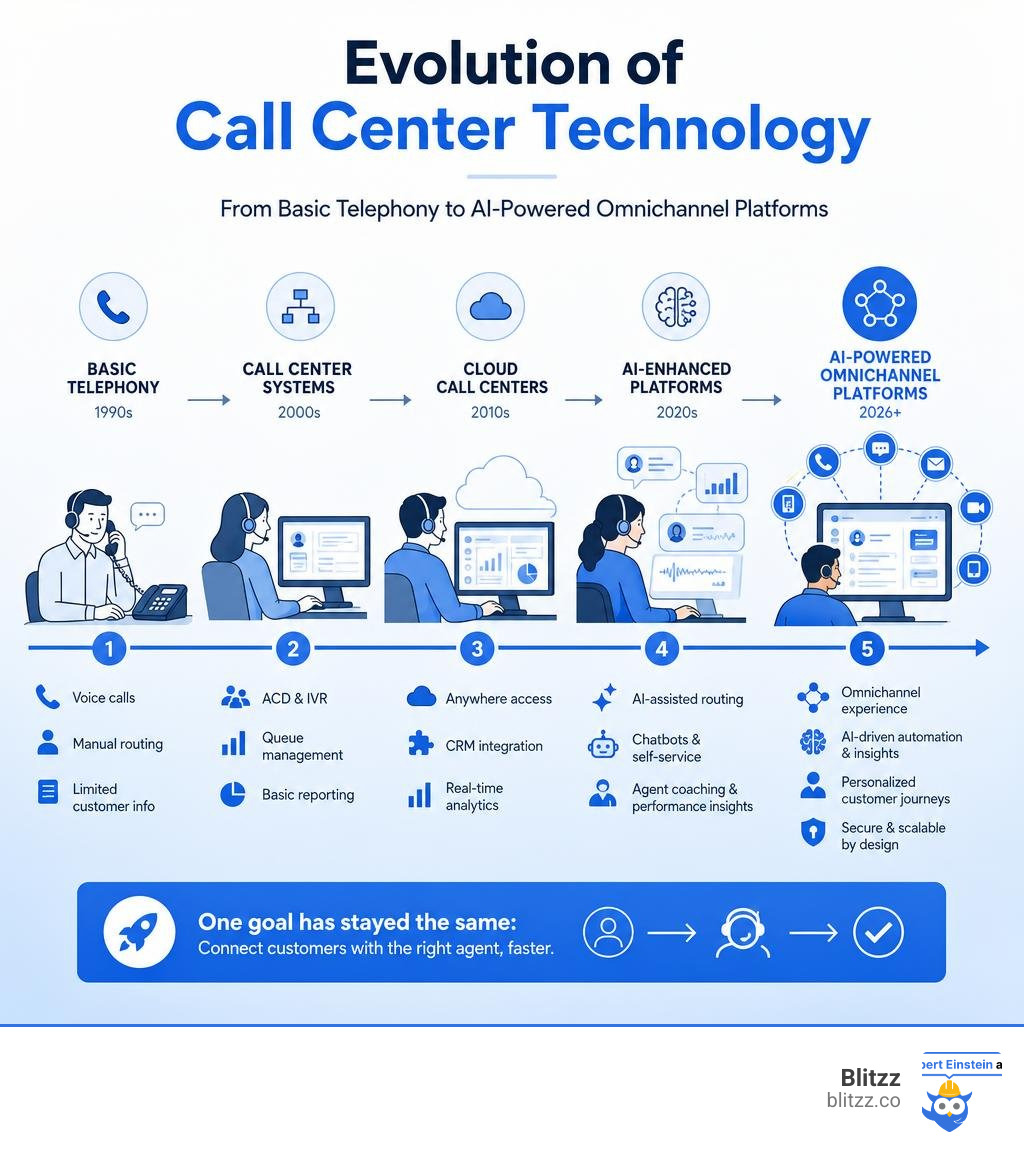
Modern call center platforms have evolved well beyond basic telephony. Today's tools include AI-powered routing, omnichannel support, CRM integration, real-time agent coaching, and even remote visual assistance. Choosing the wrong one can mean slower resolution times, frustrated customers, and higher operational costs.
This guide breaks down the top platforms by use case, so you can match the right tool to your team's actual needs.
Understanding Call Center Software and How It Works
At its core, call center software is a technology solution that helps businesses manage, route, and optimize customer phone calls. However, as we look at the landscape in July 2026, the lines between simple telephony and comprehensive communication platforms have completely blurred.
Traditional telephony simply connects call A to call B. Modern call center software, on the other hand, acts as a centralized brain. It identifies who is calling, looks up their history in your customer relationship management (CRM) system, applies routing rules, and presents the agent with a unified screen containing all the customer's background information.
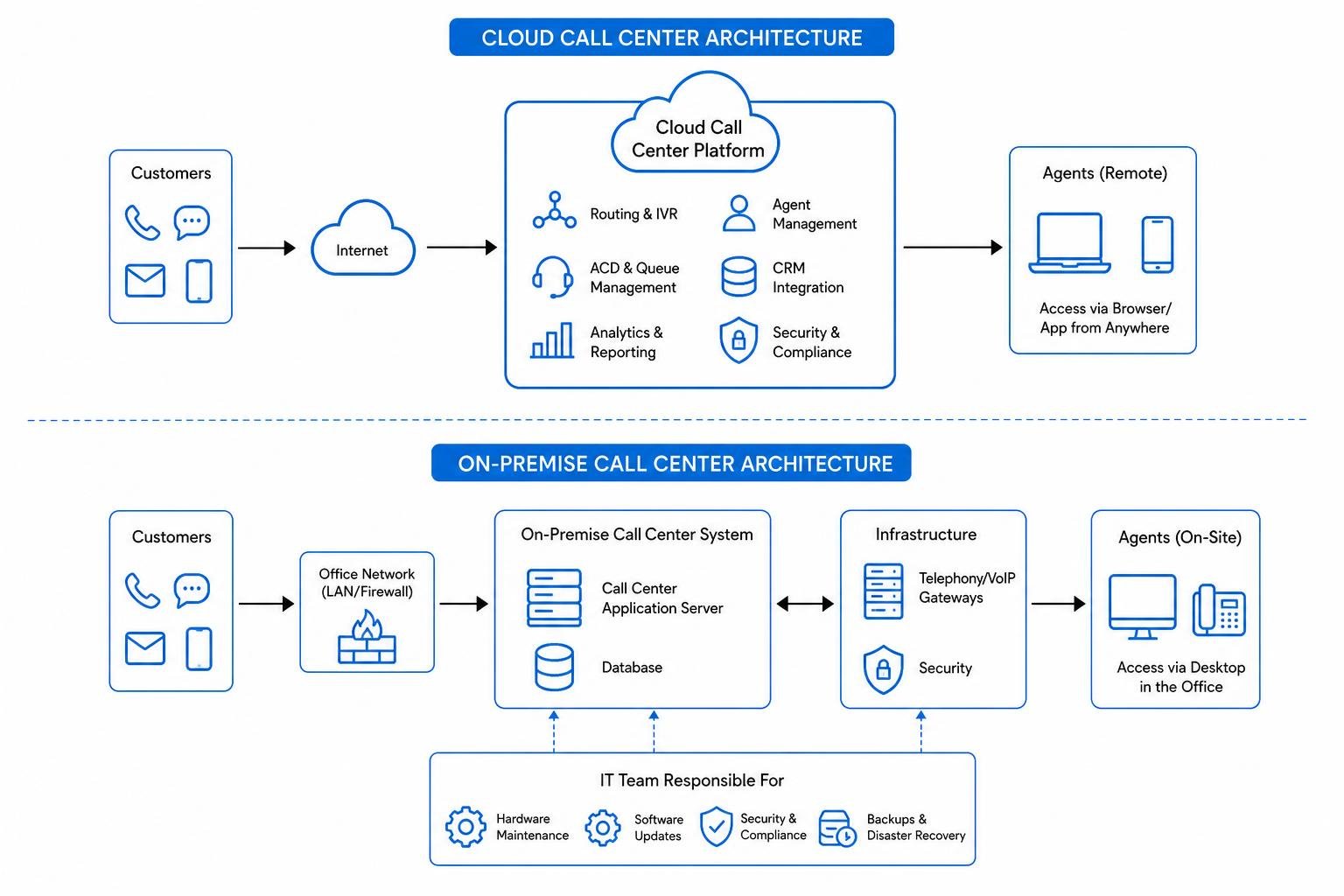
To understand how to choose the best call center software, we must first look at the deployment models available:
- Cloud-Based (Virtual) Software: This is the most popular option today. The software is hosted on the provider’s cloud servers, and your agents can access it from anywhere in the world with an internet connection and a browser. This model has sparked a massive shift, with Cloud Call Center Software Revolutionizing Customer Service by eliminating massive upfront hardware costs.
- On-Premise Software: The software and physical server hardware are hosted directly in your office or data center. This requires a dedicated, in-house IT team to maintain, upgrade, and secure the system. While it offers deep control, it lacks the flexibility needed for hybrid and distributed teams.
- Hosted Software: A middle-ground approach where the software is on-premise but hosted in an off-site cloud infrastructure managed by a third party.
Additionally, call center systems are categorized by how they handle communication flows:
- Inbound Call Centers: Focused on receiving incoming calls from customers seeking technical help, billing support, or general inquiries.
- Outbound Call Centers: Geared toward making outgoing calls for sales campaigns, telemarketing, customer follow-ups, and appointment scheduling.
- Blended Call Centers: Empowering agents to seamlessly handle both inbound and outbound queues based on real-time call volumes.
For modern organizations, adopting Remote Call Centers Systems for Success has become a strategic priority, as distributed agents need reliable, cloud-native tools to collaborate, access training, and deliver consistent support without physical office constraints.
Key Features to Look For in the Best Call Center Software
Selecting the best call center software requires looking past basic dialer functions and evaluating features that directly impact team efficiency and the overall customer experience. When comparing platforms, keep an eye out for these essential capabilities:
- Interactive Voice Response (IVR): This is the automated menu system that greets callers and guides them through options using speech recognition or touch-tone keypads. A smart IVR routes callers to the right department without human intervention, deflecting simple inquiries.
- Automatic Call Distribution (ACD): The engine that automatically distributes incoming calls to specific agents based on predefined rules, such as availability, queue length, or customer tier.
- Skills-Based Routing: An advanced form of ACD that matches the caller's specific problem with the agent who has the exact skills to solve it. For instance, a technical inquiry is routed directly to a senior tier-2 engineer, while a billing question goes to an account specialist.
- CRM and Open Platform Integrations: Your call center software should not exist in a silo. Seamless integration with CRMs like Salesforce, HubSpot, or Zendesk allows for "CTI screen pops" — flashing the customer’s complete profile on the agent’s screen the second the call connects.
- Omnichannel Support: Modern customers don't just call; they text, email, use live chat, and reach out on social media. The best platforms unify all these interactions into a single agent desktop, allowing a conversation to transition from a chat message to a phone call without losing context.
- AI Agents and Real-Time Assist: Generative AI now powers smart virtual agents that handle routine inquiries autonomously. For live agents, AI offers real-time transcription, instant knowledge-base suggestions, and automated post-call summaries, drastically reducing after-call wrap-up times.
As customer behavior changes, we have to ask: Is Voice-Only Support Enough for Call Centers in 2026? The answer is a resounding no. While voice remains crucial, integrating digital and visual channels is one of the key Ways Contact Centers Can Improve Service in 2026.
To help you visualize how these features vary across deployment types, here is a quick breakdown:
| Feature | Cloud-Based (CCaaS) | On-Premise Systems | Hosted Solutions |
|---|---|---|---|
| Setup Time | Days to weeks | Months | Weeks to months |
| Upfront Cost | Low (Subscription-based) | High (Hardware licenses) | Moderate |
| Scalability | Instant (Add users in clicks) | Slow (Requires hardware) | Moderate |
| AI Capabilities | Native and continuously updated | Requires custom integrations | Requires custom integrations |
| Remote Work Ready | Yes, fully native | No, requires complex VPNs | Yes, with limitations |
Categorizing the Top Call Center Software Solutions by Use Case
Every business has unique operational constraints, meaning the best call center software for a global enterprise will look vastly different from what a lean, fast-growing startup needs. Finding the right fit requires mapping your software selection to your specific deployment scale, channel mix, budget constraints, and existing integration ecosystem.
For teams looking to scale up, exploring the Best Call Center Software Providers for Growing Businesses can help pinpoint platforms that grow alongside your support volume.
Enterprise Omnichannel Platforms
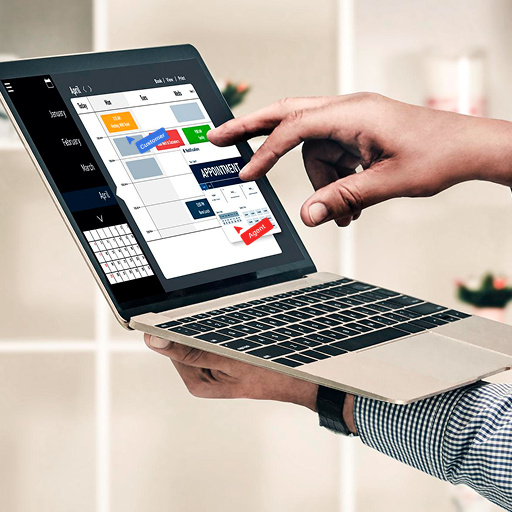
For large enterprises, call center operations are about managing high-volume complexity, ensuring ironclad multi-tenant security, and orchestrating end-to-end customer journeys across dozens of countries.
- Genesys Cloud CX: Recognized as an industry heavyweight, Genesys Cloud CX focuses on AI-powered experience orchestration. It unifies voice and digital channels, offering native workforce engagement management (WEM) and deep journey analytics. It is highly trusted by global brands requiring high reliability and strict compliance. For large migrations, the Genesys Enterprise Call Center Solution provides a structured, prescriptive path to move legacy infrastructure to a secure, flexible cloud architecture.
- Five9: Built with a focus on ease of integration, the Five9 Cloud Contact Centre features a robust Intelligent CX Platform. It uses conversational AI and Intelligent Virtual Agents (IVAs) to achieve containment rates of up to 50% for routine inquiries. It also offers excellent tools for managers, including intuitive dashboards and real-time interaction analytics. If your enterprise uses Five9, you can easily Level Up Your Five9 with Remote Video Assistance to bridge the gap between phone support and physical on-site realities.
- Talkdesk: This platform stands out by offering industry-specific "Experience Clouds" tailored for sectors like healthcare, retail, and financial services. The Talkdesk Cloud Contact Center Platform combines contact center capabilities with customer experience automation (CXA). It offers an open platform with over 70 pre-built integrations, no-code customization tools, and more than 30 security certifications, making it a strong choice for compliance-sensitive enterprises.
Mid-Market and SMB Best Call Center Software
Smaller and mid-sized businesses need platforms that are easy to set up, require minimal IT overhead, and deliver rapid time-to-value without locked-in multi-year contracts.
- Nextiva: Known for its rapid deployment, Nextiva lets teams go live in weeks rather than months. The Nextiva Enterprise Call Center Platform blends virtual and human agents to handle inbound routing and powerful outbound dialing modes (like predictive and progressive dialing). Additionally, the Nextiva AI-Powered Contact Center Solutions offer native voice transcription, automatic PII redaction for PCI compliance, and sentiment tracking.
- RingCentral: A highly affordable, all-in-one communications suite. RingCentral integrates traditional business VoIP with advanced contact center capabilities, making it ideal for companies that want to manage internal office communications and external customer support on a single bill.
- Dialpad: An AI-first platform that offers built-in voice intelligence. Dialpad provides automated live transcriptions, real-time agent coaching cards, and post-call summaries starting at highly competitive price points.
- Zendesk: If your support team already uses Zendesk for email and ticketing, adding their native call center software is a seamless, low-friction way to unify your voice channel with your existing digital workflows.
If simplicity is your primary goal, reviewing The Easiest Call Center Software to Connect with Customers can help you find a user-friendly platform that doesn't require a steep learning curve.
Visual-First and Remote Support Best Call Center Software
While traditional voice call center software is excellent for handling verbal conversations, it falls short when customers need to describe a physical issue. For field services, telecom, utility, and insurance companies, voice-only support often leads to misdiagnosed problems and unnecessary, expensive truck rolls.
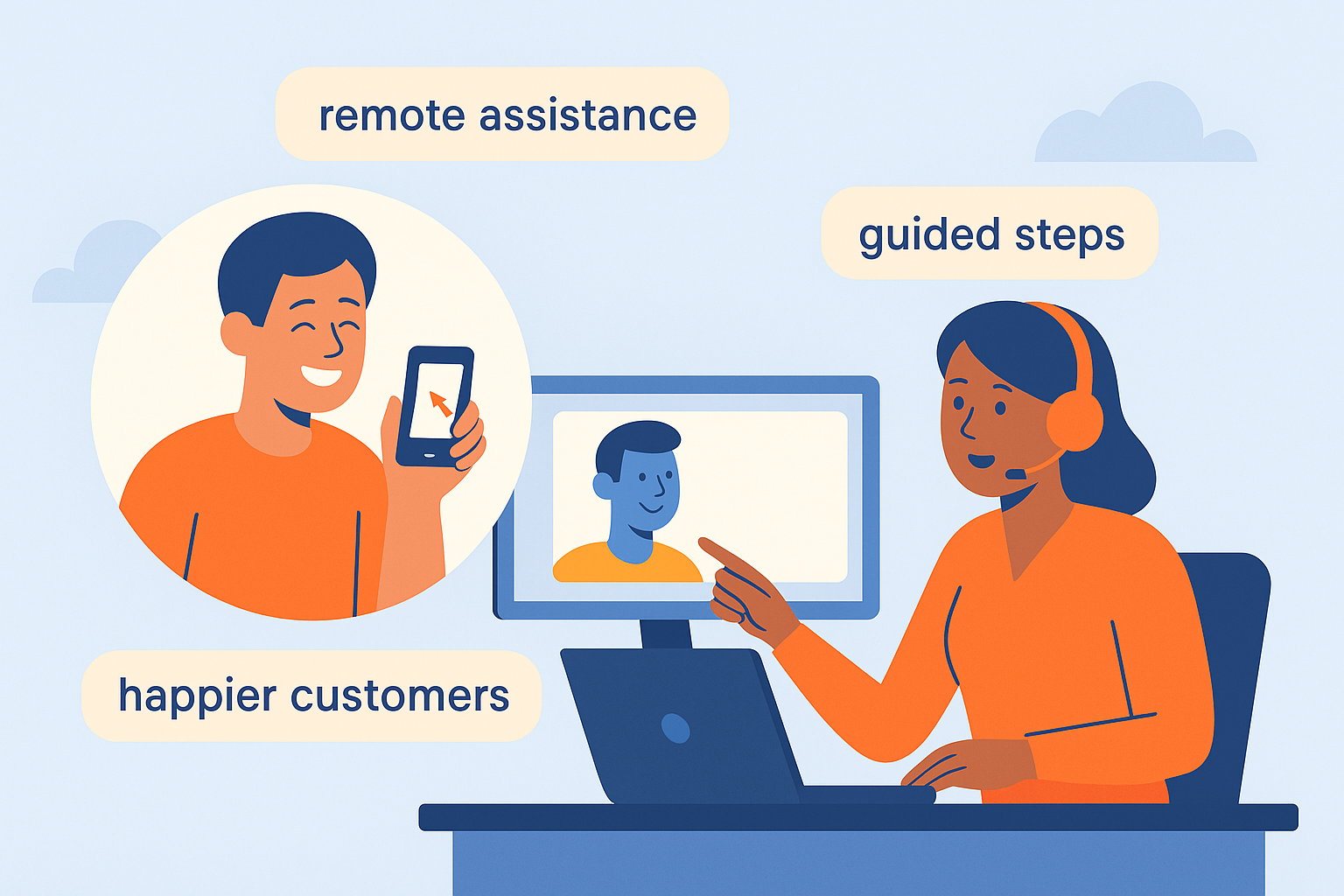
This is where visual-first support platforms change the game. By integrating remote visual assistance, call centers can launch instant, browser-based video calls with a single click.
Using Blitzz, agents can see exactly what the customer is looking at through their smartphone camera. With interactive AR annotations, screen sharing, and optical character recognition (OCR) to read equipment serial numbers, agents can guide customers to resolve technical issues themselves.
Integrating this capability is a proven strategy for Improving Call Center Performance with Remote Video Support. It empowers agents to resolve complex issues on the first call, lowering operational costs and improving customer satisfaction. For teams focused on hardware, appliances, or field systems, choosing the Best Remote Tech Support Software Call Centers use can prevent thousands of dollars in unnecessary dispatch costs.
How to Choose and Implement the Right Platform
Selecting the best call center software is a major investment. To ensure a successful rollout, we recommend a practical, three-step process:
- Define Your Outcomes and Constraints: Before looking at software demos, clarify what you want to achieve. Are you trying to reduce average handle time (AHT), improve first-contact resolution (FCR), or lower agent turnover? Write down your mandatory requirements, including your required channels, agent count, CRM integrations, compliance needs, and budget.
- Run Focused Pilots: Do not rely solely on sales presentations. Narrow your choices down to 2 or 3 vendors and run a 30-to-60-day pilot program with a small group of agents. Test real-world scenarios, such as setting up an IVR menu, running an outbound campaign, or integrating customer records.
- Score on KPIs and Total Cost of Ownership (TCO): Evaluate your pilot results using actual data. Look at how the software affects Contact Center KPIs That Matter and make sure you are Monitoring the Right KPIs for Call Centers to measure true productivity. Finally, calculate the total cost of ownership over three years, accounting for setup fees, add-on licenses, and training costs.
If your team struggles with high call volumes, learning How to Reduce Call Center Wait Times Without Sacrificing Quality can help you design automated call-back queues and self-service paths that keep customers happy.
Frequently Asked Questions about Call Center Software
What is the difference between a call center and a contact center?
A call center is focused primarily on handling voice phone calls, both inbound and outbound. A contact center is an omnichannel platform that unifies voice with digital channels like email, live chat, SMS, and social media, keeping all customer profiles and interaction histories in one place.
How does AI improve call center efficiency?
AI helps call centers by automating repetitive, low-complexity tasks through self-service bots. For live calls, AI provides real-time transcription, translation, sentiment analysis, and agent-assist recommendations. It also generates automated post-call summaries, which cuts agent wrap-up times in half.
What compliance standards should call center software meet?
Depending on your industry, your software should comply with standards like GDPR (for data privacy), HIPAA (for healthcare information), and PCI DSS (for secure payment processing). Look for platforms that offer end-to-end data encryption, multi-tenant security, and automatic redaction of sensitive customer details in call recordings.
Conclusion
The best call center software for your business is the one that fits your team's size, budget, and channel mix, while integrating smoothly with your existing tools. Whether you choose an enterprise platform like Genesys or a rapid-deployment option like Nextiva, your goal remains the same: resolve customer issues quickly and with minimal friction.
However, voice and text can only go so far when troubleshooting physical equipment, walking a customer through a self-installation, or assessing an insurance claim.
By adding Blitzz to your contact center, you can instantly upgrade your support with remote visual assistance. Agents can send a simple text link to launch a live video session directly in the customer's mobile browser — no app download required. With AR annotations, document scanning, and screen sharing, your team can see and solve physical problems in real time.
This approach is highly effective for improving Customer Care Call Center Retention Tips. It also helps eliminate the 10 Barriers That Kill Customer Support in 2026 - Why It Matters for Telecom Industry.
Ready to bring visual clarity to your support operations? Transform your customer support with Blitzz enterprise visual assistance and start resolving issues faster today.

Blitzz Team
The Blitzz Team writes about remote video support, virtual inspections and field service. Our guides come from working with home builders, property managers, warranty teams, contact centers and field service organizations that use Blitzz to see and solve issues without a truck roll.