


On this page
A customer carries a new smart TV, soundbar, and streaming box into the living room. An hour later, the picture is on, the sound is not, and the remote will not pair. They call support, describe the cables as best they can, and are told a technician can visit next week.
For consumer electronics brands, retailers, and installation partners, this scene repeats thousands of times. Setup is supposed to be the moment a customer falls in love with a product. Too often it becomes the moment they consider returning it, or the moment the brand pays for a technician to plug in a cable.
Remote visual support offers a better path. When an agent can see the product, the cables, and the room through the customer’s phone camera, most setup problems can be solved in one session. This article covers why installations create so many avoidable truck rolls, how guided video sessions work, and what real customer results look like.
Why Consumer Electronics Setup Creates Truck Rolls
Modern consumer electronics are no longer standalone devices. They are connected systems that depend on a physical product, a mobile app, a home Wi-Fi network, and often a third-party ecosystem. Blitzz’s guide on how remote visual support improves consumer electronics troubleshooting describes how many points of failure sit inside a single installation.
The usual suspects include:
- Wrong port or cable. HDMI ARC versus a standard HDMI input, or an optical cable plugged into the wrong output.
- Input and configuration errors. The TV is on the wrong source, or the soundbar is set to the wrong mode.
- Pairing failures. Remotes, speakers, and smart devices fail to pair because a step was skipped.
- Wi-Fi band confusion. A smart device joins the wrong band or network, which is a common point of silent failure in smart home setup.
- Mounting and placement questions. The customer is unsure whether a TV mount is level, secure, or correctly aligned.
- Network setup for consoles and streaming devices. Settings that look simple in a manual become confusing on a real network.
Most of these problems take a technician seconds to fix once they are in the room. The expensive part is getting there. When the only way to see the problem is to send someone, the truck rolls.
The Real Cost of Sending a Technician to Plug Something In
A setup visit costs far more than fuel and an hourly wage. Blitzz’s breakdown of what a truck roll really costs covers vehicle expenses, technician time, scheduling overhead, and customer impact, and puts the cost of a single unnecessary truck roll at up to $1,000 once every factor is counted.
For consumer electronics, the damage goes beyond the visit itself:
- Margin erosion. A technician visit can cost more than the profit on the product.
- Returns. Customers who cannot get a device working often send it back, even when nothing is wrong with it.
- Repeat visits. If the first technician lacks the right cable or information, a second trip follows.
- Delayed satisfaction. Customers wait days for a product they already paid for.
- Negative reviews. Setup frustration shows up in ratings and social posts.
To estimate your own exposure, the post on the real cost of a truck roll and how to avoid it includes a simple framework based on cost per visit and monthly volume. Blitzz also notes that up to 40% of electronics issues take over 24 hours to resolve through conventional support channels, as covered in the article on cutting resolution time by 50% with visual remote assistance.
Why Phone Support Struggles With Installations
Phone and chat support depend on the customer’s ability to describe what they see. That works for a forgotten password. It fails for a tangle of cables behind a television.
Customers call things “the black box with the blinking light” or “the port on the left.” They do not know the names of the connections, and they cannot always tell whether a light is amber or orange. Agents guess, customers guess, and the call runs long. When guessing fails, the default answer is a visit or a return.
How Guided Remote Setup Works
Remote visual support removes the guesswork. The flow is simple:
- The customer contacts support by phone, chat, or from a link in an order confirmation or setup email.
- The agent sends a secure link by text message, email, or WhatsApp.
- The customer taps the link and joins live video from their phone browser. There is nothing to download.
- The customer points the camera at the product, the back panel, or the room.
- The agent sees exactly what the customer sees and guides them step by step, using a live pointer and markup to highlight the correct port, button, or setting.
- The agent confirms that the device works before ending the session, and captures images and notes for the ticket.
Blitzz Concierge is built for this workflow. Features such as zoom, live pointers, image markup, and OCR make it possible to read model numbers, identify ports, and point to specific connections. Blitzz’s page on visual remote assistance for consumer electronics lists the use cases consumer electronics teams cover with it:
- TV setup, mounting verification, and input configuration
- Smart home device pairing and connectivity troubleshooting
- Soundbar, speaker, and home theater audio configuration
- Gaming console setup and network configuration
- HDMI, optical, and cable connection verification
Real Results: Case Studies From the Blitzz Customer Stories
The strongest argument for guided remote setup is what other companies have achieved. These three case studies come from Blitzz customers whose products involve installation, setup, or complex hardware.
Ambiance IQ: seeing through the phone
Ambiance IQ is a nationwide provider of business background music, scent marketing, visual messaging, and AV systems, serving restaurants, retail, hospitality, and banking locations. Its support team had always been trained to “see through the phone,” but with phone-only support, that goal was aspirational. Customers described equipment as “the black box with the blinking light,” and traditional video tools met resistance because customers did not want to download unfamiliar apps.
After adopting Blitzz Concierge, technicians send an SMS link and instantly see the customer’s equipment. The Ambiance IQ case study reports a 95%+ customer acceptance rate, 60% faster resolution time, and 40%+ more tickets resolved daily. Technicians walk customers through reconnecting cables, adjusting settings, and resetting equipment, getting systems operational in minutes instead of scheduling visits or shipping replacements unnecessarily.
Takeaway for installations: the app-free link removes the biggest barrier to customer cooperation, and annotation tools make it easy to point at the exact cable or component.
Treehouse: scoping installations without a site visit
Treehouse is an electrical contractor that delivers turnkey installations for EV chargers, home batteries, induction stoves, and heat pumps. Previously, every project required an in-person site visit to gather panel photos, model numbers, and placement details, which added days or weeks to the timeline and drove up travel and labor costs.
With Blitzz Concierge, Treehouse team members send an SMS link and conduct virtual site visits through the customer’s camera. The Treehouse case study reports a doubling of customer conversion rate, project scoping in under 10 minutes, and operational costs more than 50% lower. Team members can scope multiple projects per day without additional headcount.
Takeaway for installations: video can handle the pre-installation visit, so crews only travel once, with the right information, when the work is ready to be done. Blitzz explores the same idea in its article on remote video sales and support in the EV industry.
Emtek: identifying parts and guiding mid-install customers
Emtek is a designer hardware brand whose door and cabinet hardware comes in thousands of finish, style, and configuration combinations. Homeowners and contractors stuck mid-install struggled to describe the part in their hands, and simple questions turned into long email chains of photos and model numbers.
After adopting Blitzz Concierge, agents can see the exact part and walk customers through orientation and alignment. According to the Emtek case study, the company served more than 1,000 customers via live video in 90 days, reduced average handle time by 1 minute 29 seconds, reached 87% first-contact resolution, and achieved a 9.8 out of 10 customer satisfaction score with a 95.8 NPS.
Takeaway for installations: when the customer is mid-install and stuck, visual identification and live guidance keep the project moving instead of stalling it for days.
You can also read how Dansons used live video to cut shipping costs, boost first-call resolutions, and get customers back to grilling faster, and browse more stories on the Blitzz case studies page. Results vary by company, product, and process, but the pattern across these stories is consistent: when agents can see, more problems are solved on the first contact.
Scenarios Where Video Replaces a Visit
TV and home theater setup
An agent watches the customer connect the TV, soundbar, and source devices, confirms which HDMI port supports ARC, and sets the audio output correctly. The most common home theater complaint, no sound or the wrong sound, is solved in minutes.
Smart home pairing
Smart home setups involve a device, an app, a Wi-Fi network, and often a third-party ecosystem. On video, the agent can confirm the phone is on the right Wi-Fi band, walk through pairing steps, and verify that the device responds. Blitzz covers this in depth in remote visual assistance for smart home device setup and troubleshooting and in improving first-time fix rates for smart home devices.
Gaming consoles and streaming devices
Network settings, display modes, and controller pairing become simple when an agent can see the screen and the cables. The same applies to streaming boxes and set-top devices.
Mounting verification
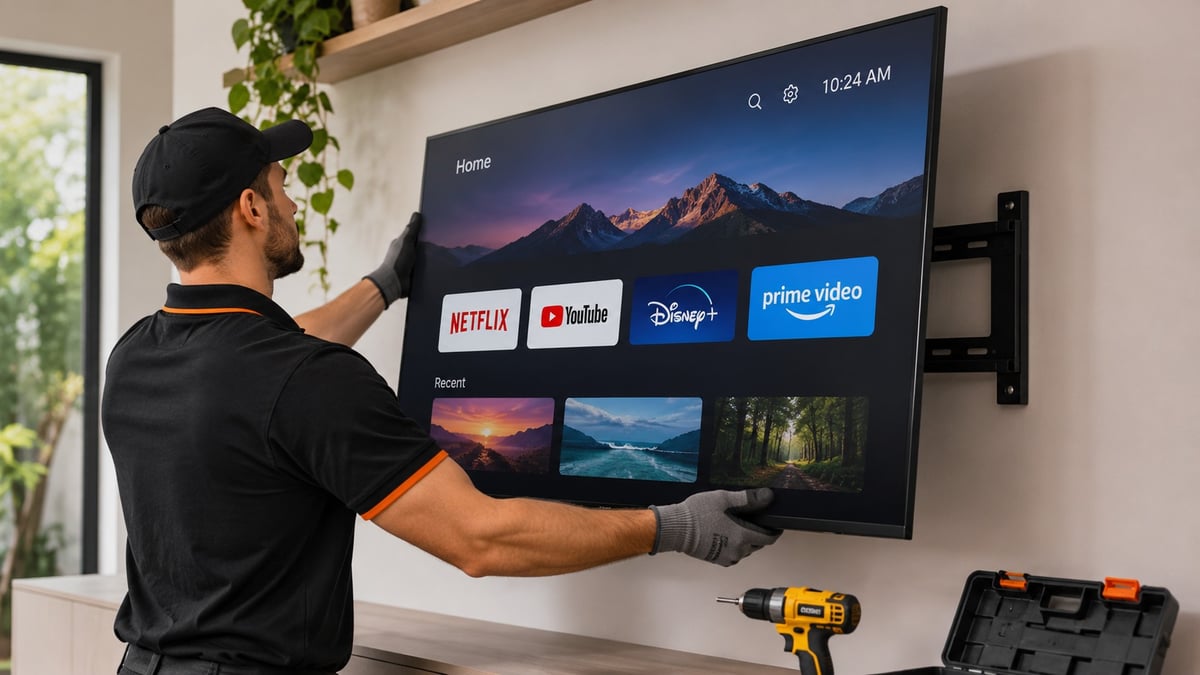
Before a customer finishes mounting a heavy TV, the agent can look at the bracket, the wall plate, and the alignment, and flag problems before they become safety issues or damage.
Pre-visit assessment for jobs that do need a technician
Some installations genuinely need a professional, such as in-wall wiring, large home theater builds, or custom installs. A short video session beforehand shows the room, the wiring, and the equipment, so the technician arrives with the right tools and parts. This protects first-time fix rate even when the truck still rolls, a point covered in the article on improving first-time fix rates with fewer truck rolls.
Customer-led setup guided by the brand
For customers who prefer to do it themselves, video becomes a safety net. The agent stays on the line while the customer completes each step, which builds confidence and reduces anxiety. Blitzz explores this in its article on how smart home service companies delight customers with app-free video sales and support.
Benefits Beyond Fewer Truck Rolls
Fewer returns. A live setup session resolves most no-fault-found cases before a return is ever requested, protecting the customer relationship and the retailer’s margin.
Higher first-contact resolution. Agents with visual context solve more issues the first time, which cuts repeat contacts. Blitzz covers this in boosting first-call resolution by 40% through remote visual support.
Shorter handle times. Showing replaces describing, so calls move faster.
Better documentation. Captured images and notes attach to the ticket, so the next agent has context and nobody has to start over.
Faster agent ramp-up. New agents can resolve issues sooner when they can see the problem instead of memorizing every product configuration.
Happier customers. A product that works on day one earns better reviews and repeat purchases.
Lower environmental impact. Fewer trips mean less fuel and fewer emissions, as described in going green while saving money.
How to Roll Out Remote Setup Support
1. Identify your highest-volume setup issues. Review support tickets, returns, and dispatches from the last quarter. Find the three or four problems that cause the most visits, such as audio configuration, pairing, or network setup.
2. Put video at the start of the journey. Offer a video session at the first sign of trouble. Consider adding a “get help setting up” link to order confirmations, packaging inserts, or the product app.
3. Define dispatch rules. Decide which findings justify a technician visit and which should be solved remotely. Include safety conditions for anything involving mounting, power, or electrical work.
4. Train agents to guide. Teach agents how to ask customers to pan slowly, use the pointer and markup, confirm each step, and verify that the device works before ending the session.
5. Integrate with your existing tools. Launching sessions from the CRM or ticketing system keeps workflows simple. Blitzz offers a range of integrations with common support platforms.
6. Measure and refine. Track truck roll rate, return rate, first-contact resolution, handle time, time to working setup, and customer satisfaction before and after. Share the results with agents and review which session types resolve fastest.
Make the First Setup the Last Support Call
Setup is the first real test of a consumer electronics product. When it goes smoothly, customers feel confident in the brand. When it fails, the cost shows up in truck rolls, returns, and reviews.
Guided video sessions give your team the one thing phone support never could: a clear view of the problem. Agents guide customers step by step, confirm that everything works, and send a technician only when one is truly needed.
To see how this could work for your installations, explore Blitzz Concierge, review the consumer electronics solution page, browse the full list of features, or read more guides on the Blitzz blog. When you are ready, you can book a demo.

Blitzz Team
The Blitzz Team writes about remote video support, virtual inspections and field service. Our guides come from working with home builders, property managers, warranty teams, contact centers and field service organizations that use Blitzz to see and solve issues without a truck roll.