.png?width=120&height=55&name=Blitzz-Logo-right%20white%20eyes%20-%20not%20transparent%20(3).png)

On this page
Most field inspection teams don't have a photo problem — they have an organization problem. The photos exist. They're just scattered across a technician's camera roll, a group text, a shared drive with no naming convention, and three different cloud folders that nobody agreed on in advance. By the time a report needs to go out, someone is spending an hour hunting for the one photo that proves a specific issue was found, instead of writing the report.
This guide lays out a system for organizing field inspection photos that actually holds up across dozens of jobs and multiple technicians — including where a general phone camera falls short and where a purpose-built tool like BlitzzCam changes the equation entirely.
Why Photo Organization Is Its Own Skill
Capturing a good photo and organizing it well are two different disciplines. A technician can take excellent, well-lit, clearly framed inspection photos and still create chaos if those photos aren't tied to the right job, dated correctly, or grouped with the rest of that inspection's evidence. Poor organization causes real problems down the line:
- Reports take longer to write because photos have to be manually matched back to the correct site visit
- Clients or adjusters lose confidence when photo sets look incomplete or inconsistent
- Follow-up inspections are harder to compare against past visits when there's no consistent structure
- Disputes or audits become far more time-consuming when photos can't be quickly retrieved and verified
This is especially true in industries built around repeat inspections — think building compliance, remote video inspection programs, or recurring maintenance contracts — where the value of a photo often isn't just the photo itself, but being able to compare it against the same angle from six months earlier.
The Core Structure: Organize by Job First, Everything Else Second
The single biggest mistake in field photo organization is defaulting to a chronological camera roll. Date order feels natural because that's how phones organize photos automatically, but it's the wrong primary structure for inspection work. The correct default is organizing by job or site first, and only using date as a secondary sort within that job.
Level 1: Job or site folder
Every inspection should live inside its own job-level folder or tag, ideally tied to a job number, client name, or address. This is the container everything else nests inside.
Level 2: Visit or phase
Within a job folder, break photos out by visit date or by phase: initial inspection, follow-up, post-repair verification. This mirrors how the inspection actually happened and makes it easy to isolate exactly which visit a photo came from.
Level 3: Category or area
Inside each visit, group photos by category — for example, by room, by system (electrical, plumbing, HVAC), or by specific defect type. This is the level of detail that makes a report genuinely fast to assemble, because the photos are already pre-sorted into the sections a report will need.
Teams evaluating digital inspection software should look specifically for tools that support this three-level structure natively, rather than forcing a flat folder of images that has to be manually reorganized after the fact.
Naming Conventions That Actually Help
A consistent file naming convention matters just as much as folder structure, especially once photos get exported, emailed, or pulled into a report generator where folder structure doesn't always travel with the file. A dependable naming pattern looks something like:
- JobNumber_Date_Category_SequenceNumber (e.g., 4821_20260714_Electrical_03)
- Avoid generic phone-generated names like IMG_4821.jpg, which carry no information once the photo is out of its original folder
- Keep the convention identical across every technician on the team — inconsistency defeats the purpose
The goal is that any single photo file, opened on its own with no surrounding context, still tells you exactly which job, which date, and which category it belongs to.
Metadata: The Organization Layer You Can't See but Can't Skip
Visible folder structure and file names are only half the system. The other half is metadata embedded in the photo itself — timestamp, GPS coordinates, and ideally the technician who captured it. This metadata layer matters for two reasons:
- It provides a second, tamper-resistant record if the visible folder structure ever gets reorganized, renamed, or accidentally broken
- It allows photos to be verified independently of whatever naming convention was used, which matters if a report or claim is ever challenged
This is where the tool used to capture photos in the first place starts to matter more than any folder system built afterward — which brings up the real fork in the road for most field teams: ordinary phone camera versus a purpose-built app like BlitzzCam.
Ordinary Phone Camera vs. BlitzzCam for Field Inspection Photos
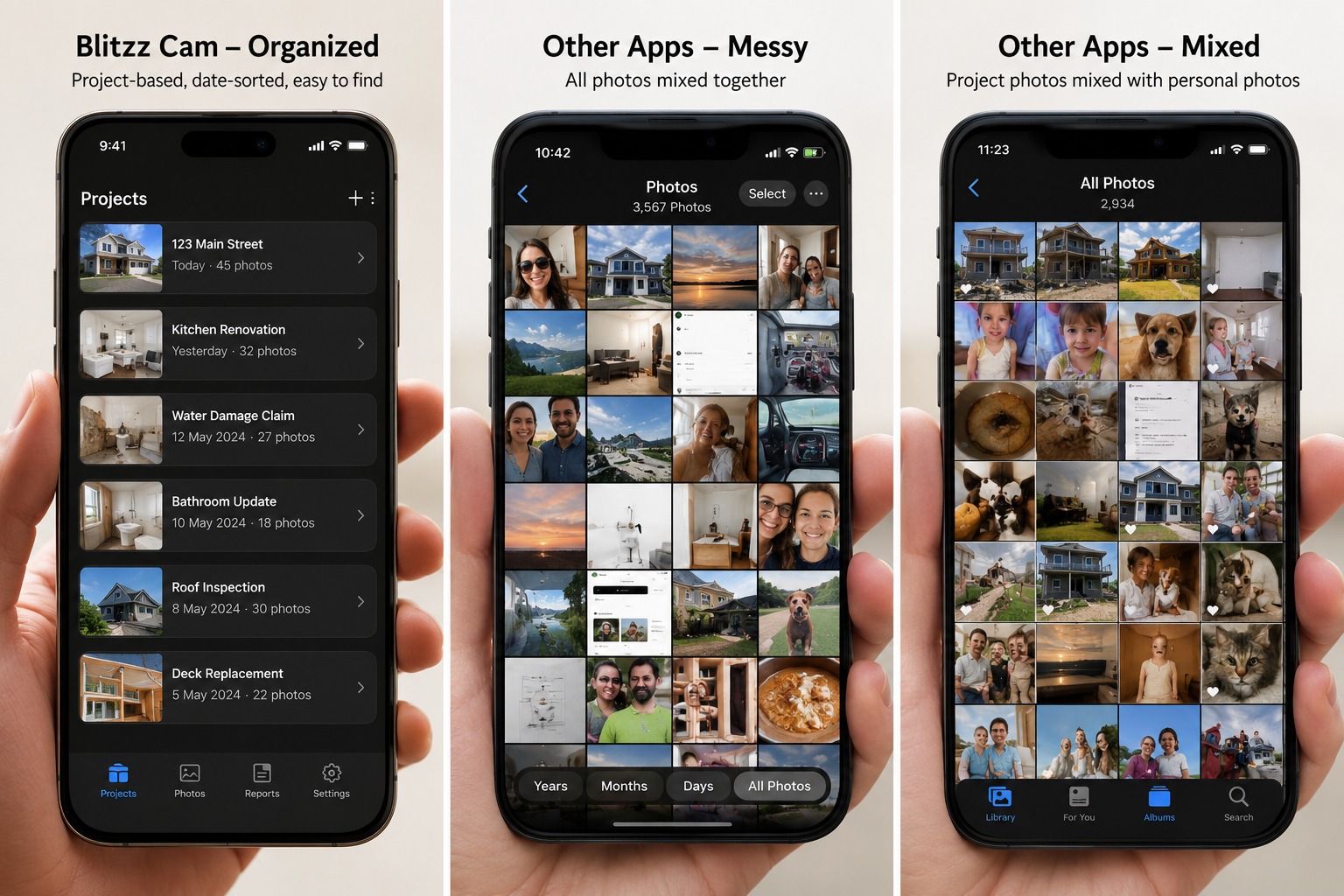
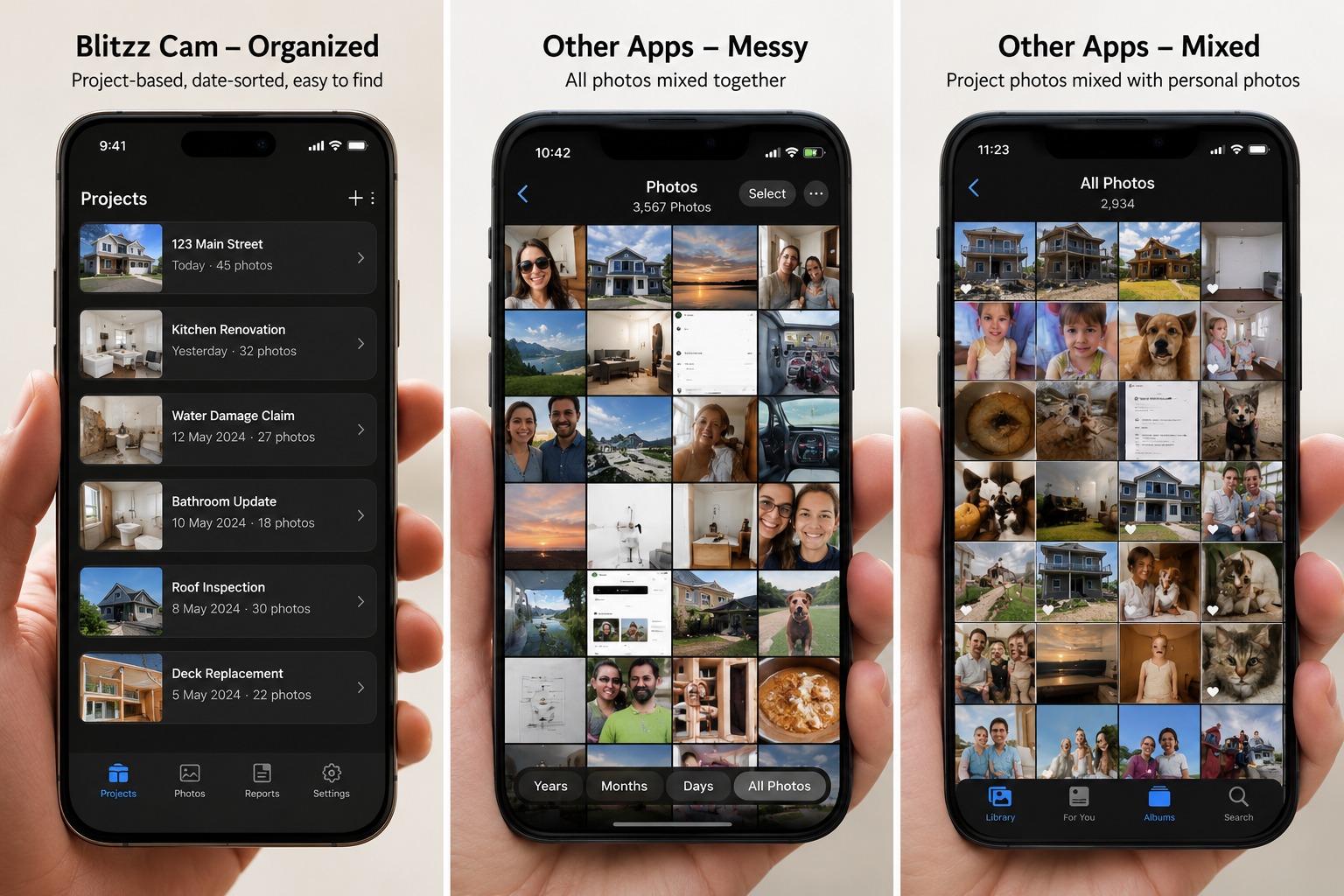
Almost every field team starts the same way: technicians just use their phone's default camera app. It's already installed, everyone already knows how to use it, and for a single job it feels like more than enough. The problems show up at scale — across dozens of jobs, multiple technicians, and months of history.
Where the ordinary phone camera breaks down
- No job-level organization — photos land in one continuous camera roll regardless of which site they were taken at
- Metadata is fragile — GPS and timestamp data is often stripped or altered the moment a photo is shared via text, email, or messaging apps
- No enforced naming convention — files stay as generic auto-generated names (IMG_1234.jpg) unless someone manually renames each one
- No audit trail — there's no way to verify a photo wasn't edited, cropped, or replaced after the fact
- Manual sorting required — someone has to go back after the fact and sort photos into the right job/phase/category structure by hand
- Storage is scattered — photos often end up split across personal phones, texts, emails, and whatever cloud backup happens to be enabled
Where BlitzzCam changes the workflow
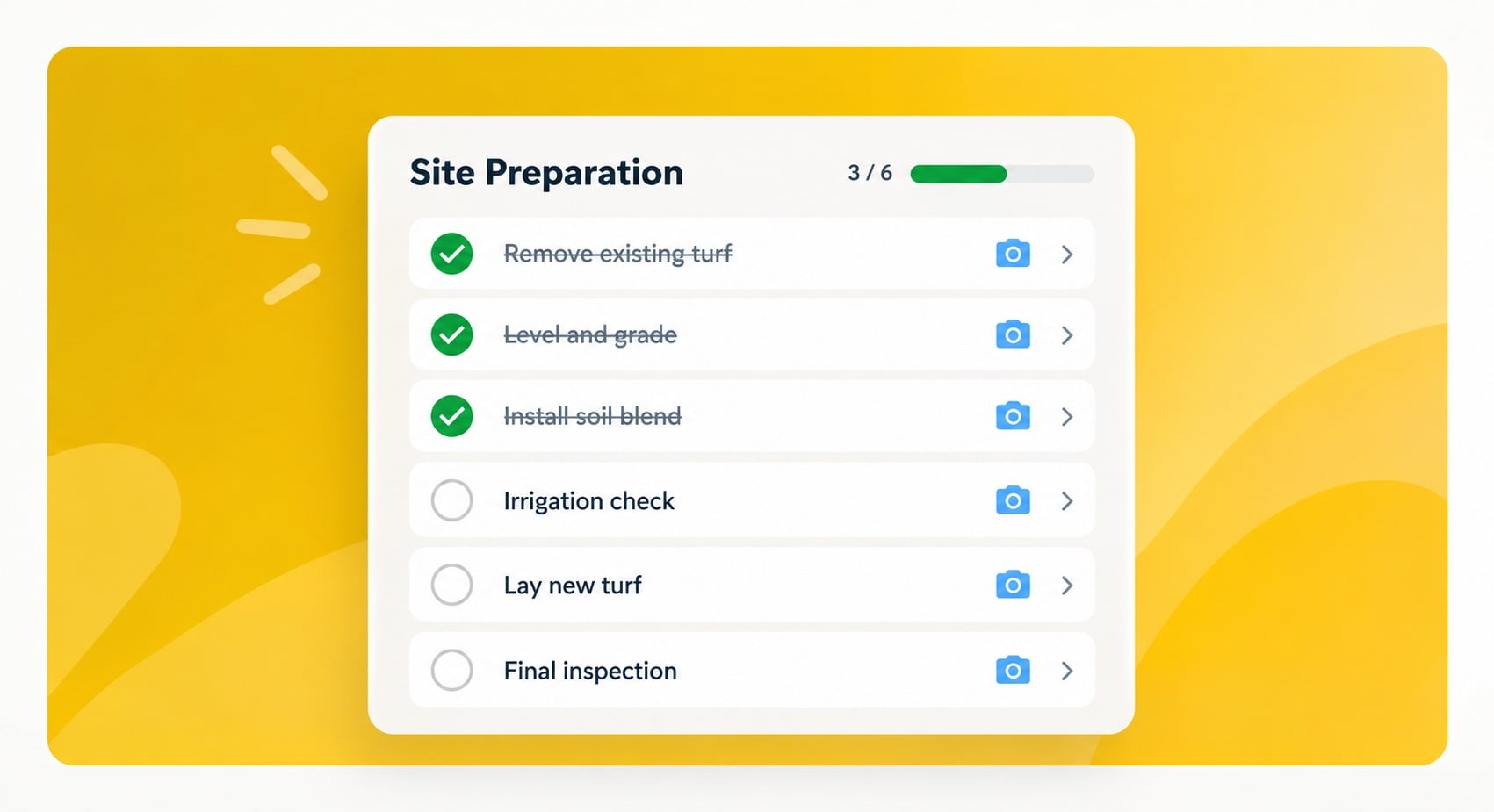
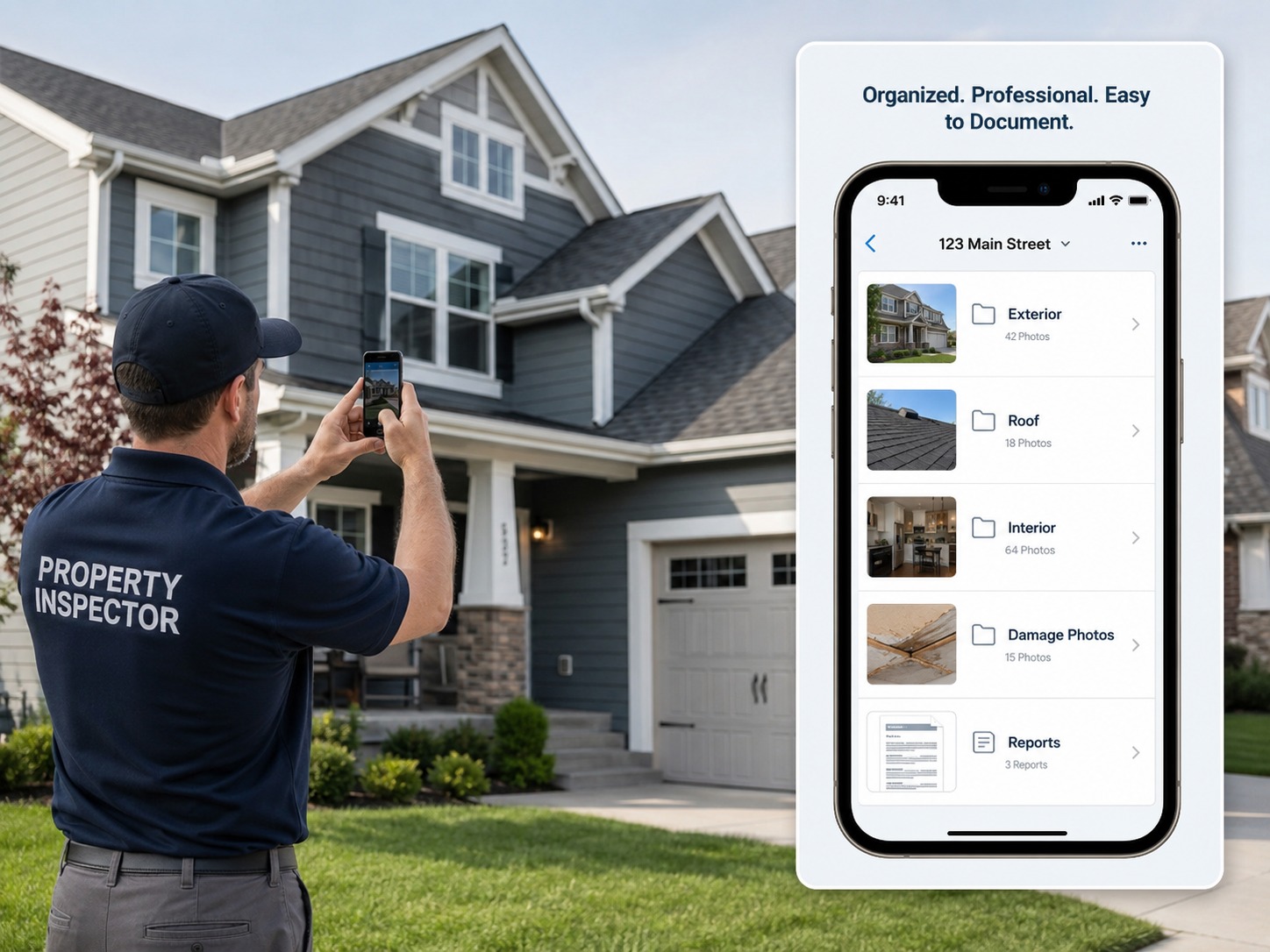
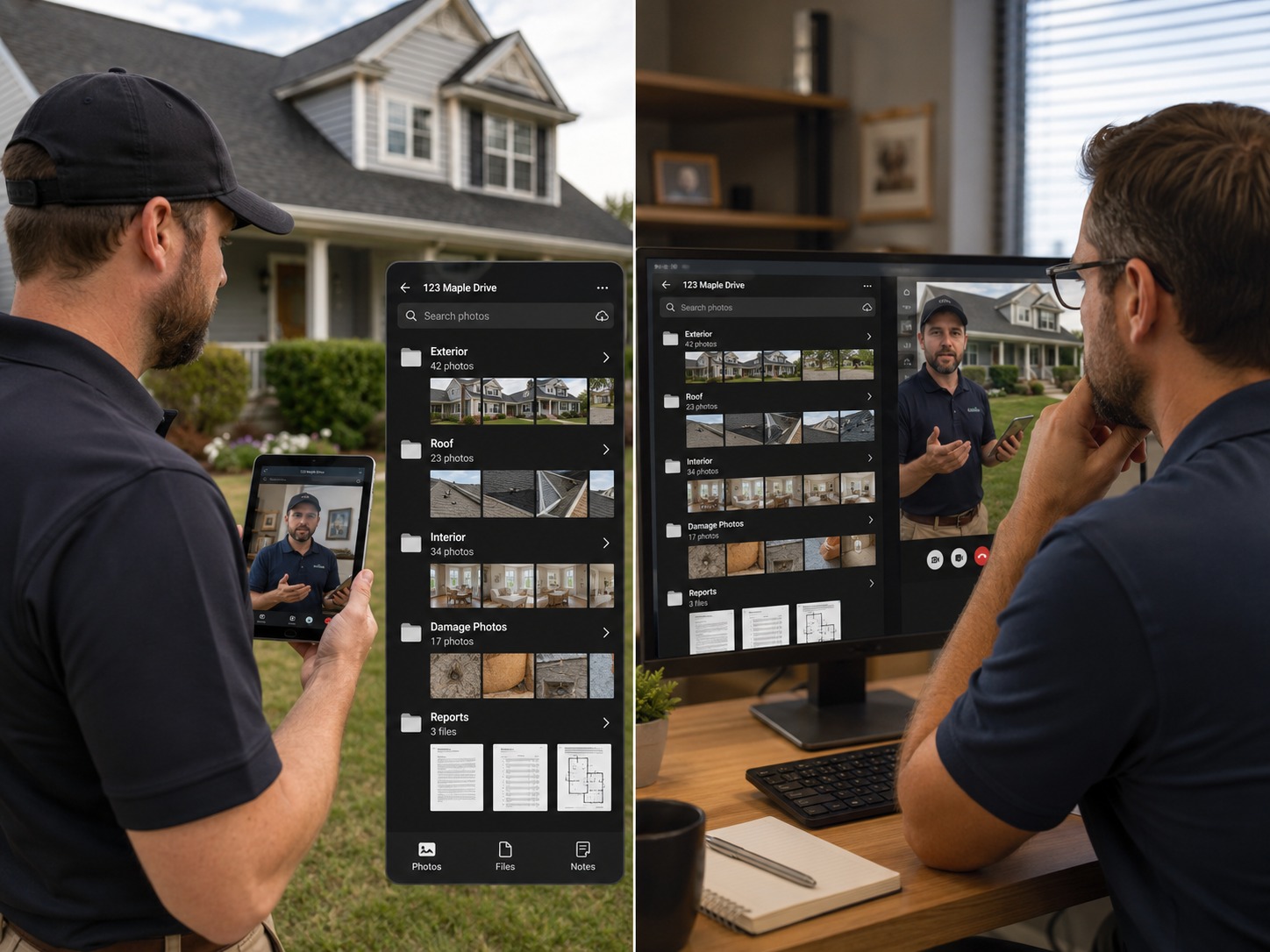
BlitzzCam is built around the exact three-level structure described above — job, visit/phase, and category — so photos are organized correctly the moment they're captured, not reorganized afterward. In practice, that means:
- Photos are automatically tied to the job or site they were captured at, with no manual folder-building required afterward
- GPS location and timestamp are locked in at the moment of capture and can't be stripped out later by sharing or exporting
- Every photo is attributed to the technician who took it, creating a real audit trail instead of an assumption
- Photos can be organized by category as they're taken, so the structure a report needs already exists by the time the inspection is finished
- Everything lives in one central, shareable system instead of being split across individual phones and personal messaging apps
The practical difference isn't about photo quality — a phone camera and BlitzzCam can both take a perfectly clear photo of a cracked pipe or a damaged roof section. The difference is what happens to that photo in the minutes, days, and months afterward. A phone camera photo is an image. A photo captured through a structured field documentation tool is already evidence — tagged, dated, verified, and slotted into the right place before anyone has to think about it.
This distinction matters most in situations where photos might later be scrutinized — insurance claims, warranty documentation, or compliance audits — where "we're pretty sure this photo is from that job" isn't good enough. It also matters for day-to-day efficiency: a technician who doesn't have to stop and manually rename or sort photos gets through more inspections per day.
Building a Report-Ready Photo Workflow
Once photos are captured with the right structure and metadata, turning them into a finished report should be close to automatic. A report-ready workflow looks like this:
- Capture photos already tagged by job and category at the point of inspection, not after returning to the office
- Confirm metadata (timestamp, GPS, technician) is attached and locked before the technician leaves the site
- Export or sync photos into the report template the same day, while context is still fresh
- Review the report for any category with too few photos (a common sign a step was skipped) before sending it out
- Archive the finished report and its photos together, so future inspections at the same site can reference prior visits instantly
Teams that also handle remote video inspections alongside photo documentation benefit from applying the same job-first structure across both formats — the organizing principle doesn't change just because the medium does.
How Many Photos Is Enough Per Category?
One question that comes up constantly: how many photos actually need to be captured per category before a set counts as "complete"? There's no universal number, but a useful baseline is to think in terms of proof, not volume. For most categories, three photos tend to cover the necessary ground:
- One wide shot establishing context (the whole room, the whole roof section, the whole system)
- One medium shot showing the specific issue or feature in relation to its surroundings
- One close-up confirming the detail — a crack, a serial number, a specific point of wear or damage
Categories involving a defect or safety issue often warrant a fourth photo showing scale, whether that's a tape measure, a common object for reference, or a visible marker. The goal isn't to maximize photo count — a bloated set is almost as unhelpful as a thin one, since it buries the photos that actually matter in noise. The goal is that anyone reviewing the set later, without having been on site, could reconstruct exactly what was found.
How Many Photos Is Enough Per Category?
One question that comes up constantly: how many photos actually need to be captured per category before a set counts as "complete"? There's no universal number, but a useful baseline is to think in terms of proof, not volume. For most categories, three photos tend to cover the necessary ground:
- One wide shot establishing context (the whole room, the whole roof section, the whole system)
- One medium shot showing the specific issue or feature in relation to its surroundings
- One close-up confirming the detail — a crack, a serial number, a specific point of wear or damage
Categories involving a defect or safety issue often warrant a fourth photo showing scale, whether that's a tape measure, a common object for reference, or a visible marker. The goal isn't to maximize photo count — a bloated set is almost as unhelpful as a thin one, since it buries the photos that actually matter in noise. The goal is that anyone reviewing the set later, without having been on site, could reconstruct exactly what was found.
A Quick Example: Two Technicians, Same Job
Consider two technicians inspecting the same type of site on the same day, one using a phone camera and one using structured field documentation software.
The phone-camera technician takes 40 photos over the course of the inspection, all landing in their personal camera roll mixed in with unrelated personal photos. Later that day, they AirDrop the photos to a laptop, rename a handful of the most obviously important ones, and upload the rest as a single batch to a shared folder labeled with the client's name. Three weeks later, when a follow-up question comes in about a specific fixture, someone has to scroll through the entire batch to find the right image, with no way to confirm exactly when it was taken relative to the rest of the visit.
The second technician, using BlitzzCam, captures the same 40 photos, but each one is already tagged to the job, timestamped, GPS-located, and sorted into the category it was taken under. When the same follow-up question comes in three weeks later, the relevant photo is found in seconds, along with a timestamp and location that aren't up for debate.
The photos themselves might be equally clear in both cases. The difference is entirely in what happens after the shutter clicks — and that difference is exactly what organization is for.
- Letting technicians choose their own folder structure instead of enforcing one company-wide convention
- Waiting until the end of the week to sort and upload photos, instead of doing it the same day
- Renaming photos generically ("site1", "site2") instead of using job numbers or client names
- Mixing photos from multiple visits into a single undated folder
- Relying on memory instead of metadata to confirm when and where a photo was taken
Any one of these mistakes can turn an otherwise well-documented inspection into a slow, frustrating search when the photos are actually needed — whether that's for a report, a remote audit, or a disputed claim.
Why This Matters Beyond a Single Inspection
Good photo organization compounds over time. A single well-organized inspection is nice to have; a full history of well-organized inspections across a property or client relationship becomes a real asset — proof of consistent quality, a defense against disputes, and a dataset that makes every future visit faster to document. This is part of why demand for structured visual documentation keeps growing across field service and inspection-heavy industries: the value isn't just in the individual photo, it's in the system that makes every photo easy to find again.
It's also why the debate over whether home inspection businesses are still in demand often comes back to documentation quality — inspectors who can produce clear, organized, verifiable photo histories differentiate themselves from ones who can't, regardless of how the broader market shifts.
The Bottom Line
Organizing field inspection photos isn't about finding the perfect folder-naming scheme — it's about building a structure (job, then phase, then category) that holds up across dozens of jobs and multiple technicians, backed by metadata that survives sharing and time. An ordinary phone camera can capture a good photo, but it leaves all of that organizational work for later, done manually, with metadata that's easy to lose. A tool like BlitzzCam builds the structure in at the moment of capture, so the photo is already organized, tagged, and ready to use the second the inspection is done.

Blitzz Team
The Blitzz Team writes about remote video support, virtual inspections and field service. Our guides come from working with home builders, property managers, warranty teams, contact centers and field service organizations that use Blitzz to see and solve issues without a truck roll.