


On this page
Last updated: November 2, 2026
Serial numbers often slow support down when someone has to read a label, repeat it, and type it into a form. That simple step creates delays, mix-ups, and extra back-and-forth.
Reading serial numbers over live video with OCR instead of asking the customer to type them means the agent sees the label through the customer’s phone camera, uses OCR to read the characters on screen, and confirms the number while the record stays tied to the session. The customer opens a browser link, not an app, and the agent can capture the result in one call.
- OCR reads the label from live video, so manual typing is not the first step.
- The customer joins from any smartphone browser with no app download.
- Agents start the session from the record, ticket, or call they already have open.
- Captured images, recordings, and AI summaries sync back automatically.
- The process helps when labels are small, worn, or hard to read.
Why is reading serial numbers over live video with OCR easier than typing them?
It is easier because the agent can see the label directly and check the characters in context. Serial numbers often mix similar-looking letters and numbers, so typing them by hand invites mistakes.
With live video, the customer points the phone at the asset tag, serial plate, or equipment label. The agent reads what is on screen, confirms the number, and keeps the session moving without asking for a second pass.
This approach fits contact center, field service, insurance, and inspection work. It lines up with live video chat for technical support and customer service and live visual support communication for customer service, where the goal is to see the issue first and describe it less.
How does reading serial numbers over live video with OCR work?
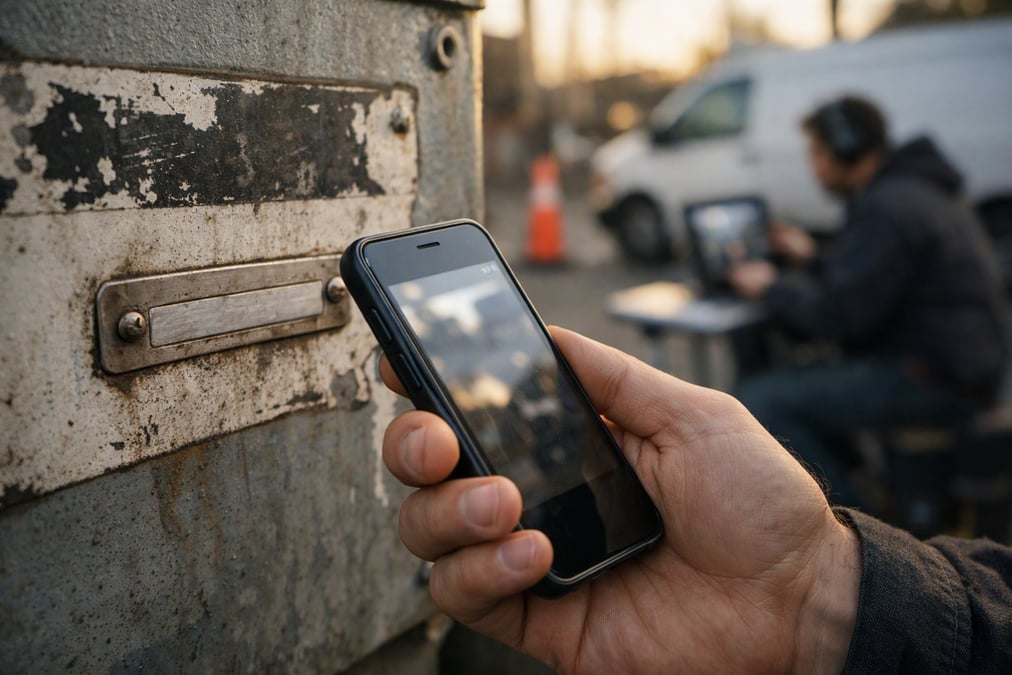
It starts with a link. The agent sends it by SMS, email, or WhatsApp, and the customer opens it in a smartphone browser with no app download. From there, the camera feed opens in the browser, and the agent can inspect the label in real time.
Blitzz is remote visual assistance software, so the session stays tied to the work already in progress. Agents start from the record, ticket, or call they already have open. That keeps the serial number request inside the normal workflow instead of turning it into a separate handoff.
Step 1: Start from the record
The agent begins in the CRM, ticketing tool, or call record. That matters because the serial number should attach to the right case from the start.
Blitzz integrates with platforms like Salesforce, Genesys Cloud CX, Zendesk, ServiceNow, Microsoft Dynamics 365, NICE CXone, and HubSpot. The session can launch from the work item already open, which keeps the context intact.
Step 2: Open the phone camera view
The customer points the phone at the equipment, and the agent sees through the camera from one link. If the label is small, angled, or partly hidden, the agent can use a live pointer, zoom, and markup to guide the view.
That is useful when the serial plate is on the side of a machine, inside a cabinet, or printed on a worn tag. The goal is simple: get a clear view of the characters without turning the call into a guessing game.
Step 3: Let OCR read the characters
OCR, or optical character recognition, analyzes the live image and helps identify the text on the label. In Blitzz sessions, Owlbert AI runs in the background, recognizes equipment, spots the issue, and surfaces answers from the user’s own knowledge base in real time.
If the label is unclear, the agent can ask for a slight reposition or capture a timestamped photo for review. Built-in AI notes and images then sync back to the connected platform automatically.
When should a team use OCR instead of asking the customer to type the serial number?
OCR is the better choice when the label is hard to read, the customer is rushed, or the number includes similar-looking characters. It also helps when the person on the other end is not near a keyboard or is working from a device with limited input.
The table below shows when live video OCR usually makes more sense than manual entry.
| Situation | Typing serial number | Reading over live video with OCR |
|---|---|---|
| Small or worn label | More mistakes | Agent can zoom and confirm |
| Customer is not near a keyboard | Slower | Faster with camera view |
| Characters look similar | Easy to mix up | Agent checks in context |
| Record needs a clean trail | Depends on manual entry | Images and AI summaries sync back |
For teams that already use live video in support, this is the same basic idea with a narrower job. The agent is not trying to solve the whole case on text alone. The agent is looking at the label, confirming the number, and keeping the record aligned with what was seen.
What does the agent see during a live OCR serial number check?
The agent sees the customer’s camera feed in the browser and can guide the view in real time. That makes it possible to center the label, verify the serial number, and capture proof without asking the customer to guess.
Blitzz offers markup and annotation tools on live video or captured images, plus a live pointer on video streams to guide customers. That matters when the label is deep inside a cabinet, on the side of a machine, or printed in a tight space.
Useful actions during the check
- Ask the customer to move closer to the label.
- Zoom in on the serial plate or asset tag.
- Use markup to point to the correct characters.
- Capture a timestamped image for the record.
- Let OCR and the agent confirm the number together.
This is also where live video is better than a second call. Seeing the label in context avoids the back-and-forth that comes from reading out letters one by one. It also helps the agent connect the serial number to the right asset on the first pass.
How does OCR help when connectivity is weak?
It still helps because Blitzz supports offline mode with async upload when connectivity is limited. If the connection drops, captured images and data upload automatically when connection is restored.
That is useful in basements, rural job sites, utility work, and other places where signal is unreliable. The session can continue long enough to gather the serial number, save the evidence, and push the record back later.
This also fits field workflows that already rely on remote video inspections using live video call and advantages of remote video inspections over virtual inspections. In those jobs, the label, the photo, and the record need to stay together.
Which Blitzz products support serial number capture?
Several Blitzz products fit this use case, but the main one for live help is Concierge. Concierge is live video support with Owlbert AI built in, and it can help identify what is on screen during the call.
Inspect is a strong fit for inspections and job-site work. It allows live video inspections through another person’s phone camera and captures timestamped, GPS-tagged photos and reports at the job site.
Co-Browse and ScreenShare also help when the problem lives in a browser or web app. Co-Browse lets agents see and guide a customer’s web or app session in real time. ScreenShare allows customers to share their screen from any browser in one click and can read error codes and settings.
For teams already working in a CRM, sessions can start from the record they already have open. That keeps serial number capture close to the work, whether the case sits in support, field service, or inspections.
How does this fit into support and inspection workflows?
It fits because the serial number is usually only one step in a larger job. The real goal is to identify the asset, confirm the issue, and close the record with clean data.
For contact center teams, that can mean faster authentication, better routing, or less back-and-forth on an equipment case. For field service and public inspection teams, it can mean a clearer report and fewer follow-up visits. For insurance and claims work, it can mean capturing the right asset details while the scene is still visible.
Blitzz also integrates with common service platforms, including Salesforce, Genesys Cloud CX, Zendesk, ServiceNow, Microsoft Dynamics 365, NICE CXone, and HubSpot. That makes it easier to keep the session tied to the work already in progress.
Related reading for teams comparing visual support options includes Remote Video Support: What It Is and Why Customers Are Demanding It and How to Improve Customer Experience with Remote Video Support.
How should a team roll this out?
The best place to start is the step where serial numbers slow the workflow today. That may be manual entry, unclear labels, weak connectivity, or a poor handoff between the call and the record.
From there, a team can test live video OCR on one common use case, such as equipment intake, claims support, or field verification. The simplest flow stays short: send the link, open the camera, read the label, confirm the number, and save the result.
Used well, OCR over live video turns serial number capture from a typing task into a quick visual check. That lowers friction and leaves the record cleaner for the next step.
If a team wants to see how the flow works in practice, Blitzz can show the live video path from session start to saved record.
Frequently Asked Questions
What is reading serial numbers over live video with OCR?
Reading serial numbers over live video with OCR means an agent views the label through a customer’s phone camera and uses optical character recognition to read the text on screen. The customer does not need to type the number. The agent confirms it in the live session and saves it with the record.
When is OCR better than asking the customer to type a serial number?
OCR is better when the label is small, worn, angled, or hard to read, or when the customer is not near a keyboard. It also helps when characters look alike, such as letters and numbers that are easy to confuse. The live view gives the agent more context than typed input.
Do customers need to download an app to join the video session?
No. Customers connect from any smartphone browser with no app download. The agent sends a link by SMS, email, or WhatsApp, and the video opens in the browser. That keeps the step simple and avoids making the customer install software before getting help.
What happens if the connection drops during the check?
If connectivity is limited, Blitzz supports offline mode with async upload. Captured images and data upload automatically when the connection is restored. That lets the team keep the serial number, photos, and notes tied to the session even in low-signal places.
Which Blitzz product is most relevant for serial number capture?
Concierge is the main fit for live support because it includes Owlbert AI. Inspect fits live video inspections and job-site work, while Co-Browse and ScreenShare are better when the issue is on a website or in a browser-based app. The right product depends on the workflow.

Blitzz Team
The Blitzz Team writes about remote video support, virtual inspections and field service. Our guides come from working with home builders, property managers, warranty teams, contact centers and field service organizations that use Blitzz to see and solve issues without a truck roll.