


On this page
Last updated: November 2, 2026
Inspection teams lose time when the site drops connection. Photos sit on a phone, notes stay unfinished, and the report is not ready when the job is done. Offline mode changes that by keeping the inspection moving until the record can sync.
Inspection reports that keep working in offline mode let crews capture photos, notes, readings, and findings on sites without connectivity, then sync the record when service returns. With Blitzz Inspect, the report can keep moving on the job site instead of waiting on a stable network.
- Work can continue when the site has weak or no signal.
- Captured images and data upload automatically when connection returns.
- GPS, time, and findings stay tied to the inspection record.
- Reports sync back to the connected platform without retyping.
- AI can help keep the checklist on track during the call.
What are inspection reports that keep working in offline mode?
Inspection reports that keep working in offline mode are reports that stay usable when the connection drops. The inspector keeps collecting evidence and notes, then uploads the completed record once service returns. The report does not stop just because the network does.
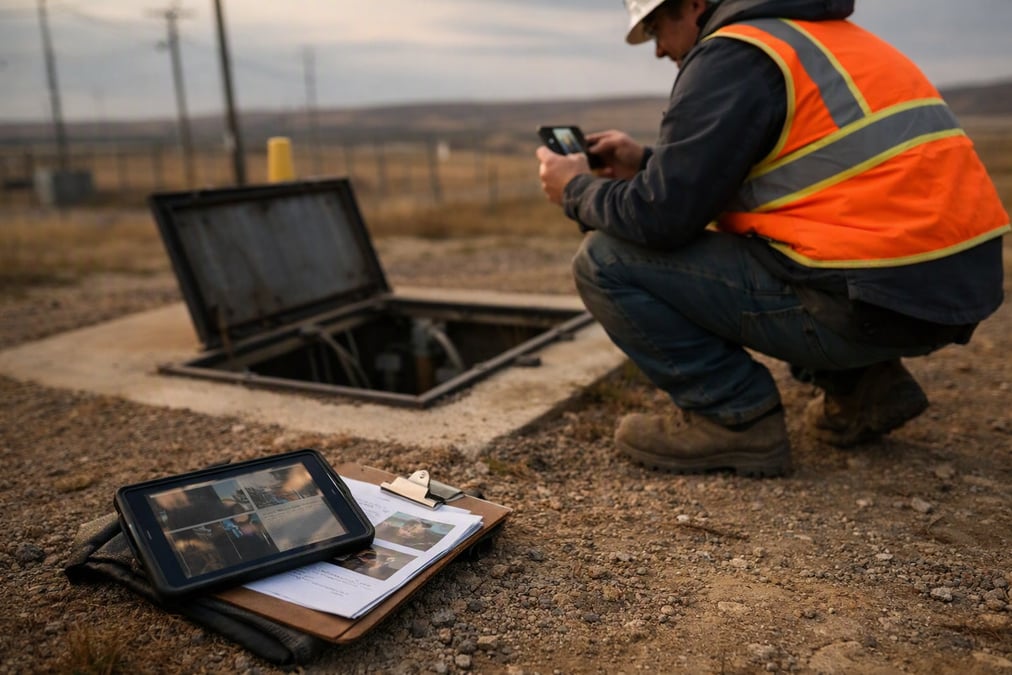
This matters on utility yards, basements, rural roads, construction sites, and other places where connectivity can be limited. For a broader look at remote inspection workflows, see The Easiest Way to Provide Remote Video Inspection.
Why do inspection reports that keep working in offline mode matter on low-connectivity sites?
Offline mode matters because site work rarely waits for strong internet. If the connection fails during an inspection, the team can still capture what matters and finish the record later. That reduces repeat visits and cuts down on manual cleanup after the job.
It also helps when the team needs a clean paper trail. Photos, readings, and notes belong with the inspection event itself, not scattered across messages and memory. For related reading, 5 Key Benefits of Remote Video Inspections explains why remote workflows save time and reduce friction.
What usually goes wrong without offline mode?
Without offline mode, people often end up taking extra photos on their own phones, writing notes on paper, or asking someone to return later. Then they have to piece everything together after the fact. That creates delays and leaves room for missing details.
Offline mode avoids that scramble. The inspector keeps the workflow in one place, and the report can be completed with less rework.
How do inspection reports that keep working in offline mode work step by step?
Inspection reports that keep working in offline mode follow a simple path. The inspector starts the session, collects evidence, and the system stores the work until it can sync. The report then returns to the connected platform automatically.
- The session starts from the record, ticket, or workflow already in use.
- The inspector captures video, images, readings, and notes on site.
- If connectivity drops, the work continues in offline mode.
- When service returns, the captured images and data upload automatically.
- The report and related materials sync back to the connected platform.
This keeps the process close to the actual job. It also avoids a second round of data entry after the crew leaves the site.
How does Blitzz Inspect support inspection reports that keep working in offline mode?
Blitzz Inspect supports live video inspections through another person's phone camera, including offline mode with async upload when connectivity is limited. That means a remote expert can still guide the inspection while the site continues to gather the record needed for the report.
The workflow also keeps the findings organized. Blitzz Inspect captures timestamped, GPS-tagged photos and reports at the job site, and captured images and data upload automatically when connection is restored. For a related overview of how site work stays on track, see Remote Site Inspection Software Solutions That Minimize Disruptions.
What gets captured during the inspection?
Blitzz Inspect can support timestamped photos, GPS location, and readings alongside findings. Built-in AI can help identify equipment and keep the checklist on track. That gives the reviewer more context when the report is read later.
The report is easier to understand because the key details stay attached to the inspection event. That matters when teams compare one site against another or need to revisit a finding later.
How does offline mode help with report quality and follow-up?
Offline mode helps report quality because it reduces missing fields and rushed note-taking. When the inspector can keep working through the outage, the final report is more likely to reflect what actually happened on site. That means fewer gaps for supervisors or reviewers to chase down.
It also helps with follow-up. If the photos, notes, and AI summaries sync back automatically, the next person can pick up the thread without waiting for someone to rebuild the report. That is especially useful when field teams and office teams work on different schedules.
How do timestamped and GPS-tagged records help?
Timestamped and GPS-tagged records make it easier to show when and where the inspection happened. They do not fix a bad report on their own, but they do add context that can matter later. For site work, that context can save time during review and approval.
When the inspection record includes location and time, it is simpler to sort findings and match them to the right job. That is one reason teams often want the capture step tied tightly to the final report.
What should teams look for in offline mode inspection software?
Teams should look for software that keeps the inspection moving, stores data during outages, and syncs it back later without extra work. It should also support the report itself, not just video capture. If the output still needs manual cleanup, offline mode is only solving part of the problem.
| Need | Why it matters |
|---|---|
| Offline capture | Keeps photos and notes going when the network drops |
| Async upload | Sends the saved work once connectivity returns |
| Timestamp and GPS | Helps tie findings to the right time and place |
| Report sync | Gets the record back into the connected system automatically |
| AI support | Helps identify equipment and keep the checklist moving |
That checklist keeps the focus on the actual field problem. It also makes it easier to compare tools without getting distracted by features that do not help the report.
How can contact centers, field teams, and inspectors use this workflow?
Contact centers, field service teams, insurers, and public inspection teams can all use offline mode when the work happens in places with weak connectivity. The setup is especially useful when the inspection starts from an existing record or ticket and the final report needs to land back in the same system. That keeps the handoff cleaner.
Blitzz also fits into common support and service workflows. If a team wants to compare related remote inspection approaches, How Remote Inspections Keep Inspectors and Clients Safe is a useful next read, along with Remote Video Inspections Using Live Video Call for a closer look at the live workflow.
How should a team roll out inspection reports that keep working in offline mode?
A good rollout starts with the places where connectivity fails most often. The team can map the steps that need to keep working offline, then make sure the report fields and capture steps match the real job. That reduces friction when the first field crew uses it.
It also helps to define what the report must contain before the visit ends. If the crew knows which photos, notes, and readings matter most, the offline workflow stays focused. Then the sync step becomes a finish line, not a fix-up task.
Inspection reports that keep working in offline mode solve a simple but costly problem: the job does not stop when the network does. With Blitzz Inspect, crews can keep capturing the inspection, then sync the record back when connectivity returns. See it in action at Blitzz.
Frequently Asked Questions
What is an inspection report that works in offline mode?
An inspection report that works in offline mode is a report that stays usable when connectivity drops. The inspector keeps capturing photos, notes, and readings on site, then syncs the record once service returns. That keeps the job moving instead of waiting on the network.
Why are offline mode inspection reports useful on low-signal sites?
Offline mode inspection reports are useful because site work often happens where internet is weak or unreliable. The team can keep collecting evidence, avoid repeat visits, and reduce missing details. It also keeps the inspection record tied to the event instead of scattered across phones and paper notes.
What should offline inspection software store during an outage?
Offline inspection software should store the captured images, notes, readings, and other findings during an outage. It should also keep the record tied to the inspection so the data can sync back later without retyping. That makes the final report easier to finish and review.
How do timestamped and GPS-tagged records help offline inspections?
Timestamped and GPS-tagged records help by showing when and where the inspection happened. That adds context for review, approval, and follow-up. It also makes it easier to match findings to the right job when the report syncs back to the connected system.
How does Blitzz Inspect fit offline mode workflows?
Blitzz Inspect supports live video inspections through another person's phone camera, including offline mode with async upload when connectivity is limited. Captured images and data upload automatically when connection is restored, and records sync back to the connected platform. That keeps the inspection and report in one workflow.

Blitzz Team
The Blitzz Team writes about remote video support, virtual inspections and field service. Our guides come from working with home builders, property managers, warranty teams, contact centers and field service organizations that use Blitzz to see and solve issues without a truck roll.