

.png?width=120&height=55&name=Blitzz-Logo-right%20white%20eyes%20-%20not%20transparent%20(3).png)

On this page
AI tools that write notes after a customer video support call listen to the session, then draft a summary with the issue, steps taken, resolution and next actions, and save it to the ticket or case. Blitzz Owlbert AI does this for live video, co-browse and screen share sessions, and includes photos captured during the call. CRM and contact center AI like Salesforce Einstein, Zendesk Copilot, Genesys Agent Copilot and Amazon Connect summarize voice and chat, while meeting notetakers like Otter and Fireflies cover internal meetings rather than support calls.
This guide explains how AI call summaries work, where each tool fits, and what to look for.
Why automate notes after support calls?
After-call work eats agent time. Agents type summaries, pick wrap-up codes, attach photos and update fields. Notes are often short, late or inconsistent.
AI changes that. In a study of 5,179 support agents, generative AI assistance raised productivity by 14% on average and 34% for newer agents (NBER, "Generative AI at Work"). Gartner lists call note summarization as a key generative AI use case for service teams (Gartner).
What should an AI call summary include?
- Customer issue in one or two sentences
- Product, model and serial number if identified
- Steps taken and what worked
- Resolution or reason for escalation
- Follow up actions and owner
- Photos or screenshots captured during the session
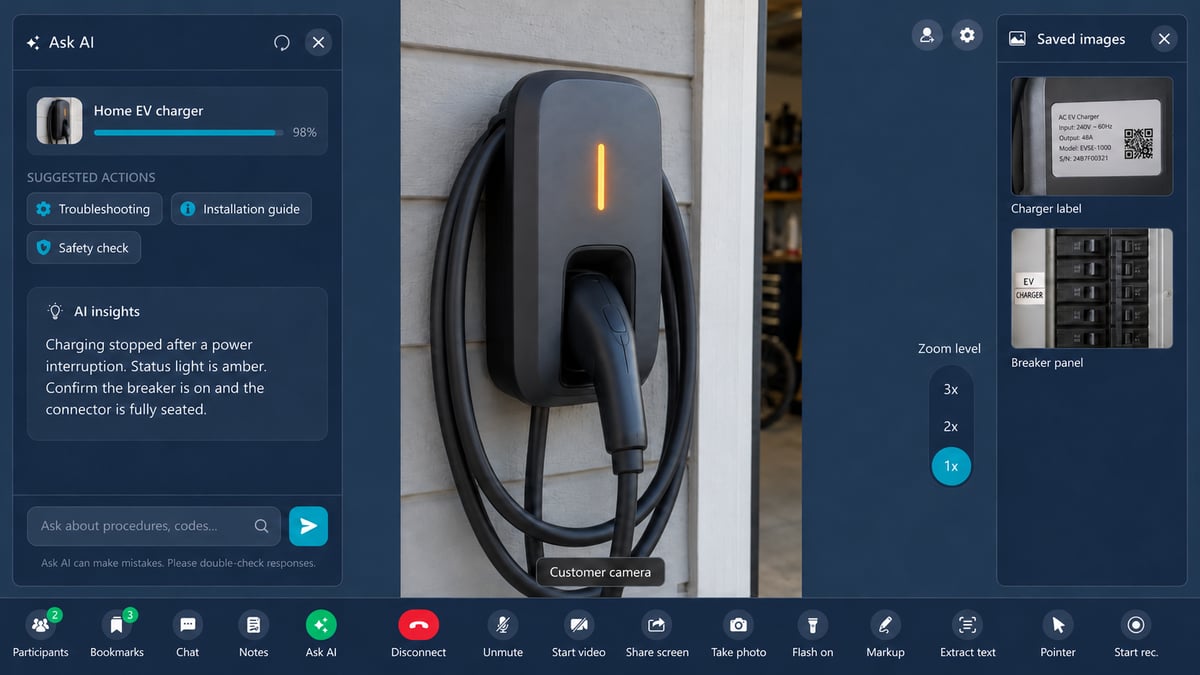
For video calls, the visual evidence matters as much as the text. A summary without the photos only tells half the story.
AI tools that write notes after support calls compared
| Tool | Channels summarized | Where notes go | Best for |
|---|---|---|---|
| Blitzz Owlbert AI | Live video, co-browse, screen share sessions | Salesforce, Zendesk, ServiceNow, Genesys, HubSpot, Dynamics 365 | Visual support and inspections, with photos in the summary |
| Salesforce Einstein Work Summaries | Messaging, voice, chat, email | Salesforce case | Salesforce voice and chat teams. Video not listed. |
| Zendesk Copilot | Recorded Zendesk Talk voice calls | Zendesk ticket | Zendesk voice teams. Add-on required. |
| Genesys Agent Copilot | Genesys interactions | Genesys Cloud | Summary, contact reason and wrap-up codes in Genesys |
| Amazon Connect | Amazon Connect contacts | Amazon Connect | Teams already on Amazon Connect |
| Otter.ai, Fireflies | Zoom, Teams, Meet meetings | Notetaker app, some CRM fields | Internal and sales meetings, not customer support sessions |
Based on vendor documentation as of October 2026, including Salesforce and Zendesk. Channel support changes often, so confirm with each vendor.
How do I choose an AI notes tool for video support?
- Match the channel. If your agents run video sessions, pick a tool that summarizes video, not only voice.
- Check the destination. Notes should land in the case or ticket automatically.
- Look for custom templates. Different teams need different summary formats.
- Understand the save workflow. Some tools hold the summary for agent edits. Others save it automatically, so the summary format needs to be set up right from the start.
- Review data handling. Ask how transcripts and media are processed, stored and retained.
How Owlbert AI writes notes and reports in Blitzz
Owlbert AI is the AI layer across Blitzz. During a session it identifies equipment, reads model numbers and answers agent questions from your knowledge base. When the session ends it writes the call summary and notes automatically, with no extra steps for the agent.
Summaries, notes and captured photos sync to Salesforce, Zendesk, ServiceNow, Genesys, HubSpot and Dynamics 365. Admins set up summary profiles so each team gets the format it needs.
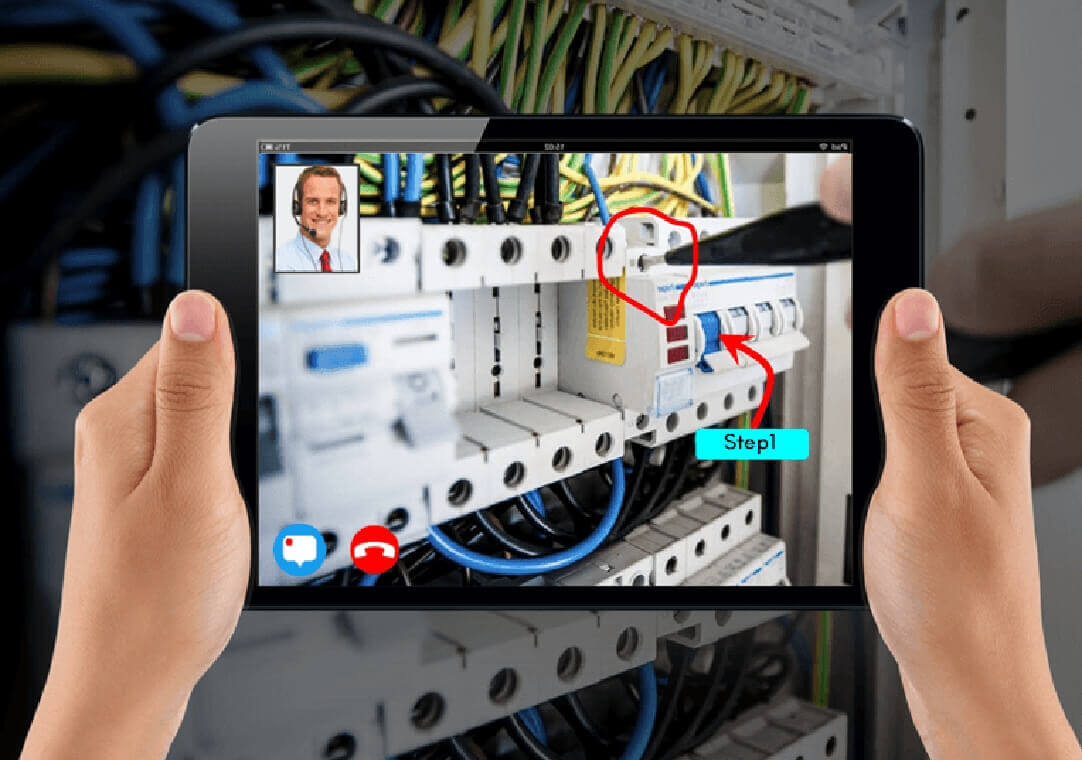
In Blitzz Inspect and BlitzzCam, Owlbert AI also drafts inspection and field reports from photos, notes and checklist results. Live chat translation works in the same sessions.
Related reading: What is AI agent assist? and how the Blitzz REST API connects to your AI tools.
Frequently asked questions
What is an AI call summary?
An AI call summary is a short written record of a support call, created automatically by AI from the conversation. It usually covers the issue, steps taken, resolution and next steps.
Can AI summarize video calls, not just phone calls?
Yes. Blitzz Owlbert AI summarizes live video, co-browse and screen share sessions and includes the photos captured during the call.
Where do AI call notes get saved?
Owlbert AI syncs summaries and photos to your CRM or helpdesk, including Salesforce, Zendesk, ServiceNow, Genesys, HubSpot and Dynamics 365.
Is the Owlbert AI summary saved automatically?
Yes. Owlbert AI writes the summary when the session ends and saves it automatically, so agents can move to the next customer. Admins control the format and content through summary profiles.
Are meeting notetakers like Otter good for customer support?
They are built for meetings on Zoom, Teams and Meet. Support teams usually need summaries tied to a ticket, with visual evidence, which is what support-focused tools provide.
Cut after-call work
See Owlbert AI write a summary from a real session. Book a demo.

Blitzz Team
The Blitzz Team writes about remote video support, virtual inspections and field service. Our guides come from working with home builders, property managers, warranty teams, contact centers and field service organizations that use Blitzz to see and solve issues without a truck roll.