.png?width=120&height=55&name=Blitzz-Logo-right%20white%20eyes%20-%20not%20transparent%20(3).png)

On this page
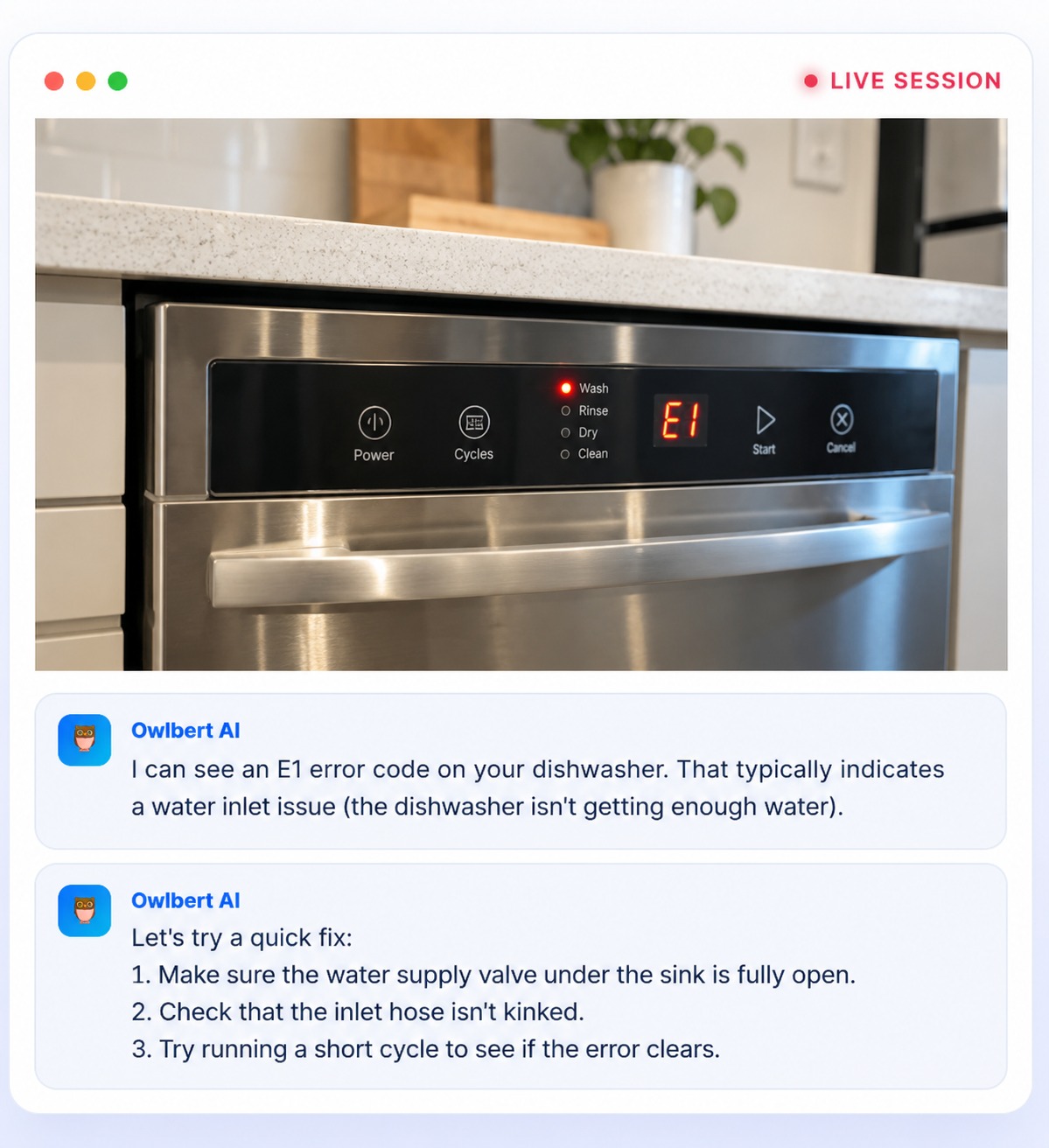
AI agent assist is software that works alongside a human support agent in real time, interpreting what is happening in a customer interaction and surfacing the information the agent needs to resolve it. On a live video call, that means the AI can see what the customer's camera sees, identify the problem, and put the right answer in front of the agent while the conversation is still happening.
Support teams have always had two problems that pull in opposite directions. Customers want fast, accurate answers. Agents are asked to know hundreds of products, procedures, and exceptions, and to find the right article in a knowledge base while someone waits on the line. Adding live video helps, because the agent can finally see the problem. But it also adds a new demand: the agent now has to interpret what they are looking at.
That is the gap AI agent assist is built to close. This guide explains what it is, how it works on a live video call, how it differs from chatbots and call analytics, where it helps most, and what to look for when you evaluate it. It also shows how Owlbert AI, the agent assist layer from Blitzz, works inside a Blitzz Concierge video session.
What AI agent assist is, and what it is not
The term "agent assist" describes a role, not a single technology. The AI supports a person who stays in charge of the conversation. It doesn't replace the agent, talk to the customer on its own, or make final decisions. Its job is to take the heavy lifting out of the moments where an agent would otherwise stall: identifying what they are looking at, recalling the right procedure, finding the right article, or remembering what to do next.
A complete agent assist tool typically does some combination of four things:
- Understands the situation. It interprets the conversation, or on a video call the live image, to work out what the problem is.
- Retrieves the right knowledge. It searches your articles, manuals, and past tickets and surfaces the best match, so the agent doesn't have to search mid-call.
- Guides the next step. It suggests troubleshooting steps, safety checks, or follow-up questions in the order the agent should use them.
- Captures the outcome. It helps record notes, photos, and a summary so the work doesn't have to be reconstructed after the call.
It is just as important to say what agent assist is not. It is not a chatbot that answers customers directly. It is not call recording that analyzes conversations after they end. And it is not a replacement for trained agents, who bring judgment, empathy, and the ability to handle situations no article covers. The AI handles recognition and retrieval. The agent handles the customer.
Why live video changes the support problem
Voice support depends on the customer's ability to describe what they see. That works for simple issues and fails for the rest. A customer may not know what a part is called, which light is flashing, or which port a cable belongs in. The agent ends up asking questions to reconstruct a picture the customer can't put into words, and every misunderstanding adds time and frustration.
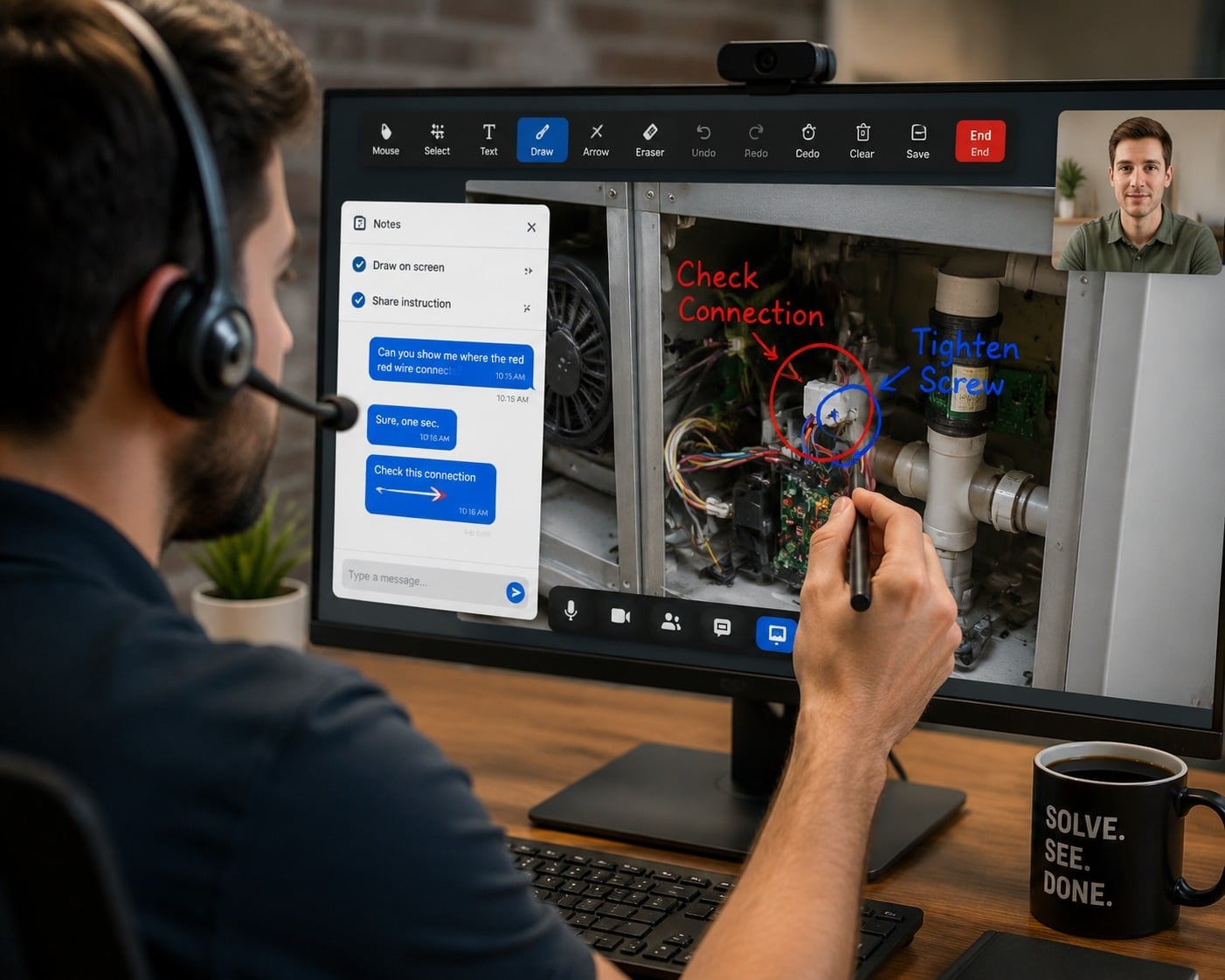
Live video removes much of that guesswork. When the customer points a camera at the problem, the agent sees the equipment, the indicator lights, the damage, or the wiring directly. Support teams use video for equipment troubleshooting, guided repairs, remote inspections, and sales or onboarding calls, and it is one reason companies in telecom, consumer electronics, insurance, automotive, and field service have adopted it.
But video creates a new job for the agent. Seeing the problem is not the same as understanding it. An agent looking at a tangle of cables, an unfamiliar model, or a blinking light pattern still has to recognize the equipment, work out what the symptom means, and remember or find the correct fix. For a new agent, or an agent covering a product line they rarely see, that is a lot to do in real time while also managing the conversation.
This is where AI becomes valuable. Video gives the agent more information. AI helps the agent use it. Blitzz explains the underlying model on its contact centers page, which covers how a visual session starts without requiring the customer to download an app.
How AI agent assist works on a live video call
Owlbert AI is built around three actions that happen in the background of every video session: it sees, it reasons, and it resolves. Together they turn a live camera feed into an answer the agent can act on.
It sees
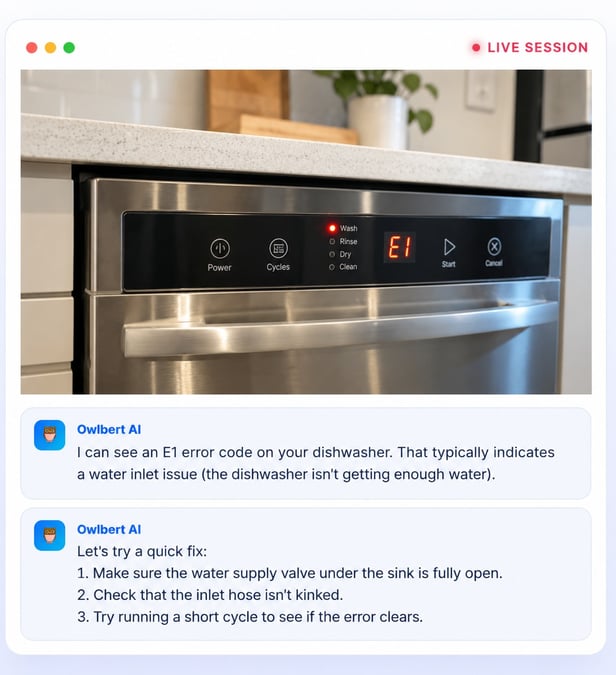
Owlbert reads the live video stream and recognizes what is on screen: equipment, model numbers, indicator lights, visible damage, and wiring. It is parsing the same frame the agent is looking at, but turning it into structured meaning. According to Blitzz, this includes identifying models, serial numbers, ports, and cabling without asking the customer to read anything aloud, and spotting warning lights, error codes, leaks, cracks, and misconnections.
It reasons
Recognition alone isn't useful. A label that says "red light" doesn't help an agent unless it connects to a cause. Owlbert links what the camera shows to the likely problem. A specific router model combined with a solid red status light becomes a diagnosis, such as a failed connection during startup, rather than just a description of what is visible.
It resolves
Once the likely cause is identified, Owlbert searches your knowledge base and troubleshooting articles and surfaces the exact steps the agent needs. Each suggestion shows its source and a match score, so the agent can see why the AI recommended it and decide whether to trust it. Insights appear during the call, inside the session panel, so the agent never has to pause the video to look something up.
Ask AI: point the camera and ask
Owlbert also includes an Ask AI capability. During a live call, the agent can capture a frame and ask the AI to identify the equipment on screen, pull answers from the knowledge base, and guide the team through troubleshooting steps, safety checklists, and follow-up questions. It is a way to get a second opinion in the moment, using your own content as the source.
The common thread is that the AI works from what is actually in front of the customer, and from your documentation, not from generic advice.
A worked example: a router call from start to finish
The easiest way to understand agent assist is to follow one call. This example uses a home internet router, the same scenario Blitzz uses to illustrate Owlbert.
- The customer joins. A customer calls in with an internet problem. The agent sends a secure link, and the customer taps it to open their camera in the browser. There is no app to download, so the session starts within seconds.
- The customer shows the problem. The customer points the camera at the router. A solid red status light is visible.
- Owlbert watches and identifies. The AI reads the scene and recognizes the router model and the symptom. It tells the agent in plain language what it sees: a specific router with a solid red status light, which usually points to a failed connection during startup.
- The right article appears. Owlbert searches the knowledge base and shows the matching troubleshooting article in the session panel, with a match score so the agent can judge how confident the suggestion is.
- The agent guides the fix. Using the suggested steps, the agent walks the customer through a short power cycle, then re-seating the coax line at the wall, and confirms the light turns solid green.
- The outcome is captured. Notes, photos, and the session summary sync to the team's CRM, so the record is complete without anyone retyping it.
Notice what changed compared with an unassisted call. The agent didn't have to ask the customer to read the model number off the back of the device. They didn't have to leave the call to search the knowledge base. And they didn't have to remember the steps. The conversation stayed on the customer, which is where an agent's attention belongs.
The same pattern applies to far more than routers: a set-top box, an appliance, a medical device, an industrial part, or a damaged item in an insurance claim. Anywhere an agent needs to recognize what they are seeing and match it to the right procedure, assist helps.
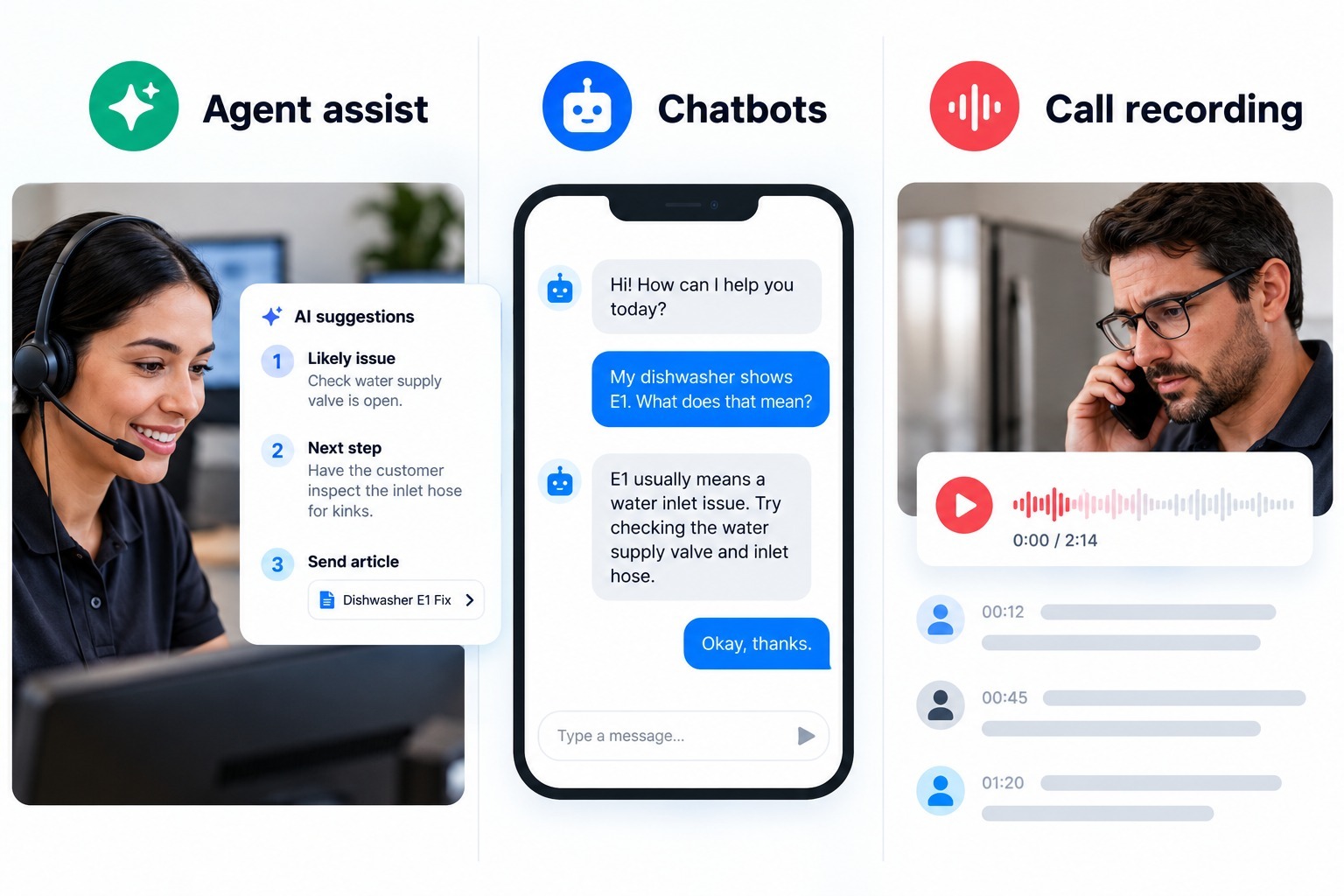
Agent assist vs. chatbots vs. call recording
AI shows up in support in several forms, and the labels are often used loosely. Three categories are worth separating, because they solve different problems.
Chatbots and virtual agents talk to the customer directly. They are best for simple, repeatable questions and for deflecting work from human agents. Their weakness is the long tail: when the issue is unusual, physical, or emotional, the customer ends up with a person anyway.
Call recording and analytics review interactions after they end. They help with quality assurance, coaching, and spotting trends, but they can't help the agent who is stuck on a call right now.
Agent assist works during the interaction, with the human agent in charge. It is aimed at the moment a person needs help: the unfamiliar product, the unclear symptom, the procedure they can't remember.
|
Chatbot |
Call recording and analytics |
Agent assist |
|
|---|---|---|---|
|
Who it talks to |
The customer |
Managers and QA teams |
The agent |
|
When it works |
Before or instead of an agent |
After the interaction |
During the interaction |
|
Best at |
Simple, repeatable questions |
Coaching and trend analysis |
Complex, visual, or unfamiliar issues |
|
Handles physical problems |
Rarely |
Only in review |
Yes, when paired with live video |
|
Human stays in charge |
Not always |
Yes |
Yes |
These are complements, not rivals. Many teams use a chatbot to handle simple requests, agent assist to help with complicated ones, and analytics to improve both over time. What makes video-based agent assist distinctive is that it is the only one of the three that can interpret the physical problem as the customer shows it.
Where AI agent assist helps most
Agent assist is most valuable wherever an agent has to recognize something physical and match it to a procedure. Several industries fit that description.
Telecom and internet providers. Routers, modems, set-top boxes, and cabling generate a large share of support contacts, and many can be fixed by a customer who is guided correctly. Fixing them on the call avoids a technician visit. See how telecom and internet providers use visual support.
Consumer electronics. Customers struggle to describe what is wrong with a device. Video lets the agent see it, and assist helps identify the model and the matching fix for consumer electronics products.
Field service. Remote experts help technicians on site, and assist can bring the right documentation to a junior technician in the moment. This is how teams reduce repeat visits. Read more on field service.
Insurance. Claims teams use video to see damage without sending someone out. Recognizing what is shown and capturing it cleanly matters for speed and for the record. See Blitzz for insurance.
Automotive, manufacturing, and heavy equipment. Complex, expensive equipment with many model variations is hard for any single agent to know. See automotive and equipment inspections.
Healthcare devices and retail. Teams supporting healthcare devices and retail and e-commerce products use visual sessions to resolve setup and product issues.
The common factor is variety. When the range of products, models, and failure modes is wider than any one person can master, assist narrows the gap between a new agent and an experienced one.
Benefits for agents, customers, and operations
The case for agent assist rests on benefits that show up in three places.
For agents. Less time hunting for answers and less pressure to memorize everything. New agents ramp up faster because the guidance arrives in the moment. Experienced agents spend less time on routine recognition and more on the parts of the call that need judgment. Confidence matters too: an agent who can see why a suggestion was made, including its source and match score, is more likely to trust and use it.
For customers. Faster resolution, fewer repeated questions, and fewer handoffs. The customer doesn't have to describe what they can simply show. Because the session opens from a link in the browser, there is no app to install, which removes a common source of friction.
For operations. Shorter handling times, fewer repeat contacts, and fewer unnecessary technician visits. Consistent answers across a team, because every agent draws on the same knowledge base. And better records, because notes, photos, and summaries sync to the CRM rather than depending on each agent's habits.
Blitzz reports results from teams using Owlbert AI, including a 48% faster average resolution time, a 30% reduction in truck rolls, and 96% of reps resolving issues quicker, along with onboarding 1,500 agents in two days. These are Blitzz's own figures. Results vary by company, product mix, and how well the knowledge base is maintained, so use them as a starting point for your own pilot, not as a promise. The Blitzz case studies and video testimonials show how customers describe their own outcomes.
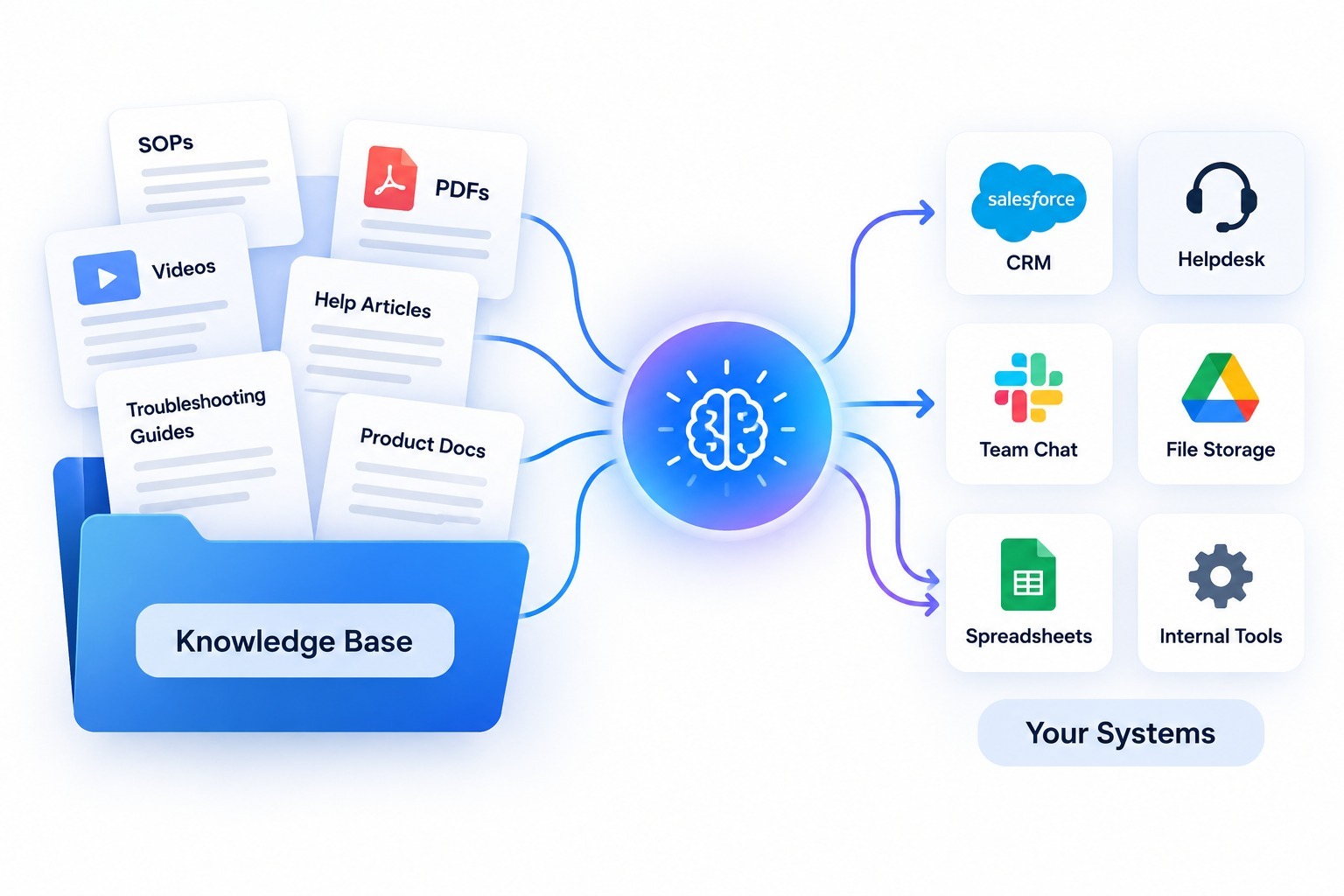
What makes it work: your knowledge base and your systems
Agent assist is only as good as the content and connections behind it. Two things decide whether it performs.
A knowledge base the AI can use
The AI surfaces answers from your own articles, manuals, and past tickets. Owlbert is designed to be trained on that content so it learns your products rather than generic ones, and Blitzz says its suggestions improve over time as resolutions feed back in. That makes the quality of your knowledge base the biggest lever you control.
A few practices help:
- Write articles around symptoms and models. Include the product name, model number, and the visible symptom, such as the light color or error code, so the AI can match what it sees to what you wrote.
- Keep steps short and ordered. Agents act on numbered steps faster than on long paragraphs.
- Include escalation guidance. Note when a problem needs a field visit, so agents know when to stop troubleshooting.
- Retire outdated content. An old article that ranks first undermines trust in every suggestion.
- Close the loop. Review which suggestions agents used and which they skipped, and update articles accordingly.
Connections to the tools your team uses
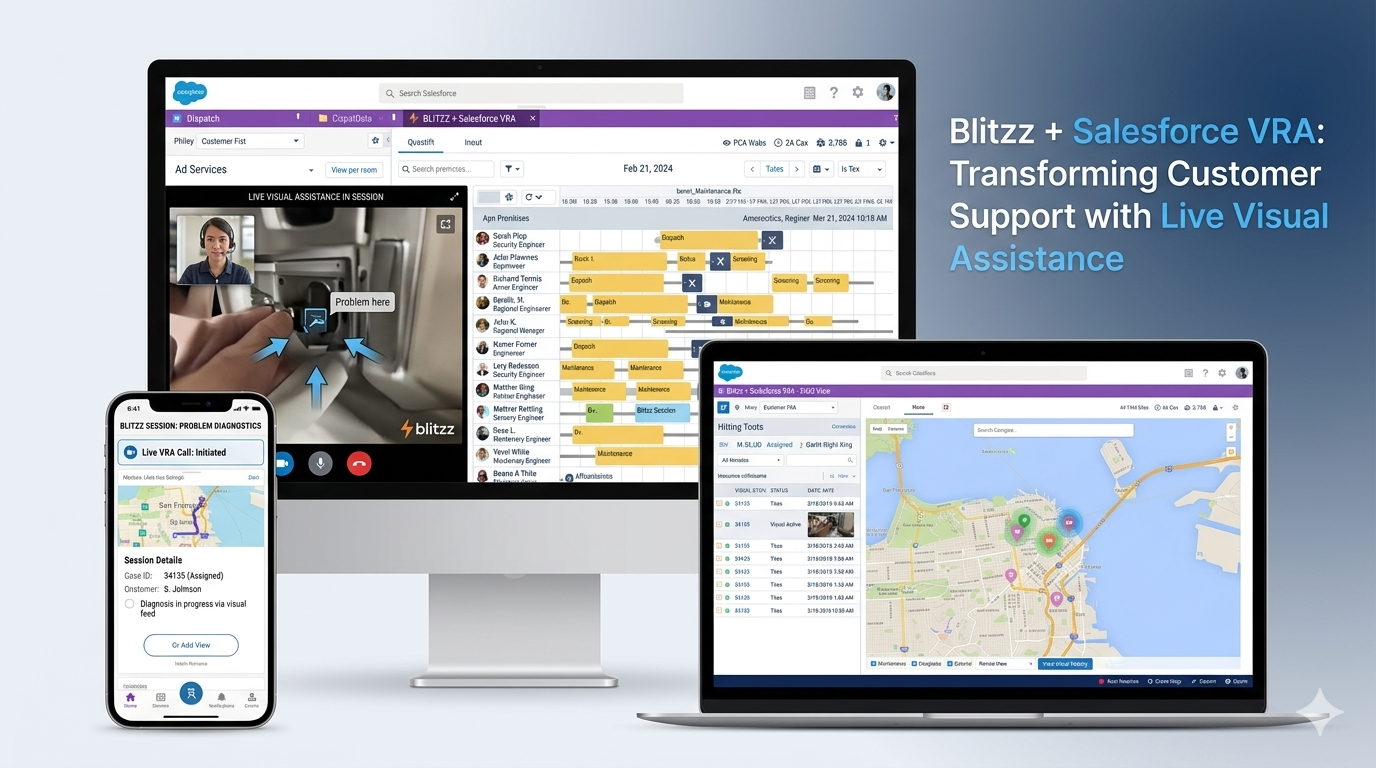
Assist works best when it fits into the workflow instead of adding another screen. According to Blitzz, Owlbert insights, session summaries, photos, and notes sync to tools such as Salesforce, Genesys, Zendesk, HubSpot, Microsoft 365, Procore, NICE, and Accela, and developers can build their own flows with the REST API. You can browse the full list on the integrations page, or see specific guides for Salesforce, Zendesk, Genesys, and ServiceNow. Check which integrations apply to your plan before you build a workflow around them.
How to evaluate AI agent assist tools
If you are comparing options, the following questions separate a useful tool from a demo.
- Does it work on live video, or only on voice and text? Many tools analyze conversations. Fewer interpret what the camera shows.
- Does it recognize your equipment? Test it on your real products, model variations, and failure modes, not a vendor's sample device.
- Does it use your knowledge base? Generic answers are risky. Look for suggestions drawn from your content, with a source and a match score.
- Is it visible and explainable to the agent? An agent who can see why a suggestion appeared will trust it more than one who gets an unexplained instruction.
- Does it work inside the agent's existing workflow? Check CRM and contact center integrations, and whether insights appear in the same panel as the video session.
- What does the customer have to do? If joining requires an app download, expect drop-off. A browser-based link is simpler.
- How does it handle data and privacy? Video can capture homes, documents, and faces. Review the vendor's security overview and confirm it meets your requirements.
- How will you measure success? Define metrics before the pilot: resolution time, repeat contacts, technician visits, and agent confidence.
A good pilot is small and specific. Pick one product line with a clear failure pattern, run assisted and unassisted sessions side by side for a few weeks, and compare. For a view of how Blitzz approaches these questions, see why Blitzz and the full features list.
FAQ
What is AI agent assist in simple terms?
It is AI that helps a human support agent during a customer interaction. On a live video call, it looks at what the camera shows, works out what the problem is, and puts the right troubleshooting steps in front of the agent while the call is still happening.
Does AI agent assist replace support agents?
No. The agent stays in charge of the conversation. The AI handles recognition and retrieval, and the agent brings judgment, empathy, and decision-making.
How is it different from a chatbot?
A chatbot talks to the customer directly. Agent assist supports the agent, who talks to the customer. That makes it better suited to complicated, physical, or unusual issues.
Does the customer need to download an app?
Not with Blitzz. The customer opens a secure link and their camera starts in the browser, so there is nothing to install.
What does Owlbert AI need to work well?
A knowledge base it can learn from: articles, manuals, and past tickets that describe your products and their symptoms. The better organized that content is, the better the matches.
Which systems does it connect to?
Blitzz lists integrations including Salesforce, Genesys, Zendesk, HubSpot, Microsoft 365, Procore, NICE, and Accela, plus a REST API. Confirm the details for your setup with the Blitzz team.
How do I see it in action?
The best way is a demo using your own products and knowledge base. You can request one on the Blitzz demo page.
From seeing the problem to understanding it
Live video gave support teams a way to see the problem. AI agent assist gives them a way to understand it, in the moment, without leaving the call. The technology works best when it stays in a supporting role: reading the scene, matching it to your knowledge, and handing the agent a clear next step, while the person on the call keeps the relationship.
Owlbert AI brings that approach to Blitzz sessions. It sees what the camera shows, reasons about the cause, and resolves by surfacing the right article from your own content, inside a Blitzz Concierge session that starts from a simple link.
To see how it works with your products and your knowledge base, explore Owlbert AI or request a demo.

Blitzz Team
The Blitzz Team writes about remote video support, virtual inspections and field service. Our guides come from working with home builders, property managers, warranty teams, contact centers and field service organizations that use Blitzz to see and solve issues without a truck roll.