.png?width=120&height=55&name=Blitzz-Logo-right%20white%20eyes%20-%20not%20transparent%20(3).png)

On this page
Why the Shift to AR-Enabled Video Calls Is No Longer Optional

An AR-enabled video call is a live video session that layers interactive digital content — 3D models, annotations, spatial overlays — directly onto a real-world camera feed, so remote participants can see, point to, and manipulate the same virtual objects in real time.
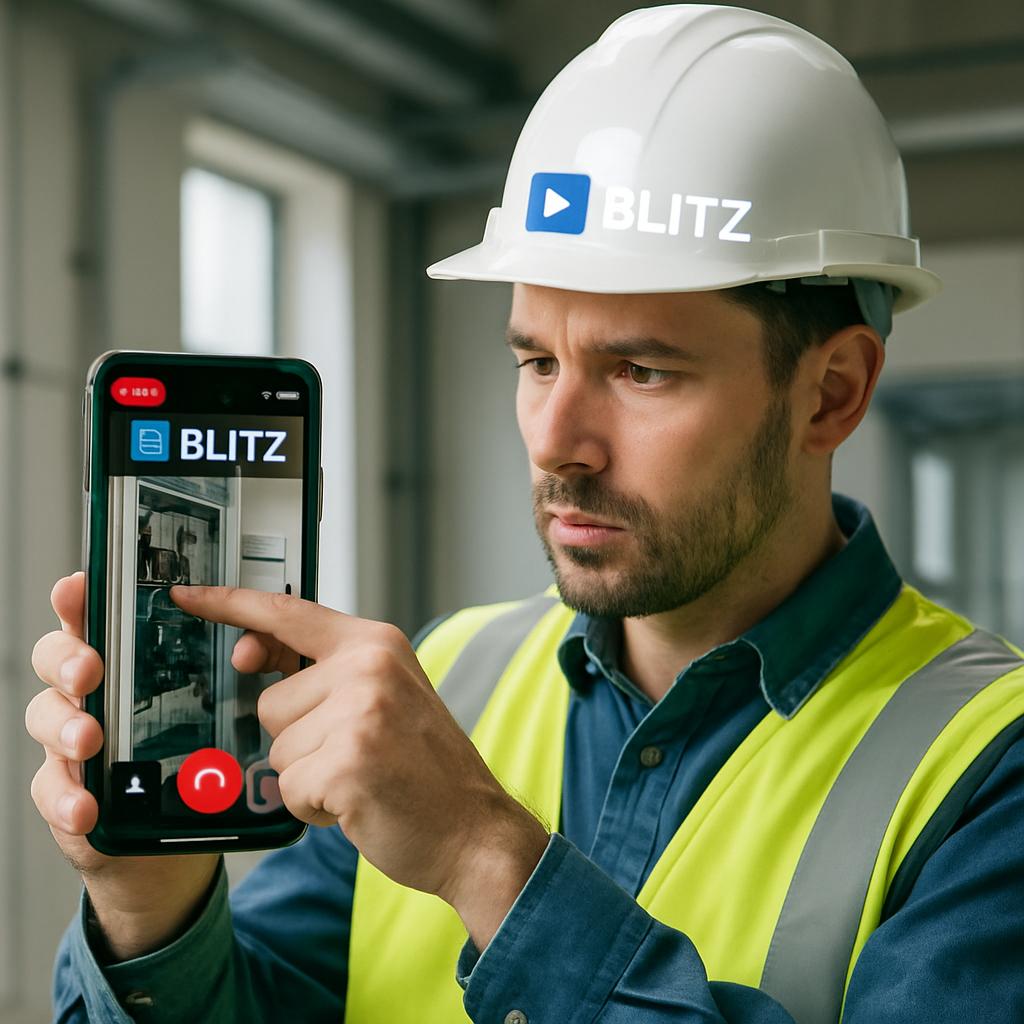
When evaluating AR video conferencing tools for remote teams, the ideal solution should offer seamless, browser-based access without requiring app downloads, robust AR annotations, and direct CRM integrations to streamline field service and remote visual assistance.
Here's the problem with traditional video calls: they're broken for field teams.
Employees already spend one-third of their workweek in online meetings. And 71% say those meetings feel unproductive. For a field service manager watching truck-roll costs climb while first-contact fix rates stay flat, that stat stings.
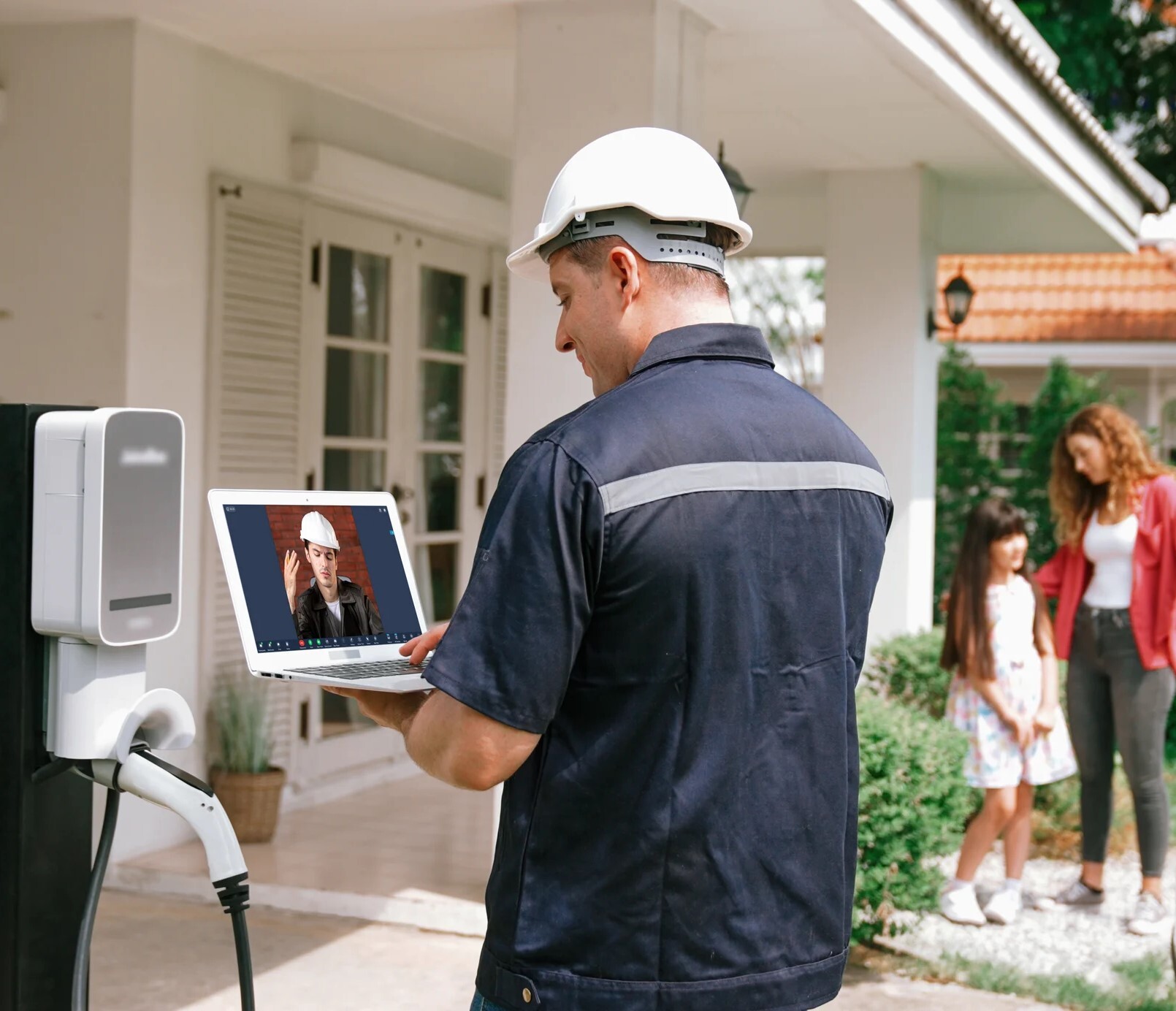
Standard video calls were designed to transmit faces — not to solve problems. You can see a technician. You can talk them through a repair. But you can't point to the exact component that's failing. You can't overlay a measurement on a damaged surface. You can't hand them a 3D schematic they can rotate in real space.
AR changes that equation entirely.
Instead of a flat grid of faces, AR video calls create a shared spatial environment — where a remote expert can draw directly on what a field tech sees, anchor a digital label to a physical machine, or guide someone through a complex procedure step by step. The result is faster fixes, fewer wasted site visits, and a communication channel that actually matches the complexity of the work.
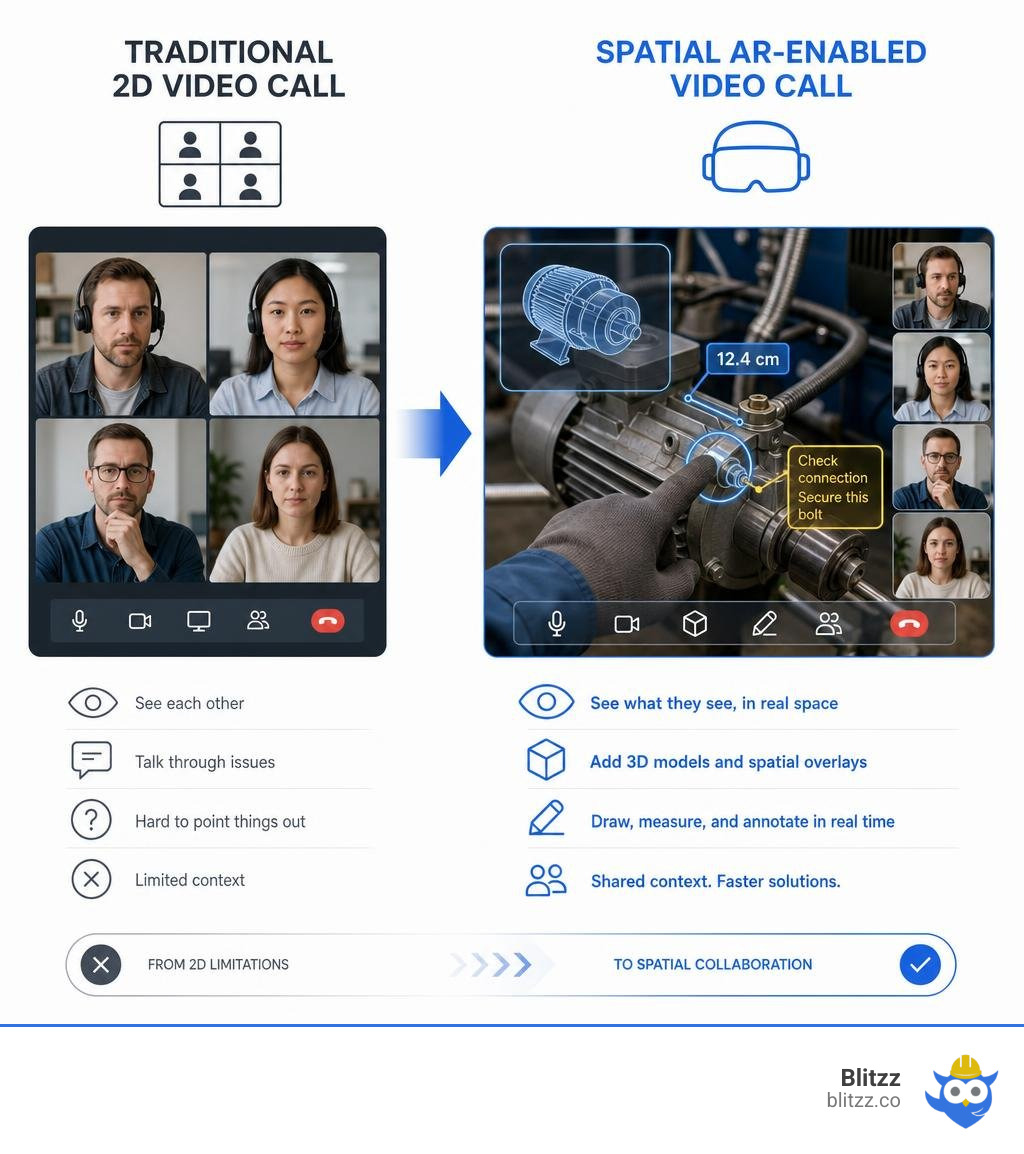
Simple guide to AR-enabled video call terms:
The Evolution of Remote Collaboration: What is an AR-Enabled Video Call?
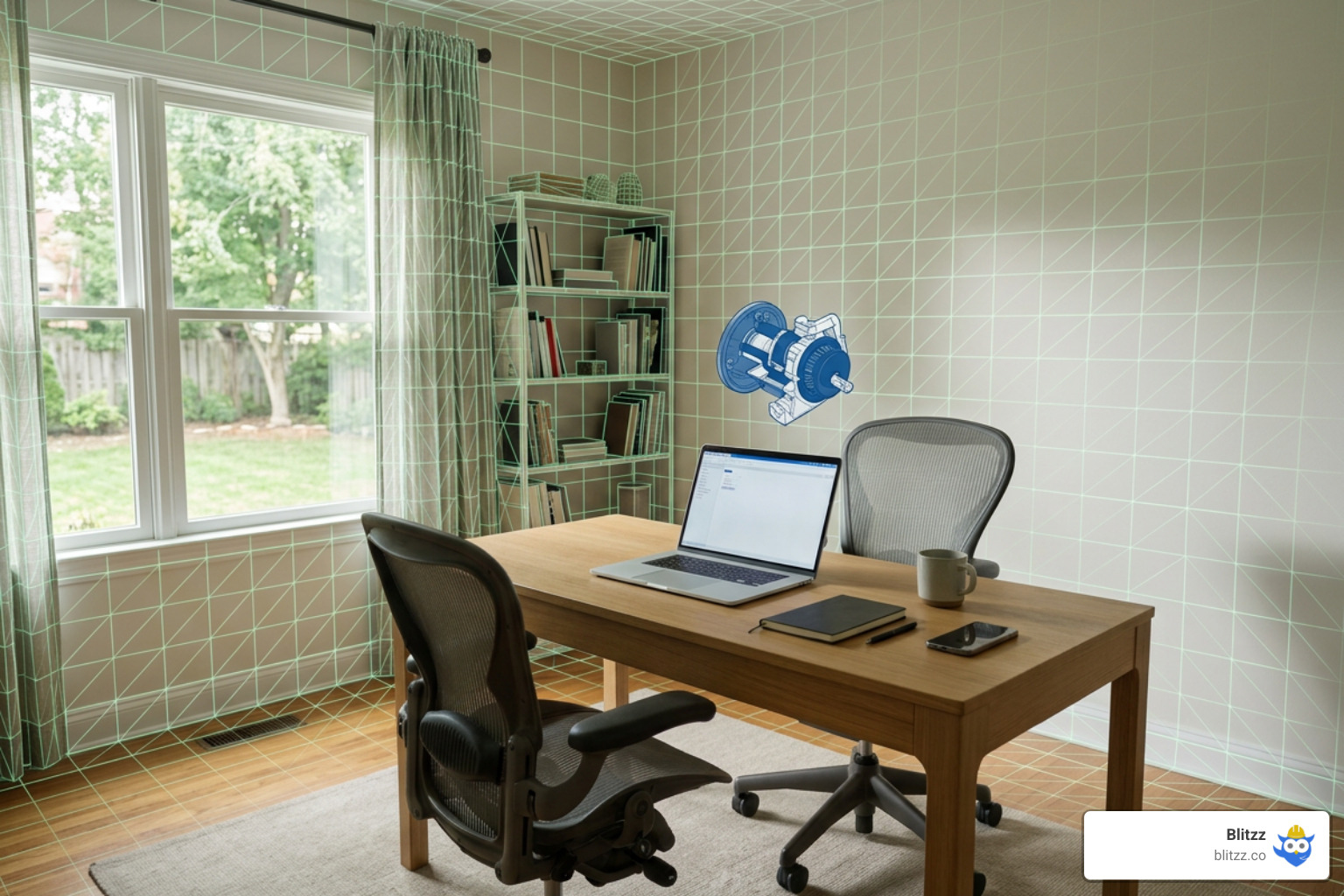
To understand where we are in July 2026, we have to look at how we got here. In the early days of video conferencing, adding video to telephone calls felt like magic because it let us see unspoken facial cues. But as hybrid work models became the norm — with 74% of companies moving or planning to move to a hybrid model and 74% of employees eager to continue working from home — the limits of the static 2D screen became painfully obvious.
Traditional video feeds leave us "siloed" on our respective sides of the screen. We sit with squared shoulders, staring at flat grids, completely detached from the physical environments of our colleagues.
An AR-enabled video call breaks down these digital silos. By integrating computer vision, spatial mapping, and real-time data synchronization, it merges our physical and digital realities. Instead of just sending a video feed of your face, an AR call uses your device's 2D or 3D camera to map your physical environment. It then anchors shared, interactive 3D digital assets directly into that space.
Modern AR engines have pioneered this by synchronizing virtual 3D objects across multiple video feeds in real time. This means if you rotate a 3D model of a product on your screen, it rotates instantly on your colleague's screen in New York or Los Angeles. This shift from passive viewing to active, synchronized spatial interaction is what makes How AR is making video calling more collaborative - Tech at Meta such a game-changer for modern organizations.
Key Benefits of Transitioning to an AR-Enabled Video Call
Moving from flat video grids to immersive, spatial calls is not just a cool gimmick; it has a massive, measurable impact on team performance, cognitive load, and your bottom line.
- Significant Reduction in Meeting Fatigue: Spending hours staring at a grid of faces is exhausting. Studies show that switching to immersive AR conferencing leads to a 31% reduction in video-meeting fatigue and a 12% faster reaction time post-meeting.
- Deeper Engagement and Retention: When people interact with spatial data rather than flat slides, their brains process the information more naturally. Participants in AR-enabled sessions wrote 28% more in information-retention tasks and demonstrated a 28% better recall of content overall.
- Unprecedented Cost and Time Savings: Introducing AR remote collaboration tools helps cut project duration times by 27% and decreases the need for in-person meetings and communication by 51%. To learn more about how these benefits scale across organizations, check out our guide on AR Remote Collaboration Tools.
| Feature | Traditional Video Calls | AR-Enabled Video Calls |
|---|---|---|
| Primary Focus | Faces and shared 2D screens | Shared physical environments and 3D objects |
| Interaction Style | Passive viewing, verbal instructions | Real-time spatial annotations, 3D manipulation |
| Cognitive Load | High (leads to rapid meeting fatigue) | Low (intuitive spatial context) |
| Information Retention | Standard (often forgotten quickly) | 28% better recall and comprehension |
| Travel Requirements | High (experts must travel for physical tasks) | Low (51% reduction in in-person meetings) |
Overcoming the Limitations of Traditional Video Feeds
Traditional video calls often cause a psychological phenomenon known as "depersonalization." Because we only interact with tiny, flat thumbnails of our coworkers, our brains begin to associate them with static digital images rather than actual human beings.
AR conferencing directly combats this by fostering a genuine sense of co-presence. By using background segmentation to turn standard video streams into life-size 2D video avatars, or by utilizing spatial audio, we feel like we are sharing the same room. Spatial audio uses head-related transfer functions (HRTFs) and head tracking to anchor voices to specific virtual spots. If your colleague on the left speaks, their voice actually comes from your left. This makes overlapping conversations much easier to understand and follow.
Additionally, AR-enabled calls restore the natural non-verbal cues that are completely lost on standard calls. Research shows that participants use 40% more hand gestures and non-verbal cues when communicating in an AR spatial layout. They also spend 14% more time looking at their partner's face compared to traditional video conferencing. This dramatic increase in visual focus and physical expression restores the natural rhythm of face-to-face human conversation.
Key Use Cases of AR Video Conferencing Across Industries
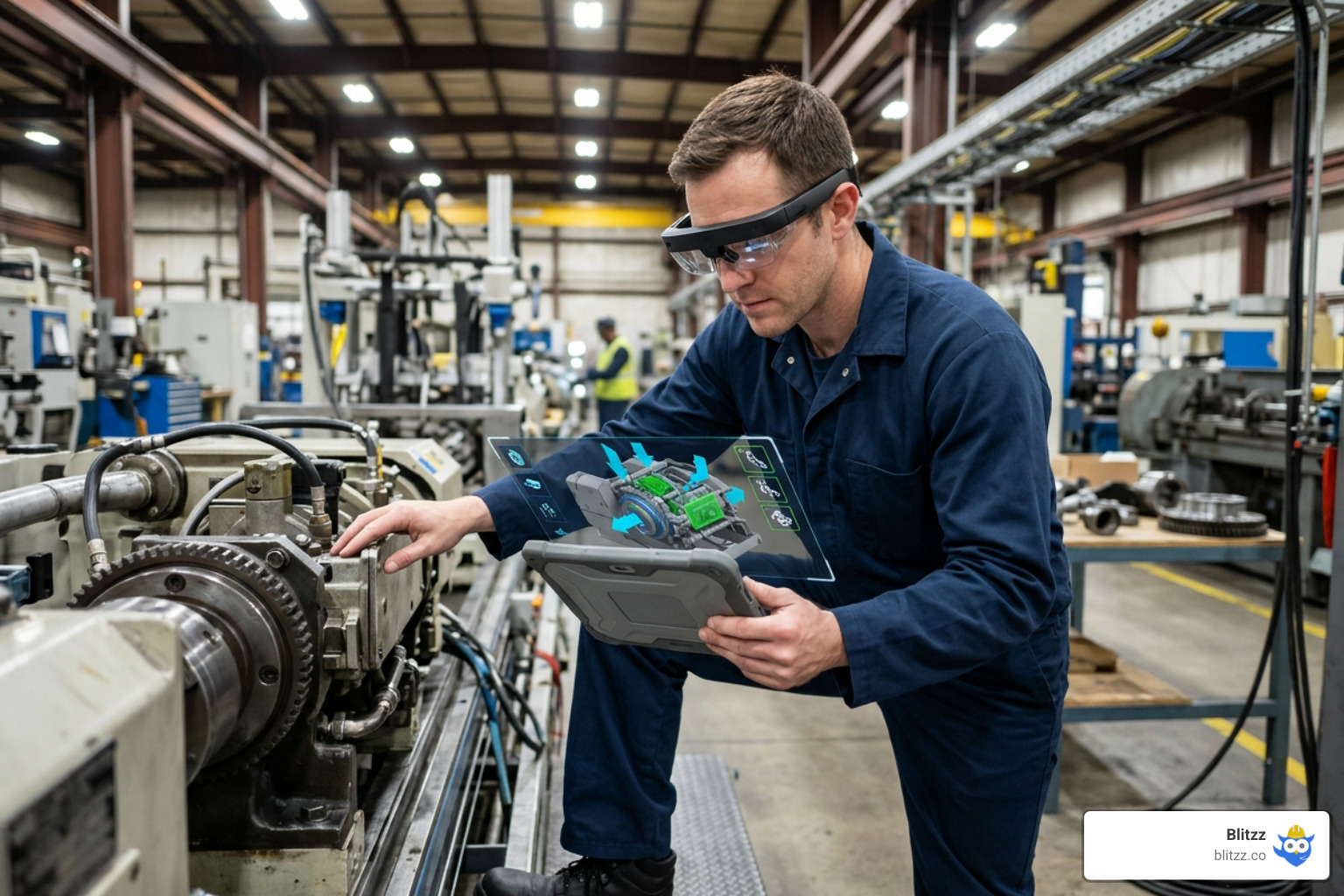
From the factory floor to the operating room, AR-enabled video calls are fundamentally changing how hands-on work gets done. When experts can overlay digital instructions, draw on a customer's screen, and place physical markers in real time, the need for physical travel disappears. For a detailed look at why drawing beats talking, read AR Annotation 101: Why Drawing on a Customer's Screen Beats Talking Them Through It.
Across multiple industries, AR tools have improved on-site task efficiency by up to 60%, saving an average of $2,000 per avoided expert trip. Let's look at how specific sectors are leveraging this technology.
Field Service and Technical Support
In field service, sending the wrong technician or arriving without the right parts leads to costly "first-visit failures." By upgrading to AR-enabled video support, companies can connect on-site technicians with remote specialists instantly.
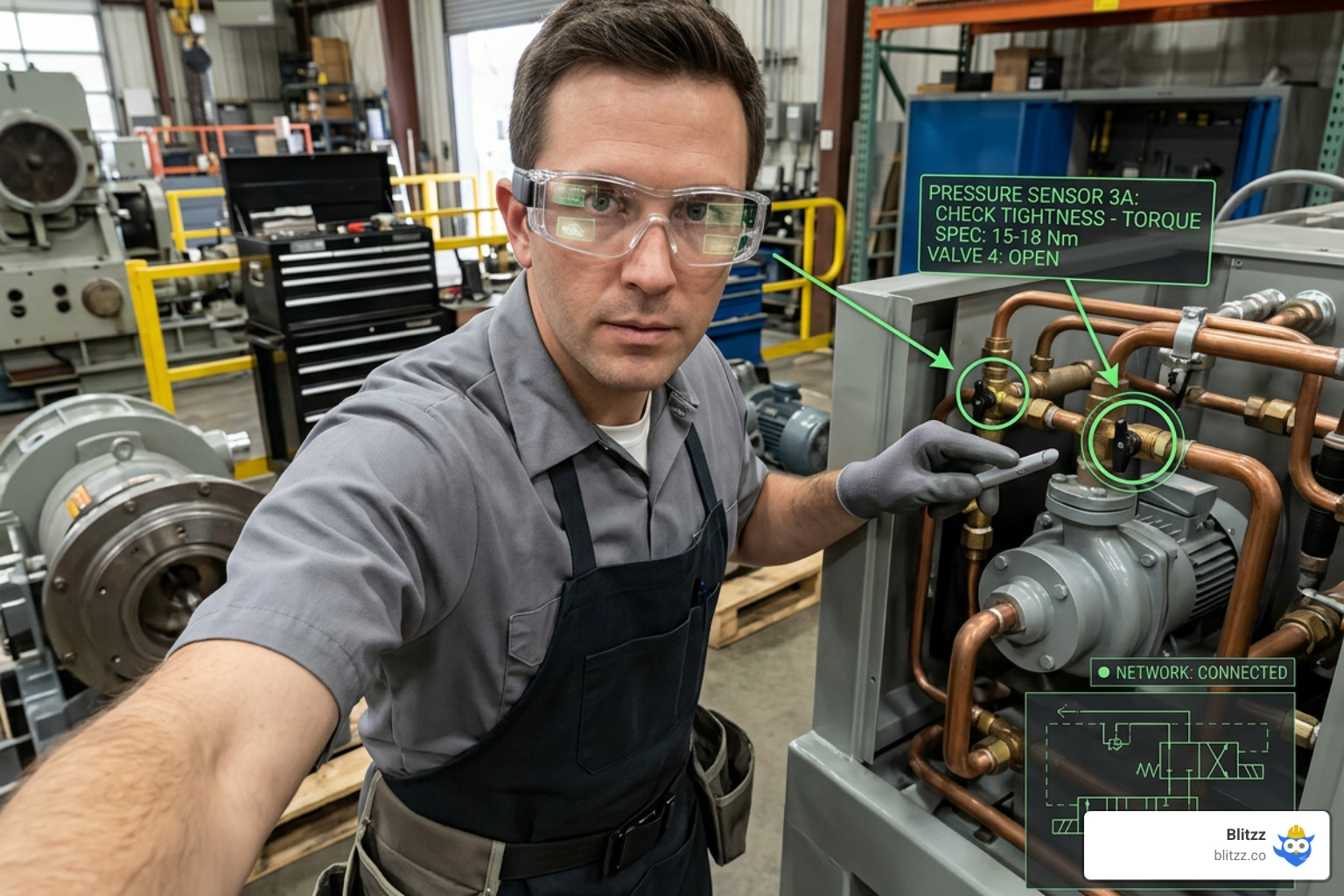
Using AR smart glasses or standard mobile devices, remote experts can draw precise, stabilizing annotations directly onto the technician's view of the machinery. This has led to a 40% reduction in service resolution times for leading automotive brands and has helped companies slash their overall truck rolls.
For a deep dive into choosing the right hardware for your field teams, check out our analysis of Mobile Video Calls vs. AR-Enabled Smart Glasses: Which Delivers Better Field Support.
Product Design, Engineering, and Manufacturing
For engineering and design teams, conveying complex physical structures over flat screens is incredibly difficult. Standard 2D media only conveys about 70% of design intent, whereas augmented reality design reviews convey a staggering 85% of design intent.
By bringing interactive 3D CAD models directly into the video call, team members can rotate, scale, and annotate models together. This spatial context is incredibly powerful:
- It has led to a 32% drop in requests for information (RFIs) because teams can see issues on the 3D model before manufacturing begins.
- Aerospace giants like Boeing cut assembly times by 25% after introducing AR-powered assembly instructions.
- Teams can align physical clay models with holographic parts instantly, accelerating the entire prototyping lifecycle.
Healthcare, Education, and Training
In healthcare and education, AR-enabled video calling is breaking down geographical barriers. Medical programs are now using AR devices to host remote anatomy labs, allowing students thousands of miles away to view and interact with highly detailed 3D medical models.
During the height of the hybrid transition, telehealth networks saw their patient reach scale from dozens of calls a month to tens of thousands, stabilized by the high visual clarity and interactive guidance of AR. Whether it's a specialist guiding a local nurse through a complex diagnostic equipment setup or a teacher manipulating a 3D DNA helix to answer a student's question, the spatial context of AR ensures 28% better information retention than any traditional online lecture.
Solving Gaze and Attention Awareness in Multiparty AR Calls
One of the biggest hurdles in multi-party video conferencing is what researchers call the "Monalisa effect." On a standard webcam call, if User A looks at their screen, everyone on the call feels like User A is looking directly at them. Conversely, it is impossible to tell who is looking at whom when multiple people are talking. This spatial ambiguity completely destroys natural turn-taking and non-verbal communication.
To solve this, cutting-edge teleconferencing systems are decoupling attention awareness into two distinct problems:
- The Lookee: The awareness of being looked at.
- The Onlooker: The awareness of attention between other users on the call.
According to the VGTC Special Issue Paper for TVCG, researchers have developed systems (like A3RT) that use a simple, everyday mono-camera setup to track head gaze and dynamically retarget the video stream. By using rotatable 2.5D video avatars (matted real-time video streams with the background removed) combined with small visual "attention thumbnails," participants can instantly tell exactly who is looking at whom in a virtual room.
The Attention Circle and Spatial Ergonomics
When designing an AR call layout for Head-Mounted Displays (HMDs) like the HoloLens 2, developers must respect human social proxemics. Humans naturally form a circular pattern when gathering to converse — a social structure known as an F-formation.
However, current AR headsets have a limited Field of View (FoV), typically around 43 to 50 degrees diagonally. If you place remote participants at realistic social distances in a perfect circle, they will fall completely outside your headset's FoV, forcing you to constantly turn your head.
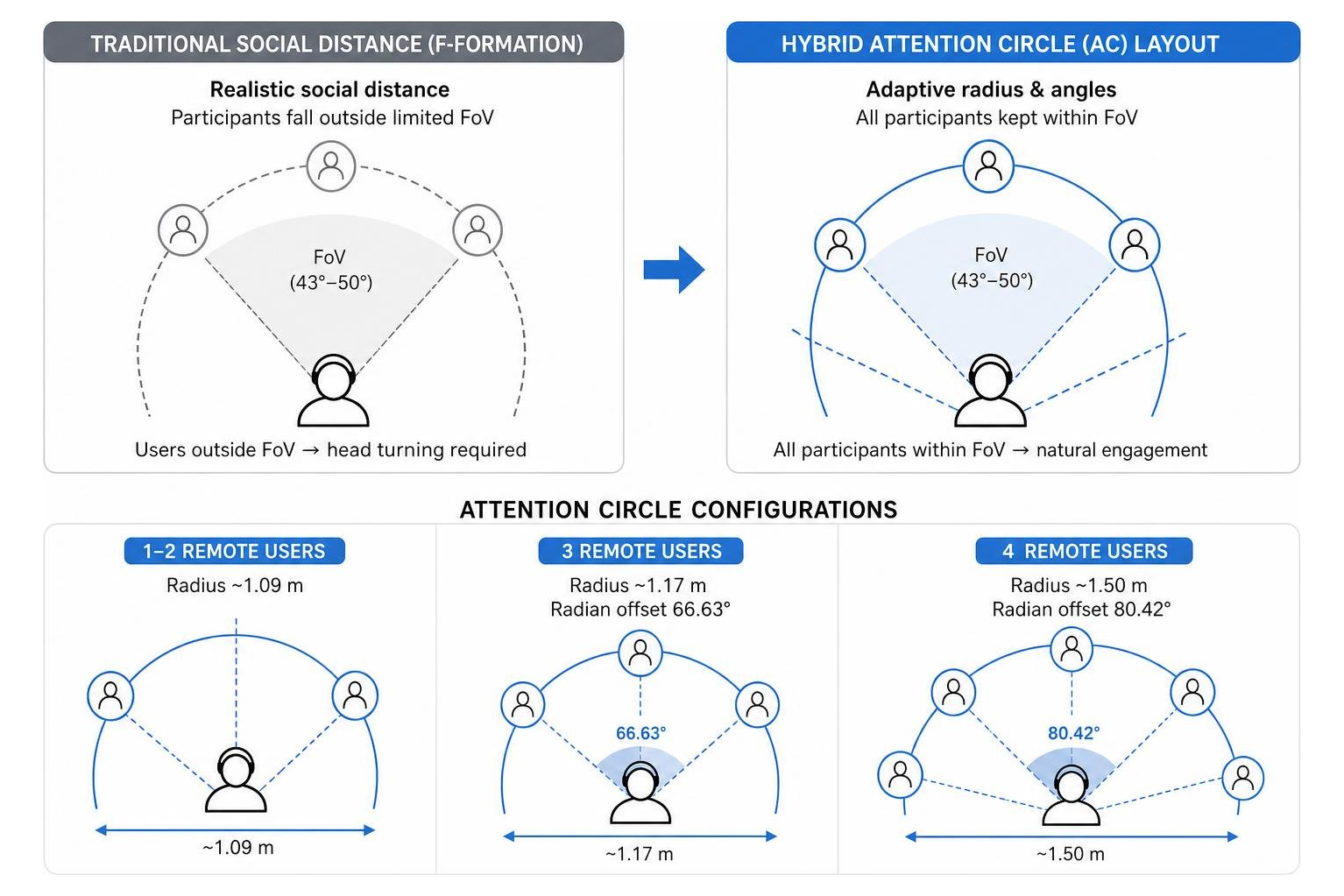
To solve this, the Real-and-Present: Investigating the Use of Life-Size 2D Video Avatars in HMD-Based AR Teleconferencing study proposes a hybrid approach called the Attention Circle (AC). The Attention Circle dynamically adjusts the placement of remote participants based on the number of users and the headset's FoV:
- 1 to 2 Remote Users: Placed at a comfortable radius of ~1.09 meters.
- 3 Remote Users: Placed at a radius of ~1.17 meters with a radian offset of 66.63 degrees.
- 4 Remote Users: Placed at a radius of ~1.50 meters with a radian offset of 80.42 degrees.
This layout clusters participants tightly enough to keep them within your natural visual field while adjusting their scale to ensure they still feel life-size and socially comfortable. It balances high visual fidelity and low cognitive load, ensuring you don't experience neck strain or spatial disorientation during long collaborative sessions.
Technical Architecture, Future Trends, and Implementation Challenges
Behind every seamless AR-enabled video call lies a highly sophisticated data pipeline. To build or integrate these features, developers must route raw camera streams through an AR effects SDK and output the processed frames to a WebRTC calling engine.
According to the articles/communication-services/tutorials/add-video-augmented-reality-tutorial.md developer documentation, this is achieved by using an HTML5 canvas as an intermediary. Instead of letting the communication SDK access the camera directly, the AR engine initializes the camera, applies real-time face tracking, overlays, or background blurs, and renders the result onto a hidden canvas. The calling SDK then captures this canvas stream at 30 frames per second (FPS) and transmits it as the local video stream.
This architecture allows developers to combine specialized AR SDKs with robust VoIP streaming engines to build highly customized, scalable calling apps.
Hardware Requirements and Device Compatibility
While the future of spatial communication belongs to dedicated AR glasses and Head-Mounted Displays (HMDs), the immediate reality is highly device-agnostic. For widespread business adoption, AR conferencing must run smoothly on the devices your employees and customers already own: smartphones, tablets, and laptops.
When using mobile devices for AR tasks like spatial measurements, proper calibration is key. For tools like AR Smart Measure to work accurately:
- Plane Detection: The user must slowly move their device to let the AR engine detect flat surfaces and establish a reference grid.
- Optimal Distance: The device should be held between 30 to 60 cm (about an arm's length) from the target surface.
- Lighting and Texture: Well-lit environments with textured surfaces (or temporary physical markers like a sticky note on a blank white wall) ensure the computer vision algorithms can lock onto reference points.
Security, Privacy, and Latency Challenges
Integrating AR into video workflows introduces unique security and technical challenges that enterprise IT leaders must address:
- Biometric Privacy: AR tracking requires capturing highly sensitive biometric signals, including face maps, eye movements, and voice data. To mitigate these risks, organizations should prioritize on-device processing. Processing AR filters and tracking locally on the device (rather than sending raw biometric data to a cloud server) protects user privacy and complies with strict data standards. For a detailed risk analysis, see Augmented Reality Based Remote Assistance Risks.
- Network Latency: Running real-time computer vision while streaming high-definition video is incredibly performance-intensive. A slight delay in rendering an AR annotation can cause visual misalignment, making technical guidance useless or causing motion sickness for headset users.
- Bandwidth Constraints: Syncing 3D assets and spatial coordinates across multiple feeds requires a highly optimized, low-latency data channel. As 5G networks and edge computing continue to mature, these bandwidth bottlenecks are rapidly disappearing.
How to Implement an AR-Enabled Video Call in Your Business Workflow
If you're ready to upgrade your team's communication stack, you don't need to build an AR engine from scratch or buy expensive headsets for everyone. The most successful deployments start by integrating lightweight, browser-based AR tools into existing workflows.
For field support and customer service, browser-based (WebRTC) solutions are the gold standard. They allow customers or field technicians to join an AR-enabled video call instantly via a simple SMS link — no app downloads or registrations required.
To maximize the ROI of your AR deployment:
- Integrate with your CRM or FSM: Automatically log video sessions, save AR-annotated screenshots, and link spatial measurement reports directly to customer cases or work orders.
- Deploy Automated Digital Flows: Guide users through automated pre-call system readiness checks to ensure their device, camera, and internet connection are optimized before the call even begins.
- Start Small and Scale: Begin by equipping your senior experts with remote visual assistance tools to support junior field techs. Measure the drop in truck rolls and the rise in first-time fix rates to prove the business case. To build your deployment roadmap, refer to our Augmented Reality Remote Assistance Guide 2026.
Frequently Asked Questions about AR Video Conferencing
What is the difference between an AR-enabled video call and a standard video call?
A standard video call only transmits flat, 2D audio and video streams of the participants' faces or screens. An AR-enabled video call uses spatial mapping to understand the physical environments of the callers. This allows participants to overlay digital instructions, draw interactive annotations that lock onto physical objects, and manipulate shared 3D models simultaneously in real time.
Do participants need expensive AR glasses to join an AR video call?
No. While AR glasses and HMDs offer the most immersive experience, modern AR video conferencing is highly device-agnostic. Participants can join using standard smartphones, tablets, or laptops. The AR overlays, annotations, and 3D models are rendered directly on their standard screens, making the technology accessible to anyone with a web browser.
How does AR video conferencing reduce business operational costs?
By allowing remote experts to see physical problems in real time and guide on-site teams with precise visual annotations, AR video conferencing eliminates the need for expert travel. This leads to 50% fewer truck rolls, saves an average of $2,000 per avoided expert trip, and cuts project durations by 27%. For an in-depth financial breakdown, read about the Cost and Value of Remote AR Assistance.
Conclusion
The limits of traditional, flat video conferencing have never been clearer. Staring at grids of faces leads to meeting fatigue, depersonalization, and a massive disconnect when trying to solve real-world, physical problems.
By upgrading to an AR-enabled video call platform, your team can finally bridge the gap between the digital and physical worlds. Whether you are guiding a field technician through a complex generator repair, reviewing a new product design with an international team, or conducting a remote property inspection, spatial communication brings expert eyes on-site instantly.
At Blitzz, we specialize in making this transition effortless. Our enterprise remote visual assistance platform delivers instant, browser-based video support with precise AR annotations, screen sharing, and seamless CRM integrations — requiring absolutely zero app downloads for your end-users.
Ready to eliminate unnecessary truck rolls, boost your first-time fix rates, and transform how your remote teams collaborate? Get started with Blitzz remote visual assistance today.

Blitzz Team
The Blitzz Team writes about remote video support, virtual inspections and field service. Our guides come from working with home builders, property managers, warranty teams, contact centers and field service organizations that use Blitzz to see and solve issues without a truck roll.