.png?width=120&height=55&name=Blitzz-Logo-right%20white%20eyes%20-%20not%20transparent%20(3).png)

On this page
Why AR Guided Field Operations Are Transforming Field Service in 2026
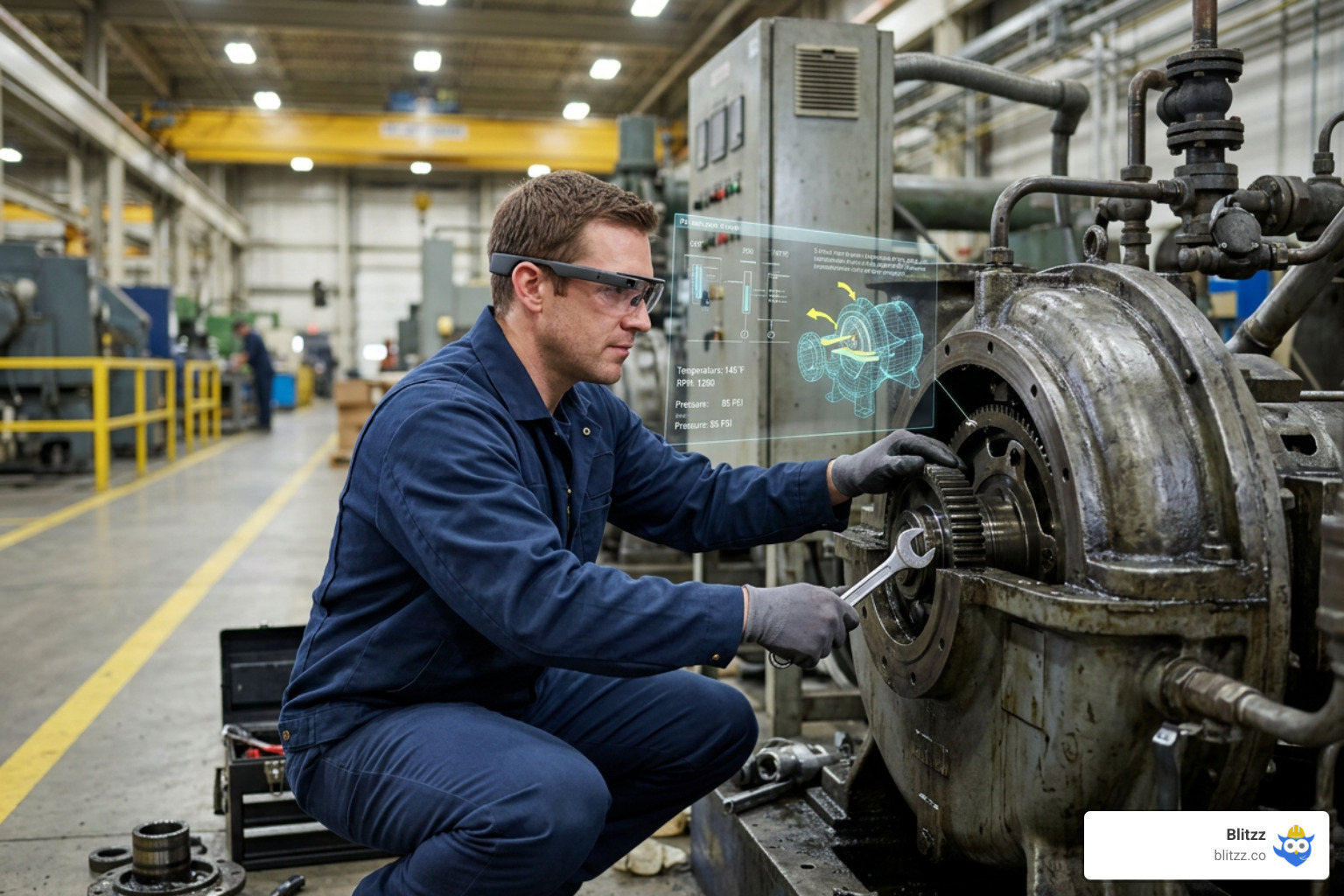
AR guided field operations use augmented reality technology to overlay real-time digital information — instructions, diagnostics, annotations, and 3D models — directly onto physical equipment and environments, helping field technicians work faster and smarter.
Here's what you need to know at a glance:
- What it is: AR overlays digital data onto the real world through smart glasses, tablets, or smartphones — giving technicians instant visual guidance on-site
- What it solves: High truck-roll costs, slow issue resolution, skills gaps, and poor first-contact fix rates
- Key results: Up to 25% higher first-time fix rates, up to 40% faster repairs, and up to 75% reduction in expert travel costs
- How it works: A technician points their device at equipment and receives live instructions, remote expert guidance, or step-by-step visual checklists — hands-free or on-screen
- Who uses it: Telecom, utilities, manufacturing, construction, and energy companies with distributed field teams
Field service teams are under more pressure than ever. Equipment is getting more complex. Experienced technicians are retiring. And customers expect faster resolutions every year.
The old model — flying in a senior expert, waiting on hold, or flipping through a paper manual — is simply too slow and too expensive.
That's exactly the problem AR guided field operations solve. Instead of waiting for the one person who knows the machine, a junior technician can get real-time visual guidance from a remote expert, overlaid directly onto what they're looking at. No travel. No delay.
The numbers back this up. Organizations using AR remote support tools report a 20–30% improvement in customer satisfaction and first-call resolution rates. One UK-based engineering firm cut travel expenses by $54,000 using AR headsets alone.
This guide covers everything you need — how AR works, which hardware to choose, where it delivers the biggest ROI, and how to roll it out across your field operations.
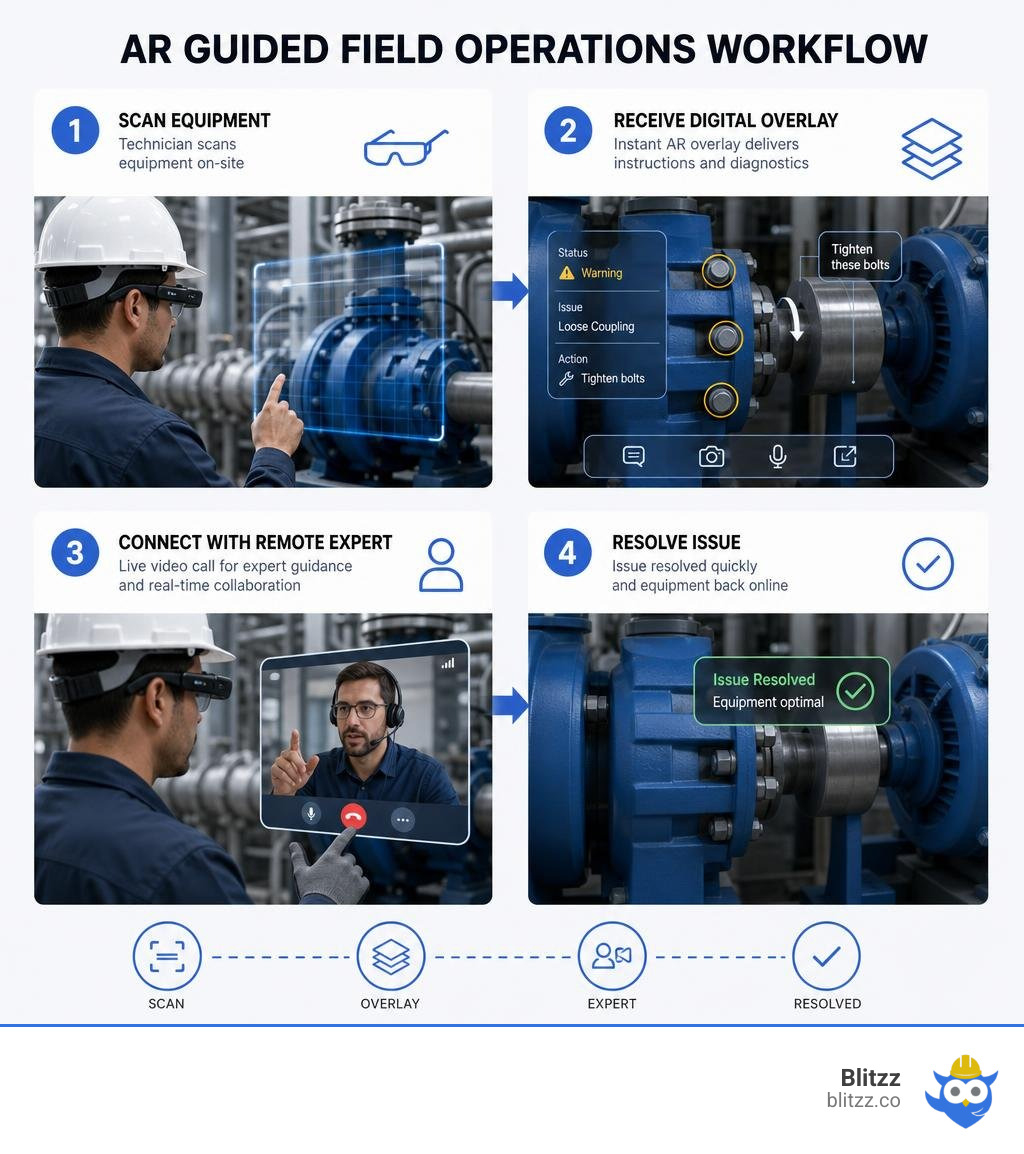
Quick look at AR guided field operations:
- construction remote diagnostics platform
- enterprise remote collaboration suite
- remote service desk platform
What is AR in Field Service and How Does It Work?
Augmented Reality (AR) in field service is the practice of overlaying digital graphics, step-by-step instructions, and live video annotations directly onto a technician’s view of the physical world. Unlike Virtual Reality (VR), which cuts a user off from their environment, AR enhances reality. It acts as a digital co-pilot, guiding the technician's eyes and hands to the exact bolt, wire, or component that requires attention.
At its core, this technology bridges the gap between digital database resources and physical machinery. When a technician arrives on-site, they no longer have to search through a heavy paper manual or scroll through a flat PDF on a laptop. By looking at a piece of equipment through an AR-enabled device, the system automatically recognizes the hardware and projects a "digital twin" or interactive schematic directly onto it.
This process changes how organizations approach on-site repairs. For a deep dive into the foundational mechanics, you can read about How Augmented Reality Helps Field Service Workers.
The Core Technology Behind AR Guided Field Operations
To understand how AR works in rugged outdoor and indoor field environments, we have to look under the hood. It isn't just about showing a floating image; it is about placing that image with centimeter-level accuracy so it stays locked to the physical machine even if the technician moves around.
This high-precision tracking relies on several integrated technologies:
- Spatial Mapping & LiDAR Sensors: Modern mobile devices and smart glasses use Light Detection and Ranging (LiDAR) to bounce light beams off physical objects. This creates a detailed 3D "mesh" of the environment, allowing the software to understand depth, walls, and equipment boundaries.
- GNSS-RTK (Real-Time Kinematic) Positioning: For large-scale outdoor environments like agricultural fields, construction sites, and utility grids, standard GPS is not accurate enough. By combining high-precision GNSS-RTK satellite systems with AR, software can achieve centimeter-level accuracy over massive distances. This is highly useful in apps like the AR農作業補助アプリ | Agri-AR公式 or the AR Farming App | Agri-AR Global .
- IMU Alignment & Tilt Compensation: Inertial Measurement Units (IMUs) track the pitch, yaw, and roll of the technician's device. To prevent digital drift when a technician stands still, systems require a quick calibration process — usually walking a few steps to align the sensors. This ensures that the digital overlays match the physical coordinates perfectly, a technique standard in tools like the Augmented reality viewer .
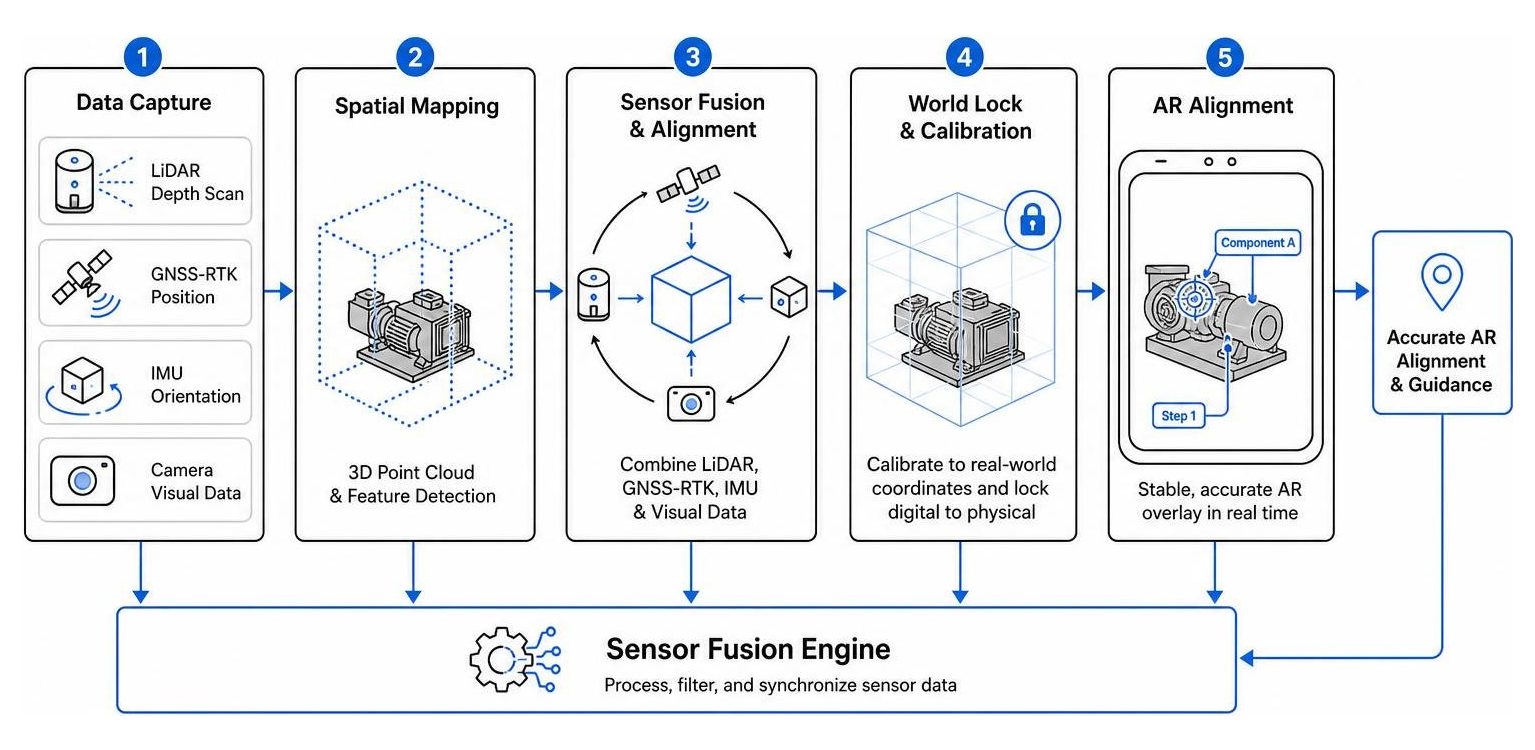
Overlaid Digital Information and Real-World Context
Once the physical space is mapped, the AR software overlays contextual digital information. These overlays are not static pictures; they are dynamic, interactive layers that adapt to the technician's actions.
- 3D CAD and BIM Overlays: In construction and heavy industry, workers can project complete Building Information Modeling (BIM) files directly onto empty spaces. This allows them to see hidden structural beams, underground utility pipelines, or upcoming electrical setups before any drilling begins. Platforms like FieldAR | Augmented Reality mobile app for construction make this single-tap visualization possible on active jobsites.
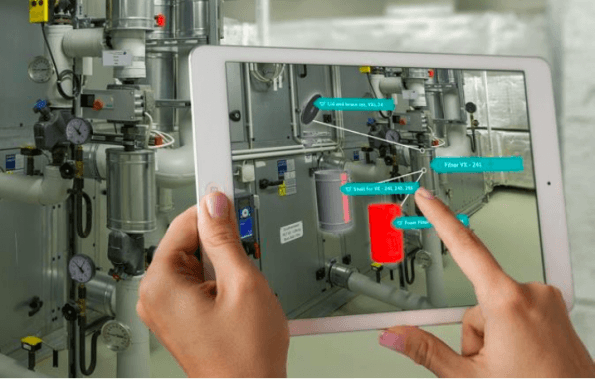
- Interactive Checklists and Visual Cues: Instead of guessing the next step, technicians see animated arrows pointing to the exact valve they need to turn. The system can display live text instructions such as "Turn 90° CW" and automatically verify via computer vision if the step was completed correctly before unlocking the next instruction.
Key Benefits of AR Guided Field Operations
Implementing AR into your field workflows is more than just a cool tech upgrade — it is a strategic business decision that directly impacts your bottom line. By equipping your workforce with visual tools, you solve core operational problems that have plagued field service for decades. For a broader look at this shift, explore Revolutionizing Field Service with Augmented Reality.
Boosting Efficiency and Reducing Operational Costs
Every time a technician rolls a truck to a customer site and fails to fix the issue on the first visit, your operational costs skyrocket. You pay for extra fuel, vehicle wear and tear, and valuable technician hours.
AR reduces these costs in two major ways:
- Virtual Pre-inspections: Using browser-based AR video support, dispatchers or remote experts can view the customer's issue before a technician is even sent out. This ensures that when the technician does arrive, they have the exact replacement parts and specialized tools required for the job, eliminating "no fault found" (NFF) visits.
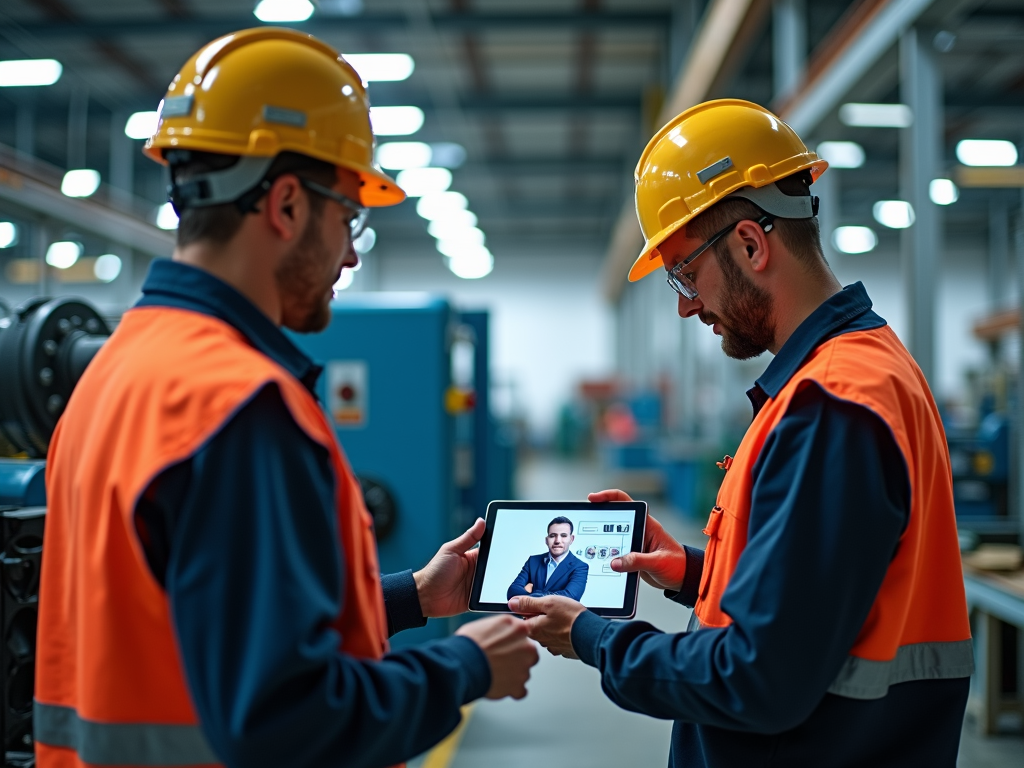
- Reduced Expert Travel: Instead of flying highly paid senior specialists around the world to troubleshoot niche equipment, those experts can stay at headquarters. They can use AR Remote Collaboration Tools to guide local junior technicians through complex procedures, cutting expert travel costs by up to 75%.
Bridging the Skills Gap and Accelerating Onboarding
The field service industry is facing a massive demographic shift. Veteran technicians who know the ins and outs of legacy machinery are retiring, and there aren't enough incoming workers to replace them. This creates a severe knowledge gap.
AR helps bridge this gap by acting as an on-demand training portal:
- Immersive On-the-Job Training: Rather than sitting in a classroom reading manuals, new hires can wear AR glasses or use mobile devices to learn on active equipment in a safe, controlled way. This hands-on, spatial learning builds muscle memory, helping new hires ramp up 75% faster.
- Minimized Human Error: Step-by-step AR instructions visual guidance reduces human errors by up to 85%. If a technician gets stuck, they can immediately launch an Augmented Reality Remote Assistance Guide 2026 session to get live eyes on the problem.
Practical Applications Across Key Industries
AR is no longer a futuristic concept; it is actively transforming operations across several major sectors. Let's look at how different industries leverage AR guided field operations to streamline their daily workflows.
Maintenance, Repairs, and Asset Management
In manufacturing and industrial plants, downtime is incredibly expensive. Every minute a production line is down costs thousands of dollars.
Technicians use AR to view real-time diagnostics, performance history, and internal schematics simply by pointing their device at a machine. For example, a technician can see a 3D overlay of the internal components of a complex manufacturing pump, allowing them to locate a broken internal valve without disassembling the entire unit first. This predictive and guided maintenance reduces overall repair times by up to 30%.
To see how this works in real-world troubleshooting scenarios, check out our guide on Use Case: Equipment Troubleshooting.
Remote Inspections and Quality Control
In the utilities, energy, and construction sectors, inspections must be thorough to ensure safety and regulatory compliance.
Using AR, inspectors can overlay digital checklists directly onto physical structures. They can mark issues, take GPS-tagged, time-stamped photos, and record video walkthroughs. This visual data is automatically synced back to the office, creating a transparent audit trail. It ensures that no step in a safety protocol is missed and reduces the physical need for destructive testing or unnecessary drilling.
Automotive and Insurance Field Operations
The automotive and insurance sectors are also seeing massive benefits from visual remote assistance.
When a policyholder files a claim after a car accident or property damage, an insurance adjuster can use AR-guided tools to conduct a virtual inspection. The claimant simply opens a secure browser link on their phone, and the adjuster can remotely measure the damage, highlight structural issues using AR annotations, and process the claim on the spot. This eliminates the need for an in-person visit, speeding up claims processing from days to minutes.
Read more about how this technology impacts customer-facing roles in How AR Transforms Customer Experience and How Augmented Reality is Quietly Revolutionizing Customer Service.
Hardware and Software Options: Smart Glasses vs. Mobile Devices
When planning your AR field service strategy, one of the most important decisions you will make is choosing the right hardware. Should you equip your team with high-tech, hands-free smart glasses, or leverage the mobile devices they already carry?
For a comprehensive comparison of these strategies, you can read Mobile Video Calls vs. AR-Enabled Smart Glasses: Which Delivers Better Field Support?.
Hands-Free AR Smart Glasses in Industrial Environments
Industrial smart glasses (such as RealWear, Vuzix, or head-mounted displays) are built for rugged, hazardous environments like oil rigs, telecommunications towers, and high-voltage electrical zones.
- Pros: They allow technicians to work completely hands-free, which is a major safety benefit when climbing ladders or handling heavy tools. They often feature voice-controlled navigation and are built to withstand drops, water, and dust.
- Cons: They are expensive to purchase and scale, require specialized user training, and can sometimes cause eye strain or narrow a technician's field of view in dynamic environments.
If you are considering smart glasses, explore our detailed roadmaps:
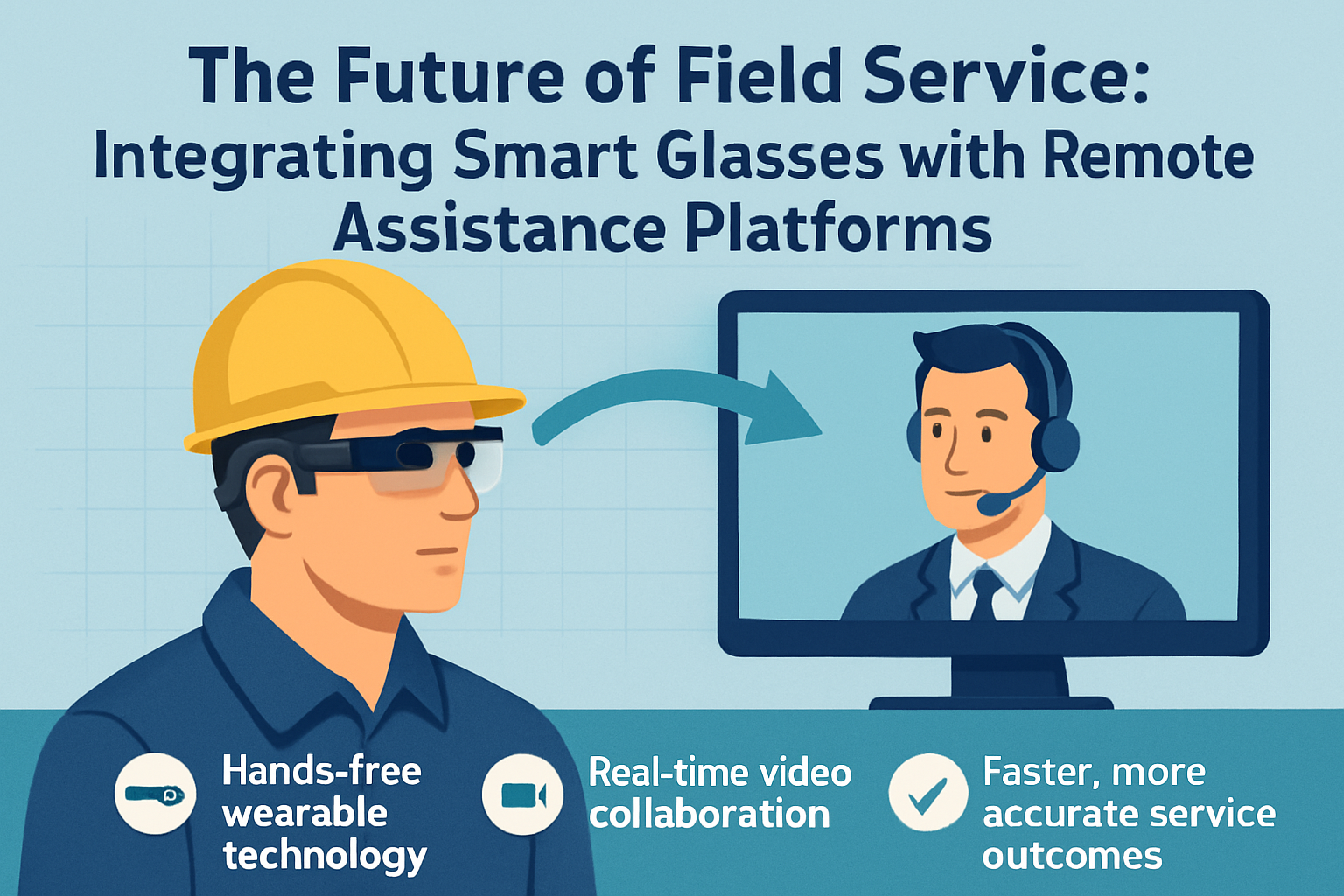
- The Future of Field Service: Integrating Smart Glasses with Remote Assistance Platforms
- Roadmap to Transforming Field Work with Industrial Smart Glasses
- Integrating Smart Glasses into Your Workflow: Vuzix, RealWear, and HMT-1
Mobile Apps and Browser-Based AR Guided Field Operations
On the other side of the spectrum are mobile AR solutions that run on standard smartphones and tablets.
- Pros: Extremely cost-effective because they utilize a Bring Your Own Device (BYOD) model. There is virtually zero learning curve because everyone already knows how to use a smartphone interface. Additionally, modern web-based AR tools (using WebRTC) allow customers or field technicians to launch a live, annotated video session instantly through their mobile browser without downloading an app.
- Cons: Technicians must hold the device with one hand, which can limit their ability to perform complex manual tasks simultaneously.
For a breakdown of why simple, on-screen visual communication works so well, read AR Annotation 101: Why Drawing on a Customer's Screen Beats Talking Them Through It.
Comparing AR Hardware Options for Field Teams
| Feature | AR Smart Glasses | Mobile AR Apps / Web AR |
|---|---|---|
| Hardware Cost | High ($1,000 - $3,500+ per unit) | Low (Uses existing smartphones/tablets) |
| Hands-Free Operation | Yes (Voice-controlled, head-mounted) | No (Requires holding the device) |
| Battery Life | Moderate (2 - 4 hours active use) | High (Easily rechargeable, long life) |
| User Adoption | Medium (Requires training for gestures/voice) | Instant (Familiar mobile UI) |
| Bandwidth Resilience | Low (Requires stable high bandwidth) | High (Supports adaptive streaming) |
| Best For | High-risk, complex hands-free industrial tasks | Scaled deployments, customer self-service, rapid triage |
How to Implement and Scale AR in Your Field Operations
Rolling out an AR solution across a field service organization requires a clear, structured roadmap. You cannot simply buy hardware, hand it to your team, and hope for the best. Technology is only effective if your team actually uses it.
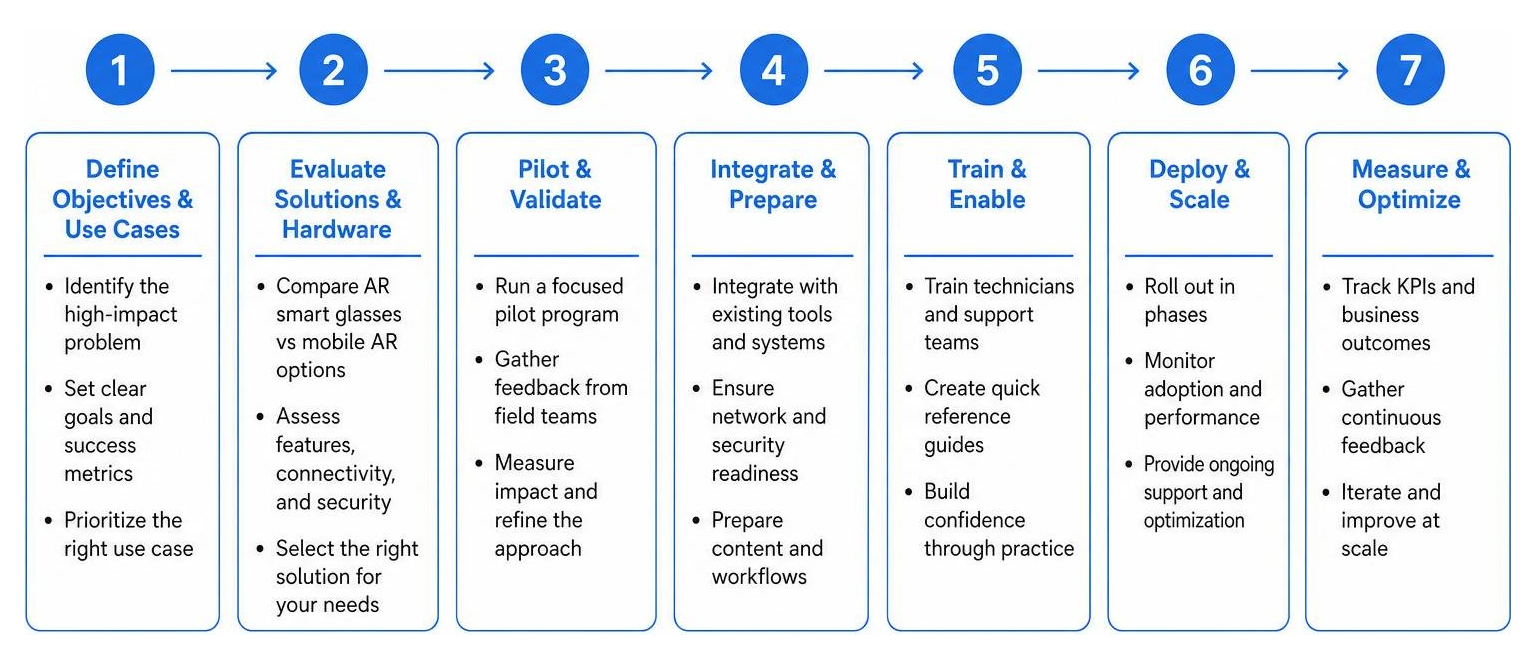
Step 1: Define Objectives and Use Cases
Start by identifying a single, high-impact problem to solve. Don't try to digitize your entire workflow overnight.
- Identify the pain point: Is your first-time fix rate too low on a specific type of medical imaging machine? Are your expert travel costs too high for industrial HVAC systems?
- Establish baseline metrics: Document your current Mean Time to Repair (MTTR), average travel expenses, and customer satisfaction scores so you have a clear point of comparison.
Step 2: Choose the Right Technology and Pilot
Select an AR software platform that aligns with your operational environment and budget.
- Run a controlled pilot: Select a small group of open-minded, tech-savvy technicians to test the software in a low-pressure environment.
- Gather qualitative feedback: Ask your pilot group what they like and what can be improved. Use sentiment surveys and 1:1 meetings to understand their experience before scaling.
Step 3: Integrate, Train, and Scale
For long-term success, your AR tool must integrate seamlessly with your existing software ecosystem.
- FSM and CRM Integration: Ensure your AR platform connects directly with tools like Salesforce, ServiceNow, or your proprietary Field Service Management (FSM) systems via REST APIs. This allows technicians to launch AR sessions directly from their active work orders and automatically saves photos, session logs, and notes back to the customer record.
- Provide ongoing support: Create simple, hands-on training sessions and encourage your team to share best practices. Once the pilot is successful, gradually roll out the technology to the rest of your field organization.
Measuring the ROI and Impact of AR Field Solutions
To justify your investment in AR technology, you need to track clear, quantifiable Key Performance Indicators (KPIs).
Key Performance Indicators (KPIs) to Track
- First-Time Fix Rate (FTFR): This is the gold standard of field service metrics. AR-guided support can boost your FTFR by up to 25% by ensuring technicians have real-time access to expert guidance and visual schematics on their first visit. For more on this, read Reducing First Visit Failures: Why Smart Glasses Are the Technician's Best Companion.
- Mean Time to Repair (MTTR): Tracking how long it takes to resolve an issue once a technician is on-site. AR-guided procedures can reduce MTTR by up to 40% by eliminating the need to search through manuals.
- Expert Travel Costs: Calculate the reduction in flights, hotels, and mileage expenses by comparing how many issues were resolved remotely via AR collaboration versus sending a senior specialist on-site.
- Customer Satisfaction (CSAT) Scores: Gather feedback from customers after an AR-assisted service call. Organizations using these tools typically see a 20% to 30% improvement in customer satisfaction.
Frequently Asked Questions about AR Field Operations
What kind of network connection is required for AR guided field operations?
While standard cellular networks like 4G LTE and 5G are ideal for real-time video collaboration, leading AR platforms utilize adaptive streaming to automatically lower video resolution in poor coverage areas without dropping the call. Additionally, for completely offline environments (like remote mines or shielded concrete basements), advanced AR software allows technicians to cache step-by-step procedures and 3D models locally on their devices beforehand.
How long does it take to train technicians on AR tools?
For browser-based and mobile AR applications, basic training takes less than an hour due to the familiar smartphone interface. For complex, voice-controlled smart glasses, technicians typically require a few hours of hands-on practice in a low-pressure environment to become fully proficient with hands-free gestures and voice commands.
How does AR software integrate with existing FSM and CRM systems?
Modern enterprise AR platforms integrate via standard REST APIs and webhooks. This allows technicians to launch a visual support session directly from an active work order in Salesforce, Microsoft Dynamics, or ServiceNow. Once the call is finished, all captured images, video recordings, and text annotations are automatically synced back to the specific job ticket for seamless compliance reporting.
Conclusion
Implementing AR guided field operations is one of the most effective ways to boost field service efficiency, lower operational costs, and solve the growing industry skills gap in 2026. Whether you choose rugged smart glasses for hands-free industrial repairs or leverage a flexible, mobile-first BYOD approach, the operational benefits are clear.
At Blitzz, we specialize in providing instant, browser-based remote visual assistance and video inspection software. Our platform requires no app downloads or complicated hardware setups — allowing your technicians and customers to connect instantly via their mobile browsers with high-precision AR annotations, screen sharing, and seamless CRM integrations.
Ready to see how we can help you reduce truck rolls, improve first-time fix rates, and transform your field operations?

Blitzz Team
The Blitzz Team writes about remote video support, virtual inspections and field service. Our guides come from working with home builders, property managers, warranty teams, contact centers and field service organizations that use Blitzz to see and solve issues without a truck roll.