.png?width=120&height=55&name=Blitzz-Logo-right%20white%20eyes%20-%20not%20transparent%20(3).png)

On this page
Insurance adjusters review evidence they didn't personally witness. Every decision — approve, deny, request more information — rests on whatever photos, notes, and reports land in front of them. That puts an unusual amount of pressure on photo documentation, because the software used to capture and organize it directly determines how confidently an adjuster can act on it.
Most of that software wasn't built with adjusters in mind at all. It was built for general contractors tracking job progress, or it's just whatever camera app happens to be installed on a technician's phone. This guide covers what photo documentation software actually needs to do for insurance work specifically, the features worth prioritizing, and where a tool like BlitzzCam fits into that picture.
Why Generic Photo Tools Fall Short for Insurance Work
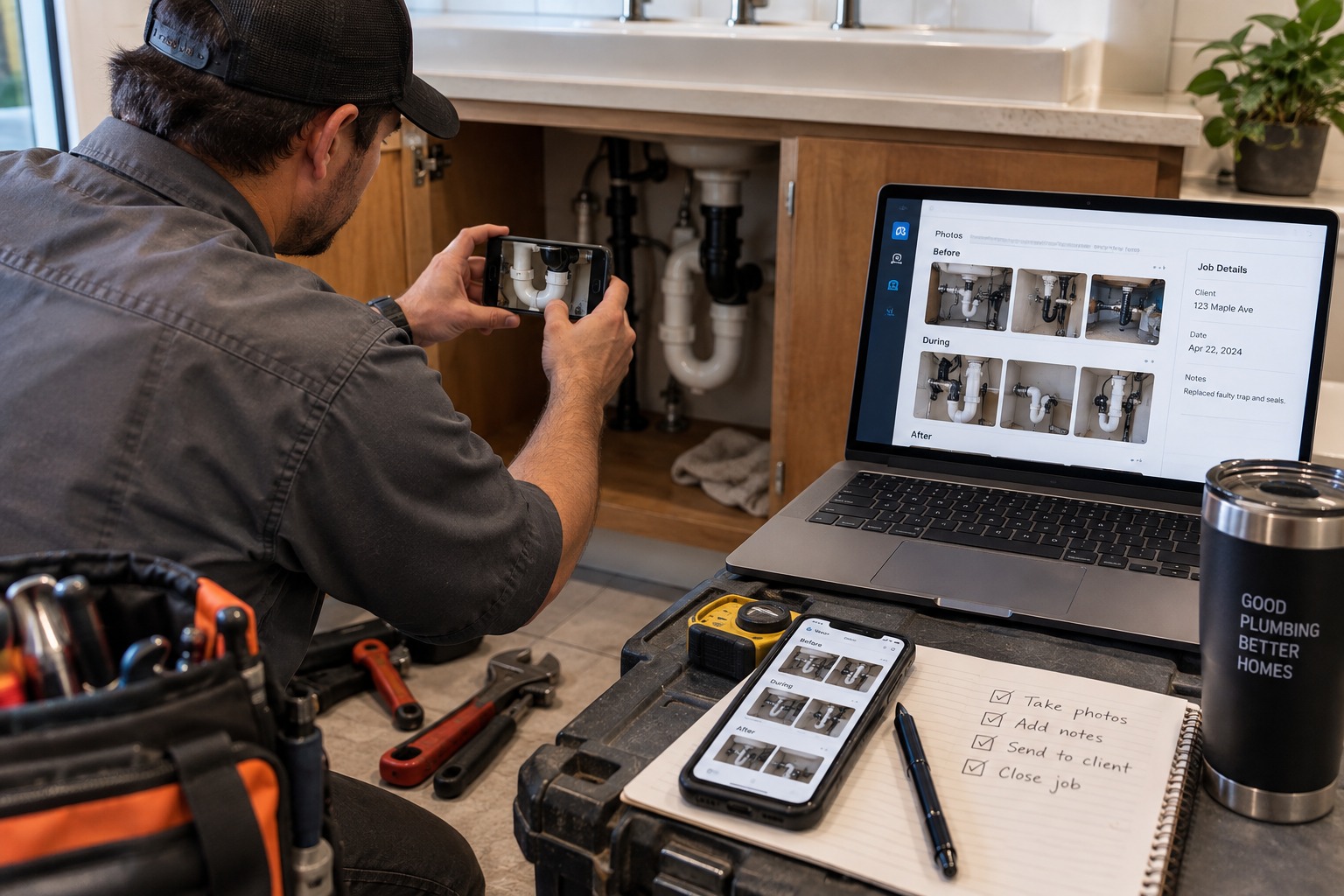
A photo taken on a job site and a photo submitted as claim evidence are technically the same image, but they carry very different requirements. General-purpose photo and project apps are optimized for internal use — helping a team track progress, share updates, or keep a visual record for their own reference. None of that is designed around the specific question an adjuster has to answer: can this photo be trusted as proof?
That trust question shows up in a few recurring ways:
- Can the timestamp be verified, or could the photo have been taken at a different time and backdated?
- Can the location be confirmed, or is it possible the photo was taken somewhere else entirely?
- Is there a clear chain of custody — who captured it, and has it been altered since?
- Is the photo tied unambiguously to a specific claim, or is it sitting in a generic folder that has to be manually matched up?
When the answer to any of these is unclear, adjusters are forced to slow down, request additional documentation, or escalate for manual review. Our breakdown of how remote video inspections are transforming insurance claims processing covers this dynamic in more depth from the inspection side specifically.
What Insurance Adjusters Actually Need From Photo Documentation Software
1. Verifiable metadata, locked at capture
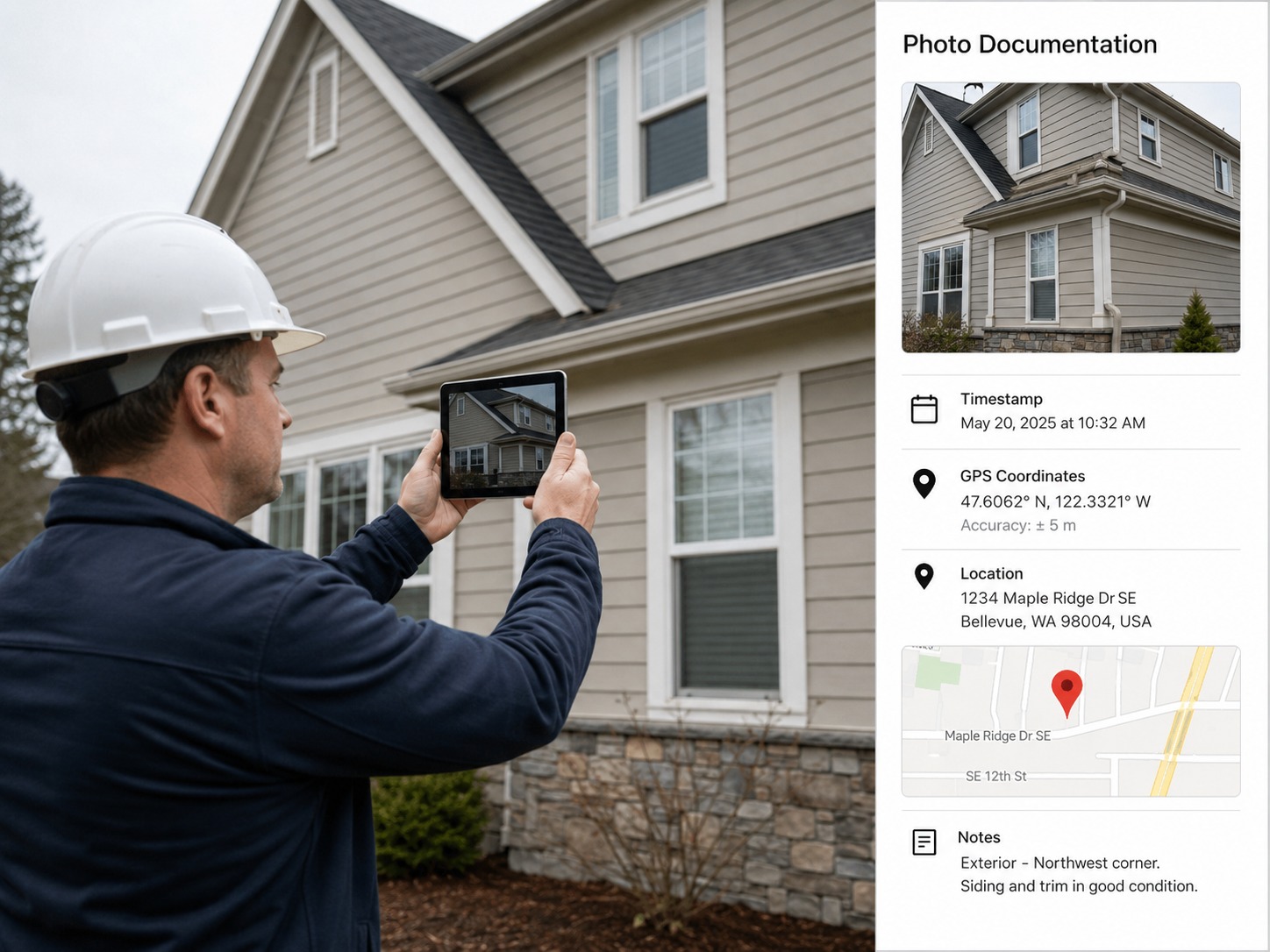
Timestamp and GPS data need to be attached automatically the moment a photo is taken, and locked so they can't be edited afterward. This is the single most important feature for adjuster-facing software, because it's what turns a photo from a claim into evidence.
2. Claim-level or job-level organization
Photos need to be grouped automatically by claim or job, not left in a flat, undated batch. This is closely related to how field teams should organize field inspection photos more broadly — the same job-first structure applies whether the end use is an internal report or an insurance submission.
3. Consistent, comparable angles across visits
For claims that involve a before-and-after comparison — repair work, mitigation, restoration — software should make it easy to match angles between the initial documentation and the completed work. Side-by-side comparison is often what turns a slow manual review into a fast approval.
4. Report generation, not just photo storage
Adjusters don't want a folder of 60 images to sort through themselves. Software that generates a structured report — photos embedded alongside notes, dates, and categories — gets reviewed faster than a raw image dump ever will.
5. Multi-technician consistency
Any software used across a team needs to enforce the same structure and metadata standards regardless of which technician is using it. A system that only works well when the most careful person on the team is the one taking photos isn't a system — it's a habit that will eventually break.
6. Audit trail and access history
If a claim is ever disputed or escalated, having a clear record of who captured, uploaded, and accessed each photo — and when — provides a level of accountability that generic storage tools typically don't offer.
Where BlitzzCam Fits for Insurance Adjuster Workflows
BlitzzCam was built around exactly these requirements rather than adapting a general contractor tool after the fact. In practice, that looks like:
- GPS and timestamp data locked automatically at the moment of capture, so metadata can't be stripped or altered by sharing, exporting, or re-uploading
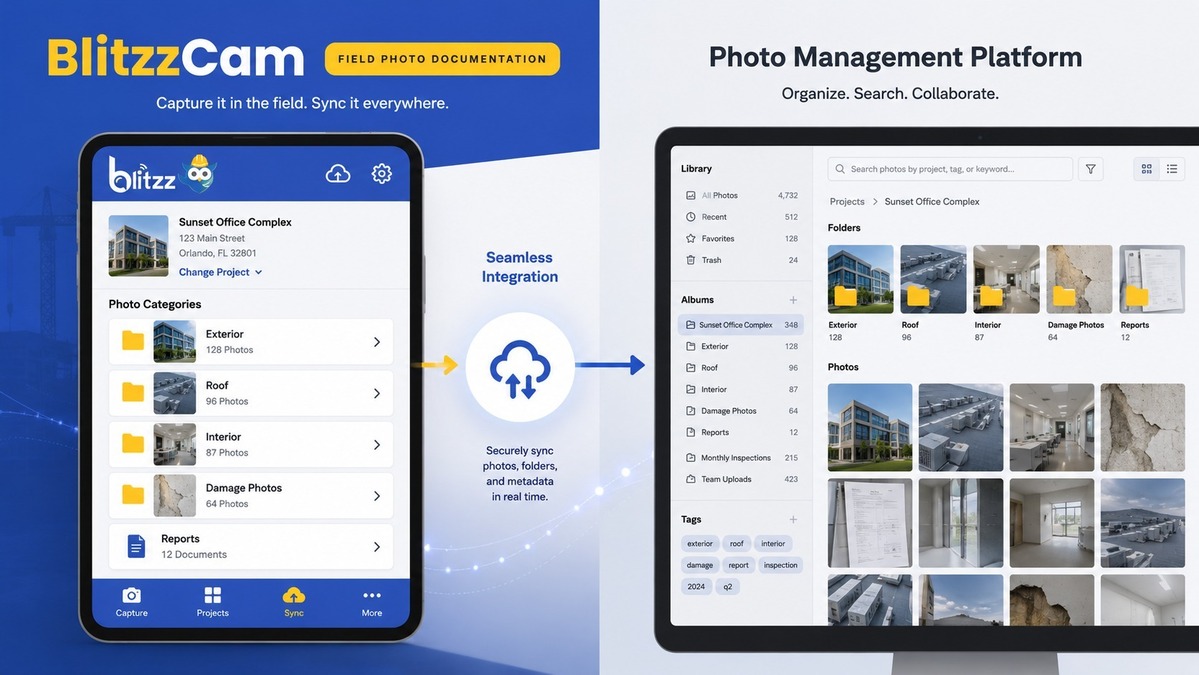
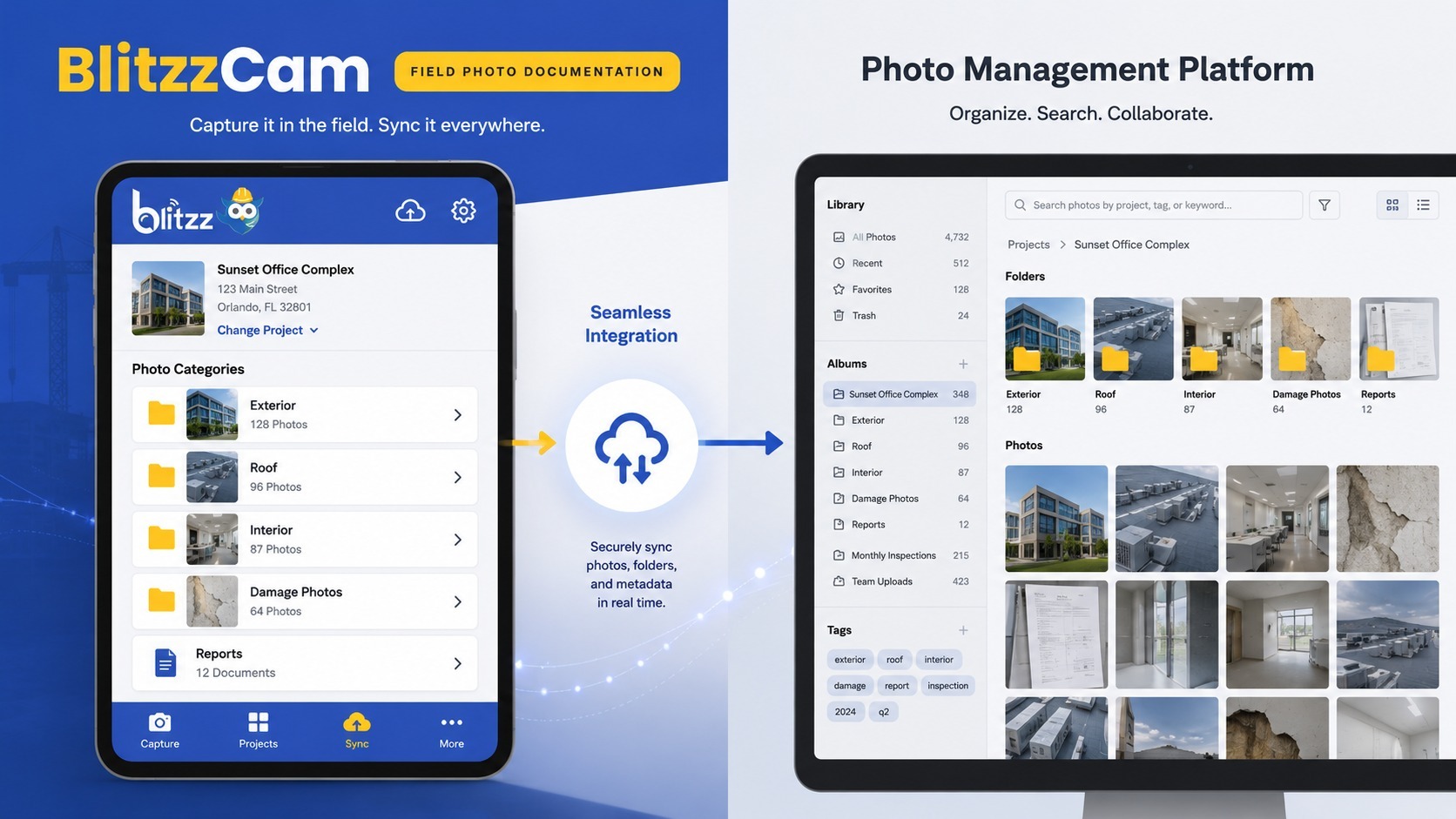
- Photos automatically organized by job or claim, with no manual folder-building required from the technician or the adjuster reviewing the file
- Consistent categorization across every technician on a team, so an adjuster reviewing photos from five different jobs sees the same structure every time
- Report-ready output that pairs photos with notes and metadata, instead of a raw batch of images that still needs to be assembled into something reviewable
- A clear capture-to-upload record that functions as an audit trail if a claim is questioned later
The practical effect is that claims move faster — not because the underlying photos are better quality, but because the adjuster spends less time verifying, requesting clarification, or manually reorganizing what's in front of them. This mirrors the same efficiency gains seen in warranty claims documentation, where visual evidence that's already organized and verified moves through approval far faster than evidence that needs to be pieced together after submission.
What Insurance Adjusters Actually Need From Photo Documentation Software
1. Verifiable metadata, locked at capture
Timestamp and GPS data need to be attached automatically the moment a photo is taken, and locked so they can't be edited afterward. This is the single most important feature for adjuster-facing software, because it's what turns a photo from a claim into evidence.
2. Claim-level or job-level organization
Photos need to be grouped automatically by claim or job, not left in a flat, undated batch. This is closely related to how field teams should organize field inspection photos more broadly — the same job-first structure applies whether the end use is an internal report or an insurance submission.
3. Consistent, comparable angles across visits
For claims that involve a before-and-after comparison — repair work, mitigation, restoration — software should make it easy to match angles between the initial documentation and the completed work. Side-by-side comparison is often what turns a slow manual review into a fast approval.
4. Report generation, not just photo storage
Adjusters don't want a folder of 60 images to sort through themselves. Software that generates a structured report — photos embedded alongside notes, dates, and categories — gets reviewed faster than a raw image dump ever will.
5. Multi-technician consistency
Any software used across a team needs to enforce the same structure and metadata standards regardless of which technician is using it. A system that only works well when the most careful person on the team is the one taking photos isn't a system — it's a habit that will eventually break.
6. Audit trail and access history
If a claim is ever disputed or escalated, having a clear record of who captured, uploaded, and accessed each photo — and when — provides a level of accountability that generic storage tools typically don't offer.
Where BlitzzCam Fits for Insurance Adjuster Workflows
BlitzzCam was built around exactly these requirements rather than adapting a general contractor tool after the fact. In practice, that looks like:
- GPS and timestamp data locked automatically at the moment of capture, so metadata can't be stripped or altered by sharing, exporting, or re-uploading
- Photos automatically organized by job or claim, with no manual folder-building required from the technician or the adjuster reviewing the file
- Consistent categorization across every technician on a team, so an adjuster reviewing photos from five different jobs sees the same structure every time
- Report-ready output that pairs photos with notes and metadata, instead of a raw batch of images that still needs to be assembled into something reviewable
- A clear capture-to-upload record that functions as an audit trail if a claim is questioned later
The practical effect is that claims move faster — not because the underlying photos are better quality, but because the adjuster spends less time verifying, requesting clarification, or manually reorganizing what's in front of them. This mirrors the same efficiency gains seen in warranty claims documentation, where visual evidence that's already organized and verified moves through approval far faster than evidence that needs to be pieced together after submission.
Integration With Existing Claims Management Systems
Photo documentation software rarely operates in isolation — it needs to fit into whatever claims management or policy administration system an insurer or adjuster is already using. A few integration questions are worth raising with any vendor:
- Can photos and reports be exported directly into the claims system, or does someone need to manually download and re-upload files?
- Does the software support standard file formats and metadata fields that the claims system can actually read?
- If multiple contractors or vendors are submitting documentation on the same claim, can their photos be merged into a single, consistent record?
- Is there an API or automated sync option for organizations processing a high volume of claims?
- Role-based access, so only people directly involved in a claim can view its photos and reports
- Secure storage with clear data retention policies, rather than photos sitting indefinitely in an unmanaged folder
- An access log showing who viewed or downloaded specific photos, which supports both privacy requirements and dispute resolution
- Clear ownership — contractors, insurers, and policyholders should all understand who controls access to the documentation long after a claim closes
- Does the software lock GPS and timestamp data at capture, or can it be edited afterward?
- Is photo organization automatic (by job/claim), or does it rely on the technician manually sorting and naming files?
- Can the software generate a structured report directly, or does it only store raw images?
- Does it enforce the same standards across every user, or does quality depend on individual technician habits?
- Is there a verifiable audit trail if a claim is ever disputed or escalated?
- Does it integrate with existing claims management systems, or does it create an extra manual export step?
Software that requires constant manual re-formatting to fit into existing systems tends to get abandoned in practice, no matter how strong its core photo-capture features are. The best fit is usually software that treats claims-system compatibility as a core requirement, not an afterthought.
Data Security and Access Control
Insurance documentation often includes sensitive information about a policyholder's property, and sometimes about the policyholder directly. Photo documentation software needs to handle that responsibly:
These aren't features that show up in a product demo as often as GPS tagging or report generation, but they matter just as much once software is deployed across a real organization handling real claims.
Frequently Asked Questions
Does photo documentation software replace an adjuster's in-person inspection entirely?
Not always, but it significantly reduces how often an in-person visit is necessary. Well-documented photos with verified metadata often give adjusters enough confidence to approve straightforward claims remotely, reserving in-person visits for complex or disputed cases.
What happens if a technician's phone doesn't have signal on site?
Most field documentation software captures photos and metadata locally first, then syncs once connectivity is available. The metadata is still locked in at the moment of capture regardless of when the upload happens.
Can this type of software be used across multiple insurers or just one?
Photo documentation software is typically insurer-agnostic — it organizes and verifies evidence in a way that any insurer can review, rather than being built around one company's specific claims process.
Evaluating Software: Questions Worth Asking Before You Buy
Whether you're a contractor selecting a tool for your team or an insurer setting documentation standards for vendors, a few questions cut through most vendor pitches quickly:
Software that can't answer these clearly is likely to create the same organizational problems as a generic phone camera, just with a nicer interface. For related evaluation criteria on the broader inspection and remote support side, our comparisons of remote video inspection software and digital inspection software walk through similar decision points.
Compliance and Fraud Prevention
Beyond speed, verified photo documentation plays a direct role in reducing disputes and fraud. Photos with locked, verifiable metadata are far harder to misrepresent than images pulled from an unverified camera roll. This matters on both sides of a claim — for legitimate claimants who want their evidence taken at face value, and for insurers who need confidence that submitted documentation reflects what actually happened, when it happened, and where.
This same principle extends into remote audits and compliance-driven inspections more broadly, where the credibility of visual evidence is often the entire basis for a pass/fail determination.
Rolling Out New Software Without Disrupting Field Teams
Even the best documentation software fails if field technicians don't actually use it consistently. A few practices make adoption smoother:
- Introduce the tool on a small number of jobs first, rather than switching an entire team over on day one
- Keep the capture process as close to "just take a photo" as possible — if the tool adds friction, technicians will quietly revert to their phone camera
- Set a single, non-negotiable standard for categorization and naming across the team, rather than letting each technician decide
- Review the first batch of claims that go through the new software closely, and fix any gaps in the process before they become habits
Teams already using structured tools for field service support or AI/AR-assisted remote inspections tend to adopt photo documentation software faster, since the underlying discipline — structured capture, verified metadata, consistent reporting — is already part of how the team operates.
Cost Considerations: What You're Actually Paying For
Photo documentation software is often priced per user or per job, and it's tempting to default to whichever option looks cheapest on a monthly invoice. That comparison misses the actual cost driver, which isn't the software subscription — it's the time an adjuster or claims team spends chasing down missing information, verifying timestamps manually, or re-requesting documentation that should have arrived complete the first time.
A slightly higher software cost that eliminates most of that back-and-forth almost always comes out ahead once the time cost is factored in, especially for organizations processing a meaningful volume of claims each month. The right way to evaluate cost isn't "what does this tool cost per seat," but "how many hours of manual verification and follow-up does this tool remove from every claim that goes through it."
The Bottom Line
Photo documentation software for insurance adjusters needs to do more than store images — it needs to make every photo verifiable, organized, and ready for review without extra manual work on either end. Generic camera apps and general contractor tools weren't built to answer the specific trust questions adjusters have to ask on every claim. A purpose-built tool like BlitzzCam closes that gap by locking metadata at capture, organizing photos automatically by claim, and generating reports that adjusters can act on the first time they see them — turning documentation from a bottleneck into one of the fastest parts of the claims process.

Blitzz Team
The Blitzz Team writes about remote video support, virtual inspections and field service. Our guides come from working with home builders, property managers, warranty teams, contact centers and field service organizations that use Blitzz to see and solve issues without a truck roll.