.png?width=120&height=55&name=Blitzz-Logo-right%20white%20eyes%20-%20not%20transparent%20(3).png)


On this page
Why Paper Clipboards Are Costing Construction Teams More Than They Think
Construction site inspection software is a digital platform that replaces paper checklists, scattered photo folders, and manual reporting with a structured, mobile-first workflow for capturing, tracking, and resolving site issues in real time.
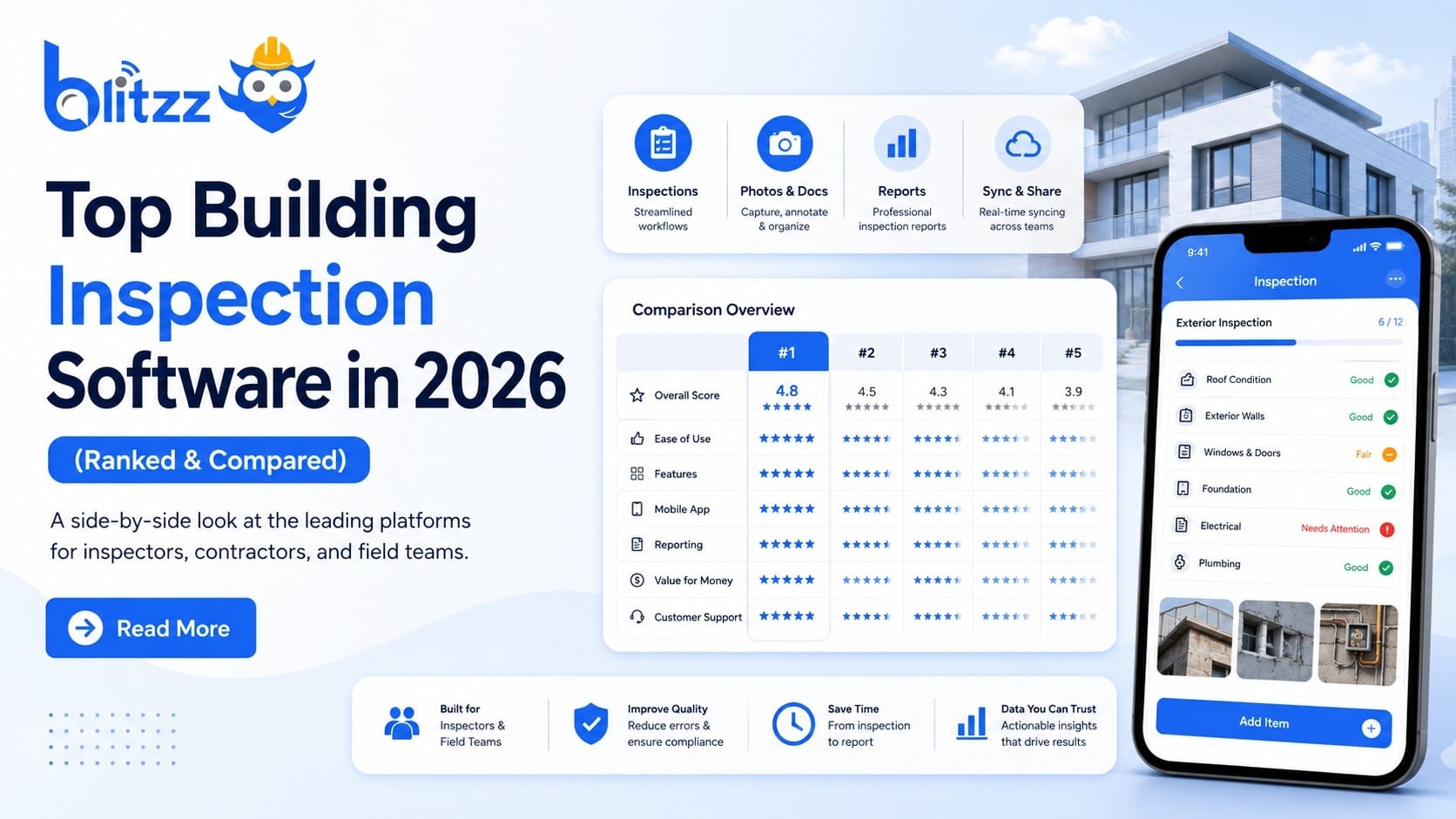
If you're evaluating your options, here are the leading tools in 2026:
| Software | Best For | Starting Price |
|---|---|---|
| SafetyCulture | Safety culture and compliance | $24/seat/month |
| Fieldwire | Blueprint-linked issue tracking | $54/user/month |
| Fluix | Multi-site enterprise workflows | Contact for pricing |
| Safetymint | Inspection management | $9,000/5 users/year |
| PULSE | HSE audits and subcontractor compliance | Contact for pricing |
| SnapInspect | Predictive BI dashboards | Contact for pricing |
Think about what happens after a site walkthrough today.
A superintendent finishes a hazard walk at 6 AM. She's got notes on a clipboard, a dozen photos in her camera roll, and a mental list of who needs to fix what. By the time she gets back to the office, some of that is already lost. The rest takes hours to turn into a report.
That's not a people problem. That's a process problem.
Construction projects move fast. Issues found late cost far more to fix than issues caught early. And when disputes land on a project manager's desk, finding the right documentation in a chaotic photo folder can take longer than the original inspection itself.
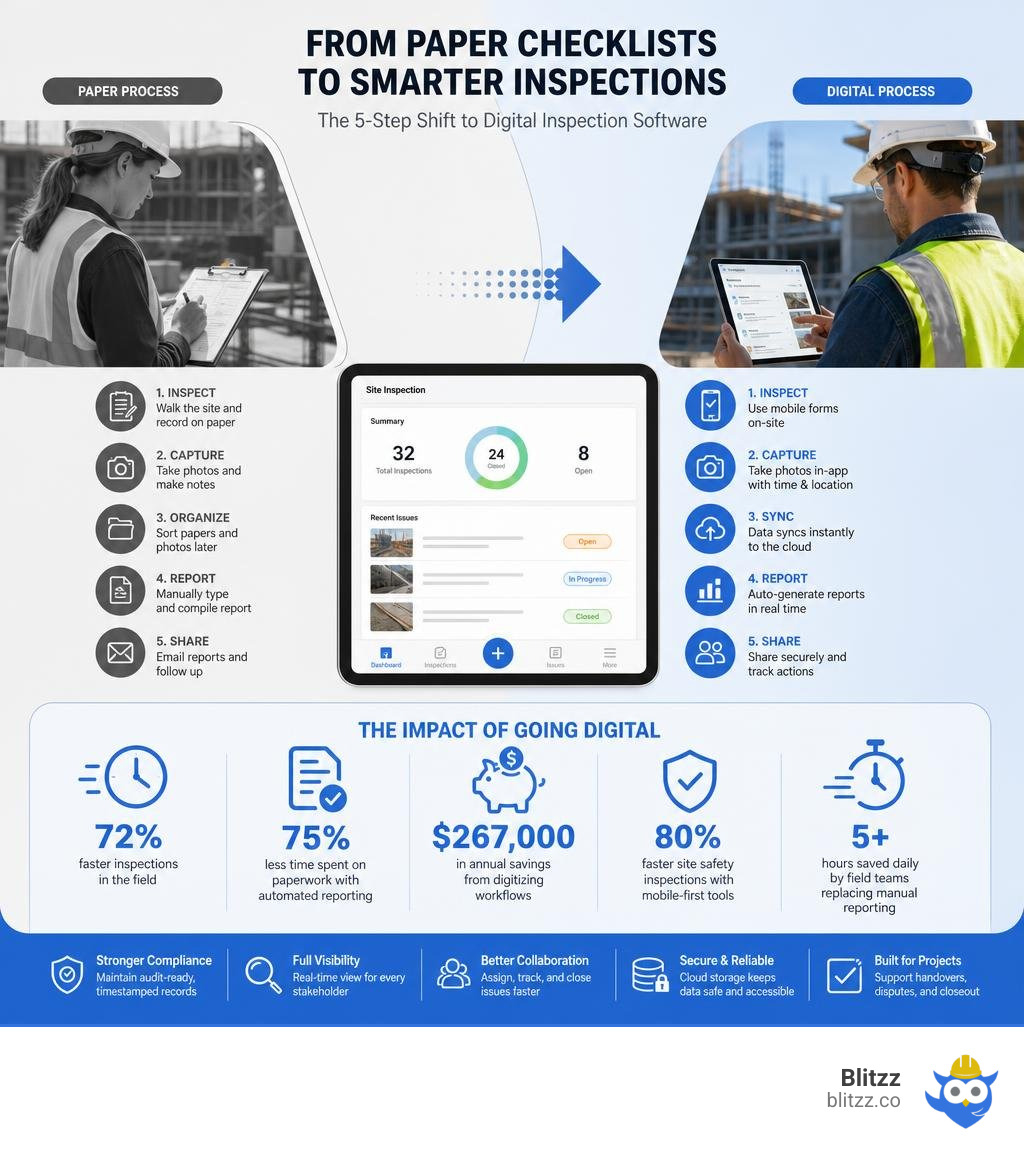
Digital inspection software fixes exactly this. Teams using these tools have reported outcomes like:
- 72% faster inspections in the field
- 75% less time spent on paperwork with automated reporting
- $267,000 in annual savings from digitizing workflows
- 80% faster site safety inspections with mobile-first tools
- 5+ hours saved daily by field teams replacing manual reporting
The shift from paper to digital isn't just about convenience. It's about building an inspection record that holds up under regulatory scrutiny, supports handover packs, and gives every stakeholder — from site engineers to lenders — a clear, timestamped view of what happened on site and when.
Related content about construction site inspection software:
- construction remote diagnostics platform
- enterprise remote collaboration suite
- remote service desk platform
Understanding Modern Field Inspection Tools
To understand why specialized field tools are taking over jobsites in 2026, we have to look at where traditional software falls short. Historically, construction companies tried to force-fit generic digital tools into their field operations. We've all seen teams try to run inspections using WhatsApp groups, massive Excel spreadsheets, or generic cloud folders.
While those tools are great for quick chats or basic office tracking, they quickly break down when exposed to the mud, dust, and coordination of an active jobsite. Modern field inspection tools are built specifically to bridge the gap between heavy administrative requirements and the practical, fast-moving reality of boots-on-the-ground construction. If you want to dive deeper into the leading choices on the market, take a look at our guide on the Top Building Inspection Software 2026.
How Inspection Tools Differ from General Project Management
It is common to wonder why a separate tool is necessary if your team already uses an enterprise project management platform like Procore, Autodesk Construction Cloud, or Oracle Aconex. The answer lies in the level of detail and the speed of execution required in the field.
General project management tools are designed to be the "system of record" for high-level project health. They manage contracts, overall schedules, RFIs, change orders, and financial accounting. They are excellent for office-based project managers, developers, and executives who need a bird's-eye view of a $100 million capital project.
In contrast, specialized construction site inspection software is the "system of execution" for the field. It is designed for the site engineer, the quality inspector, and the safety officer who are walking the site every single day. These tools differ in several critical ways:
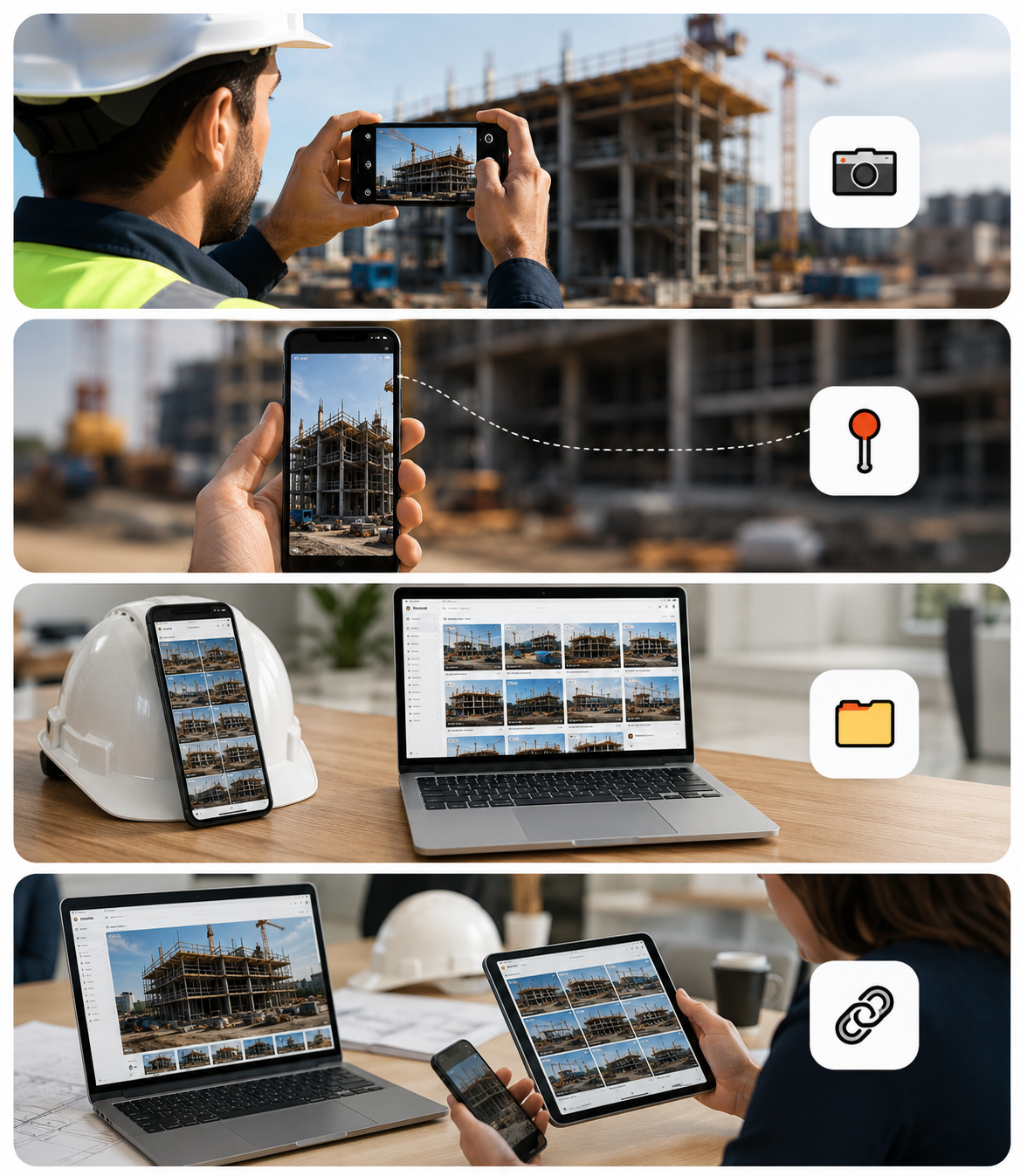
- Action-to-Record Speed: A field inspector needs to document a defect in seconds. While a general project management tool might require navigating through five sub-menus, choosing a cost code, and filling out a detailed form, a dedicated inspection app allows a foreman to snap a photo, pin it to a blueprint, and assign it to a subcontractor in three taps or fewer.
- Granular Workflows: Inspection software handles highly specialized workflows like concrete pour pre-checks, scaffolding safety sign-offs, and trade-specific quality checklists. These are often too granular to be managed efficiently in a high-level project management system.
- Subcontractor Accountability: Instead of giving external subcontractors full access to your sensitive project management system (which raises security and commercial privacy concerns), inspection platforms use role-based access control. Subcontractors only see the specific snags and corrective actions assigned to their trade.
- Heavy Media Handling: Active jobsites generate thousands of high-resolution photos, 360-degree panoramas, and videos. Inspection tools are optimized to upload, compress, and organize this visual evidence by location and zone, preventing your main project management system from becoming a disorganized dumping ground for media files.
Driving Safety and Quality with Construction Site Inspection Software
Safety and quality control are not administrative checkboxes; they are the foundation of a profitable, incident-free project. When field teams rely on paper checklists, critical hazards are easily missed, and quality issues are often buried until they become incredibly expensive to fix.
By digitizing these processes, construction site inspection software transforms safety and quality from reactive tasks into proactive habits:
- Active Hazard Identification: Instead of waiting for a weekly safety walk, field crews can instantly log hazards — like a missing handrail or an improperly secured scaffold — the moment they spot them. The software automatically routes the issue to the responsible subcontractor with a mandatory fix-by date.
- Regulatory Standards Mapping: Modern platforms allow you to map your digital checklists directly to regulatory frameworks, such as OSHA standards 1910 and 1926 or international safety systems like ISO 45001. This ensures that your field teams are always asking the right questions and collecting the exact evidence required to prove compliance during an unexpected regulatory audit.
- Continuous Quality Control (QC): Quality managers can pre-load standardized checklists for every phase of construction, from foundation reinforcement checks to final finishes. This prevents individual inspectors from skipping steps and ensures that work meets both the Coordinated Construction Quality Plan (CQP) and structural standards (like ISO 9001) before the next trade begins their work.
Core Capabilities for Field Teams

When evaluating software, it is easy to get distracted by flashy desktop dashboards and complex analytics. However, if the software is too frustrating for your field crews to use in direct sunlight, rain, or freezing cold, they will abandon it and go right back to their paper notebooks.
Field execution relies on speed, simplicity, and reliable data capture. To understand how visual evidence is changing the game, check out our breakdown of the Top 10 Jobsite Photo Documentation Apps & Software for Construction in 2026.
Key Features of Construction Site Inspection Software
To build a truly efficient digital inspection workflow, your software needs to support several core field-ready features. If you are looking to replace paper completely, look for platforms that offer:
- Customizable Inspection Checklists: You should be able to easily build and modify smart digital templates. These checklists should support multiple input types, including yes/no toggles, multiple-choice options, numerical values (for material testing), required photo attachments, and digital signatures. For highly regulated workflows, check out Construction Inspection Software with Checklists & Audit Trail .
- Automated Workflow Routing: When an inspector marks a checklist item as "Failed," the software shouldn't just record the failure. It should automatically generate a corrective action, notify the site supervisor, and alert the assigned trade contractor.
- Tamper-Proof Audit Trails: Every action taken in the app — from the initial checklist submission to the final close-out signature — must be automatically logged with a permanent, unalterable timestamp and user ID. This is critical for defending against future liability claims. For comprehensive HSE compliance, see HSE Site Inspection Software — Digital Checklists & Reports .
- Scheduled and Recurring Audits: Ensure your platform allows you to schedule recurring inspections (such as weekly scaffolding checks or daily PPE walks) that automatically appear on your field team's calendar with built-in push notifications for overdue tasks.
Mobile-First Design and Offline Capabilities
The primary cause of software abandonment in the construction industry is friction. If a foreman has to take off his gloves, squint at tiny text in direct sunlight, and tap through seven different screens to log a single issue, the software has failed.
The best field inspection tools are built with a mobile-first design. This means they feature large, high-contrast tap targets, simplified navigation, and voice-to-text capabilities that allow inspectors to dictate notes on the fly while walking a busy site.
Furthermore, jobsites are notorious for poor cellular connectivity. Whether your team is working in a concrete basement, a remote infrastructure corridor, or the steel-framed core of a high-rise, they will frequently lose internet access.
If your inspection software requires a continuous internet connection to work, your data flow will grind to a halt. True offline capability means the app stores all checklists, drawings, photos, and GPS coordinates locally on the device's database. The moment the device detects a stable cellular or Wi-Fi connection, it silently syncs all data to the cloud in the background, ensuring no information is ever lost.
Photo, Video, and GPS Evidence for Dispute Resolution
"Fixed by Friday" is one of the most common — and dangerous — promises in construction. Without visual proof, a subcontractor might claim they resolved an issue when they actually just covered it up, leading to structural failures or safety hazards down the line.
Digital inspection software changes the accountability dynamic by making visual evidence a mandatory part of the close-out process. When a subcontractor is assigned a snag, they cannot simply change the status to "Closed." The platform forces them to upload a photo of the completed fix.
To ensure this visual evidence is indisputable, modern platforms automatically embed metadata directly into every captured photo and video:
- GPS Geofencing: Verifies that the photo was actually taken within the exact coordinates of the jobsite, preventing subcontractors from uploading old photos or images from other projects.
- Cryptographic Timestamps: Proves the exact date and second the photo was captured, creating a clear timeline of when an issue was identified and when it was resolved.
- Device and User Verification: Logs the exact device ID and user account that captured the media, ensuring complete accountability.
This level of verification is incredibly valuable for dispute resolution. If a client claims a specific quality check wasn't performed, or if a subcontractor disputes a backcharge for a delayed fix, you don't have to spend days digging through paper files. With a few clicks, you can pull up a geolocated, timestamped visual history that clearly resolves the dispute.
How AI and Integrations Streamline Workflows

As we move through 2026, the conversation around construction technology has shifted from basic digitization to automation. It is no longer enough to simply store PDFs in the cloud. The goal is to use artificial intelligence and seamless platform integrations to eliminate the manual, administrative bottleneck that keeps highly paid engineers and project managers chained to their desks. To see how these advanced workflows are changing the industry, read our article on how to Change the Way You Inspect Construction Sites: Faster, Smarter, and Safer.
AI-Powered Snag Detection and Automated Reporting
One of the most exciting advancements in modern inspection software is the integration of on-device computer vision and AI. During a site walkthrough, an inspector might take hundreds of photos. Historically, someone had to manually review those photos, categorize them by trade, write descriptions, and log them into a tracking system.
AI-powered platforms automate this entire process:
- Automated Snag Detection: When an inspector takes a photo of an active work zone, the AI can automatically scan the image to detect common issues — such as a worker missing their hardhat, an uncovered floor opening, or a crack in a concrete beam. It automatically flags the defect, categorizes it, and drafts the issue description.
- Intelligent Voice-to-Text: Instead of typing out long descriptions on a virtual keyboard, inspectors can simply speak. The built-in AI assistant transcribes the speech, filters out background construction noise, and automatically populates the correct fields in the digital form.
- One-Click PDF Generation: The moment an inspection checklist is submitted, the software compiles all answers, signatures, and geotagged photos into a professional, branded PDF report. This report can be automatically emailed to owners, architects, and subcontractors without requiring a single minute of manual formatting in the office. For highly customizable checklist and reporting templates, check out Construction Inspection Checklist Software | Zektrx .
Connecting with BIM, ERPs, and Project Management Platforms
No software platform should operate in isolation. If your inspection tool doesn't talk to your other enterprise systems, you are simply trading paper silos for digital silos.
Modern construction site inspection software uses robust REST APIs to connect seamlessly with your existing technology stack:
- BIM and Design File Integration: Instead of looking at flat 2D drawings, inspectors can link their digital checklists directly to your Building Information Modeling (BIM) software (such as Autodesk Revit or Navisworks). This allows field teams to compare the physical installation directly against the 3D design model, ensuring complete accuracy.
- Enterprise Resource Planning (ERP) Sync: By connecting your inspection data to your ERP or accounting system (such as SAP, Sage, or Viewpoint), you can link physical site progress directly to financial workflows. For example, when an inspector marks a milestone as "Passed," the system can automatically trigger a subcontractor pay application or release a draw of funds.
- Project Management Platforms: Platforms like Procore or Oracle Aconex remain your primary system of record. Specialized inspection tools act as the high-speed field capture layer, automatically pushing detailed inspection records, drone surveys, and close-out packages back to your main system via secure API connections.
Managing Handover Packs and Defect Liability Periods
The final 5% of a construction project is often the most painful. Compiling the handover pack — which includes thousands of inspection records, quality sign-offs, warranties, and operations and maintenance (O&M) manuals — historically required a frantic, multi-week scramble of copy-pasting files and chasing subcontractors.
Digital inspection platforms solve this by compiling your handover pack continuously throughout the project lifecycle. Because every checklist, photo, and sign-off is organized by zone, trade, and date from day one, you can generate a complete, hyperlinked handover pack with a single click on the day of substantial completion.
Furthermore, the software continues to deliver value long after the keys are handed over. During the Defect Liability Period (DLP), any maintenance issues or defects reported by the owner can be logged directly into the system. The software automatically cross-references the new defect against your historical inspection records to determine which subcontractor is responsible for the warranty repair, ensuring a smooth, dispute-free close-out.
How to Choose the Best Construction Site Inspection Software
With dozens of platforms on the market, choosing the right software can feel overwhelming. The key is to focus on practical usability and clear alignment with your specific project workflows. To help guide your search, explore our analysis of modern Site Inspection Software Solutions.
Evaluating Software for Your Team and Project Size
Every construction organization has unique needs based on their project types, team sizes, and regulatory environments. When evaluating software, consider the following factors:
- Usability First: The most feature-rich software in the world is useless if your field crews refuse to use it. When evaluating platforms, involve your least tech-comfortable field staff in the process. If they can't figure out how to complete an inspection with minimal training, keep looking.
- Deployment Speed: Some enterprise platforms require months of custom development and consulting to set up. If you need to get a project up and running quickly, look for tools that can be deployed in under 24 hours using pre-built templates. For example, specialized safety platforms like PULSE can go from sign-up to your first active field inspection in a single day. Learn more about these rapid HSE deployments at Construction Site Inspection Software — HSE & Safety Audits | PULSE .
- Pricing Structure: Pay close attention to how software vendors charge. Some charge per user, which can quickly become expensive as you add subcontractors and external inspectors. Others offer unlimited field user pricing models that are much more cost-effective for large-scale capital projects.
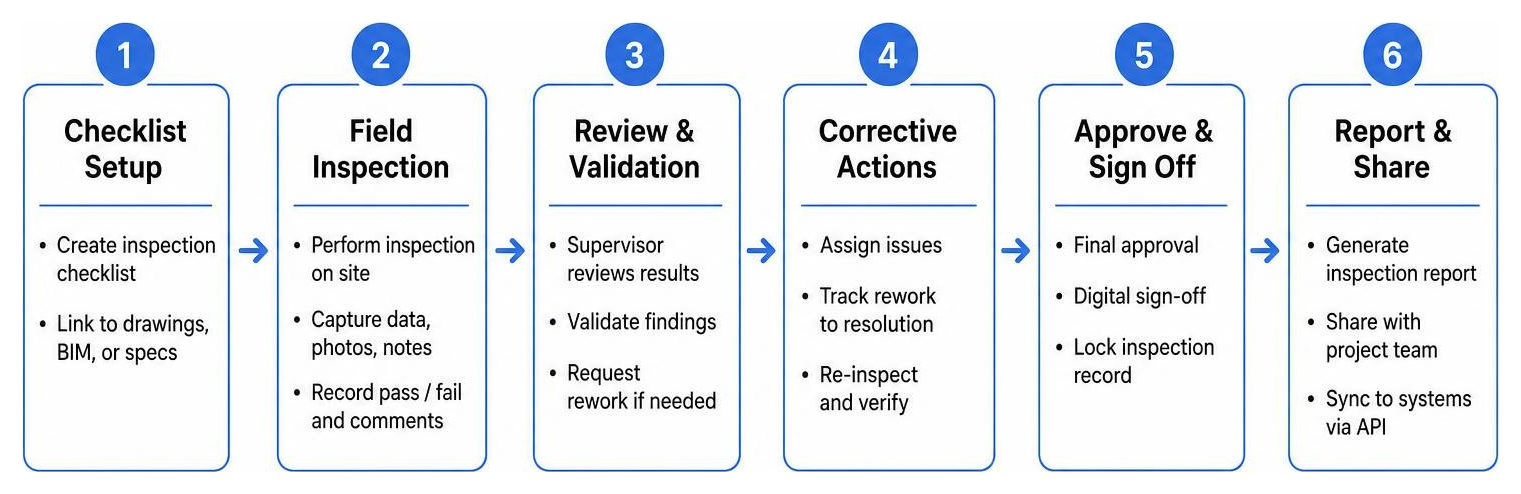
Common Mistakes to Avoid During Software Adoption
Even with the best software, implementation can fail if the rollout is managed poorly. To ensure a successful transition from paper to digital, avoid these common pitfalls:
- Choosing Features Over Usability: It is easy to get swayed by a long list of features during a sales demo. However, adding unnecessary complexity to your field workflows is the fastest way to guarantee software abandonment. Keep your initial rollout focused on the core features your team actually needs.
- Ignoring Offline Requirements: Never assume that your jobsites will always have great cellular connection. Always test a software's offline mode in a known "dead zone" — like a concrete basement or a remote site — before signing a long-term contract.
- Underestimating Training and Support: Simply sending a download link to your field teams is not enough. You need to designate a "software champion" on each jobsite who can provide hands-on support, answer questions, and help subcontractors get comfortable with the platform.
- Creating New Data Silos: Make sure the software you choose has open APIs and pre-built integrations that connect with your existing project management and accounting systems. If your field data doesn't flow back to the office automatically, you are missing out on the true value of digitization.
Frequently Asked Questions
Can site inspection software work without internet access?
Yes, most professional construction inspection apps are built with an "offline-first" architecture. This means the app stores all your checklists, blueprints, captured photos, and GPS data locally on your mobile device's internal database. You can perform your entire walkthrough, log defects, and collect digital signatures completely offline. The moment your device reconnects to a cellular or Wi-Fi network, the app automatically syncs all changes to the cloud.
How does digital inspection software prevent construction fraud?
Digital platforms prevent fraud by securing the integrity of your field data. Unlike manual paper reports or unverified photo uploads, modern inspection software automatically embeds unalterable metadata directly into every captured file. This includes cryptographic timestamps that prove exactly when a photo was taken, GPS geofencing that verifies the inspector was physically on-site, and device-level verification that links every action to a specific user account. This creates an indisputable audit trail that cannot be manipulated or backdated.
What is the difference between a site inspection app and a full platform?
A site inspection app is primarily a mobile tool designed for fast data capture in the field. It focuses on allowing inspectors to quickly fill out checklists, snap photos, and log snags on their smartphones or tablets. A full inspection platform includes this mobile capture layer but also features a robust, cloud-based desktop dashboard. The platform handles advanced data analytics, automated scheduling, role-based permissions, custom template builders, and deep API integrations with your other enterprise systems (like ERPs and BIM software).
Conclusion
The construction industry is reaching a tipping point. As projects grow more complex, margins shrink, and regulatory requirements tighten, relying on paper clipboards and disorganized photo folders is no longer just inefficient — it is a major business risk.
Transitioning to modern construction site inspection software is the single fastest way to protect your project quality, keep your jobsites safe, and build an indisputable record of your work.
But what about those times when you need an expert's eyes on a problem instantly, without waiting for them to travel to the jobsite?
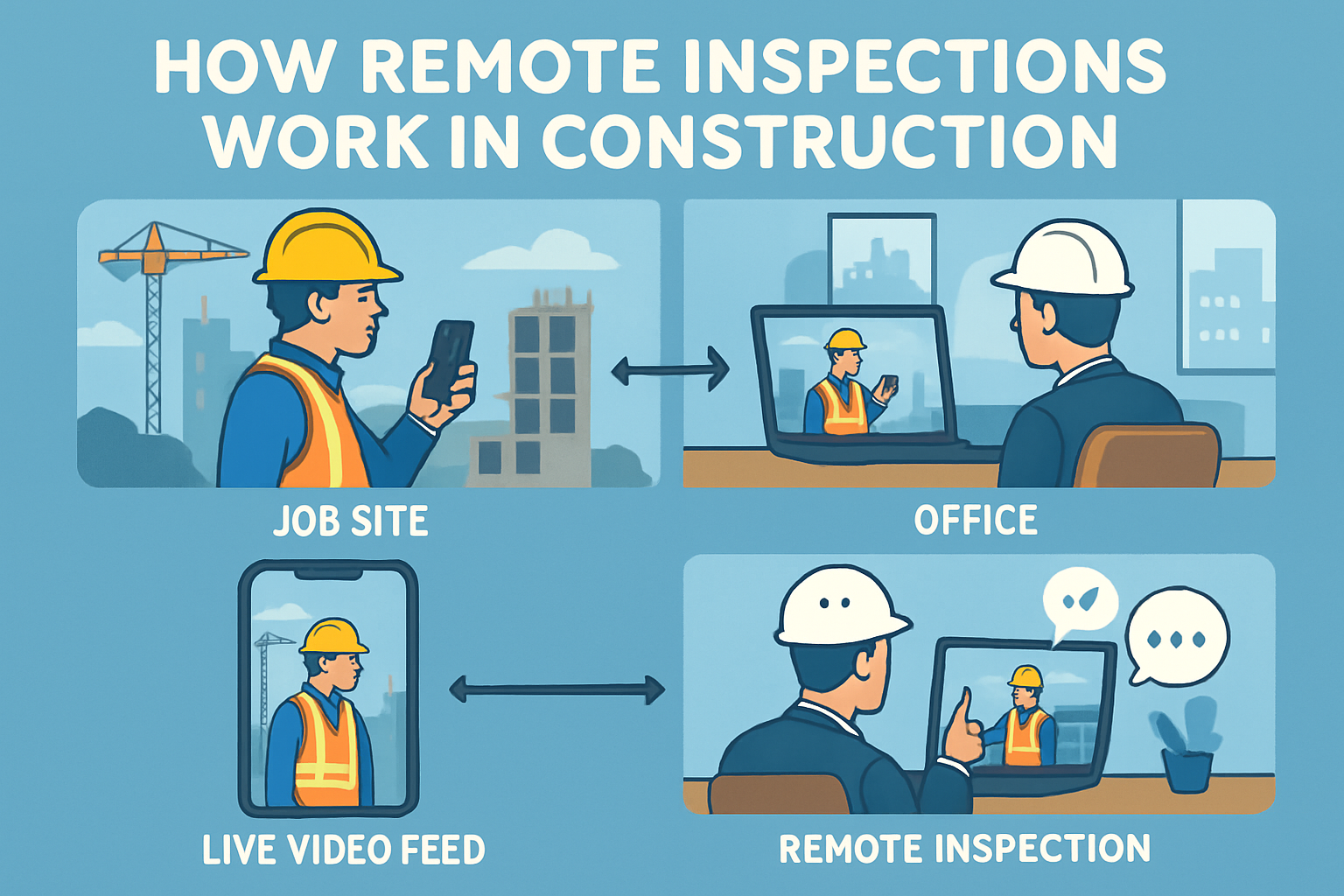
That is where Blitzz comes in. As an enterprise leader in remote visual assistance, we help construction teams conduct instant, high-definition video inspections through any mobile browser — no app download required. With Blitzz, your off-site engineers, safety directors, and municipal inspectors can virtually walk the site, use interactive AR annotations to point out issues in real time, and capture verified, timestamped photo evidence instantly.
By combining your on-site inspection software with Blitzz's remote visual support, you can dramatically reduce travel costs, solve field issues in minutes instead of days, and keep your projects moving forward safely.
Ready to see how remote visual inspections can transform your construction workflows?
- Explore the Benefits of Remote Video Inspections for the Construction & Building Industry
- Learn how to implement Remote Video Inspections for Construction
- Read our guide on Construction Remote Visual Inspection
Take the first step toward faster, smarter, and safer field operations. Book a demo of the Blitzz Remote Inspection Platform today!

Blitzz Team
The Blitzz Team writes about remote video support, virtual inspections and field service. Our guides come from working with home builders, property managers, warranty teams, contact centers and field service organizations that use Blitzz to see and solve issues without a truck roll.