.png?width=120&height=55&name=Blitzz-Logo-right%20white%20eyes%20-%20not%20transparent%20(3).png)

On this page
Field inspection software helps teams inspect assets, capture evidence, and share findings without waiting for an onsite expert.
Field inspection software lets a remote expert or inspector see what the field user sees through a phone camera, browser session, or live video link. It supports faster decisions, clearer documentation, and more consistent inspections because teams can capture photos, timestamps, notes, and reports in one workflow.
- Start inspections from a link sent by SMS, email, or WhatsApp.
- Use live video, markup, zoom, and timestamped photos to document issues.
- Reduce repeat visits by guiding the inspection the first time.
- Keep records usable for service, claims, compliance, or audits.
- Integrate results with tools your team already uses.
What is field inspection software?
Field inspection software is a digital tool for reviewing equipment, property, or job sites from anywhere. It usually includes photo capture, notes, checklists, and reporting so the inspection record is easy to review later.
The better tools do more than store a form. They combine live visual guidance, structured evidence capture, and workflow support so the person in the field can document issues in a consistent way.
What should field inspection software do well?
A good platform should make the inspection easier for the field user and more useful for the reviewer. The goal is to collect clear evidence without adding extra steps.
- Open in a browser with no app download.
- Start quickly from a simple link.
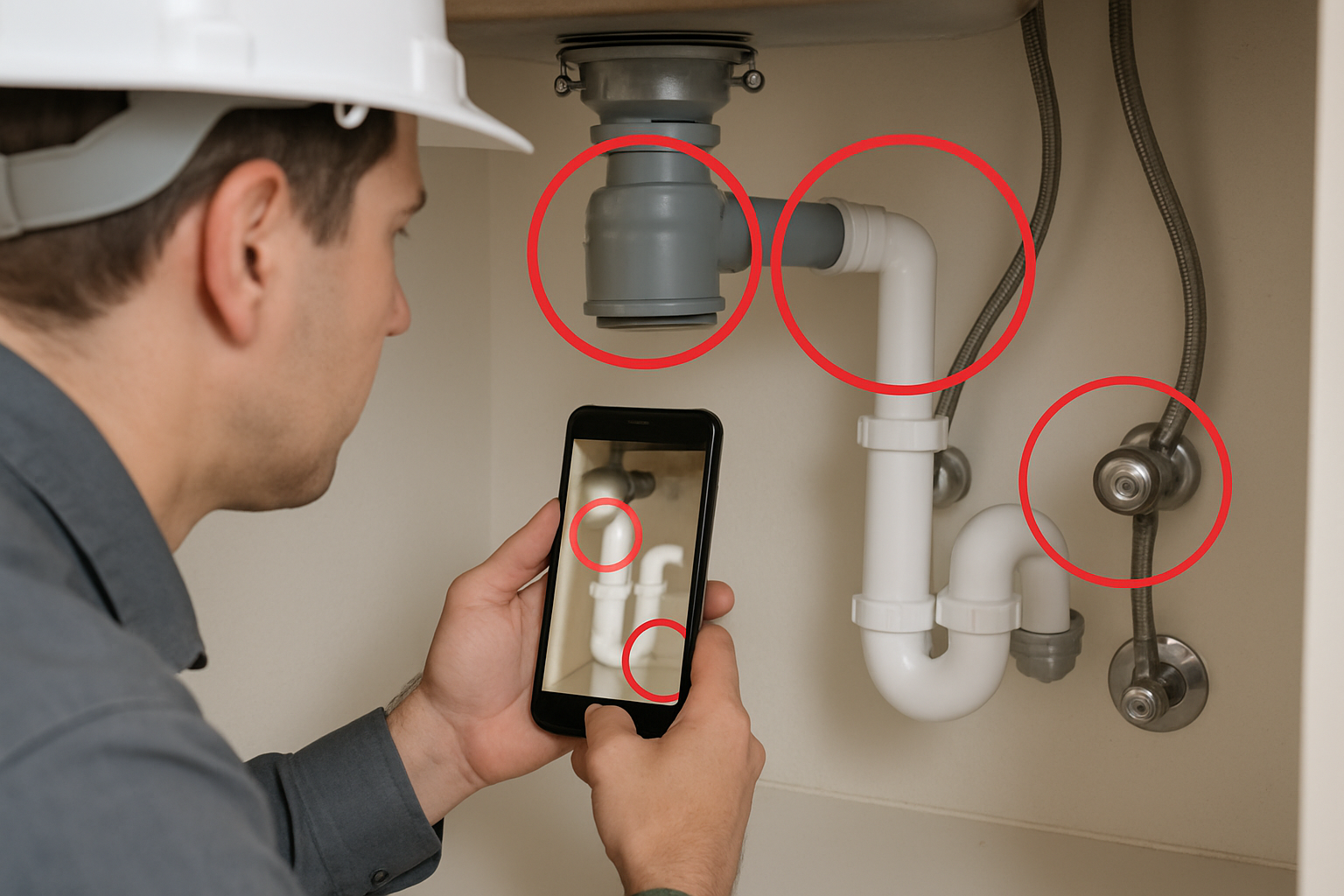
- Support live pointer, markup, zoom, and image capture.
- Record date, time, and location when needed.
- Export a report that others can review later.
Why does field inspection software matter?
Field inspection software matters because it reduces delays and improves the quality of field decisions. Instead of waiting for an expert to travel, teams can inspect remotely, confirm details in real time, and keep work moving.
That is useful for asset verification, damage assessment, maintenance checks, and post-service validation. It also helps reduce missed details because the remote expert can direct the camera, request closer shots, and capture the right evidence on the spot.
What problems does it solve?
Most teams run into the same issues: slow scheduling, incomplete documentation, and repeated visits. Inspection software addresses those problems by standardizing how evidence is gathered and shared.
- Travel delays for specialists
- Inconsistent photo quality
- Poor handoff between field and office teams
- Missing timestamps or location data
- Unclear next steps after the visit
What features should field inspection software include?
The best field inspection software includes live guidance, clear evidence capture, and reporting tools. It should also fit into the systems your team already uses, so inspections become part of normal work instead of a separate task.

Look for features that improve accuracy in the moment and reduce admin work later. If the software is hard to launch or difficult for customers to use, adoption will suffer.
Must-have features
- Browser-based access: the inspection opens from a link, with no app install.
- Live video support: a remote expert sees what the field user sees in real time.
- Pointer and markup tools: these help direct attention to the right component.
- Timestamped photos: these create a stronger record for claims and audits.
- OCR (optical character recognition): this reads serial numbers or labels from images.
- Offline mode: this helps capture evidence when connectivity is weak.
- Reports and exports: these turn findings into something usable downstream.
Helpful integrations
Integration matters when inspection results need to flow into case systems, service desks, or CRM records. For example, teams often connect inspection workflows with Salesforce, Zendesk, ServiceNow, Microsoft Dynamics 365, Genesys Cloud CX, NICE CXone, or HubSpot.
For a broader view of how live video supports service operations, see Field Service Management Software with Live Video and Remote Field Service Software: 4 Ways to Improve Team Efficiency.
How does field inspection software work in the real world?
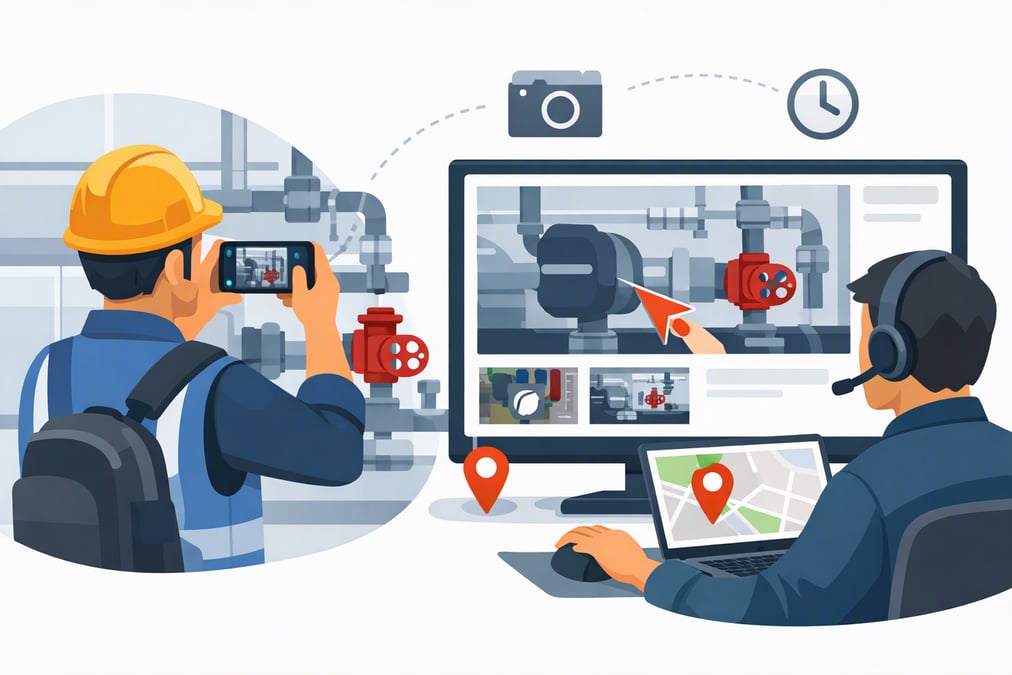
Field inspection software usually starts with a simple link sent by SMS, email, or WhatsApp. The person receiving the link opens a secure browser session, and the inspector or expert can guide the process live.
From there, the remote reviewer can direct the camera, capture photos, add notes, and mark up the screen. If the device supports it, the software can also pull location data, log timestamps, and help identify labels or serial numbers.
What does a typical inspection flow look like?
- Send the customer or field worker a session link.
- Open live video in the browser.
- Guide the camera to the asset or issue.
- Capture evidence with time, date, and location.
- Review findings and generate a report.
That workflow fits many use cases, including maintenance checks, property assessments, insurance inspections, and public works reviews. It is also useful when an expert needs to confirm an issue before dispatching a technician.
How is field inspection software different from a checklist app?
Field inspection software is more than a checklist app because it supports live visual guidance and evidence capture. A checklist can confirm that steps were completed, but it cannot help a remote expert see the condition firsthand.
This difference matters when the inspection depends on visual judgment. For example, a checklist may record that a panel was checked, while inspection software lets a specialist inspect the panel, zoom in, and capture a photo of the exact problem.
| Capability | Checklist app | Field inspection software |
|---|---|---|
| Live video | No | Yes |
| Remote expert guidance | No | Yes |
| Evidence capture | Basic | Detailed, timestamped |
| Browser access | Sometimes | Usually built in |
| Inspection report | Limited | Structured and shareable |
If you need a deeper look at guided visuals in the field, How Augmented Reality Helps Field Service Workers explains how visual assistance improves technician accuracy.
How do teams choose the right field inspection software?
The right choice depends on your workflow, the people doing the inspection, and the systems you already use. A good platform should make inspections faster, not harder.
Start by mapping the inspection process from first contact to final report. Then test whether the software removes friction at each step. If it adds downloads, complex training, or extra handoffs, it will be harder to adopt.
What should you ask during evaluation?
- Can the session start from a link with no app download?
- Can a remote expert guide the camera in real time?
- Does it capture timestamped photos and location data?
- Can it work when connectivity is weak?
- Will it integrate with our service or claims system?
For a broader buying framework, compare options with The 3 Best Field Service Management Software Solutions for Enterprises and Remote Site Inspection Software Solutions That Minimize Disruptions.
How does Blitzz support field inspection software?
Blitzz supports field inspection software use cases with browser-based live video, markup, zoom, timestamped photos, and reporting. It also helps teams start sessions quickly through a link sent by SMS, email, or WhatsApp, which lowers friction for the person in the field.
For inspections, Inspect adds date, time, and GPS on each photo, plus offline mode and reports. For live help in service workflows, Concierge supports contact centers and field service teams. If your team also needs visual access to screens or web apps, Co-Browse and ScreenShare can help.
When does this approach work best?
This model is strongest when the inspection depends on visual confirmation and fast decisions. It is also useful when your team wants a record that is easy to share with operations, claims, compliance, or management.
Blitzz is a fit when you want remote experts to help without asking people to install an app first. It is especially practical for organizations that need a repeatable process across many sites or cases.
What should you measure after adopting field inspection software?
You should measure whether inspections are faster, clearer, and easier to act on. The right metrics help you see if the software is improving both operations and customer experience.
Focus on workflow results, not vanity numbers. For example, track how often inspections are completed in one session, how many repeat visits are avoided, and how quickly the team can make a decision after the visual review.
Which metrics are useful to track?
- Time to start an inspection
- Time to resolution
- Number of repeat visits
- Report completion time
- Inspection quality and completeness
If your team is still building a remote inspection process, How to Make It Work: 5 Keys to Effective Remote Video Inspection is a useful next read.
Conclusion: is field inspection software worth it?
Yes, field inspection software is worth it when your team needs faster decisions, better evidence, and fewer unnecessary visits. It helps experts and field users work from the same visual information, which makes inspections more consistent and easier to document.
If you want a practical way to improve remote inspections, explore how Blitzz can fit your workflow at blitzz.co.
Frequently Asked Questions
What is field inspection software used for?
Field inspection software is used to inspect assets, property, or job sites from a remote device or browser. It helps teams capture photos, notes, timestamps, and reports so findings are easier to review, share, and act on. It is especially useful when visual confirmation matters.
How is field inspection software different from a checklist app?
Field inspection software is different because it supports live video and remote guidance, not just step-by-step confirmation. A checklist app can show that work was completed, but inspection software lets an expert see the issue directly, zoom in, and capture stronger evidence.
What features should I look for in field inspection software?
Look for browser-based access, live video, pointer tools, markup, timestamped photos, OCR, offline mode, and report exports. These features help the field user capture clear evidence and make the review process faster for the expert, claims team, or operations team.
How does Blitzz fit field inspection workflows?
Blitzz fits field inspection workflows with browser-based live video, markup, zoom, timestamped photos, OCR, and reports. Inspect supports date, time, and GPS on each photo, plus offline mode. Sessions can start from a link sent by SMS, email, or WhatsApp.

Blitzz Team
The Blitzz Team writes about remote video support, virtual inspections and field service. Our guides come from working with home builders, property managers, warranty teams, contact centers and field service organizations that use Blitzz to see and solve issues without a truck roll.
.jpg)