.png?width=120&height=55&name=Blitzz-Logo-right%20white%20eyes%20-%20not%20transparent%20(3).png)


On this page
Why Waiting Costs You More Than You Think
Instant video consultation is a live, on-demand video call that connects you with a remote expert — no appointment, no waiting room, no travel. Instead of dispatching a technician or scheduling a site visit, you get eyes on the problem in minutes.
Here's how it works at a glance:
| Step | What Happens |
|---|---|
| 1. Request | A session invite is sent via SMS or email |
| 2. Connect | The recipient clicks the link — no app needed |
| 3. Resolve | Both parties collaborate live via video, often with AR tools |
For field service managers, the numbers tell the story fast. Every unnecessary truck roll costs hundreds of dollars. Every delayed diagnosis stretches resolution times. And every repeat visit chips away at customer satisfaction.
The traditional model — schedule, dispatch, wait, arrive, fix (maybe) — is expensive and slow by design.
Remote visual support flips that. A technician or customer points their phone camera at the problem. A remote expert sees exactly what they see, in real time. Issues get diagnosed before a truck ever leaves the depot.
Platforms like Blitzz make this possible without forcing anyone to download an app — just a link, a click, and a live connection in under a minute.
Quick Instant video consultation terms:
The Power of an Instant Video Consultation for On-Scene Support
When a critical piece of equipment breaks down or an insurance claim needs immediate evaluation, waiting is not an option. In the past, on-scene assessments required physically sending a specialized professional to the location. This process was plagued by scheduling bottlenecks, travel delays, and high operational costs.
Today, an instant video consultation bridges the physical gap instantly. By leveraging real-time collaboration, businesses can establish immediate visual context. Rather than relying on a customer's non-technical description of a broken water heater or a damaged car bumper, our remote support agents can see the issue exactly as it exists on the ground.
This immediate visual clarity changes how we solve problems. For a deeper dive into how this visual dynamic transforms operations, check out Remote Visual Support: The Complete Guide to Seeing What Your Customer Sees.
In many ways, this shift mirrors the massive revolution we have seen in healthcare, where patients bypass long clinic lines to consult a GP on demand. To understand how these virtual dynamics parallel other industries, you can explore How It Works - Instant Consult, which details how on-demand visual queues keep average wait times under 15 minutes.
By applying these exact same principles of rapid triage and visual confirmation to field service, telecom, and insurance, we eliminate the traditional waiting room of physical scheduling.
How to Launch an Instant Video Consultation Without App Downloads
One of the biggest hurdles in remote visual support is user friction. If a customer or field technician has to stop what they are doing, open an app store, download a heavy application, create an account, and configure permissions, they will likely give up. The entire concept of "instant" is defeated.
We solve this problem by utilizing WebRTC (Web Real-Time Communication) technology. This framework allows us to establish high-definition, secure video and audio streams directly inside native mobile web browsers like Safari and Google Chrome.
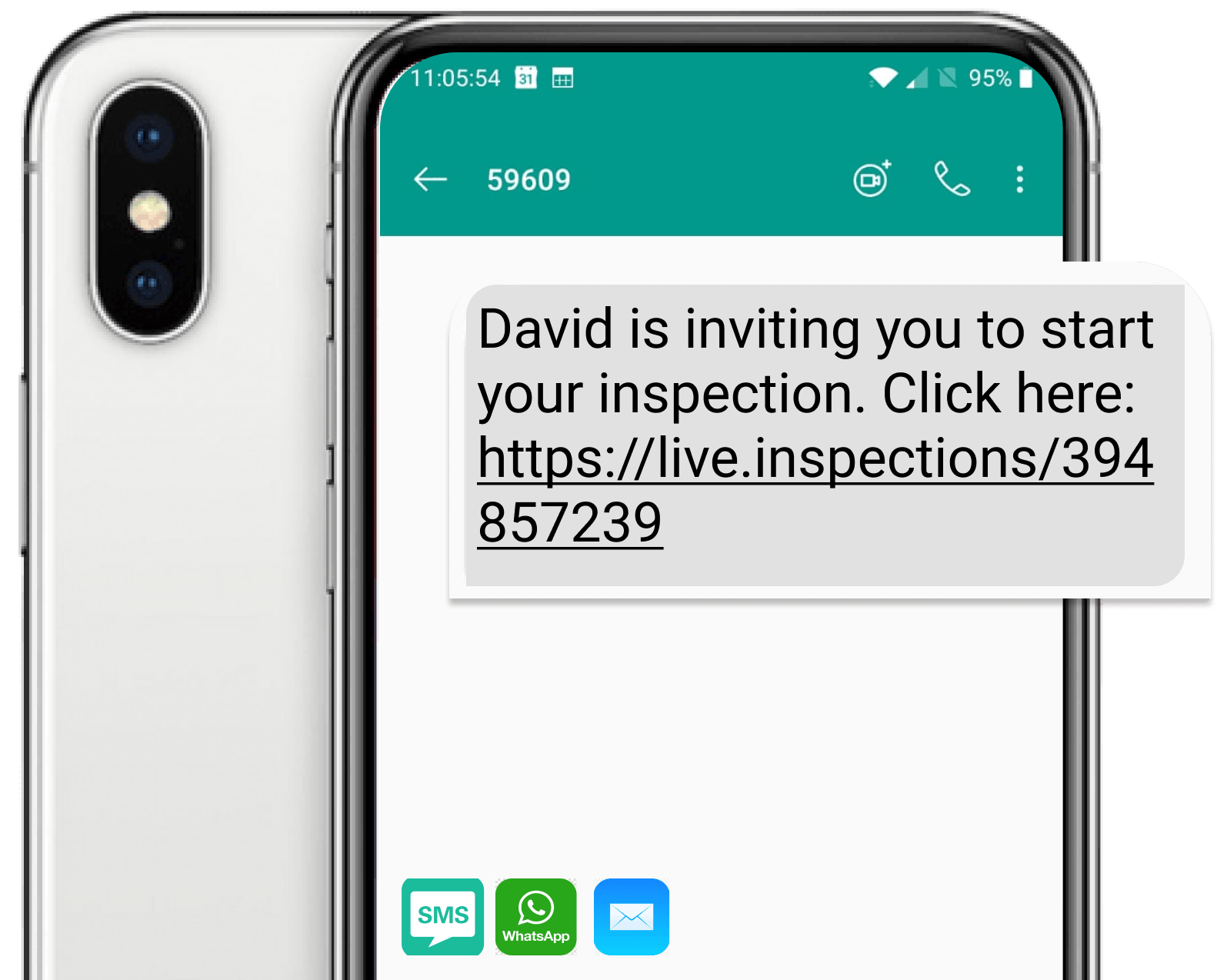
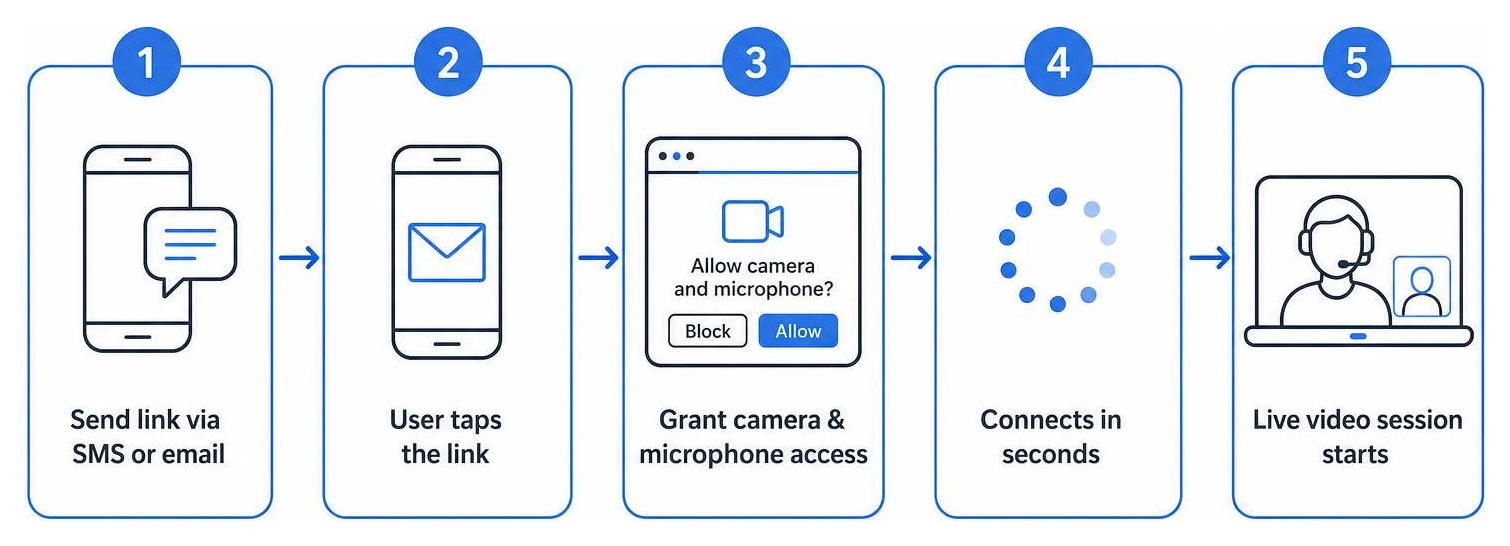
To launch a session, a support agent simply sends an SMS or email invitation. The user on-scene taps the link, grants browser permission to access their camera, and is instantly connected.
This friction-free approach is what we call One Click Remote Support. By moving the entire experience to the web, we eliminate app-store drop-off and ensure that anyone with a smartphone can participate. For a closer look at the underlying technology that makes this seamless communication possible, read our guide on Browser Video Calling.
What to Expect During Your Instant Video Consultation
An instant video consultation is far more than a basic FaceTime or WhatsApp video call. Standard consumer video apps lack the interactive tools required for precise remote work.
During a professional visual support session, both the remote expert and the on-scene user have access to a suite of collaborative features:
- AR Annotations and Pointers: Remote experts can draw directly on the user's live screen or place virtual arrows to point out specific wires, valves, or serial numbers. These annotations lock onto the physical object, remaining in place even if the camera moves.
- Screen Sharing: Experts can share technical schematics, manuals, or step-by-step checklists directly onto the customer's screen to guide them through a process.
- Freeze-Frame and Zoom: High-definition freeze-frames allow experts to capture crisp images of small details, like model numbers, even in low-light environments.
- Optical Character Recognition (OCR): Advanced systems can automatically read and extract text from barcodes, serial plates, and meters, saving them directly to the customer record.
These capabilities are rapidly evolving with the integration of artificial intelligence. To see how automated triage and visual intelligence are transforming the landscape, read about What is AI Video Support and Why It's Changing Customer Support.
Step-by-Step Guide: How to Connect Instantly for Remote Assistance
Implementing a virtual support model doesn't require rebuilding your IT infrastructure from scratch. In fact, you can easily integrate these workflows into your existing customer service platforms.
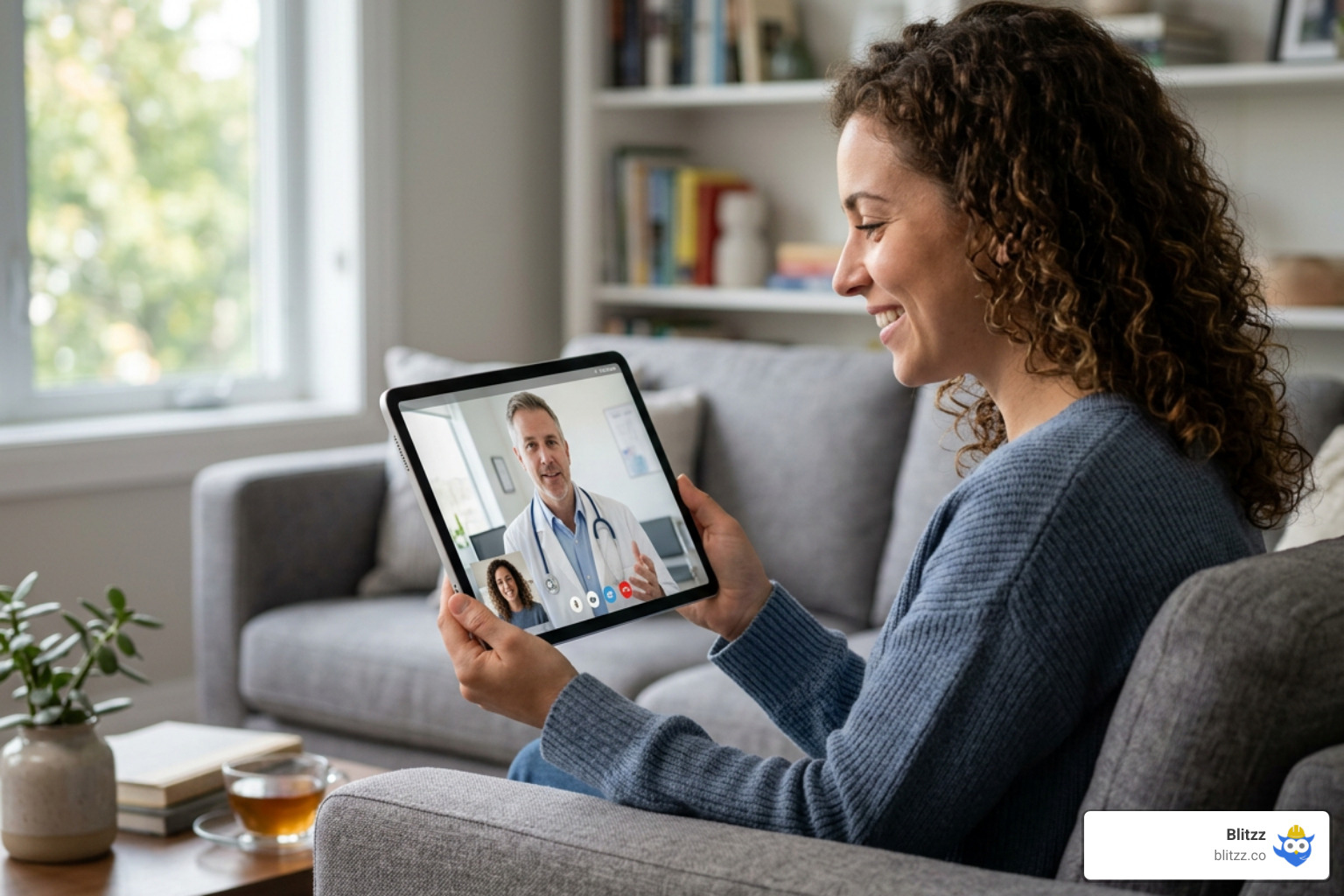
Let's walk through the simple, step-by-step workflow of how an instant video consultation takes place on-scene. If you are wondering how to bring this to your own business, check out our resource on How to Add Remote Video Support to Your Workflow Without Disruption and learn about Implementing Remote Visual Support.
Step 1: Request the Visual Session
The process begins when a customer contacts support with a complex issue, or when a field technician on-site encounters a problem that requires a second opinion. Instead of booking an appointment for next week, the agent triggers an instant invite from their desktop dashboard.
This dispatch trigger generates a unique, secure link sent directly to the customer's phone via SMS or email. To see how agents can preview connections and initiate these sessions instantly, take a look at our Instant Preview Support feature.
Step 2: Click the Secure Link
The customer or technician receives the message and taps the link. Because our platform is browser-based, their default mobile browser opens automatically.
The browser will prompt the user to allow camera and microphone access. Once they tap "Allow," the secure, encrypted video stream begins.
For developers and product teams looking to build this seamless functionality directly into their own portals, we offer customizable tools. You can learn more about how to Embed Video Support directly into your existing native applications or customer portals.
Step 3: Collaborate and Resolve the Issue
Once connected, the remote expert guides the on-scene user through the troubleshooting process. Using AR pointers, the expert can visually mark the exact buttons to press or screws to turn.
The high-definition stream ensures that nothing is lost in translation. This collaborative environment turns every customer interaction into an efficient, visual conversation. For best practices on managing these live interactions, read our guide on Video Call Customer Service.
Maximizing Efficiency Across Key Industries
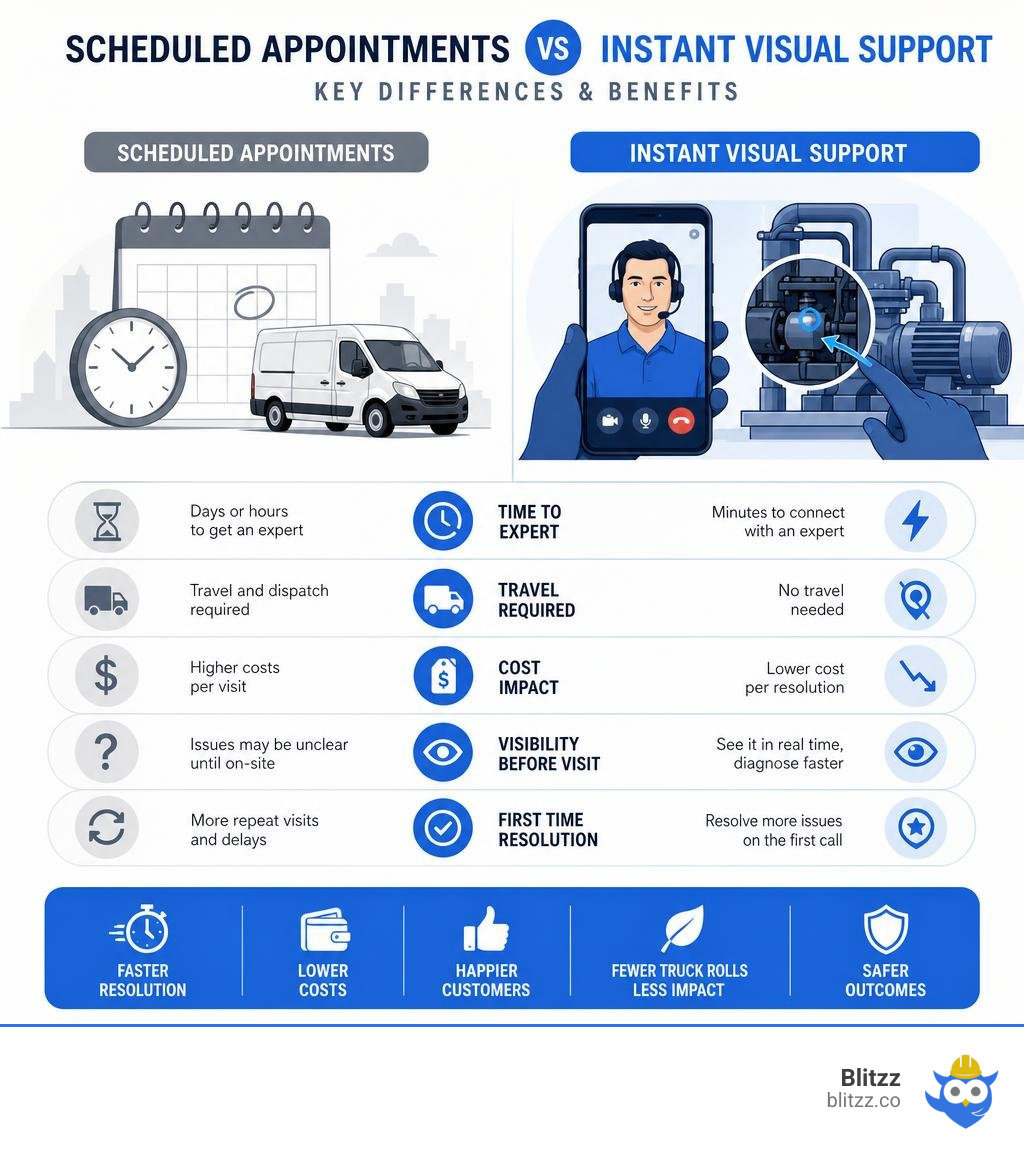
The benefits of moving from physical dispatch to instant virtual support are felt across almost every sector. Here is a comparison of how traditional dispatch models stack up against remote visual support:
| Feature | Traditional Dispatch Model | Remote Visual Support Model |
|---|---|---|
| Response Time | Days to weeks | Under 15 minutes (average) |
| Travel Costs | High (fuel, vehicle wear, technician hours) | Zero |
| First-Time Fix Rate | Average (often requires a second trip for parts) | High (issues pre-triaged or resolved remotely) |
| Carbon Footprint | Significant due to truck travel | Minimal (2.1M metric tons of CO2 avoided globally) |
Just as an Online Doctor Service - Instant Telehealth Appointments has made healthcare accessible from the comfort of home, remote visual support makes technical expertise instantly available anywhere in the world.
Streamlining Field Service and Telecom Operations
In field service and telecommunications, operational efficiency is measured by key metrics like first-time fix rates, average resolution times, and the number of "truck rolls" (dispatching a technician in a vehicle).
By integrating an instant video consultation into the triage process, companies can achieve remarkable operational improvements:
- 50% fewer truck rolls: Half of all support issues can be resolved entirely online by guiding the customer through simple self-service fixes.
- 20% increased first-time fix rate: When a truck roll is absolutely necessary, the remote expert has already visually diagnosed the issue, ensuring the dispatched technician arrives with the exact parts and tools needed.
- 69% decreased average resolution time: Issues that used to take days of back-and-forth scheduling are now resolved in a single, short video call.
- 25% increased customer satisfaction (CSAT): Customers love having their problems solved immediately without having to take a half-day off work to wait for a technician.
Accelerating Insurance Claims and Assessments
The traditional insurance claims process is notoriously slow, expensive, and frustrating for policyholders. Adjusters must travel to inspect auto accidents or property damage, leading to long settlement delays.
Remote visual assessments change this entirely. Policyholders can use their smartphone cameras to show adjusters the damage in real time.
The impact of this shift is massive:
- 69% decrease in claims handling times: Claims that used to take weeks are now processed and settled in hours.
- 60% improvement in handling times with 30% cut in costs: AI-driven claims automation and remote video assessments streamline the administrative burden, allowing adjusters to handle more claims with higher accuracy.
- 74% of policyholders prefer remote claims: Modern consumers show a strong preference for digital communication channels and remote management services over scheduling physical inspections.
- Fraud Prevention: Real-time video metadata, including secure geolocation and timestamping, ensures the authenticity of the visual evidence captured on-scene.
- Environmental Impact: By reducing the need for physical travel, remote assessments have helped avoid over 2.1 million metric tons of CO2 emissions globally.
Frequently Asked Questions about Remote Visual Assistance
Transitioning to a remote visual support model often brings up practical questions about security, documentation, and technical requirements. Here are the answers to the most common queries.
How secure is my personal and medical information during a video call?
Security is our top priority. Professional remote visual support platforms use enterprise-grade security protocols, including 256-bit SSL/TLS data encryption for all video, audio, and chat data in transit.
Whether you are using our software for technical field support or integrating it with medical triage networks, our architecture is built to comply with strict regulatory frameworks, including HIPAA and GDPR. For example, secure platforms like the InstantDrConsult - Telehealth Platform utilize AES-256 encryption to guarantee complete confidentiality of sensitive user data, ensuring that visual records are only accessible to authorized personnel.
Can I get a prescription or official documentation through a virtual consult?
Yes. In a medical context, qualified practitioners can issue official documents directly through secure digital portals during or immediately following a video call.
This includes:
- Electronic Prescriptions (eScripts): Sent directly to your phone via SMS or email, which can be filled at any local pharmacy. You can learn more about how this works through Online Prescriptions & Scripts Renewal Online .
- Medical Certificates: Digital sick leave certificates delivered straight to your inbox.
- Specialist Referrals: Direct digital referrals to specialized practitioners. For more details on this process, see Request a Specialist Referral Online .
In an industrial or insurance context, this same workflow is used to instantly generate automated inspection reports, compliance certificates, and claims summaries.
What are the technical requirements for a browser-based video call?
The beauty of a browser-based instant video consultation is its simplicity. There are no heavy system requirements.
All you need is:
- A compatible device: Any modern iOS (iPhone, iPad) or Android smartphone, tablet, or laptop.
- A compatible browser: Google Chrome, Apple Safari, or Microsoft Edge.
- Camera and microphone access: Enabled in your browser settings when prompted.
- Stable internet connection: A standard 3G, 4G, 5G, or Wi-Fi connection. If bandwidth drops, our platform automatically adjusts the video resolution or allows asynchronous photo sharing to ensure the session is never lost.
Services like Online Doctor Australia | Consults, Repeat Rx, Med Certs, ED & Hair Loss | InstantMed demonstrate how simple, form-first and browser-based interfaces make digital consultations highly accessible to everyone, regardless of their technical expertise.
Conclusion
The era of waiting in physical lines or scheduling long-delayed appointments is coming to an end. Whether you are troubleshooting a complex industrial machine, filing an insurance claim, or seeking an immediate medical opinion, an instant video consultation delivers expert help exactly when and where you need it.
By eliminating the friction of app downloads and leveraging powerful interactive tools like AR annotations, Blitzz helps businesses slash operational costs, boost first-time fix rates, and dramatically improve customer satisfaction.
Ready to eliminate the waiting room in your business? Get Started with Blitzz today, or explore how you can Transform Your Customer Support with our enterprise remote visual assistance platform.

Blitzz Team
The Blitzz Team writes about remote video support, virtual inspections and field service. Our guides come from working with home builders, property managers, warranty teams, contact centers and field service organizations that use Blitzz to see and solve issues without a truck roll.