.png?width=120&height=55&name=Blitzz-Logo-right%20white%20eyes%20-%20not%20transparent%20(3).png)


On this page
Why Businesses Are Rethinking Support with Enterprise Video

An enterprise video support solution is no longer a nice-to-have — it's quickly becoming the standard for companies that need to resolve complex issues fast, without sending a technician on-site every time.
Here's a quick summary of what you need to know:
- What it is: A secure, scalable platform that lets support teams guide customers or field technicians through issues using live video, AR annotations, and AI — replacing slow text chats and costly truck rolls.
- Why it matters: A 30-second video clip gives a support agent more context than a 15-minute chat conversation.
- Key benefits: Fewer on-site dispatches, faster first-contact resolution, lower operational costs, and better customer satisfaction.
- Who it's for: Field service managers, IT support teams, and contact centers in industries like telecom, utilities, insurance, and manufacturing.
- What to look for: AR-guided assistance, browser-based access (no app download), CRM integration, AI automation, and enterprise-grade security.
For field service managers at telecom and utility companies, the pressure is real. Truck rolls are expensive. Customers get frustrated waiting days for a technician to show up for something that could have been fixed remotely. And support agents are stuck answering the same questions over and over.
The core problem isn't a lack of support staff — it's a lack of the right tools.
Consumer video apps like FaceTime or WhatsApp were never built for this. They don't connect to your CRM, they don't work well in low-bandwidth environments, and they offer no AR guidance, no session recording, and no compliance controls.
That gap is exactly where enterprise video support solutions come in.
According to research from field service use cases, companies that adopt purpose-built remote visual support see results like:
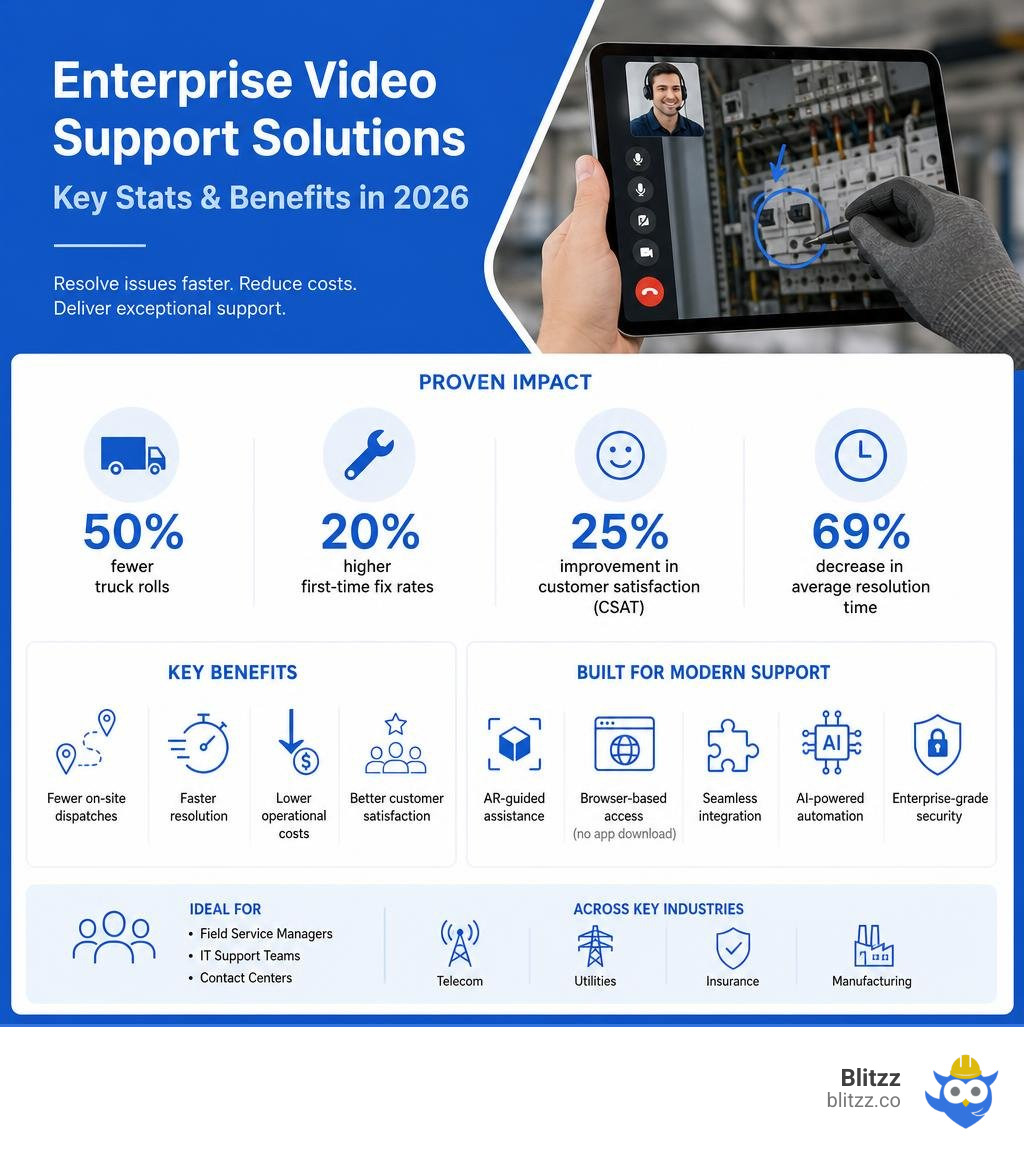
- 50% fewer truck rolls
- 20% higher first-time fix rates
- 25% improvement in customer satisfaction (CSAT)
- 69% decrease in average resolution time
These aren't marginal gains. They're the kind of numbers that change how a field service operation runs.
Terms related to enterprise video support solution:
- AR remote collaboration tools
- Visual Remote Assistance for Zendesk
- construction defect video inspection
What is an Enterprise Video Support Solution?
An enterprise video support solution is a purpose-built software environment designed to manage, deliver, and facilitate interactive video-based assistance across an organization. Unlike standard video platforms that merely stream playback or host simple face-to-face video chats, an enterprise-grade support solution combines real-time video streaming with collaborative tools. This includes augmented reality (AR) spatial markers, optical character recognition (OCR), screen sharing, and secure session recording.
By utilizing these tools, support agents and field engineers can look through a customer's or a field technician's mobile camera to diagnose, troubleshoot, and resolve issues in real time.
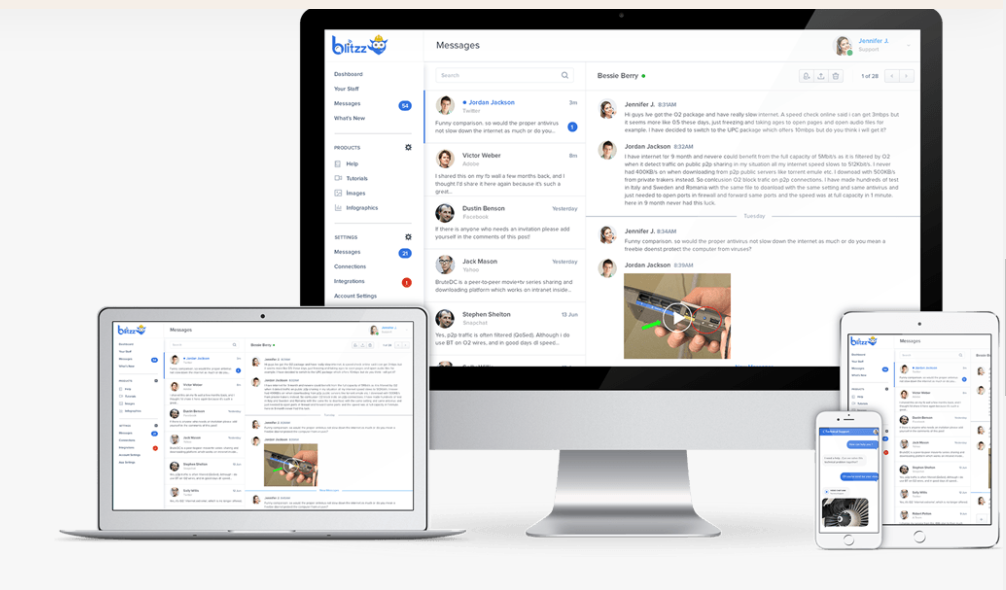
These systems are built to handle the rigorous demands of modern organizations. They provide central administrative dashboards, robust role-based access controls (RBAC), and deep integrations into existing customer relationship management (CRM) and enterprise resource planning (ERP) software.
Rather than operating in a silo, they act as an operational layer that bridges the physical gap between off-site experts and on-site problems. Implementing a unified platform can result in 25-30% cost savings for the enterprise, while simultaneously driving a 30% productivity gain through streamlined workflows.
To explore how these systems function in a broader operational context, you can read more about Remote Visual Support Solutions.
Standard Video Platforms vs. An Enterprise Video Support Solution
Many organizations make the mistake of using consumer tools like FaceTime, WhatsApp, or standard business meeting tools like Zoom and Microsoft Teams for technical support. While these tools are fantastic for standard face-to-face meetings, they fall flat when applied to complex, physical troubleshooting scenarios.
Standard video platforms lack the diagnostic features, security compliance, and direct workflow integrations required to scale an enterprise support operation. For instance, if a technician uses a consumer app to show a malfunctioning pump, they must manually take screenshots, type up notes, and upload them to a separate ticketing system later. This creates massive operational blind spots, increases human error, and wastes valuable hours.
Furthermore, consumer applications require app downloads or accounts, which creates immediate friction for customers who are already frustrated. An enterprise solution, by contrast, operates seamlessly in a mobile browser using the WebRTC standard. The customer simply clicks a link sent via SMS or email, and the live, secure video session begins instantly.
| Feature / Capability | Consumer Video Apps (FaceTime, WhatsApp) | Standard Meeting Software (Zoom, Teams) | Enterprise Video Support Solution |
|---|---|---|---|
| App Download Required | Yes | Yes (usually) | No (instant browser-based WebRTC) |
| AR Annotations & Spatial Markers | No | No | Yes (pins stick to physical objects) |
| CRM/FSM Integrations | No | Minimal | Yes (Salesforce, Zendesk, ServiceNow) |
| Enterprise Security & Compliance | Low | Medium | High (SOC 2, GDPR, HIPAA, SSO) |
| Bandwidth Optimization | Basic | Moderate | Advanced (dynamic adaptive bitrate) |
| Session Recording & Audit Logs | No | Basic | Yes (securely stored in CRM record) |
Key Industries Benefiting from Video Support
Several asset-heavy and customer-centric industries benefit immensely from deploying an enterprise video support solution. In these sectors, equipment downtime is incredibly costly, and sending physical technicians to a site should always be the last resort.
- Telecom and Utilities: Telecom operators use live video support to help customers connect cables on routers, set-top boxes, and fiber modems. Instead of dispatching a technician to plug in a loose cable, a remote agent can guide the customer to do it themselves in under five minutes.
- Insurance and Claims: Insurance adjusters use video support to perform remote visual claims inspections. Customers can walk around a vehicle or a damaged property, streaming live video to an adjuster who takes high-resolution snapshots, captures metadata, and processes the claim instantly, reducing fraud and accelerating payouts.
- Automotive and Manufacturing: On-site mechanics and factory floor workers can instantly connect with specialized off-site engineers to troubleshoot complex machinery or engine faults, keeping production lines moving.
- Construction and Field Service: Field supervisors can conduct virtual audits and inspections of construction sites to document compliance issues, verify structural work, and record the fix. To learn how field service teams leverage these tools, check out our guide on Remote Field Service Software.
Key Features of a Modern Enterprise Video Support Platform
To deliver true operational excellence, an enterprise video support solution must offer a suite of specialized capabilities designed for high-stakes troubleshooting. It is not enough to just "see" the problem; the platform must empower both the agent and the user to collaborate interactively.

The best modern solutions are completely browser-based, meaning they require zero app installation for the end-user. This reduces friction and ensures a high adoption rate.
Additionally, the platform should feature advanced camera controls, allowing the remote expert to turn on the user's mobile flashlight, zoom in on tiny serial numbers, and take high-resolution snapshots that are automatically saved to the support ticket.
To explore the full spectrum of these capabilities, you can read our breakdown of Remote Visual Assistance Tools.
AI-Powered Automation and Intelligence
Artificial intelligence has completely transformed the modern enterprise video support environment. AI-powered video systems do not just record footage; they understand the context of the interaction.
For instance, built-in Optical Character Recognition (OCR) allows the system to automatically scan and extract model numbers, barcodes, or error codes directly from the live video feed, instantly pulling up the correct schematics or user manuals for the technician.
AI also automates post-session documentation. Once a video support call ends, generative AI can transcribe the conversation, translate it into multiple languages, and generate automated summaries and step-by-step action articles. This turns a simple support session into a reusable piece of corporate knowledge, scaling workforce intelligence while maintaining strict security standards.
AR Annotations and Live Visual Assistance
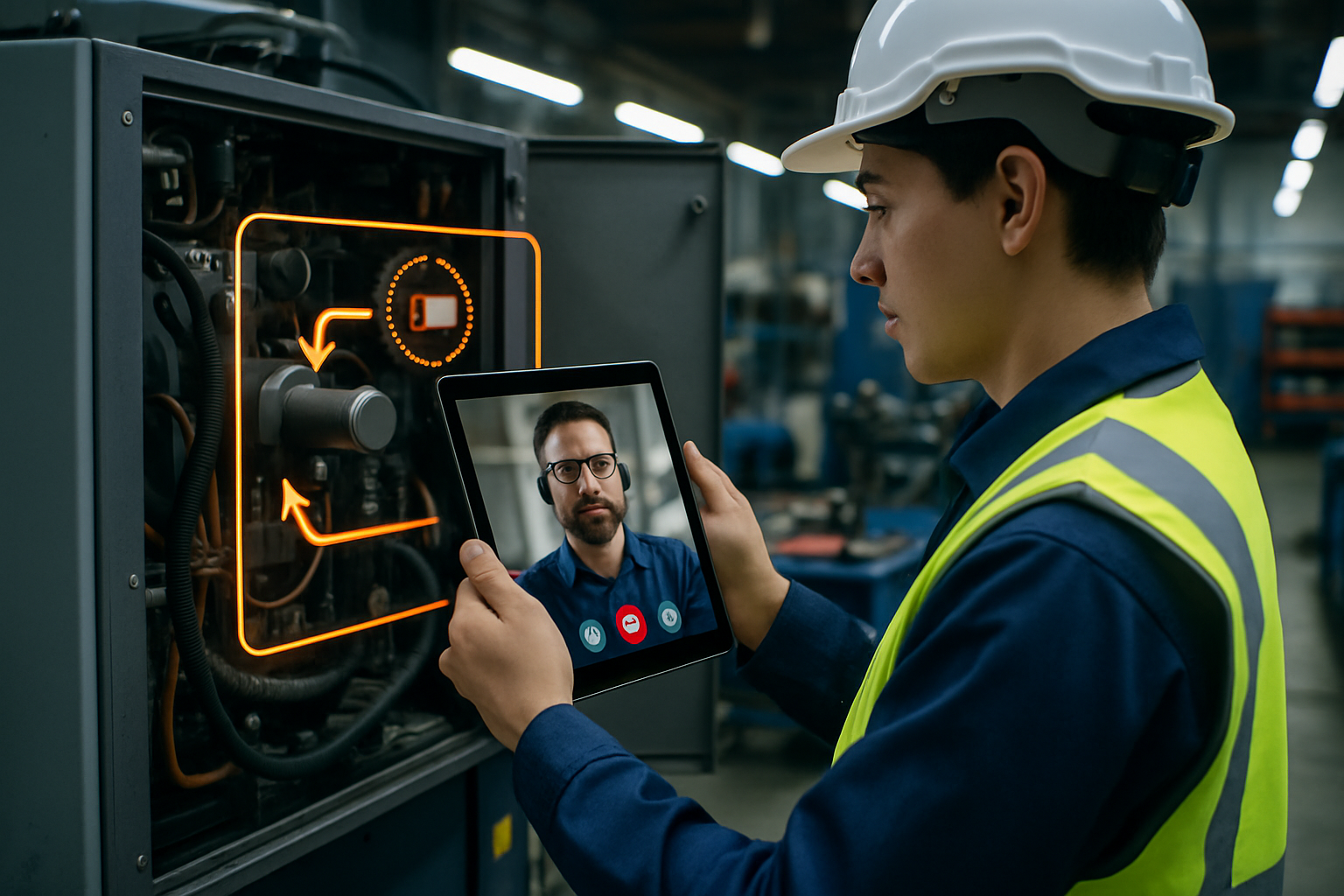
One of the most powerful features of an enterprise video support solution is the integration of Augmented Reality (AR) annotations. During a live stream, a remote expert can draw, circle, or place arrows directly on their own screen, and those markers will appear superimposed on the user's real-world view.
Thanks to advanced spatial tracking, these AR markers "stick" to the physical objects (such as a specific wire or valve) even if the user moves or shakes their phone camera. This dramatically reduces the ambiguity of verbal instructions. Instead of saying, "No, not that blue wire, the other blue wire next to the red switch," the agent can simply draw a circle around the exact wire.
For a deeper dive into how AR and video are changing the game, take a look at the top Remote Visual Support Software.
Enterprise Integrations and Security
An enterprise-grade tool must seamlessly blend into your existing IT ecosystem. This means it must support Single Sign-On (SSO) and SAML authentication, ensuring that only authorized agents can access the platform and its recorded sessions.
Furthermore, deep integrations with leading CRMs (like Salesforce, Zendesk, and ServiceNow) and Field Service Management (FSM) platforms are non-negotiable. When a video call is initiated, the session logs, captured photos, and recorded video files should automatically attach to the corresponding customer ticket or work order.
Security and regulatory compliance are equally critical. Enterprise video platforms must protect sensitive user data, ensuring 50% more security through robust access controls and fewer security incidents. The platform should comply with strict standards such as GDPR, HIPAA, and SOC 2 Type II, utilizing features like automatic face-blurring, data masking, and end-to-end encryption both at rest and in transit.
To learn more about how we handle these integrations seamlessly, visit our Integrations page.
Business Benefits: Why Video Beats Text-Only Support
Text-only support channels like live chat, email, and SMS are highly inefficient for complex technical problems. When a customer or field technician is forced to explain a complex physical issue using words alone, frustration quickly builds, and miscommunications occur.
Video support bridges the gap between customer self-service and human empathy. It allows the support agent to see exactly what the user sees, instantly eliminating the "guessing game" of traditional support.
This visual clarity leads to a massive boost in first-contact resolution (FCR) rates, as agents can diagnose and solve the issue correctly on the very first interaction. For contact centers looking to modernize, you can read our comprehensive guide on Remote Visual Assistance for Contact Centers.
Reducing Repetitive Tickets with an Enterprise Video Support Solution
Every support organization faces the challenge of answering the same basic questions repeatedly. An enterprise video support solution helps solve this by turning real-time support sessions into a searchable, interactive knowledge base.
By recording the fix once, support teams can build a comprehensive visual help center that enables customers to solve issues on their own, deflecting future tickets. Organizations utilizing structured video documentation report a 30-40% reduction in repetitive support tickets.
Rather than spending 30 minutes manually writing a help article with screenshots, support agents can use AI tools to turn a quick 5-minute video walkthrough into a step-by-step help article with auto-captured screenshots and multilingual subtitles in minutes. This asynchronous video documentation scales your support efficiency. For more on how remote customer service software enables these seamless virtual workflows, check out How Remote Customer Service Software Enables Seamless Virtual Support.
Measuring ROI and Operational Cost Savings
Implementing an enterprise video support solution delivers a rapid and highly measurable Return on Investment (ROI). The most direct source of cost savings comes from the reduction of unnecessary "truck rolls" (dispatching a physical technician in a service vehicle). Sending a technician to a customer's location is one of the most expensive line items in field service operations, often costing hundreds of dollars per visit.
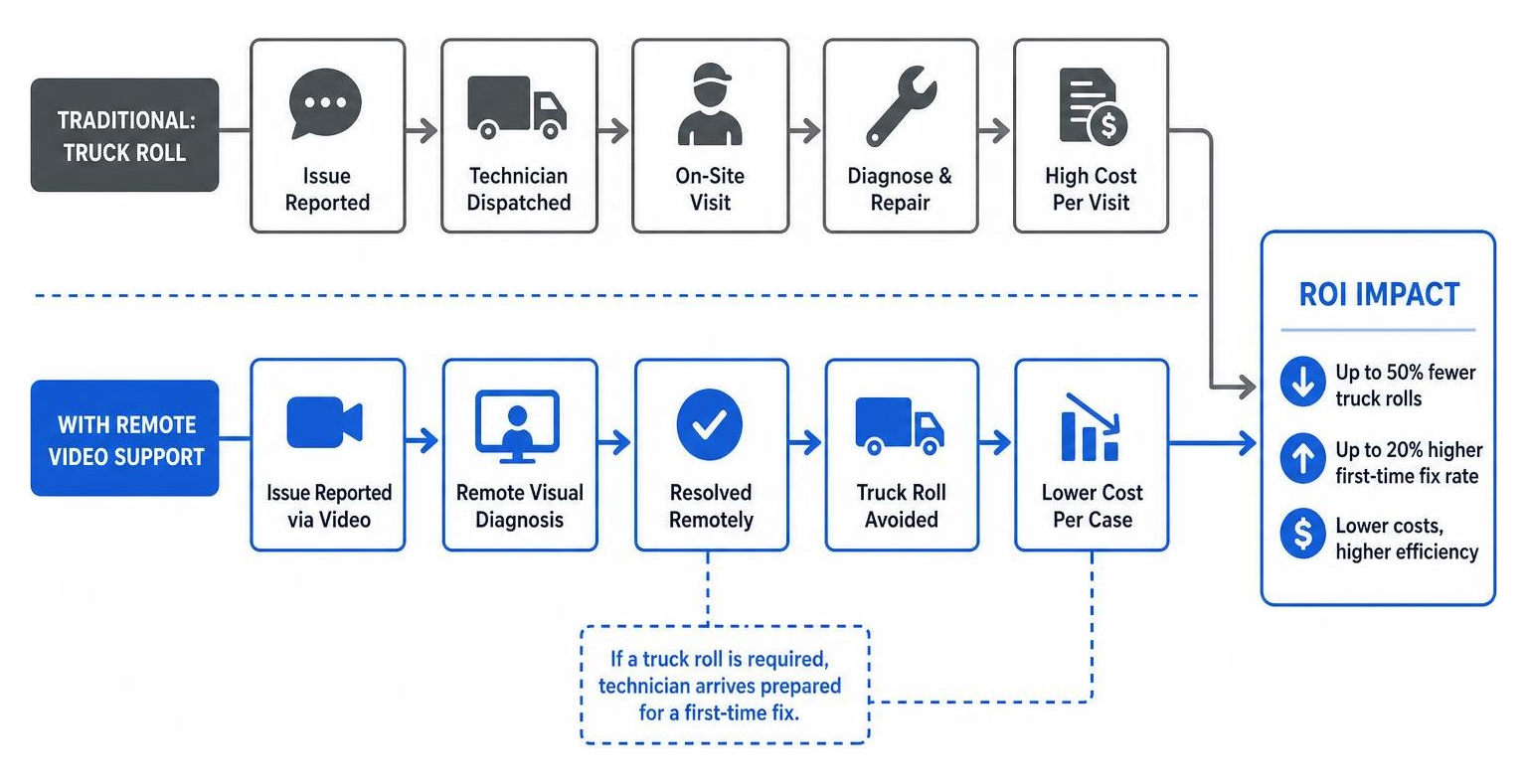
By using remote visual support to triage issues before a technician is sent, or by resolving the issue entirely over a video call, organizations can cut truck rolls by up to 50%.
Furthermore, when a technician must be sent on-site, they arrive with the exact parts and knowledge needed because the issue was already visually diagnosed, boosting first-time fix rates by 20%.
To compare how different remote support technologies stack up in terms of ROI, read Remote Support Tools Compared.
Frequently Asked Questions about Enterprise Video Support
How does an enterprise video support solution integrate with existing CRMs?
A modern enterprise video support solution integrates with existing CRMs and ticketing systems via open APIs and pre-built connectors. When an agent is working inside Salesforce, Zendesk, or ServiceNow, they can initiate a live video support session with a single click directly from the active ticket interface.
The system automatically generates a secure link and sends it to the customer via SMS or email. Once the call is completed, the video recording, chat transcripts, taken snapshots, and metadata are automatically pushed back into the CRM, attaching directly to the historical customer record. This ensures a unified workflow and eliminates manual data entry for support agents.
What security standards should an enterprise video platform meet?
Enterprise video platforms must meet stringent security and compliance standards to protect corporate intellectual property and sensitive customer data. At a minimum, the platform should offer:
- SOC 2 Type II Certification: Verifies that the platform has strict controls over security, availability, and processing integrity.
- Data Encryption: End-to-end encryption for video streams and data, both in transit (using TLS/HTTPS) and at rest (using AES-256).
- GDPR and HIPAA Compliance: Essential for protecting user privacy and handling healthcare-related visual data securely.
- Single Sign-On (SSO): Integration with identity providers (like Okta or Azure AD) to ensure secure, centralized credential management.
- Granular Access Controls (RBAC): Restricting video viewing and editing permissions based on user roles.
Can video support work in low-bandwidth environments?
Yes, high-quality enterprise video support solutions are engineered to perform reliably even in low-bandwidth or high-interference environments, such as remote rural areas, offshore rigs, or concrete basements. The software utilizes dynamic adaptive bitrate streaming, which automatically adjusts the video resolution and frame rate in real time based on the user's cellular or Wi-Fi signal strength.
If the connection drops too low for live video, the system can seamlessly fall back to asynchronous image sharing. This allows the user to snap high-resolution photos offline and automatically upload them to the remote expert once a stable connection is re-established.
Conclusion
In July 2026, relying on text-only chat or disjointed consumer video apps to handle complex, enterprise-level support is no longer a viable strategy. It costs your business time, money, and customer trust.
By implementing an AI-powered enterprise video support solution, you can empower your support agents and field technicians to see issues clearly, collaborate interactively with AR tools, and resolve problems in real time.
At Blitzz, we specialize in providing instant, browser-based remote visual assistance that requires zero app downloads. With our robust AR annotations, live screen sharing, and seamless CRM integrations, we help businesses across telecom, utilities, and insurance slash truck rolls, boost first-time fix rates, and deliver exceptional customer experiences.
Ready to see how remote visual support can transform your business operations? Explore our powerful Features and start optimizing your support workflows today!

Blitzz Team
The Blitzz Team writes about remote video support, virtual inspections and field service. Our guides come from working with home builders, property managers, warranty teams, contact centers and field service organizations that use Blitzz to see and solve issues without a truck roll.