.png?width=120&height=55&name=Blitzz-Logo-right%20white%20eyes%20-%20not%20transparent%20(3).png)

On this page
Why Field Technician Remote Support Is Reshaping the Service Industry
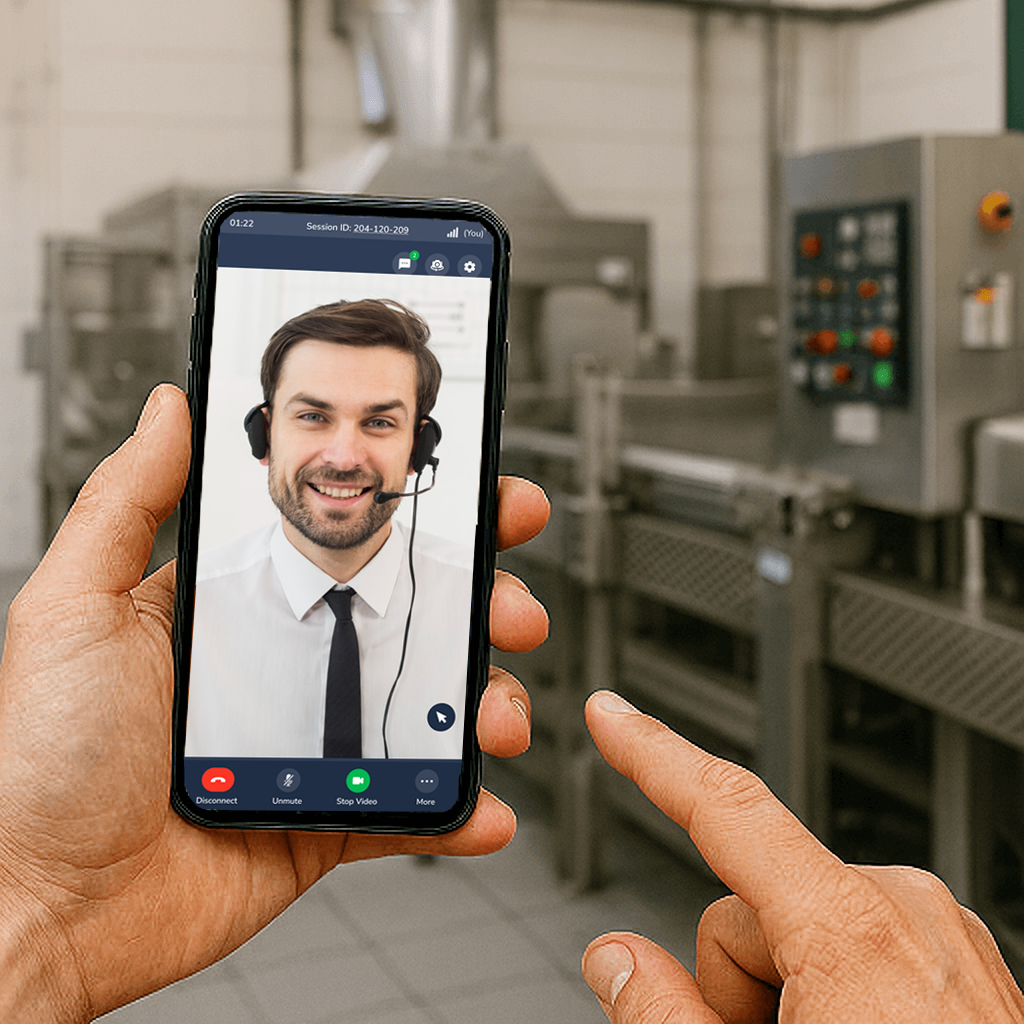
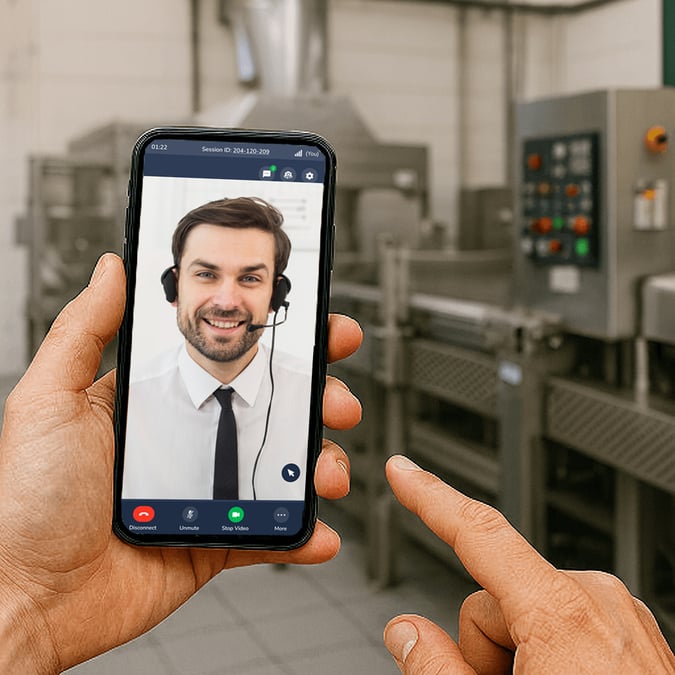
Field technician remote support is changing how service teams diagnose problems, guide repairs, and resolve customer issues — without always sending someone on-site.
If you're evaluating tools to make this work, here's a quick overview of the top remote support approaches used in field service today:
| Remote Support Method | Best For | Key Benefit |
|---|---|---|
| Live video assistance | Real-time guided repairs | Faster diagnosis without a truck roll |
| AR annotations | Complex equipment troubleshooting | Precise visual guidance over live video |
| AI-powered computer vision | Equipment identification and triage | Automated issue recognition at scale |
| Async image/video sharing | Low-connectivity field environments | Collaboration without a live connection |
| IoT-based remote monitoring | Predictive maintenance | Catch issues before they become failures |
| FSM/CRM-integrated platforms | Enterprise field service teams | Unified workflow without extra steps |
The traditional model — dispatch a technician, drive to the site, fix the problem, drive back — is expensive and slow. For field service managers at telecom and utility companies, those truck rolls add up fast. So does the frustration when a technician arrives only to find they're missing a part, or the issue could have been solved over a phone call.
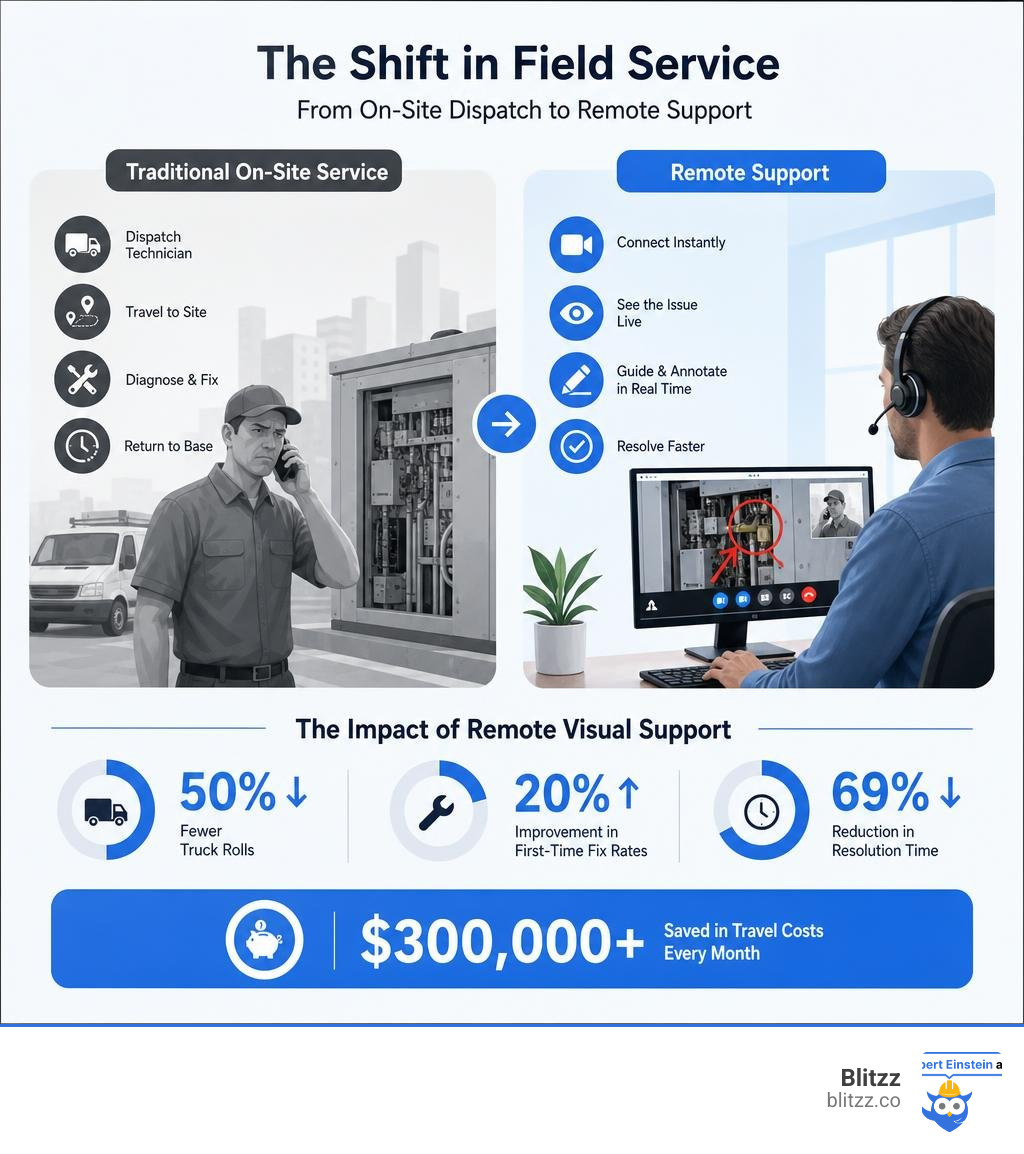
The numbers tell the story clearly. Organizations using remote visual support report up to 50% fewer truck rolls, a 20% improvement in first-time fix rates, and resolution times cut by as much as 69%. One medical device company slashed maintenance turnaround from three days to just six to eight hours — and saved over $300,000 in travel costs every month.
This guide covers the tools, technologies, and real-world use cases driving this shift — so you can decide what's right for your team.
The Evolution of Field Service: Traditional vs. Field Technician Remote Support
For decades, the standard response to any equipment failure was simple: send a truck. If a commercial HVAC unit failed, a manufacturing line stopped, or a home internet connection went dark, a technician had to physically travel to the site.
While this traditional on-site service model was the only viable option for a long time, it comes with massive operational bottlenecks. Technicians often arrive "blind," relying on vague customer descriptions of the problem. This leads to diagnostic errors, incorrect spare parts being brought to the site, and a dismal first-time fix rate. If a technician needs a specialized tool or a second opinion from a senior engineer, they have to schedule a follow-up visit. This results in costly repeat dispatches (or "truck rolls") and extended equipment downtime.
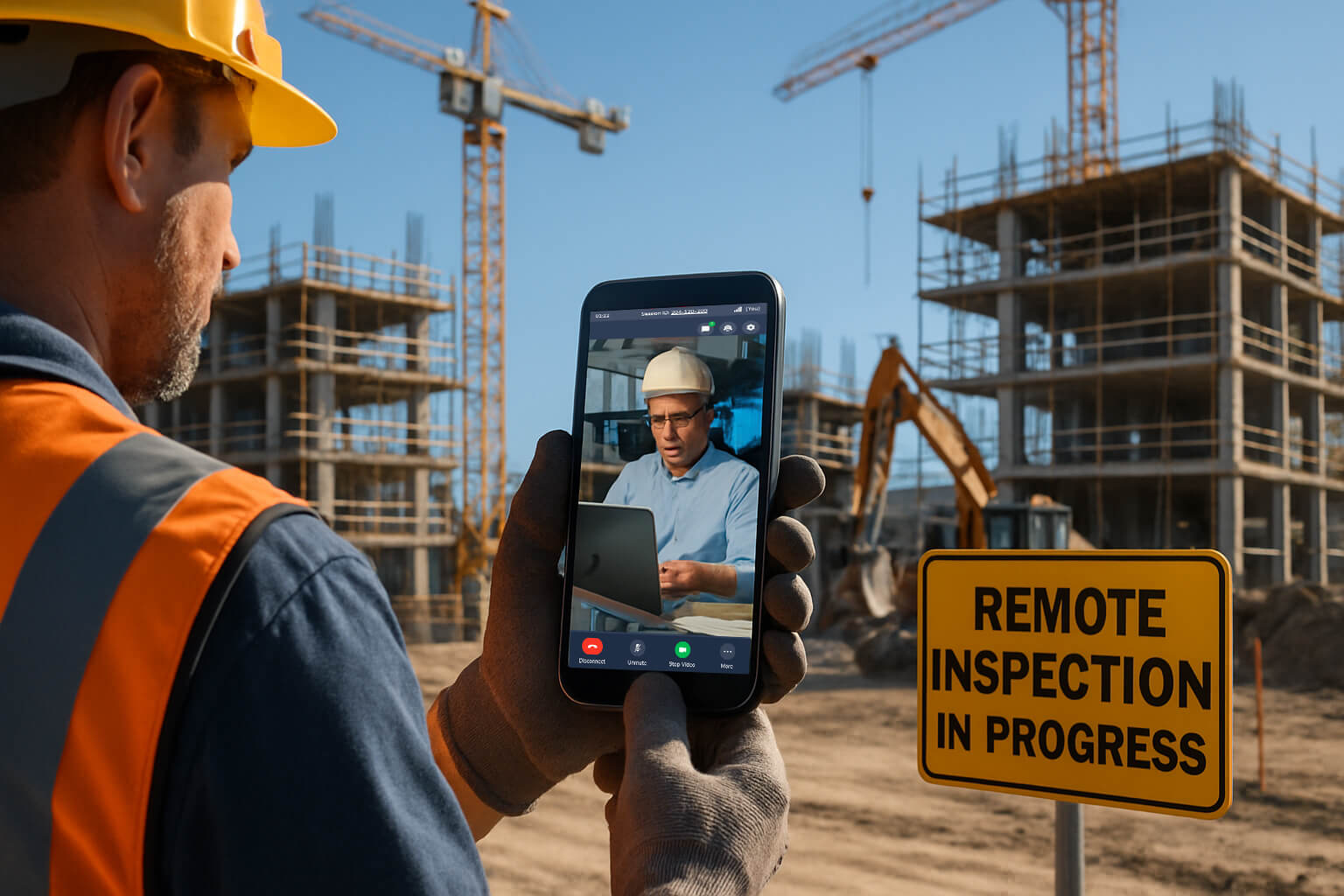
Enter modern field technician remote support. This approach shifts the first line of defense from physical transit to virtual collaboration. Instead of immediately dispatching a technician, service organizations use remote visual assistance to triage, diagnose, and often resolve issues remotely.
Even when an on-site visit is unavoidable, remote support changes the game. A junior technician on-site can instantly connect with a tier-3 remote expert who guides them through complex repairs using live video and interactive tools. This hybrid model blends the best of physical presence and remote expertise.
By moving to a remote-first or hybrid model, companies are achieving remarkable operational gains:
- 50% fewer truck rolls through remote problem resolution.
- 20% increased first-time fix rate with remote visual support, as technicians are fully prepared with the correct parts and diagnostic data before they even start their engines. To dive deeper into these metrics, check out how to Boost Efficiency with Remote Video Support in Field Service.
This evolution is also transforming the job market. Companies are actively recruiting for specialized remote and hybrid roles. For instance, positions like the FIELD SERVICE TECHNICIAN V - REMOTE Job Details | TE Connectivity illustrate how major enterprises are restructuring their field teams to support regional sites with a mix of remote diagnostics and targeted travel. Similarly, platforms like the Field Service Technician | Hirenixa job board frequently list roles where digital troubleshooting skills are just as critical as mechanical expertise.
Core Technologies Powering Modern Remote Assistance
The shift toward remote support isn't just about making standard video calls. A basic FaceTime or Zoom call lacks the precision, security, and integration required for industrial and enterprise environments. Modern field technician remote support relies on a sophisticated stack of hardware and software designed specifically for the field.
To understand how these tools fit into your operations, it is helpful to compare the two primary deployment models:
| Capability | Mobile Browser-Based Support (e.g., Blitzz) | Hardware-Heavy Alternatives (e.g., Smart Glasses) |
|---|---|---|
| User Friction | Zero. No app downloads or specialized hardware required. | High. Requires specialized headsets and training. |
| Deployment Time | Instant. Works via SMS or email link on any smartphone. | Weeks to months. Requires provisioning and shipping hardware. |
| Low-Bandwidth Performance | High. Optimizes video stream and supports offline image capture. | Moderate. Heavy video processing can drain battery and struggle on poor networks. |
| Hands-Free Operation | Limited. Requires holding a phone or using a basic stand/mount. | Excellent. Completely hands-free visual field. |
| Enterprise Integration | Seamless. Built-in APIs for CRM, FSM, and ERP systems. | Often requires custom middleware or standalone software. |
The foundation of any successful remote support strategy is minimizing friction. If a customer or field tech has to spend 15 minutes downloading an app, creating an account, and troubleshooting permissions, the efficiency gains of remote support vanish. This is why we focus on instant, browser-based video support that runs on any modern smartphone without requiring app installation. For a step-by-step look at implementing this, read our guide on How to Add Remote Video Support to Your Workflow Without Disruption.
Beyond basic video, several core technologies work together to enable effective remote collaboration:
- Augmented Reality (AR): Superimposes digital instructions directly onto the physical world.
- Computer Vision AI: Automatically identifies equipment models, reads serial numbers, and detects anomalies.
- IoT Predictive Insights: Feeds real-time machine performance data directly to the remote support interface, allowing experts to see internal telemetry while viewing the physical machine.
Enhancing Field Technician Remote Support with AR and AI
Augmented Reality (AR) and Artificial Intelligence (AI) transform a simple video stream into an interactive, high-precision workspace.
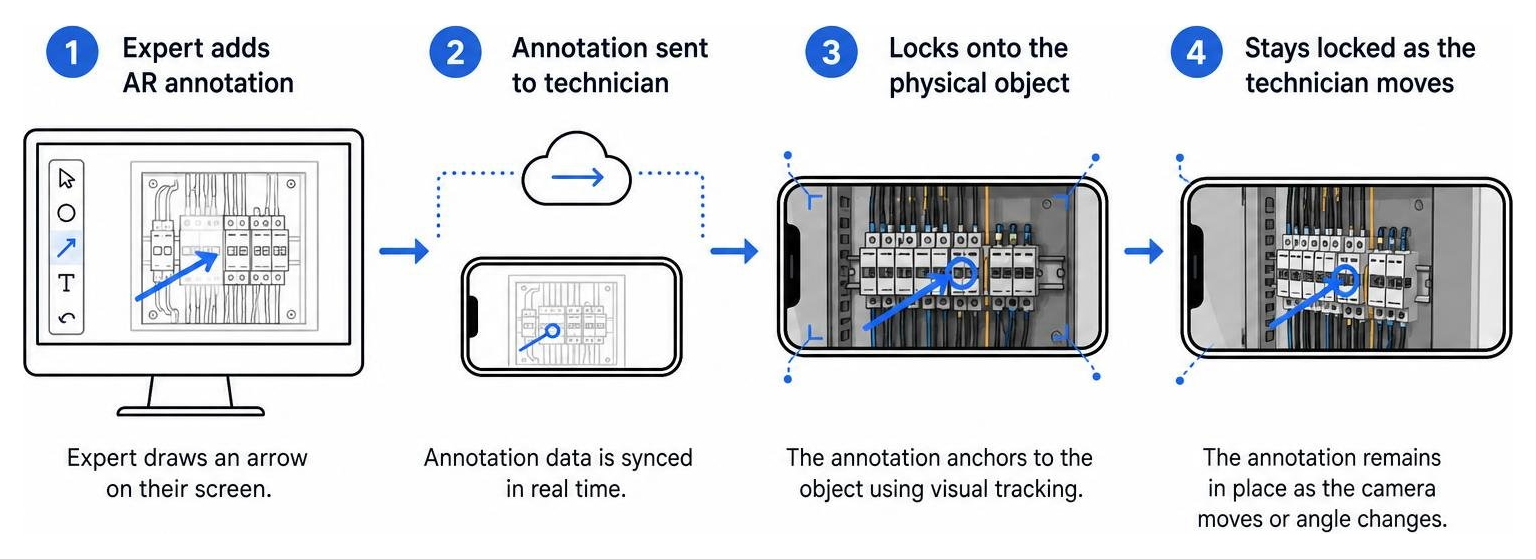
With AR annotations, a remote expert can draw, circle, or place arrows on their screen, and those markings lock onto the corresponding physical objects in the technician's live camera view—even if the technician moves their phone. This eliminates confusing verbal directions like "No, not that red wire, the other red wire next to the blue switch." Instead, the expert simply draws an arrow pointing to the exact terminal.
Computer Vision AI takes this a step further by automating the triage process. When a session begins, the AI can automatically perform optical character recognition (OCR) scanning to capture serial numbers, read barcodes, and identify the exact model of the equipment. It can even run real-time device recognition, highlighting key components (like ports, valves, or status LEDs) for the technician. To see how these tools are applied across different sectors, explore our resources on Remote Visual Support for Field Service.
Integrating Field Technician Remote Support with Enterprise Workflows
Remote support tools cannot exist in a vacuum. To drive true operational efficiency, they must integrate seamlessly with your existing enterprise systems, such as Field Service Management (FSM), Customer Relationship Management (CRM), and Enterprise Resource Planning (ERP) platforms.
When a remote visual support tool is integrated with platforms like Salesforce, ServiceNow, or Microsoft Dynamics, it creates a unified record of the service interaction.
- Automatic Session Logging: The system automatically logs the date, time, duration, and participants of the remote session directly within the active work order.
- Visual History: High-resolution photos, AR-annotated screenshots, and recorded video segments are saved straight to the customer's case history. This creates a valuable audit trail and ensures that if an on-site visit is ultimately required, the dispatched technician can review the visual history to understand exactly what has already been tried.
- Knowledge Capture: These recorded sessions can be fed back into your training systems, turning real-world troubleshooting sessions into step-by-step tutorials for future technicians.
By embedding video capabilities directly into your existing ticket workflows, agents can launch a live session with a single click, keeping your operations smooth and centralized. Learn more about optimizing these integrations in our article on Live Remote Assistance Field Service.
Practical Applications, Benefits, and Limitations in 2026
As we navigate July 2026, remote field service has matured from an emerging trend into an industry-wide standard. Organizations across telecom, manufacturing, heavy equipment, and utilities are leveraging these tools to achieve massive cost savings, improve safety, and meet aggressive sustainability goals.

The benefits of field technician remote support span across three main areas:
- Operational Savings: By resolving up to 80% of customer cases remotely, companies achieve massive savings on fuel, vehicle maintenance, and technician labor.
- Technician Safety: Sending a technician to a remote, hazardous, or hard-to-reach site always carries risk. Remote diagnostics allow experts to evaluate a situation before anyone steps foot on-site, ensuring that if a physical visit is required, the technician arrives with the exact personal protective equipment (PPE) and safety protocols needed.
- Environmental Sustainability: Fewer truck rolls translate directly to reduced carbon emissions. In an era where corporate ESG (Environmental, Social, and Governance) targets are strictly monitored, cutting unnecessary travel is one of the fastest ways to shrink a service department's carbon footprint.
However, remote support is not a magic wand for every single scenario. Understanding the boundaries of the technology is critical for building a successful hybrid service strategy.
Remote Diagnostics vs. On-Site Intervention
While remote support is incredibly powerful, certain tasks still require a physical presence. The key is establishing a clear triage process to determine when to use remote support and when to dispatch a technician.
- When Remote Support Shines: Initial diagnostics, visual inspections, software configuration, guided calibration, simple parts replacement (like swapping a modular filter), and walk-throughs for customer self-service.
- When On-Site Intervention is Required: Tasks requiring complex physical dexterity, specialized heavy tools, physical manipulation of heavy machinery, environments with zero network connectivity, or safety-critical scenarios where regulatory mandates strictly require a certified physical presence.
For a deeper dive into how remote video can be used to prevent manufacturing disruptions, read How Remote Video Support Eliminates Equipment Downtime in Manufacturing.
For roles that demand high travel but utilize remote coordination when off-site, jobs like the Coburn Technologies, Inc. - Field Service Engineer -Remote (US-based, with extensive travel required) and the ESS Technologies, Inc - FIELD SERVICE TECH REMOTE show how companies balance the need for physical on-site intervention with remote readiness.
Real-World Success: Slashing Downtime and Travel Costs
The financial and operational impacts of remote support are best understood through real-world examples:
- Medical Device Maintenance: A global leader in medical devices integrated remote visual support to assist hospital staff and field engineers. They successfully reduced maintenance turnaround times from three days to just six to eight hours, dramatically improving hospital equipment uptime and saving over $300,000 in travel costs per month.
- Industrial Equipment & Manufacturing: A major printing press manufacturer resolved 80% of customer cases successfully through remote support. This resulted in a 25% increase in CSAT scores and a 69% decrease in average resolution time, proving that customers value fast, virtual resolutions over waiting days for a technician to arrive.
- Heavy Machinery & Inspections: Industrial operators are using remote inspections to evaluate heavy equipment in remote locations. For example, tank and heavy equipment businesses have used these tools to reduce travel costs by up to 75% while maintaining strict compliance standards. To see this in action, explore Remote Video Inspection for Tank Inspection Business Reduce Travel Cost by 75 and our guide on Remote Video Inspections for Manufacturing Heavy Equipment.
By implementing a remote-first triage system, these companies have achieved a 5x return on investment on their field service operations, proving that remote support is a major competitive advantage. To learn more about reducing dispatches, check out Reduce Truck Rolls with Remote Support.
Frequently Asked Questions about Remote Field Service
What skills do technicians need for remote support environments?
Technicians in 2026 need a blend of traditional mechanical skills and digital literacy. Key competencies include:
- Strong Communication: The ability to explain complex technical steps clearly and patiently to customers or junior colleagues.
- AR Tool Proficiency: Comfort using digital annotations, spatial pointers, and mobile screen sharing.
- Diagnostic Reasoning: Analyzing visual data from a camera feed and combining it with telemetry to solve problems without physical touch.
Many organizations provide structured onboarding to build these skills. For instance, roles like the Field Support Technician at Infrastructure Networks - United States Remote or the iNet - Infrastructure Networks Inc - FIELD SUPPORT TECHNICIAN position often include dedicated, paid training periods (often 60 to 90 days) to ensure technicians are fully certified on both the physical RF/satellite hardware and the digital collaboration tools they'll use in the field.
How do remote support tools handle poor internet connectivity in the field?
Field work often takes technicians to remote areas, basements, or industrial facilities with terrible cellular reception. Modern remote support platforms handle this through several smart features:
- Asynchronous Image Sharing: If a live video stream is dropping frames, technicians can capture high-resolution photos and upload them. The system automatically compresses and sends them as bandwidth allows.
- Offline Visual Verification: Some platforms allow technicians to use AI-guided workflows locally on their device, capturing visual proof of work that syncs with the cloud once they return to a connected area.
- Low-Bandwidth Optimization: The software dynamically adjusts video resolution and frame rates to keep the audio and AR annotations perfectly synchronized, even on 3G or satellite connections.
For more on how these visual inspection tools perform under challenging conditions, see the Benefits of Remote Video Inspections You Can't Ignore in 2026.
How does remote visual assistance ensure data security and compliance?
Enterprise-grade remote support tools must adhere to strict global security standards, especially in highly regulated industries like healthcare, utilities, and finance. Compliance is maintained through:
- Robust Frameworks: Platforms must align with GDPR, HIPAA, and SOC 2 Type II standards.
- End-to-End Encryption: All live video streams, audio, and chat data are encrypted in transit and at rest.
- Privacy Protections: Advanced tools feature automatic face blurring and screen-masking to prevent the accidental capture of personally identifiable information (PII) or sensitive proprietary data.
- Consent-Based Recording: Session recording only begins once both the customer and the technician have explicitly accepted a digital consent prompt, ensuring clear compliance trails.
To learn more about implementing secure visual inspections in industrial settings, refer to our comprehensive guide on Remote Video Inspections for Industrial and Manufacturing.
Conclusion
The future of field service is hybrid. By combining physical expertise with real-time video collaboration and augmented reality, companies can solve problems faster, protect their technicians, and save millions in unnecessary travel costs.
At Blitzz, we build enterprise remote visual assistance and video inspection software designed to make this transition seamless. Our platform offers instant, browser-based video support with interactive AR annotations, screen sharing, and deep CRM/FSM integrations. Because it requires zero app downloads for the end-user, your team can connect with customers or field techs instantly, with zero technical friction.
Ready to see how remote visual support can eliminate equipment downtime and slash your truck rolls? Explore Blitzz Features today.

Blitzz Team
The Blitzz Team writes about remote video support, virtual inspections and field service. Our guides come from working with home builders, property managers, warranty teams, contact centers and field service organizations that use Blitzz to see and solve issues without a truck roll.