

.png?width=120&height=55&name=Blitzz-Logo-right%20white%20eyes%20-%20not%20transparent%20(3).png)

On this page
One Day Out of Every Five Is Wasted — Here's How to Get It Back
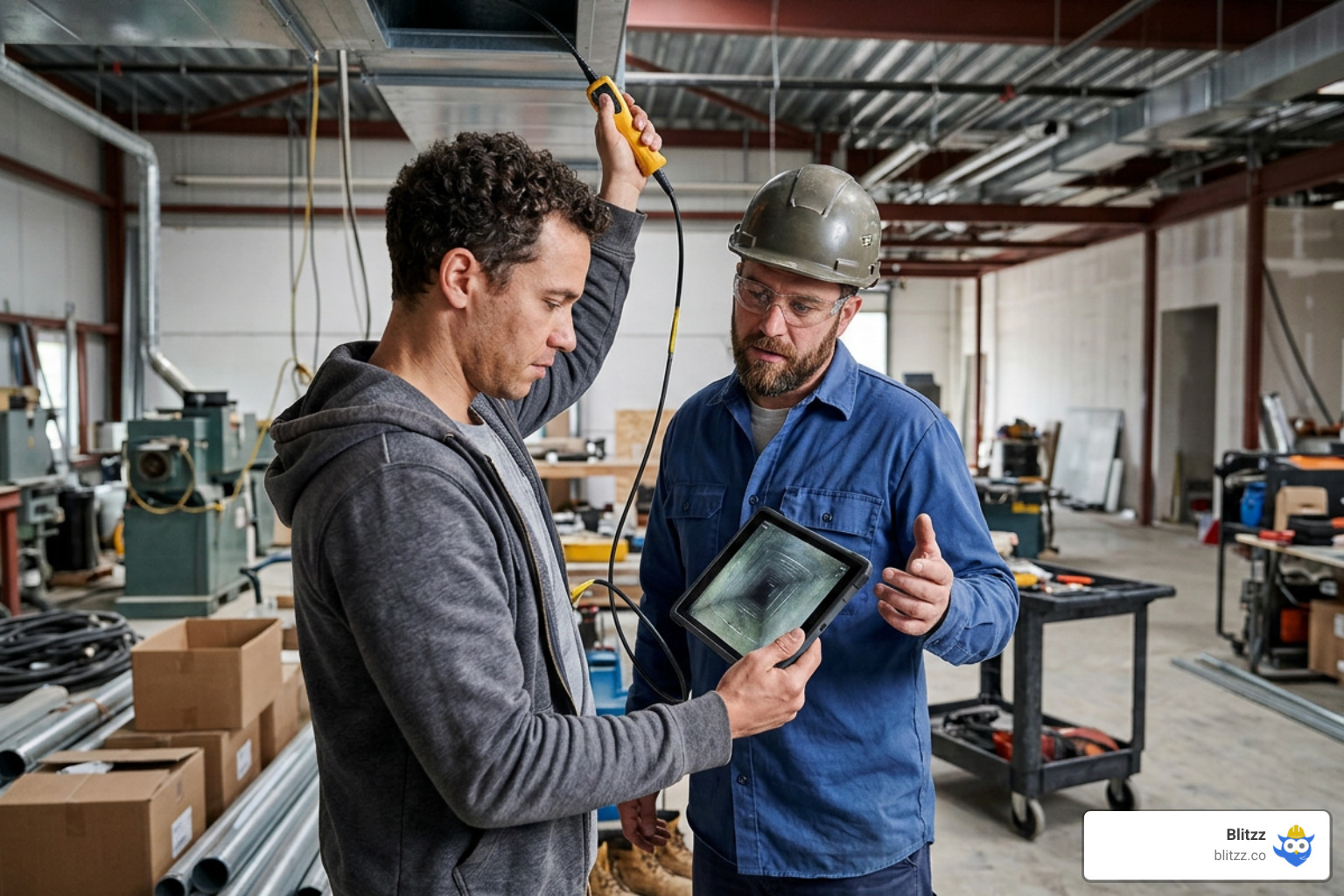
Video inspection collaboration tools are purpose-built software platforms that let remote experts see, guide, and document field conditions in real time — without traveling to the site.
If you're comparing options, here are the key capabilities to look for in a modern platform:
| Capability | Why It Matters | Key Feature to Look For |
|---|---|---|
| Frictionless Access | Eliminates customer frustration and app-store drop-offs | No-download, browser-based WebRTC connection |
| Interactive Guidance | Allows remote experts to guide on-site users precisely | Live AR markup and remote camera control |
| Auditable Documentation | Ensures compliance and provides legally binding evidence | GPS-stamped, watermarked freeze-frame capture |
| Enterprise Integration | Prevents data silos and streamlines workflows | Native CRM and FSM integrations (Salesforce, ServiceMax) |
Think about how your team's week actually breaks down. Research shows inspectors spend roughly 20% of their working hours just driving — one full day out of every five burned on windshield time before a single piece of equipment gets looked at.
For a field service manager overseeing telecom or utility operations, that math is brutal. Every unnecessary truck roll is a hit to your budget, your schedule, and your first-contact fix rate.
The good news? That lost day is recoverable.
Modern video inspection collaboration tools go far beyond a standard video call. They combine live HD video, augmented reality (AR) markup, freeze-frame capture, GPS-stamped documentation, and — increasingly — AI-powered defect detection into a single workflow. Organizations that deploy them typically handle 2-3x more inspections per day and cut inspection costs by 40-60%.
This guide compares the leading capabilities and workflows so you can find the right fit for your team's size, industry, and workflow.
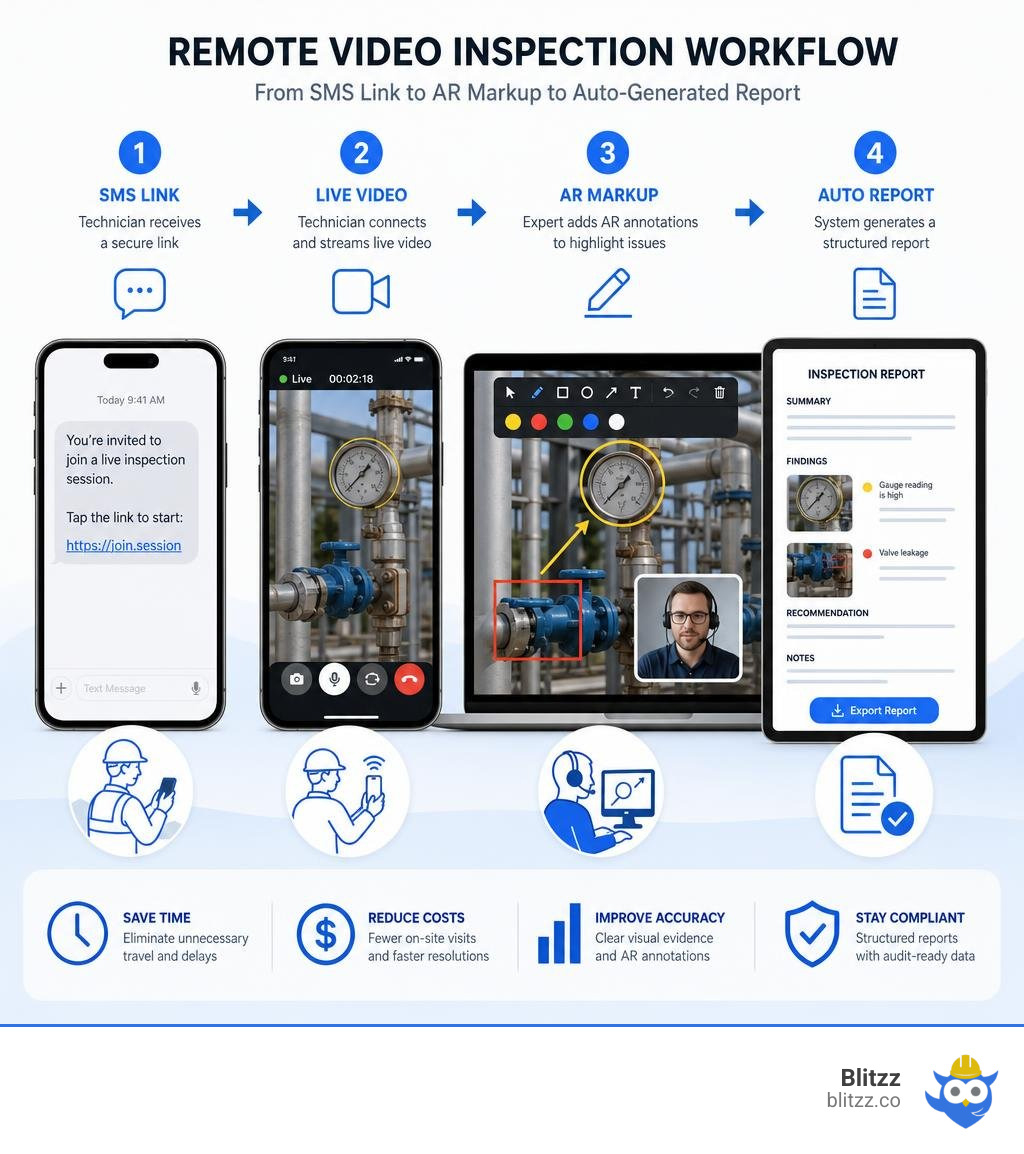
Video inspection collaboration tools definitions:
- construction remote diagnostics platform
- enterprise remote collaboration suite
- remote service desk platform
Remote Video Inspection vs. Standard Video Calls
When organizations first explore virtual workflows, they often ask: "Why can't we just use a standard video meeting app?" It is a fair question. After all, those platforms may already be paid for, and many employees know how to use them.
However, using a standard video conferencing app for a technical inspection is like trying to drive a nail with a screwdriver. It might eventually work if you struggle enough, but it is the wrong tool for the job.
Standard video calls are designed for "faces, not spaces." They prioritize smooth motion over high-resolution detail, which means the moment a field technician tries to show you a hair-line crack in a pipe or a faint label on a circuit board, the video compresses into a blurry, unreadable mess.
Dedicated remote visual support platforms are engineered to solve this. They prioritize image clarity, allowing the remote inspector to see exactly what the on-site operator sees in high definition. Furthermore, they provide a structured inspection environment where the remote expert can actively guide the process, rather than just passively watching a shaky camera feed.
To understand the full scope of how these dedicated platforms operate, check out our Remote Visual Inspection Complete Guide.
Why Standard Video Calls Fail as Video Inspection Collaboration Tools
Let's look at the technical limitations that make generic video conferencing apps a poor fit for professional inspections:
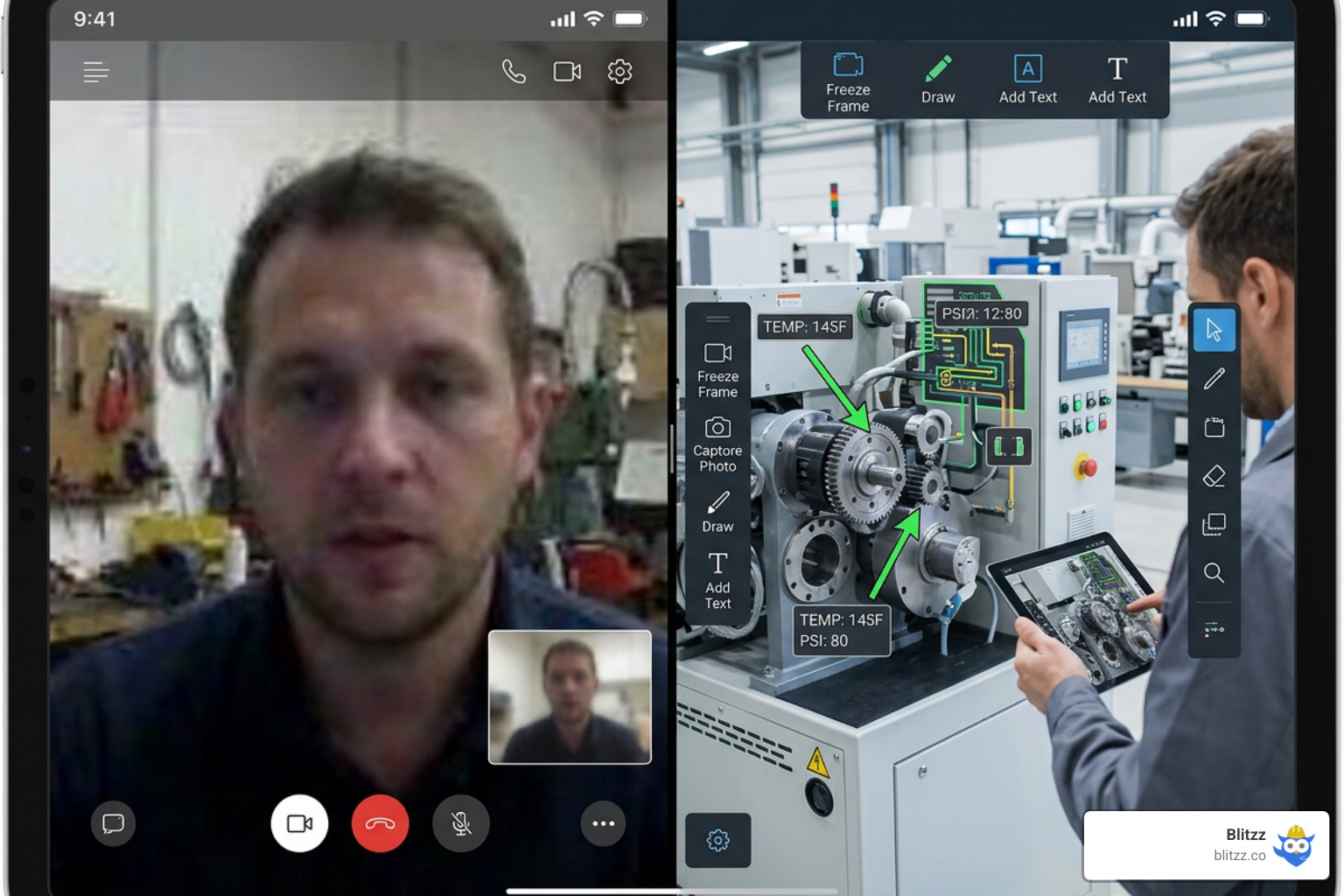
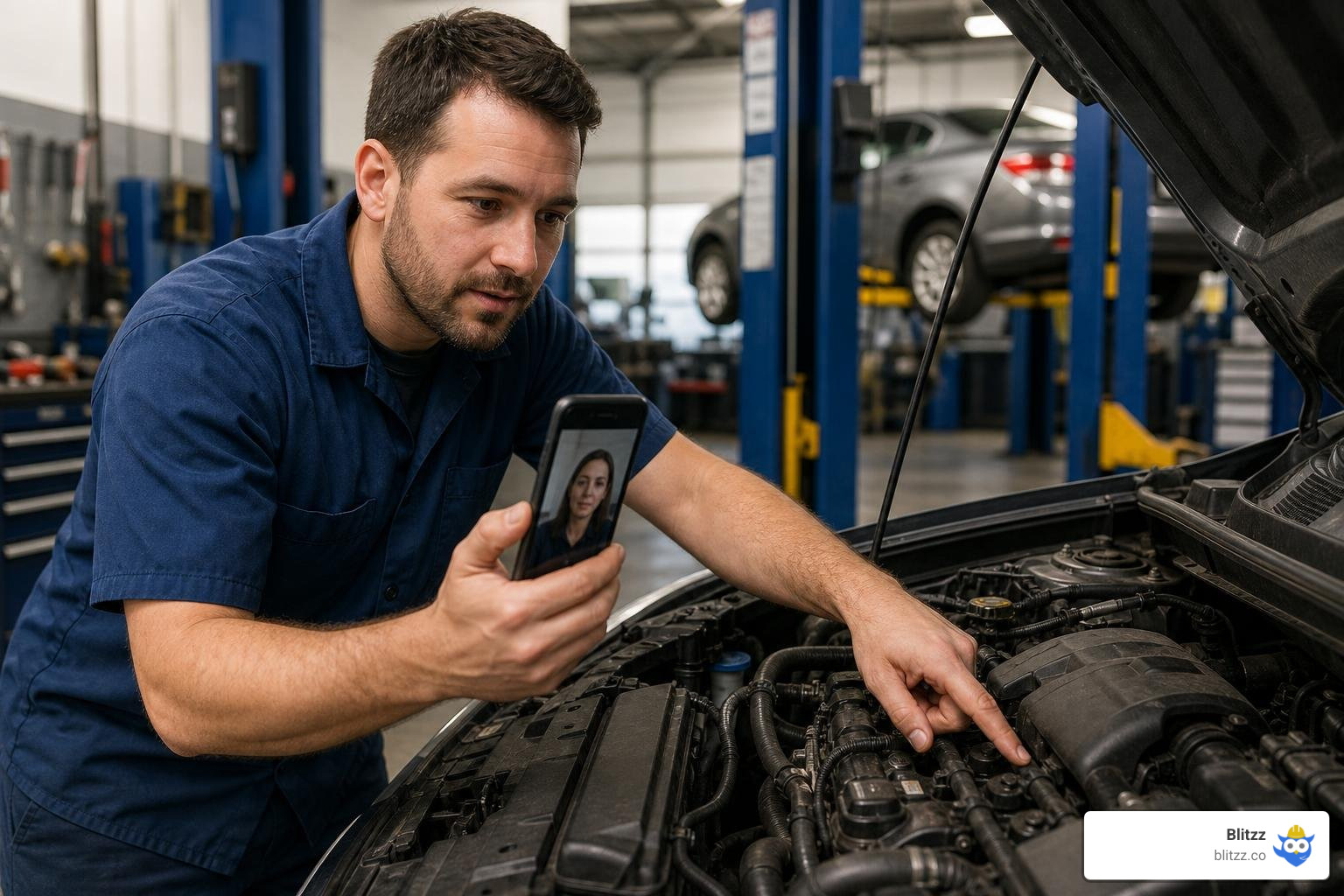
- Lack of Remote Control: In a standard call, the remote expert is at the mercy of the on-site user. If the user has shaky hands or doesn't know where to focus, the inspection fails. Purpose-built tools allow the remote expert to control zoom, toggle the phone's flashlight, and capture high-resolution snapshots remotely.
- No Interactive Guidance: Telling someone to "move a bit to the left... no, the other left... down a bit" is incredibly frustrating. Dedicated tools feature live AR pointers that allow you to drop an arrow or draw a circle directly onto the user's screen in real time.
- Zero Compliant Documentation: Standard calls do not offer a way to capture legally binding, auditable evidence. Professional RVI software automatically captures freeze-frame photos that are watermarked with precise GPS coordinates, timestamps, and local metadata.
- High Friction for Customers: Forcing a policyholder or a third-party contractor to download an app, create an account, and accept a calendar invite just to show you a damaged ceiling creates immediate resistance.
For a deeper dive into how live interactive pointers solve these communication bottlenecks, read our Virtual Inspection Software with Live Pointers: The Complete Guide.
Key Features to Look For in Video Inspection Collaboration Tools
As you evaluate different platforms in 2026, you will find a wide array of features. However, not all features are created equal. The most successful deployments focus on tools that eliminate user friction while maximizing data accuracy.
Here is a quick breakdown of how different platform architectures impact your workflow:
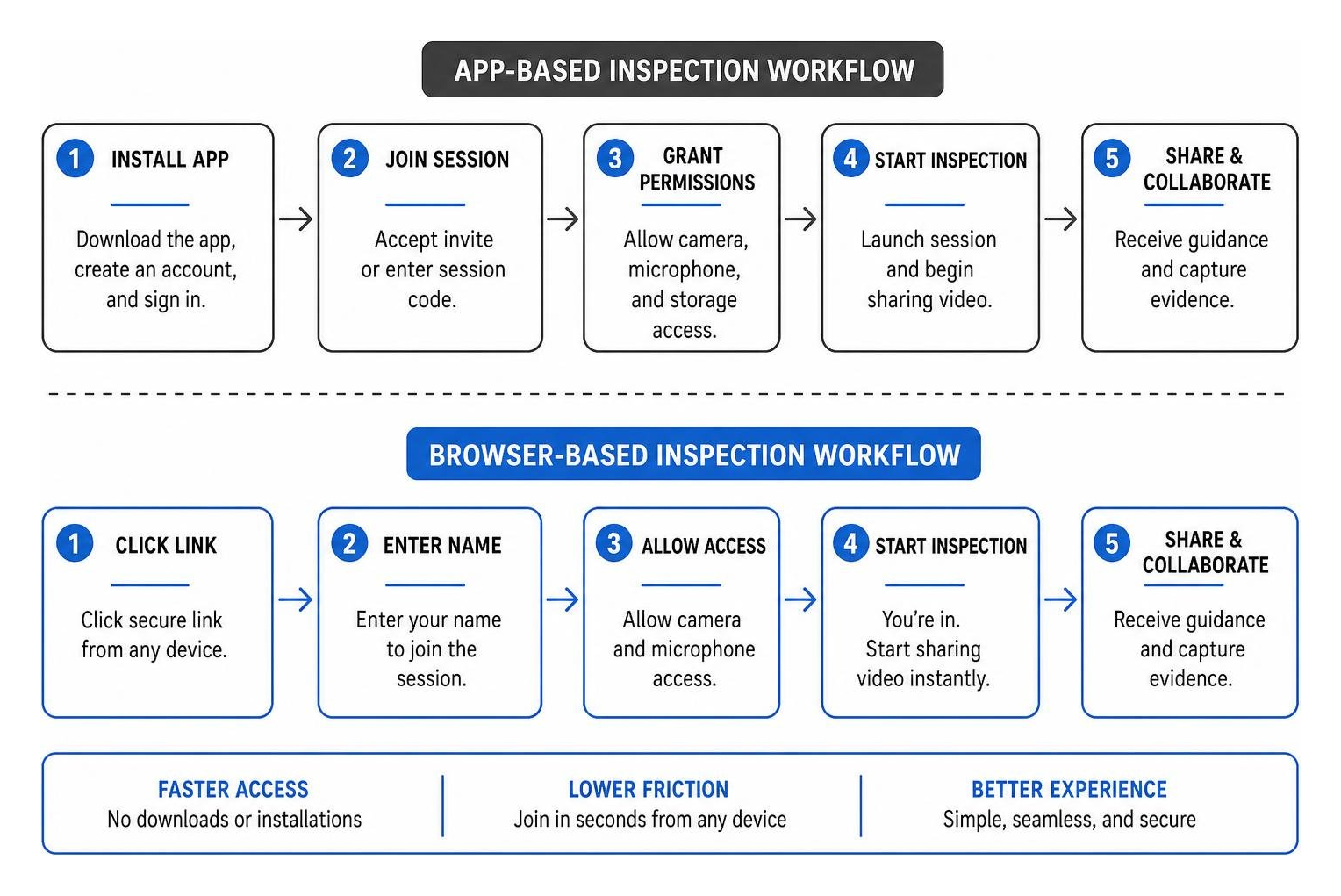
To help you map out your requirements, we have compiled a list of the Top 10 Features Every Remote Inspection Platform Must Have. At a minimum, your chosen software should offer:
- Augmented Reality (AR) Markup: The ability to draw, write, and place 3D markers on the live video stream that "stick" to the physical object even when the camera moves.
- Offline Synchronization: Field environments are notoriously unpredictable. If a technician is inspecting a basement or a remote utility substation with no cellular signal, the tool must allow them to capture data offline and sync it automatically once they reconnect.
- Seamless CRM and FSM Integration: Your inspection data shouldn't live in a silo. The software must automatically push captured images, videos, and compliance reports directly into your existing system of record (like Salesforce, ServiceMax, or custom ERPs).
The Power of No-Download Browser-Based Access
The single biggest predictor of remote inspection adoption is the amount of effort required from the person on-site. If you are inspecting a residential property for an insurance claim or verifying a contractor's work, asking them to download a dedicated mobile app is a recipe for failure.
This is where WebRTC (Web Real-Time Communication) technology shines. With a no-download, browser-based tool, the remote expert simply sends a secure link via SMS or email. The on-site user clicks the link, grants camera permission in their default mobile browser, and the high-definition stream begins instantly.
This frictionless approach:
- Reduces Technical Support Calls: You don't have to walk users through app store downloads or password resets.
- Speeds up Time-to-Connection: You can go from a phone call to a live visual assessment in under 10 seconds.
- Improves Customer Satisfaction (CSAT): Customers love the simplicity of a "one-click" experience.
For advice on choosing the right delivery method for your team, see The Right Tools to Conduct Remote Inspections.
How to Evaluate and Compare Video Inspection Collaboration Tools for Your Enterprise
When scaling a virtual inspection program across hundreds of field technicians or thousands of customers, you must look beyond basic video features and evaluate the platform's enterprise readiness:
- Scalability & Licensing: Does the tool offer flexible licensing (like unlimited guest access) so you aren't penalized as your program grows?
- Enterprise-Grade Security: Ensure the platform is SOC 2 Type II certified and compliant with industry-specific regulations like GDPR (for European operations) and HIPAA (if inspecting medical environments or equipment).
- Data Retention Policies: Can you customize how long recorded video sessions and images are stored to meet your internal compliance guidelines?
For a comprehensive evaluation framework, refer to our guide on the Best Remote Inspection Software: The Complete Guide to Inspecting in 2026.
The Role of AI and 360° Technology in Modern Inspections
The remote inspection landscape of 2026 is defined by two major technological shifts: the democratization of artificial intelligence and the widespread adoption of 360-degree spatial imaging.
AI is no longer a futuristic concept; it is actively acting as a digital co-pilot for inspectors. Modern platforms can use computer vision to help detect defects, measure physical objects directly from a video frame, and transcribe spoken notes into structured reports.
For inspection teams, the practical value of AI is speed and consistency. Instead of relying entirely on manual review, AI-assisted workflows can flag visual anomalies, organize captured evidence, summarize session notes, and help generate reports faster. Enterprise teams should still validate AI outputs against their internal standards, especially for safety-critical or compliance-heavy inspections. For governance guidance, teams can reference resources such as the NIST AI Risk Management Framework.
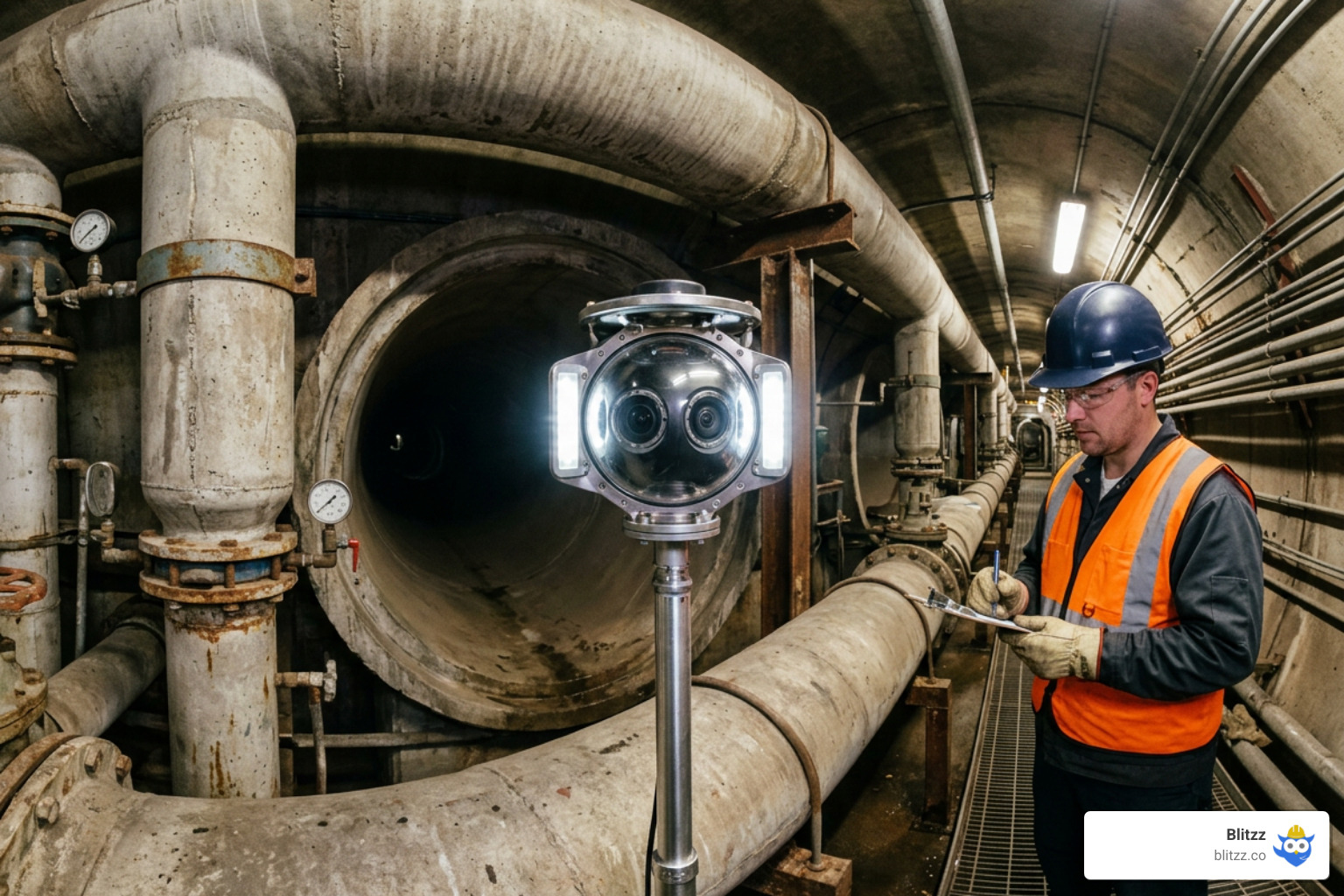
360° Panoramic Inspections vs. Standard Live-Streams
While standard live-streaming is perfect for guided, point-to-point troubleshooting, it can fall short when inspecting large, complex spaces where spatial context is critical. This is where 360-degree video conferencing comes in.
Using specialized 360-degree inspection cameras, field teams can capture entire rooms, manholes, or industrial facilities in a single pass.
- Standard Live-Stream: Best for targeted, detail-oriented inspections (e.g., verifying a serial number, checking a weld, or guiding a specific repair). The remote expert controls what they see by instructing the camera operator.
- 360° Panoramic Inspection: Best for documenting large physical environments (e.g., construction site walkthroughs, factory acceptance tests, or structural damage assessments). Multiple remote participants can join the session and independently pan, tilt, and zoom to control their own point-of-view, completely independent of where the physical camera is pointing.
This 360-degree capture can also be uploaded to cloud platforms to generate interactive 3D point clouds and digital twins, creating a permanent, collaborative record of the physical asset.
Industry Use Cases and Proven ROI
The financial impact of transitioning to a virtual inspection model is immediate and measurable. Across industries, organizations report massive efficiency gains:
- Insurance Claims: Rather than sending an adjuster to climb onto a roof after a storm, insurers use remote visual support to assess damage instantly. This has been shown to reduce claim handling times by up to 69%.
- Field Service & Utilities: Technicians can connect with off-site senior engineers to troubleshoot complex machinery on the first visit. This prevents costly return trips, with some organizations reporting a 67% reduction in return visits and a 40% improvement in overall cycle times.
- Infrastructure & Municipalities: Using high-efficiency camera systems and cloud collaboration, municipal crews can complete up to 80 inspections per day while keeping workers safely out of confined spaces.
To learn more about how different sectors deploy these workflows, explore our analysis of Remote Video Inspection Platforms.
Frequently Asked Questions about Remote Inspections
Do customers need to download an app for remote video inspections?
With modern, WebRTC-enabled platforms, absolutely not. The remote inspector simply sends a secure link via SMS or email. The customer clicks the link, and the live video session opens instantly in their mobile browser. This app-free approach removes all technical barriers and ensures high participation rates. For a list of top-performing app-free tools, check out our review of the Best Remote Video Inspection Software.
How does AI enhance remote video inspections?
AI acts as an intelligent assistant during and after the inspection. It can automatically detect and label defects (like cracks, corrosion, or structural anomalies), perform real-time measurements using photogrammetry, transcribe audio notes into text, and instantly generate structured compliance reports, saving inspectors hours of manual data entry.
Is remote video inspection as accurate as in-person?
Yes, and in many cases, it is actually more accurate. While an in-person inspector might rely on handwritten notes and a standard digital camera, RVI software captures high-definition video, allows for remote zooming on tiny details, and automatically watermarks every photo with GPS and time data. This creates an indisputable, digital audit trail that is far more reliable than traditional paper-based methods.
Conclusion
The era of wasting 20% of your workweek behind the windshield is officially over. By deploying the right video inspection collaboration tools, your enterprise can eliminate unnecessary travel, empower field teams with instant expert support, and deliver a seamless, modern experience to your customers.
If you are looking for a platform that combines crystal-clear HD video, powerful AR markup, and automated documentation — all delivered through a zero-download, browser-based interface that works on any device — Blitzz Inspect is built for you.
Ready to eliminate windshield time and scale your virtual operations? Start your free trial with Blitzz Inspect today.

Blitzz Team
The Blitzz Team writes about remote video support, virtual inspections and field service. Our guides come from working with home builders, property managers, warranty teams, contact centers and field service organizations that use Blitzz to see and solve issues without a truck roll.

.jpg)