.png?width=120&height=55&name=Blitzz-Logo-right%20white%20eyes%20-%20not%20transparent%20(3).png)

On this page
Why Shops That Ignore Video Support Are Losing Repair Orders Right Now
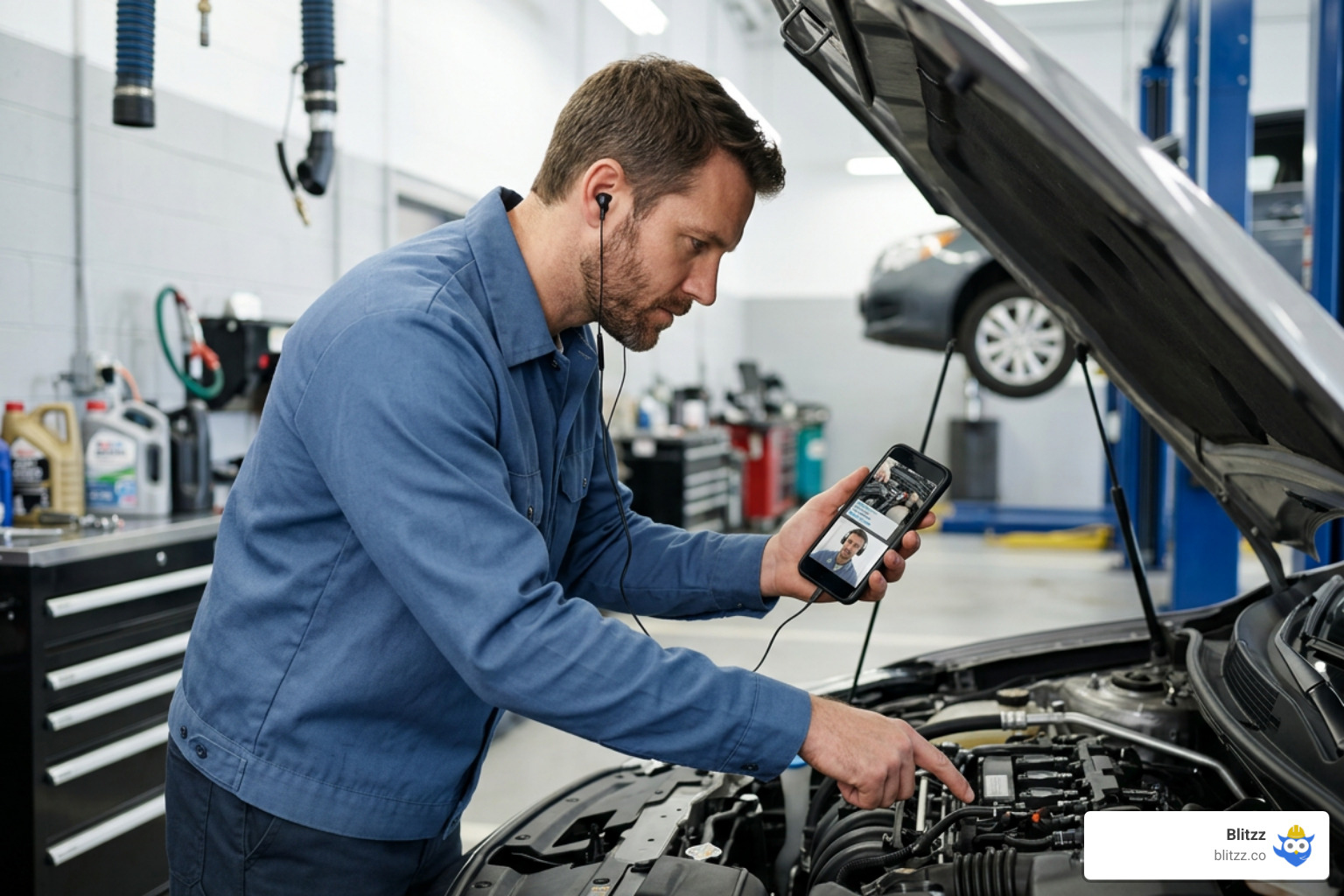
Video support in automotive repair is one of the fastest ways to increase repair approvals, reduce miscommunication, and build lasting customer trust — without adding headcount or overhauling your entire workflow.
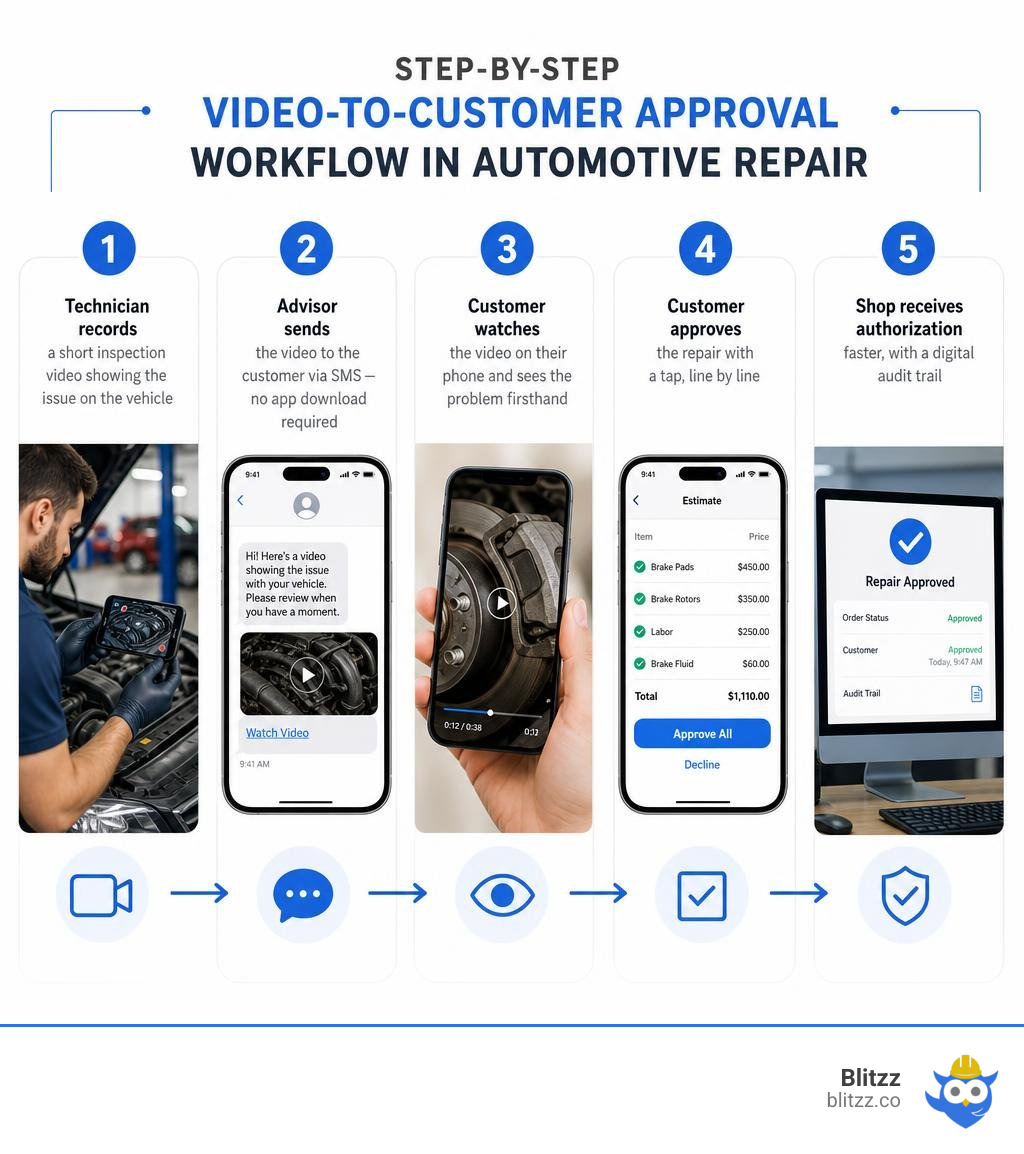
Here's how it works in practice:
- Technician records a short inspection video showing the issue on the vehicle
- Advisor sends the video to the customer via SMS — no app download required
- Customer watches the video on their phone and sees the problem firsthand
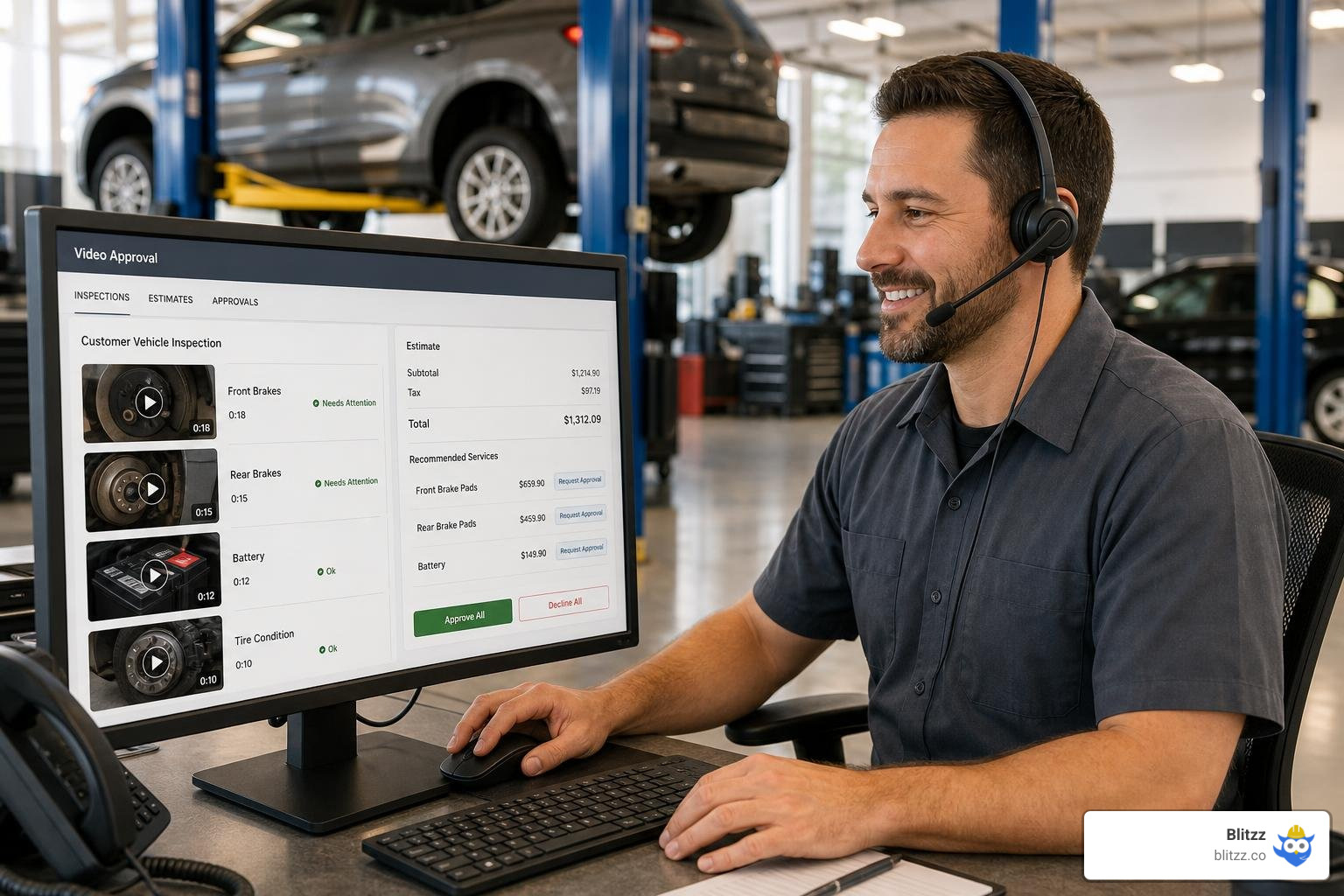
- Customer approves the repair with a tap, line by line
- Shop receives authorization faster, with a digital audit trail
The numbers back this up. Shops that use video inspections see an average repair order increase of $1,993.58. A full 72% of vehicle owners prefer a 60-second video explanation over a written estimate. And dealerships that post regular video updates get 2.5x more interactions on their Google Maps listing.
The core problem video support solves: customers distrust what they can't see. When a service advisor calls to recommend a $900 repair, skepticism is the default. When a customer sees the worn brake pad or leaking gasket on their own phone, that friction disappears.
I'm Keyur Patel, and in this guide I'll walk you through exactly how to implement video support in your shop — from choosing the right tools to integrating them with your existing workflows.
Quick video support automotive repair terms:
- AR remote collaboration tools
- Visual Remote Assistance for Zendesk
- construction defect video inspection
Why Video Support Automotive Repair is the New Industry Standard
In July 2026, the automotive service industry is facing a massive shift. The days of calling a customer, leaving a vague voicemail about "worn control arm bushings," and waiting hours for a callback are officially over. Modern shops have realized that visual proof is the ultimate currency of trust.
When we look at customer retention, the numbers paint a clear picture. Introducing transparency through video support automotive repair solutions directly correlates with higher customer satisfaction index (CSI) scores. According to industry data, using video during the inspection process can help push parts and labor upselling from a standard 55% to an incredible 91%, while overall customer approval rates climb from 68% to 88%.
Furthermore, consumer rights regulations have evolved. Under modern guidelines, consumers have a legal right to authorize and approve estimates electronically via text or email. This legal framework makes digital video inspections (DVI) paired with SMS approvals a natural fit. Instead of a customer feeling pressured on a live phone call, they can review a 60-second clip on their own time, see the exact physical measurement of their brake pads, and tap "Approve."
This level of transparency does more than just close individual repair orders (ROs); it builds long-term authority. By regularly sharing helpful video insights on local profiles, shops see a 22% increase in "Request an Appointment" clicks from their Google Business Profile. To explore how this visual paradigm is reshaping the industry, check out our Automotive Video Support Guide 2026 and see how shops are mastering Automotive Service Support to stay ahead.
Key Features of Modern Video Inspection Tools
To build an efficient service lane, you cannot rely on generic video tools or consumer messaging apps. A professional workshop requires a toolset designed to withstand the "grease factor" and the noisy, environment of an active shop floor.
When evaluating a visual support platform, look for these essential features:
- One-Click, Browser-Based Connection: Customers should never have to download an app to view their vehicle's inspection. A simple SMS link that opens instantly in any mobile browser is the gold standard for frictionless approvals.
- AR Annotations & Screen Sharing: Technicians and advisors must be able to draw, circle, and highlight specific components on the screen in real time. This is especially useful during live diagnostic calls.
- AI Noise Cancellation: Air guns, impact wrenches, and roaring engines are part of shop life. AI-powered noise cancellation filters out these high-decibel distractions so the technician’s voice remains crystal clear.
- Automated Transcriptions & Captions: Many customers review inspection videos while at work or in public spaces where they cannot play audio. Providing accurate, automated subtitles ensures they still understand the diagnosis.
- VIN Scanning & DMS Write-back: To keep workflows organized, the video tool must allow technicians to scan the vehicle's VIN or license plate, automatically linking the footage to the correct Repair Order in your Dealer Management System (DMS).
By choosing a tool with these features, you transform video from a simple recording into an interactive, legally compliant approval asset. For a deeper dive into remote vehicle evaluations, read our guide on Automotive Remote Inspection.
Choosing the Right Video Solution for Your Shop
Not all video tools are created equal. Some shops benefit most from pre-recorded walkarounds, while others require live, interactive diagnostic support. To help you navigate the landscape, we have broken down how different platforms stack up:
| Feature/Metric | Live Streaming (Real-Time) | Recorded Inspections (Asynchronous) | Browser-Based Platforms | App-Based Platforms |
|---|---|---|---|---|
| Primary Use Case | Complex diagnostics, OEM escalations, active customer walkarounds | Routine multi-point inspections, quick service updates | Instant customer approvals, frictionless roadside help | Internal technician logging, long-term fleet tracking |
| Customer Effort | Very Low (Click to join live call) | Very Low (Click to watch recorded video) | Extremely Low (No downloads required) | High (Requires app installation) |
| Technician Workflow | High collaboration, hands-free focus | Fast walkaround, voiceover narrative | Seamless, instant link generation | Structured, template-driven recording |
| Integration Potential | Excellent CRM & Helpdesk sync | Excellent DMS attachments | Outstanding API-driven integrations | Deep local device hardware access |
For shops looking to implement these systems, choosing a hybrid approach that offers both live and recorded workflows is often the most effective strategy. Learn more about matching these tools to your diagnostics in our resource on Automotive Video Diagnostics.
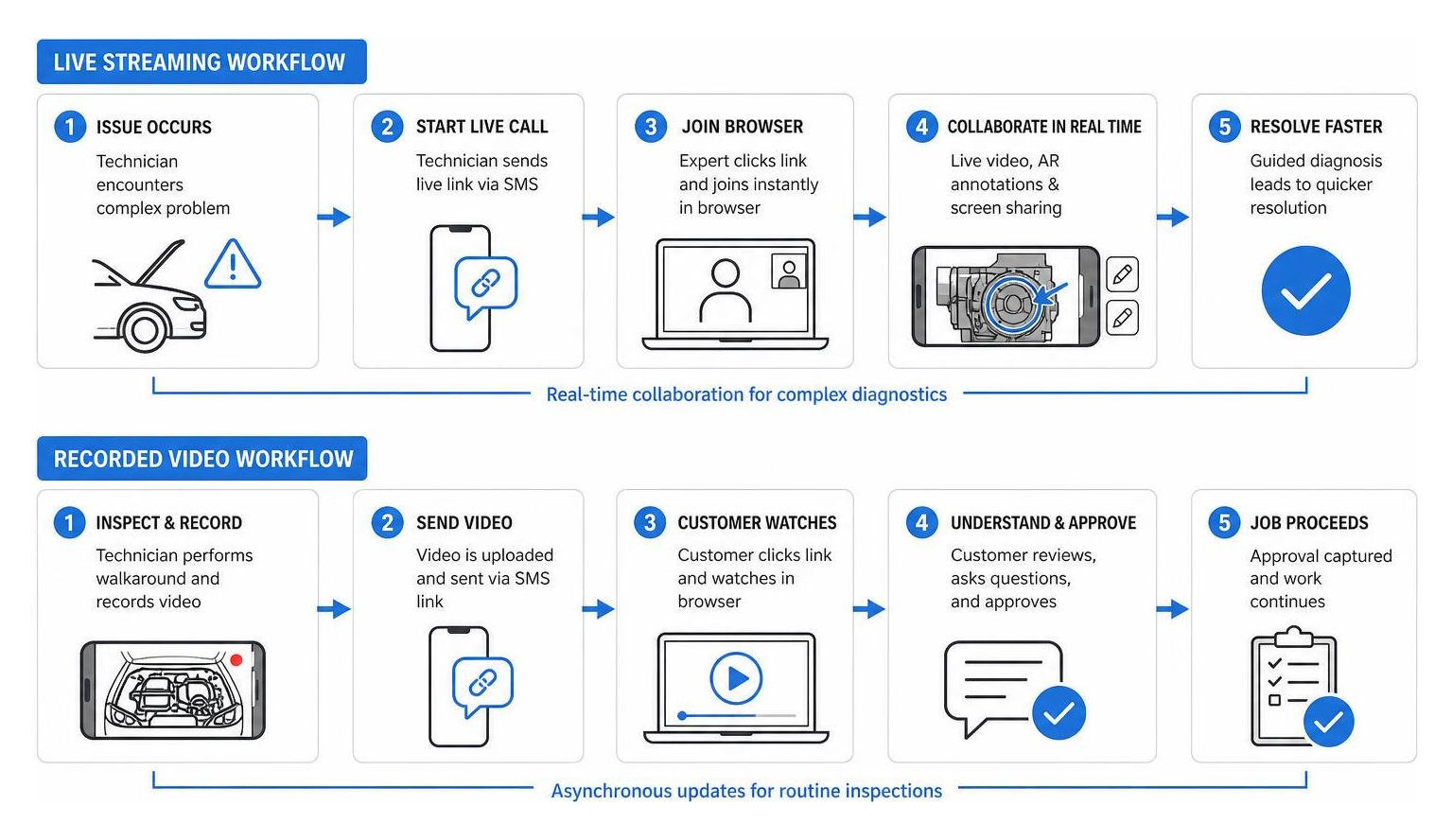
Live Streaming vs. Recorded Video Support Automotive Repair Workflows
The choice between live streaming and recorded video depends entirely on the scenario.
Recorded inspections are ideal for daily multi-point inspections (MPIs). The technician performs a walkaround, records a 60-second clip highlighting the vehicle's health, and sends it via SMS. The customer reviews it asynchronously, avoiding the back-and-forth of missed phone calls.
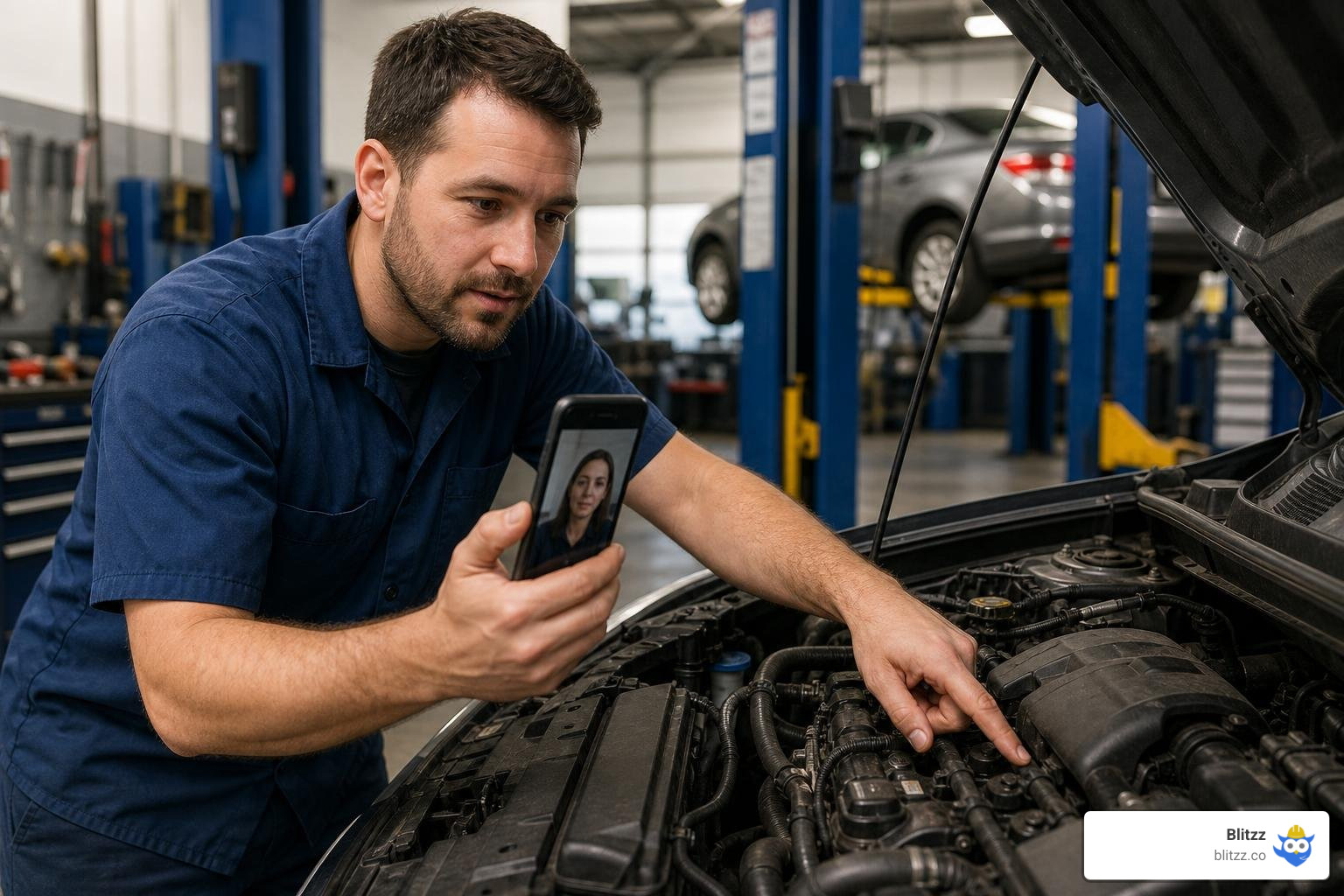
Live streaming, on the other hand, is the ultimate tool for complex troubleshooting. If an independent shop or dealership technician encounters a baffling electrical fault, they can initiate a live session with an off-site OEM master technician or remote expert. Using live browser-based video, the remote expert can visually inspect the wiring harness, drop AR pointers onto the physical screen, and guide the local tech to a fast resolution. This live, collaborative approach is detailed extensively in Remote Visual Assistance for Automotive: Reducing Truck Rolls and Accelerating Repairs.
Advanced Remote Visual Assistance and Interactive Diagnostics
As vehicles become increasingly complex — packed with advanced driver assistance systems (ADAS), hybrid powertrains, and electric vehicle (EV) architectures — diagnostics require more than just reading OBD-II codes. Modern technicians often need to collaborate with specialized experts who may be hundreds of miles away.
With advanced remote visual assistance, an off-site engineer can use remote camera zoom and high-intensity flash controls on the technician's smartphone to inspect micro-cracks in a casting or trace a pinout on a control module.
For consumer-facing applications, interactive walkarounds allow the service advisor to host a brief, live video call with the vehicle owner. Together, they can look at the undercarriage while the car is on the lift. The advisor can share their screen to display a wear comparison chart alongside the customer's actual tire tread, making the need for alignment or replacement undeniable.
All of these interactions are recorded and logged automatically within your shop's CRM, providing undeniable visual proof that protects the shop against liability and streamlines future warranty claims.
Implementing Live Video Support for Rapid Diagnostics
When a vehicle with a mysterious driveability issue is taking up a valuable bay, every minute of downtime costs money. Implementing live video support allows your shop to establish a virtual helpline.
By utilizing browser-based video platforms like Blitzz, a technician can instantly connect with a remote master tech or shop foreman. There is no software to install or accounts to create; the technician simply taps a text link on their phone or tablet.
Once connected, the remote expert can drop persistent AR arrows onto the technician's screen, pointing precisely to the fuse, connector, or vacuum line that needs testing. This real-time visual guidance eliminates the miscommunications of voice-only phone calls, dramatically improving your shop's first-time fix rate (FTFR).
Streamlining Shop Workflows and OEM Compliance
A common concern among shop owners is that adding video will slow down their technicians. However, when video tools are properly integrated with your Dealer Management System (DMS) and Customer Relationship Management (CRM) platforms, they actually speed up the service lane.
Over 1,000 OEM dealerships send inspection videos daily using systems that write back directly to platforms like CDK, Reynolds & Reynolds, and Tekion. When a technician finishes recording, the video is instantly appended to the electronic Repair Order (RO). The service advisor does not have to manually upload or email anything; they simply hit "Send" to forward the pre-packaged estimate and video to the customer.
For dealership networks, video support is also a critical tool for maintaining OEM compliance. Major brands like Ford, GM, Toyota, Honda, Hyundai, and Stellantis have strict requirements for digital multi-point inspections. Furthermore, when dealing with complex warranty claims or escalations, having a clear, high-resolution video record of the defect simplifies the approval process with the manufacturer.
To learn how dealerships are leveraging these integrations, see our guide on how to Transform Your Automotive OEM Dealership Operations in 2026 and discover how to Simplify Dealer to OEM Escalations with Remote Visual Support.
Best Practices for Recording High-Quality Inspection Videos
To maximize the impact of your video support strategy, technicians must follow a structured, professional recording process. A poorly shot, shaky video with wind or shop noise will only confuse the customer.
Here are the best practices for creating high-conversion inspection videos:
- The Professional Intro: Start the video at the rear of the car. Clearly show the license plate or VIN, introduce yourself, and state the dealership or shop name: "I'm Mark, your technician today at Apex Auto. I have your vehicle up on the lift..."
- Address the Primary Concern First: Always reference the customer's reason for the visit early in the video. If they came in for a squeak, show them you listened: "I found the source of the squeak you mentioned..."
- Use Physical Gauges: Do not just point at a brake pad and say it is thin. Put a physical color-coded brake gauge or tire tread depth tool on the component on camera. Seeing the gauge in the "red" zone builds instant, undeniable credibility.
- Keep It Simple: Avoid overly technical jargon. Instead of explaining the physics of a hydraulic bushing failure, explain the practical impact: "This rubber component is cracked, which is allowing fluid to leak out and causing that clunking noise you feel in the steering wheel."
- Mind Your Pace: Speak clearly and at a professional, conversational pace. The ideal speaking rate for technician videos is 120 to 170 words per minute.
- Show the Good News Too: Build trust by showing components that are in perfect shape. Pointing out healthy tires or clean fluids proves you are not just hunting for things to sell.
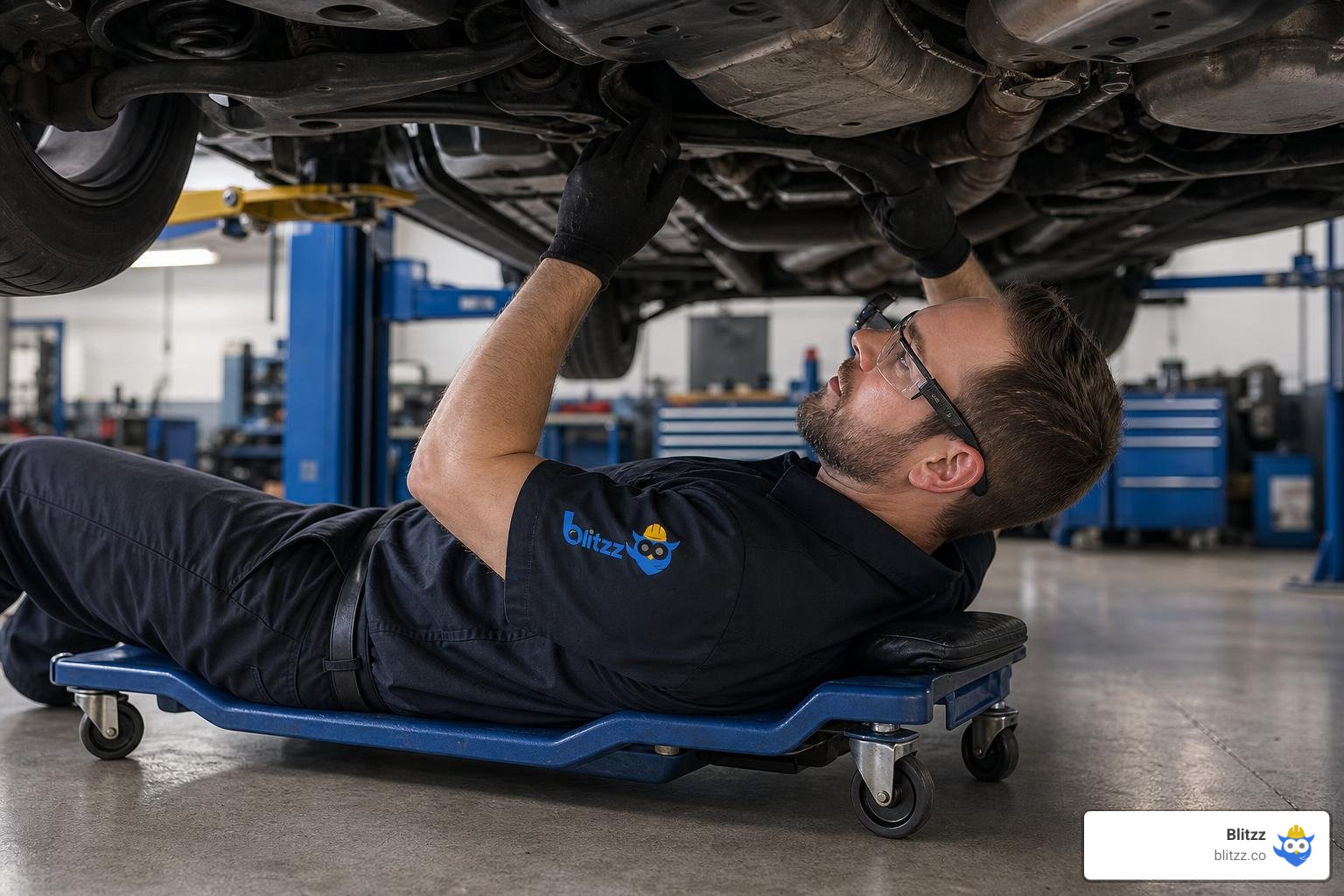
- Go Hands-Free: Where possible, use wearable technology like smart glasses. This allows technicians to keep both hands on their tools while recording under-car inspections, ensuring safety and a more stable camera angle.
For a complete breakdown of customer-facing communication standards, read our guide on Driving Customer Support Excellence: Best Practices for the Automotive Industry in 2026.
Remote Collaboration, Training, and Claims Management
Beyond the service bay, video support plays a massive role in training and insurance claims. In the collision repair sector, integrating live video into claims platforms allows remote adjusters to handle evaluations from the First Notice of Loss (FNOL) all the way through to final repairs.
By utilizing augmented reality and live video to conduct remote vehicle inspections, insurance companies can remove the need for on-site adjuster visits. This digital triage reduces claims handling costs by up to 34% while dramatically accelerating repair cycle times for the body shop.
From a training perspective, pre-recorded video libraries and live-streamed diagnostic sessions serve as an invaluable knowledge base. When a junior technician struggles with an advanced system, they can reference step-by-step video guides or connect directly with an expert.
To explore the intersection of visual support and automotive insurance, check out our resources on Smarter Auto Claims Management for Today's Insurers and Remote Insurance Inspection Software for Auto Claims.
Additionally, for those interested in open-source developer-level implementations of real-time multi-agent AI assistants for technicians, you can explore the ChefDique/techlens project on GitHub. If you want to see how shops are automating their broader marketing and customer educational video strategies, take a look at the guide on AI Video for Auto Shops: Cut Costs 85% . For interactive customer-facing platforms that combine AI diagnostics with video guides, check out Automotive Repair — AI Diagnostics & Video Guides | DIYFixIt.tech . To understand how personalized video messaging platforms drive dealership revenue, explore Grow your Automotive Service Department with video | VentaVid .
Frequently Asked Questions about Video Support in Auto Repair
How does video support improve customer trust and repair approval rates?
Video support replaces verbal explanations with visual proof. When customers can see a leaking shock absorber or a torn CV boot on their own mobile screen, the skepticism associated with blind phone estimates disappears. Giving customers the ability to review estimates line by line alongside clear video evidence empowers them to make informed decisions, resulting in faster approvals and higher average repair order values.
Can video support tools integrate with existing shop DMS and CRM systems?
Yes. Professional video support platforms are designed to integrate directly with leading Dealer Management Systems (DMS) and Customer Relationship Management (CRM) tools. This ensures that video links are automatically generated, sent via your existing text communication threads, and saved directly to the customer's repair history file for future reference and compliance.
What are the hardware requirements for technicians to record inspection videos?
Most shops do not need to invest in expensive camera gear. Technicians can use standard, ruggedized smartphones or tablets equipped with durable cases to handle the workshop environment. For advanced shops, hands-free smart glasses can be integrated, allowing technicians to record high-quality, stable video while keeping both hands free to work on the vehicle.
Conclusion
The digital transformation of the automotive service industry is no longer a future prediction — it is the current standard. Shops that continue to rely on traditional, low-transparency communication methods will find themselves losing customers to modern, video-enabled service centers.
By implementing instant, browser-based video support, you eliminate the friction that slows down your service lane. Platforms like Blitzz allow your shop to deliver high-fidelity live video, interactive AR annotations, and seamless screen sharing without requiring your customers to download a single app. This results in faster digital approvals, reduced bay downtime, and a dramatic boost in customer loyalty.
Ready to see how remote visual support can transform your shop's efficiency and boost your repair order values? Explore Blitzz Features today and take your automotive service department to the next level.

Blitzz Team
The Blitzz Team writes about remote video support, virtual inspections and field service. Our guides come from working with home builders, property managers, warranty teams, contact centers and field service organizations that use Blitzz to see and solve issues without a truck roll.