.png?width=120&height=55&name=Blitzz-Logo-right%20white%20eyes%20-%20not%20transparent%20(3).png)


On this page

Banks and fintech companies live and die by trust, and trust starts with verification. Every loan application, account opening, and KYC renewal comes down to the same basic task: confirming that a document is real, that it belongs to the person submitting it, and that it was filled out correctly. For decades, that process has meant emailing PDFs back and forth, asking customers to upload scans through a clunky portal, or scheduling an in-person branch visit just to check a signature.
Co-browsing changes that equation entirely. Instead of guessing at what a customer sees on their screen or waiting for a document to arrive through an inbox, a support agent or loan officer can see the customer's actual browser or app in real time, guide them through each field, and confirm documentation on the spot. This article explains what co-browsing is, why it's become essential for banking and fintech document verification, and how tools like Blitzz Co-Browse and Blitzz ScreenShare are helping financial institutions cut friction without cutting corners on security.
Why Document Verification Is So Painful in Banking and FinTech
Traditional document verification workflows were built around one-way communication. A customer uploads a photo of an ID or a signed form, and a back-office team reviews it hours or days later. If something's missing — a blurry signature, an unreadable field, a document uploaded to the wrong section — the customer gets an email asking them to try again. That back-and-forth can add days to a process that, in theory, should take minutes.
This friction shows up constantly in loan applications, account openings, and KYC renewals, which is exactly why more banks are turning to visual verification tools that let a representative confirm information as the customer fills it in, rather than reviewing it after the fact. The breakdown in boosting first-call resolution through remote visual support notes that onboarding and KYC processes benefit enormously from this kind of real-time visual verification, since it reduces friction and compliance risk at the same time instead of trading one for the other.
What Co-Browsing Actually Does
Co-browsing is often confused with screen sharing, but the two solve different problems. Screen sharing shows a viewer everything on a screen, including other tabs, personal messages, or unrelated windows — which creates obvious privacy concerns in a banking context. Co-browsing is more targeted: it lets an agent see and interact with a specific web page or application the customer is using, without exposing anything outside that session.
For banking and fintech specifically, this distinction matters enormously. A support agent using co-browsing can see the loan application form the customer is filling out, highlight the exact field that needs correction, and even fill in guidance directly — all without ever seeing the customer's email, other browser tabs, or unrelated personal information. The comparison in co-browsing vs. remote desktop breaks down exactly where this boundary sits and why it matters for any team handling sensitive financial data.

How Co-Browsing Simplifies Document Verification
Document verification through co-browsing looks fundamentally different from the old upload-and-wait model. Instead of a customer guessing which format to use or which fields matter, an agent walks through the process with them in real time — confirming a form is filled out correctly before it's ever submitted, rather than catching errors after the fact.
This is especially valuable for the kind of lengthy, detail-heavy forms that banks and insurers rely on. As the article on beyond screen sharing: how co-browsing delivers 10x better customer experiences explains, banks and insurance companies often need to walk clients through lengthy forms, and co-browsing ensures customers fill out applications correctly on the first try, cutting down on the processing delays that come from rejected or incomplete submissions.
The same principle applies directly to document verification steps within onboarding. Rather than a customer uploading an ID photo and waiting for a back-office reviewer to check it days later, an agent can confirm document quality, field accuracy, and formatting live, on the same call where the customer is already present and available to make corrections immediately.
Reducing Fraud Risk Through Real-Time Verification
Static document uploads create an obvious fraud risk: a reviewer looking at a photo or scan after the fact has no way to confirm it was captured live, by the actual applicant, in the actual moment of submission. Co-browsing closes much of that gap by putting a live agent in the loop during the submission itself, rather than relying entirely on a document that arrives with no verifiable context behind it.
This live verification model mirrors the same logic used in other high-stakes verification contexts. The comparison in Blitzz vs. Truepic: when a photo isn't enough covers exactly why photo-only verification has a ceiling, and why pairing it with a live session — where a person can ask for specific details, confirm identity in the moment, and catch inconsistencies immediately — closes gaps that a static upload simply can't. For banks handling loan applications and account openings, where fraud losses can be significant, that live layer of verification is quickly becoming a baseline expectation rather than an optional upgrade.
Reducing Onboarding Friction Without Reducing Security
One of the biggest misconceptions about faster onboarding is that speed and security are a tradeoff — that a bank has to choose between a smooth customer experience and a rigorous verification process. Co-browsing challenges that assumption directly. Because an agent can guide a customer through document submission in real time, catching errors and confirming details as they happen, the process actually becomes more secure and faster at the same time, not one at the expense of the other.
This shift is part of a broader trend across financial services and other digital-first industries. The comparison of different co-browsing solutions explains how remote video assist platforms let support teams see exactly what a customer sees through a live session, replacing the frustration of screenshots and long email explanations with a shared, real-time view of the exact problem or process at hand.
For fintech and digital banking apps specifically, the same principle covered in how contact support teams can use remote video support applies directly: for software companies, fintech, banking, and e-commerce support teams, the equipment isn't physical — it's the customer's screen. Co-browsing lets the agent see and annotate the customer's browser or app, guiding them through forms, account setup, or verification steps, which is the exact model banks now use for document checks that used to require an in-person visit or a slow email exchange.
Compliance and Audit Trails
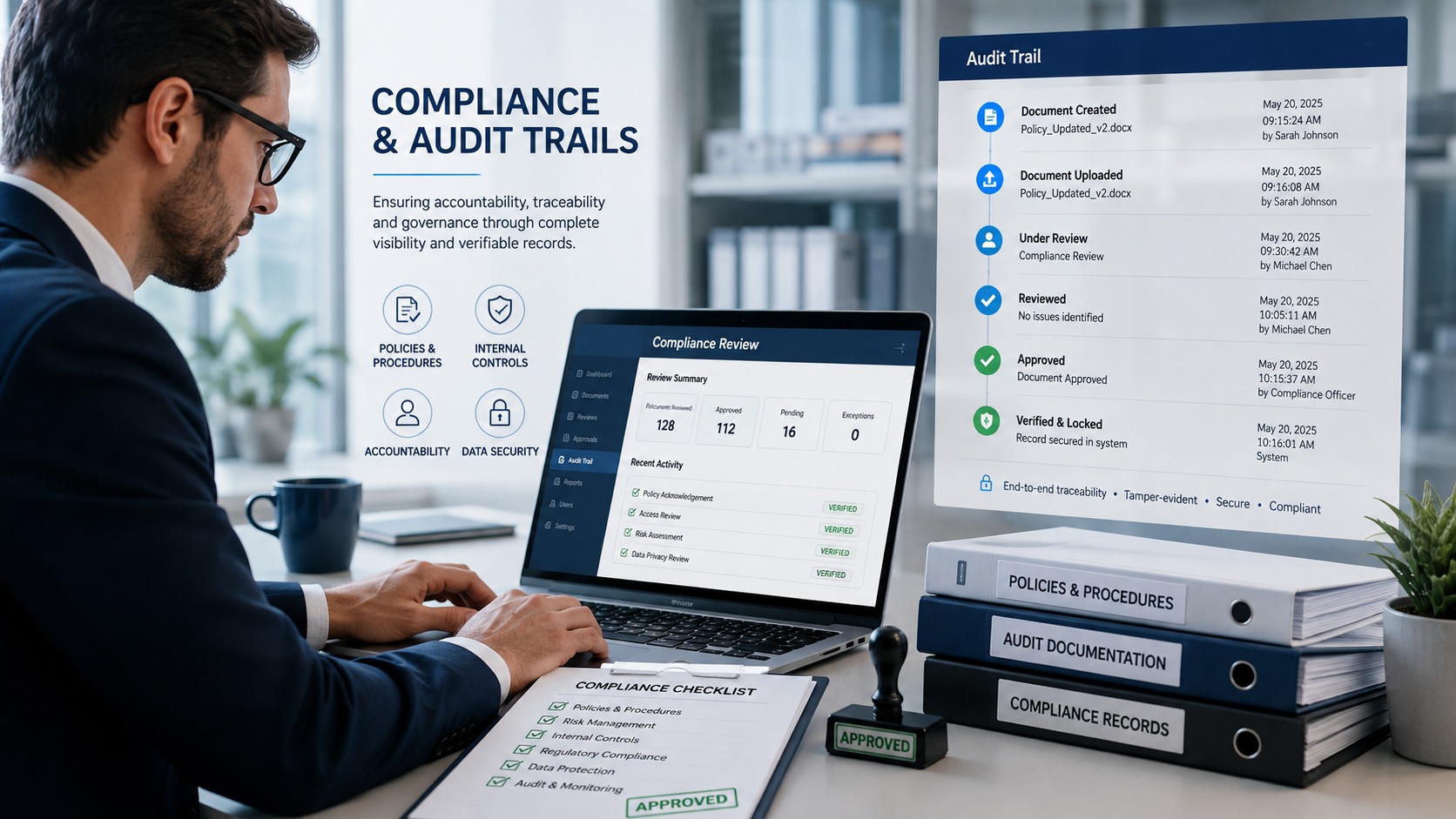
Financial institutions can't adopt a new verification workflow without meeting compliance requirements, and this is an area where co-browsing has matured considerably. Modern platforms log session activity, capture what was reviewed and confirmed, and produce a record that compliance teams can point to if a decision is ever questioned later.
This isn't just a nice-to-have for regulated industries — it's often a hard requirement. The enterprise buyer's checklist for remote support tools in BPO environments makes this explicit: for BPOs supporting banking and fintech clients, where case documentation requirements are strict and audit trails are non-negotiable, automated session logging isn't a convenience feature, it's a compliance requirement. Any bank or fintech evaluating a co-browsing platform should confirm exactly what gets logged, how long records are retained, and how easily that data can be produced if a regulator or auditor asks for it.
Where ScreenShare Fits Into the Picture
While co-browsing is ideal for guiding a customer through a specific web form or app, some verification scenarios call for a broader view — confirming a physical document held up to a camera, walking a customer through a mobile banking app that isn't browser-based, or reviewing something outside a single web page. This is where Blitzz ScreenShare complements co-browsing rather than competing with it.
ScreenShare lets an agent view a customer's full mobile or desktop screen in situations where a targeted co-browsing session isn't enough — for example, confirming a document uploaded through a native banking app, or walking someone through a multi-step identity verification flow that spans several different screens outside a browser tab. Used together, co-browsing and ScreenShare give banks and fintech companies coverage for both the narrow, form-specific verification moments and the broader, full-screen scenarios that come up just as often in real customer interactions.
This combination is part of why more financial institutions are consolidating their visual support tools rather than running separate, disconnected systems for each use case. As covered in Blitzz integrations: connect to your existing VRA workflow, pairing co-browsing, screen sharing, and live video under a single platform means session data, verification records, and compliance logs all live in one place instead of being scattered across multiple disconnected tools.
Getting Started Without Disrupting Existing Workflows
Adopting a co-browsing and document verification workflow doesn't require replacing an entire customer support stack. Most banks and fintech companies start with a single high-friction process — loan applications or KYC renewals are common starting points — before expanding to other account services once the workflow is proven.
Implementation is also faster than most teams expect. Because co-browsing platforms typically run entirely in the browser, there's no software to install on the customer's side, which removes one of the biggest historical barriers to adoption. The guide to the best co-browse software notes that platforms like Blitzz Cobrowse run entirely in the browser with no downloads required, making it easy for customers to start a session instantly — a meaningful advantage for a bank customer who's already anxious about a loan decision and doesn't want to add a software install to the process.
The Bigger Shift: Where Co-Browsing Is Headed
Co-browsing in banking and fintech isn't standing still. The technology is increasingly converging with AI-assisted review and augmented reality guidance, allowing platforms to flag inconsistencies automatically while an agent is still on the call, rather than relying entirely on human review. The trends outlined in the future of co-browsing: AI, AR, and what's next show how co-browsing and remote visual inspections are converging into a single, AI-powered platform — a shift that's particularly relevant for banks looking to scale document verification without proportionally scaling their compliance headcount.
At the same time, the fundamentals covered in how Blitzz uses AI to transform remote support and customer experience apply just as directly to financial services as they do to any other industry: pairing live visual verification with AI-assisted review speeds up resolution, reduces the manual workload on compliance and support teams, and gives customers a faster, less frustrating path through what used to be one of the most tedious parts of opening an account or applying for a loan.
Training Agents to Use Co-Browsing Effectively
Even the best co-browsing platform underperforms if agents aren't trained to use it as more than a fallback tool. The strongest results come from teams that build co-browsing into their standard verification workflow from the start of a call, rather than reaching for it only after a customer is already frustrated. An agent who opens a co-browsing session early — right when a loan application or KYC form is first pulled up — can catch formatting issues, missing fields, and unclear instructions before they ever become a source of delay.
This kind of proactive use also changes the tone of the interaction. Instead of an agent explaining a form over the phone and hoping the customer understands, both sides are looking at the same screen, which removes the ambiguity that usually causes miscommunication. The result, as covered in how contact support teams can use remote video support, is a session model designed to add zero friction to either side of the call — the customer calls in normally, and visual support gets layered in exactly when it accelerates resolution.
Handling Agent Burnout in High-Volume Verification Teams
Document verification and KYC renewal surges put real strain on support teams, particularly in outsourced or high-turnover call center environments. Repetitive back-and-forth over unclear document submissions is exactly the kind of low-satisfaction, high-frustration work that contributes to agent burnout and turnover — both of which are expensive problems for banks and fintech companies relying on BPO partners to handle verification at scale.
Co-browsing directly addresses this by cutting the number of repeat contacts needed to resolve a single verification issue. The research summarized in how remote visual support tools reduce agent burnout in high-turnover BPOs points out that agent burnout is a silent cost center inside every BPO operation, showing up in turnover rates that can run from 30 to 60 percent annually in high-volume contact center environments. Reducing the friction in document verification calls — through tools that integrate directly into the channels agents already use — is one of the more overlooked ways banks and fintech companies can improve retention on their support teams while also improving the customer experience.
Choosing the Right Platform for Financial Services
Not every co-browsing platform is built with financial services requirements in mind. Some general-purpose tools handle basic screen visibility well but fall short on the compliance logging, data masking, and integration depth that banks and fintech companies actually need. When evaluating options, it's worth looking specifically at how a platform handles sensitive field masking (so an agent never sees an account number or SSN in plain text unless absolutely necessary), how session data integrates with existing CRM and case management systems, and how thoroughly compliance activity gets logged.
The broader landscape of options is covered in the complete guide to co-browsing, which walks through how co-browsing compares to traditional screen sharing across security, integration, and ease-of-use dimensions — all factors that matter more in a regulated industry than in a general e-commerce or SaaS support context. Financial institutions evaluating a switch should treat this as a compliance and security decision first, and a customer experience improvement second, even though both outcomes tend to move in the same direction once the right platform is in place.
The Bottom Line
Document verification has long been one of the biggest sources of friction in banking and fintech — slow, error-prone, and often frustrating for customers who just want a straight answer about their loan or account application. Co-browsing solves this by putting a live agent directly into the process, catching errors before they cause delays, verifying documents in real time instead of after the fact, and producing the audit trail compliance teams need without adding extra steps for the customer.
Paired with tools like Blitzz ScreenShare for scenarios that go beyond a single web page, co-browsing gives banks and fintech companies a complete, secure way to verify documents faster — without asking customers to install anything, wait days for a review, or make an unnecessary trip to a branch. For financial institutions still relying on email attachments and static uploads, this is one of the clearest opportunities to cut onboarding friction while actually strengthening — not weakening — the security behind every verification decision.

Blitzz Team
The Blitzz Team writes about remote video support, virtual inspections and field service. Our guides come from working with home builders, property managers, warranty teams, contact centers and field service organizations that use Blitzz to see and solve issues without a truck roll.