.png?width=120&height=55&name=Blitzz-Logo-right%20white%20eyes%20-%20not%20transparent%20(3).png)


On this page

When a patient calls with a rash, a swollen ankle, a wound that looks “off” or a child who is breathing fast, the first question is not only what is wrong. It is how urgent it is, and where the patient should go. That is triage, and it depends heavily on what the clinician can observe.
Audio-only telehealth has played an important role in expanding access, especially for patients without reliable internet, video-capable devices or comfort with technology. Medicare’s telehealth flexibilities, extended through December 31, 2027, by the Consolidated Appropriations Act, 2026, still allow audio-only communication for non-behavioral telehealth services, and behavioral health telehealth from home continues as well.
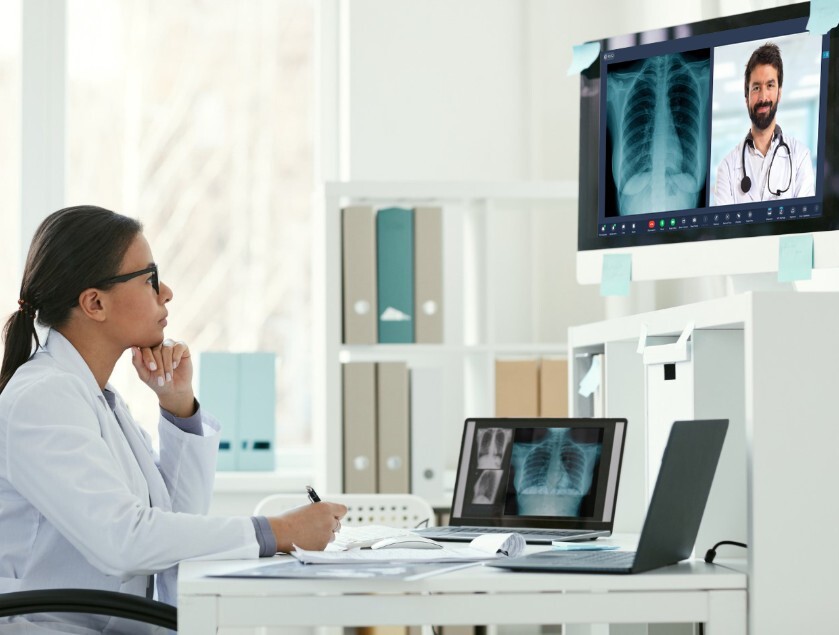
But access and information are different things. Many triage decisions rely on what a clinician sees: skin color, swelling, breathing effort, wound appearance, posture and the environment around the patient. This article explains what live video adds over audio, where audio-only still works well, and how to build a visual triage process that uses both.
What visual triage means
Visual triage is the use of live video, and sometimes patient-submitted photos, to help a clinician decide how urgent a condition is and what to do next: advise self-care, schedule a visit, order tests, refer to a specialist, send the patient to urgent care or direct them to the emergency department.
It does not mean making a final diagnosis from a screen. It means using visual information to make a safer, better-informed decision about the next step. Clinicians remain responsible for judging when video is enough and when an in-person exam is needed.
What audio-only does well
Audio-only visits have real strengths:
- Access. They work for patients without video-capable devices, strong broadband or a private space.
- Simplicity. Older adults and others who are uncomfortable with video can join with a phone call.
- Low bandwidth. They work in places where video would freeze or drop.
- Many visit types. Medication follow-ups, results discussions, counseling, care coordination and some behavioral health sessions can work well by voice.
- Policy support. Medicare currently permits audio-only for many telehealth services through the end of 2027, so there is a clear regulatory basis for continuing to offer it.
The goal is not to replace audio-only visits. It is to recognize which situations need more than a voice.

Where audio-only falls short
Clinicians using audio-only visits rely on the patient’s description. That introduces several limits.
Patients may not know what to report. A patient may say “it looks red” without describing the pattern, size, borders, swelling or drainage a clinician would notice at a glance.
Appearance is invisible. Pallor, flushing, jaundice, sweating, lethargy and distress are hard to hear.
Breathing effort is difficult to judge. A clinician can hear a patient speaking in short phrases, but cannot see accessory muscle use, retractions or color changes.
Wounds and skin conditions need eyes. Dermatologic and wound assessments are visual by nature.
Movement and function matter. Gait, facial symmetry, tremor and range of motion are difficult to evaluate without video.
The environment tells a story. Home hazards, medication bottles, equipment settings and living conditions can influence triage but may never come up in a phone call.
Children cannot describe symptoms. Pediatric triage often depends on observing how a child looks, moves and breathes.
What video adds
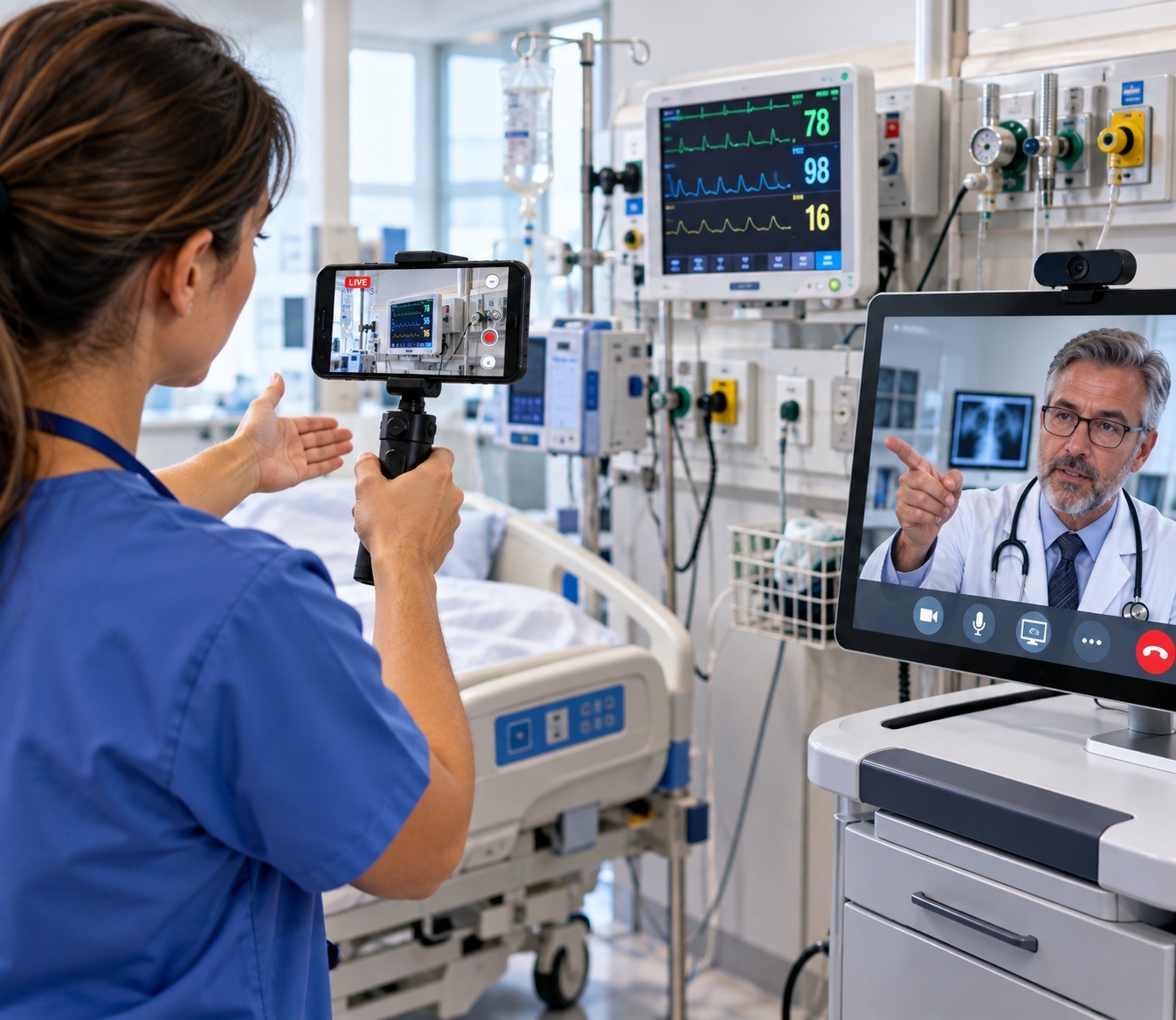
Live video gives clinicians several kinds of information that audio cannot.
General appearance and distress. Color, alertness, comfort, posture and interaction with a caregiver can inform urgency.
Breathing and work of effort. Observing how a patient breathes while talking or at rest can help distinguish minor from serious concerns.
Skin, wounds and swelling. Clinicians can see size, color, edges, drainage, bruising and asymmetry, and can ask the patient to move the camera or change the lighting.
Function and movement. A clinician can ask a patient to walk, raise an arm, smile or show their range of motion.
Objects and devices. A patient can show a medication bottle, glucose reading, blood pressure monitor display, wound dressing or equipment alarm.
The home context. The clinician can see whether the home is safe, whether equipment is set up correctly and whether a caregiver is present.
Nonverbal cues. In behavioral and general health conversations, facial expression and body language provide context.
Demonstration. Patients can show how they use an inhaler, injection pen or other device so the clinician can correct technique.
What the research suggests
Studies do not show that video always improves outcomes, but several point to the value of visual information for certain conditions.
- A Kaiser Permanente study of more than 270,000 primary care telemedicine encounters found that skin and soft tissue conditions had the highest proportion of video visits at about 60 percent. Medication orders were higher in video visits overall, and the largest difference was for skin and soft tissue conditions. The authors suggested that for certain conditions, visual information conveyed in video visits may promote clinical work-up and treatment.
- A study reported in JAMA Dermatology and summarized by 2 Minute Medicine found that videoconferencing teledermatology improved emergency department physicians’ diagnostic performance in about 69 percent of cases.
- A study of pediatric teledermatology found that adding recorded video to still images improved residents’ management accuracy, particularly for complex cases.
- Research on teledermatology image quality, reported by Fierce Healthcare, found that confidence in diagnosis and biopsy recommendations was significantly lower with lower-resolution compressed video than with high-resolution video or still photos. Quality matters.
These findings are specific to the conditions and settings studied. They do not mean that every visit needs video or that video can replace an in-person exam for every concern. They do show that when the problem is visual, seeing it helps.
Quality matters: lighting, resolution and capture
Video is only useful if the clinician can see clearly. The Fierce Healthcare summary of the dermatology research is a reminder that compressed, low-quality video can reduce confidence.
To get better visual information:
- Coach the patient on lighting. Natural light or a bright lamp without glare.
- Use remote zoom and flashlight control. Remote zoom and flashlight control help clinicians see detail and light dark areas.
- Capture still images. HD photo capture from the live feed saves clear images for the record and for specialist review.
- Show scale. Ask the patient to place a coin or ruler beside a lesion.
- Use pointer and markup. Live pointer and markup tools help the clinician say, “Please show me this area again.”
- Combine live video with stills. A hybrid of real-time observation and high-quality still images often works better than either one alone.
Building a visual triage workflow
Visual triage works best as a protocol, not an improvisation.
1. Start with intake
When a patient requests care, ask structured questions to determine the complaint, urgency, access to video and any red flags. Emergency symptoms should follow your emergency protocol immediately.
2. Choose the right modality
Match the complaint to audio, video or in-person care. The table below is a general illustration, and your clinical leadership should set the actual rules.
| Situation | Typical approach |
|---|---|
| Medication refill or results discussion | Audio-only is often sufficient |
| Counseling and many behavioral health follow-ups | Audio or video, based on patient preference and clinical judgment |
| Rash, wound, swelling or skin concern | Video preferred, with photos if possible |
| Child with fever, breathing concern or unclear distress | Video preferred, with a low threshold for in-person evaluation |
| Device or equipment problem | Video preferred |
| Post-operative check | Video preferred, with in-person visit if there are concerns |
| Possible emergency symptoms | Emergency care, not a routine telehealth visit |
3. Prepare the patient
Send a link that works without an app, explain what to have ready and give simple lighting and positioning tips.
4. Run a structured visual assessment
Use a checklist for the complaint: general appearance, relevant body area, comparison with the unaffected side, movement and any devices or dressings. Narrate requests clearly.
5. Capture and document
Save images, notes and a summary to the record. AI call summaries can speed up documentation, and session recording should be used only with consent and in line with your policies.
6. Decide and escalate
Define clear thresholds for moving from a telehealth visit to urgent or in-person care.
7. Follow up
Schedule re-checks by video where appropriate and tell patients exactly what warning signs should prompt a call or emergency care.
Tools clinicians need
Visual triage requires more than a camera. Clinical teams need tools that make video simple for patients and useful for clinicians.
- App-free access. Browser-based video reduces barriers for patients who do not want to install software.
- Clear video controls. Zoom, flashlight and camera direction help clinicians see what they need.
- Annotation. Markup and pointer tools reduce confusion.
- Image capture. High-quality stills for the record and referrals.
- Security and privacy. Encryption, access controls and audit trails, such as those described on Blitzz’s security features page, and a signed business associate agreement.
- Integration. Connections to your existing platforms so documentation flows into the record. See integrations.
- Supervision and training. Silent observer mode allows supervisors to watch sessions for quality and coaching, with appropriate consent.
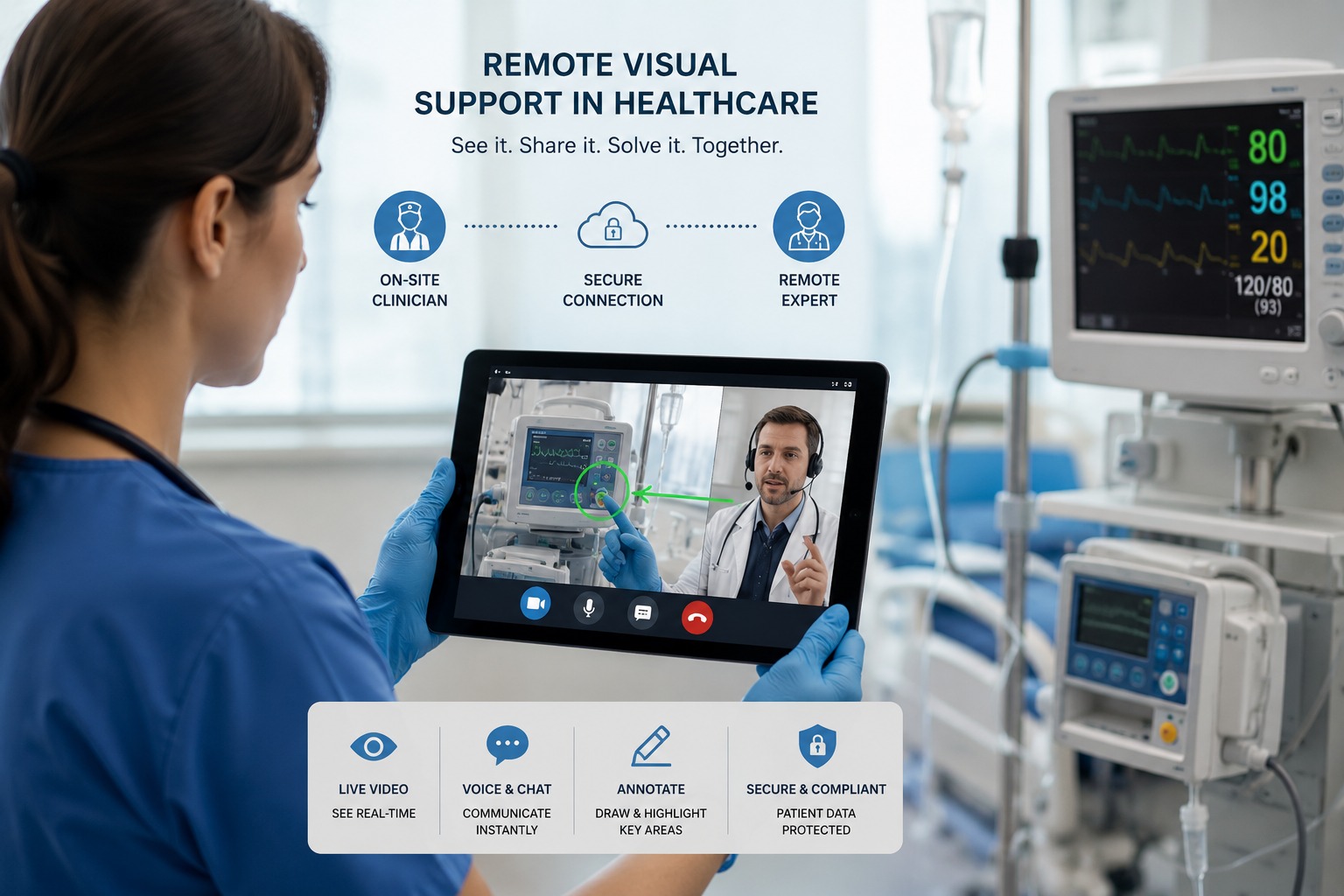
Blitzz describes visual remote assistance for telehealth as technology that connects providers with patients for real-time visual consultations, remote diagnostic support and guided device assistance, and says it works alongside your existing telehealth stack. It is built for qualifying cases such as visual wound checks, medication reviews, device troubleshooting and follow-ups, and clinicians decide what qualifies. Blitzz also states that the platform is HIPAA-compliant, so covered entities should confirm a business associate agreement and the configuration meet their requirements.
Equity and access: do not leave audio-only patients behind
Adding video should not shut out patients who rely on audio.
- Offer both. Make audio-only available where clinically appropriate and allowed, and use video when it adds value.
- Reduce friction. A text link that opens in a browser is easier than a new app and account.
- Support caregivers. Allow a family member to hold the camera or join the call.
- Provide language support. Offer interpreters and clear written instructions.
- Plan for connectivity limits. If video fails, switch to audio or ask for photos through another channel.
- Watch for disparities. A JMIR Dermatology study found that patients’ participation in video visits and in submitting photos varied across groups, which highlights the need to remove barriers. Track who is using video and who is not.
Compliance and governance
- Clinical protocols. Define which conditions are suitable for visual triage, what to capture and when to escalate.
- Licensure and scope. Confirm clinicians are licensed in the patient’s location and working within their scope.
- Documentation standards. Record what was observed, what was not visible and the rationale for the decision.
- Consent and recording. Follow your state and organizational requirements.
- Privacy. Limit recording of bystanders and unrelated items in the home.
- Billing. Coverage and payment depend on payer rules, the clinician’s specialty and the type of service. Medicare’s current flexibilities run through December 31, 2027, and the rules after that date are not yet settled, so plan for change.
- Emergency procedures. Make sure staff know how to reach emergency services for a patient in distress, including the patient’s location.
Metrics that show whether visual triage works
- Percentage of triage visits using video versus audio
- Rate of conversion from telehealth to in-person care
- Time to disposition decision
- Avoidable urgent care and ED visits
- Missed or delayed escalations, reviewed by clinical leadership
- Patient and clinician satisfaction
- Image quality and documentation completeness
- Follow-up and revisit rates
- Equity measures, such as video use by language, age and geography
Review cases where video changed the decision, and cases where it did not, to refine your protocols.
Limits and honest expectations
- Video is not a physical exam. Palpation, auscultation, vital signs and many tests still require in-person care.
- Some conditions look similar on camera and need further evaluation.
- Lighting, camera quality and patient skill affect what can be seen. Some skin tones and conditions are harder to assess in poor lighting.
- Not every patient can or wants to use video.
- Emergencies need emergency care.
Used well, video improves the information available for a triage decision. It does not remove the need for clinical judgment.
The bottom line
Audio-only telehealth expanded access, and it still has an important place, especially while Medicare continues to allow it through the end of 2027. But triage is about deciding what happens next, and for many complaints that decision is better when the clinician can see the patient, the problem and the setting.
The best approach is a layered one: audio when it is enough, video when it adds information, high-quality images when detail matters, and in-person care when the situation requires it. Clear protocols, good tools and attention to equity can help clinicians make safer decisions, faster.
To see how Blitzz supports telehealth teams with live visual consultations, explore Visual Remote Assistance for telehealth, review the features, read the case studies or schedule a demo.

Blitzz Team
The Blitzz Team writes about remote video support, virtual inspections and field service. Our guides come from working with home builders, property managers, warranty teams, contact centers and field service organizations that use Blitzz to see and solve issues without a truck roll.